Starting 2022 with 98% Client Satisfaction Rate

Client survey results 2021

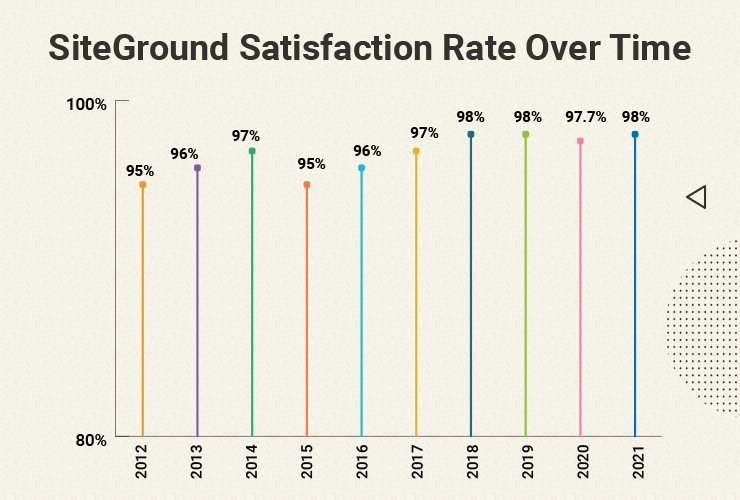
At the end of every year, we turn to our clients for the most important mark that really matters – how you rate our efforts and services throughout the year in our traditional client satisfaction survey. Each year we are amazed and humbled by the positive feedback we receive, and every time we manage to raise the bar a tad higher. In 2021, the result is a stellar 98% overall client satisfaction rating, which is spectacular in any type of client service business, but especially so in the website hosting industry. 

Of course it’s hard to put a number to satisfaction, but it’s a pointer that takes into account your ratings of the main pillars of our web hosting services – website speed, security and support, which we keep strengthening and improving on year after year. Here is a breakdown of some of the things we did in these key directions and the impact that they had on your websites, leading up to such staggering satisfaction numbers in all aspects of our service.

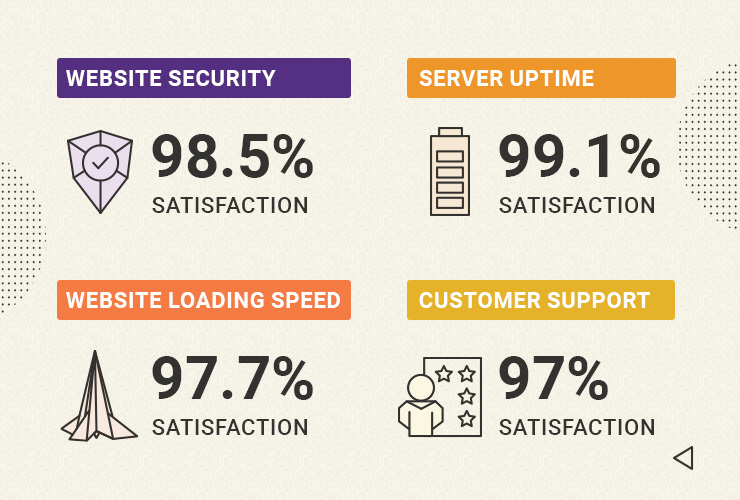
97.7% Client Satisfaction with Website Speed 

We’ve always been famous for proactively adopting the latest web speed technologies for the benefit of our clients. In 2021 we again introduced multiple new website performance enhancements at no extra cost. We started off by enabling Google’s state-of-the art Brotli image compression algorithm on our servers, ensuring between 15% to 20% website speed gains for clients right out of the box. To add to that, our new MySQL setup allowed websites hosted with us to serve more visitors simultaneously, lowering the number of slow website queries between 10x to 20x times. And by enabling our unique Dynamic caching by default on all hosting plans, clients now enjoy up to 5x times faster page loading time. These are just some of the latest and major improvements we introduced to make your websites run faster, improve your website’s user experience, conversions, and SEO rankings. In return you rated our website speed efforts with the highest marks in the history of our end-of-year client survey – a stellar 97.7% Website Speed Satisfaction Rate!

98.5% Client Satisfaction with Website Security

Parallel to our website speed improvements, we’re always working on new ways to help you with the never-ending quest of securing your website. Our mission to provide the best data protection took another big step this year with the launch of our off-site backups. Apart from our free daily backups and easy restore, we deployed a geo-redundant backup system which minimizes the risk of data loss in case a whole data center facility is in jeopardy for whatever reason. That way we ensure a safe recovery of your site with minimum downtime. In addition to that, our SiteGround Site Scanner security service got improved to include a new scanning method that allows users to run a thorough file scan of their site directly on the host server with a single click. And we also introduced our new centralized DNS for faster, safer, and easier hosting. 

4.3/5 Stars for our Client Tools and Services

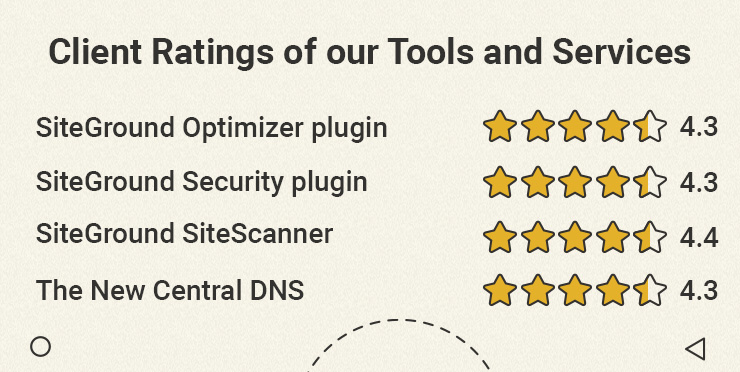
This year was especially rich in new website tools and services for our WordPress users. We launched the SiteGround Security plugin for WordPress – a free tool that greatly improves WordPress security in just a few clicks. And it’s available for everyone, not just SiteGround clients. Just a few months after its release, the plugin was awarded Silver for Best WordPress Security Plugin in the biggest WordPress community award, Monster’s Award. And to round off our list with added-valued services and tools, we released a new version of our SiteGround Optimizer WordPress plugin to upgrade its functionality and add new features for even more site speed and convenience for webmasters. All of these efforts did not go unnoticed, and we got an average rating of 4.3 out of 5 stars for each of our latest tool releases.

  • SiteGround Optimizer WP plugin → 4.3/5 rating
  • SiteGround WP Security plugin → 4.3/5 rating
  • SiteGround Site Scanner → 4.4/5 rating
  • The New Central DNS → 4.3/5 rating

A Look Back and a Look Ahead

We’ve been doing our client end-of-year survey for 10 years now, the first one dating back to 2012. A decade later, with over 2,800,000 hosted domains, your feedback ratings still manage to go up – starting from 95% overall client satisfaction, up to а steady 98% in the last couple of years.

We are thankful for your feedback and for helping us improve our services year after year. In 2022 we will continue to improve our tools and services and launch new ones for existing and potential clients alike, and hopefully manage to further exceed your expectations yet again.

[subscribe_cta]

2021 Year in Review, Quiz and Giveaway

2021 Year in Review

It’s time for another roundup of all the awesome new website hosting speed, security, and management enhancements that we launched in 2021! This time, to make it even more fun, we’ll let you guess some of the facts, and enter a giveaway for 5 exclusive portable speakers!

Enhanced Speed & Security Performance

In the past 12 months we did a lot of work behind-the-scenes to ensure you have an even faster and safer website hosting experience for your sites!

Some of the unique speed and security boosts we introduced are:

New & Improved WordPress Tools

We also expanded and improved our selection of WordPress tools that make managing, optimizing and securing WordPress websites easier than ever:

  • A brand new all-in-one SiteGround Security plugin – free and available for all WordPress Users. The plugin protects you from malicious login attempts, brute force attacks, hacks and malware, and helps you embrace better security practices!
  • A new major update to our SiteGround Optimizer Plugin that includes enhanced image compression technology, improved user experience and much more!

Superior Website Management for Everyone

2021 marked the end of a complex migration from cPanel to our in-house Client Area and Site Tools. This allowed the release of multiple new service enhancements that wouldn’t have been possible with the old site-management platform. After all, when we started SiteGround our goal was to create and maintain a service that we would want to use ourselves. 

98% Client Satisfaction Rate

Of course, what keeps our team innovating is the feedback from our clients. Every year, we ask them to evaluate our service and we are extremely proud and happy to see that we earned an average of 98% client satisfaction rate. 

Take our Recap Quiz & Win Bespoke Speakers

You can find out more about our accomplishments and the raw facts in our 2021 SiteGround Year in Review quiz. Five lucky winners will get a special prize from SiteGround – branded portable speakers.

>> ENTER 2021 RECAP QUIZ & WIN

Now, let’s see what 2022 will bring us.

[subscribe_cta]

Service in German Now Available at SiteGround

In this highly globalized economy, we believe that offering services customized for the local markets is the best way to deliver better quality and more convenience for our users. That is why we are proud to announce that besides English, Italian, and Spanish, we now start to offer our hosting services in German as well.

In the past few years, we have seen a growing number of customers from Germany, which has led to our decision to provide a data center location in Frankfurt. Now we are happy to attend to another need of the people from this region and we are adding the German language as an option for our site, all knowledge base articles, client interfaces and, most importantly, as a language on which our clients can communicate with our support via chat and ticket. 

Our new German Website: de.siteground.com

To visit our new German website you may go directly to de.siteground.com, or you may choose region Germany in the footer. People visiting siteground.com from German or Austrian IPs will be automatically redirected to de.siteground.com. By ordering a hosting service from this website, you will have your account created by default in our Frankfurt data center and all your client interfaces, including the helpdesk will come pre-loaded in German.

How to switch an existing service to German?

If you are an existing client, you may easily switch your service language to German from the Profile page in your Client area. Thus your Client Area and Site Tools interfaces will be turned to German, you will be able to read all our tutorials and knowledge base articles in our Help Center in German and you will also be able to post your support inquiries and receive the responses from our representative in your preferred language. Please note that for all service languages except English, support communication may be aided by Google Translate.

We also would like to remind you that if your account is not hosted in our German data center, but you wish to host in it, you may have your account transferred to it through our relocation service.

We are happy that our service is now more accessible to all German-speaking customers and we hope that our decision to support their native language will make their hosting experience better than ever.

[subscribe_cta]

New and Improved SG Site Scanner Security Service

Our SG Site Scanner service has been one of the most valued tools by our clients since we launched it back in 2017. It has helped tens of thousands of site owners to protect their sites from destructive hacks, data theft and reputation damages via early detection of malicious software. For the last four years, sites subscribed to our SG Site Scanner service had their URLs crawled for suspicious code and their domain reputation checked daily. Now, our clients using the service will also be able to run a thorough file scan of their site directly on the host server with a single click. Read below to learn how this new scanning method enhances the existing site scanner functionality. 

Daily URL scans and domain blacklist status checks 

As always, we will continue to scan the publicly available URLs of any site that is subscribed to our SG Site Scanner on a daily basis. This is a powerful method for detecting malicious code and infected file locations by scanning your public website source code. Additionally, we do reputation checks of the website domain by looking for it in the blacklists of security authorities like Google, PhishTank, McAfee and more. If a Site Scanner-subscribed domain is present in any of them, the owner gets an immediate notification.

NEW: Comprehensive file scans on demand

Apart from the automatic daily checks described above, the SG Site Scanner service also includes the option for an on-demand scan to be initiated by the customers in their Site Tools. Now on top of the Daily URL scans, these on-demand scans include a new scanning method, developed in-house by our DevOps team. The new method is a deep file scan done directly on the server. It can detect malware that is not publicly accessible and thus can be missed by the external URL scans. For example, if the malicious code is located in a password-protected folder, it will not be found by the URL scan, but the new file scan will easily detect it.

An additional benefit of the file scan is that it uses its own comprehensive definitions about what is malicious code and thus can catch threads that may be missed by the URL scan. Another big advantage of the file scan is that it can give you valuable information about the location of a problem that has already been detected by the URL scan. This information can make cleaning a hacked website much easier.

How to take advantage of the extended scanning capabilities?

All clients who already have the SG Site Scanner activated can log in to their Site Tools > Security > SG Site Scanner and click to run an on-demand scan. If domain is pointed to our servers, the scan will include the new files checks too, on top of the URL scan and the blacklist status checks.

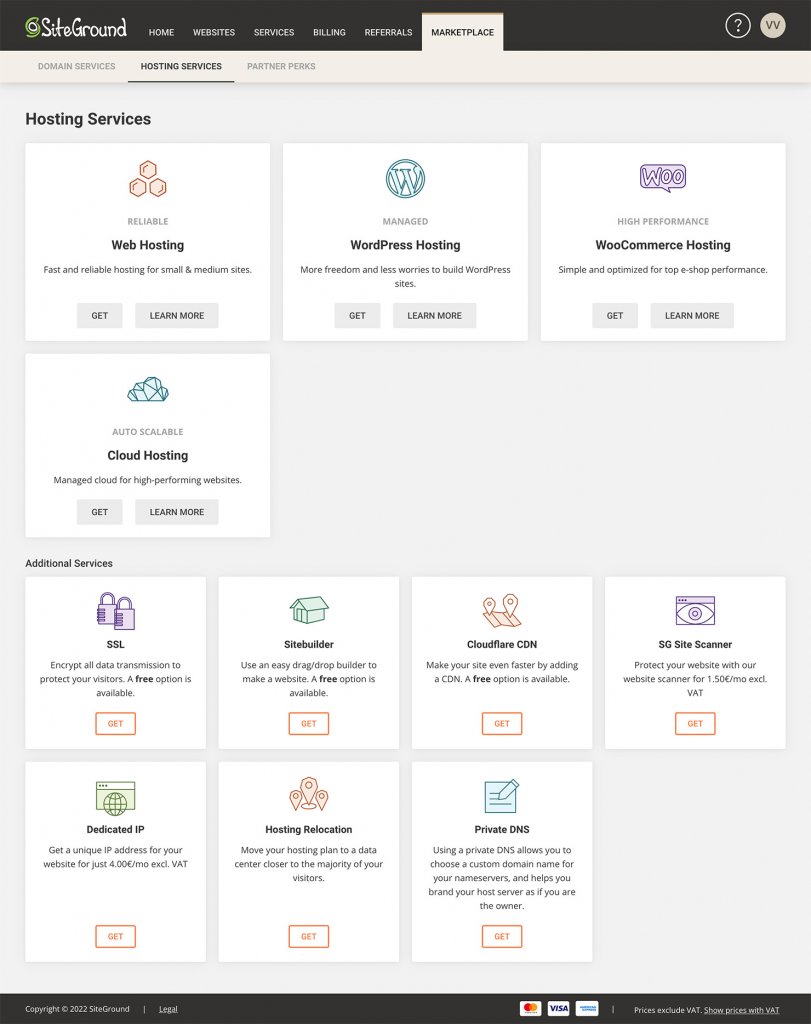
We strongly recommend that each site have an active SG Site Scanner at all times. The service has proven over the years to be essential for keeping sites safe and preventing data loss and downtime. It now has an unmatched value thanks to the unique additional scanning method available. If you don’t have it yet, you can find it in your Client Area > Marketplace > Hosting Services.

[subscribe_cta]

Our Client Area and Site Tools Turn Two!

Client Area and Site Tools Turn 2

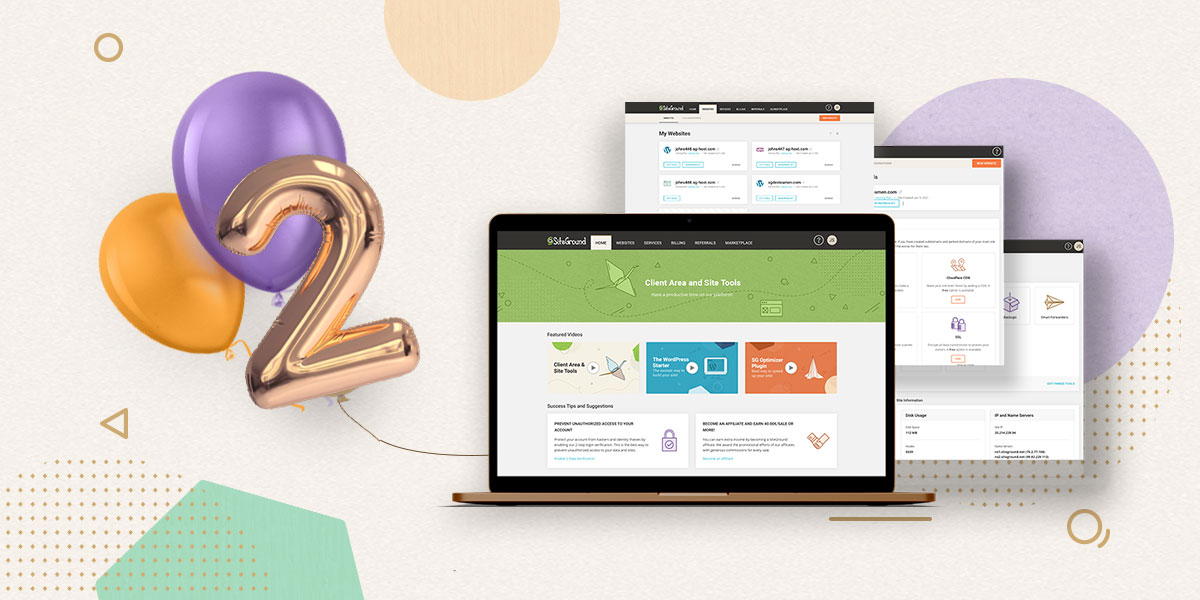
Exactly 2 years ago we launched our new Client area and Site Tools. It was a huge moment for us not only because it completed a 2.5-year long software development cycle, but also because it set our hopes high on the infinite opportunities for service enhancements that opened ahead. To celebrate the anniversary of our new tools, we decided to recap which of those opportunities we turned into reality and what were the reactions and impact from all those improvements altogether. Oh, we’ve decided it’s time to stop calling them “New” Client Area & “New” Site Tools since any software that has successfully crossed the two-year and 5000 bug fixes and feature requests mark is officially proven and tried-and-true into maturity.

Revamping Our Technical Setup For a Faster & More Redundant Service

Once we completed the development cycle and perfected our migration scripts to transfer all existing accounts from the old to the new server setup and interfaces, our DevOps resources got fully directed into platform improvements. The three major and most essential projects that we completed, which were possible thanks to our new Site Tools server infrastructure, were focused on the key components of our service: PHP, MySQL, and DNS services. No website could run on any server without these 3 (and the actual web server software of course), so they lay the grounds of how your website will perform even before you have selected an application or put it live.

UltraFast PHP for Up To 30% Faster Page Loading

Running a PHP service is not a challenge. Many webmasters do it on their home machines. But if you want a fast, stable, and secure PHP, while supporting Apache and the variety of .htaccess rules defined by a multitude of users and apps which run on a large platform like ours, things get complicated. After several iterations, our DevOps managed to overcome the biggest “speed over security” challenge and delivered an amazingly fast PHP with our Web Application Firewall and account isolation integrated, getting better performance results without compromising on security. You can read the full post about our Ultrafast PHP here.

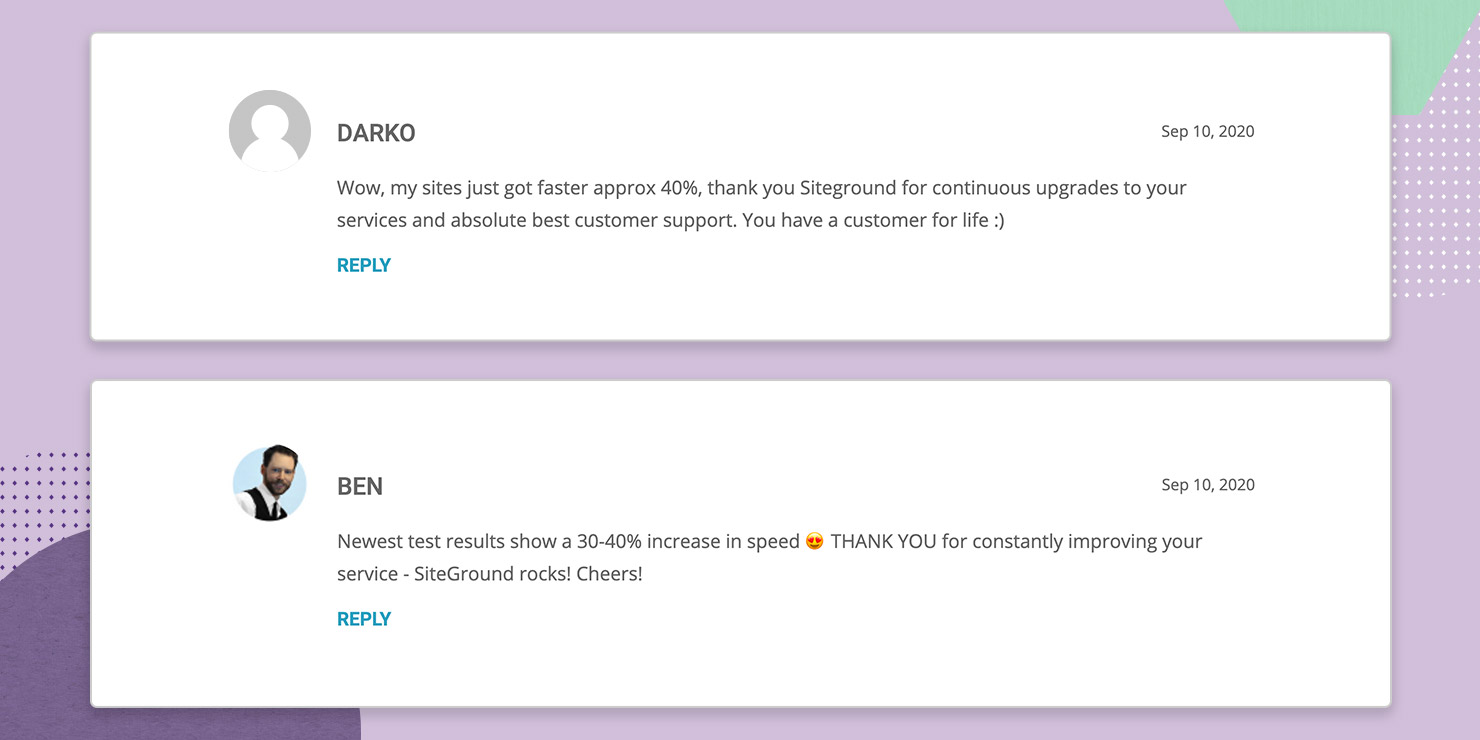
Customer commenting on UltraFastPHP

Faster MySQL Setup, Faster Sites

Since we had started on the essentials, it was only natural that we reevaluated how the MySQL worked after the PHP had been optimized. MySQL is especially important for the performance of websites with large data bases, which are usually e-commerce sites, quite widespread on our servers. The new MySQL setup that we crafted allows for a considerably higher number of parallel requests to be processed simultaneously. This affects the effective handling of heavy MySQL queries and leads to a significant drop in the number of slow queries on our infrastructure.

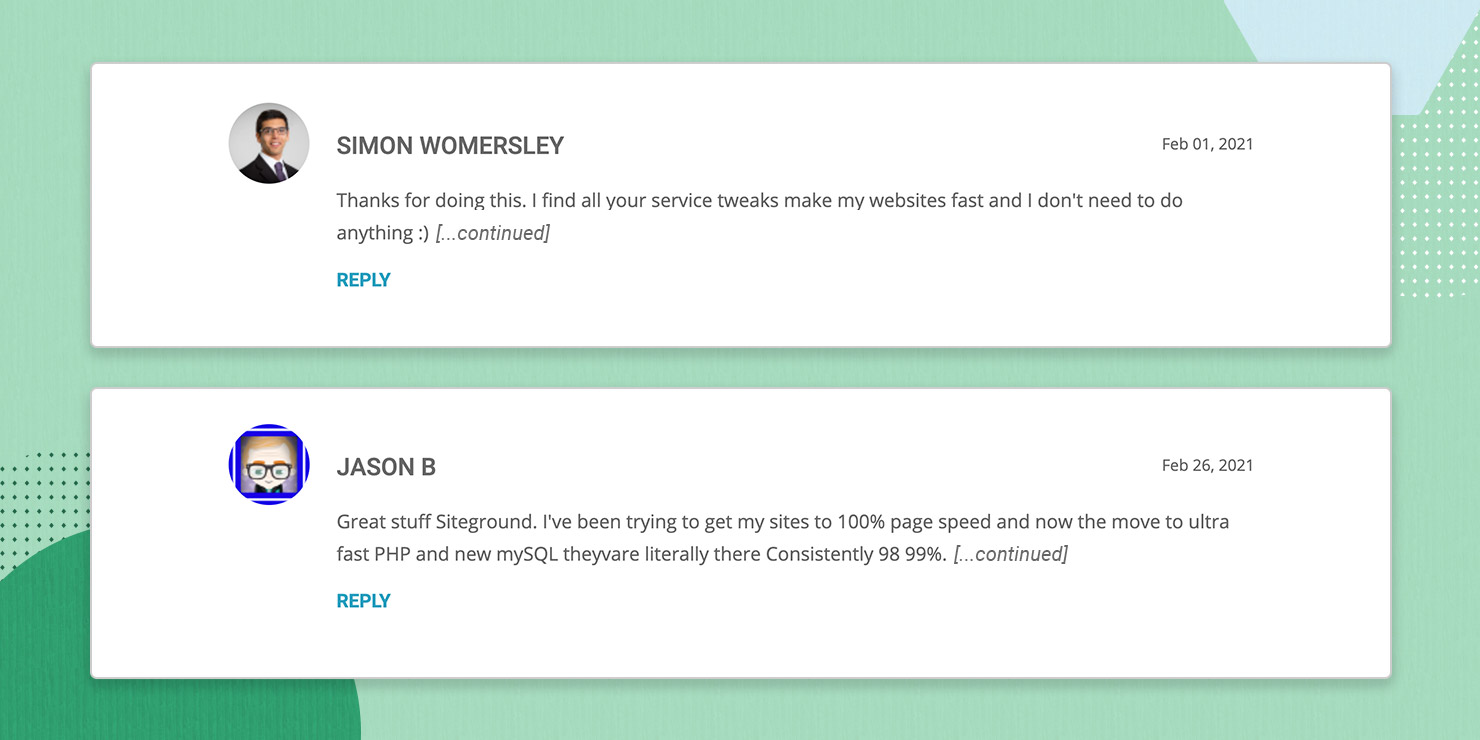
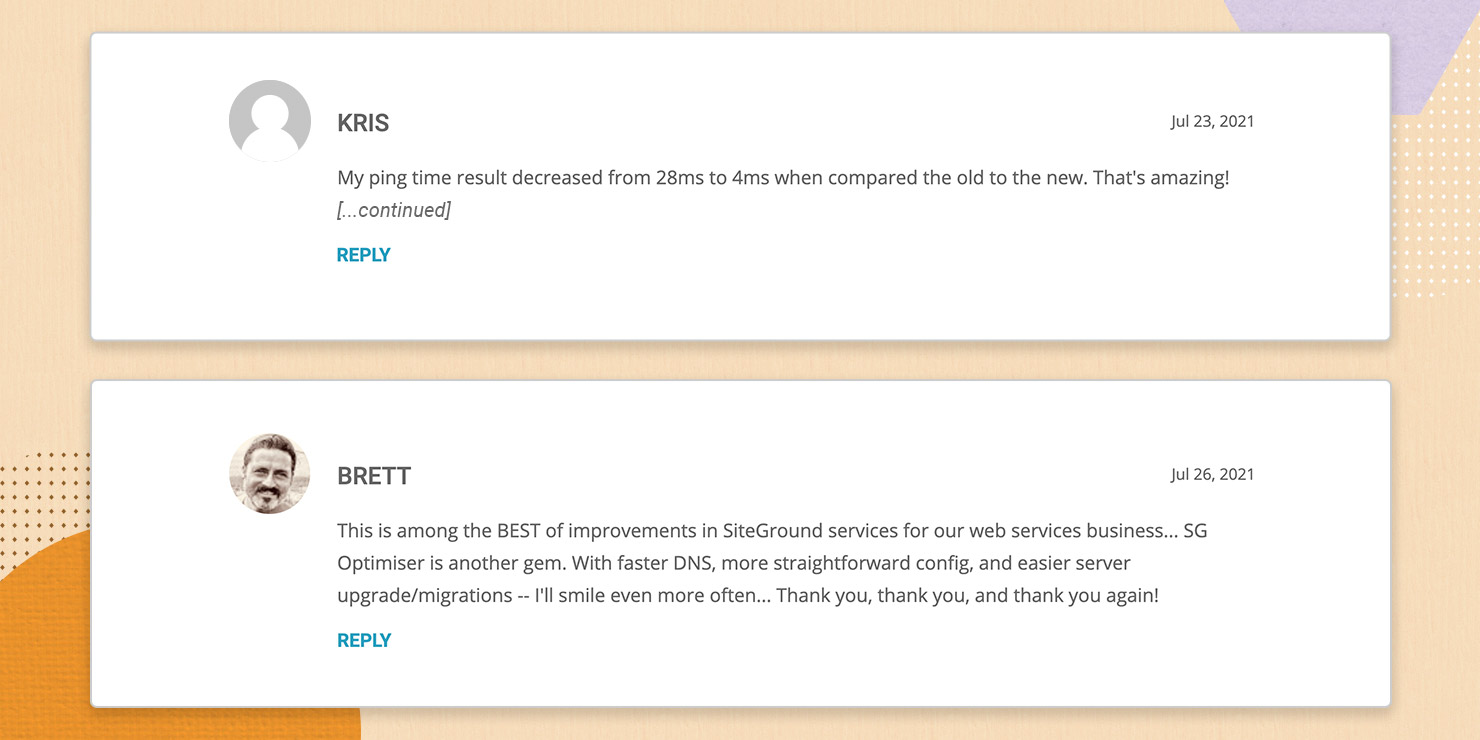
Clients commenting on new MySQL setup

Centralizing the DNS Service

Next on the list was reworking our DNS (domain name system) service. The DNS essentially translates domain names into IP addresses, so people can actually open a particular website. In order to make this process faster, more secure and reliable we just introduced our new centralized DNS service which operates in 5 geo locations and on multiple instances. Webmasters will witness faster domain resolving, enhanced resilience and availability of the DNS service, better protection against DDoS attacks and simplified DNS management among other advantages. All this translates into faster websites with added safety and ease of management.

Clients commenting on new centralized DNS service

Collaboration & Reselling Made Easy On Our Platform

One of the main reasons we were not happy with cPanel was that it was blocking us from creating our own Access control system the way we believed it should be. One of the things that we launched together with the new Site Tools and Client Area was a new user role – the “Collaborator”, already available on all our plans. This user role made it possible for our clients to invite their designers, developers, and friends to collaborate on their sites without sharing logins and creating any security risks.

Over time we also made it possible to add a “Client role” to our GoGeek and Cloud plans together with the option to create custom hosting packages on our Cloud plans, especially useful for people building websites for their clients. The Client role is a more sophisticated way of controlling the access you grant to your clients by defining which parts of the Site Tools they can access.

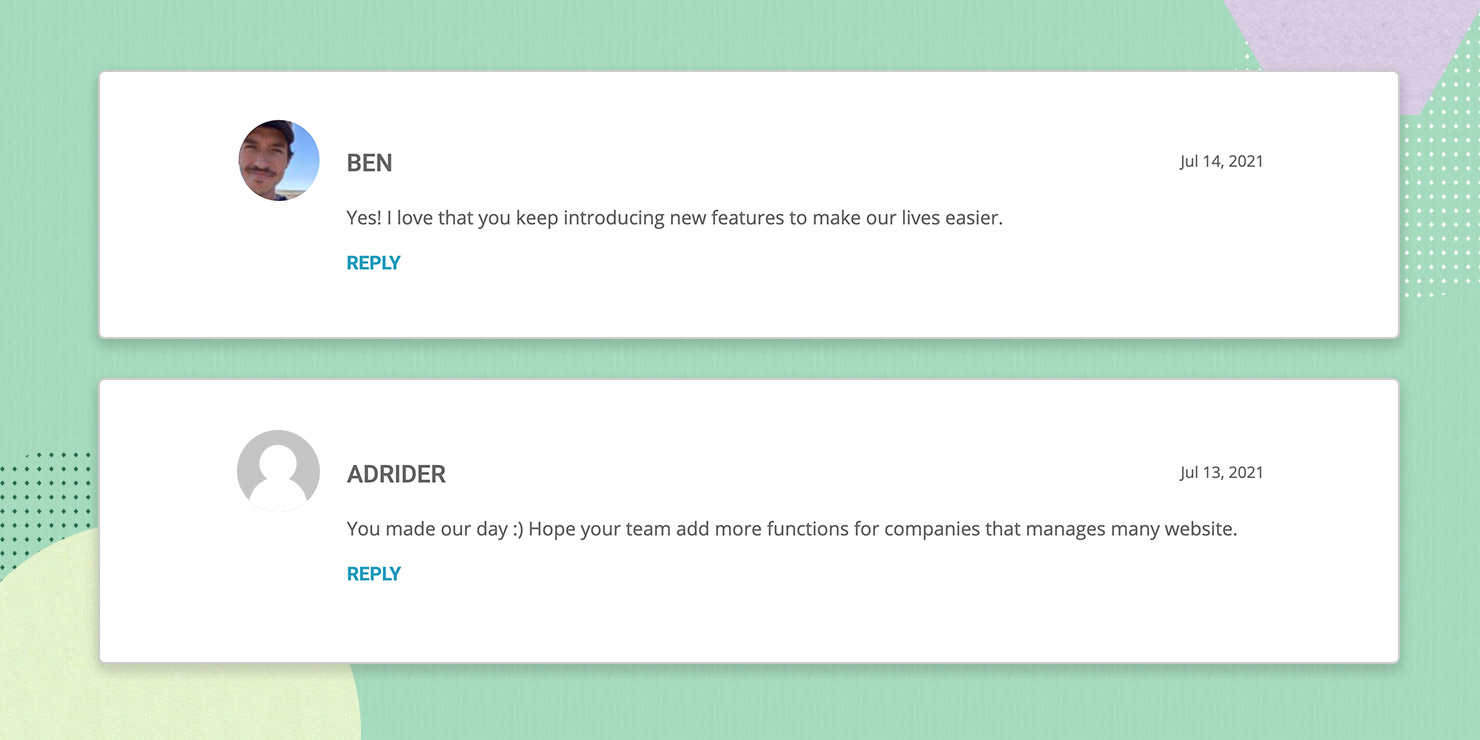
Client commenting on the Client role

Improved Web Accessibility

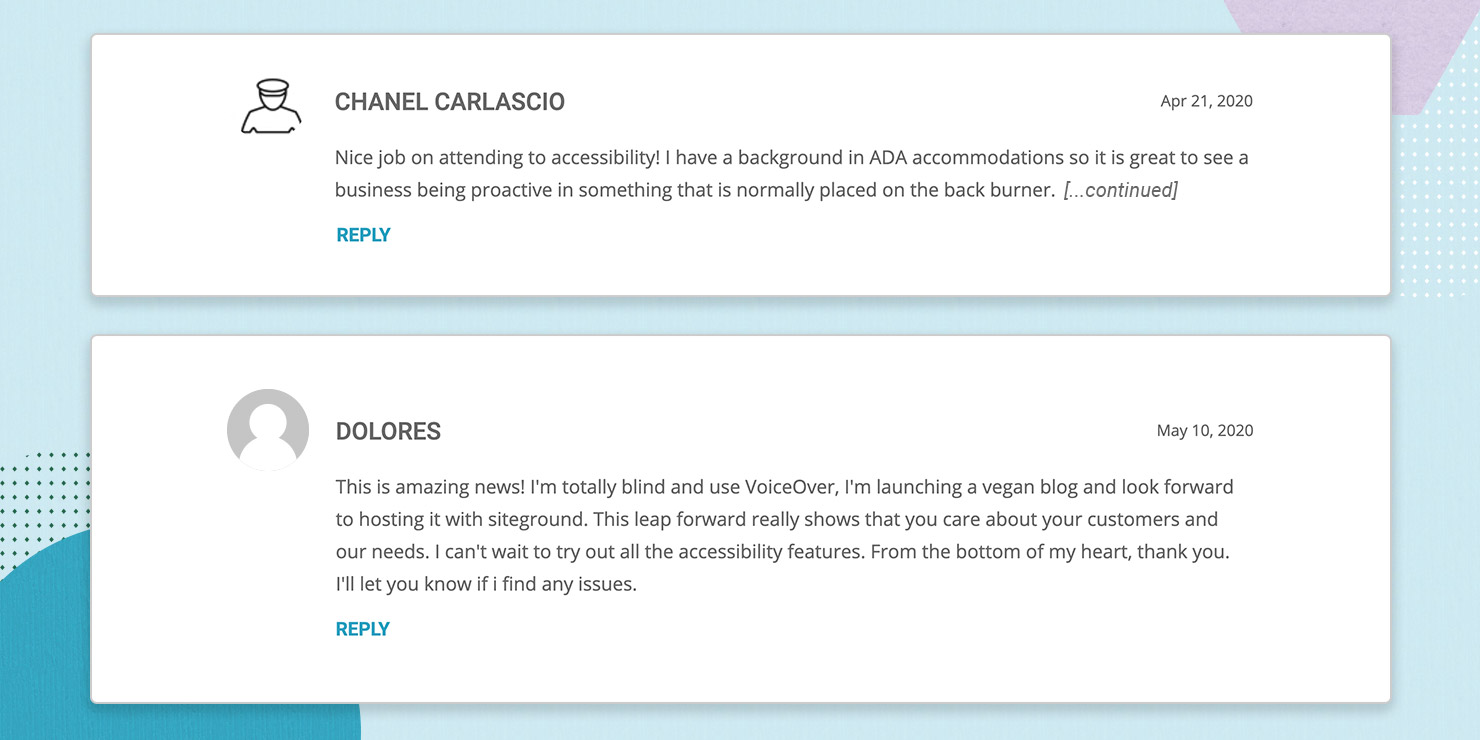
Our team also put significant effort into integrating features that make our service easier to use for everyone, including people with different levels of motor or visual disabilities. Our Site Tools came with a high-contrast theme, screen reader support and keyboard handling, and eventually Easy read font which is designed to improve readability for users with symptoms of dyslexia, but can be used by anyone who prefers it and finds it easier to read.

Clients commenting on improved web accessibility

New useful tools and features in Site Tools

Of course new and useful tools kept coming….

Multisite SFTP Key for Easy Multiple Site Management

More recently we introduced the option for Multisite SFTP access with a single SSH key which empowers users to easily and safely manage multiple sites. The Multisite SFTP access can be used for all the sites our clients own or have been added as a collaborator in a single Client Profile. This option provides multisite owners with the convenience and security to manage more than one site.

Clients commenting on multisite SFTP key

Search and Replace Tool for Easy WordPress Management

Our team introduced a WordPress Search and Replace advanced tool designed to enable WordPress admins and developers to replace all occurrences of a certain string within their WordPress code in a single click.

Enhanced Webmail App

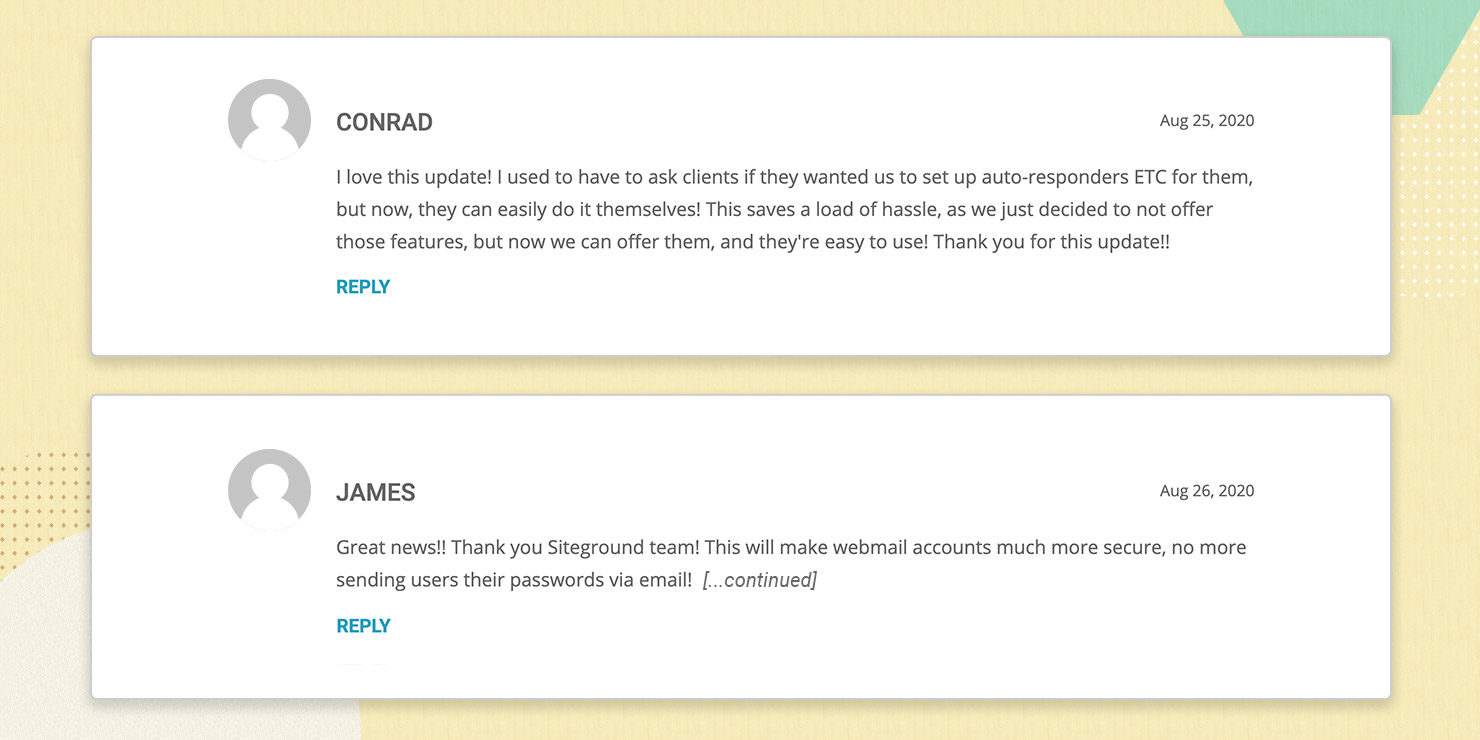
We released an updated Webmail application with improved look and feel. The app enables our clients to provide their users with access to all relevant email tools they need to manage their individual email accounts, such as changing their passwords or configuring autoresponders, folders, and forwarders.

Clients commenting on the Webmail app

HTML in Autoresponders

SiteGround users are now also able to set up autoresponder content to be sent as HTML. They can choose whether their autoresponder email is sent as plain text (default) or HTML. This option is available for all themes and resolutions in both the Autoresponders tool in Site Tools and in Webmail.

We are proud that we introduced the Client Area and Site Tools and all the enhancements backed up by amazing test results, but what makes us really motivated is the feedback we receive from our clients. Thanks for your continued support, and your business – together, we hope we continue to raise the standard of web hosting services

[subscribe_cta]

Centralized DNS for Faster, Safer and Easier Hosting

Looking back 2 years ago at our promise to unleash a series of service enhancements after switching fully to Site Tools, we keep delivering! After launching the Ultrafast PHP, new MySQL setup on shared and cloud, SG Optimizer new features, and more, we have also reworked our DNS service to make it faster, safer, more flexible and easy to use than ever. Take a read at what we have done and how that affects your websites hosted on our platform. 

What’s under the hood of our new DNS service 

Let us first make a quick reminder – the DNS (domain name system) is what makes it possible for a domain name to open a specific website. This system indicates on which of all the servers in the whole internet your website is hosted. Usually, a specific set of 2 nameservers and 2 IPs correspond to each server and they should be added in your domain’s management panel for the system to work. Each server also has a DNS service installed on it that processes the DNS queries and shows the proper website when a visitor types your domain in the browser. 

With our new centralized DNS setup we no longer need DNS service installed on each of our production servers that host your website. We are able to move all our DNS services to a completely separate cluster of multiple servers. This cluster is dedicated for DNS service only and is geographically dispersed around the globe thanks to the super cool Anycast network routing technology. Centralized DNS also allows us to have just one pair of nameservers and IPs for all the servers that SiteGround manages, and these are:

  • ns1.siteground.net
  • ns2.siteground.net

What are the benefits of our new DNS service

Faster Domain Resolving, Faster Website Loading

When a visitor searches for your website’s domain, the first thing that the browser does is make a DNS lookup to see on which IP the domain resolves and connects to the server with that IP. With the previous DNS setup lookup requests coming from a different continent from your server’s were handled a bit slower due to the physical distance between the visitor and the server resolving your domain. Now, with the centralized DNS which works on five different geographical locations and multiple instances, the resolving is handled by the closest node saving networking delays and improving your website loading speed.

Enhanced Redundancy 

As the new DNS setup relies on multiple geographically dispersed machines, it is extremely resilient. For example if one of the DNS servers goes down, the DNS requests would be handled by the second closest point, which is up and running. This setup also guards against DDoS attacks, as if there is a high amount of malicious traffic, it will be distributed among multiple DNS machines and it becomes much more difficult for such an attack to succeed. On top of that the DNS service is super scalable, and new machines can be added easily whenever there is a need for more resources.

If you are using your domain simultaneously for your hosting at SiteGround and other services too (for example your MX records are pointed to Gmail), having the DNS service hosted on a different location from your website has one more advantage. In case your hosting server goes down, your DNS will still work and your outside services will still resolve without being affected. 

Seamless Migrations Between Servers 

It’s part of our job to move data around – whether we transfer your account from an old hardware to a newer one, from cPanel server setup to machines with Site Tools setup, or from an old data center to Google Cloud infrastructure, migrations are something that happen and will continue to happen. Every time we migrate servers, one of the biggest challenges is handling the DNS zones. The new server comes with new nameservers and once websites get transferred, the domains have to be pointed to use the new nameservers. We have been updating them automatically for all domains managed via our control panels, but external domains needed manual change by webmasters. In both cases, there would be DNS propagation with potential downtime impact. With the new Centralized DNS it will be much easier to migrate and perform server upgrades in the future. In most of the cases such migrations would not involve any kind of DNS settings change thus preventing any issues caused by propagation. 

More Convenience & Ease of Use for you

With the decentralized DNS, people managing multiple sites on different servers have to keep track of different sets of nameservers, which may be inconvenient. The new centralized DNS simplifies multiple web site management processes for our clients, as all domains of all sites hosted on our platform, regardless of their hosting account or server can now use the same pair of nameservers.

When will the new DNS service become available?

All new websites created on our platform are already using the new DNS service. For older websites, we are now starting a gradual switch to the new centralized DNS. We will be updating nameservers for all domains registered with us automatically. For external domains used with our system, we will be informing our clients by email, confirming when it will be safe to update their DNS settings to the new ones. The old DNS system will continue to be supported for several more months, till the migration to the new one is fully completed. 

[subscribe_cta]

One Multisite SFTP to Rule Them All

SFTP

This summer has been especially hot at SiteGround because new features come up one after the other. The latest addition to our platform is the option for Multisite SFTP access with a single SSH key. From now on, people that manage multiple sites on our platform will no longer have to use a separate SSH key for each of their sites in order to be able to securely upload files over SFTP. The Multisite SFTP Access can be used for all the sites you own or are added as a collaborator in a single Client Profile. 

Multisite SFTP Access is super convenient

This feature is especially handy for people that manage a lot of websites on our platform. If you are one of them, with our new feature you will no longer lose time creating a separate SSH key for each of your websites you wish to access over SFTP. Moreover,  you will no longer need to remember different usernames and hostnames for each site. From now on you may authenticate for an SFTP connection to each of your websites through one and the same central hostname and username. Our system will then grant you SFTP access to all the sites that have been added to your multisite SSH key. 

Multisite SFTP access is highly secure

The Multisite SFTP access is definitely making it more convenient to manage multiple websites. But rest assured this convenience does not come at the expense of security. As with our single site SFTP option, you get an encrypted file transfer between your local computer and the remote server hosting your site. We also use the much more secure authentication method of SSH keys instead of simple passwords. Keys have a number of undeniable security benefits – they are much longer and more complex, making it impossible to be brute-forced. In addition to that, the key itself is not transmitted during the authentication process. On the other hand passwords, even ones generated from tools, are prone to brute force attacks and they often rely on the same master password stored on a computer that could be potentially infected. And if you want to add a layer of security yourself, you have the option to easily restrict the multisite SFTP access of your SSH key to a specific IP.

Multisite SFTP access is easy to set up and manage

To use our new Multisite SFTP access you just need to create a master SSH key through your Client Area. At the time of the initial key setup you may choose which of your current sites to be accessible through it. Once you activate the key, each new site you create or you are made a collaborator to, will be automatically added to the key. You can edit the list of sites accessible through the key at any time through your Client Area. To learn more check out our detailed Multisite SFTP access tutorial.

NOTE: An obvious prerequisite for using our new service is to have more than one website managed through your client profile. If you have just one website, you still can access it through SFTP, of course, but you need to use its unique SSH key, generated through its Site Tools.

[subscribe_cta]

Enhanced Protection Against WordPress Vulnerabilities with SiteGround Security Plugin Preinstalled

We have recently launched our own WordPress security plugin — SiteGround Security (now named Security Optimizer), which aims to protect WordPress users against the most common vulnerabilities plaguing the sites. It is available for anyone to download and use for free, regardless which hosting platform they use. To make sure that our WordPress sites are well protected on application level, however, we have started preinstalling SiteGround Security on all new installations on our platform with some of the features enabled by default. 

Default SiteGround Security Settings Against Common WordPress Vulnerabilities 

Having your site set up with security in mind from the start can easily protect you against some of the most popular vulnerabilities out there. To help you achieve that goal, when we preinstall the SiteGround Security plugin we enable the following settings:

WordPress Version is Hidden by default

Hackers often crawl websites scooping information about software versions used. That way, when they get to discover a vulnerability in any of those versions, they are able to reach to and quickly hack many sites in bulk using that information. For WordPress application this data is openly available in 2 places – in an HTML tag and in the readme.html file. 

By default, our plugin removes the HTML tag with the WordPress version and we strongly recommend that you also remove the readme.html file via the option in the SiteGround Security plugin.

Advanced XSS Vulnerability Protection enabled

The cross-site script vulnerability, known as XSS, allows different apps and plugins to access information in your WordPress that they shouldn’t. Such attacks are often used to gather sensitive user data for example. By default, the SiteGround Security plugin enables protection against XSS by adding headers instructing browsers not to accept JS or other code injections.

Disabled XML-RPC protocol to prevent many vulnerabilities and attacks

The XML-RPC is an old protocol used by WordPress to talk to other systems. It is getting less and less used since the appearance of the REST API. However, it is available in the application and many are using it for exploiting vulnerabilities, starting DDOS attacks and other troubles. That is why our SiteGround Security plugin disables this open access line to your WordPress application by default.

NOTE:

Jetpack plugin and mobile apps are valid users of the XML-RPC protocol. If you download Jetpack at some point, we will automatically enable the protocol back. You can also enable it yourself through the plugin interface.

Option to Disable RSS and ATOM Feeds 

Similar to XML-RPC, feeds are rarely used nowadays, but they are often used by attackers and bad bots to scrape your site content. So the SiteGround Security plugin allows you to disable them easily. Unless you really need them, we recommend using this option and disable them as soon as possible.

Lock and Protect System Folders by default

Usually, when an exploit happens, attackers try inserting and executing PHP files in public folders to add backdoors and further compromise your account. By design, those publicly accessible WordPress folders are used for uploading media content (images for example). Via the SiteGround Security plugin, we do not forbid the upload of files, but we stop PHP files and malicious scripts from being executed and causing problems for your sites.  This feature protects those system folders and prevents potentially malicious scripts from being executed from them.  

Disabled “Admin” Username 

The default username and one most widely used on all applications by their owners is “Admin.” Hackers know that and when they wish to bruteforce a login form, they will definitely try it. That is why we disable this username by default. 

Disabled Themes & Plugins Editor

Editing code through the plugins and themes editor poses direct security risks both from potential elevation of privileges attacks and errors made by a regular site administrator. If you want to edit your files, it is strongly recommended that you use the File Manager tool in Site Tools, or your preferred editor through FTP or SSH (ideally on a staging copy of your site). To help you avoid bad practices and attacks, we disable the themes & plugins editor by default.

There are a few settings, which you can control from the SiteGround Security plugin, which we have not enabled by default because they need your permission or they pose a risk on the way you use your app. Yet, we wish to encourage you to enable them consciously as they are quite powerful protection tools as well.

Two-Factor Authentication is a MUST

You already know that 2FA protects your login from brute force attacks and hijacking of login credentials. You can read more on the topic here and you can enable it easily using the SiteGround Security plugin.

Limit Login Attempts 

When someone tries to log in several times with wrong credentials, they are most likely trying to guess your logins. That is why it is strongly recommended to block such attempts after the first few – 3 or 5. You can set that in the SiteGround Security plugin interface and after that many times of wrong logins, the user gets blocked for 1hour the first time, then 24hours on the second trial, and finally for 7 days on their third trial. Again, since if you don’t know about this functionality, you may lock yourself out of the WordPress admin area, we are not enabling it by default for you, but you can do it easily in a click!

More Tools Against WordPress Vulnerabilities Coming Up

We’re continuing the development of the plugin and will add a lot of new functionality soon. Monitor the change log for new features added with the upcoming updates. There isn’t a strict roadmap that we can share at this point but some of the features coming next are custom login URLs, Strict Transport Security headers and X Frame options that will prevent page hijacking. As usual, we want to bring what’s usually difficult to implement technologies to everyone and with an interface easily accessible without having to spend hours researching the exact syntax of the necessary headers or other code.

[subscribe_cta]

Data Safety and Disaster Recovery Policies at SiteGround Hosting (that just got better!)

Disaster_Recovery_SiteGround

Data storage and safety are key components of our web hosting service. That is why we are extremely conscious of keeping your websites frequently backed up and safeguarding those copies in good status for a potential future usage. Having been in the business for 17 years, we have witnessed different incidents seriously affecting or threatening different hosting providers around the world. There have been hurricanes in close proximity to big data centers, power outages due to a state emergency, and quite recently, we all saw how a large data center in France was caught by fire and all data, including backups was lost.

That is why we never let our guard down, periodically evaluate the risk and add new policies to make our disaster recovery strategy better and better. For example, we recently introduced a new backup algorithm that keeps your accounts’ backups in а datacenter different from the one hosting the live account and in case of an accident we can power up your website quickly in a new facility. 

Now we want to give you an overview of how we keep your data safe and how we restore them when needed so that you rest assured we are proactively taking care of your websites and information.

How do we keep your data safe?

  • Google cloud infrastructure redundancy and omnipresence

Since we migrated our platform to Google Cloud’s infrastructure, we feel more confident in the redundancy of our service. Natively, Google Cloud maintains a highly redundant clouds of servers in different data centers worldwide and allows us to easily migrate data from one virtual machine to another, or one data center to another, regardless of the continent. That by default means that in case of an incident with your live server, it is quite likely that your files would be still on the cloud.

  • Daily backups

The Cloud-based infrastructure ensures a great ground level of data safety, but  is not a 100% guarantee that we will be able to restore your files when needed, which is why we have been creating free daily backups to all our accounts. Not only that, but we keep multiple backup copies of the accounts we host. That way even if our backup script fails for some reason one day, we will have previous copies to revert to and that significantly improves the chances for having a backup when you need one. To be specific, for StartUp, GrowBig and GoGeek plans we store 30 copies, while for cloud accounts we keep 7 copies.

  • Backup storage in a different geo location [NEW FEATURE]

To minimize the damages possible due to a server failure, we have always kept your backups separately from your account – on a different physical machine, but in the same data center. As of last month, however, we have introduced an awesome enhancement – we now keep your account’s backups in a different physical facility from the one hosting the live sites. 

We evaluated the risk factor of having not just a whole server down, but the whole datacenter and with the climate change which leads to an increasing number of natural disasters worldwide, as well as a recent incident when a fire hit a large data center in France and resulted in huge data losses, we see that probabilities are growing so we decided to take actions. Thanks to Google Cloud’s facilities, we are now doing the following:

Iowa, US servers are backed up on machines in Virginia, US

London, UK servers are backed up in Eemshaven, NL

Frankfurt, DE servers are backed up in Eemshaven, NL

Eemshaven, NL servers are backed up in Frankfurt, DE 

Sydney, AU servers are backed up in Singapore, SG

This service is not available only for accounts hosted in the Singapore data center.

  • On-demand backups

Since the highest likelihood of losing data and breaking a website is when users try to upload changes on their sites, we strongly recommend using the on-demand backup creation tool available in your Site Tools. Make a backup right before you deploy new code, plugin, theme or else on the site so you can revert in a click in case anything goes wrong. Try to make it a routine! You have the tools at your disposal, just go and hit that backup button before you deploy anything!

SiteGround_Site_Tools_Ondemand_Backups

How do we recover data in case of an incident?

In case of any incident, whether a self-incurred by the user website damage, or a more serious hardware failure, your account data can be easily restored from the available backups. Here’s how:

  • Restore tool for quick website issue resolution 

All our clients have a free restore tool in their Site Tools control panels, which gives you access to all available copies made by our daily backup script or manually by you from the backup creation tool. Just click and restore the copy that is either the most recent one, or seems to be unaffected by malware or human errors.

SiteGround_Site_Tools_Restore
  • Mass incident disaster recovery

So accidents happen, regardless how much you try to protect against them. In case of a massive server crash, or power outage for a long period of time, or a natural disaster, we as your host need to be able to step up and find a way to restore your data and minimize the downtime. That is why years ago we built our sophisticated backup system. The main advantage of this system is that it could migrate TB of data in just a few hours as it allows simultaneous restores from multiple backup instances to multiple production servers. 

What is more, we will be able to power up your website on a server that is in a different country or continent if that’s the fastest way to put it back online!

[subscribe_cta]

Moving to PHP 7.4 and Discontinuing Some Old Versions

A large part of our service involves keeping server-side and client-side software up to date, secure and fast. One of the key elements of our server stack that requires expert maintenance is the PHP programming language, which is a prerequisite for the functioning of the majority of the websites. PHP is an extremely popular and well-supported language and, as any software, its development involves the continuous release of new versions. New versions introduce new features and important performance and security enhancements. As a managed hosting service provider we keep track of how each PHP version evolves, especially how fast it is adopted by the leading application developers, and we make proactive efforts to make sure our customers get all the benefits of the newer versions as soon as possible. Here is our latest PHP maintenance update.

PHP 8.4: Stay Updated! 🚀 Check out our latest blog post to explore the newest features and enhancements in PHP 8.4.

Moving to PHP 7.4 as the server default

As of June 2021, we will be switching the default version on our servers to PHP 7.4. This means that all new sites will be using 7.4, unless manually switched to a different one. PHP 7.4 has been around for more than 2 years now and has already become widely compatible with different CMS’s, themes and plugins, where PHP 7.3 (our current default) is already out of active support and will get out of security support too by the end of this year. Keeping your PHP version up to date has undeniable performance and security advantages and that is why we are now helping you switch to PHP 7.4.

All websites using our Managed PHP service will also be upgraded to 7.4 in the period June 10-21, 2021. PHP 7.3 will still be available on our servers and can be set up manually for any site by our clients from Site Tools > Dev > PHP Manager.

Discontinuing support for 7.2, 7.1, 7.0, 5.6 and lower at the end of the year

At the same time, the security support for all PHP versions below 7.3 has been officially over for quite some time, and given the exploits that leak out once in a while, we believe the risk of using them is growing higher. Additionally, the performance of websites using old PHP versions is considerably lower compared to sites using newer versions. That is why we are starting a process of discontinuation of PHP 7.2, 7.1, 7.0, 5.6 and lower on our servers. After June 21, 2021 we will be gradually updating the sites using old PHP versions to PHP 7.4. PHP versions below 7.3 will no longer be supported on our servers after December 31, 2021.

What to do if you are using an old PHP version?

This PHP update will affect many websites on our platform. That is why we have started communicating the update one month ago and we strongly encourage you to evaluate the impact of upgrading to 7.4 on your site as soon as possible by using this tool:

your-domain.com/.well-known/sg-php-try-v74

To see if a site will work properly after the upgrade, please type the above URL using your own site domain in the browser and browse through the site, its subdomains (if any) and its admin area. If anything does not look or behave as expected, we highly recommend that you further investigate your site compatibility with PHP 7.4 and fix any issues before the update. If you have broken plugins or a theme, consider updating or replacing them. If that’s too hard, or the problem is elsewhere, contact your developers for assistance.

Note: By opening your website through the link above you will browse it using PHP 7.4. This change affects ONLY your current browser session. All other visitors will continue to access your site with its current PHP version. To stop the compatibility check browsing mode in your own browser, please close the browser and access your site again via its standard URL.

Magento special case: Sites using Magento 2.3.6 or lower are not compatible with PHP 7.4 That is why, if you have such a website, we strongly recommend you update it to 2.3.7 as soon as possible, so that it is compatible with PHP 7.4 and ready for the PHP upgrade.

We are aware that sites currently using PHP version 7.2 or lower may need longer time to fix possible incompatibilities with PHP 7.4. That is why, the owners of such sites were provided with a link for possible opt-out in the email about the update, sent over the past few days. By opting out through this link, clients confirm that they do not want us to update their site PHP version for them, but are aware that this version will nonetheless stop functioning after December 31, 2021.

For clients using PHP 7.3, we strongly recommend that they do not postpone their PHP update, but in case this is really needed they may simply switch to manual PHP version management, until their site is ready for PHP 7.4.

Looking forward to seeing more secure and much faster sites after the update!

[subscribe_cta]