


Many site owners settle for less-than-ideal server performance and security just to avoid the hassle of migrating their website. Luckily at SiteGround, we’ve made it easier than ever to transfer your WordPress website to us. How did we do it? With a WordPress plugin! By installing our new SiteGround Migrator plugin on your WordPress site, you can move your installation to us with a few clicks.
The easiest way to migrate your site
For many people, the thought of moving themes, plugins, and content to a new host is daunting. Of course at SiteGround, you always have the option to request a manual website migration by one of our support professionals.
However, this can take more time because it depends on the availability of our experts and can get costly if you have more than one site to migrate. We wanted to offer our customers an even simpler and more cost-effective way. Now, with our unique SiteGround Migrator plugin, you can transfer multiple WordPress sites from any host to SiteGround at no extra cost.
This free and elegant solution makes it possible for anybody, regardless of technical skill, to manage their own site transfers. Thanks to a Migration Token generated in your SiteGround account, you can tell any website hosted elsewhere to move to your new host in a totally secure way, because we encrypt everything before we move it.
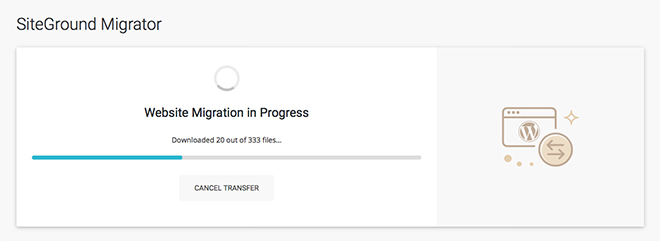
Simplify your life by consolidating multiple sites under one account
The new SiteGround Migrator plugin makes it easier than ever to transfer all your sites to one account. If you are using a GrowBig plan or higher, that powers multiple sites, you won’t have to pay extra for your subsequent migrations.
This is great for power users and freelancers, who manage multiple sites at the same time. You won’t have to keep track of multiple logins, accounts, and billing cycles when you manage everything with SiteGround. Plus, all your sites will have the same fast, secure, and feature-rich hosting we’re known for.
Whether you’ve just signed up to SiteGround, or you’re consolidating all your sites under one account, we’ve developed a detailed tutorial to walk you through the migration steps.
[subscribe_cta]
Frequently Asked Questions
Does this plugin work with a local hosting environment?
Because we download your site content directly onto the SiteGround server, we can’t access your content hosted on a local environment.
Does the transfer work with multisite?
Due to the complexity of multisite installations, we don’t migrate full multisite networks at this point. However, we can successfully migrate separate blogs from a multisite network.
What content is migrated?
We move only your WordPress content: themes, plugins, uploads. If you have other applications or content outside of WordPress, it will not be migrated
Does it only work with cPanel hosts?
No, we strive to make our plugin work flawlessly with every hosting environment.
The transfer is complete. Why didn’t I get a notification?
The plugin uses your current site’s admin email to notify you when the transfer is complete. If you aren’t receiving admin emails, you will not receive one for the transfer completion and should investigate that your admin email is working correctly.
I am getting transfer errors. Now what?
Unfortunately, our plugin works with external environments that are out of our control. That’s why it can fail with some hosts. In these cases, please contact our support team by opening a ticket in your Help Desk and we will assist you further!
I have already migrated my site to SG from WP, but my domain name is still hosted by WP. Can this plug-in move just the domain name or is that a manual process with your SG techs?
Thanks!
Lori Jo
Domain registration is a completely different process. To point your domain to us, you need to change the NS records for it to the SiteGround servers. I would recommend you get in touch with our support team for further assistance on that matter.
Can I use SG migrate plugin to transfer WP website to SG only. And, keep domain with thirdy party e.g. Godaddy? Our website has .com.sg so that can not be registered with SG. Thanks!
Yes, the plugin migrates your website content and not the domain. It is actually common practice to just point your NS records to us keeping the domain hosted elsewhere.
Can I use this plugin to migrate my site to a new domain on Siteground itself? To elaborate, I already have a site hosted on Siteground, and I want to migrate it to a new domain which is also pointed at Siteground. Possible?
If it is not pointed to the same account – yes 🙂
Will this work for transferring GoDaddy Managed WordPress websites to SiteGround? As you probably know there is no CPanel with GD Managed WordPress. What happens to the things they embed in their standard installation, that are not part of a standard WP install? They also embed a Limit Login Attempts plugin that does not show up in plugins so there is no option to deactivate or delete it, which makes it harder to chose a different plugin for that purpose.
It should work, I would say give it a try! We don’t need cPanel to migrate your site over, if they don’t do something particularly bad filtering us out or have some PHP settings poorly set, everything should work just fine.
I tried migrating my WP site from GoDaddy to SiteGround and it doesn’t work, even though my site is quite simple.
Hi Eric,
Our techs will be happy to check your case. Please submit a ticket via the Support Center in your Client Area and describe the steps you have taken as well any errors you have encountered with using the plugin so we can troubleshoot the issue and help you transfer the website.
“Does this plugin work with a local hosting environment?”
When I joined SiteGround, I migrated my Web site from another host to SiteGround. Before shutting down that former host, I backed up two blogs to my PC. I imported the main one to SiteGround, converting it to WordPress. The second blog is not live at this point, i.e., not residing online at this point. Now, reading about this new plug it and the limitation above, does that mean I can’t use the new plug-in to move that second blog from my PC to SiteGround?
I am afraid that the Migrator is designed to transfer live sites to our infrastructure and it can’t upload an archive of your site and make it work. I would recommend that you post a ticket in your Help Desk so our support team can assist you with that task.
Brilliant! I love this tool. It even automated the change of domain name, as I migrated from a development domain name with another service provider to the live domain name, which was with another provider but site hosted with Siteground. Another success, well done Siteground!
Thanks for the kind words! Glad it worked so well for you!
You are aware, and surely your customers are aware too, that to be eligible to download/install the migration plugin, WordPress asks you to upgrade to ‘Business Plan’ to install plugins.
Not quite a cost-effective solution to people that are trying to migrate their personal (free) WordPress Blogs to Siteground.
Well, that’s the WordPress.com product and their pricing. There isn’t much we can do about it.
How do you transfer your webmail if it was hosted on WordPress.com. I switched my host to siteground now i’m getting mail errors, what should I do?
I would recommend posting a support ticket in your Help Desk, my colleagues will look into it and help you out.
I tried this and it took forever (it also never completed). I tried multiple times to migrate my site and it never worked. I have 700Mbps speed at home. It’s not my connection. I need sites transferred like yesterday. Can someone help me?
You can request a manual transfer from your Help Desk. Although we try to make our system work with any other host out there some of them just have too low limits or security systems that are too tight which prevent the plugin from doing its work.
I’m getting a Critical Error when i attempt to migrate a site using the plugin. The current site is hosted on MediaTemple and they won’t assist as it’s not their plugin. Could anyone lend insight as to what may cause this?
If you get a critical error, this means that something on the MT server is preventing the plugin from sending your data over. I would recommend opening a support ticket so my colleagues check what exactly went wrong on their end and assist you further.
I was able to get around the same error on GoDaddy by increasing the memory_limit to 256M and upload_max_filesize to 512M in the PHP Options available in Cpanel.
This did it for me, thanks for the tip Jonathan!
Does the migrator work for same domain name transfers? Whenever i try this it ends up telling me a site is already being hosted on the domain
The migrator is not designed to move from one folder of your account to another since that’s not really the optimal way to do it. You can use the WordPress Toolkin in cPanel, select the installation and use the Move WordPress functionality for that.
Kind of a dumb question but I need to understand definitively and the terminology is totally confusing me – if I manually move my WordPress site to be hosted on Siteground, what happens if I want to make changes to the site? e,g, add / remove content, pages, etc. Where would I be making these changes? Through Siteground, or WordPress, and do I need to re-migrate? My current WP Plan doesn’t support plugins. Do I need to upgrade? Thanks!
If you’re hosted on WordPress.com, it’s more of a migration and re-creation of the site and not a transfer. They have an offer called Guided Transfer to help you move your content as is to a hosting company and you can directly select SiteGround there. On the other hand, if you want to move manually, you have to install new WordpPress on your SiteGround hosting account, export your data from wordpress.com and then import it in your new applicaiton with us. Then, you will manage your account files and database through cPanel (if you want and need that) and your WordPress content from the admin page of your WordPress application.
How to I know if the transfer took effect. I’m not able to log into WP using the login info that was sent via email. I switched from hostgator to siteground.
The transfer has to be initiated from the old website, so you can’t do that without access to it. If you’ve lost access after the migration was started, check whether your content is in the folder you’ve generated the token for.
if I migrate wordpress from http://www.xxxxx.com to http://www.yyyy.com. Will it erase data present at http://www.xxxxx.com??
No. The old site will remain intact.
Hi Hristo,
When the siteground transfer plugin has run does it leave the ‘old’ website intact? So we have a few days/weeks to check all is OK before retiring the old site 🙂
KInd regards
Roy
Yes, the “old” site remains intact 🙂
I have a wordpress site hosted by WordPress but can’t install plug ins because my plan with them was not business. How do I transfer without the plug in?
Hi Amanda,
Thank you for considering our WordPress service. You can transfer your website manually to a SiteGround account and we have a useful tutorial you can follow for the steps: https://www.siteground.com/tutorials/wordpress/transfer/.
Alternatively, our team can perform a partial transfer of your website as WordPress.com as a platform does not give complete access to the site database and files. As a result, we can only export a .xml file and upload it to a new WordPress installation on your account. This file will include the posts, pages, comments, custom fields, terms, navigation menus, and custom post, but we will not be able to transfer the theme of the website and the exact setup of the theme elements. Тalk to our pre-sales team directly to check if the site transfer service is included in the plan you would like to use with us.
Hi Hristo,
I am trying to move my wordpress website from a VPS to siteground.
My website is now live (say http://www.abc.com), After I submit the token, the plugin warns that I meant to migrate it to abc.com(without ‘www’), but I really have to keep the ‘www’.
How should I proceed?Since while generating the token there is noplace to specify the ‘www’.
Also, if I go with abc.com(without ‘www’), will this do harm to my domain authorities?
Thanks a lot!
William
There’s a bug preventing us from supporting this and you have to do a search-replace to bring back the www. We’re working on this and will update the migration system as soon as possible.
SO. I am having a hard time renewing my UCC SSL with Zeus registry, and they are blaming it on our old hosting plan. If we migrate a website, will the SSL come along with, or do I have to start all over again?
No, the migration tool transfers only your website. Certificates should be transferred separatelly, or you can simply issue a free Let’s Encrypt certificate on your SiteGround account.
Nice… Moving My site to Your Server…
Hello! The Migrator plugin doesn’t work with DreamHost. I have a SiteGround Business Cloud account and according to SiteGround advanced support, the Migrator plugin cannot export the database “due to custom configuration of the database server”. I have asked for a more specific explanation. Other migration plugins work fine with Dreamhost. I can’t think any reason why it is unable to export the database. I was looking to move 50+ sites, really hope this can get figured out. I can use BackupBuddy, but I would be good for SiteGround’s own plugin to work.
Please, email me at hristo.p [at] siteground.com with more info so I can look into the exact issue.
Really?
This is something I’ve prayed for and will be trying out very soon please don’t tell me there’s a limit on site size or theme or something else that kills the buzz I currently feel.
Importantly does it work for moving a site from one domain to another?
I use a different host for my development sites, historic reasons, but use SG for my live sites, because they rock, so I do this migration a lot and have used loads of tools and methods that often result in direct edits in the database.
If the remote site fits your current account’s free disk space you’re good to go and you can use it as many times as you want 🙂 Yes, it does work moving sites from one domain to another, we do a sanitized DB update so it works well from the new domain. Furthermore, we generate a temp URL for 48 hours so you can check it out before you point your NS records to us.
I think I love you!
I have a site to move tomorrow so I’ll try it in a ‘real world’ situation and then love you even more WHEN (confidence) it works.
Thanks for the kind words, Bob!
It worked. Minor issue – slider revolution maintained the url of the old site on images.
Thanks for reporting that, I will look into the way they store URLs and why it wasn’t replaced!
SiteGround Web Hosting
New WP Migration Plugin + Special Offer from WeWork Coworking Space
I have three domain names: StheW.org, mySaveTheWorld.com, and rickgwinn.com . The first two point to the same webpage. Can both webpages be migrated to SiteGround? How can the webpages be turned into a Blog? Can these pages be switched from HTTP to HTTPS? Rick Gwinn
You can make as many migrations with the plugin as you want. As to your second question, yes, you can use our SG Optimizer plugin to enable our caching system and to force HTTPS on your site 🙂
This is why Siteground is different then the rest, they innovate and are always looking to simplify things to the common users. We deal with tens of hosting providers in a weekly basis due to our nature of our business, but hands down you guys are really a pleasure to work with, not only the user friendly cpanel but your amazing customer service. This for sure is going to help us move things quicker and avoid unnecessary delays. Thank you.
Hi there!
It’s possible to using this tool for moving website between two SiteGround account?
Thank you!
Yes, between different cPanel accounts!
YES! Love it. Thank you SiteGround! Any way we could use this plugin to push a site from a development tool like “Local” by Flywheel to put the site live onto an account on SiteGround?
No, at this point you can move sites only from installations that have public domain and IPs. We plan on adding similar functionality to it soon though 🙂
I just learned of Local and would love something as they have for Siteground. Any word on something like this?
Not at this point, but you can set your local environment to push to your live SiteGround account through SFTP for example.
Hi Hristo this seems like an awesome tool but I wonder, could you set expectations for the timeframe. I’m trying it right now and for two hours I just see “Transfer started. Creating archives of files…” No movement. Is this normal? After how long do I accept there’s an issue?
The initial phase should be over very quick – if it takes more than 2-3 minutes before you see “0 out of X files downloaded” and it starts fetching the data, this means that someething on your current host is silently blocking the plugin. If you give me more details, I would love to take a look into it.
Actually I’m having the same issue. 5 hours and still no change. Would’ve been nice to know that I should be expecting a change in a matter of minutes and not hours. Could I get some help as well please?
Hi Nuraini,
We’re sorry to hear about this experience. It is quite possible that there is an issue at the remote host that is preventing the plugin from completing the transfer successfully. Please submit a ticket so that our techs can check it in more details and help you with that. Report the problem via the Support center in your client area where we are available 24/7.
Yep. I’m having this issue too. Perhaps putting this in the plugin somehow would be good.
Something like “Creating Archives – if you don’t see progress to the next step within 15 minutes – then there could be something at your host blocking the plugin – contact support to look into it.”
I’ll raise a ticket.
Thanks for the suggestion. I will do my best to come up with an article with most error codes and how to handle them. I am saying most, not all because some of them come directly from the remote host and can’t be predicted.
Hi there,
I’m currently experiencing the same issue. My current host is GoDaddy, and I’ve had timeout issues with them many times; could this be the same problem? If so, how can it be solved? Let me know if there are any further details I can provide to help.
I would say disable all firewall/security/backups plugins and try again. If the issue persists, I would contact their support for more info. It’s a regular WordPress plugin even though used to migrate away from their infrastructure and there isn’t a good reason why it should not work on a decent host.
Excited about this, thanks SiteGround for always supporting WP! Any plans to also release this for Joomla?
It’s not on the roadmap for now but I think Akeeba does a pretty good job transferring Joomla sites automatically. Plus, you can always rely on our support team to do it for you 🙂
Hello, this is extremely co-incidental as just yesterday I was searching for this on line.
May I ask a few questions, I am NOT a WordPress fan or expert.
Your opening statement: “less-than-ideal server performance and security”
Can you clarify please?
Are you referring to those poor, uniformed saps who do not host with SG, or are you suggesting that a WP site is more secure and faster than a handcoded HTML / CSS one?
Although never having ever used one, my impression was that most CMS sites are more prone to attack -popularity- and carry a lot of “bumph” or bloat making them slower?
The latter is generally my experience here where foreign sites are always slower than locally hosted ones.
My SG Singapore IDC currently loads my non WordPress sites extremely quickly, partly due to SG technology and my own lean code.
Noting the above, does this article mean that I could shift my current HTMLS CSS site to a WP and there would be not drop in performance, speed or security?
If yes, what would be the advantages for me please?
Cheers
Ok, haha, having read it a third time I see I missed the point, you are aiming at non SG WP site owners.
My error, too busy, read too fast.
Was going to delete my comment but I will leave it as testimony to Siteground’s speed and performance for anyone who may be thinking of shifting hosts.
Thanks for the kind words though 🙂
Would be awesome if the plugin allowed you to move a single site out of a multisite environment to it’s own CPanel.
It does 🙂
I just spoke with a SG Rep and they are telling me that it’s really hard to do and it can’t really be done. Can you clarify whether it works on Multisite? I just spent some time trying to pull a subsite out of a multisite but it keeps saying it can’t connect to the migrator plugin. Am I doing something wrong?
We’re working on an update of the plugin that will make it work in much more cases when in MS environment. The thing is that there are too many variables, restrictions and ways to setup the network in order to give you a 100% answer. I’ve tested it with standart setups and migrated successfully blogs from MS installations but I’ve got several bug reports for failed transfers. My suggestion would be to try whether it will work from your particular setup!
This is great! Can you now do the same for migrating email accounts?!
Unfortunatelly, that’s a whole another separate project probably even bigger than making a WordPress migrator…
Hi,
Can I migrate between accounts in my Siteground Cpanel?
What I mean is if I have built a website as a new account in my Cpanel and want to move it to another domain in my Siteground Cpanel?
Well, that’s really not the best use case for the plugin and it won’t be the fastest way to do it. Check the WordPress Toolkit in cPanel – it will give you really fast way to achieve what you’re after 🙂
Very good. Bit my question is for those who are affiliate members, how can we like use migration plugin attached with our affiliate link to write a post for our audience.
Hi David,
Thank you for your comment.
My suggestion for you would be to include the feature in the already-published content you have for SiteGround. Just highlight the fact that we make it available for all clients to easily migrate sites themselves with our secure SiteGround Migrator plugin. We also offer a professional migration service done by our experts, which comes free for the first migration on GrowBig and GoGeek plans. In this case, I would link users to a hosting or plans page on our site.
If you would like to write a separate post about this plugin, my advice would be to take advantage of the free hosting trial we offer you as an affiliate, try out the Migrator yourself, and share your experience using it. Again, your aim should be to show users who are looking for superior hosting solutions how easy it is to migrate to a reliable host like SiteGround :slightly_smiling_face: In this case, I would again point them to the plans page rather than this article or tutorial. At this point, thanks to you, they are already familiar with the benefits of the tool and are in the consideration stage of the customer journey, looking for the best plan to fit their needs. This is why my suggestion is to refer them to a dedicated hosting page.
Nevertheless, we will consider allowing affiliates to be able to create affiliate links to articles on our blog, but at this point, this is not possible.
I hope I have understood your question correctly and you’ll find my answer helpful.
Best,
Raya
Hello,
This is great news!
One question, im using VPS with LNMP environment. Will the plugin also work in this condition?
Thanks
Leon
If it’s migrating from a live website, there shouldn’t be a problem 🙂
It is good news, it will break the hassle of editing the downloaded file and frequent upload failure.
Thank you, SiteGround Team, for this wonderful new innovation
Looks like a nice tool. I have a couple clients hosted elsewhere that may be more willing to consider transfers now.
Is this only for transfers to a Siteground account, or can this be used to migrate to any server?
It’s designed to move a WordPress installation from any hosting server to SiteGround 🙂
This is yet another enhancement of SiteGround’s services that make you the best in the world! I have a bunch of sites hosted on another web host”s servers. What if the total disk space I transfer over exceeds the GoBig allowance? How is that calculated or billed?
We have a check for that 🙂 If you try to move a site that’s too big, you will get an error message! On shared, we don’t have extra disk space as extra service so you would need to open a separate account for that site.
Is it possible to migrate my wordpress site from linode to siteground?
Should work 🙂
Will there be downtime during the transfer?
No, but you can put it in maintenance mode to avoid data loss because especially big transfers may take some time!
Hristo,
I have a customer that I built a website for on a sub domain. I have not been able to convince this customer to keep their site with SG, and they want me to move it to their private host. Can I do this with this tool?
I am afraid not.
This is simply GREAT!
I am a SiteGround reseller and often use WP DB Migrate PRO to manage my site migrations. It looks like this tool would be able to be used in place of my current tool. The advantage to Migrate PRO would be the integrated Find and Replace tool where I can change the domain from SG’s IP address to the actual domain following a migration & DNS changes. Would this tool handle this Find and Replace functionality? That would be awesome.
If we detect a domain name change, even from domain.com to domain.com/blog for example, we let you confirm first and at the end of the process reconfigure WordPress to work from the new location so you don’t need to make that manually. All you need to do is point the domain after the migration is completed!
Fantastic! That is great news!
I’m sure it is in the plugin documentation… but to migrate a site to an addon domain:
1. create the addon domain in SG account
2. install WordPress
3. install plugin on both sites?
4. run plugin
5. once complete, change DNS records to point to new site
Are these the steps one takes to migrate?
It’s easier.
1. Setup the Addon Domain – just the domain, no content
2. Issue a transfer token selecting the addon domain
3. Install & Activate the plugin on the live site, paste the token and start the transfer
Once the migration is completed, you will receive instructions how to point your domain.
Thanks Hristo,
So it looks like you wouldn’t want to have or need a basic WordPress installation set up like you do for the All in One WP Migration plugin. What happens if you do have a WP install set up on the space you are migrating the site to? Does it overwrite eveything?
No, unlike other migration plugins, you don’t have to setup empty WordPress installation, use drone plugins, etc. Just issue the token for the appropriate location and use it in the live site. If you have something in the selected location, we will not allow you to migrate to it.
Does it matter if the space has a Let’s Encrypt certificate installed? I can delete the current WP installation. This will be a test but I have several clients sites I’d like to move to SiteGround.
The certificate does not affect the migration, we just check for content because we don’t want to overwrite something with the migration or damage it 🙂
This must be a very recent update at SiteGround. I moved 3 WordPress websites from another hosting company back in May (2018). At that time SiteGround would migrate one WordPress website for free under the Grow Big plan. For the other 2 WordPress websites, I had to manually transfer them – from the non-c-Panel environment to boot – otherwise pay SiteGround $35 for each additional website migration. I have to say it was a good learning experience. The only hiccup was one of the databases would not connect but with the help of SiteGround’s tech support, everything worked out. It was a process and not for the non-technical.
The SiteGround Migrator plugin makes this process really easy now!
I’m trying to migrate from wordpress.com to siteground. My account with you all is set up under the domain that I will be using. Should my wordpress.com address be used instead? Please advise.
As mentioned in the FAQ, the service does not support migrations from WordPress.com. I would recommend you to take a look at the Guided Transfer service that’s more suitable in this case: https://en.support.wordpress.com/guided-transfer/
I have an SG cloud server and build my sites on sub domains of my main site. I then need to migrate to their actual domain after setting up as a new account on WHM panel. Will this plug-in do the work? If so that would be amazing!
Yes, it will 🙂
Fantastic. What a time saver this will be! This is why I love SiteGround!
Hi, Website Migration in Progress for hours. Creating archives of files.
What do I need to check?
That phase shouldn’t take more than few minutes. On Monday we will release an update for catching critical errors on hosts with problematic PHP services. Meanwhile, please contact our support team for additional assistance with that particular migration.
Hi Monday? Because i have same problem stuck on Progress for hours.
Hi David,
The update for the plugin has been released this morning. We can suggest initiating the migration again with the new version. In case you still experience issues with long Progress status, please contact our Support team directly via your client area.
Hi do you have a tool for migration from WordPress to Joomla also? I have a site with WordPress that I would move to Joomla and to Siteground.
I had so much problem with WordPress and prefer Joomlas much easier secure system for my blog and websystem.
Thanks!
Hi ssnobben,
At this time we do not have a tool for migrating a WordPress site to Joomla. They are 2 different platforms and probably the best approach is to consider performing the transfer manually.
I’m planning to move quite a large site (image heavy) shortly is there anything I need to consider beforehand? The tool was great for a small site I moved recently.
Hi Bob,
Great to hear our WordPress Automatic Migrator worked well for a site you transferred recently. If the large website you’re planning to move is using WordPress, we recommend you use the tool as well. We have tested it with a lot of migrations already, yet it is best to monitor the transfer and if any issue arises contact our techs via the Support section in your client area. Our team has your back and will make sure it is completed properly.
Regards!
Hi
I would to migrate my WordPress content to siteground. Kindly assist me in this area.
Thank you,
Mary Jane
Hi Mary Jane,
Thanks for choosing our WordPress service! If you have an active SiteGround hosting account you can follow the steps in the tutorial for the WordPress AutoMigration tool and transfer your website: https://www.siteground.com/tutorials/wordpress/wordpress-automatic-migrator/.
Our team is available to assist with any further questions 24/7 just go to the Support section and we’ll point you to the channel where we can solve them quickly and efficiently.
Regards,
Angelina
As someone already mentioned. Website Migration in Progress for hours. Creating archives of files.
I have tried to transfer four of my WordPress websites, From 123REG to you guys using the Automatic Migrator, however I Just get the following error message:
“Critical Environment Error
We’ve encountered a critical error in your current hosting environment that prevents our plugin to complete the transfer.”
Hi Matthew,
Our support team can look into that and help to complete the transfer. Please contact them via the Support section in your client area and they will assist you further.
I have successfully transferred a half dozen sites from 2 0f my 3 current hosts using the migration plugin. these two hosts will be done away with. I am currently unable to migrate any of my sites that are hosted with Hostek. always get a “token expired” error message when i initiate the transfer process in the plugin. i have submitted a ticket for this. i am new to SG but so far very impressed. love the ease of use of the migration using this plugin.
thanks,
JD
Hi JD,
We’re pleased to hear you have been using our plugin for transfers successfully. Thank you for choosing our services and sharing your experience. We can see our techs are already working on the ticket and are awaiting your reply for accessing the remote host.
Regards!
Unfortunately, you can not transfer the site to your hosting service. The third time I try. It seems that the site will be partially transferred.
I use SiteGround Migrator
Hi Sur,
We’re sorry to hear the attempted transfer via the plugin could only migrate the website partially. Our support team is already helping you with the migration request you submitted via ticket. After the check of the setup at your old host, they are waiting for an update from you on how to proceed. Please respond at your earliest convenience.
Regards!
I tried this as a test to move a client site to a subdomain on my account. I got a message saying the domain would be changed to match the space I was moving the site to, which is fine for the test. Then it failed saying there was a database error. The site is tiny so it couldn’t be that the database was too big. Is it possible that the domain change was the issue?
There’s something on your other hosting account preventing us from migrating the database. Make sure you’re on the latest plugin version and check out the siteground-migrator.log file in the wp-content folder- it will tell you exactly what went wrong.
this worked for me . Thanks a lot
I recently bought a plan for Siteground with a new domain that I want to try out.
The thing is I already have a blog on a different host with a different domain name, I’m wondering if I can transfer and redirect all the content on the previous wordpress blog to the new domain hosted on Siteground.
Hi Dan,
Welcome to SiteGround and thanks for choosing our service. We confirm that you can proceed and use our WordPress migrator to transfer the blog to your account with the new domain. Then you can set the redirects and have the content load from our servers. In case you need further help do not hesitate to contact our team via the support section in your client area they are available to assist 24/7.
Regards!
Im building sites on my own hosting with siteground, and previously ive been requesting a manual transfer providing the cpanel login, will this plugin mean i can now move it to the clients host account m myself
Yes, the idea was to create a hassle-free way to move your sites to us 🙂
I read this article when it came out and it’s a great idea! Yesterday I had a use for it and decided to try it out. I read the tutorial article and since I would be using it with an addon domain I wasn’t sure what to do about that so I just created one without pointing a domain at it.
Once I started the transfer after four hours it was still in process. I went through the comments here and found some interesting helpful things which I think would be helpful to put in the tutorial for troubleshooting or as KB articles. The first is what to do in terms of transferring a site to an addon domain (same as what was noted in the comments if it does not yet exist) and the second is to check the log file if the transfer is stuck.
I noticed a couple other things which I want to note and if you can for you to address with enhancement to the plugin.
1) In order to try fresh I deactivated and deleted the plugin. I noticed it did not delete the log file so I deleted it. When I reinstalled and reactivated the plugin the log file was not created again. So when I ran it again I didn’t know what was going on. I created a blank file with the same name and then it wrote to it. It needs to check for the existence of the logfile and if it is not there then create it.
2) Does it cleanup after itself when it is deleted? We can’t assume every site is going to be able to be transferred with the plugin (mine wasn’t) and another method may be used. Therefore it should remove all files it created including entries in the database. This will also ensure that if reinstalled it will be starting fresh and not run into any issues for example with faulty persisting data.
Thanks!
The log file is the only thing we keep after deletion so we can know what went wrong if the plugin was removed / reinstalled / updated. The transfer content itself is purged. The initial phase should complete within minutes and files should start downloading. The download itself can take longer but you should see how many files we’ve moved over. Please, make sure you’re using the latest plugin version in which we have solved the majority of stalling issues and the transfer in general is much, much faster.
Thanks for your reply.
In the case of the host and server I was using it did not delete the transfer content after I deleted the plugin. All that was still there. Given that on this host the transfer didn’t work, no files were copied to Siteground, then it’s just problematic and would hope for different results on a different host.
I used the latest version of the plugin from the WordPress repository and installed it directly from there.
I am going to be using the plugin today to transfer a WordPress site between Siteground (cpanel) accounts and assume that will go smoothly!
I have a site hosted by word press.com and I was wondering if I could migrate to site-ground and transfer the domain name that I have thru word press to siteground?
I am afraid not, migration from WordPress.com is difficult because you can’t install plugins on free plans. It’s more of a migration because you need to export your content and then import it to a stand-alone WordPress application.
i am trying to move my domain sohogreensapartments.com from go daddy for 6 months now…..i have paid for the mighration……..for some reason i can get help from you to migtrate these domain?
Domain migration is completely diffrent from transferring your site. Please, open a ticket in your Help Desk in the Billing category to get additional help with your domain name.
Hello. I have a personal plan in wordpress. Im thinking of staying in wordpress or moving to siteground because im planning to monetize my blog soon. What are the requirements? and are all the contents be moved including the theme I purchased? Im a complete newbie so pardon me for asking. Thank you!
The plugin will not work with WordPress.com sites. They have a different migration feature called Guided Transfer. When you move away from WordPress.com you get some paid themes and plugins which are restricted for download in general. That’s why the plugin won’t be able to migrate your content properly.
This is why I love SG, you are amazing You have a solution to every problem. Thank you
Hi Haamed,
Thanks for the kind words. We appreciate your feedback.
The plugin does not work with MediaTemple sites.
Hi Kathy,
We can see that our team is already assisting you with the transfer via the HelpDesk system. You can follow the updates to the ticket on the status of the resolution directly from your client area.
Does this work with WHM? I’m on the point of signing up with SiteGround on a cloud service (https://www.siteground.co.uk/cloud-hosting.htm0 running on WHM
No, the system is designed to move single WordPress sites. However, you get one free migration with your Cloud account so you can have our support team do a complete transfer of your previous one to us if all the criteria are met of course 🙂
I have a grow big account with one site currently hosted. I’d like to move a second wp to siteground. Am I able to use this plug-in? When I get to the generate token part, I’m not able to put the current domain of the site.
You need to generate the token from your new SiteGround account for that site. Then simply add it to the existing site. It doesn’t work the other way around 🙂
Hi
I have my Domain registered with Siteground. I have found a WordPress theme I wish to use on the WordPress website. Do I just go ahead and purchase the template, create my website and then get it transferred to Siteground?
Is this the easiest way to do it?
That’s one way, or you can get an account, install WordPress on it and build it there 🙂
Will this plugin work for a WP site this is part of a Multi-site set up on Media Temple?
Generally yes, but MS networks are still having some issues transferring and we will release an update withing few weeks to address that. There are too many ways to configure a MS setup and right now, you can try but I can’t guarantee it will work 100%.
how do I get to the dashboard? I have done everything I saw told to do but still can’t get it. what am ii doing wrong?
Hi Gwyndolyn,
Follow the steps in our tutorial for using the WordPress Migration tool. https://www.siteground.com/tutorials/wordpress/wordpress-automatic-migrator/. If you need further help get in touch with our team via the Support Center in your client area, where we’ll guide you to the channel that will assist you most quickly and efficiently.
This is best for blog hosting sites that have huge traffic. On migration, they do it free and you can use a WordPress migrating plugin.
I have read in some of the comments here that it is not possible to use this tool to migrate from WordPress.com however my live chat Siteground advisor said that it is possible. Please could you clarify?
Hi Olivia,
We’re sorry about the confusion after the conversation you had on chat. Please note we will address the handling of your request regarding the migration with the operator.
We confirm that the plugin is designed to migrate websites only from stand-alone WordPress installations. Unfortunately, if you want to transfer a website from WordPress.com you will not be able to use the WordPress migrator because they do not provide access to the database files nor FTP to complete the migration. In this case, you can try to transfer the website manually or check our guided transfer option.
Hi, I’m just starting my first attempt at transferring an existing site (domain and site currently on Namesco) on to my GoGeek account. I already have my own site under the main domain on my account.
Can I just clarify the steps to do this using the WordPress transfer plugin? I will be transferring the domain to SiteGround as well, but if I understand correctly I would first transfer the site, point the DNS to siteground, and can then transfer the domain later? so, the steps would be:
– set up the domain as an addon domain on my account.
– use the transfer plugin, selecting the addon domain (what directory does that install to – do I need to specify a path at that point?)
– test the installation using the temp url you provide
– when happy set the domain to point to it
– later transfer the domain to siteground.
– manually set up email account for the transferred domain.
Thanks for your help!
Exactly! At this step:
– use the transfer plugin, selecting the addon domain (what directory does that install to – do I need to specify a path at that point?)
When you generate the transfer token, make sure you select the addon domain that you want to move over. You will see all domains and subdomains associated with your account in the tool itself.
Perfect, Thanks Hristo!
Quick question (I hope!) I have set up addon domain: “judehayland.co.uk”, looks ok. When I start the plugin on my original wordpress installation, also domain “judehayland.co.uk”, I get a warning message that says I have chosen to change the domain name to “judehayland.co.uk/” – note the additional “/” character on the end. Is this ok or something wrong somewhere?
Don’t worry about that 🙂
I also have Critical Environment Error – We’ve encountered a critical error in your current hosting environment that prevents our plugin to complete the transfer.
I can’t find any requirements for the old hosting which need to be met in order for this plugin to work properly 🙁
You can check the siteground-migrator.log file and provide it to our team in a support ticket. We log the exact error there.
Thanks Hristo, already did that after consulting your support.
If anyone else has similar problem this helped: in cPanel of old host I went to PHP settings and increased memory limit to the maximum possible (because siteground-migrator.log mentioned that memory was exhausted). Not it’s rolling… 🙂
Awesome, hope it migrates successfully!
I have used the migrator plugin to move my website to here, received the ‘Success’ email but am unable to view my migrated website. I have changed dns servers as well but don’t know what happens next. Is it a case of watch and wait?
I would say post a ticket in your Help Desk and ask my colleagues from the support team to look into it.
I have 2 account in Siteground, can I use this migrate plugin to my domain migrate became 1 account Siteground only ?
Yes 🙂
Hey there,
My situation is a bit tricky, my site recently hacked by Japanese hackers. I somewhat managed to recover from the hack but I am not 100% sure and I am still a bit skeptical.
I am thinking of migrating my site to Siteground and wondering if you guys can help me scan the site to ensure no malicious code remains. Would really appreciate anyone help.
Regards,
PEter
We have a malware scanning tool that you can get during the signup process for your account or later from your UA called SG Site Scanner 🙂
The Migrator plugin could definitely be improved with some UI improvements, such as feedback on expected stages you will see, together with expected (very rough) expected timeframes for each.
Hello, I just purchased a 3 years StartUp because of the simple migration tool.
Now I figure out that is not fully compatible with a multisite installation. But I just need to migrate 1 site from the multisite. Why your assistance ask me to pay for it?
It works in the majority of cases. Please, open a ticket in your Help Desk, give my colleagues the transfer token that fails and ask them to escalate it to me, I will look into it and get back to you!
Should I change my domain name servers first and then do the migration, or migration first then domain name servers?
I have 5 sites I want to move over – 3 domains are registered at same host and 2 are at two others (v old sites).
Would also like to move all domains over to SG registrar.
Please advise?
The domain name change comes last! First, add your domains as addon slots, issue transfer tokens, install the plugin on those sites and migrate them over. Then, check if everything is working fine with a local hosts file pointed to your server or using the temporary URL we generate and finally, point your domain names to us 🙂
How can I transfer my sites from GoDaddy Managed WordPress Hosting to SiteGround Hosting? I’m getting an error when I try to use your SiteGround Migration Plugin. I currently have 5 domains on on my GoDaddy Managed WordPress Hosting Plan and am looking to transfer them over to SiteGround.
Error Message: Transfer Failed Due To Database Error!
The most common reason for such failure is if you have a large table or database that cannot be dumped for the purposes of this migration. If that is the case you may not be able to use the auto-mirgator. If you believe the problem is elsewhere, such as temporary MySQL connectivity issue, you may restart the transfer.
The reason for that is that they are somehow preventing the plugin from exporting your database. Please, post a ticket in your Help Desk and provide my colleagues with your Migration Token and details for your current site so we can take a look into it.
How can I transfer my websites from bluehost
When I operate this plugin, this result will happen, not working
SiteGround Migrator
Invalid authentication
Please, generate another Migration Token from your SiteGround cPanel.
You need to generate a Migration Token from your cPanel – WordPress Migrator tool.
I am getting an error that says it “Cannot download manifest file”. Please advise on what to do to resolve this. I am trying to migrate a HostGator site.
Check your files and folders permissions and disable any security plugins you have active during the migration.
What if I just want to transfer the domain from my original site over to the Siteground host, and leave the original content behind? The website is pretty old and the content is no longer relavent to me.
Then simply change the NS records of the domain name to the ones for your account. Then you can setup your site from scratch 🙂
Hi, so this may sound stupid but is there a way transfer from WordPress without the plugin? I have the personal plan which is NOT the free one however still yet to use the plugin I would have to upgrade to the business plan which I would like to avoid if it is possible.
Thank You!
I guess you’re on wordpress.com, they offer a Guided Transfer to SiteGround you can benefit from. Otherwise it’s more a content migration rather than transfer due to service restrictions on their end.
Can I move the site to SiteGround, but leave it live at the previous host until I make changes to it on SiteGround? I assume this would work if I don’t point the domain to you until I’m done with the revisions, but I want to make sure.
Yes, you can but I would advise you to use a local hosts file instead of the temporary URL we provide, since it’s available only for 48 hours.
hi there our temporary url has timed out, Is the site still migrated how can we access it and make changes before we point our domain?
You can use a local hosts file to do this. Take a look at this article: https://www.siteground.com/kb/how_to_use_the_hosts_file/
Transfer worked great, EXCEPT, there are all kinds of text translation problems with Unicode, mostly around quotation marks, apostrophes and double spaces. Any advice?
That sounds like the other server is using some strange encoding for the database. UTF should work great.
It didn’t seem to be. UTF 8 all-round.
See: AndrewForrest.org … now on SiteGround, but showing odd encodings around spaces, quotes, apostrophes, etc…
Sorry for the late reply, site seems to be looking good now?
Does the migration happen through my personal internet connection e.g. Current Site > My Laptop > Siteground Site?
Or does my invocation of the tool command Siteground servers to connect to Current Site servers direct for the transfer?
How long does a site transfer migration take?
No, we generate a manifest file with everything that has to be moved and download it from our system. Once you see the progress bar moving you can close the tab and leave it to work. The migration time is different for each site, depending on how big it is and what’s the connectivity between our servers and your old host.
Hristo, I’m glad I found this response — my transfer is taking a while, and I need to shut down my laptop. It might be useful to put this information into the https://www.siteground.com/tutorials/wordpress/wordpress-automatic-migrator/ page, perhaps in step 3:
Note: the transfer process operates between your current host and siteground’s servers — so no need to stay online to monitor the process. We’ll even email you (if you’d like) when the process completes!
Thanks for the recommendation, I will update the tutorial right away 🙂
I want to use automigrate plugin to transfer website from old domain to new domain. When transfer is finished, would it affect old domain website ??? I am asking because i want to have a copy of webpage, so old domain shall remain working as it was before transfer.
No, the changes apply only to the new website. The original one remains intact.
Tool transfer filemanager files I think. What about databases ?
It transfers everything 🙂
I have an hosting aruba. I move my old wordpress site in the new siteground space using the plugin. It return this error: ” Critical environment error” I have open a ticket but don’t resolve this problem. There is some thing that I must change in aruba?
Hi Tiziana,
Thank you for choosing our service for your WordPress website. We can see that our techs have already assisted you with the site transfer in ticket 2968719 and they have migrated it to your new account. If you need any further assistance do not hesitate to contact us directly. Regards!
Great work. Question. Does this also work on my dedicated server at Siteground? So can I move sites that are hosted with other providers at this moment migrate with this plugin to the dedicated= Siteground server?
If you have the WordPress Booster it should work just fine!
This is a great service. I have a specific use case I didn’t see in this thread.
I am currently hosting two sites on Siteground using subfolders, i.e. currentdomain.com/site1 and currentdomain.com/site2. Each is a completely separate install with separate databases.
I have two new domains I would like to point at each of those subfolders, i.e., newdomain1 and newdomain2 which would require changing domain references in files, in database fields and in serialized fields.
Can the site migrator handle that change?
Since you already have the sites in subfolders, pointing the domain name should happen by setting Addon Domains in your cPanel linking the domain name with the folder. Then, you need to reconfigure your sites to work from the new domain name. You don’t actually need the Migrator for that, just domain and app reconfiguration.
The plugin doesn’t seem to work with sites that I have updated to WordPress 5. Is there a timeline on when the migration plugin will be updated for use with the latest version of WordPress?
It does move WordPress 5 sites without problems in general. There must be something on your end preventing it from working. Could you mail me some more details so I can troubleshoot at hristo.p [at] siteground.com please?
I would like to ask if I want to move the website.
I rented a space station at bluehost for a while and rented space at the siteground.
If you want to move with their SiteGround Migrator plugin, what happens? How do you do this?
The plugin can move your Bluehost site to us. Install it on your WordPress site, generate a migration token from the SiteGround cPanel and paste it in your plugin’s interface. That’s it 🙂
Can I use this migration tool to copy a site over to a subdomain that I have created in my Siteground account and not make it live? I want to make changes to this site (on the subdomain) and then show it to the site owner. I have no intention of making this site live, only to use it for development.
Yes, you can. Just generate the subdomain first and then issue the transfer token for it 🙂
Hi,
I posted a comment earlier today that Siteground migrate wasn’t working with a popular theme.
I turned out a very specific issue which might be interesting to know for others.
I save my themes in Google Drive which adds small Icon files in each directory (on Mac). Removing these Icon files solved the issue.
How long does it take to migrate a site. I initiated transfer of a site and its almost 3 hrs and progress isn’t even showing – a small site
Depends on the networking between our system and your old hosting provider. If you see the progress of migrated files, then it will eventually complete 🙂
Hi, how long does it take to migrate. I have tried on many websites but failed every time. I am currently hosted with heartinternet and trying to migrate everything over to you. What am I doing wrong or what is preventing it from migrating?
The screen just shows a circle going around and nothing happening. No loading :-/
Check out the migrator log. Probably your current hosting provider is preventing it from working properly one way or another. You can open a ticket in your Help Desk too so we can look into the exact reason.
I have a few eCommerce websites powered by WordPress. Do you also migrate over the database information that all my product information resides?
Yes, everything should migrate just fine 🙂
Will this work transferring my standard WP site to a subdomain in an existing Multisite WP installation? Im so scared this will mess up the multisite network! If not, how should I go about this?
No, the plugin will transfer an entire site from one server to another, it’s not designed to change your site architecture. I would contact a dev for assistance to accomplish this task.
Will it handle change of paths when migrating from a WP install with multiple sites to a single – from a folder under on the old site to root (public_html) on the new site?
Yes, URL changes are supported.
Can we enable SSL via Let’s Encrypt if our domain is hosted somewhere else?
I am afraid not. You can issue certificates only for domains pointed to our servers. If the domain name is registered somewhere else and pointed to SiteGround – that’s not a problem but if it points elsewhere, we can’t issue a certificate.
Hi, I’m trying to move out of MediaTemple but I get an error. I see something similar with previous MT users, is there a workaround?
Please, post a ticket in your Help Desk and we will look into it.
Hi, I am extremely non-techie. My site is on WordPress. SiteGround is my host. I want to change my domain name. Will this plugin transfer all pages, posts, etc. to a new domain name?
For instance:
– Current domain name is http://www.abcde.com
– Newly acquired domain is http://www.dogsandcats.com
Will the plugin take everything from the old domain name to the new one?
Hi Dave,
Thank you for using our services. We can confirm that our WordPress Migrator can transfer your website from the old domain to the new one.
Alternatively, you can also consider using WP CLI and replace the domain name: https://developer.wordpress.org/cli/commands/search-replace/.
Regards!
Hi there,
Will this work between two cpanels hosted on the same account.
By that I mean I want to copy one wordpress site to from one domain to another domain which are both within my Siteground Account.
Also, can this then be used for backup?
Migration between accounts is ok and there’s no limit for it. However, at this point it can’t be used as backup. Maybe that’s something we will add in future releases, thanks for the suggestion!
Hi, I have tried it several times with 2 sites. One from another host and one from my own Siteground server.
Does it work to migrate to a dedicated server form Siteground? Or only to your standard account…?
Should work just fine. If you’re lacking the Migration tool in cPanel due to some custom config, please post a ticket in your Help Desk and our support team will assist you further.
Hey – Just completed the move from an old windows server installation to Siteground and it went very smoothly 🙂 Can I do the same for the rest of the sites i manage for my company. I.E i moved xxx.com to SiteGround. I now want to also move yyy.com and zzz.com – but preferably to the same Siteground acccount – and preferable using the migrate tool for the other sites also? Is this possible?
Yes, you should totally give it a try 🙂
Hi, I am having difficulty transferring websites from iPage to Siteground and this is the response…
cURL error 28: Connection timed out after 10001 milliseconds
Please, contact iPage support, that’s something on their end preventing our system from working correctly.
What should I check? My current hosting CrazyDomain said they have increased the max_execution_time to 300. I should contact SiteGround support because it is the destination who can’t read. I’m confused.
Hello SK, it would be best to contact our Support team through our official channels. Please provide them with the exact error that you get, and they will troubleshoot the issue. Also, please note that the max_execution_time and if it could be increase depends on your hosting plan.
Hi, I’m transferring a site that is on Siteground to a different account also on Siteground, but the migration is stuck on the initial “Transfer started. Creating archives of files…” screen. Is this normal?
No, please contact our technical support team via the Help Desk and we will look into it.
Hi,
I’ve just signed up for WP web hosting on Siteground and tried to transfer my domain through the automatic migrator plugin but it keep showing me; cURL error 7: couldn’t connect to host, plerase generate another migration token from your siteground cpanel.
I really don’t know why this is happening and i will need some help. I have followed the instruction here (downloading siteground migrator plugin and generating token) but when i put the token and initiate transfer, then it shows error above. What can i do please?
That looks like a firewall or other limitation blocking our migrator at your old hosting server’s side. Please, contact our support team via the Help Desk and my colleagues will help you further.
Hi,
I am new to sitegound. I mean since last evening. When I woke around 8 a.m., I got my token, downloaded the migration plugin, entered the token in it and started the migration process. After 10 hours, it is still compressing files. Is this normal? Thanks for any help or suggestions.
No, it means something went wrong at your old hosting server. Please, contact our support, my colleagues will assist you further.
Hi
I’ve just run the siteground migrator to move a site from WPEngine to Siteground and all seemed to work and I got the email saying it was successful. However, when I try to access via the IP on the new host it doesn’t load. I then checked to see if the DB was migrated and I can’t find any database. Have I missed something?
Please, contact our support team via a ticket, my colleagues will look into it for you 🙂
Do I need to install the wordpress app on my siteground account before I transfer wordpress website to siteground?
No, generate the token for the proper URL and we will automatically set everything for you!
Critical Environment Error
We’ve encountered a critical error in your current hosting environment that prevents our plugin to complete the transfer.
Help, please!
This means that something is wrong with your current host. Please check the Migrator log file in your wp-content folder and contact the support team of the company you’re transferring from. Most often it’s something missing in their config or incorrect permissions of files and folders.
Hi
Am non teche guy I used godaddy domain and hosting for wordpress blog and getting issues to open admin dashboard and not getting any response from godaddy how to fix it ,Now I want to transfer my hosting to Siteground .
Would siteground team make me easy to transfer my site without any technical issue.
You can post a ticket in your Help Desk to request a manual transfer of your website. However, our techs will still need access to your other account, so I recommend you contact GoDaddy’s support first and clear access issues first.
I have to sites on siteground.
One of them is on the StartUp account , and another one – is on the Cloud account (2 CPU, 4GB RAM, 40GB SSD).
How can i move first website from StartUp account to Cloud account
Please, contact our Tech Support via a ticket in the Help Desk. My colleagues will assist you further with this task.
Hi Folks,
Thanks for a great tool
How about migration **to** a local from SiteGround, I know the other way wont work?
In my case from SiteGround to my local install?
We have to think of a different tool for this scenario, the Migrator won’t suit your needs.
I have migrated 3 websites using this plugin 3 months ago. But now when I tried to transfer another site, I got an error, “We’ve encountered a critical error in your current hosting environment that prevents our plugin to complete the transfer.” for my site
That’s an issue with your other hosting company. Check file permissions, security plugins, strict .htaccess rules. If still you can’t migrate, contact our support team via a ticket please.
My main domain on another site is not being used. Do I have to keep domain active for the addon domains to work in the transfer. Or can I use one of the addon domains as the main domain? Thanks
Yes, you can. Please, contact our support team if you experiencing issues with the transfer.
Want to make sure before trying – if I migrate an existing site to my account, will the existing site stay untouched and active on the existing host? Nothing will change for the end-user until I point the DNS to the Siteground hosted copy?
Yes 🙂
Getting error while trying to migrate from iPage
cURL error 28: Connection timed out after 10001 milliseconds
Please help
It seems that they have a firewall or something blocking the migration. Please, post a ticket in your SiteGround Help Desk, we will look into logs and help you further.
how long dies it usually take to migrate a site? (approx)
There’s no standart time for a migration since it highly depends on the size of the website you’re migrating. However, if you don’t see progress in the number of files translated, most probably something on your old host is blocking your migration – plugin, .htaccess rule, etc. You can contact our support for further assistance if you think it has stalled.
Hello, I have multiple (8) WP builds/sites on a GoDaddy hosting account, I will be migrating all of them to SiteGround for hosting. May I initiate the plugin on different sites at the same time, or should I wait til one transfer is finished? Thanks for your help!
You can start them simultaneously 🙂
Hi,
I would like to migrate my site aaaa.com/store to bbb.com/store from my present host to your server. Is it possible to change hosts and domains at once. I mean i would like to change to a new domain as well as a new host.
Yes, just generate the token to the appropriate new URL and use it for the migration. We will reconfigure the app for you automatically to make it work from the new address.
Thank you Hristo for the GREAT work you and the Siteground team does.
This tool is amazing and makes migration from the dev- to the live-site so easy. As does Siteground for the whole hosting in general. Big recommendations 🙂
Thanks for the kind words!
Can I use this method to transfer my sites already on Siteground to another Siteground account?
The plugin works for any WordPress migration to any SiteGround account.
I’m running into the dreaded “Can not download manifest file”. The directory that it is writing to is “rwx” by all (for the moment). It appears that the create_encrypted_file() is simply not creating the file, but is still returning success. The contents appear to be correct.
I tried manually creating the file unencrypted. That, no surprise, didn’t work (though SG successfully downloaded the file and then gave a 404 error anyway).
Please advise.
Check with your other hosting company for .htaccess rules or a security plugin that prevents us from downloading your content. If that doesn’t help, open a ticket for our support team for further assistance.
I am having the same problem right now and in contact with Host Gator support. My other sites migrate fine so I am not sure why this one site has an issue. I will update this post if they resolve it.
Hi, I’ve tried twice to migrate from another host to Siteground using the Siteground plugin in WordPress… it’s been ‘in progress’ since 5.30am this morning… that’s 9 hours. And I’m getting nowhere. What’s the best thing to do now as I want to transfer today, test and launch tonight? I spoke to your support this morning and they advised me to ask my current host to disable Mod security. However they say they can’t as it’s part of their firewall.
I am afraid there isn’t much we can do in that case since they are blocking our plugin from properly downloading your site content. You can try using some of the free WP pluigins that allow you to download an export and then upload it to the new location. Check the official WP plugin repo for such alternative.
I am seeing when migrating from bluehost. I contacted them asking them if they where blocking the plugin and they say they can´t block plugin since that depends on wordpress, not them. Have you had any successful migrations from bluehost? This should be adressed with customers before they buy your plans:
Critical environment error
We have found a critical error in your current hosting environment that prevents our plugin from completing the transfer.
Please, disable any security plugins you may have during the migration. In addition, check if your account at Bluehost has its permissions set properly.
I need to migrate from Flywheel managed wordpress hosting to Siteground. The migrator plugin doesn’t work due to security features of Flywheels. Is this something the siteground team can support?
You can try using a different migration plugin that downloads an archive of your site and then uploads it into empty WordPress installation or you can transfer the site manually: https://www.siteground.com/tutorials/wordpress/transfer/
If I move to siteground will the team do this for me?
We do provide manual transfer as extra service but in most cases the plugin works just fine so I’d recommend you try it out first.
I am trying to transfer a site hosted on hostgator and is giving the following error “We’ve encountered a critical error in your current hosting environment that prevents our plugin to complete the transfer”
There were two sites on the hostgator. For one I managed to transfer without a problem. The second site, gives me error.
What should I do?
I assume you are using our WordPress Migrator. Could you please post a ticket to our Support team, so that they could investigate further. Click on the question mark icon in your Client Area and then click on View HelpDesk > Contact Us. Describe the exact steps you take and the error message you get, and the team will troubleshoot the issue.
Here is the solution:
– Install WP Rollback plugin https://wordpress.org/plugins/wp-rollback/
– Downgrade WooCommerce to 3 versions back or wahatever version works, for example i went down to v4.1, and migrate your site.
Don’t bother support, they didn’t cared to figured out why their plugin shows errors.
WooCommerce will release a patch this week addressing the problem.
Hi, I have a siteground growbig account, I am developing a staging website on an addon domain as the default staging didn’t worked for me. It was too complicated while using Wpml. My question is can I use this plugin for the purpose and what are the other options of website migration from addon domain to main domain?
It should work just fine 🙂
I have a site hosted by SiteGround , can I upload a second site to same account?
If you’re hosting on a GrowBig or higher plan, you can add multiple sites to your account 🙂
Hi I started the transfer at 10am. It is 7pm now and since 5pm it is stuck at 8903 out of 9091 files… is this normal?
Depends on how big your files are.
The migration too has been displaying ‘Transfer started. Creating archives of files…’ for something over 18 hours. This is not a huge site. When I exported it using an XML file export to copy it to my local machine it took a few minutes. Is this normal?
You should check the migration log file in the wp-content folder for detailed information. It’s not normal for the migration to continue that long. Something on your other host is preventing it from working properly.
I am having the same problem. Trying to migrate my WordPress site from GoDaddy to Siteground. The wheel is still spinning, but the page has been stuck on “Transfer started. Creating archives of files…” for 14 hours now.
Thank you for commenting, Dawn. Indeed, 14 hours is an unusually long time for the archive creation part of the migration process. In almost all such cases, the cause is a restriction on the remote host preventing the plugin from exporting the archives completely. Please contact our support team directly via the Help Center page of your account, so our experts can look into it and advise on how to proceed.
Hi, just a question, if I have a site with several plugins, two of them with a paid license, I have the license for one of them but not the other one, when I migrate, will I be needing to enter licenses again?, or the licenses will transfer too?. Thanks.
We transfer everything but some license checking tools depend on the domain name you’ve registered. So if you move the domain to a different URL problems may occur. If you’re not changing domains, there shouldn’t be any problems at all.
Hi guys,
Did someone succeeded to transfer a simple website from GoDaddy to SiteGround?
It’s my third attempt in the last three hours.
Let’s put here a note to save time for future attendants.
Cheers.
We have thounsands of sites migrated from GoDaddy to us. If there’s an error the plugin shows what’s the problem – usually permissions or database is too big for the current host to export it. Check your permissions, clean up your database before you try again. If the issue persists, you can contact our support team.