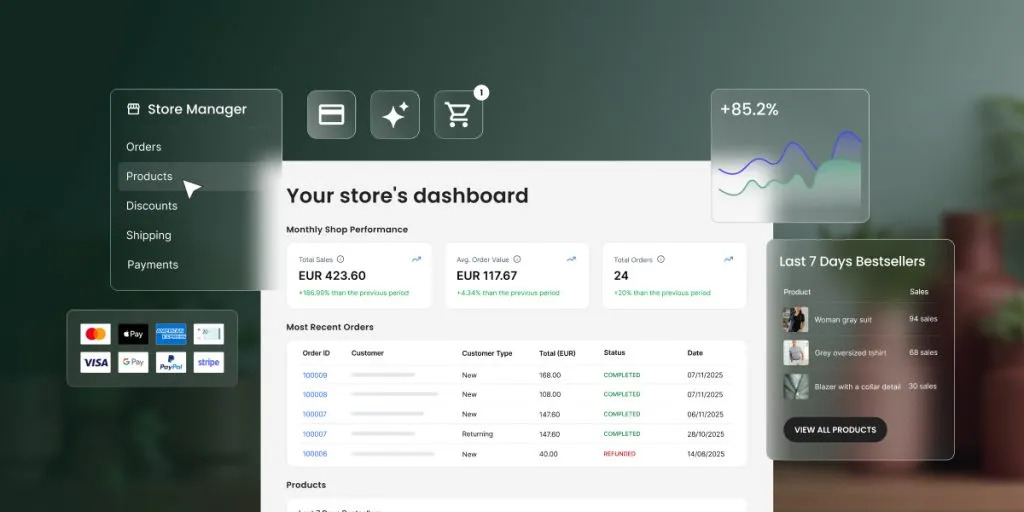
File uploads in Coderick AI: bring your code and design exports in the chat

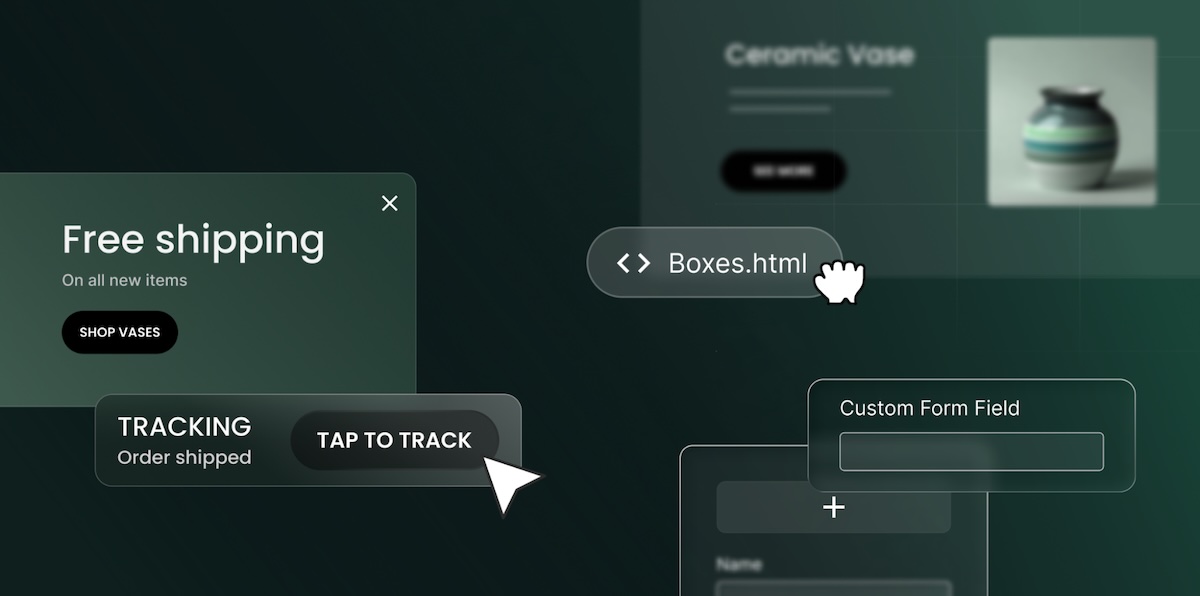
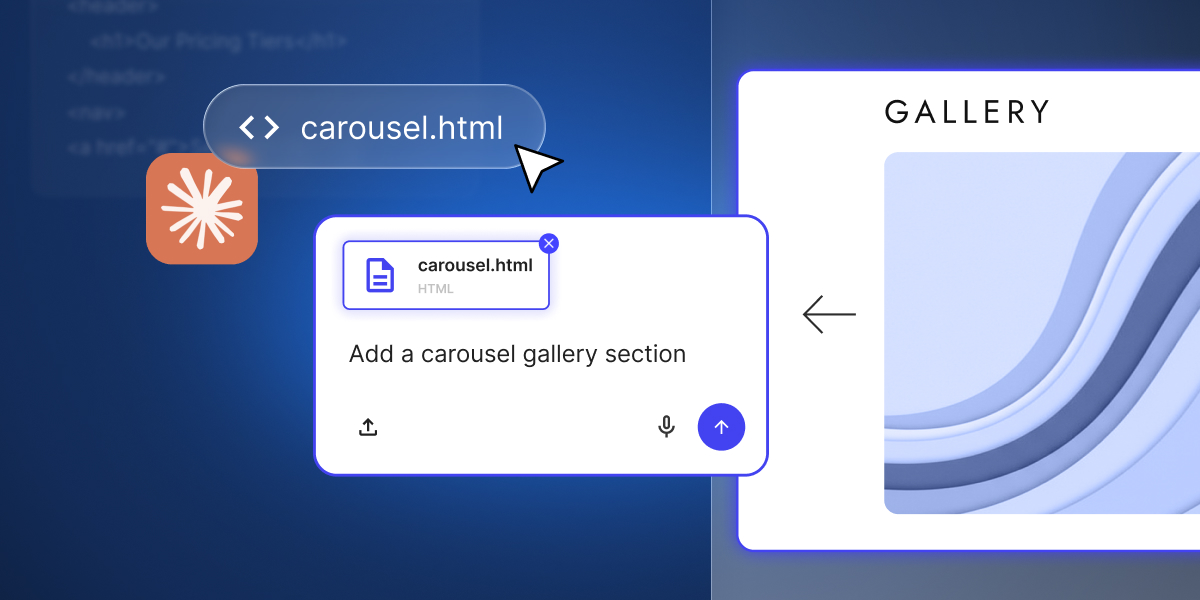
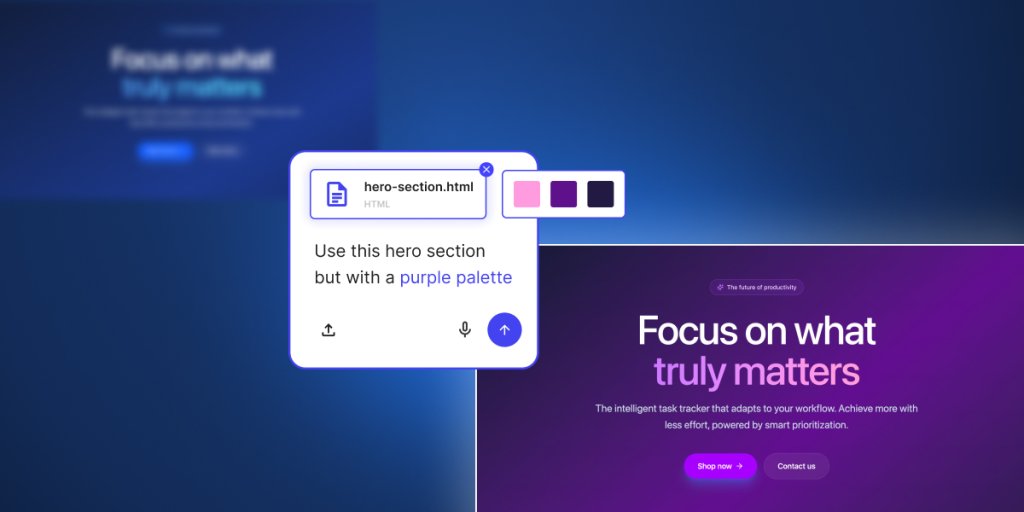
Coderick AI Files preview showing bringing existing code file from Claude to Coderick AI and how it turns into a real section in Coderick-generated site

Building with Coderick AI is really amazing. You describe what you want, and Coderick AI builds it for you. That works beautifully when you’re starting from an idea. But sometimes you’re not. Sometimes you already have something done elsewhere that you wish to reference or use.

Maybe you prototyped a layout with Claude Design and you want it as your homepage. Maybe a Claude artifact got you close on a component and you just need it inside a live, hosted project. Maybe you found an HTML template that’s almost right, and you’d rather hand the file over and request a few changes, than describe it from scratch in three paragraphs.

That’s what file uploads in Coderick AI are for.

Build on top, not from scratch

Use the file upload functionality as a starting point and prompt Coderick to work with it. Add new sections to a homepage layout you’ve uploaded. Turn a single page into a multi-page site. Wire up functionality around a static design.

Coderick builds on top, adds new elements, improves your draft, and finalizes the project, instead of starting from scratch. You save time, credits, and enhance the value of the work already done.

Coderick AI code files upload previews taking ready html file, updating its colors and adding the section to a real Coderick AI project

Keep your own styles

You can tell Coderick to apply a file directly. Your uploaded HTML becomes the basis for your homepage. The styles you uploaded get used across the project. Coderick reads the source and rebuilds it inside your project – your structure, your styles, your specific elements.

Before, you needed to describe any existing work you’ve done with words – the spacing, the columns, the hover effects, any visual element you care for. And anyone who’s tried to describe design specifics to AI knows how that usually goes: you get something that’s 80% of what you wanted, and the last 20% is a long fine-tuning through follow-up prompts.

Push your work live faster

Uploading your files to Coderick AI turns your work in progress into a live project faster. You save the time you’d spend re-prompting what you’ve already built, and put it into turning the design into a real, live site or web app.

What file types Coderick AI supports

Coderick AI accepts the text-based file types you’re most likely to already have:

File typeWhat you’d typically use it for
.htmlPage structure, landing pages, exported templates
.css, .scssStyling, layout, design systems
.js, .jsxJavaScript behavior, interactive elements, React components
.ts, .tsxTypeScript logic, typed frontend files, React + TypeScript components
.mdDocumentation, specs, content briefs, project notes

You can upload up to 30 files at once, with a combined size of 500kB. Image uploads stay separate and support up to 10 images.

Getting the most out of file uploads

File uploads give Coderick more to work with, but how you use them shapes the result. 

You still need to be specific: “Apply this design as the homepage” beats “use this file” every time – Coderick reads what you upload, but it still needs you to say where the file goes and what role it plays.

Upload all relevant files together: If your design is split across an HTML file and a CSS file, upload them together so Coderick gets the full picture.

Clean your files from unnecessary elements: A quick check on your source files before uploading is worth the time: unused styles, leftover comments, and wrapper code from other tools can all get mistaken for intent. Cleaner files in, cleaner work out.

One thing worth knowing – file uploads aren’t a way to import a full project (yet). They’re for the specific files you want Coderick to focus on: a page, a component, a stylesheet. Pick the parts that matter, and let Coderick start there.

Go to Coderick AI and drop in what you already have – a Claude export, a template, or a component you’ve been refining. Build from there.

How to build 15 websites in 5 months with no team and win an award for best SMB design agency

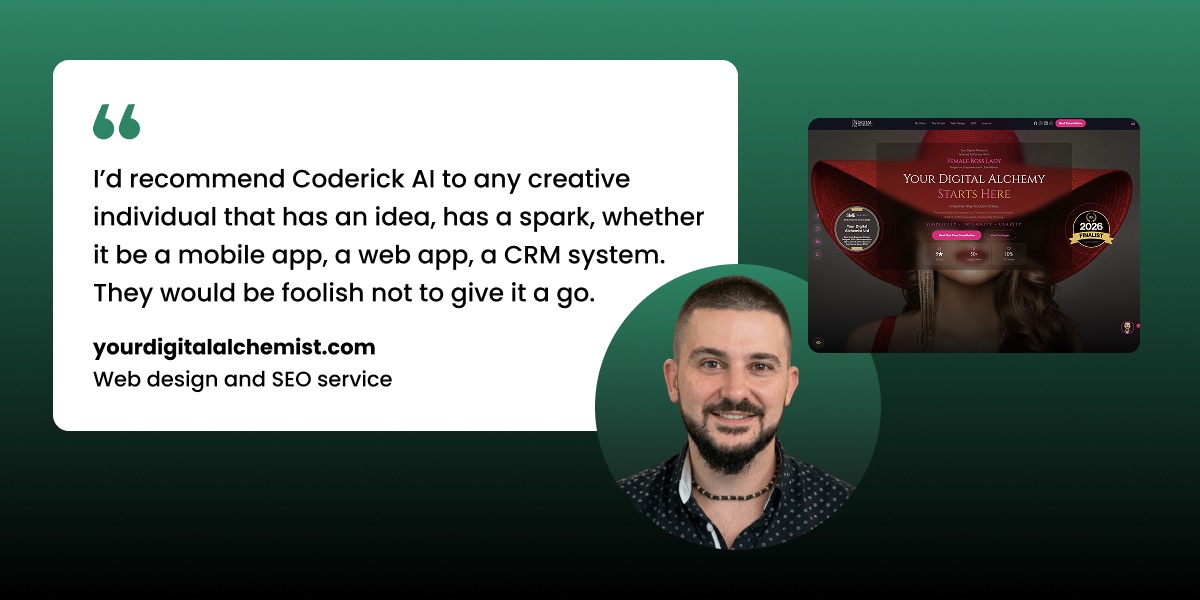
Quote from Marc Jukes of yourdigitalalchemist.com: "I'd recommend Coderick AI to any creative individual that has an idea, has a spark, whether it be a mobile app, a web app, a CRM system. They would be foolish not to give it a go." Shown alongside a screenshot of his web design work.

If you’ve ever looked at web design and thought “I’d need a developer for that”, Marc Jukes used to think the same thing, until he started using the right tool: SiteGround’s Coderick AI.

Marc runs Your Digital Alchemist, a fully managed web design and SEO service for small businesses in the UK beauty and aesthetics sector. Only, he works alone, from home, and he builds every website with Coderick AI.

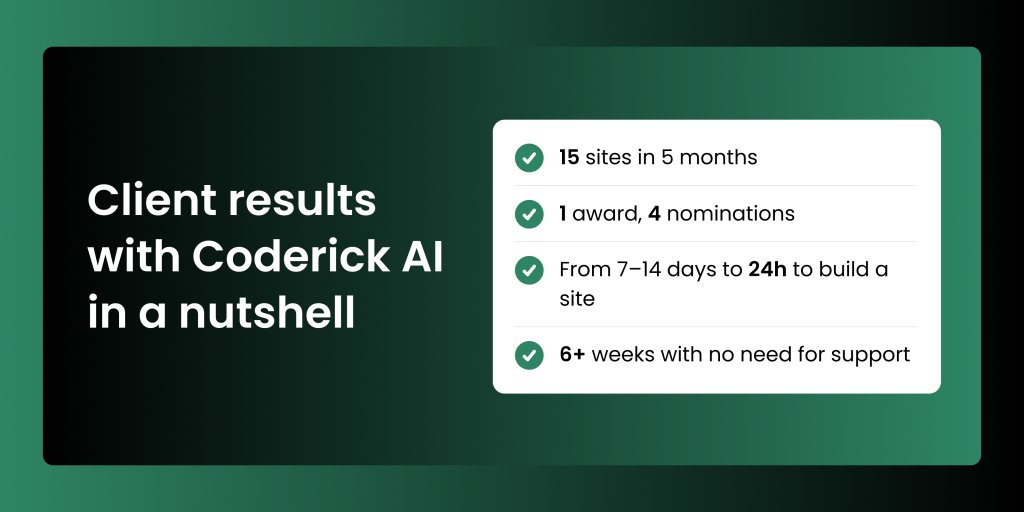
From December 2025 to May 2026, he built 15 websites, won a regional award for best small business website design agency, and received four enterprise award nominations. 

Infographic summarizing client results with Coderick AI: 15 sites built in 5 months, 1 award and 4 nominations, site build time reduced from 7–14 days to 24 hours, and 6+ weeks with no need for support.

The tools that were supposed to work

Before Coderick AI, Marc tried the platforms most freelancers and small agencies reach for first: the popular drag-and-drop builders. He paid for more than one, and found all of them clunky, painful, and slow: 20, 30, sometimes 40 hours per website, and still not the result he had in mind.

The time cost alone makes those tools hard to justify when you work solo. And when the output doesn’t match what you promised a client, it makes the work harder to sell, and harder to repeat. That’s not a skill problem. It’s a tool problem.

The workflow that changed everything

When SiteGround launched Coderick AI, Marc was among the first to use it. There were early rough edges, especially having in mind the dynamic world of AI and LLM development. But within a few weeks, something had clearly shifted.

“SiteGround’s team is listening and improvements are happening every day.”

His approach is methodical. Before he opens Coderick AI, the prep work is done: 

  • Content collected from the client
  • Competition researched
  • Images resized and named
  • Logo ready

Foundation first. Then he feeds everything in and lets the tool build, refining from there by talking through sizing, layout, nav menus, padding, margins, mobile responsiveness. When he’s not sure what to tackle next, he just asks. Coderick AI walks him through the rest of the process until the site is done.

He builds a landing page prototype before a client has committed to anything, showing them exactly what’s possible using Coderick AI’s free trial credits.

“You’re not only showing your client your expertise, you’re showing them what the platform can do. And you’re saying: you could do this yourself, but I’m the expert. I will save you time.”

Show your clients the prototype before they’ve signed anything, and the conversation tends to take care of itself.

Price fairly. Earn loyalty.

When your pricing is fair and your clients know exactly what they’re paying for, word of mouth does the heavy lifting. Marc charges a fraction of what agencies typically ask for the same result — and doesn’t hide which platform he uses to deliver it.

“Too many people are getting charged thousands and thousands of pounds for something you can actually build with Coderick AI very cost-effectively. It’s all about fairness and transparency.”

Transparency about what you use and what you charge tends to come back around. For Marc, it’s why most of his new business comes through word of mouth. Website clients become SEO clients, recurring revenue builds, and two to three new websites a month adds up fast.

Practice what you preach

If you’re going to sell web design services, your own site should be the first proof of what you can do. That’s exactly how Marc approaches it: his website is built with Coderick AI, and it’s all the more proof of what the platform is capable of.

He updates it regularly, pushing the tool further each time: testing animations, custom JavaScript effects, layouts he hadn’t tried before. 

The first website he built with Coderick AI looks nothing like the ones he’s building now. When building and iterating takes hours instead of months, keeping your own site current stops feeling like a luxury.

One person. Real results.

Not everyone starting a business has the perfect setup: a dedicated office, a full schedule, or a technical background. Most people are figuring it out within whatever constraints they have.

Marc got registered disabled a few years ago. Working from home isn’t a preference; it’s his reality. He built this business within those constraints, and Coderick AI is a significant part of why it works.

“It’s something that can help many like me — people that have got a creative skill, that can’t leave the home, that have a disability. If they want to learn, they could actually set up their own small agency doing what I do.”

Since December, he’s built 15 websites, won a regional award, earned four enterprise nominations, and has two active referral partners signed up through a portal he built himself, also using Coderick AI. What made all of this possible?

“Time. Coderick AI saves you a lot of time, a lot of heartache, and money.”

Who Coderick AI is actually for

The answer is broader than you might expect. 

“I’d recommend Coderick AI to any creative individual that has an idea, has a spark, whether it be a mobile app, a web app, a CRM system. They would be foolish not to give it a go.”

The 50,000 free credits are enough to see what’s possible before committing to anything. And once you’re in it, the tool rewards patience — talking to it clearly, breaking down what you want, asking what comes next. The more you put in, the more it gives back.

The gap between “I’d need a developer for this” and “I can build this myself” is smaller than most people think. It’s all about how big your imagination and your motivation is. Marc has both of these in plenty. He just needed an ally — and we’re proud that he found one in the face of SiteGround and Coderik AI. 

And so can you.

[96]

SiteGround patched 5 critical Linux kernel exploits in 48 Hours, with zero downtime

A developer works at a laptop displaying kernel source code, with security icons including a shield, padlock, and patch symbol overlaid in green.

The last few weeks have been busy for anyone who runs Linux servers for a living. Between late April and mid-May, security researchers disclosed five serious kernel vulnerabilities, each one giving any logged-in user a path to full root access on the machine. Several of them came with working exploit code published on day one.

SiteGround applied fixes for every single one of them on our hosting infrastructure without rebooting a single server and without interrupting a single customer’s service.

What this would have meant for your sites

In plain terms: if any one of these vulnerabilities had been exploited on a server before being patched, an attacker who already had even the smallest foothold (a compromised WordPress plugin, a leaked FTP password, a vulnerable script) could have escalated from a single low-privilege account inside one site to full control of the underlying host. From there, the usual playbook: read other tenants’ files, plant persistent backdoors, harvest credentials, pivot deeper into the network.

These aren’t theoretical risks. Public exploit code existed for every single one of these flaws. Copy Fail in particular was being actively used in the wild within days of disclosure.

What actually happened

In rough order, here’s what hit the Linux world:

April 29, Copy Fail (CVE-2026-31431) Disclosed – A single 732-byte Python script could turn any normal user into root on essentially every Linux distribution shipped since 2017. No timing tricks, no guesswork, just a logic bug in the kernel’s crypto subsystem. CISA added it to their actively-exploited list within days.

May 7, Dirty Frag – xfrm/ESP flaw (CVE-2026-43284) Disclosed – A flaw in the kernel’s IPsec ESP networking code that lets an attacker write arbitrary data into the memory copy of read-only system files. Often referred to as “Copy Fail 2.”

May 7, Dirty Frag – RxRPC flaw (the second half of the chain) – A companion bug in the kernel’s RxRPC networking module. Chained with the xfrm/ESP flaw above, it gives a normal user full root.

May 13, Fragnesia / Copy Fail 3.0 (CVE-2026-46300) Disclosed – The third bug in three weeks, same family as Dirty Frag, also in the kernel’s IPsec subsystem. A working proof-of-concept was published the same day.

May 14, ssh-keysign / chage pidfd flaw Disclosed and patched by Linus Torvalds – A different kind of bug – not root escalation, but it let any unprivileged user read root-owned files like /etc/shadow (the password hashes) and SSH host keys.

How we fixed it without downtime

Four choices we’ve made about how SiteGround operates made this manageable, and given what’s coming, all four are going to matter even more, not less. 

We watch the threat landscape constantly. Our security team monitors kernel mailing lists, CVE feeds, and disclosure channels around the clock. We knew about Copy Fail the day it was disclosed, Dirty Frag the day it dropped, and Fragnesia within hours of the proof-of-concept being posted. There’s no substitute for having eyes on this in real time. By the time these stories hit mainstream tech news, the exploit code has usually already been out for days. As AI-driven discovery accelerates the disclosure cadence, this kind of constant monitoring becomes essential rather than optional.

We have engineers on call 24/7. Critical kernel patches don’t wait for business hours, and neither do we. For every one of these vulnerabilities, we had patches built, tested, and rolled out across our fleet within 48 hours of public disclosure, which is usually well before most distributions had even released their official packages.

We use live kernel patching. This is the part that matters most for you. Traditional kernel patching requires a reboot, which means downtime for every service running on the machine. Live patching applies the fix to the running kernel in memory, so the vulnerability is closed without restarting anything. Your websites, databases, mail, and SSH sessions all kept running through every single one of these patch cycles. When patch frequency goes up, the cost of “just reboot the server” goes up with it — live patching is what keeps that cost at zero for you.

We keep our kernels lean. A big part of why these bugs are dangerous is that the vulnerable code ships enabled by default on most distributions. Copy Fail lived in the AF_ALG kernel crypto interface. Dirty Frag and Fragnesia lived in the esp4, esp6, and rxrpc modules — IPsec and AFS networking code that the vast majority of web servers will never use in their lifetime. We don’t load kernel modules we don’t need. That means a chunk of the attack surface for these exploits simply didn’t exist on our machines in the first place, giving us extra breathing room to apply the proper fix.

The AI factor, and why this is only the beginning

One detail in the Copy Fail disclosure deserves special attention. The bug wasn’t found by a human researcher staring at code for weeks. It was surfaced by an AI-powered code auditing tool (Xint Code) in roughly one hour of scan time against the Linux kernel’s crypto subsystem. The same scan also surfaced “other high-severity bugs, still in coordinated disclosure,” meaning more disclosures are already in the pipeline.

This is a major shift in how vulnerabilities get found. For years, the bottleneck on discovering critical kernel bugs was the limited number of expert humans willing to spend months reading kernel source code. That bottleneck is gone. AI auditing tools can now scan entire subsystems at machine speed, and they’re finding things that have been sitting in stable kernels for nearly a decade.

What this means practically: the rate of serious vulnerability disclosures is going to keep climbing. Three universal local-root exploits in three weeks isn’t a fluke; it’s a preview. The reactive patching cycles that worked when one critical kernel bug landed every six months are not going to work when one lands every two weeks. The ability to detect, react, and patch within hours rather than days is no longer a nice-to-have. Instead it’s the baseline for staying safe.

The takeaway

Linux is going through an unusually rough stretch for kernel security: three universal local-root exploits in three weeks is not normal, and it’s not slowing down. With AI-powered auditing tools now scanning the kernel at speeds no human team could match, we expect the discovery rate of serious vulnerabilities to keep accelerating. The bugs that have been sitting quietly in stable kernels for years are getting found, one subsystem at a time.

What we can promise is that the way we handled these is the way we handle every serious vulnerability: monitor early, patch fast, fix live, and keep the attack surface as small as possible in the first place. Your sites stay up. The exploits don’t. And as the cadence picks up, that’s only going to matter more.

200+ client websites managed. Zero support calls in a year.

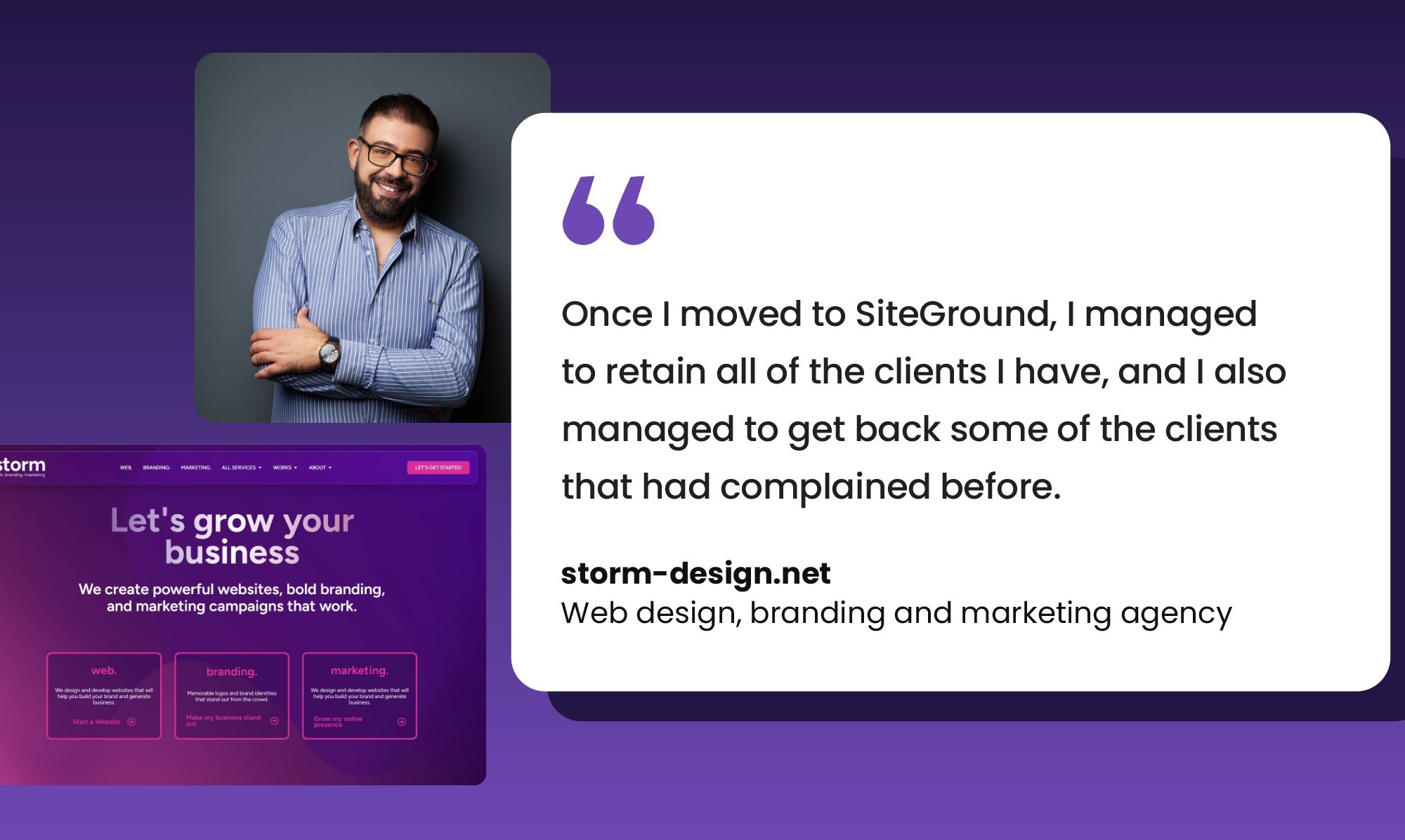
Storm Design founder smiling with arms crossed next to a quote about retaining and winning back clients after switching to SiteGround

Most web agency owners don’t think about hosting until something goes wrong. Jesmond Darmanin thought about it for two weeks straight: during a “holiday” in Greece, on his phone, with 85 client websites to move.

Jesmond Darmanin has been running the web design and branding agency Storm Design since he was 17. Twenty-five years later, it’s one of Malta’s most established digital agencies. For years, he managed his own servers through cloud providers. It worked, until it didn’t.

That was enough. He moved everything to SiteGround, and the hosting emergencies that used to be a regular part of his life simply stopped. But it wasn’t always that way.

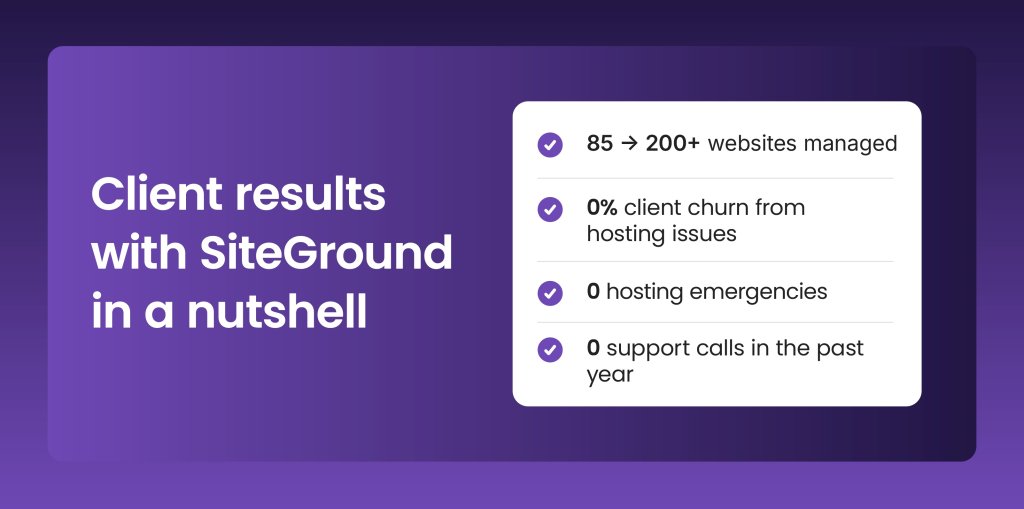
Infographic showing Storm Design's results with SiteGround: portfolio grew from 85 to 200+ websites, with zero client churn, zero hosting emergencies, and zero support calls in the past year

What self-managed hosting really costs you

For a technically capable team, managing your own cloud server seems like the smart, cost-effective choice. Full control, low monthly bill. But what it comes down to is that every security gap is yours to catch, including the ones introduced by a routine software update.

The hack that took 85 sites offline

A dreaded update had opened a vulnerability. One hour before his flight to Greece, Jesmond got the notification: his server had been compromised. Eighty-five client websites were down or barely loading.

  • Emergency remote cleanup by an external company: €1,000
  • Server back online for only two days
  • Then compromised again, through a backdoor the cleanup had missed

The maintenance problem

The emergencies were just part of it. Every software update required a server restart, and every restart meant downtime. With clients in different time zones, there was no safe window to take things offline. Complaints accumulated.

“I did lose clients because of the downtime. They told me we’re going to have to switch hosts.”

The client cost

Hosting issues were costing Storm Design somewhere between 5–10% of its client base every year. When other businesses depend on you to keep their websites running, that’s not just lost revenue. It’s trust you don’t get back easily.

The checklist that led to SiteGround

With 85 sites needing an immediate new home, Jesmond wasn’t shopping casually. He needed something specific: 

  • Security handled at the hosting level, not by his team
  • Reliable, automated backups
  • One back-end for managing all client sites
  • A migration process that didn’t require moving databases by hand

SiteGround wasn’t a completely unfamiliar name. He’d worked inside a client’s account before and had seen the tools. When he cross-referenced it against other well-known providers, the reputation held up, and he decided to give it a go.

What followed was not the relaxing Greek holiday he’d planned. He completed most of the migration from his phone, on buses and trains, while the trip carried on around him. 

The tools that cut hours from the weekly workload

The improvements Jesmond noticed after switching went beyond traffic and rankings. They showed up in the day-to-day work of managing a growing portfolio of client websites.

Tools that previously required third-party plugins or manual setup were now built into SiteGround’s backend:

One-click WordPress login, no individual site logins needed

“The option to simply go into the account and click WordPress login and not have to manually log into the websites: that was a huge time-saving.”

Team access got simpler too. He could set up accounts for colleagues and limit each person to only the sites they were working on: a small thing that makes a big difference when you’re managing multiple clients across a shared environment.

Security handled at the platform level

On the security side, the difference became very real when a client’s site was recently compromised due to a weak password. SiteGround Site Scanner caught the malicious files and blocked them before any damage was done, and Jesmond got an immediate notification.

“Getting a notification about malicious files right away — that’s not something I would have been able to do myself.”

For anyone managing sites on behalf of clients (especially ecommerce) that kind of automated catch is the difference between a minor incident and a very bad phone call.

Coderick AI: Jesmond’s new favourite tool

Beyond the day-to-day tools, Jesmond found an unexpected favorite in SiteGround’s Coderick AI. He’d been looking for a task management tool that could handle client requests and integrate project costing: something he couldn’t find off the shelf. So he built it himself.

“I described what I needed, and let’s say we’re 80% there. It’s already open on my second screen. It became one of my favorite tools very quickly.”

The tool he built lets clients submit change requests directly, which then feed into his to-do list. He can add costs, send approval links to clients, and once approved, tasks move automatically into an in-progress table. He’s now waiting on his next round of credits to keep building.

“I got into the idea of always looking: how can I build something new? It’s a fun tool to work with.”

A year with zero support calls

When a hosting platform is working the way it should, you stop noticing it. No alerts, no emergency calls from clients, no late-night troubleshooting. For Jesmond, that’s exactly what happened: he hasn’t needed to contact support in over a year.

The client retention picture changed just as completely. The downtime complaints that had been a regular part of the job stopped. Some of the clients who had walked away came back.

“Once I moved to SiteGround, I managed to retain all of the clients I have, and I also managed to get back some of the clients that had complained before.”

Of course, some businesses closed down along the way (that’s the reality of working with startups), but hosting hasn’t been the reason anyone walked away.

Storm Design now manages over 200 websites. Jesmond travels without a knot in his stomach about what might break while he’s offline: something that anyone who’s ever managed a client portfolio remotely will recognise as no small thing.

“I don’t want to deal with this anymore. That peace of mind was a very, very big one. Compromising on hosting is not a mistake I want to make again.”

Reliable hosting = clients retained

The lesson Jesmond carries from the Greece incident isn’t just about hosting. It’s about what happens when other people’s businesses depend on your infrastructure choices.

“You cannot live a type of life where you’re constantly thinking: is the server okay? Am I getting hacked? That kind of stress, especially once your client base starts to grow, is something no business owner should underestimate.”

The monthly invoice might look cheaper with a self-managed setup. But when hosting issues start costing you clients year after year, the math stops working in your favour. SiteGround ends up paying for itself. Not in traffic spikes or overnight transformations, but in the clients you keep and the emergencies that never happen.

[86]

Build a Complete Online Store with SiteGround Ecommerce (Live Demo + Your Questions Answered)

How to start selling online in hours - live demo with the SiteGround Ecommerce team

In our recent live webinar our Product Innovation Director Hristo Pandjarov and Product Marketing Manager Pavel Valkanov built an online store with SiteGround Ecommerce, showcasing how easy it is to go from an idea to a live online store. 

It was exciting to see how many of you joined us to follow along and start building your own stores.

The webinar covered the main steps of setting up a store, showed the power of our new drag-and-drop editor and answered many of your questions. If you missed it or want to rewatch, the full recording is now available below:

Below are the key takeaways and some of the questions we didn’t manage to get to during the session.

Key takeaways

Building a complete online store in hours is really possible

It sounds like a marketing claim, but the webinar backed it up. The demo walked through the entire process from product setup to a completed test order in under an hour. 

That was on a tight timeline, of course, and your store will need more thought and attention. But the point stands: what used to take weeks of configuration and troubleshooting is now genuinely doable in a few hours or days, even if you’re starting from scratch. 

You can design, build, and sell with a single solution

Payments, shipping, taxes, SEO, discount codes, marketing tools, and a full drag-and-drop site editor are all built into one platform. There’s no plugin stack to maintain, no compatibility issues after updates, and no need to patch together separate tools for separate jobs. If you’ve ever managed a store across multiple platforms and plugins, you already know why that matters.

You don’t need technical skills to build and launch an online store

The webinar showed pages being edited visually: moving elements, changing fonts and colors, creating new sections from templates. Аll of this without writing a single line of code. And helpful tools such as the alignment grid and contrast indicator help you design like a professional.

There’s even built-in AI for generating text and images, so you’re not starting from a blank page. The whole point is that you can set up your store, make it look the way you want, and update it yourself whenever you need to.

SiteGround Ecommerce – your questions answered

What is the difference between SiteGround Ecommerce and WooCommerce?

SiteGround Ecommerce is a fully integrated platform where website building, store management, checkout, hosting, and marketing tools are all built into one product. WooCommerce, by contrast, is a plugin that adds ecommerce on top of WordPress, with capabilities that depend on stacking additional plugins for payments, shipping, tax, design, and more. That flexibility suits businesses with complex, custom requirements, but it comes at the cost of ongoing technical maintenance, additional themes and plugins cost, and management overhead. SiteGround Ecommerce is designed to be the more practical choice for small business owners who want to get selling quickly without becoming part-time website administrators.

Can I migrate my existing store to SiteGround Ecommerce?

We are very excited about providing an option to migrate existing online stores to SiteGround Ecommerce. The team is actively working on such an option for WooCommerce stores and will share more about the release of it soon. In the meantime you can try the new Website Builder and Ecommerce and see how easy it is to build pages and add products. We bet that recreating your existing website might be easier than you think. Plus, starting fresh means that you will have a chance to streamline your content and get rid of old pages or product drafts. If you are still interested in migrating from another platform, please share this feedback with us via the feedback form inside of the SiteGround Ecommerce store manager.

What payment methods are supported?

SiteGround Ecommerce supports multiple payment methods such as: 

  • Stripe, and through it debit and credit card payments, Apple Pay, Google Pay, several pay later options such as Afterpay and Klarna and another 120+ payment options 
  • PayPal, and through it PayPal wallet, PayPal pay later, card payments,  and Venmo 
  • Pay on Delivery, or when the item is picked up from your physical location
  • Bank (wire) transfers via SEPA, SWIFT, BACS, CHAPS, etc.

You can offer multiple payment methods simultaneously, for example, PayPal for wallet payments and Stripe for card payments at the same time. Mollie and Worldpay are not currently supported, however we are looking to expand payment options and your feedback will be key in our decision on how to prioritise them.

What kind of products can I sell?

The platform supports three main product types depending on their delivery method but in reality there is no limit of what you can sell. You can set up physical products, non-deliverable ones, such as services, courses, memberships, and downloadable, such as files and ebooks. You can easily create product variations based on pre-built or custom attributes such as size, weight, colour, gender and age. There is also no limit on the number of products you can list regardless of the plan you choose.

How does tax configuration work?

The SiteGround Ecommerce has a built-in tax calculator with preset standard rates. Through the Basic Tax Setup, you register only for the countries and states where you are legally required to collect tax, which means you can effectively leave tax off for markets where you have no obligation. You can also set up tax overrides at the state, county, city, or ZIP level for the USA. For EU stores, domestic or OSS registration is supported. The Advanced Tax Setup via Stripe Tax handles more complex international scenarios and supports product-level tax codes. Note that it remains the store owner’s legal responsibility to ensure compliance, we recommend consulting a local tax professional.

What shipping options are available?

You can easily set up and manage shipping with SiteGround Ecommerce. We support creating shipping zones by country or state, and set flat-rate shipping, free shipping above a minimum order amount, or local pickup. We will soon launch our native integration with Shippo to easily add advanced shipping options to your site. You will be able to get discounted rates from top carriers,  optimise margins by applying dynamic shipping pricing, and save time by creating and printing shipping labels in seconds. Customers using the integration will have access to many major carriers such as USPS, UPS, FedEx, DHL, Canada Post, Correos, Deutsche Post, DPD DE, and Evri.

How much does SiteGround Ecommerce cost?

SiteGround Ecommerce is free to try for 14 days with no credit card required. After the trial, there are three plans that have been designed to meet your needs regardless of where in your ecommerce journey you are: 

  • Sell: designed for people that are just starting their online journey; 
  • Grow: for those with some experience selling and looking for a platform that will help them take the next step;
  • Scale: for experienced sellers looking for professional tools that will take them to the next level. 

All plans can be billed either monthly or annually. There is also a Build plan which gives access to the Website Builder only, without ecommerce features. For the most up to date pricing of each plan and all features included visit the product page.

How can I promote my online store?

The platform provides many powerful marketing features out of the box to help you set up and promote your store. You can generate AI descriptions and images to bring life to your products and speed up product creation. Built-in SEO tools help with making your products and pages discoverable by search engines and AI chat bots: automatic sitemaps, SEO-friendly URLs, and meta fields. Google Tag Manager integration also comes out of the box and enables adding tracking and advertising pixels such as Google Analytics, Google Ads, and Facebook Pixel. 

You can make your products more discoverable and set up shopping ads using our automatically generated product feeds for Google Merchant Center, Meta Commerce Manager as well as OpenAI product feed for agentic commerce. Discount codes and promotions (including scheduled campaigns) also come out of the box to boost your conversion rates and average order value. Abandoned cart recovery emails are also available on higher plans. Finally, you can keep an eye on your sales and understand how your store is performing using the easy-to-use analytics,  covering orders and revenue, product performance, inventory, and traffic, with trend comparisons across periods.

Can I add an ecommerce store to my existing hosting plan?

SiteGround Ecommerce is a separate service and ecommerce stores cannot be added to existing hosting plans. The ecommerce plans include their own hosting infrastructure, so you are not paying for hosting twice, instead you get a fully integrated platform where website building, store management, checkout, hosting, and marketing tools are all built into one product. The 14-day free trial is available to both new users and existing SiteGround customers to help you evaluate the platform before you commit to it.

Do you offer support for SiteGround Ecommerce?

Yes! All plans include 24/7 support via chat and tickets, plus a built-in AI assistant that offers contextual help right inside the store manager. Our support team works hard to be fast and friendly, and we’re proud that customers consistently rate their experience highly. And don’t just take our word for it, our reviews and 98% customer satisfaction speak for themselves.

What’s coming next for SiteGround Ecommerce

The platform is evolving fast, and the roadmap is packed.

Advanced shipping options are coming to the platform very soon, thanks to the integration with Shippo, which will allow you to easily pick from a wide range of shipping providers and print labels for your orders.

Beyond that, we are working on an exciting new blogging/news functionality that will help you quickly and easily publish regular content and updates to your website. This has been one of the most frequent requests by users and we are working on making it available very soon. In addition we will soon provide you with the option to create product add-ons, such as custom text for engraving, descriptive attributes and thumbnail variations – all of these will come built in, no plugins or add-ons required.

SiteGround Ecommerce already makes it very easy to create and grow your online store. What’s coming next will make it even harder to find a reason not to start.

Have an idea about an online business or want to see how easy it will be to create a new store? Why not give it a try today? SiteGround Ecommerce comes with a free 14-day trial, no credit card required.

Visual Edit and AI image generation are now live in Coderick AI

Coderick AI Visual Edit preview showing click-to-edit text, link settings, and image options to upload or generate an AI image.

If you’ve been building with Coderick AI, you know the drill: describe what you want, and Coderick AI builds it for you. It’s fast, it’s intuitive, and it works. But once your project starts taking shape, not every change needs a full prompt. Sometimes you just want to fix a typo, swap out an image, or adjust a button color – and you want to do it now, not through another round of back-and-forth with the AI.

That’s exactly why we built Visual Edit in Coderick AI.

Click, change, done – that’s Visual Edit

Visual Edit mode button in Coderick AI for editing directly in the project preview.

Visual Edit is a new way to make changes to your Coderick AI projects – directly in the preview, with a click. Instead of going to chat and writing a new prompt every time you want to tweak something small, you can now click on any text, button, image, link, or section and change it on the spot.

Update a headline. Fix a typo. Change a button label. Swap a link. Adjust a color. All of it happens right where you see it, with no prompt needed – and zero credits used.

It’s the kind of editing that feels obvious once you have it – and frustrating to live without once you’ve tried it.  

Generate images with AI, right where you need them

Coderick AI image menu in Visual Edit with options to upload an image or generate an AI image and swap it in place.

Building a project usually means you’ll need images – and until now, that meant leaving Coderick AI, finding or creating an image somewhere else, and uploading it back. With AI image generation in Coderick AI, you can now click on any image in your project, generate a new one with AI, and swap it in on the spot. Review it in context and move on – no extra tools, no context-switching, no manual uploads.

And if you already have the right image for the spot, upload and replace it directly. This action doesn’t need AI and costs you zero credits.

Transform sections or update elements at scale with focused AI edits

Edit with AI in Visual Edit: selecting a section and prompting Coderick AI to rework only the chosen element in the preview.

Some changes go beyond a quick text swap but don’t need a full project prompt either. Maybe your pricing section needs a completely different layout. Or the navigation bar of your site needs a different design direction. These aren’t small tweaks, but they’re not “build me a new page” territory either.

That’s what focused AI edits in the Visual Edit are for. From Visual Edit, select a section or an element, and click Edit with AI. The Coderick AI chat locks onto your selected element – describe what you want changed, and the AI reworks just that part. The rest of your project stays exactly as it is.

The difference from the main Coderick AI chat is simple: the chat is for full-project work like adding new pages or making structural changes. Focused AI edits are for when you already know what needs to change and you just need the AI to do it, precisely, in that one spot or section. Shorter prompts, no unintended side effects, better results.

Save credits for the work that matters

Not every edit needs AI, and now, not every edit costs credits. Quick edits through Visual Edit use zero credits. Your balance stays untouched for the work that actually needs AI – generating new sections, reworking layouts, or creating images. And when you do use Edit with AI, it targets only the section you select, so you get more precise results with fewer credits per edit.

Here’s how credits work:

What you’re doingHowCredits

Edit text, buttons, links, colors
Visual Edit (direct click)Zero
Swap or upload your own imagesVisual Edit (direct click)Zero
Generate an image with AIAI image generationUses credits
Rework a specific sectionEdit with AIUses credits (section-level, not full project)
Build something new from scratchChat prompt
Uses credits

How to use Visual Edit?

Getting started takes seconds:

  1. Open any project in Coderick AI.
  2. Click the Visual Edit button to switch from the chat-based builder to the visual editor (preview editing).
  3. Click on any element in your project preview – text, buttons, images, links – and edit it directly.
  4. To generate an image, click on an existing image and use the AI image generation option.
  5. For bigger changes, select a section and choose Edit with AI to rework it with a targeted prompt.

When you’re done, click Save to keep your changes, or Exit to discard them.

Ready to try it?

Coderick AI was built to get your vibe coding from idea to live project as fast as possible. But speed isn’t just about the first build – it’s about everything that comes after. The tweaks, the refinements, the “can you just change that one thing” moments that add up.

Visual Edit makes those moments faster and cheaper. Quick edits cost zero credits. Bigger changes are more targeted. And AI image generation means one less reason to leave your project or your workflow.

Visual Edit and AI image generation are now available in all Coderick AI projects. Open a project, switch to Visual Edit, and see how it feels to click, change, and keep building.

START BUILDING WITH CODERICK AI →

Why MarketingDirecto.com hasn’t switched hosts in 8 years

Quote card featuring Javier Piedrahita, founder of MarketingDirecto.com, saying "Working with SiteGround is what gives us peace of mind. We don't want downtime, we don't want interruptions. And we haven't had to worry about that." alongside a screenshot of the MarketingDirecto.com homepage.

When your website is your business, downtime isn’t an inconvenience. It’s lost revenue, lost trust, and lost visibility in search. Whether you’re running an online store, a service business, or a content-driven site, your audience expects it to just work.

MarketingDirecto.com’s CEO & Founder Javier Piedrahita knows that pressure better than most. As one of the longest-running marketing and advertising news portals in the Spanish-speaking world, they’ve been publishing daily since 1999: a quarter century of content that professionals still search for, reference, and share.

But keeping a site like that online: fast, stable, and accessible, turned out to be harder than it should have been.

Summary card of MarketingDirecto.com's results with SiteGround: 25 years of content loading instantly, 8+ years on SiteGround with zero downtime, direct access to 24/7 support, and scaled infrastructure as needs grew.

The problems that kept piling up

Before SiteGround, MarketingDirecto.com was dealing with constant downtime, growing technical concerns, and a hosting provider that couldn’t keep up.

Constant downtime with no explanation

Imagine it’s Friday evening, you’re trying to step away from work, and a thought creeps in: is the site still up? For MarketingDirecto.com, that wasn’t occasional paranoia. It was a pattern.

“I remember the stability issues. It scared me a lot. The weekend would arrive, and I’d wonder: what’s happening with the website? Why is the site down? What’s going on?”

But the outages were only part of it. On top of that, they were dealing with:

  • CMS issues with no clear fix
  • Security concerns with no dedicated team to handle them
  • A hosting provider with no real answers

“All of this gave us worries and headaches. When you suffer from the downtime, you suffer in Google, you suffer in positioning, long faces all around.”

When your site depends on Google traffic, that last part hits hard. When your site goes down, you don’t just lose visitors right then. You can also slip in search results, and climbing back up takes a lot longer than going down.

A site that outgrew its hosting

The more content you publish, the heavier your site gets. Blog posts, images, landing pages, product listings: it all adds up. And at some point, the hosting that worked fine with 50 pages starts buckling under 500. Or 5,000.

MarketingDirecto.com has 25 years of daily content in their archive: thousands of articles and images that readers still access every day. Their previous hosting simply couldn’t keep up with that volume.

No technical backup when things broke

And through all of this, MarketingDirecto.com didn’t have a dedicated technical team to lean on. Most small and mid-sized businesses don’t. You’re relying on your hosting provider to catch problems, explain what went wrong, and fix things quickly.

When that provider can’t deliver, when you’re left guessing why your site went down and when it might happen again, you spend time on server issues instead of the work that actually moves things forward.

“There wasn’t a technical service team on top of things. Security was always a concern and that’s something we’d dealt with at some point.”

What changed with SiteGround

MarketingDirecto.com moved to SiteGround in 2017, and just like that, the “weekend anxiety” was gone.

“Since 2017 we’ve been working with you, and I’m very happy because I know this is what gives us peace of mind. We don’t want downtime, we don’t want interruptions, we don’t want problems. And with you, this has been working very well.”

For MarketingDirecto.com, it came down to three things: 

  1. A site that finally stayed fast and stable
  2. Support they could actually reach
  3. Infrastructure that scaled with them instead of holding them back

Speed and stability that hold up under pressure

The site just stayed up. No more unexplained crashes. The 25-year archive of content loaded quickly and consistently, even as the team kept publishing new articles daily.

For a site carrying that much content, performance isn’t just about visitor experience; it’s about protecting the search visibility they’d spent decades building. 

Stable hosting meant stable rankings.

Support that actually picks up the phone

But speed and uptime only tell part of the story. What stands out for MarketingDirecto.com is the ability to talk to real people who understand their setup and to report something the moment it looks off, without waiting in a ticket queue.

Their developer, Luis, works directly with SiteGround’s team when the site needs to scale: adding server capacity, expanding resources, adjusting configurations. And that process has always been straightforward.

Scaling without the headaches

As MarketingDirecto.com’s needs grew, SiteGround’s infrastructure grew with them. No drawn-out migrations. No “you’ve outgrown your plan, good luck” moments. Just a team that already understood the site’s architecture and could expand capacity when needed.

What eight years with SiteGround looks like

Nobody switches hosting providers for fun. You switch because something broke, because support couldn’t help, or because you’ve outgrown what they can offer. MarketingDirecto.com went through all of that before landing with SiteGround and haven’t had a reason to look elsewhere since.

“That’s what brands want: stable, long, trusting relationships. And that’s what I have with SiteGround.”

A hosting team that already knows your site inside out makes a difference. No re-explaining your setup every time you need something. No starting from scratch. Just people who get it and can act on it.

Pick a hosting provider you’ll actually want to stick with

When asked what advice he’d give to other companies choosing a hosting provider, Javier kept it practical:

“Look around. Read reviews, check forums. Look at which clients they work with: ‘Oh look, they work with brands that I even know.’ That’s extremely important. That’s what I’ve done myself.”

Solid advice. The clients a hosting provider serves tell you a lot about whether they can handle what you need, especially if your site carries years of content, faces real security threats, and can’t afford to go dark on a Friday night.

Running a growing business or any project that people depend on? Your hosting should be the thing you think about least. That’s what MarketingDirecto.com found with SiteGround, and it’s why they’re still with the same hosting eight years later.

[86]

Meet the new SiteGround website builder: from an essential site builder to a complete platform to build, sell, and grow online

The New SiteGround Website Builder – build, sell, and grow online

Since we launched SiteGround Website Builder last year, thousands of you have used it to build websites, open online stores, and grow your online presence. We’ve been building right alongside you, working to give you a more powerful design experience, stronger ecommerce capabilities, and the tools you need to do more with your site at every stage.

Today, we’re announcing a major new version of SiteGround Website Builder. It’s a significant step forward for the entire platform, and it comes with new dedicated plans designed around how you actually build and grow online.

More design freedom with new drag-and-drop builder

Gif showing SiteGround Website Builder drag-and-drop grid editor in action

At the heart of the building experience is a grid-based drag-and-drop editor that gives you full creative control over your layout. Place any element (text, images, buttons, forms) exactly where you want on the page. Drag it, resize it, layer it. Smart alignment guides keep everything polished, but the design is entirely yours.

And the control goes well beyond layout. Choose independent colors for any component. Select different fonts for each heading type and paragraph. Crop images directly on the canvas. Fine-tune borders and corner rounding. You have full control to customize your site.

Start from a professionally designed template, bring in ready-made sections and blocks, or build from scratch. Use the AI assistant to generate copy, pull from the built-in image gallery, and let automatic mobile optimization handle the rest. Whether you spend twenty minutes or two hours customizing, the result is a site that looks like it was built specifically for your brand.

A complete ecommerce platform, built right in

A professional website is a great starting point. But if your goal is to sell online, you shouldn’t need a separate platform to make it happen.

SiteGround Ecommerce lets you run a full online store from the same place you design your site. Go from zero to selling in hours, not weeks. No plugins, no third-party integrations, no separate systems to learn.

Start with a store template designed to showcase and sell your products effectively, then customize it to match your brand. From there, you have everything you need to get selling:

SiteGround Website Builder ecommerce tools – manage products, orders, and customers in one place

Setup your online store

  • Products. Sell physical goods, downloadable products, or services. Add product variations, upload images, and manage your catalog in bulk. The built-in AI assistant helps you generate product titles, descriptions, and categories, so you can populate your store faster.
  • Payments. Accept payments with multiple options right out of the box. Your checkout is optimized for conversion, following ecommerce best practices, and runs at your own domain.
  • Shipping and taxes. Set shipping rules in minutes with easily modifiable shipping zones. Tax calculation is built in and customizable.
  • Order management. Process orders, issue refunds, and manage deliveries from a single dashboard. Track inventory at a glance, including low stock alerts and best-selling products.
  • Customers. View customer information, monitor purchase behavior, and let buyers create accounts to track orders and come back easily.
SiteGround Website Builder marketing tools – SEO, analytics, discounts, and multi-channel product feeds

Grow and convert better 

  • Discounts and promotions. Create targeted offers with full control over discount types, duration, and availability. Launch immediately or schedule for a specific date. Add wishlists so shoppers can save products and return when they’re ready.
  • Product feeds and tracking. Connect your store to social platforms, Google Merchant Center, ChatGPT feeds, and Meta Commerce Manager for multi-channel selling. Track performance across channels with Google Tag Manager and Meta Pixel integrations.
  • SEO and analytics. Built-in SEO tools with automatic sitemaps, SEO-friendly URLs, and AI product categorization help your products get found. Real-time analytics for orders, sales, and traffic let you see what’s working and where to focus next.

Everything you need to launch, manage, and grow an online store without stitching tools together.

New plans designed for each phase of your growth

As the SiteGround Website Builder has grown from a simple site creator into a full platform for building, selling, and growing online, we’ve introduced dedicated plans to match. Each plan is tailored to a different stage of your journey.

All plans include premium SiteGround hosting, powerful AI tools, and 24/7 expert support. And you can try any plan free for 14 days with full access to every feature, no credit card required.

Try the new Website Builder

Your feedback shaped every part of this upgrade, from the grid editor to the ecommerce toolkit to the plans themselves. Now we want you to try it for yourself.

Start a free trial, start building, and tell us what you think.

150+ Sites, zero hosting chaos

Quote card from creatorsconnect.nl reading "It's a no-brainer to put websites on SiteGround. We don't need to think about where to host—we just know the service is good and it works well," alongside a team photo and a screenshot of their website.

Agencies don’t lose sleep because of strategy. They lose sleep because of instability.

Jeroen Hardenberg, Founder, and Mathijn Vermeer, Partner & Co-Owner of marketing agency Creators Connect, know this firsthand. They experienced what many agencies recognize: new provider, new dashboard, same recurring issues. Not dramatic failures; just a constant low hum of things that shouldn’t need fixing.

As the agency grew (in clients, team members, and responsibility) that approach no longer fit. The standard shifted from “good enough” to “structurally reliable.”

Eventually, after enough testing and enough letdowns, they moved everything to SiteGround.

Summary graphic showing Creators Connect's results with SiteGround: 10x revenue, 150+ sites managed with zero crises, streamlined client migrations, and 10+ years of partnership.

The testing phase that wouldn’t end

The move to SiteGround wasn’t a single decision. It happened in stages.

Jeroen signed up for his first SiteGround package in late 2016, after comparing providers and prioritizing European data centers. The service worked, but trust takes time. He kept other options running, still hedging his bets.

His business partner Mathijn was running his own parallel testing cycle, bouncing between providers until he made the switch to SiteGround around 2020.

By 2021–2022, both had seen enough. Everything migrated to SiteGround.

What changed

Five things changed, and each one removed a different source of friction.

Hosting finally stayed in the background

“With other hosting providers, every time there’s another thing that’s broken, you get the headache again. I haven’t had that since working with SiteGround. For me it’s like a no-brainer.”

The infrastructure did what infrastructure should do: it worked, then faded into the background.

A dashboard anyone on the team could use

Creators Connect runs on a network of freelance specialists: photographers, designers, marketers, developers, each with different technical backgrounds. After years of control panels where every small task felt like a detour, SiteGround’s Site Tools were immediately different.

“SiteGround’s Site Tools user interface is so easy to use yet comprehensive that I can easily do anything. It feels more like just a really easy to scan dashboard.”

Streamlined client website migrations

Before, transferring over a client’s website meant figuring it out as you went: a different process every time, with different results, depending on the host. Taking on a new client now follows a repeatable process: assess, migrate automatically with the SiteGround WordPress Migrator, validate, launch. No data loss, no hassle, no variables, the same way every time.

Support that showed up when things went wrong

Despite all of the above, mistakes still happen. And when they do, usually it happens at scale: misconfigured settings, unexpected update breaks. What matters is whether support helps anyway.

“Even if there’s trouble which is caused by us, you guys are still really helpful. There hasn’t been any moment that we haven’t been helped.”

When some hosting plans hit their limits while others had room to spare, SiteGround’s team helped redistribute sites across plans — not to fix a crisis, but to prevent one.

Scaling without multiplying complexity

Since 2016, Creators Connect have been able to grow without hosting holding them back. The team expanded from one freelancer to 25 people. The portfolio grew to 150 managed websites.

That kind of growth usually means more operational risk. Instead, with SiteGround, hosting got simpler.

For new projects under full agency control, the hosting decision is straightforward. SiteGround is the default environment.

Not because alternatives don’t exist, but because consistency reduces operational noise.

The pattern every agency eventually sees

The co-founders keep watching the same story unfold with new clients: businesses trying to save money on hosting, then paying for it elsewhere.

“We have so many clients that move to us and they all use small hosting parties. There’s always trouble, there’s always something that is changing which makes their website go offline.”

Backups not running when disaster struck. Support that vanished when problems hit. One client had to rebuild their entire site from scratch after a provider error wiped everything.

Every hour troubleshooting hosting is an hour you can’t bill. Every site that goes down hurts your reputation, not the provider’s.

After a decade and 150+ sites with SiteGround, the hosting shuffle ended, because the problems did.

Ready for hosting decisions to become no-brainers? Join the agencies who’ve made SiteGround their last hosting switch. Not because they can’t leave, but because they don’t want to.

[86]

Build anything with Coderick AI by SiteGround (Webinar Video and Q&A)

In our recent live webinar, our Growth Marketing Director Monika Dimitrova and our Product Director Daniel Kanchev put Coderick AI to the test: taking three projects from a blank screen to fully functioning applications, in real-time.

They built a staff scheduling app, a full website with a booking system for a local vet clinic, and a brand new website using an existing one as a visual reference. Three projects, three very different use cases, all created through plain language conversation with Coderick AI.

Along the way, they shared tips on prompting effectively, showed how to iterate on designs, and answered dozens of questions live. If you missed it or want to rewatch, the full recording is now available on our YouTube channel:

Below are the key takeaways and the most common questions from the session, answered.

Key takeaways

The three builds showed very different use cases – and the same workflow

The webinar covered three projects back to back, and each one stretched Coderick AI in a different direction. The staff scheduling app was a pure internal tool – backend logic, user roles, shift management. The vet clinic was a full public-facing website with appointment booking baked in. And the third project started from an existing website used as a visual reference, showing how you can take a design you like and rebuild it as something new.

What stood out is that the workflow was the same every time: describe what you want, review what Coderick AI builds, then refine through follow-up prompts. Whether it’s a website or a web app, the process doesn’t change.

The three projects took about 40 minutes in total – but none of them were finished products. They were strong starting points. The more you iterate, the further you can take it. “Easy and in minutes” is real – it’s just the beginning, not the whole story.

How you prompt makes a difference

The better and more specific your description, the closer the first result is to what you actually need – and the fewer iterations it takes to get there.

During the vet clinic build, the prompt didn’t just say “make a vet website.” It described the pages needed, the booking flow, the kind of information to show. That level of detail meant the first version was already close to usable. Compare that to a vague prompt – you’ll get something, but you’ll spend more time (and credits) refining it.

Think of it like briefing a developer. You don’t need to know how to code, but you do need to know what you want. And if you’re not sure, just describe your goal and let Coderick AI suggest an approach – it’s a conversation, not a one-shot command.

Design isn’t locked – it’s iterative

The first result gives you something real to work with – from there, you shape it. “Make the header darker”, “switch to a two-column layout”, “use the color palette from this screenshot.” Each prompt adjusts the design without starting over. You can even describe a mood or a feeling to Coderick AI and see where it goes. During the session, a single prompt for the vet clinic produced a full warm, Japanese-aesthetic redesign complete with paw prints.

This works with visual references, too – not just words, as the third project showcased. You can share a screenshot of a design you like, and Coderick AI uses it as a starting direction. From there, you shape it into something your own.

You end up with a working project on a real URL – hosting, database, security included

Unlike most AI builders where you generate something and then figure out where to host it, Coderick AI projects go live on SiteGround’s infrastructure automatically. Database, hosting, SSL, deployment – all handled. Hit publish, and it’s live.

Coderick AI – your questions answered

Can a non-technical person really build a full app or website with Coderick AI?

Absolutely – that’s the entire point. Coderick AI was built specifically for people who don’t code. You describe what you want in everyday language, and the AI generates a complete, working project for you – structure, design, database, backend logic, and all.

If you happen to have a developer on your team (even a basic one), that’s a bonus. They can guide the prompts with a bit more technical clarity, which often means better results faster. But it’s not required. Thousands of non-technical users are already building real websites and web apps with Coderick AI – from portfolio sites and booking systems to CRM dashboards and invoice trackers.

Can Coderick AI rebuild or refresh my existing website?

Coderick AI can’t directly edit or update your current website – but it can do something arguably better. You can use it to rebuild your site from the ground up. Describe what you want, attach screenshots of your current design as a reference for the direction you’d like to take, and Coderick AI will generate a fresh, modern version.

For smaller updates like rewording text or restructuring your menu on an existing site, SiteGround’s AI Studio is a better fit – and it’s included free with your hosting plan. The two tools complement each other nicely: AI Studio for quick content updates, Coderick AI for when you’re ready for a complete transformation.

Can I customize the design of the apps built with Coderick AI?

Yes – and this is where Coderick AI really stands out compared to template-based builders. There are no preset themes limiting your design. Every project is built from scratch based on your description, which means you have complete creative freedom.

Want to change colors, layouts, fonts, spacing, or navigation? Just tell Coderick AI what you’d like. You can say things like “make the header simpler,” “switch to a dark color scheme,” “add more white space between sections,” or “make the call-to-action button larger and green.” You can also attach screenshots of designs you admire as visual references.

Every element is customizable through conversation – from the overall look and feel down to individual buttons and form fields. No CSS knowledge required. Just describe your vision, and Coderick AI brings it to life.

How is Coderick AI different from building with WordPress?

With WordPress, you’re assembling pieces – picking a theme, installing plugins, configuring settings, and often hiring a developer when things get complicated. With Coderick AI, you skip all of that. You describe what you want in plain language, and the AI builds a fully working website or web app for you – complete with frontend, backend, database, and hosting, all included from the start.

There’s no theme to configure, no plugins to maintain, and no dashboard to learn. You just chat with Coderick AI, and it handles the technical side. Think of it as going from idea to live project in minutes instead of weeks. And because everything runs on SiteGround’s infrastructure, your site is fast, secure, and production-ready the moment you hit Publish.

Can Coderick AI work alongside my existing WordPress site?

Coderick AI is a standalone platform – it doesn’t plug into WordPress or run as part of it. It’s a completely different approach to building for the web.

That said, there are practical ways to connect the two. You can build a tool, calculator, booking page, or any web app with Coderick AI and link to it from your WordPress site. Each Coderick AI project lives on its own domain, so it works beautifully as a companion to your existing setup – especially for functionality that would normally require complex plugins or custom development in WordPress.

How do credits work?

Credits are how Coderick AI measures AI usage. Every action – from generating a new project to making small tweaks – uses a certain number of credits. Simpler prompts use fewer credits, while more complex or detailed requests naturally use more.

Your credit balance resets monthly with your plan, and you can always see how many credits you’ve used and how many remain directly in the interface. The free trial comes with 50,000 credits so you can test and experiment before committing. Paid plans start from just $10/month and include premium SiteGround hosting – so there’s no separate hosting bill to worry about.

Pro tip: Building in small, focused steps isn’t just better for results – it’s also more efficient with credits.

How many credits does a typical project actually use?

It depends on scope, but here’s a useful frame. A simple landing page or single-purpose app uses far fewer credits than a multi-page site with a database, user login, and booking system.

Paid plans start at 100,000 credits per month on Essential, 200,000 on Plus, and 400,000 on Pro – so there’s room to build, iterate, and maintain without constantly watching the counter. 

Pro tip: The best way to stretch your credits is a specific, well-thought-out first prompt – the closer your brief, the less back-and-forth it takes. If you’re a SiteGround customer, a great way to plan ahead is to use AI Studio to shape and refine your idea before bringing it into Coderick AI.

How does Coderick AI compare to other AI builders like Bolt, Lovable, or Replit?

There are many AI app builders out there, and at first glance they might seem similar – you describe what you want, then AI generates it. The meaningful difference is in what happens after the build.

Most vibe coding tools are builders only and once your project is generated, you still need to figure out hosting, deployment, database, and security. Some platforms bundle these extras, but they typically come from third-party providers and cost on top of the base plan.

Coderick AI is an all-in-one platform. The building, hosting, database, SSL, and deployment are handled together from the start on SiteGround’s infrastructure – no separate bills, no configuration, no second project. You hit Publish, and it’s live. And with 20 years of hosting expertise behind it, your project runs on the same foundation that powers some of the web’s most demanding sites.

Can I build an e-commerce store with Coderick AI?

Yes – and it’s one of the most popular use cases. Coderick AI can build product catalogs, order forms, landing pages, and even membership areas with user login. You describe your products, how you want them displayed, and what the ordering flow should look like, and Coderick AI generates a clean, working storefront for you.

It’s a great fit for businesses that want an online presence without the complexity of WooCommerce or a full e-commerce platform. If your model relies on cash on delivery, bank transfers, or simple order capture, Coderick AI handles it right out of the box – no plugin setup, no overhead.

What about payments like Stripe and PayPal?

Payment gateway integrations aren’t available yet – but stay tuned. This is one of the most requested features and something we’re actively working on. For now, Coderick AI is perfect for order forms, product catalogs, and checkout flows where payment happens outside the platform (think bank transfers, invoicing, or cash on delivery). You get a fully functional storefront with a working backend that captures every order – you just handle the payment step separately for the time being.

How do I fix errors without technical knowledge?

You don’t need to understand a single line of code. If something isn’t working the way you expected, just tell Coderick AI what’s wrong – in plain language. Describe the issue, and it will debug and fix it for you.

That said, the more specific you are, the better the result, and adding a screenshot gives Coderick AI much more to work with.

And here’s the safety net: Coderick AI has built-in version control. If a fix doesn’t work or something goes sideways, you can roll back to a previous working version with one click and try a different approach. The best practice is to build in small, incremental steps – that way, issues are easy to spot and quick to resolve. Think of it as working with a developer who’s always available and never judges you for not knowing code.

How do I maintain my Coderick AI project after it’s built? 

The same way you built it – by talking to Coderick AI. Want to update a product listing, add a new page, or change the wording on your homepage? Just describe what you want, and Coderick AI applies it. 

There’s no separate admin panel to learn, no theme editor to navigate. Your ongoing conversation with Coderick AI is how you manage the site.

Can I see or edit the code that Coderick AI generates?

Coderick AI is designed so that everything happens through conversation: you describe what you want, and the AI builds it. The generated code runs under the hood, and the current interface doesn’t expose it for direct editing in the way a traditional code editor would. For most users, that’s the whole point: no code to write, read, or maintain.

For those of you who want to go deeper, a built-in code editor is in the roadmap – so if code-level control matters to your workflow, keep a look out for news and product updates.

What integrations are currently available?

Right now, Coderick AI handles everything that’s built in: databases, user authentication, email functionality for authentication, and all the backend logic your project needs. Third-party API integrations – like connecting to Stripe, Google Workspace, or external services – aren’t supported yet.

But here’s the exciting part: this is actively being worked on, and there are some big announcements coming soon. In the meantime, there are creative workarounds. 

Who owns what I build with Coderick AI?

You retain ownership of your project ideas, content, data, and everything you create – the website functionality, text, images you upload, and the overall output. It’s your work.

Coderick AI is designed as a fully managed platform, which means your projects are hosted and run on SiteGround’s infrastructure. There’s no option to download the raw source code or export projects to another hosting provider. This is by design – it’s what keeps everything fast, secure, and hassle-free. You focus on building and growing your project; the platform takes care of the rest.

What are the realistic limits of what Coderick AI can build?

Coderick AI is remarkably capable – but it’s good to know where it shines brightest. Here’s a quick breakdown:

What it does well: Business websites, landing pages, portfolios, product catalogs, dashboards, CRM systems, booking pages, membership areas with login, order management tools, task trackers, invoice generators, and internal business apps. You can also ask for animations, parallax scrolling effects, and custom design elements.

What’s coming in the future: Payment gateway integrations, connections to external APIs and third-party services, and expanded e-commerce features.

What it doesn’t do: Coderick AI builds web-based projects that run in a browser. It can’t create standalone desktop applications for Windows or Linux. It also doesn’t currently support agentic workflows or direct connections to external platforms like AWS.

The sweet spot? Any web-based tool, site, or app that you can describe clearly – Coderick AI can likely build it for you.

Can Coderick AI build apps with a database – and can I manage the data myself?

Yes, and Coderick AI creates the database automatically when your project needs to store and retrieve data (user accounts, bookings, product listings, form submissions, inventory records), Coderick AI creates a database for it. No configuration required — it’s there when you need it.

Once the database exists, you can manage it directly through the built-in database dashboard in the Coderick AI interface. From there, you can add records, edit existing entries, or create new data collections. So a real estate agent can add new property listings directly. A restaurant owner can update their menu items. A studio manager can remove past events.

One thing worth highlighting: your database is stored on SiteGround’s own infrastructure – meaning it’s part of your hosting environment, covered by the same data protection and security standards your site already runs on.

Pro tip: You can also ask Coderick AI to build you a custom admin panel – with personalised views, user roles, and exactly the controls your workflow needs.

How do I get the best results when describing what I want?

The quality of your output depends on the quality of your input – and the good news is, you don’t need to be technical to write great prompts. Here are the key principles:

Be specific. Instead of “build me a website,” try “Build a yoga studio website with a class schedule, an about page, instructor bios, and a contact form that collects name, email, and message.”

Build incrementally. Start with the core structure, review it, then add features one at a time. This keeps things clean and makes issues easy to spot.

Use screenshots as references. If you see a design you like, attach a screenshot and pair it with a description. For example: “I want a layout similar to this, with a horizontal navigation bar and a three-column feature section below the hero image.”

Describe problems clearly. If something isn’t right, tell Coderick AI exactly what’s happening and what you expected instead. The more precise your feedback, the faster the fix.

Think of it as collaborating with a talented developer – the clearer your brief, the closer the result is to your vision on the first try.

Can Coderick AI build websites in languages other than English?

Yes. Because Coderick AI generates content based on your prompts, you can build in any language. All you need to do is write in the language you want the site to use, or specify it explicitly.

The same applies to regional variations: if you want UK English rather than American English, or want to make sure dates, currencies, and formatting follow local conventions, just include that in your instructions. Coderick AI will follow your lead.

How do I publish my project live?

It’s as simple as hitting the Publish button inside Coderick AI. Once you do, your project goes live – no extra setup, no third-party hosting to configure, no deployment steps to figure out.

You can either use the system URL that’s automatically generated for your project or connect your own custom domain for a more professional look. Either way, your site is accessible and ready to share the moment you publish.

And here’s the best part: every Coderick AI plan comes with premium SiteGround hosting built in. That means your site is fast, secure, and backed by SiteGround’s infrastructure from day one – security and performance optimization all included. There’s no separate hosting bill and nothing to manage on the technical side. You build it, you publish it, and it’s live.

What’s coming next for Coderick AI

Coderick AI is evolving fast, and the roadmap is packed.

Third-party integrations are with high priority on our roadmap, including connecting to external services like payment providers. It’s a frequently requested feature and one we’re committed to building out.

Beyond that, we’re working on in-preview editing so you can make changes directly in the visual preview, text-to-speech capabilities, and deeper AI enhancements that will make the building experience even more intuitive. In addition, you can expect soon to have professional emails that you can use with your Coderick AI project’s custom domain.

Coderick AI is already a powerful vibe coding tool for building websites and web apps without writing code. What’s coming next will make it even harder to find a reason not to start.

Everything you saw in the webinar – the live builds, the tips, the speed – you can try it right now. Coderick AI comes with a free 14-day trial, no credit card required. Describe your first project, and see what happens.

What would you like to see in Coderick AI next? Drop a comment below – we read every one, and your ideas can shape the roadmap.