As a leading provider of web hosting services, at SiteGround we continually strive to offer the most advanced and reliable solutions to our customers, with a strong focus on website security. In our latest Website Horror Stories series for #cybersecuritymonth, we even gathered real stories of webmasters who suffered some kind of website attack or hack, which could have easily been avoided with our suite of website security services. Now we’re excited to announce a new feature addition to our security features – ‘Under Attack Mode’, part of SiteGround in-house CDN.
Our hosting services already encompass robust network attack protection. Our Distributed Denial of Service (DDoS) protection effectively blocks a significant percentage of malicious traffic, ensuring your websites remain accessible and secure. But despite the effectiveness of all our website protection systems and security features, some HTTP attacks are more sophisticated and can circumvent traditional solutions. To further fortify your website’s defenses against these advanced threats, we’ve developed the new ‘Under Attack Mode’ feature, now part of our SiteGround CDN service.
Understanding SiteGround’s ‘Under Attack Mode’
SiteGround CDN’s ‘Under Attack Mode’ adds an additional layer of protection against potentially malicious HTTP traffic. If your website is under an HTTP attack, it’s immediately overloaded with fake traffic requests, usually coming from malicious bots, which makes it inaccessible for real users.
When turned on, our Under Attack feature challenges website visits with an automatic CAPTCHA, verifying that they are humans and not bots. It leverages JavaScript to perform automated mathematical calculations in the visitor’s browser. While these calculations are being processed, the end visitors see a loading message for a few seconds. Once the challenge is solved, indicating the visitor is most likely a real human, the system automatically redirects them to the website. This means your website will remain accessible to your real users even if it’s under attack – legitimate traffic will be allowed to proceed to your site, while we block the fake bot traffic.
How to Enable Under Attack Mode
Our ‘Under Attack Mode’ is available as part of our Premium CDN plan. If you’re looking for a way to further enhance the security of your website against sophisticated HTTP attacks, our paid plan now offers this advanced feature, together with a myriad of speed and security enhancements.
Once you’re using SiteGround CDN’s Premium plan, enabling the ‘Under Attack Mode’ is simple. It can be activated per domain name from the Site Tools management interface. Once enabled, the ‘Under Attack’ mode feature operates for a period of 24 hours, after which it is automatically disabled by the system.
Please note that while ‘Under Attack Mode’ is enabled, some third-party website analytics tools may not function correctly, as they may not be able to pass the challenge. This is why the feature is automatically disabled after 24 hours – to prevent any prolonged disruption to your website analytics.
SiteGround CDN’s ‘Under Attack Mode’ applies to all website visitors and all traffic towards the domain. This means all requests – from real users, bots, to API requests from third-party systems – are challenged, ensuring comprehensive protection.
Conclusion
Our latest SiteGround CDN security feature, the ‘Under Attack Mode’ is a testament to SiteGround’s commitment to providing superior security for our users. We understand the evolving nature of web threats and continually innovate to offer features that keep your website safe and accessible. Stay ahead of the curve with SiteGround CDN’s ‘Under Attack Mode’.
In the dynamic world of cybersecurity, it’s not unusual to encounter new challenges. Recently, a novel vulnerability, dubbed the “HTTP/2 Rapid Reset” attack, was discovered. Given that HTTP/2 is considered a relatively new protocol, we see more modern and more clever ways to perform attacks every day. But this latest vulnerability has the potential to disrupt web services at an unprecedented scale.
Before we dive into the details, let’s break down what this means for website owners.
What is the HTTP/2 Rapid Reset Attack?
HTTP/2 is a protocol that helps your website load faster and handle more visitors simultaneously. HTTP/2 allows clients to request multiple website resources (CSS files, JS files, pictures, etc.) with a single query. However, some clever attackers found a way to exploit this mechanism. They developed a technique to send a request to a server and then immediately cancel it, repeating this process at an extremely high rate. This stream of requests and cancellations can overwhelm a server, causing it to slow down or even crash – a classic Denial of Service (DoS) attack. The attack not only overloads the web server offering HTTP/2, but all backends that are also involved in the handling of website requests – such as PHP executions, application servers, static files delivery, etc.
Imagine a call center and a caller dialing the call center and then hanging up immediately after an operator picks up the call. The operators waste precious time handling the bogus calls and cannot handle legitimate requests. The whole call center comes to a halt and cannot handle actual clients requests. That’s exactly what this new attack was causing on a server scale.
SiteGround’s Rapid Response
At SiteGround, we always try to be steps ahead in terms of website security. This time makes no exception, and we were among the first web hosting companies to address this vulnerability. As soon as the HTTP/2 Rapid Reset attack was reported, our security engineers jumped into action. The official announcement was posted no more than 24 hours ago – on October 10th, 2023, with Google, Amazon and CloudFlare simultaneously announcing the problem. The web server software that we use for all hosting servers, Nginx, also released a blog post.
Our dedicated team of security experts worked tirelessly to patch all our web servers within an hour of the vulnerability’s disclosure. This rapid response ensured that our customers’ websites remained secure and operational, with minimal disruption. Right now, mere one day later, all SiteGround servers (web hosting servers and CDN) use patched Nginx code which protects all websites using our services.
Bottom Line
The HTTP/2 Rapid Reset attack is a serious threat, but thanks to our rapid response and commitment to security, SiteGround customers can rest easy. We’ve got your back, and we’re always ready to tackle whatever new challenges come our way. At SiteGround, your security is not just a priority – it’s a promise.
Picture this: a lively party, a toddler’s bedtime routine, a road trip – this is what three of our security engineers were in the middle of on that particular Saturday, September 30th. Suddenly, their phones beep at the same time in unison, even though far apart, cutting through the noise of the party, the hush of the nursery, the hum of the highway, respectively. It’s a report of a critical security issue with Exim, the mail server used by 56% of all mail servers on the internet, including SiteGround’s. Despite their different settings, all three of our security engineers cut their plans immediately, summoned for a response – a testament to our unwavering commitment to security.
What’s Exim and Why Should We Care?
Exim is like the mailman of the digital world, responsible for delivering your emails from one point to another. An issue with Exim could potentially mean serious trouble for your emails, and not only. To give you an idea of the scale, Exim is the most popular mail server in the world, used by more than 342,000 mail servers. That’s over 56% of all mail servers on the internet. Naturally, it’s the mail server software we at SiteGround rely on entirely for the delivery of outgoing messages and incoming mail for all our customers.
Given that email services are a crucial part of our hosting offering, used by the majority of our clients, we’re consistently working on maintaining our email security, deliverability, and reliability. It all starts with a heavy customization process, which is our usual approach to all software we use to make sure it meets our client’s needs better, while it gives us more control to keep it extra secure and always up to date.
The Exim Issue and SiteGround’s proactive response
The problem, tagged as CVE-2023-42115, was in fact a combination of six different zero-day exploits against Exim. A zero-day exploit means all servers using this particular configuration are immediately at risk. We got the report as soon as it was issued and immediately dived into all six issues to assess the risk for our clients.
The good news was, since we heavily customize all software on our servers, these particular parts of Exim that were affected, are not even used on our servers. However, our work did not stop there. Here is a breakdown of all issues, why SiteGround clients were safe, and what we did to ensure this remains so.
Three of the reported Exim exploits related to different types of email authentication, namely SPA/NTLM and EXTERNAL auth. Simply put, they deal with proving the Mail Server who you are and then allowing you to send emails. The new vulnerability meant that an attacker could craft a special request, use the security holes in the authentication mechanisms and gain access to the server which runs Exim. Even more than that, the attacker could gain full access to the server – not only Exim as a mail server but all data residing on the server. On SiteGround servers, however, we don’t use any of these authentication methods, so SiteGround clients were not affected.
The fourth exploit was related to a proxy problem, and was very similar in nature, and the fifth issue resided in a library called “libspf2”, used for certain checks related to email SPF records. Since we don’t use proxies in front of our Exim mail servers at SiteGround, nor do we use the problematic library, we were not affected by this vector of the attack, either.
The last problem was related to how people perform DNS lookups. Many people just use third party DNS resolvers and they cannot be sure if the DNS resolvers validate the data they receive. SiteGround uses our own DNS resolvers and we validate the data we receive. So this did not affect us as well.
All in all, we were lucky for most of the vectors of the attack but it took us a substantial amount of time to double and triple-check every one of those bullet points. And, of course, we went beyond that.
Usually, there are two ways to go about a vulnerability: you assess if and how it affects you, and if it does not, you can simply waive it off and sit this one out. The smarter way to go about it, though, is to think ahead, and even if a particular vulnerability, or a number of those, do not directly affect you, to still be proactive about installing the patches just to be safe in case it develops and opens the doors to more exploits that could potentially turn out to affect you at a later stage.
So this is exactly what we did – despite not being directly at risk by any of the vectors of this particular attack, our security engineers didn’t just sit back. In addition to meticulously checking and testing all exploits to make sure they do not affect SiteGround servers, as soon as a new, safer version of Exim was released (version 4.96.1), we immediately upgraded all our Exim mail servers. It’s our way of ensuring your peace of mind, and a testament to our proactive approach to security.
Wrapping Up
We hope this post helps you understand our approach to security through the lens of a real-life and most recent serious issue with a software used by half of the servers on the internet. Rest assured, at SiteGround, we’re always ready to leap into action for any potential issues that could affect your data. We’re committed to keeping your data safe and your mind at ease. If you have any questions or concerns, we’re here for you. Thanks for sticking with us, and here’s to staying safe and secure with SiteGround.
Whether you have a small personal or portfolio site, an eCommerce store, or are just starting up a small business website, there is one thing that can effectively boost your online presence at every stage – email marketing.
To help you get started and grow your email marketing efforts, right on time for the upcoming holiday season, we organized an #SMBGrowthChat on Twitter Spaces along with Alessandra Farabegoli (@alebegoli), Digital Agency Owner & Email Marketing Expert, and Emanuel Cinca (@emanuelcinca), Marketer, Entrepreneur, Creator of Stacked Marketer. If you missed the live event, we’ve got you covered. Here are their expert tips on how to build and grow your email list, choose the right email marketing solution, optimize your email campaigns, and other key elements for your emails’ success.
Is email marketing right for you
Contrary to popular belief, email marketing is not only for companies with huge budgets, “Email marketing is for everybody who wants a long-term relationship with their customers,” Alessandra Farabegoli, Digital Agency Owner & Email Marketing Expert, points out.
Email marketing is your direct communication channel with your audience that helps you grow, engage, nurture and eventually convert the people interested in your company – whether you’re a blogger, an artist, an NGO, a b2b company, or an event organizer.
“Depending on what resources you have and what strengths you already have within your marketing team, maybe email marketing is not the first thing that you think about doing, but in the long-term, it’s for everyone,” says Emanuel Cinca, Marketer, Entrepreneur, Creator of Stacked Marketer.
Before sending any email marketing campaigns, you need to start gathering subscribers to reach out to. To effectively grow your email list, the main thing you need to do is know your ideal subscriber.
“Know the people who want to join your list, because you have to know where to look for them, how to advertise your list (maybe on social networks), where the people you want to join your list are,” Alessandra Farabegoli advises.
Once you know your audience well, your next step is trying to understand what will trigger them – what kind of interesting and relevant content or reward to offer to these people who are thinking of joining your list. Build your promise around that and tell it effectively – explain what they’ll get, if they join your list.
It’s then crucial to deliver on your promise – “make sure that whatever you promise in any lead magnet or any reason you give people to sign up, the content you deliver, or the information, the products continue to be within that sphere,” Emanuel Cinca points out. For example, if you get people to subscribe to your list through a lead magnet on how to create social media campaigns, but then you deliver content around SEO, that might not be a good idea, adds Emanuel Cinca.
At the end of the day, it’s not the numbers, it’s the quality of your audience, as Alessandra Farabegoli notes. “You want to grow your list with people who actually want to stay with you and continue to read and be engaged in the long-term,” she adds.
If you’re wondering where to find these high-quality readers of your future email campaigns, Emanuel Cinca advises to look for other email lists for people who are already engaged with different newsletters, because in general, newsletter readers read other newsletters. Alessandra Farabegoli adds that guest posts and guest newsletters are also a great way to make you known by other newsletter readers.
If you’re a SiteGround client, using our Email Marketing tool, you can easily add a subscribers form on your website and start building your email list with our Lead Generation plugin for WordPress. It’s a great opportunity to create a lasting relationship with your site visitors, nurture them and turn them into loyal customers.
To collect email subscribers easily and efficiently, it’s crucial to choose the right email marketing solution.
Choose the right email marketing solution
Choosing an email marketing solution that best fits your goals will actually depend on your business needs.
For example, if you’re doing an eCommerce project, you “need automation features that allow creating automated workflows, such as an abandoned cart, or complex welcome series that can segment people and differentiate messages,” Alessandra Farabegoli says.
On the other hand, if you’re doing a newsletter, look at newsletter-focused features – you need to have highly-customizable templates that are easy-to-use, good team member permission to have different roles for different team members (to add and do reports, view and send newsletters), Emanuel Cinca advises. He adds that it’s also important to have an integration with WordPress or any other solution you use. Other crucial features include the view of the email editor, the ability to segment subscribers and send relevant messages to the right people, Alessandra Farabegoli points out.
At SiteGround, we understand that ease of use is key. That’s why our Email Marketing tool is user-friendly and integrated into the SiteGround Client Area, allowing seamless management of your website and email campaigns in the same place. You can choose from our highly-converting layouts, customize them to suit your brand and send your campaign in a matter of minutes.
Top strategies for sending email marketing campaigns
Now that you’ve built your email list with subscribers, you have to start communicating with them directly via email. Here are our experts’ top tips for sending successful email marketing campaigns:
Types of email campaigns you need to send
Our experts are of the opinion that the most important campaign is the welcome email or the welcome series emails, because when a subscriber enters your list, it’s the peak of interest moment. Alessandra Farabegoli advises you to build upon this interest still with the first emails that will make people think it was worth subscribing to your newsletter, as you’re sending them interesting content.
According to Emanuel Cinca, another important type of email you should have is the re-engagement email to clean up your list. If someone disengages after a long period of time (period is based on the emails they’ve received, not on time), send them a re-engagement email. If they still don’t engage with you, he advises you to consider segmenting or unsubscribing them, so that they do not receive as many emails as everyone else. Otherwise, this might hurt your email reputation.
Alessandra Farabegoli points out that if you’re selling online, there are then some more types of emails you need to send, such as post-purchase emails, abandoned carts, winback flows, etc. which you can set up in order to nurture your customers, have them use your products better, and maybe cross-sell and upsell.
An important thing to keep in mind, though, is that you must have a plan, Alessandra adds. This goes to say that you need to create an email calendar with the topics you want to build on and their schedule. “Find a regular schedule to send emails, because consistency is key. Your newsletter must be an appointment. People should know – today, this newsletter is coming and I want to read it,” Alessandra notes.
How often should you reach out to your subscribers
Indeed, it’s important to have an “appointment” with your readers and send them emails regularly. Yet, how often should you reach out to them so that they don’t consider you spammy?
Our experts agree that there’s no one size fits all. The timing will depend on your subscribers’ list, their reading habits, their expectations, what content you send and the purpose of your email. However, there are some general factors to consider when sending emails:
What defines the right moment to press “send”?
Nowadays, everybody checks their email every day – from when they get up until night, but what’s the right moment, when they’re ready to read your message, when they will be interested to read about the topic, or consider buying your product, Alessandra Farabegoli asks. The simple answer is that it depends on your message.
For example, if you’re sending a news email, you can send it in the morning, when most people are reading the news. If you’re sending a sales email and you want the reader to make a right-away purchase decision, mornings are not the best time to do so. For instance, sending an email about planning a trip would perform best outside working hours.
In Emanuel Cinca’s experience with a Monday to Friday newsletter that includes marketing news and the latest case studies, Monday to Thursday still gets the same engagement, because they’re providing readers with information related to the subscribers’ jobs, they are reading it as part of their work routine.
As Alessandra Farabegoli points out, you need to avoid busy times of the week, e.g. Monday mornings are generally not the best moment to send b2b campaigns, but there’s an exception to this rule – for example, welcome emails or post-purchase emails should be sent immediately.
Segment and personalize your email campaigns
Once you’ve identified when to hit the “send” button, you might also want to segment and personalize your email campaigns before sending them out, for better performance and results. Our experts give valuable advice on both the eCommerce and non-eCommerce side of things:
eCommerce projects
“If you work on an eCommerce project, the most obvious segmentation is between people who are already customers and people who are not,” Alessandra Farabegoli says. She explains that there are two main factors to keep in mind – engagement and source.
Engagement is key for eCommerce projects and you need to clean your list regularly – avoid putting people that are less engaged, even though they are customers. You can still write them for sales, Black Friday, special offers, or new product launches, but you need to lower the frequency of sending emails, so that they don’t mark you as spam or unsubscribe from your list.
The source is also very important, according to Alessandra Farabegoli – “if you realize that people, who come from a lead acquisition campaign, don’t buy anything in the end, you may reconsider if this campaign is the right place to advertise,” she says.
Newsletter publishers
Emanuel Cinca gives insight on the non-eCommerce side – for newsletter publishers, you can have segmentation by frequency (when they want emails to be delivered) and activity (re-engagement of subscribers on a regular basis). You can also segment based on the source where people came from – not necessarily to personalize for them, but to know how things are working: ROI generating, readership status, sales numbers, etc., he explains. One more way of segmentation is interests, as Alessandra Farabegoli adds. “Ask people what they are interested in, or use the interest from where they clicked on,” she points out.
With the Email Marketing tool, SiteGround clients can target specific audience groups and add a personal touch with dynamic content variables, such as the first name of the recipient, etc. Our system also automatically suppresses hard bounce email addresses to keep email lists healthy and improve open rates and reputation.
Best practices for optimizing your email campaigns
After sending your email campaign, you’d need to make sure that your deliverability and open rates are as high as possible. Our experts have some valuable advice on how to achieve that, what other key metrics to track, and how to optimize your email campaigns for even better results.
Ensure higher email deliverability rates
According to Alessandra Farabegoli, the main factor is your sender reputation. “To ensure you reach the inbox, keep your promises and send relevant content. The main thing is how you keep the relationship with your subscribers, so that they continue to think your emails are worth opening, clicking and reading,” she explains.
Emanuel Cinca also points out some other important algorithms behind email deliverability. Generally, if you follow the rules of most service providers, you’ll usually not go into the spam folder, unless you’re truly spammy. However, your email can go to the Promotions tab, where less people will engage with it. Emanuel Cinca has a fix for this issue: “The best thing to do is get high engagement on your very early emails, e.g. try to get replies on your welcome email – offer a bonus lead magnet in exchange for replies,” he advises. If you get that high engagement early on, it’ll help your emails go to Updates or the Primary inbox, which means that people get a notification when you send them an email. What’s more, the inbox will be the default one for the new subscribers to begin with, unless they start to become disengaged,” Emanuel Cinca explains.
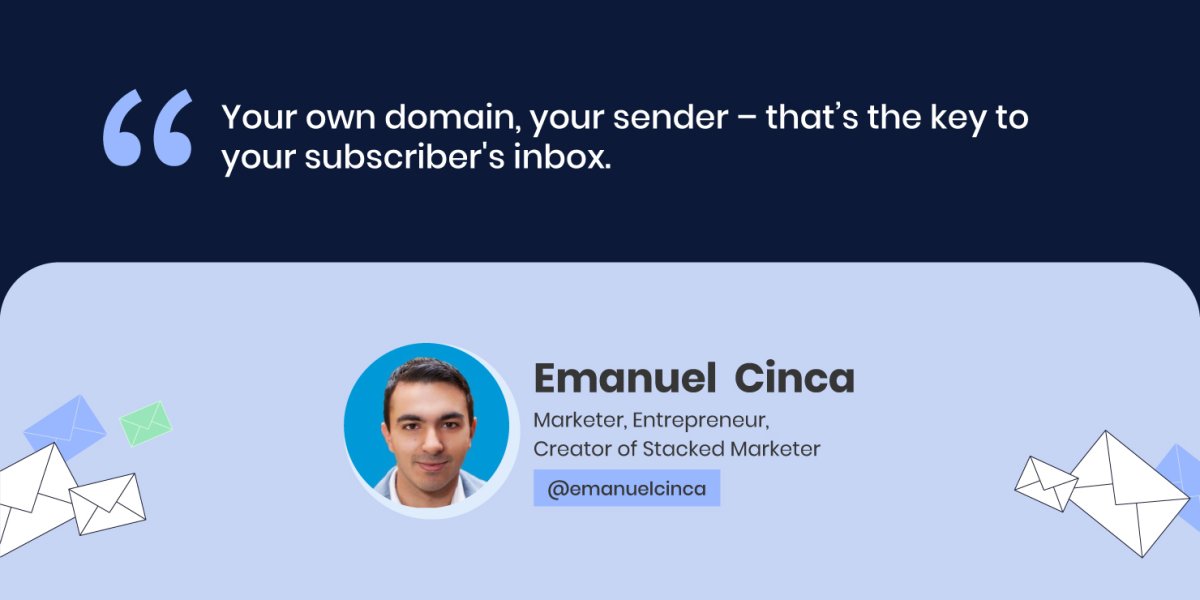
Another factor that matters significantly is the sender itself. “Your own domain, your sender – that’s the key to your subscribers’ inbox,” Emanuel Cinca points out. However, he adds that some email service providers don’t let you completely set up all authentication, SPF, etc. through them, and then you cannot add your custom domain which is essentially the key to the inbox.
Again, it comes to your choice of email marketing tool. At SiteGround, we take care of the technical side of your campaign sending to make sure your emails hit your audience’s inbox. We have one-time domain authentication that boosts the odds of sending your emails right in your audience’s inbox. The more emails that get delivered, the better your reputation gets.
Make sure your users open your emails
Now that your email has landed in your subscribers’ inbox, what would make them open and read that email? According to Alessandra Farabegoli, here are the top 3 factors that would make people open an email:
Sender’s reputation
“The sender is the first thing we’re checking when browsing through new emails – if this person or company is regularly writing interesting content, then I can give them my attention,” Alessandra Farabegoli says. If not so, people tend to skip, archive or even delete, without reading.
Subject line
Next, you need to write engaging subject lines, because the subject line is the first thing they’ll read. Emanuel Cinca’s experience shows that all their newsletters regularly have very short subject lines, literally 1 to 3 words, which are slight teasers of what is inside.
Preheader text
The preheader text is right next to the subject line and it’s important as it helps readers see what they will find inside. According to Alessandra Farabegoli, the preheader can even be left blank, because in this way your email will stand out, with a bit of space around it.
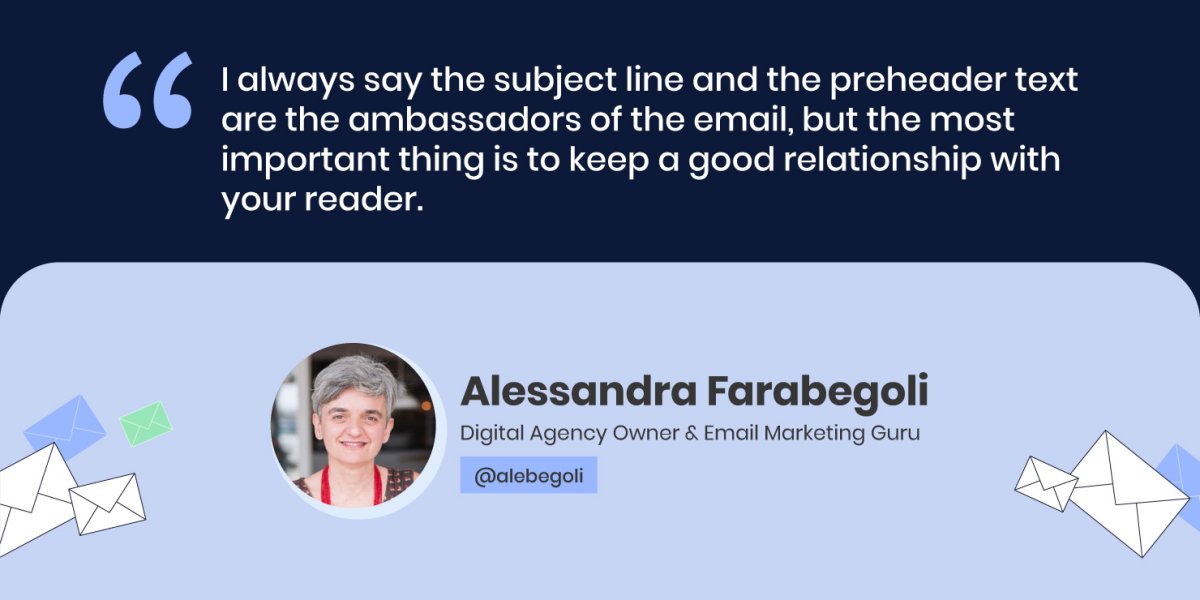
“I always say the subject line and the preheader text are the ambassadors of the email, but the most important thing is to keep a good relationship with your reader,” Alessandra Farabegoli concludes.
Track key metrics to measure your email campaign success
The key metrics that you need to track are those that are important for your business, such as sales or conversions – a download of a document, an actual purchase and others. Then, you need to check “what builds these sales – is it clicks from the website, is it opens, how many subscribers you have,” Emanuel Cinca explains.
However, Emanuel Cinca warns that nowadays “you should be careful about considering open rate as a very important metric – it’s relevant, but you need to have context behind it, because Apple mail privacy protection, for example, opens 100% of your emails over time”.
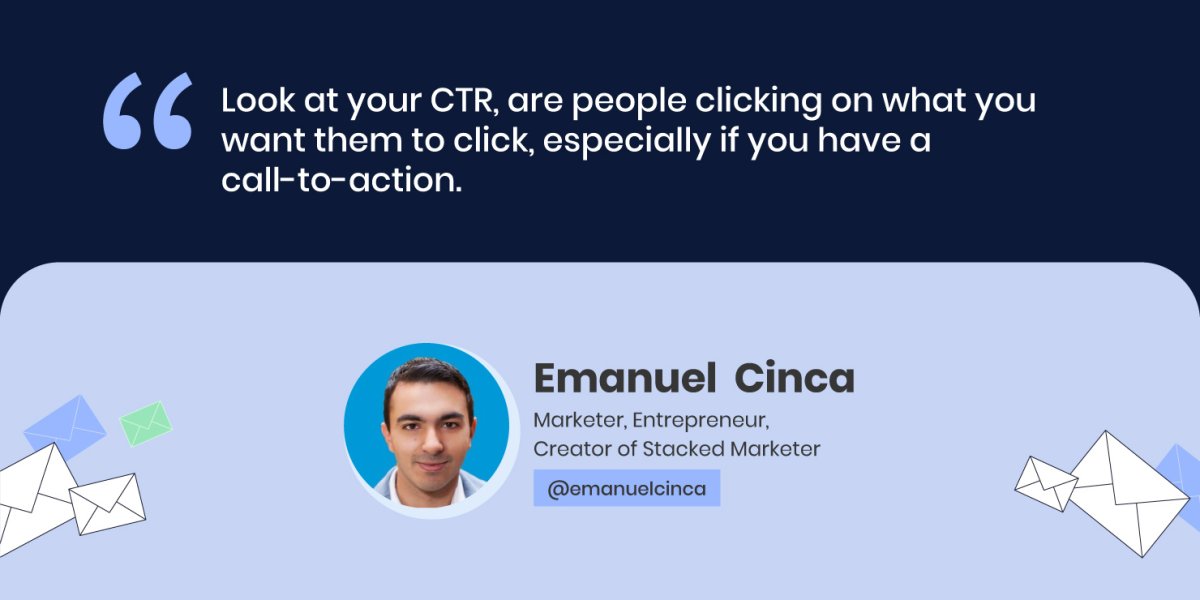
Both our experts agree that nowadays click-to-open rate (CTR) is really important, because it shows if you’ve built the right call-to-action (CTA) – if people who opened your email, decided to take it a step further, Alessandra Farabegoli explains. “Look at your CTR, are people clicking on what you want them to click, especially if you have a call to action,” Emanuel Cinca concludes.
Perform A/B tests to optimize campaigns and improve results
In case you’re not happy with the performance of your email campaigns, there’s a way to improve the results by performing tests of different email elements.
The first thing to consider, before performing any tests, is your list’s length. Alessandra Farabegoli points out that you need numbers to get relevant and statistically significant results. “You need at least maybe 20K subscribers to get a decent result from an A/B test on subject line, or sender, or timing, for example. If you want to test some content element, such as the CTA, you need at least 10 times that number,” she explains.
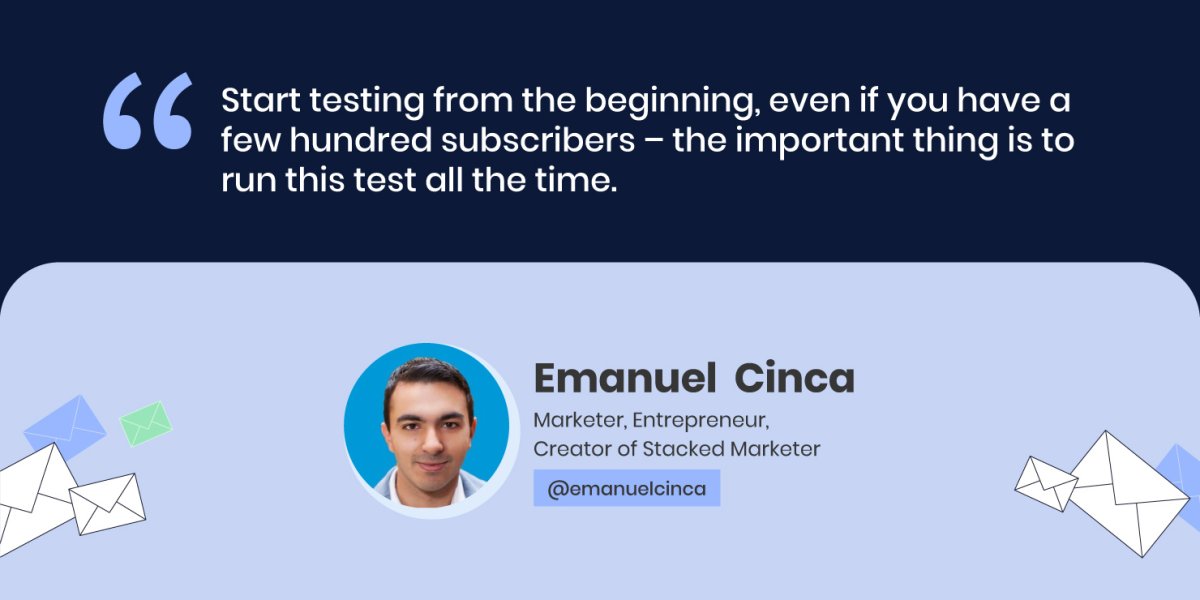
Emanuel Cinca agrees that if you send a newsletter one time and you have 1000 subscribers, A/B testing the subject line for them for that one time, won’t yield any results. Yet, he has a workaround, if you don’t have the volume now – you can A/B test your welcome sequence and subject line, if you have such automations or sequences. Start testing from the beginning, even if you have a few hundred subscribers – the important thing is to run this test all the time. Then, after 6 months, you might reach a statistically significant result.
To improve the content you send, you need to receive feedback from your actual readers, Emanuel Cinca advises. One thing you can test is your content structure, he adds – somewhat longer articles, bullet points, etc., split up your content as much as you can. Emanuel Cinca gives a bonus tip, in case you cannot A/B test directly and get the data– to run a survey to your audience.
Our experts agree that email marketing is a powerful tool that everyone can leverage, not only big business owners. Follow their professional tips in this article to make the most of your email marketing campaigns.
Check our YouTube recording to hear the whole Twitter chat conversation and follow us on Twitter for more news and discussions on useful topics.
Every year, in Europe 500,000 women receive the news that they have breast cancer. Every year, 125,000 of them sadly lose the battle with the disease. Breast cancer is the most prevalent among women worldwide, and unfortunately, 1 out of 8 women will be diagnosed in her life.
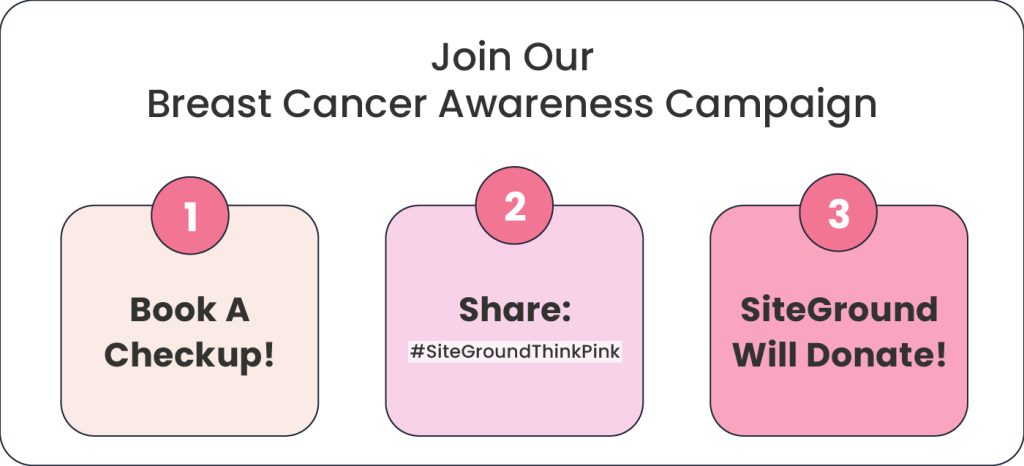
October is Breast Cancer Awareness Month, a time for all of us to bring attention to the topic, encourage women to take responsibility for their health, and schedule screening exams. Join the campaign by following the three simple steps below. 🎀
Step 1: Be Informed, Book a Medical Checkup!
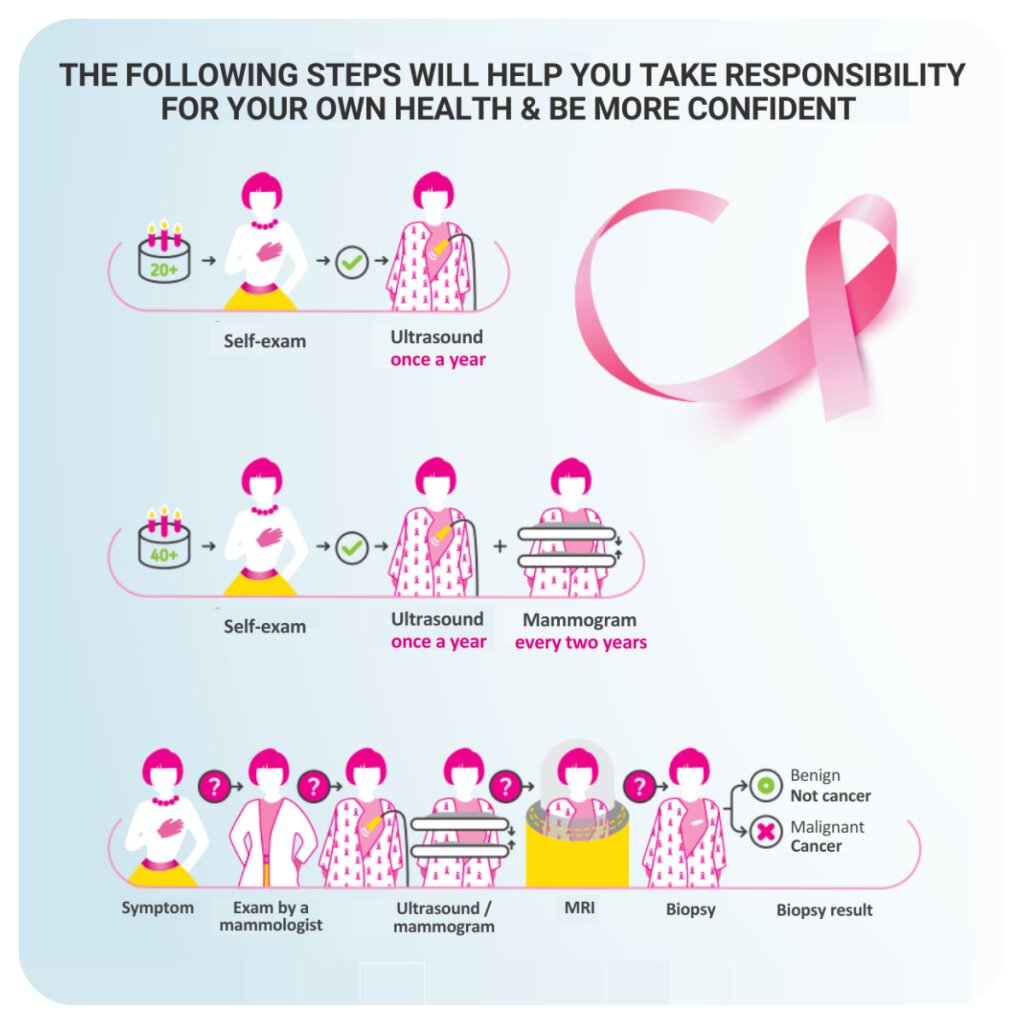
It’s important to be informed and know the facts about the risk factors, warning signs, and how to properly perform self-exam. The lifestyle risk factors are something that you have the power to change. Some of them are lack of physical activity, being overweight, alcohol consumption, smoking, hormonal therapy, and poor diet. On the contrary, sports, regular checkups, healthy weight, balanced diet, and breastfeeding are known to reduce the risk of cancer.
Recognizing possible warning signs is also key as taking prompt action leads to timely diagnosis and treatment. Some of the most common symptoms are changes in color, form, discharge, alterations in the skin, pain. Don’t hesitate to seek help if you notice or feel any abnormality. Read more details and useful information here.
When found early, there’s a great chance that breast cancer can be successfully cured. That’s why it’s important to perform a monthly self-exam. Once a year, book a medical ultrasound checkup with a specialist, and if you’re over 40 years old, consider having a mammogram every two years.
Step 2: Spread the Word about #SiteGroundThinkPink
We need your help to motivate as many women as possible to be proactive and schedule screening exams regularly. Your actions have the power to show every woman that timely action is important!
Help us spread the word by sharing the blog post with your family and friends. Share it on Facebook, LinkedIn, or Instagram as a post or story along with the hashtag #SiteGroundThinkPink. On Instagram, we ask you to also leave a comment under our blog post about the campaign. If your social media profile is private, after sharing the post, leave us a comment, so that we can track your participation.
SiteGround will donate BGN10 to the One in 8 foundation for each share of the blog post with the hashtag on Facebook, LinkedIn, or Instagram. One in 8 is a key foundation in Bulgaria that provides psychological, emotional, and practical support to diagnosed women, as well as preventive checkups.
They organize numerous activities and events to help women fighting the disease feel better, supported, and well-informed. Some of their initiatives are psychological consultations, art and yoga therapy, legal consultation, advice from a professional make-up artist, free educational resources, and more.
Together with your help and our donation, we will support their annual program for preventive examinations and early breast cancer diagnosis. Thank you! 🩷
October, the month of pumpkin spice latte and spooky tricks, has another significant aspect to it – it’s officially Cyber Security Month. This year, at SiteGround we are excited to bring you something that underscores the vital importance of website security in a truly hair-raising way.
We’re thrilled (get it?) to announce our Website Horror Stories campaign, where we’ve gathered real-life stories of digital nightmares caused by neglecting website security, but, thankfully, fearlessly busted by SiteGround. From defaced websites, malicious file uploads, email frauds, bot traffic and vengeful former employees to long-forgotten applications that became hacker gateways – we’ve seen them all, and they all carry a crucial message: Each story is a stark reminder of the potential threats lurking in the digital shadows, ready to exploit any security oversight. Let those cautionary tales remind you of the importance of website security and using all tools and services you have to protect your website at SiteGround.
Celebrate #CyberSecurityMonth, share the Website Horror Stories campaign to spread our message about the importance of website security, and keep your site safe with SiteGround’s multilevel website security tools and services.
Since more businesses are going online, customers’ personal data becomes even more important for hackers who leverage it on the dark web. With Black Friday, Cyber Monday and the holidays ahead of you, as a business owner, you can expect increased website traffic and with it – higher risk of data breaches.
Protecting customer data during these peak shopping seasons is crucial for your business in terms of brand reputation and trust, customer loyalty and protection, laws compliance and cyber attacks prevention.
Increased Cybersecurity Threats
Customer data leakage has indeed become one of the biggest security threats of our time. According to Statista, as of 2023, the global average cost per single data breach amounted to $4.45 million, where the average cost varies across sectors. The highest average cost is in the healthcare industry, with each leak costing the affected party $10.1 million.
In 2022, the most common cause of a cyber attack in the USA was email phishing, according to data by Statista. Some other common threats faced by retailers and consumers include website malware and ransomware, data breaches, identity theft, and others.
The Implications of Data Breaches
All of the above-mentioned cyber attacks can have a huge negative impact on your business. Let’s explore a few ways why is data security important:
Impact on customer trust and brand reputation
To operate with customers’ information means that customers have trusted you with their personal data. If you suffer any data breach, even not your direct fault, your customers will lose their trust in your business. In turn, this will result in you losing customers and profits. Brand reputation damage and negative PR are the other long-term damages.
Legal and regulatory consequences
A data breach will cost your business not only your customers, profits and reputation, but big financial losses. On one hand, you can be held liable for failing to comply with privacy regulations, which in turn can result in a lawsuit with financial consequences, i.e. regulatory fines.
For example, if you collect personal information of EU residents, the applicable law for your business will be GDPR (General Data Protection Regulation), or if you collect consumer data of residents of California, USA, you’ll be subject to the California Consumer Privacy Act (CCPA), and so on. Such regulations and laws will apply if your customers are residents of these countries, even if your business is not located there.
Essential Measures for Client Data Protection: Securing Data Systems
To avoid a data system breach, implement these essential measures to secure data systems:
Keep data systems up-to-date and patched
One of the most common reasons why data systems get hacked are security vulnerabilities in softwares which get exploited by cyber criminals. It’s important to keep an eye on patch releases for the softwares you use and implement them in due time. These will not only bring your software up-to-date, but also keep your data safe.
When you’re using a lot of different softwares, this could be tedious work on its own. SiteGround clients that use WordPress, take advantage of our WordPress auto-update feature. It automatically updates all WordPress installations, hosted with us, and ensures that our customers’ WordPress sites are secure and up-to-date.
Implement robust access controls and encryption techniques
Your access point is another common source of a security vulnerability. To increase security and reduce the risk of data breach, implement the usage of a password management tool which will create, encrypt and store smart passwords for you and your employees for all the tools you access with a password. A tool like this will take care of static data, but now let’s take a look at what happens to data that’s in transit.
A lot of traffic may go through your website, including sensitive information like login credentials and credit card details of your customers. To keep all these protected, you need to encrypt them. An SSL certificate can easily encrypt all this data and it is essential for your website security. SiteGround clients, for instance, leverage free SSL certificates on every web hosting plan we offer.
Enhanced Security Measures and Increased Vigilance during Peak Shopping Seasons
Even though the above-mentioned steps are crucial to begin with, there are some enhanced security measures to follow in order to manage data security protection:
Implementing intrusion detection and prevention systems
You need to have your website scanned regularly for potential threats. Start by implementing an anti-virus and anti-malware software or prevention system. Make sure the tool you choose is reviewed and approved by your security team and the team is in control of it at all times. This will allow you and your employees to stay up-to-date with the latest security measures and updates.
SiteGround clients have the opportunity to leverage our Site Scanner service that helps protect their websites from malware. Our Site Scanner constantly crawls web pages to detect the latest threats that might affect a website, warns clients about such potential threats at an early stage and in a timely manner and gives them tools for reaction, in case their sites are under attack.
For WordPress users, we have an all-in-one security solution – our free Security Optimizer plugin. It’s available to all WordPress users (no matter where they’re hosted) and provides them with all the security measures they need to keep sites safe. The plugin protects sites on application level (hides WordPress version; disables themes & plugins editor, etc.), provides advanced protection, such as locking and protecting system folders, enabling advanced XSS protection, hardens login security, and many other features.
Conducting regular security audits and monitoring network traffic
Even if you implement all these security measures, you still need to monitor your website security status regularly. You need to keep an eye on your site’s security status at least once a month, yet this could take some time, effort and money. As a business owner, you probably have lots on your plate, so you might consider outsourcing this activity.
SiteGround clients receive free monthly security reports, delivered straight into their inboxes. We automatically monitor our clients’ websites and send them detailed summary results, along with actionable tips on what they can improve to reduce the security threats, in case we detect any weak areas on their websites.
Collaboration with Logistics Partners
With all the enhanced security measures in force, you then need to think about your collaboration with logistics partners, i.e. the participants which provide the cloud computing services, such as Google Cloud, AWS (Amazon Web Services), or Microsoft Azure, for instance. Effective communication and collaboration are key for ensuring secure handling of customer information throughout the supply chain. Companies working together is also important for reducing costs, improving service quality and flexibility.
To achieve all these, they need to communicate openly, share common goals and have trust in the partnership. Should they succeed in their collaboration, this will result in different advantages, such as improved customer satisfaction, better risk management and even cost savings.
For example, companies like Amazon or Apple handle sensitive customer data. If they don’t follow strict client data protection standards, there’s always a chance for potential vulnerabilities in the data protection chains. Back in 2019, Amazon Web Services faced a data breach, affecting CapitalOne bank’s 100 million customers’ names, social security numbers, credit scores, and credit card data. An ex-employee was found guilty in misconfiguration of cloud storage servers to access and steal the data.
When businesses collaborate closely with logistics partners, they can ensure the implementation of crucial security measures (e.g. encryption, 2-factor authentication and others). Effective communication and strong relationships with logistics partners are essential factors for a successful overall performance and data security protection.
Employee Awareness and Training
Now that you’ve secured your website on all levels, it’s important to make sure that your employees are also up-to-date with the latest security measures in order to prevent weak points. Start by educating your employees about security best practices. To mitigate human errors, conduct regular security awareness training and checks. Educate employees about the most common security threats, such as phishing, in order to prevent hackers from stealing their credentials and personal details.
Our website can be a good starting point with tons of useful security resources. Visit the security category on the SiteGround blog to get more information on website security topics.
Transparent Communication with Customers
An essential next step is to have transparent communication with your customers about your privacy policy and how you handle their data.
You need to have clear, written Privacy Policy and Data Handling Practices. Important points to cover in it include who can access your customers’ data and in what ways, as well as how their data will be used and how it should not be handled.
Publish the Privacy Policy on your business website and communicate it to your customers, informing them how you collect, store, use and protect data privacy. Keep them in the loop about the latest changes and updates to your privacy policy.
Educating Customers on Secure Online Shopping
Being a customer during peak shopping seasons has its security threats as well. To protect personal information, be cautious of phishing emails, use strong passwords and update your devices and software regularly.
In the unfortunate event of a security breach happening, it’s a good idea to have an incident response plan, developed in advance. Draft thorough steps on how you would contain a data breach or security incident. These should include timely notification of affected customers and/or employees and open cooperation with the relevant cybersecurity authorities. When it comes to a security incident, communication is key. Make sure your employees can report suspicious activities to your data protection security team (or data protection officer), as well as ensure that your customers are informed at all times of any suspicious behavior. Beware what you share with your customers and provide them only with the essential information they need.
With the peak shopping season just ahead of all of us, we can not stress enough on how important protecting customer data is. Ensuring security data protection is key for your business, as it will keep your customers’ trust, brand reputation and your success levels high. Implement the data protection security measures you learned from this article for a successful and secure shopping season. Add a comment below to share with us other security measures that have worked well for your business data privacy or tell us more about your general data protection strategy.
At SiteGround, we always strive to help our communities and work for a better environment and future for us and our children. We try to organize regular volunteer cleaning or planting events, and it won’t be an exaggeration to say we have our own sustainable and conscious living way.
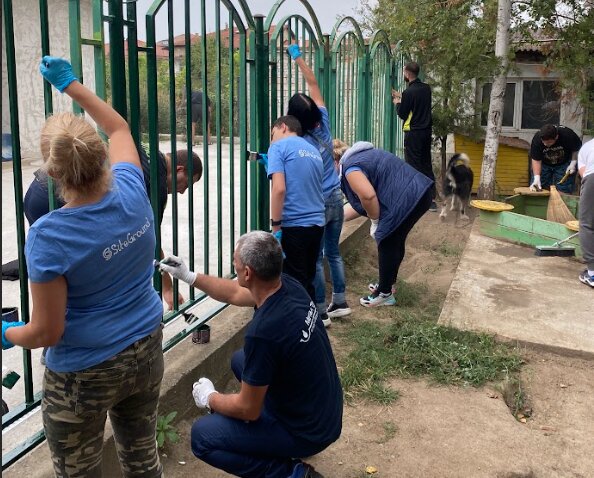
As an extension of that philosophy and part of our socially responsible actions, we also regularly support communities and organizations that promote a sustainable way of living and environment preservation. That’s why it’s not a surprise to anyone that on World Cleanup Day, we decided to clean and fence three children’s centers in Sofia, Plovdiv, and Stara Zagora – our main cities where we have offices in Bulgaria.
More than 100+ of our colleagues and their families took part and together we collected over 1000 liters of trash, revitalized the outdoor spaces, and helped with cleaning, flooring, painting, and repairs to transform the children’s centers and playgrounds.
Sofia
Stara Zagora
On that Saturday, September 16, the SiteGround Stara Zagora team rolled up our sleeves. Together with our families and kids, we fixed up and repaired part of the 1st floor in a center for children with special needs in our town.
We started the day by getting ready for an exciting project at the children’s center. Then, we painted all the walls in the facility, which was over 200 square meters, in less than 3 hours – quite a challenge! Our amazing colleagues also pitched in to clean up the area around the house.
Stara Zagora
Plovdiv
A group of our dedicated colleagues gathered to paint the fence and change the flooring of the playground at a family-type children’s home, and the results were nothing short of incredible.
Through our collective efforts, we not only transformed the facility’s physical environment but, more importantly, we hope we managed to make the everyday lives of these children a bit better. The smiles on their faces were a testament to the positive impact we made by improving their living space.
Plovdiv
Sofia
Even though World CleanUp Day went to be a very cloudy and rainy one in Sofia (it has been raining very hard since the morning), more than 50 people from the Sofia team and their families showed up to help and did not give up despite the bad weather.
We managed to clean up the entire yard of For our Children Foundation, and to paint a balcony fence – all with a smile and real dedication! And the most devoted were the little ones – our kids – who came to help and support an important mission – having a better environment for all!
Sofia
It was a day filled with big smiles, lots of energy, and a ton of positivity. We want to say a big THANK YOU to all the volunteers who joined us for this special day! 💚
In the relentless race to provide unparalleled client satisfaction, companies continually evolve. We, at SiteGround, have proven to be the front-runners when it comes to innovation and improvement. Yet again, we’re embarking on a groundbreaking venture that’s set to redefine your customer support experience – with our new integrated AI assistant in your HelpDesk.
The Game-Changer – Instant AI in your Help Desk!
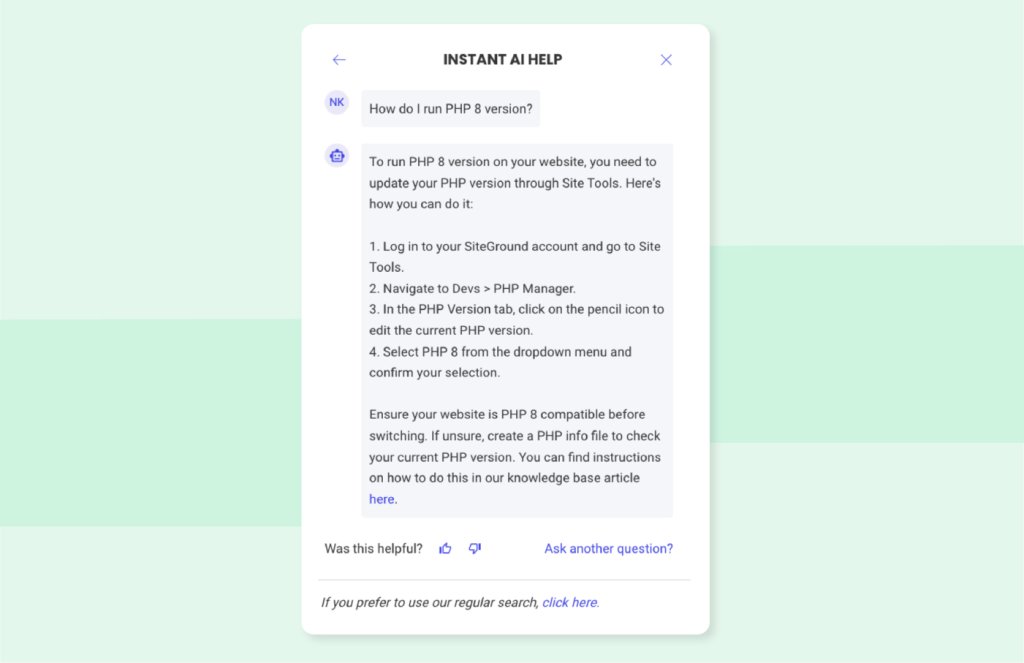
Gone are the days when you would type in a query and be directed to countless articles to sort through until you find the most relevant one, leaving you even more overwhelmed. Say hello to our cutting-edge Instant AI HelpDesk! It is powered by ChatGPT but heavily trained by SiteGround’s AI engineers and backed by expert prompt engineering, to provide accurate answers and address our clients’ specific inquiries via a broad spectrum of frequently asked questions and manual grading of responses.
The Evolution of AI in SiteGround’s Support Journey
Our AI journey started years ago with an AI-powered search feature. A fantastic tool, it seamlessly directed you to relevant articles within our extensive Knowledge Base. But now, we’re elevating that experience with the integration of ChatGPT by OpenAI. Not only does our AI Assistant fetch all relevant articles, but it also comprehends and consolidates the information to give you a precise response, crafted just for you! Imagine a world where AI doesn’t just find the right answer, but understands and delivers it as if it’s directly responding to a question in conversation. That’s our new reality!
Staggering Accuracy, backed by Fine-tuning and Stellar Prompt Engineering
Our specialized AI team has been burning the midnight oil, ensuring that our AI Assistant is not just smart but ‘SiteGround Smart’. Using the power of both GPT-3.5 and GPT-4.0, fine tuning AI models and taking advantage of expert prompt engineering, ensures swift, accurate, and tailored responses for our customers. Here are the facts:
85% of the answers from our AI Assistant hit the bullseye! To be more accurate: a total of 96% of the replies generated by our AI Assistant are correct, but needed a bit more polishing to match the high standards, tone of voice and level of helpfulness that we’re after.
These staggering numbers in just a few months of work are a testament to the significance of fine-tuning models, constant prompt engineering improvements and the enthusiasm our team has invested into creating one more trendsetting tool for our clients’ convenience.
Engage, Explore, & Elevate Your Experience
Available exclusively for our valued SiteGround customers, you can reach our AI Assistant anytime via Client Area > Help Center > Instant AI Help. Each answer is a goldmine of information, often laced with links for a deeper dive. And guess what? We’re counting on you to make it even better! At the end of each response, we’ve provided a quick rating system. Your feedback is our treasure, guiding us to refine and perfect.
Join the AI Evolution
The beauty of AI lies in its potential to learn and evolve. As you engage with it, our AI Assistant sharpens, ensuring you always get the right solution, in an instant. Based on your direct feedback, we’re also expanding and improving our extensive Knowledge Base even more – we’ve added over 60 new articles and topics after the introduction of our AI Assistant.
Dive into this futuristic experience now and be part of our AI revolution. We’re waiting for your feedback! With SiteGround, the future isn’t tomorrow; it’s today!
At SiteGround, we’ve always supported, fostered, and cared for the active lifestyle of our team. After office hours, you’d see us skiing, snowboarding on the mountain slopes, windsurfing during summer team buildings, and competing in the Legion Run or with one another during our own Get Fit challenge. As part of our socially-responsible actions, we also regularly support communities and organizations that promote outdoor activities and safety.
We support several Bulgarian Mountain Huts with live cameras and Internet, and the Bulgarian Mountain Rescue Service (MRS) with three avalanche rescue tools. Now, we decided to extend our support for the rescue service with 4 high-tech rescue drones, crucial for the timely discovery of lost people in difficult mountain terrain.
How the New Rescue Tools Will Help
The specialized drones are equipped with thermal-vision cameras, an advanced zoom, and premium performance for precise search and rescue operations of mountaineers in trouble. The drones are a DJI Mavic 3T model and their total value is nearly BGN 50,000. The four devices will cover the territory of the main and busiest mountain ranges in our country – southern Central Balkan, Rila, as well as south-western Pirin, Slavyanka, and Belasitsa, which are all preferred destinations for mountain tourism.
The new equipment will help mountain rescuers locate people in need in hard-to-reach terrains more quickly and easily. The drones will allow them to be much more effective in complex and severe rescue operations during extreme weather conditions too.
SiteGround Donates 4 Drones to the Bulgarian Mountain Rescue Service
Over the past year, the bold Mountain Rescue team helped more than 2,500 people and conducted nearly 170 rescue operations in the high mountain. “Our activities are always performed with increased risk and in difficult weather conditions. Thanks to SiteGround’s donation, we will be able to find people injured in the mountains faster and provide them with timely and adequate help, while we save the strength and health of the mountain rescuers themselves by exposing them to smaller risks. We are beyond grateful to SiteGround for its social strategy, for understanding the problems in the mountains, and for the invaluable help”, said Emil Neshev, Director of the Mountain Rescue Service.
We are happy to make the crucial work of mountain rescuers safer, more efficient, and convenient. If you love to spend time in the mountains, like many people on the SiteGround team, don’t miss to take a look and download on your phone our mountain safety guide that can help anyone prepare for their hike.
Have a happy upcoming winter season, but remember to stay safe in the mountains! 💚