Crafting a successful online presence is an on-going process. From curating engaging content to showcasing your standout products or services, you’ve done it all. But despite all your efforts to engage users on your website, do you still find visitors leaving without taking any action? It’s time to transform those missed opportunities into meaningful connections.
At SiteGround, we totally get the ups and downs of building an online presence. So, here’s some good news: we’ve just improved our SiteGround Email Marketing tool with the new Lead Generation Plugin for WordPress. We crafted an easy way to encourage visitors to engage, subscribe to your email list, and become part of your brand’s journey. Even if you’re new to email marketing, we’re here to sprinkle a bit of magic on your journey.
Build your email list and generate high-quality leads with SiteGround
Lead generation is about connecting with real people who genuinely vibe with what you offer. Your website? That’s where you can find high-quality leads. And, with SiteGround’s new lead generation plugin and email marketing tool, you can attract them with sign-up forms, nurture your leads and clients, and ultimately, increase conversions.
Easy plugin setup and integration
If you’re new to building an email list, don’t worry! Just download and activate our new lead generation plugin for WordPress. Easily connect the plugin with your SiteGround email marketing account, so anyone who signs up will automatically land in your contacts as a “Subscriber”.
Create a form in minutes
Easily create your sign-up form and greet your new subscribers with a “successful subscription” message. Plus, you can assign Groups for each form you make for precise audience segmentation. This ensures that the right message always reaches the right person.
Add a form on your site with ease
SiteGround makes it easy to embed a form on your website, allowing you to connect with users and grow your mailing list. Once you create your form, we’ll provide a handy shortcode for you to place wherever you like on your website. Alternatively, you can seamlessly integrate the form using WordPress Blocks within your WordPress editor – just search for our plugin and pop it in.
Built to match your brand
Whether you use Gutenberg or Elementor for your website, our forms seamlessly adapt to your website’s style, ensuring a consistent brand look. Plus, you can tweak fonts and colors to suit your taste perfectly within your WordPress editor.
More ways to engage
Our plugin seamlessly integrates a sign-up checkbox into your WooCommerce checkout and standard WordPress forms. This gives visitors various and convenient ways to hop onto your mailing list.
Why embed a form on your website?
Putting a form on your website is a smart move. Here’s why:
Build your email list
Collecting email addresses to build your mailing list is the starting point for any email marketing campaign. It allows you to nurture relationships, share updates, and promote special offers directly to those who have shown interest in your brand.
Engage your audience
Adding a form to your website creates an opportunity for visitors to connect with your brand. This establishes a direct line of communication and helps engage your audience, turning casual visitors into loyal customers.
Market your brand with easy email marketing
Build and grow your email list with our new lead generation plugin for WordPress and start sending the right message to the right audience with our intuitive SiteGround Email Marketing tool. Craft compelling campaigns to engage your audience and drive growth, creating a full brand experience.
Ready to boost your email marketing? If you’re a SiteGround client, simply log into your Client Area -> Marketplace -> Email marketing. Once you’ve added the service, you can easily find and download our lead generation plugin in the SiteGround Email Marketing Dashboard under Contacts -> Connect WP Site.
As an organizer of WordCamp US 2023, I am overjoyed with how the event turned out. This was my first in-person WordCamp in nearly four years, and it did not disappoint. There were insightful sessions, plenty of fruitful networking opportunities, and community engagement that made this WordCamp a tremendous success. This was my first time helping to organize such a large-scale WordCamp, and the experience was rewarding.
Community Summit
The first two full days that I was in Washington DC were the Community Summit. There were dozens of discussions, brainstorming sessions, and planning for the future of WordPress. While I can’t speak to specifics of the event, raw notes for each session are available on the Make Summit site.
My personal highlight discussion was the session on DEIB and the WordPress community. While the conversation itself was convivial, the hard and harsh reality of the negative aspects of the community made it a stressful discussion to be a part of. Still, I’m hopeful from this and other sessions that we’ve identified areas where we can improve, and more importantly some methods that can help to get us there.
The WordPress community deserves the best and has the ability to do better all the time. This summit was proof of that!
Contributor Day
Part of WordCamp US 2023 that I had a lot of input and focus on was Contributor Day. A Contributor Day is part of a WordCamp where the WordPress community comes together to work on the project itself. Whether it is writing code for core and plugins and themes, translating things, making new educational content, or finding ways that the community can bring others in, there are a lot of ways to get involved.
One of the most important things for Contributor Day this year was to ensure that we were welcoming new contributors as best as possible. I have been to many contributor days, and most follow a similar format. The organizers share a brief overview of the different Make teams, groups split up and try to figure out how to get into the wifi and on Slack, they work on things throughout the day, then share at the end what they worked on.
This time, we decided to cut out the first and last portion, since teams provide updates at their own pace, and can also post them online. Instead, we had new contributors arrive an hour earlier than returning contributors to go through an onboarding session. We also gave color-coded bandanas to team leads and new contributor guides to make them easy to find. The new contributor guides were important to make sure that people felt comfortable walking up to someone and knowing that they could ask questions without bothering them.
“Contributor Day is one of the things that I was most looking forward to.”
~ david wolfpaw
Of everything about WordCamp US this year, Contributor Day is one of the things that I was most looking forward to. Not just because I helped to organize it, but because it would be one of the first times in years that so many people involved in WordPress were able to gather in person and work on the project in groups. Being able to collaborate remotely is great, but having those in person hours to really hash things out together is priceless.
“This has to have been one of the largest contributor days ever for a WordCamp. Around 500 people came together to work on writing code, creating documentation, doing translations, developing training, and doing things that make WordPress better all around.“
~ david wolfpaw
One of the downsides to being an organizer means that I didn’t get to be quite as involved as I’d like to be. Instead of sitting down with the Community team or one of the coding teams, I was constantly checking in to make sure that everyone had what they needed to succeed. It was a good problem to have, but it kept me away from having the same experience. Still, I am thankful that I was able to play my small role in ensuring a good day. While I couldn’t solve every problem that came up on Contributor Day, I still helped to put together a space where all of these contributors could do work, and where new contributors could learn and get involved. I’m proud of the work done this year, and I look forward to the recap so that we can learn what worked and what didn’t to refine again for next year.
If you have any interest in how to get involved in the WordPress community, check out make.wordpress.org to see the teams that you can get involved with, and how to contact each of them.
Conference Days
After the Community Summit and Contributor Day, I was already three days into WordCamp US before we even got to the actual main event. To say that I was running low on energy is an understatement! Even my daily morning iced espresso wasn’t enough on its own to keep me focused on the day.
What really kept me focused and active were the wonderful conversations that I had. This was with old friends who I hadn’t seen in person in nearly four years, as well as new friends who I got to learn about and bond with throughout the week. Nothing perks you up like an interesting conversation with an engaging partner.
I started my conference days by helping with registration. The first hour of day one is the most physically active, as everyone is arriving at the venue at the same time to check in. While there were booths setup to print badges, it still caused a queue to form, so I helped by handing out lanyards and pins in advance, and sharing information on when and where events were, as well as preparing attendees to go to the sponsor area and to get their attendee shirts.
Honestly, the meat of WordCamp US 2023 was the two conference days at the end. Over 30+ sessions there were speakers, new and old, sharing their experiences and knowledge with eager audiences. I sat in on sessions where I could, and as expected everything was well prepared and interesting. I came away with even more notes and ideas on projects to work on when the conference is over.
The Expo Hall
Sometimes people avoid the expo hall at events because sponsors and vendors can feel a bit spammy. The feeling is that they will do anything to sell you on their products, and that they don’t provide real value. At WordCamps this can’t be farther from the truth. These are companies that underpin the community, and their employees literally help make the community and code happen. I’ve always found people to be there because they want to be, not because their company made them attend.
“These are companies that underpin the community, and their employees literally help make the community and code happen.“
~ david wolfpaw
Part of my day was spent with my friends at SiteGround at their booth. I love folks walking up to me and asking me questions about hosting, considering that I use multiple hosts and don’t work for SiteGround. I can honestly answer about the pros and cons about various hosts, and the fact that I have been a consistent customer for a decade at this point. People really seem to want to know more about businesses in the sponsor area of WordCamps, and not just pass by for the free swag. That said, the swag was pretty nice! I already put a foil SiteGround unicorn sticker on my coffee cup, and the tote bag will be getting a lot of use.
If you ever find yourself at a WordCamp, don’t skip out on the sponsor hall!
“It’s where you’ll make great connections, meet new people, and find companies to work with.”
~ david wolfpaw
Most Valuable Lesson as an Organizer
Undoubtedly, the most valuable lesson I took away from being a small part of the WordCamp 2023 organizing team was the significance of meticulous planning and effective delegation. Coordinating a large event like this requires a well-structured timeline, clear communication, and a dedicated team. By delegating tasks to individuals with specific expertise, the team was able to ensure that each aspect of the event was well-executed and no detail was overlooked.
Additionally, I witnessed the importance of adaptability and contingency planning. Despite our best efforts, unforeseen challenges will always arise, and this WordCamp was no exception. Being prepared to pivot and find solutions on the spot helped us maintain a smooth experience for attendees and speakers alike.
The most important takeaway when it comes to adaptability is to listen in the moment to attendees, and to ensure that the full volunteer and organizing team are ready to report any issues that they see. We organized via Slack, and the proper person to solve a problem was ready to see and react as soon as an issue was spotted. Whether updating signage, changing a room for talks when the existing one didn’t work out properly, or helping attendees with individual needs, we were ready to respond.
Future Involvement
Would I help to organize WordCamp US or another WordCamp again in the future? Absolutely. This is far from my first event, but it was my first event as an organizer in four years.
I feel like I have a renewed sense of commitment to the WordPress community. Having to meet remotely only led to a bit of burnout.
“As someone who works almost exclusively online, the in-person events are a lifeline and reminder that none of us are in this alone.”
~ david wolfpaw
WordCamp US 2023 was one of my most memorable events yet, and I appreciate the support given to me by SiteGround and everyone else who made it an enjoyable and fruitful conference.
We are excited to announce that PHP 8.3 (Beta 3) is now available for testing on all SiteGround servers. Yet, again thanks to our unique multiple-PHP server setup, we are able to provide the latest PHP versions safely to anyone who wants to test them, almost immediately upon their official beta release. This means we are once again among the first companies to offer PHP 8.3 (Beta 3) for testing on our hosting platform 🎉🎉🎉.
Continue reading this blog post to discover more about the new features of the latest PHP version.
PHP 8.4: Stay Updated! 🚀 Check out our latest blog post to explore the newest features and enhancements in PHP 8.4.
New Features
Let’s delve into some of the new features that PHP 8.3 Beta 3 brings to the table. This version may not be highlighted by sweeping changes or major upgrades, but it introduces a few key features that could significantly enhance the PHP development experience.
gc_status() Returns Additional GC Information
Long-running daemons and cron jobs have always been a weak part in PHP in general. However, with PHP 8.3, the gc_status() function now returns additional garbage collection (GC) information. This is a significant improvement for developers who need to manage memory usage in long-running scripts. More information about this feature can be found here.
Another exciting feature in PHP 8.3 is the ability to alias built-in PHP classes using the class_alias() function. This allows PHP developers to hook up into built-in classes and overwrite classes or declarations in them. This feature opens up a world of possibilities for extending and customizing the behavior of built-in PHP classes.
json_validate() Function
Another exciting addition in PHP 8.3 is the json_validate() function. This function validates if a string contains valid JSON, providing a more efficient alternative to userland implementations that use json_decode(). The json_decode() function generates a ZVAL (object/array/etc.) while parsing the string, using memory and processing that could be saved. The json_validate() function uses the same JSON parser that exists in the PHP core and is used by json_decode(), ensuring that what is valid in json_validate() is also valid in json_decode().
How to test PHP 8.3 (Beta 3) on SiteGround Servers
Now, with a one-button click in your SiteTools -> Devs section you’re able to replace the current PHP version used by your website with PHP 8.3 (Beta 3). It is important to emphasize on the fact that this is PHP 8.3 in its Beta 3 version. This means it is available for testing purposes mostly and as always we strongly advise you not to use it at your production site before the stable release date (November 23, 2023). If you want to test it with an existing site, set up a new site for testing, clone your production site into it, and play with that – our WordPress Staging tool is perfect for that purpose. When you are done, you can just delete it.
As you explore your new testing environment, check your log files after every test. Make sure nothing fails and see if any new warnings or errors pop up.
Wrap Up
PHP 8.3 Beta 3 may not be marked by major upgrades, but it introduces a set of key features that could significantly enhance the PHP development experience – improvements to readonly classes, the new gc_status(), class_alias() and json_validate() functions, additions to the recently added Randomizer class, stack overflow detection, and more. That is not it for sure but there is enough time to “play” with the new PHP 8.3 (Beta 3) version and explore all sidekicks it might bring on before the official release.
Last but not least – remember, at SiteGround, we are committed to providing our clients with the latest and greatest in PHP technology well ahead of the others. Stay tuned for more updates and happy coding with PHP 8.3 (Beta 3)!
Welcome to my series about life at a major WordCamp! My name is David Wolfpaw, and I am a SiteGround Ambassador, WordPress developer, and have been a WordCamp organizer since 2012. This year the SiteGround team and I decided to give you an insider perspective from the flagship WordCamp North America event, where I’ll be happily volunteering as an organizer.
WordCamps are annual gatherings of business owners, bloggers, developers, designers, and anyone else with an interest in WordPress. They take place all over the world, and are a core part of the WordPress community.
The flagship event for North America, WordCamp US, starts this week. I’ve been attending them for years, and I’m excited for my first WordCamp US where I will be volunteering as an event organizer. My intent with this series is to share my firsthand experience at the event, as well as some behind-the-scenes planning work, and tips to make the most of attending a WordCamp, or any other professional conference.
The most important things at a professional event like WordCamps are the following:
Networking and making connections for your business
Getting valuable information and ideas from speakers
Finding the fulfillment in your WordPress journey
Throughout the week I’ll be offering ideas and resources on how to achieve the above, and how better to start than with pre-event planning? Today we’ll discuss:
Finding sessions to attend
Connecting with speakers
Finding other attendees in your space
Ensuring that travel and tools are planned
Crafting a Session Schedule
The wide variety of sessions available at a flagship WordCamp like WordCamp US can be overwhelming. This year has over thirty sessions across two days in three rooms, and that’s toned down from years prior! With so many sessions, it can be hard to figure out what to prioritize.
When I look to the schedule I have a few criteria in mind. Sometimes I look to the speakers, looking for names that I know from social media and blogs. Sometimes I read through every session description, taking note of technologies and tools that I’ve been interested in learning, or just choosing based on an interesting title. There have been a lot of serendipitous session choices in the past, like a session on web publishing that I attended solely because I liked the speaker, and it turned into a conversation that led to a new client.
If you see multiple sessions that you want to attend at the same time, check to see if they will be recorded. Most WordCamps record their sessions to later post to WordPress.tv, making it easier to avoid the FOMO that comes from two great talks happening at once.
Connecting with Speakers
The conversations that you have at a WordCamp can easily be the most valuable part of attending the event in person. Content is great, but connections are better. Getting face-time with speakers can put you on their radar when it comes to work. As both an event speaker, and an attendee, I’ve found that it really breaks the ice to have something to talk about already, which can easily lead to further conversations. Most of my clients have come from word-of-mouth, including from speakers and attendees at WordCamps.
You don’t just have to wait until the event to reach out though! I don’t recommend blindly spamming all event speakers, but look through bios and talk descriptions and see if there are any individuals that you want to ensure that you connect with. Send them a short message, expressing your interest and excitement for their presentation, and your wish to say hi during the conference. Event speakers have already put themselves out there by applying to speak, and absolutely want to share with attendees.
Finally, make sure that you find out what communication methods the speakers that you’ve connected with in person prefer for followups after the event. Again, they came to share and they want to talk to attendees as well! Don’t be afraid to talk to them, and don’t be afraid to follow up later if they share contact information with you.
Networking with Attendees
Speakers aren’t the only people that you’ll want to connect with at WordCamp. You’ll also want to find like-minded attendees who you can build business relationships with.
It’s easy to assume that anyone else working in the same space as you is a direct competitor, but WordCamps are a great example of the opposite. I have met plenty of other WordPress maintenance providers who could be considered competitors to my company, FixUpFox. But I’ve met other agency owners who shared tips with me, passed along client contacts, and have become clients themselves.
We all have our own niches and specialties, and when the customer who just isn’t right for you comes along, but you know someone who might be a better fit, wouldn’t you want to pass them along? And you’ll be on the top of their mind when they have clients that fit your niche in return.
Preparing your Tools and Travel
WordCamp US has made part of my travel easier, by hosting in a convention center with a hotel, making it easy to get around the event. But prior to the event I needed to make sure that I had a flight to a nearby airport, a ride lined up for there and home, and I’ve checked the train schedules in advance to ensure that I can easily go from airport to hotel.
I’m also making sure to create a packing list, ensuring that I have everything that I need to stay connected and comfortable at the event. Take a bit of time to think about what you need while at a conference, from clothing to coffee, toiletries to technology. And while you’re at it, check out the SiteGround TikTok account for some quick tips and additional resources for preparing for WordCamps.
One more tip that I want to make sure to address is to listen to your body and focus on your health before, during, and after events. I unfortunately had to skip my last WordCamp because I got sick, and I didn’t want to spread that to any other attendees. I’ll be watching my health this week, including while I’m at the event.
Sometimes you just need some quiet time to yourself, and that’s ok! You’ll never be able to do everything at an event, but that’s ok. Knowing that there are limits to the number of sessions that you can attend and the number of people that you can talk to means you can prioritize what is most important to you at the moment.
Finally, take care of yourself post-event. It is easy to get caught up in the emotions of an event where you are surrounded with hundreds or thousands of like-minded attendees. Then you get back home, to your day job, where you have the daily grind of life to attend to. If you have the ability, take a day off after the event to rest and recharge. Even extroverts can get worn out from lots of social time.
More to Come
Follow along for the rest of the week while I share the journey to WordCamp US as an organizer and attendee. And if you are attending yourself, come say hi!
This August, I had the pleasure of having my children attend the SiteGround Kids Summer Academy, a week-long event for the kids of all SiteGround employees in all our office locations. The academy takes place for a second year in a row, and it was packed with activities that were both fun and educational for a total of over 100 children, all in different age groups.
Kids in the office? Mission possible
The idea behind the academy every year is to help the parents on our team during the Summer months when most of the children are off from school. We try to craft a unique “Summer camp in the office” experience, tailored to the interests of every age group so that it’s at the same time fun, useful, and inspiring for the little ones. If you’re a parent, it really means the world not having to stress about your kids’ Summer activities for at least a week, and it really helps you feel more relaxed, happier, and productive at work. And as for the kids – they are having the time of their lives.
They had a very well-structured schedule for every day, with professional guides, instructors, and caregivers managing the different age groups at all times. Even better – the Academy was built with great care for the people working in the office as well so that it does not affect our work process – thankfully we have plenty of spaces in and around the SiteGround offices to accommodate both work and fun for everyone! So while the kids were having a blast, me and my co-workers were able to focus on work, knowing that our children were in good hands. In addition to sports, educational labs, and workshops, all SiteGround kids enjoyed healthy meals in our office restaurants, with plenty of time to make new friends – even some of the grown-ups were sneaking in for some ice cream and treats in the afternoon breaks with the kids.
Our Shared Values
One of the things that makes SiteGround Kids Summer Academy so special is it is driven by the inherent values of our team. This year we took this further, and dedicated each day of the Kids week to one of SiteGround’s core values:
Work with purpose: we teach kids how to set goals and work hard to achieve them.
Respect yourself and others: we stress on the importance of treating everyone with respect, regardless of their race, religion, ethnicity, age, gender, or else.
Challenge yourself: we encourage kids to try new things and step outside of their comfort zones.
Do everything with care: we promote care for the environment and everything around us in everything we do;
Innovate through technology: we provoke the kids’ interest in new technological advancements and how they can be used to solve problems.
Learn and Have Fun
In addition to learning and applying the SiteGround values, the kids also have the opportunity to develop new skills and talents. They participated in sports, learned about robotics, took part in space training, recycling workshops and much more.
SiteGround Kids Summer Academy is a truly unique and valuable experience for both the kids and the parents. There are many factors that contribute to one’s sense of engagement and commitment to their team and company. However, I believe that the key element is community, care, and shared values. When we feel like we are part of a real community, where we can share values, build together, invent, have fun, support each other, and take care of each other with respect and a smile, the magic happens. As a SiteGround employee, I’m proud to say that our company is committed to include families in that as well.
SiteGround is now a 4-time Stevie Award Winner for Customer Service Excellence
SiteGround was named the winner of one Gold and one Bronze Stevie® Award in the Corporate & Community – Green Event and Customer Service Department of the Year categories in The 20th Annual International Business Awards®.
The Stevie Awards are the world’s top honors for customer service, contact center, business development and sales professionals. This year’s awards had more than 3,700 nominations from organizations in 61 nations and territories and Stevie Award winners were determined by the average scores of more than 230 executives worldwide who participated in the judging process in June and July.
SiteGround won a Gold Stevie® Award for supporting The Shackleton Mission and promoting the cause of adding over 4,000,000 km2 in the Southern Ocean as protected areas. “We believe that success lies only outside the comfort zone, that the courage to follow a dream, even if everyone tells you it’s impossible, makes you a true adventurer and a true entrepreneur. This similarity is at the heart of our support for this mission. We are glad that it was not only successfully completed, and ended up with 8 Guinness World Records, but more importantly, that it raises an alarm about the protection of the oceans and the protection of nature in general: a cause that we hold very dear and find close to our company values”, shared Tenko Nikolov, CEO and Ivo Tzenov, founder of SiteGround.
SiteGround’s Bronze Stevie® Award is presented for the excellent work shown by the company Customer Care team and their exceptional results, also underlined in the honorable Jury evaluation: “I was impressed by how the team consistently increased the chat satisfaction ratio from 96.04% in 2020 to 98.57% in 2022.” At SiteGround we have always taken pride in the level of customer service that we provide. What sets us apart is precisely the care for our customers, the attention to every detail, the responsibility to provide the best assistance and that helped us to grow and to develop and become a leader in the international technology market.
“For us, optimizing our customer experience is a never-ending process, and we are committed to going above and beyond, thanks to the extreme dedication of our team and the priceless support of our loyal clients,” said Reneta Tsankova, Chief Operations Officer, SiteGround. “Being recognized at the Stevie Awards in this way inspires us to keep building the best customer experience we can.”
Details about The International Business Awards and the lists of Stevie Award 2023 winners are available at www.StevieAwards.com/IBA.
We believe that customizing our services for the local markets is key to an accessible, convenient and high-quality experience for our customers. We have already done this for our Spanish, Italian and German-speaking clients and we’re now proud to say that we have just added French to the list of languages we provide service in.
In the past few years the support and love we have received from our French clients and partners has been overwhelming. We’ve always wanted to do more for them and just recently we have expanded our datacenter and CDN network with a new location in Paris, France to improve loading speed and user experience for local businesses and individuals. The logical next step was to offer service in French and what better time to do that than the week of Bastille Day – the French national holiday!
Apart from the local fr.siteground.com site now available to all French visitors, SiteGround customers can now switch their language and start using their Client Area, Site Tools, knowledge base and tutorials, blog and support communication in French.
Switch your language to French
You can now easily change your current language preferences for your SiteGround service to French. Just go to the Profile page in your Client Area and select French in the Language dropdown. Once you have done this, your Client Area and Site Tools interfaces will appear in French.
The change will also affect the rest of your SiteGround content – all tutorials, knowledge base articles, blog posts and support communication will now be in French. Changing back or switching to another language is just as easy.
For more complex technical issues, you’ll be able to post support questions on chat and/or ticket in your preferred language and receive replies from our representatives in French as well. Please note that for all service languages except English, support communication may be aided by custom implementation of Google translate.
Migrate to our Paris datacenter
If the majority of your site visitors are located in France, you may consider moving your site(s) to our datacenter in Paris. This will significantly improve your site loading speed and overall customer experience for French visitors. And in case you only have occasional or a smaller portion of your visitors coming from France, make sure that you have our in-house built SiteGround CDN enabled – with its new CDN node in Paris, your French visitors will get faster, close to local loading speed.
You can move any of your existing sites to our new datacenter in Paris by ordering their relocation in your Client Area > Marketplace > Hosting Services > Relocation. You can relocate individual sites, hosted on a shared web hosting service, or your entire Cloud hosting account, if you are using Cloud hosting service.
If you’re an existing SiteGround client from France, all new sites you create on StartUp, GrowBig and GoGeek plans will be hosted by default in the new Paris datacenter for your convenience. Paris will be your default location for newly ordered Cloud hosting plans as well.
Adapting the user experience of our French clients is just another step towards our continuous commitment to offering optimized experience for our diverse international clients. As we celebrate this milestone, we look forward to providing faster, smoother and more personalized experience to every SiteGround customer.
This June marked the 5th SiteGround Team Festival, but for me it was the first one. Even though I joined the company more than two years ago, it was right after the pandemic hit and the world just stopped, so it took a while, but the wait was so worth it. My bar of expectations was already set pretty high, as I had heard legends about the past SiteGround Festivals (in 2016, 2017, 2018, 2019), even before I joined the team. Indeed, it turned out to be so much more than a team building event, more than a festival – an experience. An epic one.
🏰 A tour of the festival’s location
Our Team Festival was located in the surroundings of a beautiful residence, built in the early 80s. The area around it has large lawns, forests, diversity of plants and animals species, even its own lake! The building itself was quite interesting as well, and everyone had a chance to sign up for a tour inside the place. Here are the top 3 things that stuck in my memory about the backstory of the residence. The building was constructed way back in the 1980s as one of the residences of the social political party leader at the time. All the materials used for building it were produced locally, that was part of the whole idea around the construction. Huge and impressive chandeliers were hanging from the ceilings in every room, hallway, and bedroom.
The place where it was built was also not chosen at random – they had scientists inspect the air, wind and soil quality carefully before deciding on the construction site. Because of the unique location, surrounded by mountains and wind currents, the air in this exact place is supposed to be one of the cleanest and freshest ones by miles.
🎪 A glimpse of the workshops and activities
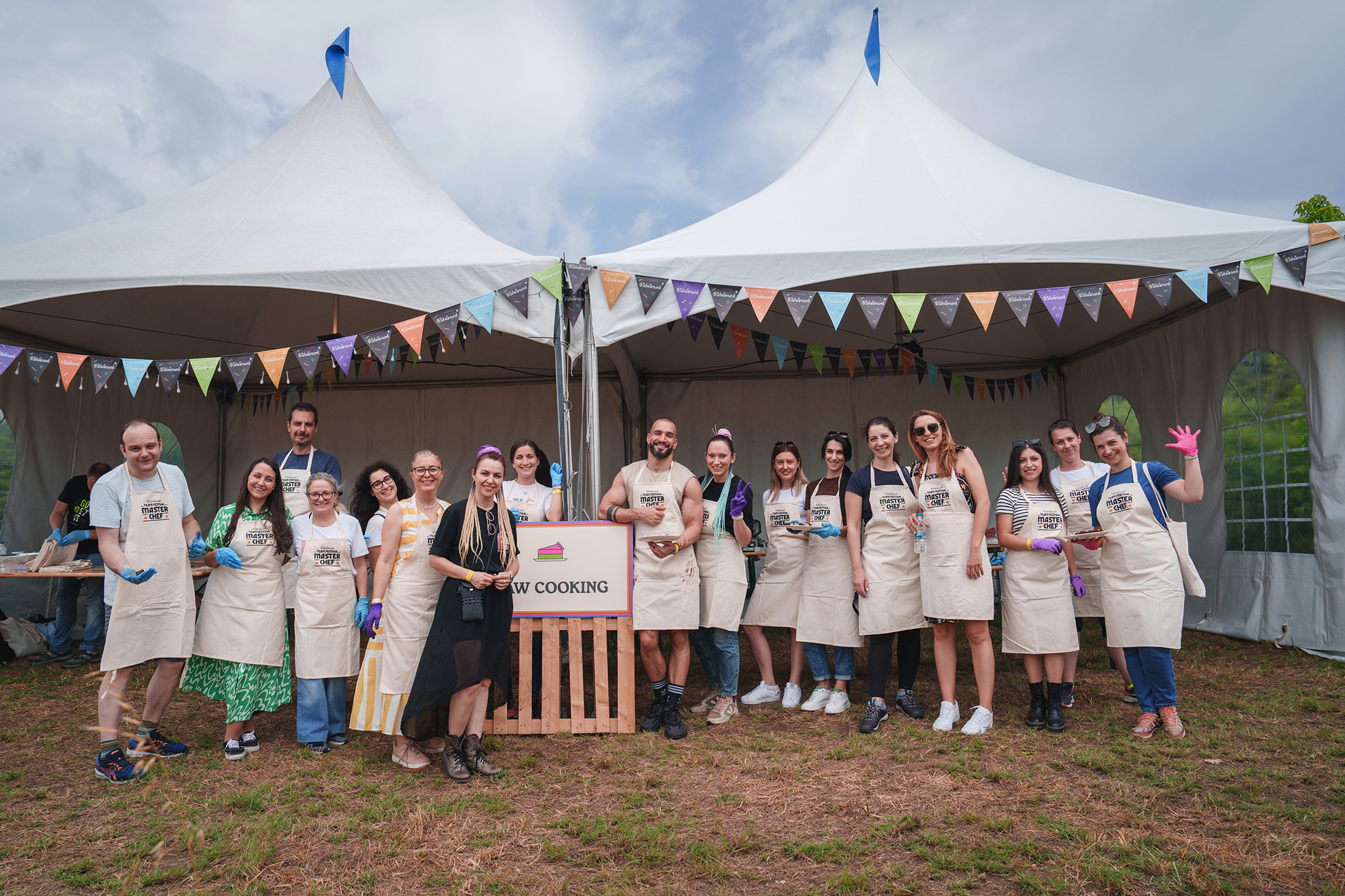
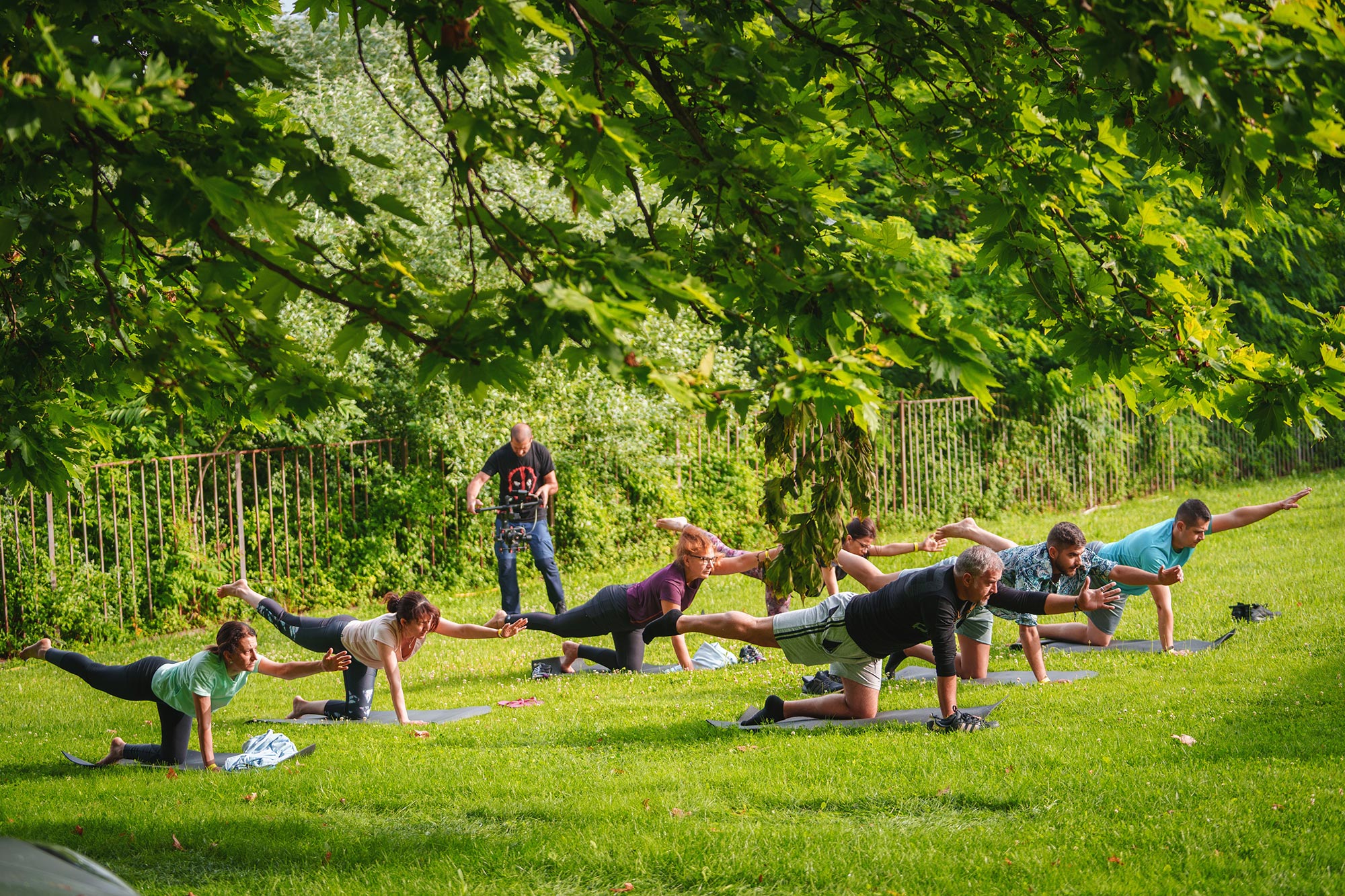
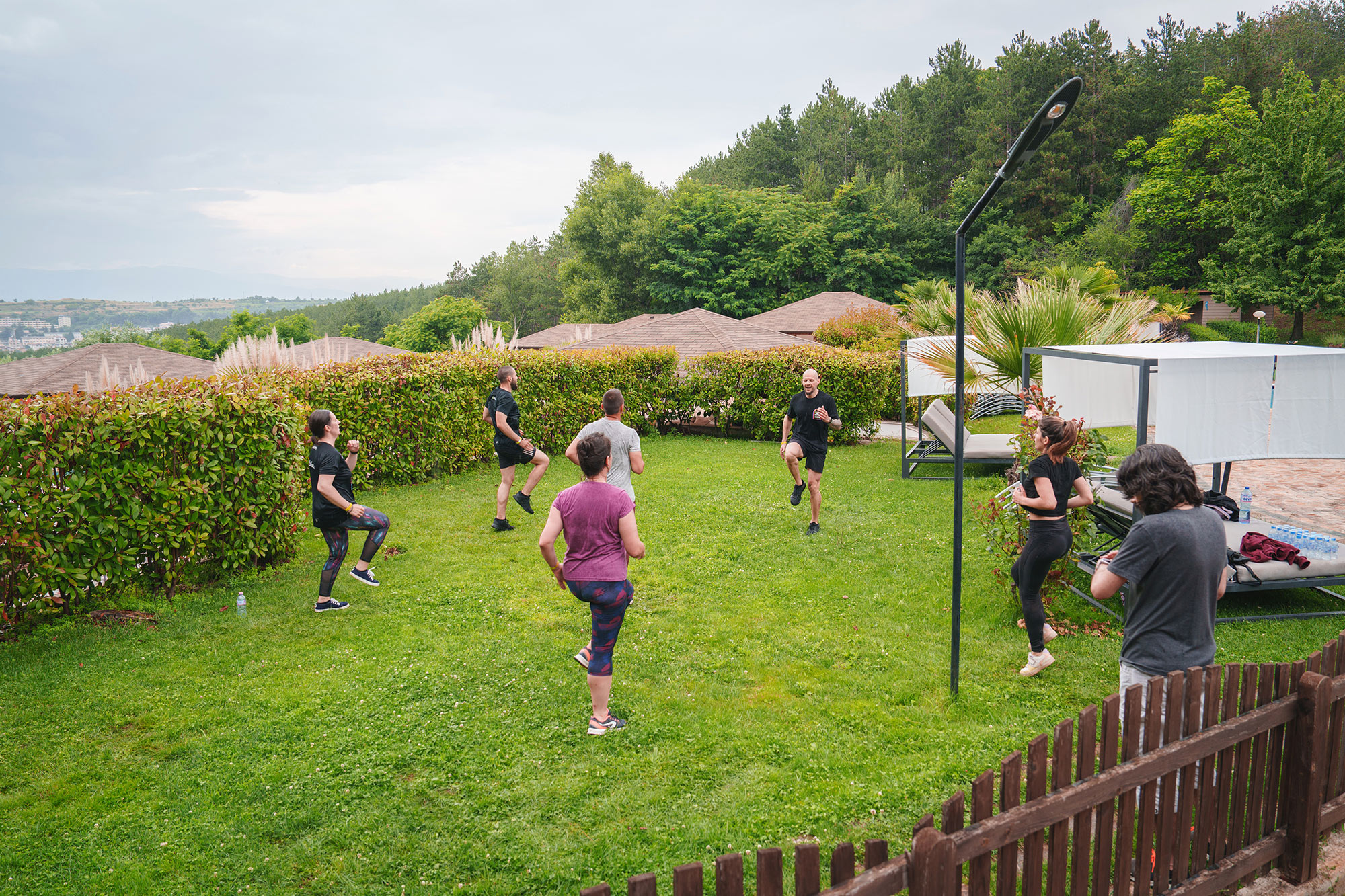
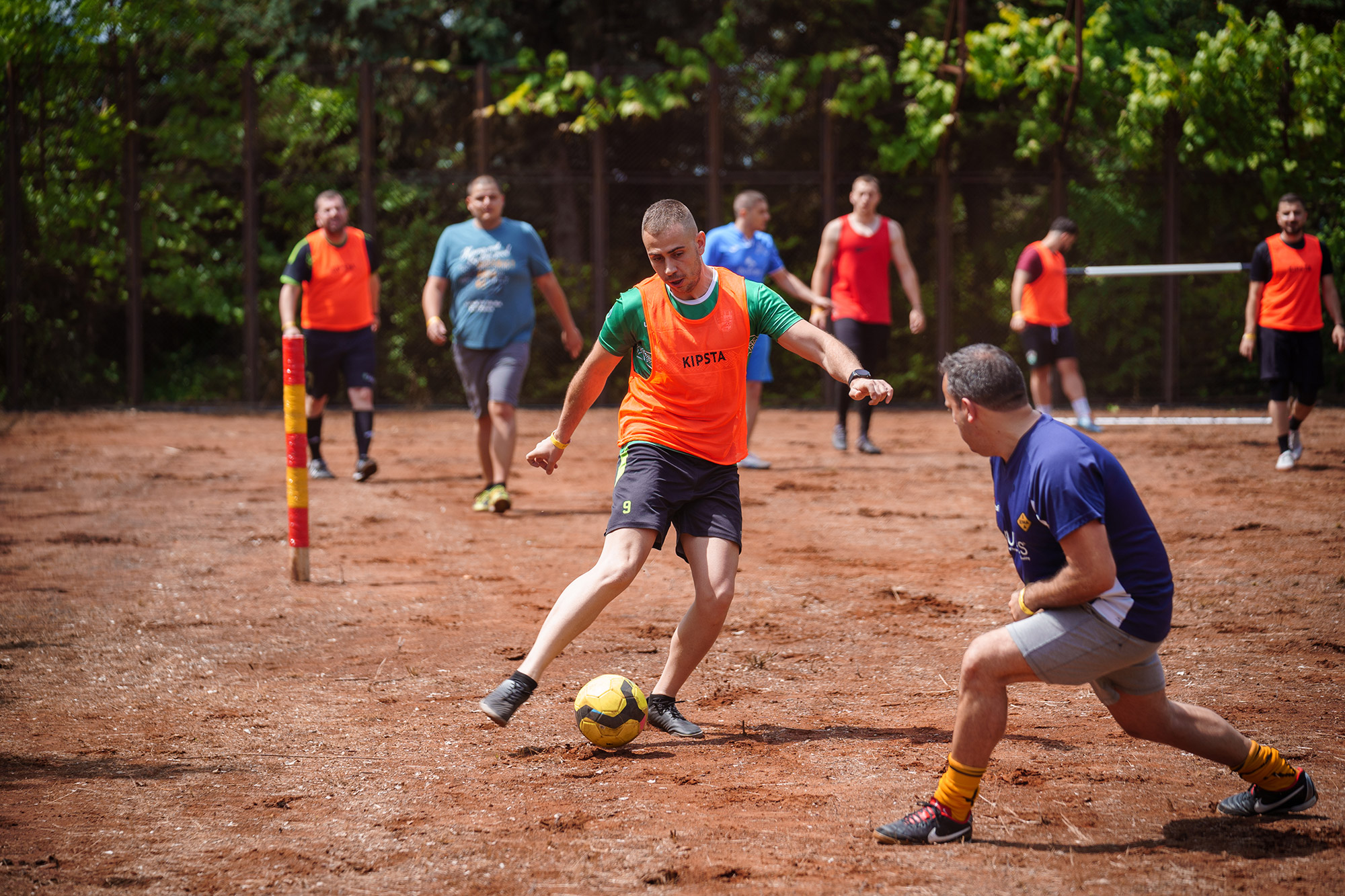
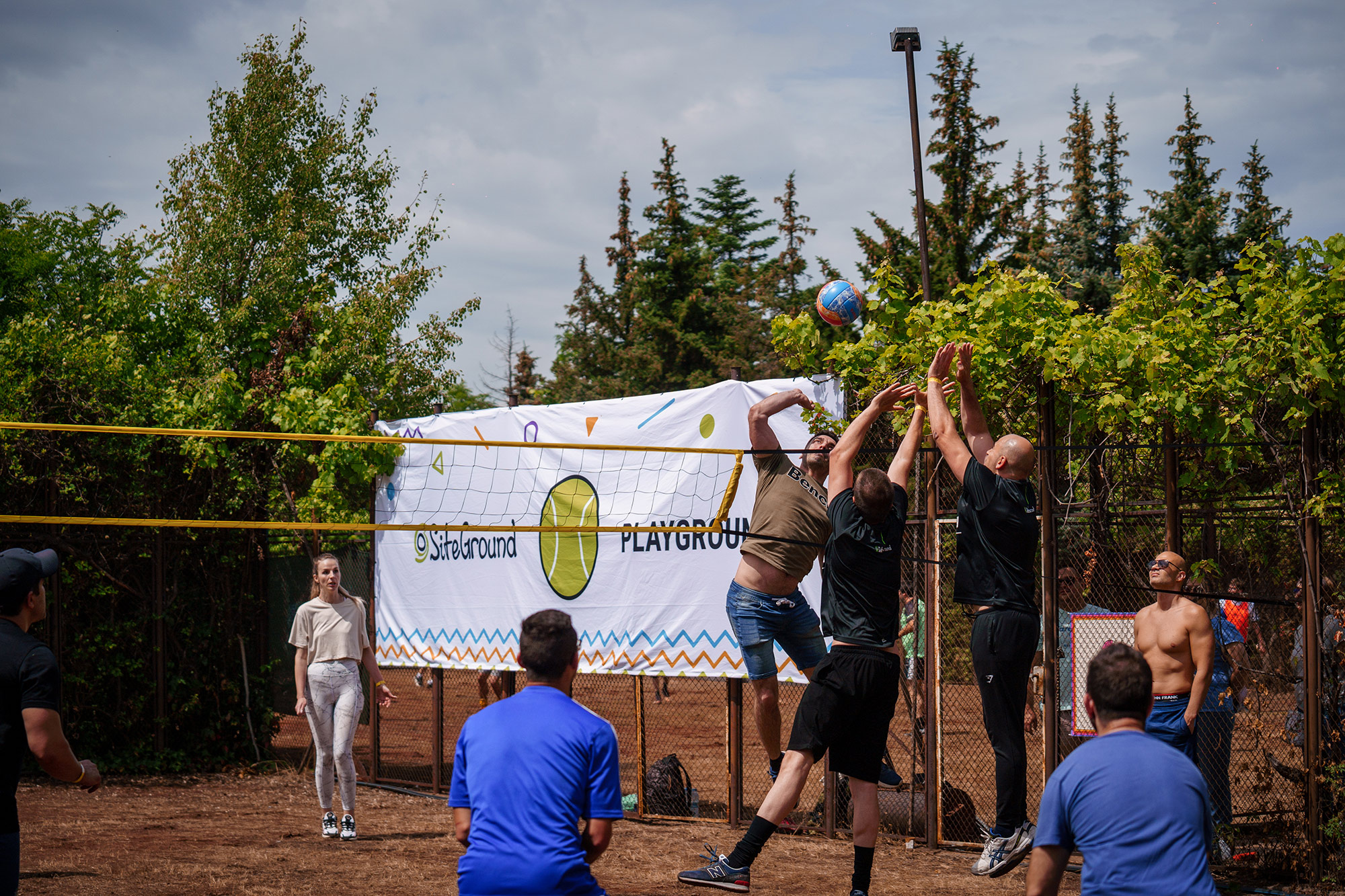
Traditionally, our team gathering is a whole festival, it spans two-days of activities and workshops, mostly led by our own colleagues. Our events team does an internal call for workshop suggestions months before the festival, and that’s how the program shapes itself naturally following the interests of the SiteGround people. From compost-making, and birdhouse workshops, to coffee & beer brewing, and screen printing of T-shirts & tote bags – we had it all! Five hundred SiteGrounders could all choose between 10 different workshops, taking up between a few hours and a whole day! The list goes on and on with multiple sports activities from the early morning to the afternoon, again, led by our own professional team instructors – yoga, pilates, workouts, football, volleyball, and table tennis tournaments. Also paintball, slacklining, archery…you name it, we had it.
The diverse range of workshops and sports activities was indeed impressive, one would wonder where we got the power for the fun festival part starting in the evening – because the best was saved for last.
🎸 Let me…entertain you
The evening started out with a whole new portion of entertainment, this time – on the full-blown 30-meter SiteGround music stage. It all began with a stand-up comedy show to warm up the stage for what was about to happen that night:
The return on stage of our in-house band – New Technical Issues that consists entirely of SiteGround employees, proven to be talented not only in fixing technical issues. The team cheered them on and enjoyed their performance so much that they had a hard time leaving the stage, as we wouldn’t let them. Next time they promised to think about a third round of encore! And that was just the beginning!
At SiteGround we work hard every day, and we always put our whole heart and mind into what we do. When we party, we keep that same high bar. That’s why the headliners on the SiteGround Team Festival 2023 were … RUDIMENTAL themselves!
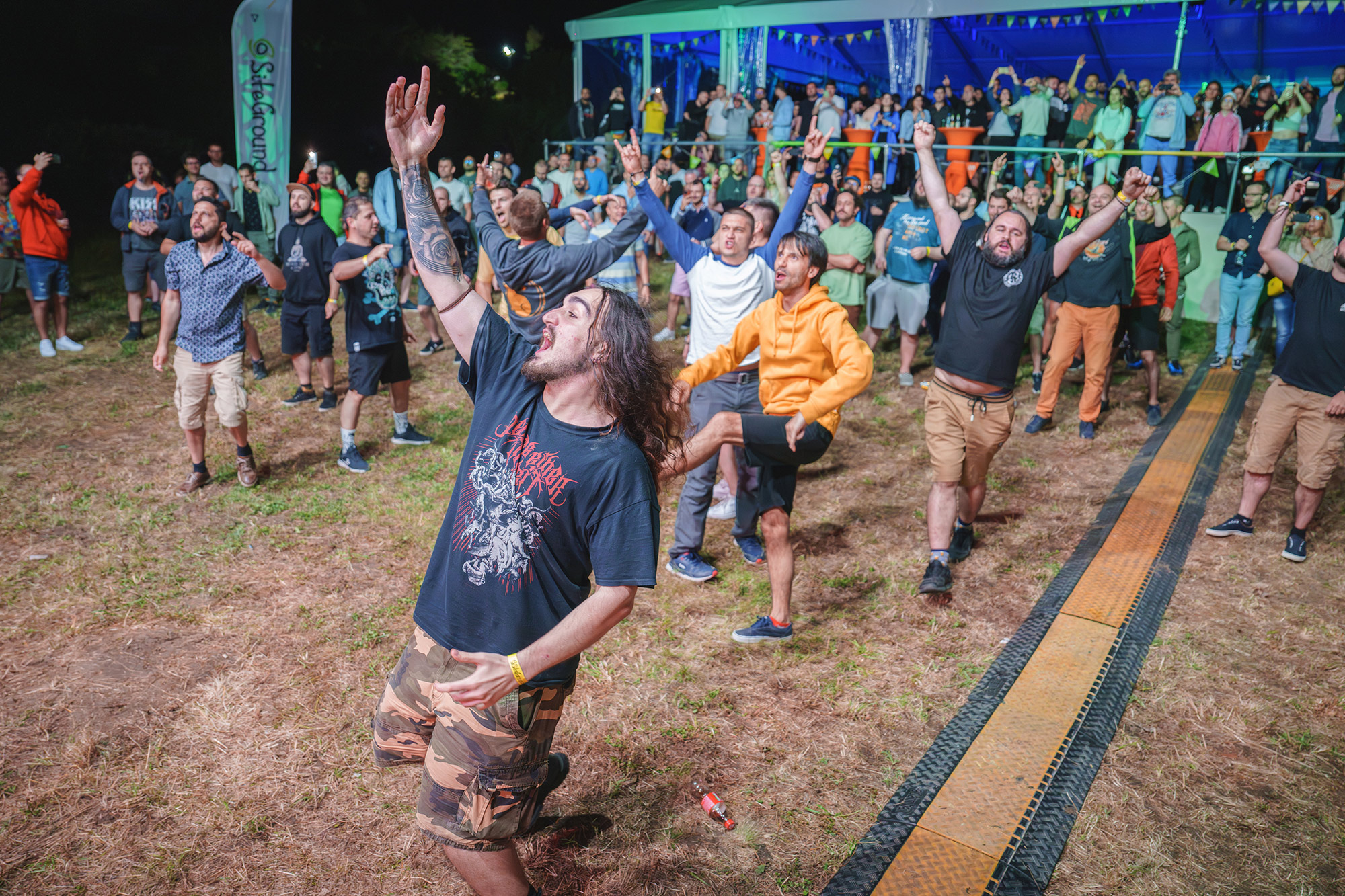
Thanks to them, our team festival cheer echoed around the surrounding woods until late that night – dancing, singing, jumping, shouting. The experience is hard to put into words!
I can’t imagine what organizing such an epic two-day event might look like, but the SiteGround team definitely pulled it off – because, again, we are organizing it ourselves. Apparently, 6 months in the making, only about 5 people in the core organizing team, over 100 outside professionals to help with the campsite site up, music stage, and healthy food catering on the spot, just so that 500 SiteGround team members and guests can rest and nurture their spirit and senses together for two days, for the fifth year now.
What’s the one thing that I learned from my first SiteGround Team Festival? SiteGrounders are never bored, and never boring.
Since day one, SiteGround has been all about helping our customers create high-performing websites to achieve their goals. We’ve been in your corner, listening to your feedback and constantly improving our hosting services to give you lightning-fast loading times, rock-solid security, and a seamless user experience.
But here’s the thing: while absolutely essential, having a website is only the beginning of your online success journey. The full potential of your site lies in the ability to connect and engage with your audience. To help you achieve that, we’re excited to introduce the new SiteGround Email Marketing tool. Designed with simplicity and efficiency in mind, this powerful addition to our suite of services will help you talk directly to your audience, driving growth and success for your business.
The growth potential of email marketing
Email marketing delivers remarkable results for professionals and businesses of all shapes and sizes. It’s a proven and direct way to effectively reach your audience, build credibility, increase brand recognition, improve sales, and boost website traffic, to name a few. Take it from us; we’ve been using email marketing forever and have seen its tremendous effect first hand. It has stood the test of time and emerged as the most reliable form of online communication, surpassing even social media in effectiveness.
Affordable, yet super effective
Email marketing has proven to be a powerful and budget-friendly tool for driving sales and revenue. Let’s talk numbers. Litmus, one of the most widely-used email testing tools, reports that the average return on investment (ROI) for email marketing is a staggering 4,200%. With minimum upfront investment, you can reach a large audience and enjoy amazing results. All you need is your content and a powerful, yet easy email marketing tool – like the SiteGround Email Marketing.
Direct channel to your leads and clients
When it comes to reaching your target audience, email marketing takes the lead. To paint you the picture, 90% of emails land directly in the intended recipients’ inboxes. In contrast, a mere 2% of Facebook followers are likely to see your post in their feed, according to a Forrester research. Email paves a direct line of communication with the people who genuinely want to hear from you, resulting in better conversion rates than other marketing channels.
A perfect fit for any project
Email marketing may seem hard, but we promise – it’s easier than you think. You don’t have to be a pro in content creation – you just need to know your goals and that’s what you’re already great at! Planning to share news about a new product with your customers, drum up some buzz with a special deal, or send out a roundup of your best blog posts? Email marketing is one of the most effective tools to use. It’s a great fit for any project and makes connecting with your audience a breeze.
SiteGround Email Marketing – built for your success
The SiteGround email marketing tool is designed to be incredibly user-friendly, so even beginners can create and send professional emails with ease. The tool is available out-of-the box and integrated in the SiteGround Client Area so that SiteGround clients can seamlessly manage their website and email campaigns all in one place. This means less time spent juggling multiple platforms and more time focusing on what truly matters: growing your business.
Let’s take a closer look at what the SiteGround Email Marketing tool has to offer.
Easy builder to create stunning emails
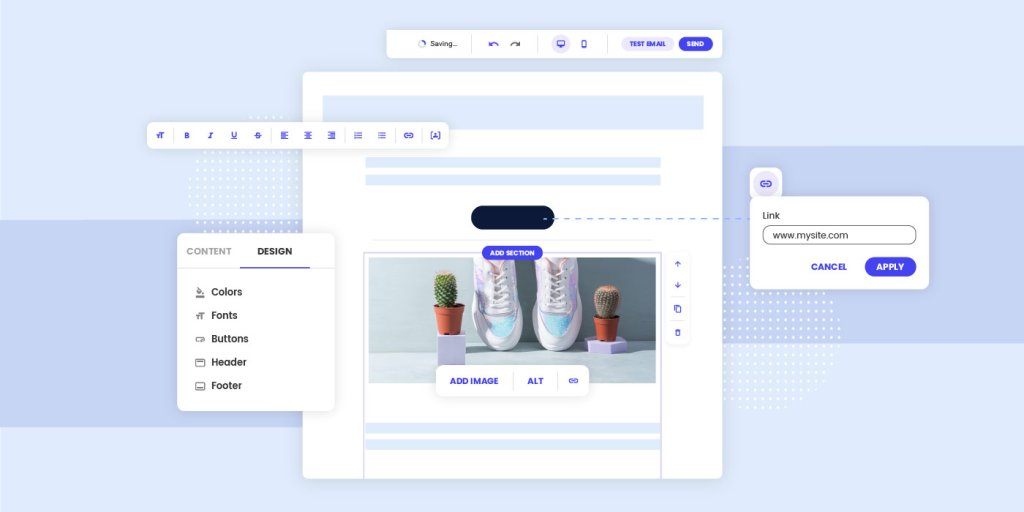
Easily create professional emails with our intuitive builder. Choose from our best layouts or start from scratch, add your content, and make it yours. Plus, our built-in responsiveness ensures your emails look great on any device, from desktops to smartphones and tablets.
Campaign management built to drive growth
SiteGround Email Marketing makes managing email campaigns easy and efficient. Create campaigns with a click and use our intuitive email builder to craft the perfect message. Choose between reaching all your subscribers or targeting specific audience with customized Groups and add a personal touch with dynamic content variables. Preview and test your campaign before sending it to ensure everything works perfectly.
(NEW) Lead Generation plugin for WordPress to build and grow your email list
Want to grow your email list? Meet our Lead Generation plugin for WordPress, a new feature of our Email Marketing tool, designed to help you create and add sign-up forms to your website easily. With just a few clicks, you can integrate the plugin with your SiteGround Email Marketing account and watch as new subscribers grow your list. The best part? Every new sign-up will be automatically added to your contacts as a ‘Subscriber.’
Contact lists for optimized targeting
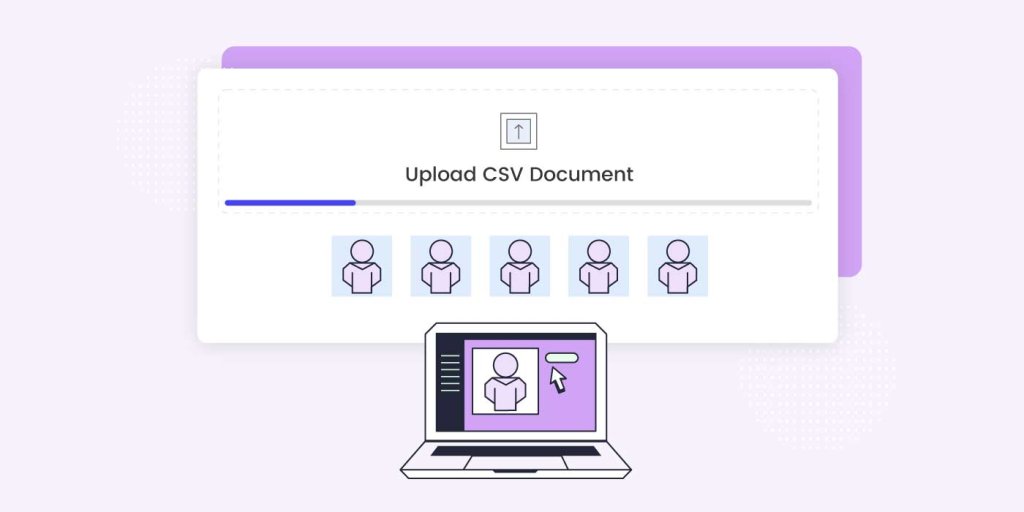
Effortlessly import subscribers with CSV files and create interest groups for targeted messaging. Have complete control over individual profiles and maintain GDPR compliance. On top, our system automatically suppresses hard bounce email addresses to keep your list healthy and improve open and click rates.
Built-in analytics to improve conversions
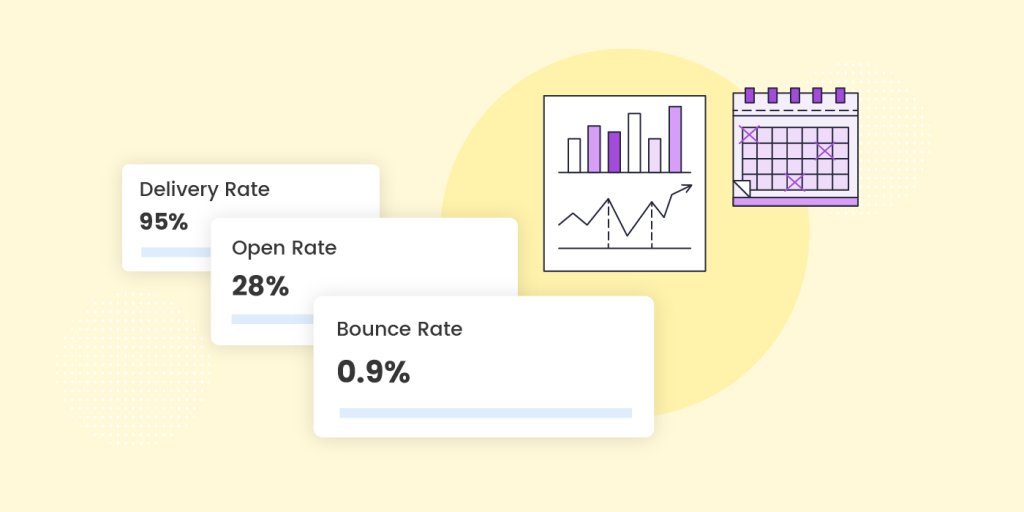
Understand your campaign’s effectiveness and boost your results through our built-in analytics. Gain insight into important metrics such as open rate, click rate, bounce rate, interactions, and more to determine the most effective approach for your audience and increase conversions.
Start today and experience the power of email marketing
Don’t miss out on the chance to boost your online success with SiteGround Email Marketing. Log in to your Client Area -> Marketplace -> Email Marketingand get advantage of a special introductory offer and test the tool’s incredible potential firsthand. It’s time to unlock the full potential of your online presence and achieve the growth you’ve been dreaming of.
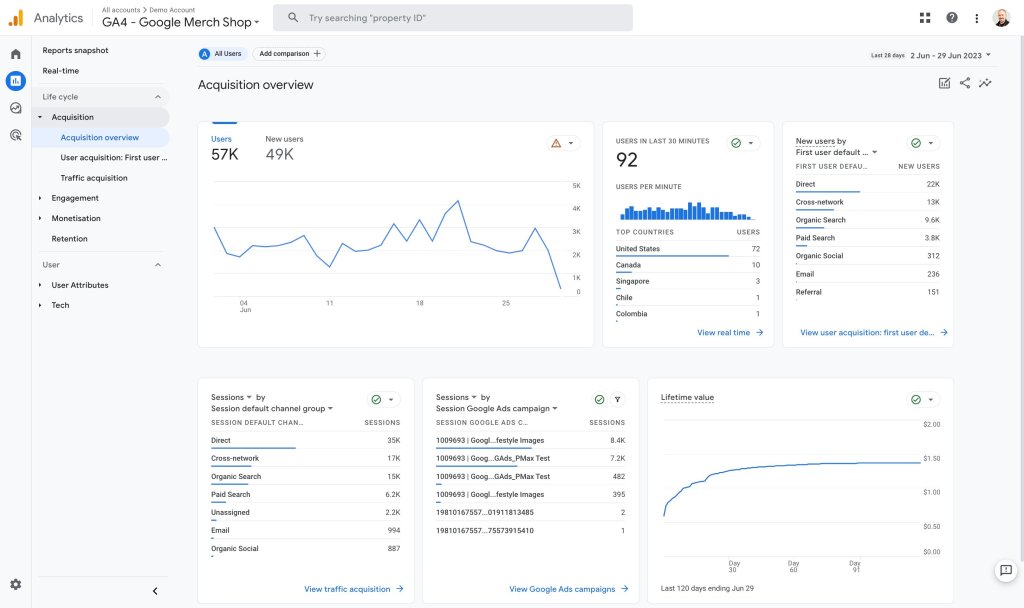
This July 1, 2023, Google permanently retires the application that has accompanied us in our web analytics for the last ten years: Universal Analytics. In doing so, it concludes a migration process that began three years ago, with the introduction of Google Analytics 4 in 2020. Although at that time it was not yet called that.
The change has caused an earthquake in the digital ecosystem since both versions are not compatible with each other, and switching from one to another involves a process, misnamed migration, which can sometimes be complex.
Indeed, Google Analytics 4 does not allow the import of historical data stored in Universal Analytics, which can be strategically important for those who need to perform comparative analysis with previous periods. For example, the case with an ecommerce that needs to contrast the results of this year’s Black Friday campaign with those of previous years.
To avoid this problem, the Google team insisted over the last two years that we install the new GA4 in parallel to UA, thus overlapping both measurements. As was predictable, many people did not carry out the integration until the last moment. Some have not even done it after the blackout.
In the following lines, we will try to find a solution to this situation.
What changes does GA4 entail?
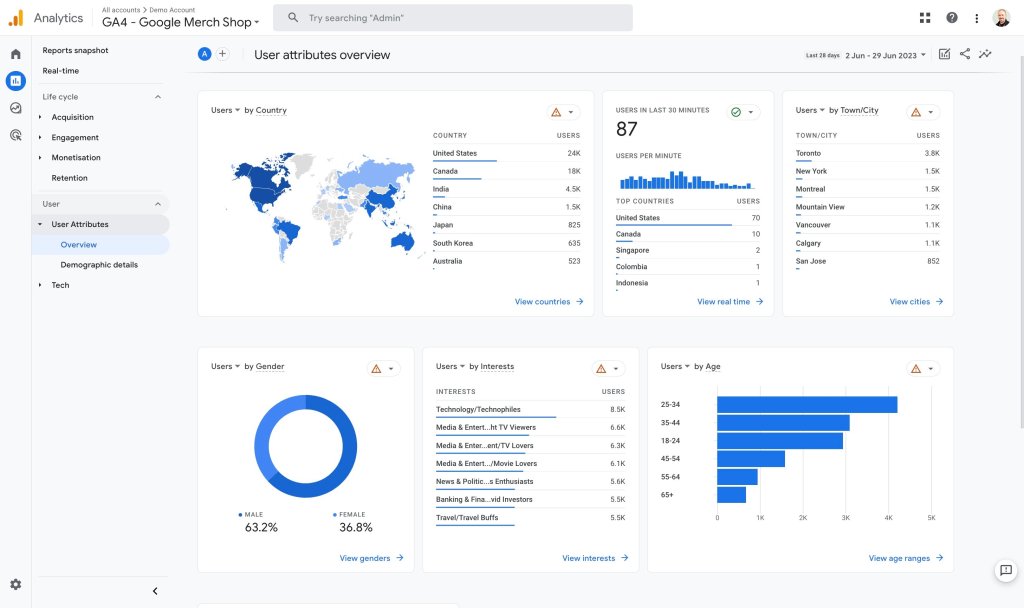
GA4 represents a radical change in the way data from your digital assets is acquired and processed. There are several very important differences compared to previous versions.
Web + app
Google Analytics 4 allows tracking and analysis of both websites and mobile applications. This means you can gain insights and metrics on the performance of your website as well as the usage of your mobile app, all in one place. This is especially useful in a world where many businesses have a presence on both the web and mobile platforms.
All is about events
One of the main features of GA4 is that it is based on an event-centric model. In previous versions of Google Analytics, the focus was primarily on page views. However, in GA4, all data is collected and organized into events. An event can be any action that users take on your website or app, such as clicking a button, playing a video, or submitting a form. This allows for a higher level of flexibility and customization in data analysis.
Machine learning
GA4 leverages the power of machine learning to provide more detailed and valuable insights. It uses machine learning algorithms to perform advanced data analysis and uncover hidden patterns and trends. This helps identify opportunities and challenges for your business such as high-value audience segments, revenue predictions, and specific user behaviors. The artificial intelligence and machine learning in GA4 also allow for the creation of custom models to predict future user behavior.
Cross-platform and cross-device tracking
GA4 has an enhanced ability to effectively distinguish users who browse your site from different devices or browsers. It can now tell if the same user accessed your website from their mobile browser in the morning, through the office computer in the afternoon, and on your business app from their tablet at night. User accounting is thus more accurate, and we can fully trace the customer journey.
Data-driven attribution
GA4 offers more accurate and comprehensive data-based attribution compared to previous versions. With data-based attribution, you can better understand how different marketing channels and user actions contribute to your business goals. You can see which traffic sources and marketing tactics generate more conversions and make informed decisions about resource allocation. The attribution of responsibility for each marketing action is much more precise and fair as it is distributed based on how effective it has been with each type of user, statistically speaking.
Should I install GA4?
The answer to this question is always “it depends.” If you’ve used Universal Analytics on your website, it seems reasonable to make the switch and collect data in GA4. However, this has its technical and legal implications.
As you may already know, the General Data Protection Regulation, or GDPR, requires user permission to perform analytical processing of their data. This reason alone justifies the use of a cookie banner for any website whose potential target is not only the European Union, but also other countries like the United Kingdom, Japan, Argentina, Uruguay, Switzerland, Canada, some states in the U.S., and increasingly more countries around the world.
On the other hand, it’s very likely that for many of the people reading this article, server analytics will be sufficient, thus avoiding this small legal quandary.
Statistics on SiteGround
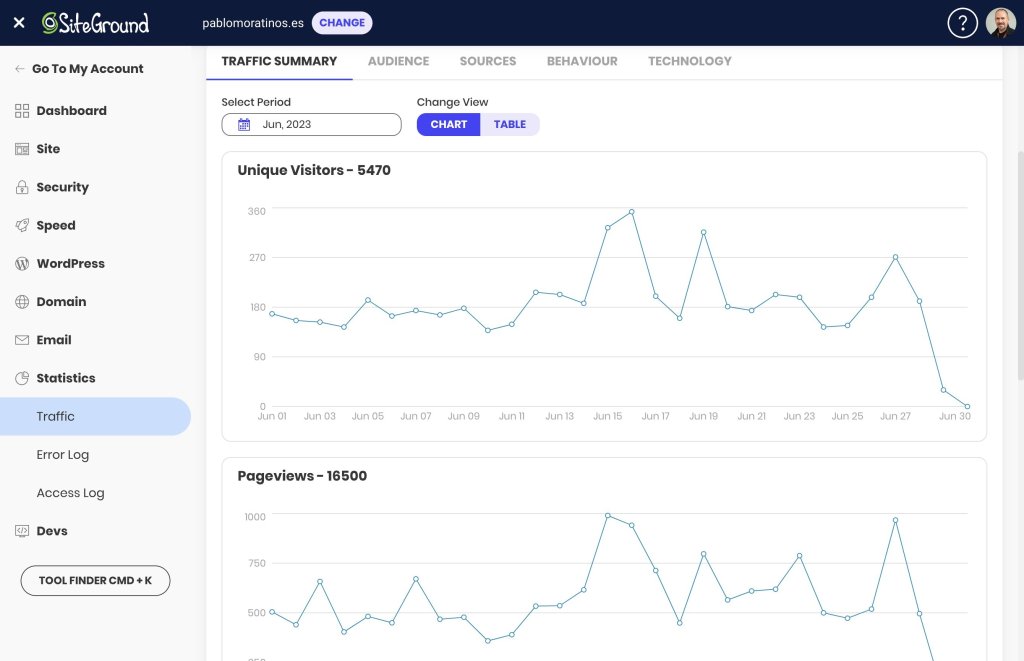
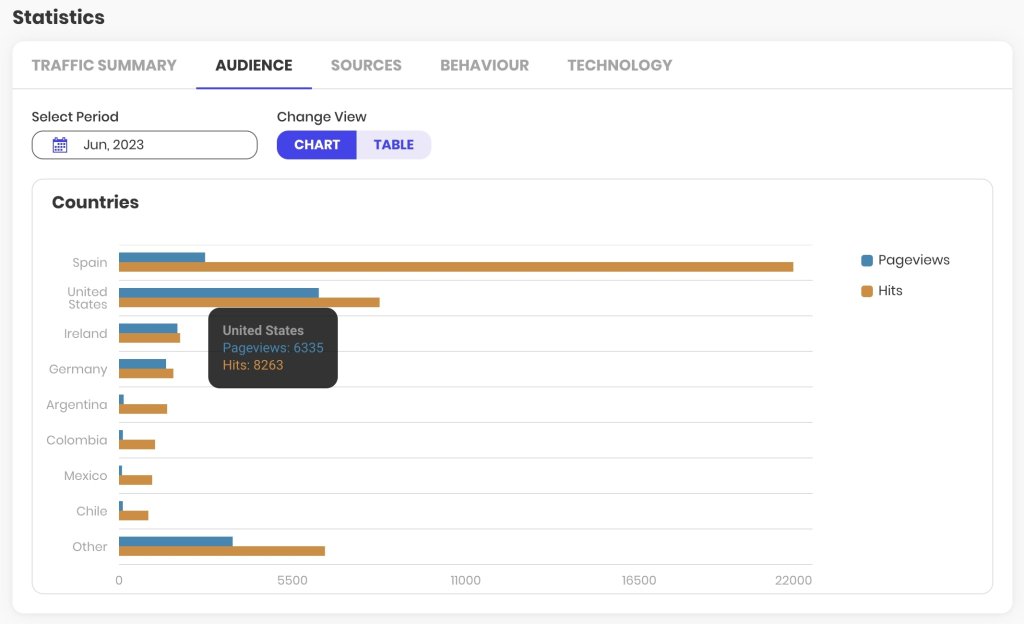
At SiteGround, we have an entire section in the Site Tools dedicated exclusively to statistics, where you’ll find very interesting information about your website.
In it, you can access useful information such as the volume of traffic your website receives, the countries of origin, the source of visits (search engines, social networks, other sites), your most viewed content or pages, and the technology used by your visitors (browser and operating system).
The collected information can be viewed both in line chart format to measure temporal evolution, as well as in bar charts or tables to consult absolute values.
The analysis periods are monthly, and the information is updated with a frequency much higher than that of Google Analytics, which can take up to 24 hours to consolidate its data.
The main aspect you should consider with these reports is that they are based on what is known as server logs, a type of data that does not discriminate between bots and human users. Therefore, the data volumes may not accurately represent the number of readers or customers of your online asset. In any case, the evolutionary information of the traffic, month by month, is very useful to understand the growth of your website and the content with the highest demand.
Alternatives to GA4
If the information from SiteGround’s statistics is not enough and you want to continue avoiding managing legal aspects related to user privacy, it is recommended that you install another general analytics solution like Matomo, or specific ones for WordPress like Fathom, Koko Analytics, or Simple Analytics, for example.
But if you want to conduct a thorough analysis of your site’s traffic and performance, understand how users interact with your content, identify the most effective traffic acquisition channels, or discover those elements with the greatest potential for improvement on your website, GA4 is the most comprehensive tool and the current industry standard. Moreover, there is already quite comprehensive official documentation, tons of guides on user blogs, and thousands of videos showing many of its advanced features.
How to install GA4
There are several ways to install GA4. All of them work similarly to how it was done with Universal Analytics. If you were already using this tool, the easiest way is to change the tracking code or the identifier from one to the other.
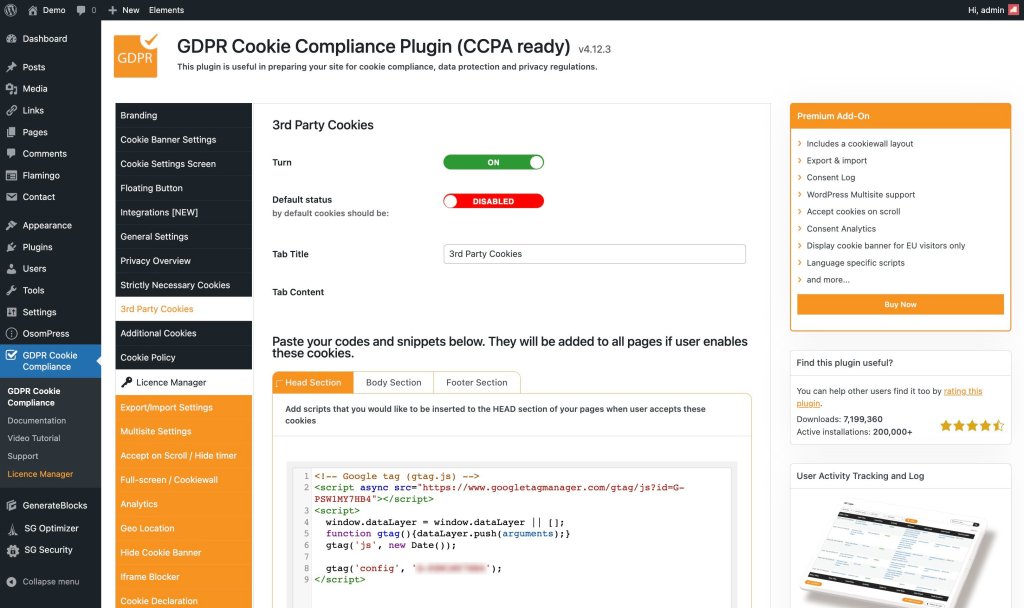
You will find the Measurement ID in Admin > Data Streams > Web Stream Details, and you will recognize it because it is a ‘G’ followed by a dash and a series of characters, for example, G-PSW1MY7HB4. This ID from the example is the web stream identifier of the Google Merchandise Store, a property that Google shares for demonstration purposes and that you can consult whenever you already have a Google user.
In this same space, a little further down, in the Google Tag section, you will find the View Tag Instructions section, where Google offers some recommendations on how to install the tracking code on your website, either through the Measurement ID that you obtained in the previous step, or through the complete script for a manual installation.
The most comprehensive formula for all those WordPress users who care about respecting the privacy of their visitors is to add the GA4 tracking script to their website through a cookie plugin. For example, GDPR Cookie Compliance has a section in its settings for third-party cookies where you can add it.
As soon as you complete and save the configuration (follow the official plugin documentation to make sure you don’t miss anything), your GA4 property will be tracking all those visits that accept the cookie policy of your website.
The future of GA4
Over the next few years, Google Analytics 4 will be present on millions of websites. Not only on those where its tracking code is installed, but also in hundreds of thousands of tutorials, manuals, tips, and courses.
You can be sure that Google Analytics will continue to be the standard and that its tool will continue to grow day by day. The current version still needs to be polished in many aspects, but changes and updates that increase its potential are published every week.
The closure of Universal Analytics should mean a reorientation to GA4 of the many resources it consumed, so it seems logical to think that the steps it will take in the coming times will be larger and more firm.
For those of us who have been working with it daily for many months, it is already a very useful resource that is difficult to tame but gives us a much broader and deeper view of our digital assets. We know that the learning curve is steep and that it is difficult to overcome resistance to change, but we are sure that if you give a little love to your Google Analytics 4, you will be getting sparks out of it in a few hours.
Have you tried it yet? What did you think? Have you encountered any problems? We would love to hear about your experience in the comments.