


Over the last 12 months, we have been working hard on new in-house developed chat software. The aim was to implement a series of improvements that would make the customer experience better and the work of our customer care departments even more efficient. Now I am very happy to announce that the new chat has been launched and we are already enjoying all the great improvements it introduced.
Pretty and Personal
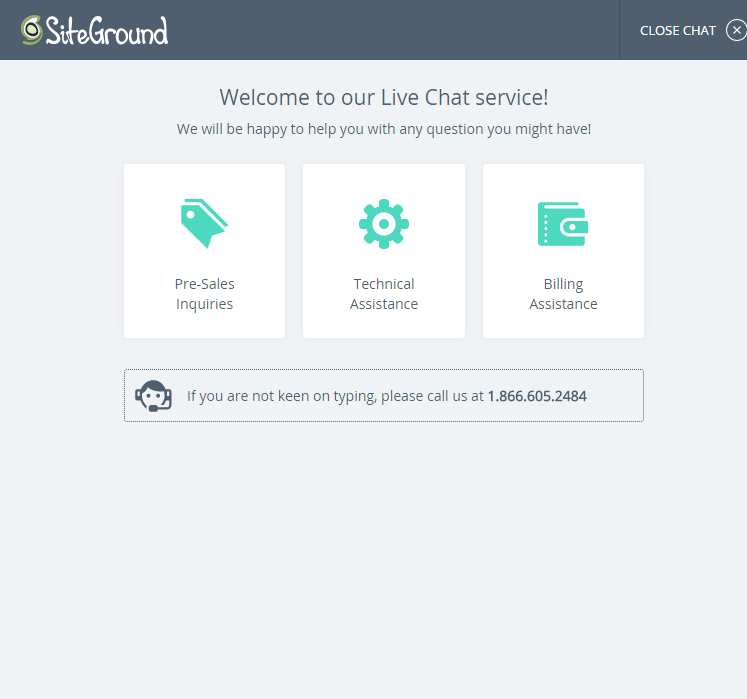
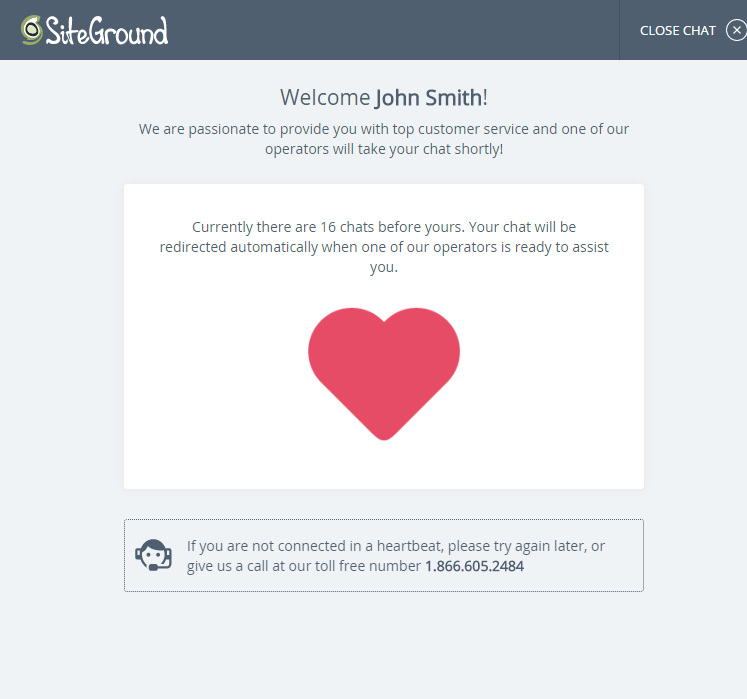
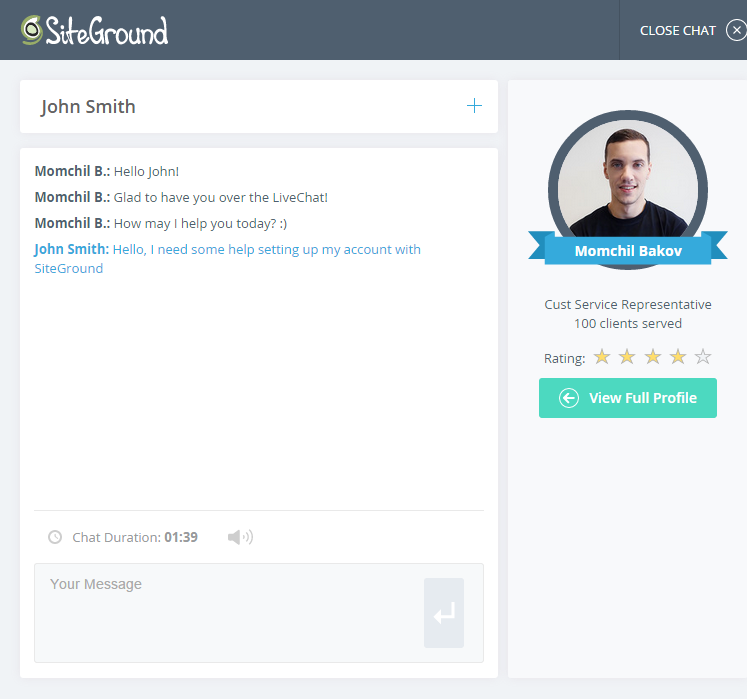
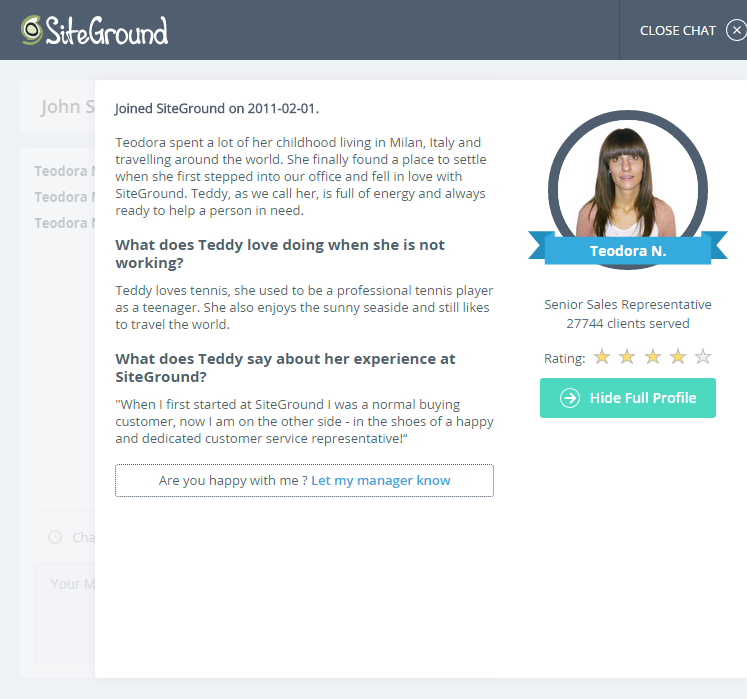
Well, yes, we put quite an effort in the design in order to make the chat easier and more pleasing to our clients. We also made it very personal, so that you feel at first sight that you are chatting with a friend who cares. And in order to get to know our operators and learn more about them, we made their personal profiles more visible. With just a single click, you could check the profile of the operator you are chatting with, learn more about their interests and their work experience at SiteGround.
Mobile-friendly
Of course we also made this fancy interface compatible with mobile devices, so our customers could come to chat with us using their mobile devices without the annoying scroll.
Faster Connection
We wanted a faster chat connection. Now you get connected twice as fast to an available operator compared to the old chat software. One of the reasons for this fast connection is the usage of Extensible Messaging and Presence Protocol (XMPP) protocol, which makes the exchange of messages and presence information nearly instantaneous.
Integrated Tools to help the operator
Now, even the admin back end is more user-friendly, with lots of tools inbuilt in order to speed up the actions of the operator when diagnosing a problem for the client. The operator sees if the server of the client is down and the internal notices reporting the event and the reasons for it. The operator can perform client-side checks for site and email service and automatically forward that report to a higher-end technical support on behalf of the client.
More efficient chat distribution system
We have a new system for distributing chats among operators, considering their skill level and number of active chats at the moment. Thus we achieve more efficient resource allocation, better quality of chats and faster servicing of the client.
It seems our customers are already enjoying the changes made! In the last month since we started using the new software, we received double the number of excellent ratings compared to the previous month. We’ve also received some feedback emails from our customers, expressing how great our new chat is. Thanks to all of you for sharing your feedback with us!
[subscribe_cta]
new chat??
WHere’s the link – how do I get to it??
You can access the live chat through the link in the top menu of our site 🙂
The chat link is not visible from the site if you are logged in. The chat button disappears.
Check out the Support section of your User Area 🙂
Hi,
I have connected with Ivan regarding my site’s security being compromised by spambots. I wrote that I would take care of it. He replied that I now had access. However I can’t get past the first page–error page shows.
can you help?
Best, Clare Fleishman
Please open a ticket in your Help Desk system, my colleagues from the Support team will help you that.
Congrats on the faster answering time in your chat system. Excellent – though I miss the little unfolding heart which was neat to watch instead of a static image-!
BUT a query/complaint: has Siteground changed ownership or something? Because when I submitted an urgent “Install Backup- Site Down” ticket the other day (as a paying Premium backup customer), it took more than FORTY MINUTES for the tecchies to do this (and also several frantic calls from me). It used to take them less than 5 minutes… so what has changed?
Hello Jean, thank you for the feedback.I was able to identify a ticket posted on Dec 10th for a paid service with the subject: Backup Restore – Full account. These tickets are handled by our technical supervisors in order to ensure the best quality of their execution, and thus might require more time.
Please note the tickets that are handled with highest priority are from the Site Down category. So if your website is down and you need immediate reaction, please make sure to post a ticket there. Such requests are handles in 7 minutes on average and this hasn’t changed since last year.
Siteground has the best customer service I have ever come across, I have hosted websites on many other providers however siteground is my all time favourite and now with this new chat it just got better.
Thank you for all the good work
i want to migrtate this site to siteground and i am not sure what my options are
studioanichinisas.it
I would advise you to take a look at our Joomla hosting page: http://www.siteground.com/joomla-hosting.htm and choose the plan that will suit your needes. If you have questions about which one will be most suitable for you, please contact us via the live chat 🙂
The new chat looks great! One minor feedback item:
When the chat finishes, it goes to a screen that lets you rate the chat (five star scale) or to email a copy of the chat to yourself. If you rate the chat, the screen changes and you no longer have the chance to email the chat to yourself. It would be nice if there was a way to do both, like if I could click rate and it would send my rating but then stay on the same screen so I can click the button to email the chat to myself.
Thanks for the feedback! I will forward it to the project manager of the chat system!
This is awesome, truly. I just switched everything over with GoDaddy and the support offered here is just uncanny and incomparable.
I even just got a call from someone WELCOMING me to Sitegournd… say WAAAAAT? Good stuff SG!
Hi Dear
I would like to transfer my web site hosting to you ,is it possible?
and how can I pay you because I don’t have any credit cards
Hey, please contact our Sales team via the live chat link on the top of our site. Muy colleagues will happily assist you further 🙂
I need to speak to someone about billing or renewal fees. I have the go big plan and it says it includes ssl certificate and yet I have been being charged for that all along. Also it says it is 7.95 a month and yet my renewal amount shows around 10.50 a month?
found the correct department
Awesome 🙂
It would be nice if we could access your new live chat from inside the User’s Area. I have to log out to get to it. Maybe that’s necessary?
You can do it, just click on the Support tab and you will find a link in the right column 🙂
Thanks to your chat team, they help Us faster and very, very professionals
01-10-2015
Hi Snejina,
The chat interface is really cool, but I can’t hear the notification sound even though I don’t have any problem with my audio system on my desktop.
For ticket, I really wish you guys include the replied message in the notification email. Currently, there is email notification saying that “Your ticket for xxx.com has been updated”. But to read the message, we have to login and browse to the support tab.
Cheers!
Joseph
Hey Hoseph,
Thanks for the feedback. I will pass on your comments about the sound to the project manager of that system, hopefully they’ll find what’s wrong with the notification sound.
As to your other question, we don’t send the ticket content because it often contains sensible information like passwords, keys, etc. and we really don’t wand to send that type of information over email.
Live Chat for Small Business, one user can take multiple chats at once to save internal resource, and Live Chat is useful for Improve Conversion, Improve Customer Service.
I was just on a chat with Ivan.Z and lost the chat box, tried to login again but it says I am still on a live chat so can’t start a new chat. How the heck do i find the chat box i just lost?! or do I sign out and in again?
Alicia,
We are sorry for the disrupted conversation. It will be best to sign out of your current conversation and open a new one. If Ivan Z. is available our reps will transfer the conversation to him as he will already be familiar with your case.
Thanks Angelina, much appreciated
nice
hi,
I have a website named domain.com with aruba and I want to transfer it on siteground, plus I want to purchase a new extention .org and need to redirect people on the .com one. How shall I proceed?
First, open your SiteGround account with your .com domain name and transfer your site to it. Then, you can Park the .org domain and redirect it to the .com one. That’s done useing th Park Domains and Domain Redirection tools in cPanel. If you experience any issues with that, you can always contact our support team!
Hi,
Can find the chat service on the website, I need an assist for my store
and cant find chat service on the website
Please, login to your User Area and go to the Support Section, you will find it recommended for the appropriate issue categories.
HI ,
I am existing customer of Siteground unable to connect with support , this is regarding to access my cpanel to file manager .
You can login to your SiteGround User Area -> My Accounts and click on the Access cPanel link there 🙂
I can not find chat section
i have a big problem
need help
Please, login to your user area and go to the Support section, you will find the chat link there.
OK, I absolutely have no live chat feature on my portal on my desktop PC. I have checked everywhere including under the support tab. I can get a chat option if I go to the siteground portal on my mobile.
I am happy to provide screen shots.
I am also missing the section under @add Services’ which allows me to buy credits and become a re-seller. I have had to search on google to find a link for this.
Really confusing portal.
Please, make sure you have logged into your User Area. In addition to that we’ve uploaded a new header of the site these days and there’s a slim chance that you’ve cached something during the upload process.
I’ve been a GoGeek client for over two years and selected SG because of it’s instant chat support feature. About one month ago, I discovered that I was not able to get chat support for the few issues I have these days. When I need support, I usually need it because something important is not working and needs to be resolved quickly especially for my client accounts. Now when I describe an issue, chat is NOT an option. Only submit a ticket is.
Chat support is there, you simply need to login to your user area and check the Support page. Furthermore, chat is always an option, other means of contact are just recommended.
I have the same issue as Larry Bohen. I can find no link to the chat and I need to get answers quickly. Can you provide a URL so if for some bizarre reason the link is hidden I can get in touch quickly?
The link is moved in the Support section of your User Area. You need to login in order to get assistance through chat 🙂
Why is it so difficult to find the chat option now?
That’s really disappointing.
I can’t find it on your support page. only tickets…
Select the category for your problem and choose the chat contact method. We recommend you the best way for certain problems, but you can still select others.