

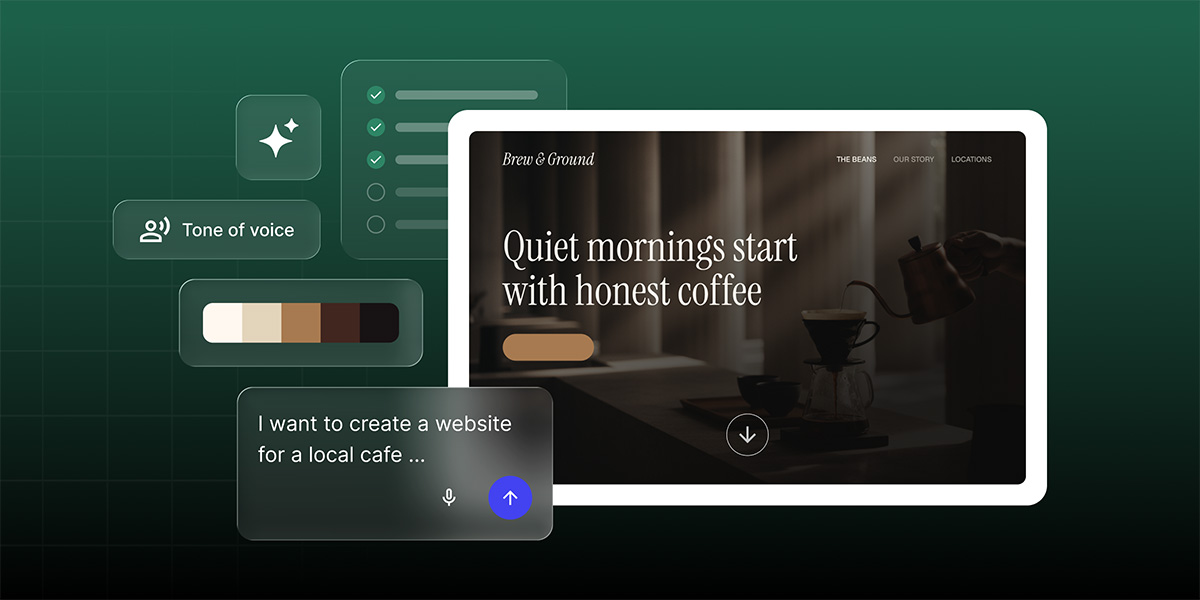
Starting a website usually means one of two things: scrolling through templates hoping one feels right, or staring at a blank page trying to figure out where to even begin.
Skip both. SiteGround Website Builder now make creating a site just as smooth as running one. Describe what you’re building, and an AI Wizard turns it into a real website or online store, using the same Page Builder you’d use to build one yourself. And if you’d still rather pick a template yourself, that option isn’t going anywhere.
Describe your site in your own words
Type it out, or say it out loud, whichever’s easier. Simply describe what you have in mind, whether that’s a consulting business, a boutique, a photography portfolio, or otherwise. Pages and sections, tone, any color inspiration you have, all of it goes into the description.
Check the details before your site is generated
Once you’ve described your website needs, nothing gets built from a guess. You’ll see an editable summary based on what you described, including details such as your site name, the main goal (showcase your work, get bookings, sell products, and so on), the tone of voice, a color palette, plus a blank text field for anything else worth mentioning. When everything looks right to you, the site gets built. And while you wait, a short video walks you through the Page Builder itself, so by the time your site’s ready, you already know your way around it.
A starting point built around your description
What comes out is a real starting point: structure, layout, and sections built around your description. It fills in the gaps, choosing pages that fit if you didn’t spell them out, adding placeholder copy, and only including specifics like your address, hours, or contact info if you’ve described them. The more detail you give it, the less of that filling-in it has to do.
From there, everything is yours to edit directly in the Page Builder. Want a different starting point altogether? You can regenerate the whole site from a new description anytime.
Pick up where you left off, no matter what interrupts you
Setting up a website in one sitting isn’t always realistic. Maybe your laptop dies, maybe you get pulled into a call, maybe you just close the tab by mistake.
With SiteGround Website Builder’s AI Wizard, though, you can come back later and see a simple prompt to pick up exactly where you left off, whether that’s back at the review step or partway through generation. Your site sits marked as unpublished with editing paused until setup’s done, so there’s no confusion about what’s live and what isn’t.
If generation fails partway through, it retries on its own. Separately, if you refresh the page by accident, you land back on the right step, not a blank tab wondering what happened.
Same foundation, built around exactly what you need
Using the AI Wizard feature offers a faster way to get started inside SiteGround Ecommerce and Website Builder. And using it doesn’t draw from your AI tokens yet, so there’s no cost to try it now. Once your site or store is generated, you’re working in that same setup, running on the same solid infrastructure, backed by the same support behind every other SiteGround site or store, AI-built or not. Now you can just say it, and the rest follows.
[113]