Seamless Update for Millions of Sites to PHP 8.2

PHP 8.2 upgrade siteground

Back in May, we shared the news that PHP 8.2 is becoming the default version  for all new sites hosted on our servers. Now, as of this month, we’re thrilled to announce that PHP 8.2 is fully rolled out across our entire infrastructure for existing sites as well. This significant upgrade provides SiteGround clients with enhanced security improvements and superior performance, ensuring you get the best out of PHP 8.2 right from the start.

Implementing this change on such a large scale was a complex and extensive process, but we carefully planned and executed it. Our unique approach was guided by our commitment to providing clients with seamless, high-quality service and ensuring each of their websites is faster, safer, and better equipped for the future. Here’s more about the journey behind this upgrade.

PHP 8.4: Stay Updated! 🚀 Check out our latest blog post to explore the newest features and enhancements in PHP 8.4.

Smooth Transition and Optimized PHP Experience for Faster and Safer Hosting

The scale of this project was immense, involving hundreds of hours of planning, testing, and implementation by our DevOps team. All this to ensure a smooth, free-of-charge transition to PHP 8.2 for customers who have switched on their Managed PHP service. Here’s a snapshot of the results:

✅ Our team spent 88 days on preparation and gradual upgrades across shared and cloud servers. 

📊 Millions of websites with managed PHP underwent comprehensive compatibility checks.

🎉 A massive 92.92% of sites passed the PHP 8.2 check with no issues and were classified as low-risk and directly upgraded to PHP 8.2.

Only about 7% of sites were identified as high-risk and were granted additional time to use PHP 7.4 to ensure stability and client peace of mind.

Why the PHP 8.2 Upgrade is Complex – and Necessary

PHP 8.2 brings powerful improvements to our customers’ websites in terms of speed, security, and efficiency. It is designed to handle PHP requests faster, which improves performance across all types of websites. PHP 8.2 is considered a mature release and is the primary version actively supported by PHP core developers, ensuring it remains well-patched.

It includes new functionalities such as read-only properties and deprecation of dynamic properties, allowing developers to produce safer code and leading to a more secure website overall. Plus, it is completely compatible with other software hosted on our platform, and all major apps, like WordPress and Joomla, already support PHP 8.2. 

With all this in mind, this was the right time for SiteGround to make PHP 8.2 the default and ensure our clients get the best from their hosting environment. However, moving to a major PHP version like this one is challenging because it affects almost every application and domain hosted on our servers.

Moreover, some website elements, like old plugins or custom code, may have compatibility issues when moving to a new PHP version. This is why the transition to PHP 8.2 was both important and complex. While new websites on our servers have been using PHP 8.2 by default since May 2024, updating all sites using our Managed PHP service required a meticulous approach.

Initial Testing, Compatibility Checks, and Risk Management

In July, we began a phased upgrade process for clients using our Managed PHP service. We started with the first shared server test and performed detailed checks with sites to verify if they would load correctly with PHP 8.2. These tests were performed in isolation, ensuring that live client sites were unaffected during the assessment process.

This test allowed us to understand whether the sites were ready for PHP 8.2. Our comprehensive compatibility checks helped us categorize websites into low-risk and high-risk groups to better manage the rollout and reduce potential risks for clients.

  • Low-risk: websites that our tests detect as properly loading on PHP 8.2
  • High-risk: websites that we have detected as having some compatibility issues

To all sites that loaded without a problem, we sent a notification a week before the actual upgrade, ensuring complete transparency and zero surprises for our clients. For sites that did not pass the compatibility check, we kept them on PHP 7.4. This allowed clients to update their site’s code for compatibility while remaining fully functional.

We also contacted such clients with a recommendation to switch back to managed PHP after they resolve the compatibility issues so that we could continue updating their sites automatically and save them time and effort.

Gradual Upgrade of Clients’ Sites with Managed PHP

To ensure stability and minimize risks, our PHP 8.2 upgrade process was gradual and carefully controlled. After the initial server test, we performed a phased upgrade, starting with a five-server batch, then scaling up to 50, 250, and finally 500 shared servers per week. This gradual approach ensured that we could quickly catch and resolve any issues that arose.

By mid-September, the PHP 8.2 upgrade was complete for all our shared hosting servers. At the end of August, we started the upgrade process to our cloud servers which was on track and successfully completed by the end of October.

For Those Still On PHP 7.4, We Strongly Recommend Moving to PHP 8.2
For clients who manage their own PHP version and are still using PHP 7.4, we encourage you to upgrade to PHP 8.2 soon, as this version is more secure, faster, and fully supported. Versions below 8.2 are no longer supported by the core PHP developers and will become more and more vulnerable as time passes. Note that PHP 7.3 will be removed from SiteGround servers in 2025, as it reaches the end of its lifecycle. For your convenience, we provide a PHP compatibility check, performed by our technical experts as part of the Expert Care service.

We’re happy to have achieved the huge upgrade to PHP 8.2 successfully, maintaining our commitment to a secure and up-to-date hosting environment. As always, our team is here to help with any questions and guidance you may need to ensure you get the most out of PHP and beyond! 

PHP 8.4 (Beta 3) Is Now Available for Testing on SiteGround Servers

PHP 8.4 elephant and a laptop desktop with different functionalities

PHP 8.4 is now out of beta. The official release was announced on November 21th, 2024 and is fully available on SiteGround! Read our latest comprehensive article to learn more about the new features and how you can use it.

We are glad to announce that PHP 8.4 (Beta 3) is now available for testing on all SiteGround servers – way ahead of its scheduled official release date on November 21, 2024. Once again, we are among the first companies to provide PHP 8.4 (Beta 3) for testing on our hosting platform. Thanks to our unique PHP server setup, we are able to offer the latest PHP versions for our clients to test safely on their websites hosted with us. 

Discover more about the new features that the latest PHP version brings to the table in the next section.

What’s new in PHP 8.4 (Beta 3)

This latest version introduces some very important new features that will improve the PHP development experience even further. Let’s dive into some of the biggest changes that PHP 8.4 (Beta 3) offers:

Property hooks

One of the new features in PHP 8.4 (Beta 3) includes the ability to define property hooks which will eliminate the need for a lot of boilerplate code. This is one of the biggest changes in PHP history. Property hooks will help remove a lot of getters and setters by allowing each property to define its own get and set hooks. What’s more, an exciting addition is that in PHP 8.4 (Beta 3) property hooks can be defined in interfaces.

We can take this pretty standard class for example:

<?php
declare(strict_types=1);

class Website
{
   private $domain;

   public function __construct(string $domain) {
       $this->domain = $domain;
   }

   public function getDomain(): string {
       return $this->domain;
   }

   public function setDomain(string $domain): void {
       if (strlen($domain) === 0) {
           throw new ValueError("Domain must be non-empty");
       }
       $this->domain = $domain;
   }
}

As of PHP8.4 (Beta 3) we can use Property Hooks to achieve the same result with the following syntax:

<?php
declare(strict_types=1);

class Website
{
   public string $domain {
       set {
           if (strlen($value) === 0) {
               throw new ValueError("Domain must be non-empty");
           }
           $this->domain = $value;
       }

       get => $this->domain;
   }

   public function __construct(string $domain) {
       $this->domain = $domain;
   }
}

new without additional parentheses

Another new feature that will save lots of boilerplate code is that you don’t have to wrap newly created objects within parentheses anymore in order to be able to chain methods on them. 

What’s more, it works not only for methods – you can also chain properties, static methods, constants – basically whatever you want. Bottom line is that the new feature will simplify the syntax and make the code more concise and readable.

Example:

The “class member access on instantiation” feature was introduced in PHP 5.4.0. Since then constants, properties and methods can be accessed on a newly created instance without an intermediate variable, but only if the new expression is wrapped in parentheses:

class Website
{
   ...

   public function getDomain(): string {
       return $this->domain;
   }
}

// Valid syntax
$myDomain = (new Website('siteground.com'))->getDomain();

// Invalid syntax until PHP8.4
$myDomain = new Website('siteground.com')->getDomain();

New Array functions

Another notable change in PHP is the introduction of several new Array functions. PHP 8.4 introduced several new array functions with callback function:

array_find()

A function that returns the value of the first array element that matched the condition. If none of the elements matched the condition, the function will return `null`.

array_find_key()

Returns the key of the first element for which the callback was true. If none of the elements matched the condition, the function returns `null`.

array_all()

Checks if the callback returns true for all of the array elements

array_any()

Checks the callback returns true for any of the elements of an array.

These new functions make it easier to search and manipulate arrays based on custom conditions which in terms will lead to cleaner and easier to read code.

How to test PHP 8.4 (Beta 3) on SiteGround servers

As a SiteGround client, you can easily test PHP 8.4 (Beta 3) on your website. Simply log in to your Site Tools > Devs > PHP Manager section and you’ll be able to replace the current PHP version used by your site with PHP 8.4 (Beta 3) with a single click.

Please keep in mind that PHP 8.4 (Beta 3) is mostly available for testing purposes and as usual, we strongly advise you not to use it at your production site before its scheduled official release date (November 21, 2024).

If you need to test PHP 8.4 (Beta 3) with your existing site, we recommend that you create a new site for testing and clone your production site into it to test different things. For this purpose, you can use our WordPress Staging tool. While testing, make sure that nothing fails and check your log files to see if any warnings or errors appear. Once you are done testing, you can simply delete that site.

Wrap-up

At SiteGround, we are constantly working to introduce the newest PHP technology ahead of the others. That’s why we are excited to provide our clients with the latest PHP version which brings to the table some big improvements that could significantly enhance the PHP development experience. Take your time to test the new version before the official release date and stay tuned for more updates from the PHP community.

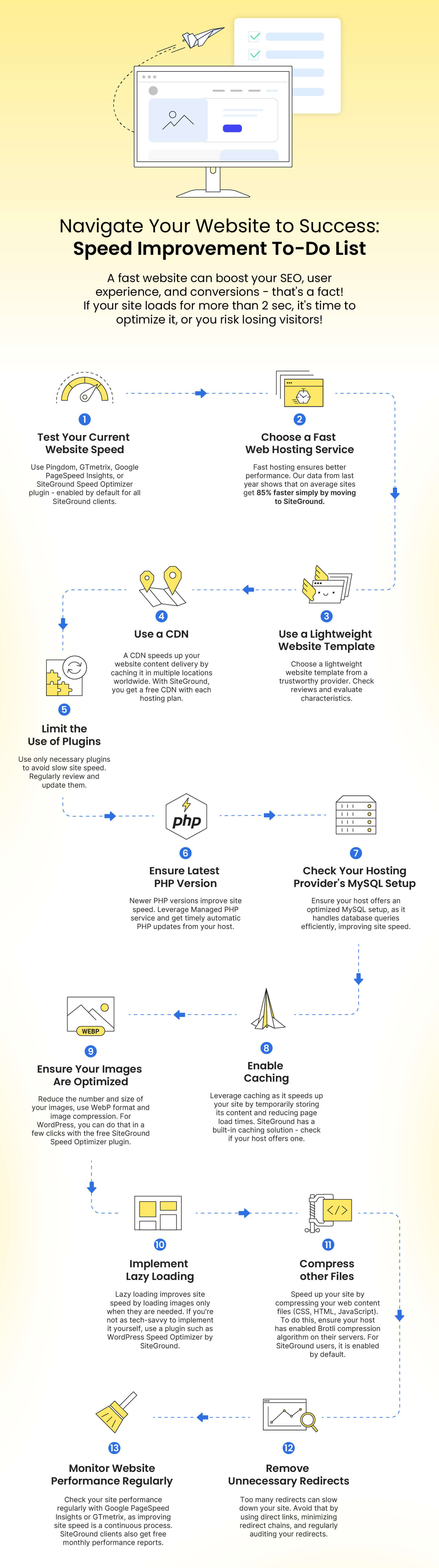
Navigate Your Website to Success: Speed Improvement To-Do List

speed improvement to do list

With summer in full swing in the Northern Hemisphere and business slowing down, now is the perfect time to optimize your website for the busy season in September. Use this quieter period to improve your site’s speed and implement new features, so that you’ll be well-prepared to attract and engage more customers when business picks up.

Why optimize website speed?

A website is considered fast if it loads for under 2 seconds. If your page takes more than 3 seconds to display all of its assets, the chance of bounce triples as visitors nowadays aren’t willing to wait anymore!

Having a fast site is critical, as it directly affects user experience, engagement, conversions, and SEO. Here’s how:

  • User experience: consumers expect websites to load quickly, and if that doesn’t happen, the likelihood of them leaving the website – bouncing – before it fully loads increases. 
  • Engagement: an optimized website responds more quickly to visitors’ interactions (e.g. clicking on menus, buttons, filling out forms) and respectively, encourages visitors to engage more with the website’s content.
  • Conversions: the more visitors interact with the website, the bigger the chance of them completing desired actions such as making a purchase, signing up for your newsletter, etc.
  • SEO: Web page speed is a ranking factor in Google’s search algorithm as it impacts user experience. Faster sites rank better!

Website Speed Improvement To-Do List:

To help you improve your speed, we’ve created an easy-to-apply to-do list with essential steps. Follow it to make a noticeable difference in your site’s performance.

1. Test your current website speed

💡WHY: When it comes to website speed, every second counts, so it’s a good practice to test your website periodically. As we mentioned, if your website loads for more than 2 seconds, then it’s considered slow, and applying the next steps is crucial.

❓HOW: You can test how fast your website loads for real users with online tools like Pingdom, GTmetrix, or Google PageSpeed Insights. If you have installed our Speed Optimizer plugin, you can check your site speed directly there.  

Along with your website loading time, these tools can help you observe: your page size, content size by content type, performance grade (an assessment of your website overall performance), the load time of the largest content element (e.g. your hero image), suggestions on how to improve page speed, and more.

2. Choose a fast web hosting service

💡WHY: As a website owner, choosing the right web hosting solution is the first critical decision you have to make. Having your website hosted on a fast infrastructure is the foundation of a well-performing website. It has a direct impact on key aspects like server performance, the way traffic is handled and allocated (especially important for sites with traffic spikes during busy periods), network latency, caching and CDN mechanisms, redundancy, uptime, server-level security, and many many more. It can also save you quite a lot of the work mentioned in this to-do list.

❓HOW: Before choosing a web hosting provider, or transferring to a new host, research their hosting infrastructure and technologies provided. With SiteGround, you can rest assured that your website will have one of the best foundations for optimal performance, powered by the latest technologies in the industry. As a company with 20 years of experience in providing advanced web hosting and trusted by the owners of over 3,000,000 domains, we have crafted a robust, ultrafast infrastructure:

3. Use a lightweight website template

💡WHY: Having a lightweight and reputable website template for your website is an important aspect of its good performance. Such templates usually have well-written, optimized code which makes it easier and quicker for a browser to render the page. They are optimized for mobile devices, have smaller graphic file sizes, and respectively – less data to be downloaded. 

HOW: When choosing a template for your website, make sure to select a lightweight one from a trustworthy provider. Spend some time browsing reviews and evaluating its characteristics. If you’re looking for a WordPress theme, check out our detailed article on how to choose a theme. If you already have a website but wish to change its WordPress theme due to non-optimal performance, follow the steps in our article on what to do before changing a WordPress theme. If you’re using another content management system (Joomla, Magento, Drupal, etc.), browse their knowledge base resources to find similar guides on the steps you should not miss.

4. ​Use a Content Delivery Network (CDN)


💡 WHY: Using a CDN is a smart decision if you have visitors from different countries or continents and you want your website to load quickly from any part of the world. A CDN caches your site’s content and distributes it across multiple data centers worldwide. So when a visitor opens your website, it loads faster from the nearest to that visitor data center for optimal performance.

❓HOW: At SiteGround, you get a standard CDN integrated and free with every hosting plan. You can also enjoy our Premium CDN at 50% OFF (a limited-time promo!) – a powerful upgrade of the standard service that will turbocharge your website. With it, you can activate the CDN service for all your domains (subdomains, parked, etc.) and cache unlimited CDN traffic. The Premium CDN stores not only the static, but also the dynamic content of your website which makes it a top performance enhancement for dynamic websites.

5. Limit the use of plugins and third-party scripts on your website

💡 WHY: Third-party plugins, scripts, and extensions can introduce important and useful new functionalities to your website, however, it’s crucial to limit their use as they can also contribute to a slow website. The more add-ons you get, the higher the risk of cluttering and deteriorating website performance.

❓HOW: As a start, make sure you’re using only the solutions you actually need. Regularly review them and remove the ones you don’t use anymore or those that have overlapping functionalities. Opt for lightweight plugins with good reputation and reviews as they have a greater chance of being well-coded and optimized for performance. Regularly update them as developers often release updates to improve performance and security issues.

6. Ensure your site is running on the latest stable version of PHP

💡 WHY: PHP is a widely used open-source language for web development. Many popular website content management systems like WordPress, Magento, Drupal, and Joomla are built using PHP. If your website is PHP-based, make sure it is on the latest PHP version as it influences both security and performance. Newer versions typically include optimizations that can greatly improve the speed of code execution, and provide important security improvements.

❓HOW: Managing the PHP of your website depends on the control panel and functionality that your web host provides. With SiteGround, you get a Managed PHP service which means that we will update your PHP whenever there is a new, stable version so that you don’t have to worry about it. The service is enabled by default for all new websites, and clients can switch it OFF and ON in their Site Tools. To check if your Managed PHP is enabled, go to Devs > PHP Manager > PHP Version > pencil icon.

7. Check your hosting provider’s MySQL setup

💡 WHY: MySQL, as one of the most popular database management systems, is used for storing and retrieving data efficiently on countless modern applications and websites. 

Having a fast MySQL setup is vital for the overall performance of your database-driven websites (online stores, blogs, news sites, online forums and communities, streaming and educational sites, job portals, financial, and many more). A well-optimized setup would be able to handle a large number of database queries much more efficiently, thus leading to significantly improved website loading time. 

❓HOW: While having a fast MySQL setup is important, it is also quite technical and is usually in the hands of the web hosting provider so make sure they do their best to make their MySQL work fast. For SiteGround clients, we created an out-of-the-box server-side solution years ago to optimize the processing of MySQL database queries. It is enabled by default and brings down the number of slow queries between 10 and 20 times.

8. Enable caching

💡WHY: Caching is an effective technique to optimize the load time of your website by storing a copy of its content temporarily on the server. This significantly reduces the time it takes for a web page to load for visitors and enhances their website navigation experience.

❓HOW: Reputable web hosting providers usually provide their users with built-in caching solutions that can be enabled with a few clicks. For instance, at SiteGround, we have an in-house caching system called SuperCacher. It offers three caching layers: 

  • NGINX Direct Delivery for caching static content like images, CSS and JavaScript files; 
  • Dynamic Cache – a full-page caching mechanism for dynamic resources;
  • Memcached which caches and speeds up database queries results.  

With Dynamic and Memcached solutions enabled on top of the static cache, you can expect a website boost by up to 5X!


Alternatively, for WordPress, you may activate plugins that would cache the content of your site, but the level of performance improvements they would deliver cannot match the boost you would get when the caching happens in the server memory.

9. Ensure your images are optimized

💡 WHY: It’s a good practice to resize your images before even uploading them to your website as large image files can significantly slow down your website. Having them optimized after upload is crucial to improve loading time and lower bandwidth costs.

❓HOW: There are several basic things that you can do to optimize your images. 

  • Reduce their number: browse your website’s images and leave only those that add value to your website, delete the rest.
  • Reduce their size: before uploading images to your website, make sure they are optimal in size, not bigger than the size you’ll be displaying them in, and preferably save them in the WebP format which offers good compression while keeping high quality. As for the images that are already on your site, use image compression to reduce their size. There are different third-party tools and plugins you can use for that purpose. If you’re on WordPress, the Speed Optimizer can again come in handy.

10. Implement lazy loading

💡 WHY: Lazy loading is a technique used to optimize web page performance by loading images and other resources only when they are needed. By deferring the loading of non-essential content until it’s about to come into view, lazy loading significantly reduces initial page load times and data usage. This is especially beneficial for visitors on slower connections or mobile devices. 

HOW: If you’re using WordPress, you can use a plugin such as the Speed Optimizer plugin with the built-in lazy load media functionality. For non-WordPress websites, consider exploring different lazy loading techniques outlined here, ensuring your websites enjoy faster loading times.

11. Compress other files

💡 WHY: Another way to reduce your website loading speed is by compressing your web content files (CSS files, HTML, JavaScript files) to make them smaller. For that purpose, you can use Brotli which is a highly effective compression algorithm developed by Google. Other popular algorithms include Gzip and Deflate. Learn more about them in our article where we explain the difference between Brotli and Gzip in detail.

HOW: Brotli needs to be enabled on your server by your web hosting provider. If you’re more tech-savvy and manage your own server, check out this article on Brotli compression for details. For SiteGround users, it is enabled by default. 🎉

12. Remove unnecessary redirects

💡 WHY: Redirects are used for forwarding visitors (or search engines) of a specific URL to another URL (for example, when redirecting from a deleted page to an existing one). Having too many unnecessary redirects is considered a bad practice and can slow down your website. The reason is that each redirect adds extra HTTP requests and delays the loading time.

HOW: To avoid that, there are several steps that you can follow such as using direct links, minimizing redirect chains, and more. Go to our article on how to avoid unnecessary redirects for more details.

13. Monitor website performance regularly

💡WHY: Improving your website’s speed and performance is an ongoing process as you constantly upload new content to it. To ensure your website is always well-optimized, you need to regularly monitor its performance.

HOW: As we mentioned in the beginning, you can easily do so, using tools like Google PageSpeed Insights or GTmetrix, which can also hint at specific recommendations for improvement. On our side, to make performance monitoring easier for SiteGround customers, we send monthly performance reports. These reports provide valuable insights into your total website performance score, web traffic cache utilization, CDN usage, data center and network speed, and more. 

By regularly reviewing this information, you can identify performance bottlenecks and take steps to resolve them, enhancing your site’s performance. To ensure that you are subscribed to them, go to your Client Area > Notification Preferences > Monthly Performance Reports. Don’t forget to pay attention to the recommendations we provide there for improving your site’s performance and use this info to pinpoint areas that need improvement.

Summary

All these steps are quick and easy. They will enhance your website’s speed, ensuring a more enjoyable experience for your visitors. Apply them now to make your site lighter yet stronger, preparing to attract and engage visitors as the busy period approaches.

Quick Cheat Sheet

If you’ve found this checklist helpful, share the blog post or the infographic link with your friends to help them improve their websites too!

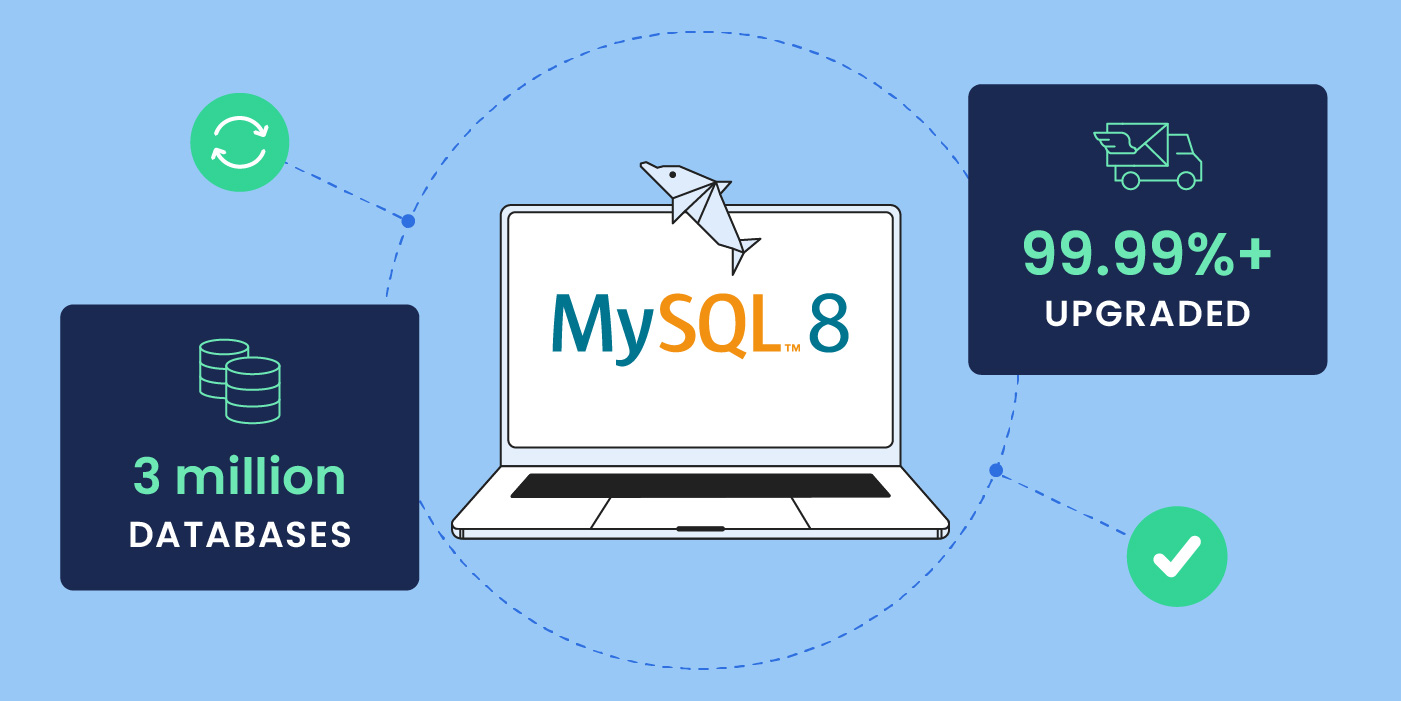
MySQL 8: Successful upgrade of millions of databases, and unmatched customer experience

laptop with MySQL 8 logo and number of successfully upgraded websites

We are happy to announce that we’ve successfully upgraded our servers to MySQL 8, and that roughly 3 million databases are now using it at full steam. More importantly, this massive transition required zero effort on the behalf of webmasters and site owners! Our unique approach to this task allowed us to provide customers with all the benefits of the newest MySQL version, and at the same time mitigate the high risk of updating such a vital underlying website technology.

While many web hosts would change their MySQL version and let customers deal with the consequences, that just doesn’t align with our values. We took it upon ourselves to bring the benefits of MySQL 8 to all our clients, and prepared extensively in order to make the adoption painless and risk-free for them. That meant testing and evaluating seemingly countless application configurations (Joomla, Drupal, WordPress and other CMSs, and all their extensions and themes that come in different setups) to foresee the tons of possible post-upgrade problems – and then eliminate them proactively and swiftly without any work or hassle for the clients. 

Let’s dive into how we made that happen.

The Challenge: MySQL8 upgrade is risky and creates heavy workload for the website owners and webmasters

Upgrading a website’s MySQL is always risky: these big version updates bring with them truly innovative features, but it also means that existing applications and web setups may not be compatible.  Because of that, it usually takes years until they get largely adopted. For example, the first version of MySQL 8 premiered in 2018 and a year after its release it only had a 17% global adoption rate. 

The decision about if and when to switch to a newer MySQL version requires the webmaster to weigh potential problems that might occur against the benefits it brings, and invest time and money in fixing post-upgrade problems. This creates a huge burden for website owners and webmasters.

That’s where web hosting companies might be of huge help – or not – depending on how they manage their servers and the level of service they provide to their customers. Among our competitors there are two popular approaches to such large-scale upgrades: either enable the new MySQL version on only the new servers you launch, and if current clients want the new version they need to relocate to the new servers; or put both the old and new MySQL’s on one server, which would increase the resource usage of the server and might ultimately deteriorate the performance of the sites hosted on it. 

Neither of these options is ideal though. In both cases, the burden of risk still falls on the website owner or webmaster, as they would need to do the work to make their sites compatible with the new MySQL. The likely outcome is that many would just not upgrade, thus missing out on performance, security and other benefits. What’s worse, many clients would continue using an older version of MySQL for so long that it would become vulnerable and unsupported by the official developers. This would put their websites at serious risk. Not a great plan. 

SiteGround’s unique approach: millions of databases automatically updated to MySQL8 without hassle for the clients

At SiteGround our philosophy is to ensure that all our customers can benefit from the latest technologies, and with the least possible hassle: no work, no risk, no extra investment, just take it out of the box and use it. When we offer a new software like MySQL 8 that comes with multiple benefits, we make sure all clients can safely and easily enjoy it. 

This is why our approach to this upgrade was different. We didn’t leave it to our clients to figure out how to upgrade to MySQL8; we did it for them and took on all the work to eliminate incompatibilities and resolve post-upgrade problems. That upgrade process included evaluating the level of risk, researching all possible incompatibilities and upgrade errors, automatically fixing problems, and manually verifying the results. As a result, millions of sites are now using MySQL 8 without any extra headaches.

Extensive research and multiple dry runs to reduce upgrade fail rate 

We began by extensively researching the incompatibilities of MySQL 5.7 (the previously used version of MySQL). The goal was to discover which issues could act as potential blockers to updating a database to MySQL 8. 

Next, we copied and isolated hundreds of servers and started dry-run upgrades. The objective was to identify problematic software and setups that break after the transition, find solutions for them in advance, and document all results carefully. We used all that data to minimize the upgrade fail rate and to automate the aftermath problem resolution.

Automated and quick fixes of broken sites

Building on the extensive research and testing, our engineers developed a smart system that essentially served as a skilled mechanic for your website. It would run a compatibility check with MySQL 8 based on your specific application configuration and database structure. If it detected incompatibilities, it would patch them on the spot.

As a result, after the upgrade this automatic system helped us to immediately remove errors and broken queries for thousands of websites, and it spared us tons of manual work, in addition to resolution wait time for the clients.

Manual fix of 7518 websites by our experts (free of charge for the clients)

The automated checks did a tremendous job, but we went even further. After a server was upgraded, our technicians would open pretty much all websites hosted on it to make sure they were fully functional. Of those, they identified 7518 websites with issues, which they then fixed manually after the migration in due time. 

804 sites provided with a time extension (at our expense)

All our automated and manual checks left us with an impressively low number of sites that remained incompatible with the new MySQL version — below 0.001% of all. For these clients we provided a custom server setup where they would be able to use MySQL 5.7 for two additional months allowing them enough time to address significant query incompatibilities and to get ready for the new version. We believe each of our users should be given the option to receive the best service, so at this time we’ve absorbed the cost of maintaining the old version on additional servers. 

Efficient server upgrade schedule paid off in fast problem resolution

One of the internal challenges during the process was to schedule the servers for upgrade so that we would have had enough people to not only address potential issues, but also complete the upgrade successfully in the shortest possible time frame. Based on our statistics from the dry runs, we could predict how many websites would have had issues per server, and therefore knew how many servers to schedule and how many technicians to staff so that we could address problems quickly. At some point, our process was so efficient that it allowed us to successfully upgrade as many as 180,000 websites in 24 hours! 

Timely and honest communication with customers

Those of you who’ve been customers for a while surely already know how much we value transparent and clear communication when it comes to events that impact your websites. This upgrade to MySQL8 was no exception. We notified each client at least seven days prior to the transition, informing them of the day and hours we would upgrade their websites (always non-business hours for their respective region). 

The Summary 

Our top priority in this upgrade process was that all sites would be fully functional as usual after the upgrade – no problems, just benefits from the newer MySQL. The outcome? We had a 99.99%+ success rate of the migration process! 

  • With solid planning, preparation and precise execution, we successfully upgraded roughly 3 million databases and made them fully compatible with MySQL 8 without any work for our clients. 
  • It took us only 63 migration days to achieve this for all websites hosted on our platform, totally free of charge, all while making sure that every single client website had been thoroughly taken care of. Well, let’s not forget the month or two we invested in preparation work,including research, dry runs, and automations.
  • A special team of 34 people worked for a total of 1228 hours on the actual upgrade, completing the process with utmost efficiency and professionalism – it took them an average of seven minutes per server to switch and resolve issues. 

It was an enormous task on a staggering scale, especially considering the high bar we set for ourselves. But in the end all the hard work on our part paid off in absolutely no work for our clients. And that in itself, for us, is the end goal that justifies all the effort. 

How to Make Your Website More Environmentally Friendly

co2 emissions and speed server website icons

Reducing our carbon footprint is an enormous endeavor on a global scale – countries and individuals unite together to decrease carbon emissions. Given the fact how difficult it is to minimize carbon emissions, you might feel that your every day efforts are a drop in the ocean. On the contrary, every effort counts – each recycled plastic item, every website made greener, contributes to this worldwide struggle.

You read that one correctly – a website should be eco-friendly, too. One would think that since websites are digital assets, they don’t leave a carbon footprint. However, websites consume large amounts of energy to load for users and appear in search results.

Here’s how your website impacts the environment and how to reduce its carbon footprint.

What Impact Does a Website Have on the Environment

According to statistics, an average website produces 211 kg CO2 emissions annually. This is the equivalent of 1055 km of driving a car. And that is for just 1 website.

There are nearly 2 billion websites in the world, according to Statista. These make the Internet the sixth largest consumer of electricity on the planet. As a result, on a global scale, it produces around 2% of global CO2 emissions annually, equivalent to the aviation industry.

To calculate your website’s carbon footprint, you can use one of the carbon footprint calculators, available online for free.

4 Ways To Make Your Website Greener

Once you’ve calculated your website’s carbon footprint, there are steps that you can take to reduce this number even further. Have a look at the actions below and think if you can implement the ones you haven’t already taken.

Choose a Green Hosting Provider

Having a green hosting partner for your website is the first step to an eco-friendly website. If you’re still deciding on your hosting provider, or want to check whether yours offers green hosting services, you can simply visit their website and look for green practices and initiatives, such as using renewable energy sources (e.g. wind and solar power) to power their servers, recycling or reducing waste, and similar commitments to the environment.

Why is that so important? Here are some statistics that show how important is the role of your hosting provider in creating and maintaining an environmentally friendly website.

An average website produces 4.61 grams of CO2 for every page view. However, at SiteGround, we dedicate much time and effort to host greener websites. As a result, for websites hosted with us, each site visit amounts to approximately 1.7 grams of CO2 emissions – nearly three times more carbon-efficient than the industry average. Here’s a glimpse of some of the things we do to achieve that:

  • 100% energy match

Our data center infrastructure is powered by the Google Cloud platform which matches 100% of the electricity consumed by the servers with energy from renewable sources. This strategy ensures high redundancy, optimal site speed and sustainability.

  • Data centers close to end users

SiteGround uses more than 10 data centers around the globe for hosting our clients’ websites. The closer that server is to the majority of their website visitors, the faster their website loads for users, and the less energy it consumes.

  • Servers run on the latest tech stack

We constantly optimize our server software and develop powerful tools to maximize efficiency and minimize resource usage. Some of these tools are our in-house built CDN that caches site content on multiple servers on different continents, custom PHP setup that improves page load by up to 30%, SuperCacher that enables full-page caching to make websites up to 5x faster.

Optimize Your Website Performance

If you’ve already using a green hosting provider for your website, that’s a solid foundation for having an environmentally friendly website. The next thing you need to think about is your website loading speed.

A slow website consumes more energy to load. If your website is slow, it will require a lot of processing power from the server, for every visitor that comes and tries to load it. Thus, your site produces more carbon emissions.

Improving your site’s loading times will result in less energy consumption, it will undeniably improve the user experience of your website visitors, and at the end of the day, you’ll have a more eco-friendly website. Here are some practical tips on how to increase your website loading speed:

  • Optimize your use of images

To improve your website’s loading speed, you need to optimize the way you use images on your site. First and foremost, consider what images you use and reduce them by removing the unnecessary ones and/or concentrating them into single files. Second, prioritize and load critical images first – those above-the-fold should load first, while non-critical images could use lazy-loading only after critical images or when they are needed. Next, compress images in size as much as possible, without compromising on their quality. Last, but not least, leverage caching for static images, in order to minimize redundant user requests.

  • Leverage website caching

To speed up your website even further, leverage one of the most powerful technologies – caching. What’s more, it can be applied on different levels of your website – on server and on browser level. Server-side caching reduces the website’s loading times by keeping a copy of the web page on the server. SiteGround clients take advantage of three levels of server-side caching – Nginx Direct Delivery for static content, Dynamic caching for dynamic content, and Memcached (for object caching). Browser-caching, on the other hand, can also significantly reduce your site loading times – when a user visits a website for more than once, their browser will load the cached version of the page, stored on their device.

  • Use a CDN

To speed up your website even more, use a content delivery network (CDN). A CDN distributes copies of your website to users in different geographical locations by loading your website from servers that are located closer to the end user. SiteGround clients leverage our free in-house built CDN which provides their websites with blazingly-fast loading speed, requires no configuration on their side, and is easy-to-manage. But, surely, there are multiple paid CDN products and options out there.

  • Clean up your website from unnecessary weight

Decluttering your website should be just as common as spring cleaning your home. There are some pages, plugins, themes, redirects, files, content and more that slow down your website and increase its carbon footprint. Here are a few things to keep in mind when cleaning up your website:

First, get rid of unused plugins and themes, because of the straight-forward rule: “the less code, the faster your site”. Next, remove outdated content and files from your site. These also take space on your site and further slow it down. Last, but not least, reduce unnecessary redirects that affect website speed by adding extra steps to the page load process – keep your pages and content a click away. To clean up your site even further, explore more techniques in our blog post.

Improve SEO Visibility

Even if your website is hosted with a green host and is optimized for performance, there are still other steps that you can take to make it even more environmentally friendly.

When people search for your website on search engines, that requires a lot of energy. In terms of greenhouse gases, one Google search is equivalent to about 0.2 grams of CO2. To put that into perspective, an average car driven for 0.6 miles (1 km) produces as many greenhouse gases as a thousand Google searches.

That’s why if you optimize your website for search engines, the end users will spend less time searching for it, which in turn will result in less energy spent on server requests, and ultimately a more environmentally friendly website.

Let’s explore the top three SEO practices you can try in order to improve your website’s visibility:

  • Optimize your site structure and navigation

Your website structure is how you organize your pages and content into (sub)categories. Navigation, on the other hand, is how you guide your users to these pages and content. To optimize website structure and navigation, you need to have descriptive URLs with relevant keywords, logically structured and easy-to-follow navigation menu, and use internal links that lead to your own content and pages. All these will help you create a user-friendly site hierarchy, which in turn improves the way search engines crawl your site and its visibility in search engines results pages.

  • Target relevant keywords 

Keywords are what users put in search engines to find what they’re looking for, and at the same time keywords tell search engines what your website is all about. That’s why it’s important to use words wisely. Create clear and concise content that corresponds to what users search for and expect to see on your site. Research and use keywords that your audience looks for in order to match their search intent. Use synonyms and variations as well, in order to cover a wider range of their searches.

  • Audit your website regularly

Analyze the performance of your site regularly to make sure that your website is ranking well and is providing good user experience. For this purpose, you can use different tools, such as Google Analytics, or various SEO tools, that will help you monitor and identify areas for improvement. Common issues include duplicate content, broken links, or slow loading speed.

Strive for User-Friendly Design

Last, but not least, your website design should also be user-friendly in order to make your website more environmentally friendly. Why is design so important? When users land on your site and it provides them with an optimal user experience, this mitigates energy usage and thus, carbon footprint. Let’s explore some effective design strategies:

  • Minimalistic design

When it comes to website design – less is more. Make sure you provide your users with what they are looking for in a user-friendly manner. Avoid unnecessary assets and too many visuals that will distract the users from what they’re looking for. Include only visuals that will somehow benefit your users in their end goal on your site. Keep your design clean in order to reduce page size, your website’s rendering and thus, carbon emissions. 

  • Easy navigation

Ensure your website navigation and finding what users are looking for is easy and can be done in a few steps (clicks). Help your users way-find your content easily by structuring your navigation menus with their user experience in mind. Including internal links to your products and services will also allow users and search engines alike to identify key information easily. Intuitive navigation makes visitors spend less time and energy finding what they require, accomplish tasks with reduced steps and thereby lowers carbon emissions.

  • Mobile and desktop friendly

Another aspect of the user experience is to ensure your visitors can do all of the above just as easily and quickly as on any device they use. Whether they visit your website from a mobile or a desktop device, there shouldn’t be an issue for them to navigate or reach what they’re looking for. What’s more, mobile devices use less processing power than larger devices. Making your website fully responsive helps reduce energy consumption, improve performance and create a seamless user experience.

Wrap Up

Having an environmentally friendly website is just as important as your other sustainable daily practices, such as reducing plastic usage, using public transportation, recycling waste, and others.

However, creating and maintaining a green website takes time and effort. That’s why it’s important to have a reliable green hosting partner like SiteGround on your side, in order to not be alone in the journey to an eco-friendly website.

PHP 8.2 Becomes the Default PHP Version on All SiteGround Servers

php elephant and a laptop

As of today, PHP 8.2 is the default PHP version on the SiteGround hosting servers. PHP 8.2 has been available on our servers for quite some time, right after its release, and since then anyone was able to use it for their site through our PHP management tool. We are now making it the default PHP since it is already considered fully compatible with all applications on our infrastructure and is the version actively supported by the official PHP developers. Our clients will start enjoying the improved performance and security, as well as the new functionalities included in PHP 8.2 out of the box.

PHP 8.4: Stay Updated! 🚀 Check out our latest blog post to explore the newest features and enhancements in PHP 8.4.

New sites are now created on PHP 8.2 

All newly created sites are automatically configured to use PHP 8.2. This ensures that your new projects will take advantage of this PHP version right from their start.

Existing sites WITH Managed PHP service will be gradually updated by us

We are beginning to update all sites using our Managed PHP service to PHP 8.2. We are committed to ensure that this process goes as smoothly as possible and we will provide all the necessary information and support during the transition. 

  • You will be notified via email when your site(s) are scheduled for upgrade, giving you enough time to check and test them thoroughly, ensuring they are compatible with PHP 8.2. 
  • As part of our Expert Care services you will also be able to request a PHP compatibility check by our experts. 
  • Your current PHP version will remain available after the update, so you will be able to revert to it with a click through our PHP management tool if you need more time to work on your site’s compatibility.

Existing sites WITHOUT Managed PHP service should also consider updating  

We strongly recommend clients who are not using our Managed PHP service to upgrade to PHP 8.2 manually. PHP versions lower than 8.2 are no longer supported by the official developers and come with a security risk, and/or have reached end of life, which is when we have to remove them from our servers. The oldest PHP version now available on our servers – PHP 7.3 – will be removed in 2025.

Why Upgrade to PHP 8.2?

PHP 8.2 offers a number benefits, that would positively affect your site: 

  • PHP 8.2 guarantees faster execution time and reduced resource usage. Compared to PHP 7.4, which was the last default version before 8.2, PHP 8.2 has significantly better performance based on all the benchmark tests we have seen.
  • It offers access to the latest PHP functionalities and improvements, which you may check out in our previous article on the topic written by the PHP Evangelist Cal Evans.
  • Some of the new functionalities, such as the Read-Only properties and Deprecation of Dynamic properties end up generating a more secure code out of the box, which ultimately means a more secure website.
  • It is fully compatible with other software hosted on our platform. All major applications such as WordPress, Joomla, Drupal, etc. have already added support for PHP 8.2. 
  • It is considered mature and is the main version actively supported by the PHP core developers, which guarantees it is kept well patched and secure.

Block Sophisticated HTTP Attacks with SiteGround CDN’s ‘Under Attack’ Mode

SiteGround CDN under attack mode security for websites

As a leading provider of web hosting services, at SiteGround we continually strive to offer the most advanced and reliable solutions to our customers, with a strong focus on website security. In our latest Website Horror Stories series for #cybersecuritymonth, we even gathered real stories of webmasters who suffered some kind of website attack or hack, which could have easily been avoided with our suite of website security services. Now we’re excited to announce a new feature addition to our security features – ‘Under Attack Mode’, part of SiteGround in-house CDN.

Our hosting services already encompass robust network attack protection. Our Distributed Denial of Service (DDoS) protection effectively blocks a significant percentage of malicious traffic, ensuring your websites remain accessible and secure. But despite the effectiveness of all our website protection systems and security features, some HTTP attacks are more sophisticated and can circumvent traditional solutions. To further fortify your website’s defenses against these advanced threats, we’ve developed the new ‘Under Attack Mode’ feature, now part of our SiteGround CDN service.

Understanding SiteGround’s ‘Under Attack Mode’

SiteGround CDN’s ‘Under Attack Mode’ adds an additional layer of protection against potentially malicious HTTP traffic. If your website is under an HTTP attack, it’s immediately overloaded with fake traffic requests, usually coming from malicious bots, which makes it inaccessible for real users. 

When turned on, our Under Attack feature challenges website visits with an automatic CAPTCHA, verifying that they are humans and not bots. It leverages JavaScript to perform automated mathematical calculations in the visitor’s browser. While these calculations are being processed, the end visitors see a loading message for a few seconds. Once the challenge is solved, indicating the visitor is most likely a real human, the system automatically redirects them to the website. This means your website will remain accessible to your real users even if it’s under attack – legitimate traffic will be allowed to proceed to your site, while we block the fake bot traffic.

How to Enable Under Attack Mode

Our ‘Under Attack Mode’ is available as part of our Premium CDN plan. If you’re looking for a way to further enhance the security of your website against sophisticated HTTP attacks, our paid plan now offers this advanced feature, together with a myriad of speed and security enhancements.

Once you’re using SiteGround CDN’s Premium plan, enabling the ‘Under Attack Mode’ is simple. It can be activated per domain name from the Site Tools management interface. Once enabled, the ‘Under Attack’ mode feature operates for a period of 24 hours, after which it is automatically disabled by the system.

Please note that while ‘Under Attack Mode’ is enabled, some third-party website analytics tools may not function correctly, as they may not be able to pass the challenge. This is why the feature is automatically disabled after 24 hours – to prevent any prolonged disruption to your website analytics.

SiteGround CDN’s ‘Under Attack Mode’ applies to all website visitors and all traffic towards the domain. This means all requests – from real users, bots, to API requests from third-party systems – are challenged, ensuring comprehensive protection.

Conclusion

Our latest SiteGround CDN security feature, the ‘Under Attack Mode’ is a testament to SiteGround’s commitment to providing superior security for our users. We understand the evolving nature of web threats and continually innovate to offer features that keep your website safe and accessible. Stay ahead of the curve with SiteGround CDN’s ‘Under Attack Mode’.

[subscribe_cta]

How to Reduce Your Website’s Carbon Footprint: Twitter Chat

sustainability twitter chat

If the internet was a country, it would be the 4th largest source of carbon emissions. On average, a website produces 1.76g of CO2 per visit from the processing power needed to load and deliver the page. That’s why as a website hosting provider we have a responsibility to optimize our services and the performance of our clients’ sites to minimize these negative effects as much as possible.

To dive deeper into the topic of website sustainability, we organized a #WebSustainabilityChat on Twitter along with several experts in different fields of website development – Nora Ferreirós (@noraferreiros), Responsible UX/UI Designer, Ari Stathopoulos (@aristath), Web Developer, Accessibility & Sustainability Evangelist, and Marketa Benisek (@MarketaBenisek), Digital Sustainability Lead at WholeGrain Digital. Here’s a summary of their discussion with some useful tips and tools to help you measure and reduce your website carbon footprint.

How do websites contribute to carbon emissions

In short, the faster your website, the less server resources it uses. Likewise, the simpler the website, the less data it uses. Website speed optimization and keeping things simple are good both for the environment and for saving energy.

“Every bit of information you put on a website will need energy. The more information you put on your website, the more energy you need, and the more carbon emissions you will contribute to,” points out Nora Ferreirós, Responsible UX/UI Designer.

How to measure your website’s carbon footprint

Our experts agree that there’s no need to use many tools to measure your website’s carbon footprint, but rather find one tool that gets the job done. You simply run a test, make improvements on your site and see if that has an impact: “It doesn’t matter which tool you use, just use one consistently and make comparisons to see if your changes make sense,” says Ari Stathopoulos, Web Developer, Accessibility & Sustainability Evangelist. Here are a few examples that you can use:

The Website Carbon Calculator “gives context about the energy you consume with your website by comparing it with non-digital stuff – your website consumes X kg of CO2, and it’s the size of a car, for example”, explains Nora Ferreirós.

“Ecograder is more about metrics and all the settings you should improve in order to reduce your website’s carbon emissions,” says Nora Ferreirós.

Keep in mind that apart from using such tools, it’s even more important to have context about sustainability, Nora Ferreirós, points out because “sustainability is a way of doing things and understanding how they work – it’s not just about metrics”. The decisions you make about your website are just as important as the technology and tools you use, she adds.

5 tips to reduce your website’s carbon footprint

Once you’ve measured the carbon impact of your website or particular webpage, it’s time to work out a way to reduce their carbon emissions. Here are some top tips and immediate actions you can undertake to improve your website sustainability:

Improve your website’s performance

Let’s first look at the bigger picture in terms of website performance. According to Ari Stathopoulos, the best way to optimize your site is to get rid of all the things that are not related to what you actually want to do.

To explore this point, he gives an example with a website that sells T-shirts, for instance. In his opinion, most website owners would want their site to have everything – 10 images on the product page, a video presentation, plus a slider at the top with related products, and all that other stuff that are not really necessary in order to sell the actual T-shirt.

Marketa Benisek, Digital Sustainability Lead at WholeGrain Digital, elaborates further and explains that it all comes down to the elements that are causing the individual webpages and the website to be larger than necessary. In her opinion, these are usually “either very large stock images, or videos that are data heavy”. Here’s some advice on the images and videos:

  • Reduce the size of your images

As Marketa Benisek points out: “For example, if you have thumbnail images on the website’s team page, even though those images appear small on the site, they can sometimes be uploaded as full-size, like 1MB or 2MB. By reducing the size of those images, you also significantly improve the speed of that page.”

  • Rethink how you use videos on your site

If you have any videos, you might need to rethink the way you use them. First of all, “think whether the video really serves the purpose or whether it can be replaced, perhaps, with an svg animation, instead of a full-on video, and also avoid autoplay videos,” Marketa Benisek continues. Ari Stathopoulos adds another smart alternative as well – if you want to show a presentation of a product, you don’t need to embed a video, you could just link to the video on YouTube.

Optimize your website’s data transfer

To optimize your website’s data transfer, your starting point should be the notion that everything you put on your website is data – “every single pixel is a piece of data that people will have to download from the website,” Marketa Benisek points out.

You need to start with one step at a time. As Nora Ferreirós advises, it’s important to begin with having less things on your website (just the ones you need) and then build them up, if needed. The reason is that it would be more difficult to optimize a website later on, once it’s already big and has a lot of things: “If you want to optimize your data transfer, just transfer less data,” Nora Ferreirós says.

In case you already have lots of things on your website, you need to reduce them, as this can significantly reduce the overall size of the website, therefore the data transferred, and eventually the carbon footprint.

Bottom line is to keep everything on your website simple, minimal and clear for your users to easily find what they’re looking for. To achieve this, you need to “think about what would be most useful to your users and have an understanding of who your users are,” Marketa Benisek concludes.

Apply UX/UI optimizations

Not only should you have an understanding of who your users are, but also an understanding of how they are interacting with your website. For this purpose, you need to design the user journey on your website.

If you’re clear on who your audience is, then design your website accordingly, “simplify the entire user experience and make sure people find it easy to navigate when they visit your website”, Marketa Benisek advises. Nora Ferreirós shares an insight on how to achieve that: “A great exercise to keep things simple is to think about you as a user. When you’re a user, you don’t want things to be complicated, you want to understand what people are selling to you, so think as you navigate a website and apply this to your own.”

Once you’ve identified the user journey, the best way to achieve the objectives you have for your users, is to focus on one thing that you want to say. In Marketa Benisek’s opinion, simplicity on websites signifies a lot of confidence. For instance, Apple is one of the best examples to take as an inspiration. They have very little information on their pages, but they’re straight to the point. They only feature the information that people are looking for.

When your objectives and messages are clear, think about the website as a whole project, not about specific features (sliders, or videos, etc.) – only then you’ll be able to optimize your website and your UX/UI, Nora Ferreirós advises. Every part of your website should then work together for that main objective, she adds.

Adapt SEO practices

SEO also plays a huge role in website sustainability. For this purpose, Ari Stathopoulos advises you to think about the user journey again. He explains that most people go in a search engine, search for something, land on a website, and if it’s the wrong website, they try again with the next one and so on. Therefore, you need to be concise with your message – the clearer the text is, the more related users you’ll get, in his opinion. He warns that, on the contrary, “if you do keyword stuffing, all sorts of people will land on your website and none of them will stay, because your website will not be what they are looking for”.

SEO is indeed important, but we also need to keep it human, Nora Ferreirós warns. We sometimes begin to work for machines, while we’re supposed to work for people – get your website ready for helping humans and for giving them services and products they need, she points out.

Choose a sustainable hosting partner

The last but not least part of the puzzle is your web hosting provider. Ari Stathopoulos points out that there’s a lot of blame on hosting providers, regarding greenhouse emissions, but in conclusion he agrees that more web hosting companies are turning green, and that’s a strong and important tendency.

Here are a few questions to ask when choosing your web hosting provider, in order to make sure they are providing green and sustainable services:

  • Do they use renewable energy for their data centers?
  • Do they improve server software to minimize resource consumption?
  • Do they optimize websites for higher performance and less data transfer?
  • Do they have a sustainability-oriented company culture?

At SiteGround, for example, our efforts are dedicated to creating a green web hosting environment that helps both our business and our clients’ websites be sustainable. 

  • Our data center network is powered by the premium Google Cloud platform that matches all electricity consumed by the servers with energy from renewable sources;
  • Our custom PHP setup lowers the server memory usage and gives more space for the server to handle more website traffic faster;
  • Our SiteGround CDN, SuperCacher, and other in-house built solutions maximize websites’ performance and increase their efficiency;
  • Our company operates in green offices and regularly initiates and supports green social causes.

Wrap up

The top advice our experts recommend to all website owners is to keep things as simple as possible. That will not only help your users navigate easily through your website, but also significantly reduce your website’s carbon footprint.

Check our YouTube recording to hear the whole Twitter chat conversation and follow us on Twitter for more news and discussions on useful topics.

[subscribe_cta]

Spring Clean Your Website for Stronger Security and Faster Speed

spring clean your website for better security

Like your home, your website also accumulates dust and clutter over time that can slow it down and make it vulnerable to security threats. So cleaning your website is just as important as spring cleaning your home, and with our help, it can be much easier and faster.

Get started with our actionable tips on how to declutter your site for even stronger security and faster speed.

Clean up your WordPress website

For all of you, using WordPress, we’ve identified some crucial, yet easy-to-follow tips that will help you take special security and speed care of your WordPress website.

Quick website security tips

  • Keep your WordPress version and plugins up-to-date

It’s important to keep your WordPress version and plugins updated to the latest version, because hackers use every opportunity and backdoor to attack your website and get access to your files or valuable information. Keep an eye on the latest WordPress versions and plugins and install them in a timely manner. Luckily, SiteGround clients don’t have to worry about this, as we do it automatically for them – we autoupdate all WordPress installations, hosted with us.

  • Clean up your user roles and permissions

Make sure you review and remove inactive users or limit access for certain users only to the resources they require. For instance, give administrator access to your site only when strictly necessary and only to users that actually need it. The same applies to the login details for your hosting account.

  • Enforce strong and secure passwords

Weak passwords are one of the most common reasons sites get hacked. Always use secure credentials for accessing your account. On top of this, remember to store your passwords only in password vaults – no plain text, no writing them down, no sharing. As a complementary step, you’d also need to implement 2-factor authentication for login access. It will require an additional step of verification upon each log-in for an extra layer of security.

  • Clean up unused plugins and themes

Outdated plugins and themes can open up the backdoor for hackers to gain access to your website. That’s true even for deactivated plugins and themes. For this reason, delete any plugins and themes that you’re not using to lower the risk of security breaches on your site.

These are just some of the steps to follow in order to spring clean and secure your WordPress website. The good news is that you don’t have to do them on your own and one by one. Some of them and many more you can find as one-click features in the free SiteGround Security plugin, available for all WordPress users. Download it now and enable many powerful security options in just a few clicks. For SiteGround clients, it’s already been installed and working out-of-the-box.

Easy-to-follow website speed advice

  • Clean up your WordPress database

Your WordPress database can significantly affect the speed of your website, which, in turn, affects its overall health and search engine rankings. To ensure optimal performance, it is important to keep the database clean. Cleaning up your WordPress database is a vital part of refreshing your website and optimizing its functionality.

  • Compress large images

Large images can significantly slow down your WordPress website. Use image compression to speed up your site. You can compress them as much as you like, without compromising on their quality. For this purpose, make sure to always take advantage of the latest image formats, such as WebP format.

  • Minify CSS and JavaScript files

Minify your CSS and JavaScript files which will basically remove all unnecessary characters from them. Minification of CSS & JS files will speed up your website by reducing your site’s code weight.

  • Preload your fonts

Your website’s fonts are yet another thing that the browser needs to load in order for the users to see it. To keep them from slowing down your website and allow the browser to render faster, you need to preload your fonts. Keep in mind to preload only the font files that you use most oftenly, not all of them; otherwise, you might end up slowing down your site further.

To help you get access and enable most of the above options and many more with just a few clicks, we have an in-house developed SiteGround Optimizer plugin that’s free and available for all WordPress users. It also offers powerful caching features, frontend optimizations, as well as media and environmental optimizations.

Scan your website thoroughly

Continue with performing a complete and regular scan of your website, checking it for potential malware-infection and other security threats over time. There are different types of site scanning services available out there. At SiteGround, we have our in-house developed Site Scanner security service. The Site Scanner checks your entire website for malware and the latest threats, notifies you about any potential security issues in a timely manner, giving you enough time and tools to react in case of any suspicious activity.

Apply powerful website performance optimizations

Level up your website speed by implementing these powerful optimization tips:

  • Make sure your PHP is fast

Ensure that your website is running on the latest and fastest PHP version and that your web server handles that in the best way possible. SiteGround clients have the opportunity to take advantage of our ultrafast PHP setup that cuts the TTFB (time to first byte) and makes web pages load 30% faster in comparison to standard PHP setups.

  • Leverage caching

Caching is one of the most powerful techniques to make your website load even faster. You can apply caching at different levels, such as browser caching and server-side caching. SiteGround clients take advantage of our powerful caching technology out-of-the-box that’s built in-house on three levels – Nginx Direct Delivery for static content, Dynamic caching for dynamic content, and Memcached (object caching). All three can speed up website performance up to 5 times.

  • Use CDN

Speed up your website even further by enabling a content delivery network (CDN). A CDN keeps copies of your website on servers that are geographically closer to your end users. Then, when they request to see a web page, it gets served faster from a location that’s close to them. SiteGround clients take advantage of our free in-house built SiteGround CDN which now comes in version 2.0 that is even faster and more efficient.

Check your website security and speed status regularly

Once you’ve done all of the above, it’s good to keep an eye on your website security and speed status regularly. Make sure you’re aware of any potential backdoors on your website that might still be open for the hackers, or any performance issues that might slow down your website.

At SiteGround, we know how much time and effort this might cost you. That’s why our clients receive monthly security and performance reports, delivered straight into their inboxes, at no extra cost. 

In the monthly security reports, we provide them with digestive summary results from automated security checks that we perform for their websites. Our clients get their site security status in a user-friendly and understandable format, along with actionable tips on how to reduce the risk of malicious attacks, in case we’ve identified areas that need their attention. With the free monthly security reports, we help our clients stay in control of their website security in the long run.

Similarly, the monthly performance reports provide our clients with easy access to information about their website speed status. We check a number of performance categories for our clients’ websites (e.g. cache ratio, CDN usage, WordPress optimization, and more), and give them an overall performance score in a user-friendly structure, plus actionable recommendations, if some areas need improvement.

As you can see, website security and speed are an ongoing process that needs your attention throughout the whole year, not just in the spring. Yet, now is the best time to start taking care of your site speed and safety in order to avoid any potential issues in the future.

[subscribe_cta]

How to Maximize Your Website Speed on a Budget: Twitter Chat

twitter chat about maximising website speed on a budget

As a small business owner, your website performance is crucial for your users’ experience, SEO rankings and even more importantly – for your conversion rates.

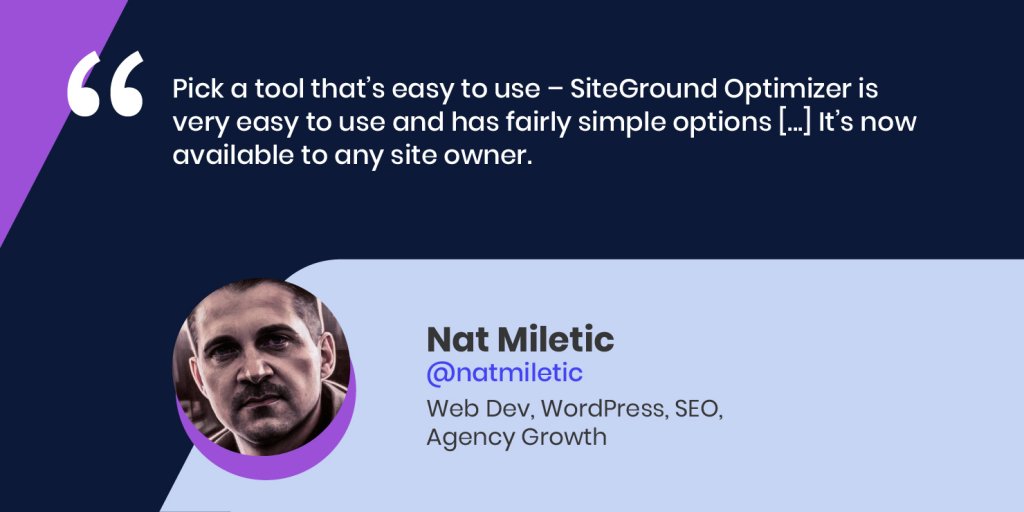
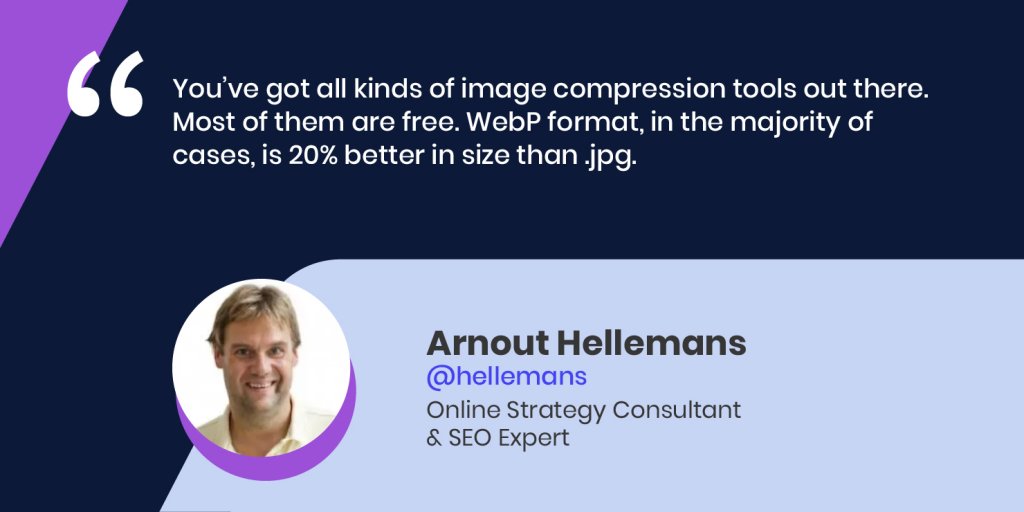
 To help you maximize your website speed on a budget, we organized an #SMBGrowthChat on Twitter Spaces along with Arnout Hellemans (@hellemans), Online Strategy Consultant & SEO Expert, and Nat Miletic (@natmiletic), Web Dev, WordPress, SEO, Agency Growth. Here’s a summary of their discussion with some professional advice and expert tips on improving your website speed in a cost-effective way.

Why should you care for your website speed

Before digging deep into improving your website speed, let’s explore why it’s so important for your small business. A faster website means:

  • Better user experience

Your website performance impacts your users’ experience – when your site loads faster, users are more likely to interact with it and spend more time on it. The happier they are with your website, the more visits you’re likely to have, because your brand reputation will also improve.

  • Higher SEO rankings

Website speed is one of the metrics Google looks at from an SEO perspective. Arnout Hellemans, Online Strategy Consultant & SEO Expert, notes that “if a user can’t get to your site or it takes too long to load, they might not be able to consume the information on it, will go back to the search engine, and click on another result – that’s a signal you haven’t been able to answer a user’s query, which has a big influence on ranking”. 

  • More conversions

Website performance is also a very important factor for your conversion rates. Nat Miletic, Web Dev, WordPress, SEO, Agency Growth, points out that it’s “even more important when it comes to eCommerce because how long the checkout process takes, directly impacts sales, sign-ups, etc.”

How to track your website performance

Given the fact that your website speed is so important for your small business, you’re probably wondering how to figure out how your site is performing. Here are a few free tools you can use, recommended by our experts: GTMetrix, Google PageSpeed Insights, webpagetest.org, or SEO tools, such as ahrefs and SEMrush, which also test for speed.

“For simple tests, I like to use GTMetrix – it gives you a good overview, it’s free to use, they even have bookmarks, so you go to a page, you click it, and it’ll automatically generate a report,” suggests Arnout Hellemans.

If you’re using Google Chrome, “you can basically right click and Inspect element – you get a console and go to the Performance tab, do a Lighthouse test, which will test the whole page. Half a year ago, they introduced Performance Insights that will show you which elements on the site are influencing the core web vitals scores,” adds Arnout Hellemans.

In case you decide to use the Chrome development tools to run performance tests, beware that “it will show you localized performance tests. If you have a very fast machine and internet connection, by default, it will show you that you’ve got great performance, but if you test with some other options […], your performance picture is going to look a lot different,” warns Nat Miletic.

How to speed up your website cost-effectively

If the tests show that your website performance needs improvement, here are some professional tips from our experts on how to do that in a cost-effective way:

1. Choose a good hosting provider 

If you’re still at the very beginning – in the process of starting a website, begin by picking a good hosting provider: “From my experience, I think one of the main things to worry about is the hosting and what is going on in the background. […] It all starts with good quality hosting to improve performance,” advises Nat Miletic.

2. Pick a fast and efficient theme (if you’re using WordPress)

While you’re building a website, “if you’re using WordPress, pick a fast and efficient theme, because it will make all the difference and go a long way in terms of website performance,” notes Nat Miletic. He points out that there are a lot of free themes that you can use, such as Astra, GeneratePress, and many others.

3. Apply caching mechanisms

“My personal preference for free or inexpensive tools – caching is a must, especially for WordPress sites […] It creates static pages on the server that are quicker to come up on a user’s browser,” explains Nat Miletic. 

However, Arnout Hellemans warns that “when you refresh pages, make sure you purge the cache, because otherwise, people will still see the older version – if you remove a link, it will still be there”.

What is more, there are different types of caching, which can be quite complicated, especially for small business owners. That’s why Nat Miletic advises you to “pick a tool that’s easy to use – SiteGround Optimizer is very easy to use and has fairly simple options […] It’s now available to any site owner”.

4. Use a CDN

Usually, if you have website visitors from all over the world, but even if you don’t,  you should consider using a CDN. It helps serve your website to your visitors from where they actually are geographically, but it also helps serve your content faster in general. 

Nat Miletic reminds that “it goes back to the hosting – a lot of hosting providers have these things baked in already, so they have their own CDN network, they have their own plugins to help with performance”.

This is also true about SiteGround – our in-house built SiteGround CDN is free and makes websites load blazingly fast around the world. It now comes with Version 2.0 which increases the website loading speed by 20% on average, going up to 100% for visitors located in some specific parts of the world.

5. Compress images

There are large images that slow down websites, but there are also ways to compress them and make them more efficient: “You’ve got all kinds of image compression tools out there. Most of them are free. WebP format, in the majority of cases, is 20% better in size than .jpg,” suggests Arnout Hellemans. “There are also plugins for WordPress – SiteGround Optimizer can be used to convert images to WebP format,” adds Nat Miletic.

6. Minify JavaScript and CSS files

Excessive JavaScript and CSS also slow down your website by adding a lot of code to the weight of your site. To speed up your website, you need to minify JavaScript and CSS files, which removes all unnecessary characters from them. For this purpose, you can use a free plugin, such as the SiteGround Optimizer plugin for WordPress websites, which will do all that for you, no matter where your site is hosted. 

7. Optimize fonts

Another thing that can slow down your site is the fonts. These can be things like little emojis or social share buttons. “What you can do, instead of loading those social share icons, for example, is using the .svg version of that. If you need a Twitter button, or a Facebook button, use an .svg version of that – it’s going to be much smaller than the font,” advises Nat Miletic.

He adds that “a lot of people use Google Fonts which are typically hosted outside of your website, using the Google service. You’re making round trips to their servers in order to download fonts and it’s not very efficient. Sometimes, there are options to download those fonts locally on your site and then use them”.

With the free SiteGround Optimizer plugin for WordPress websites, you can do the above-mentioned tips with a few simple clicks. Our in-house built plugin provides you powerful features that are available to you even if you’re not that technically advanced.

Wrap up

Our experts all agree that website performance is an ongoing process – there’s always something to fix, so you need to make small improvements as you go and keep speeding up your website.

You can listen to the whole Twitter chat conversation by checking our YouTube recording. Follow us on Twitter for more news and discussions on useful topics.

[subscribe_cta]