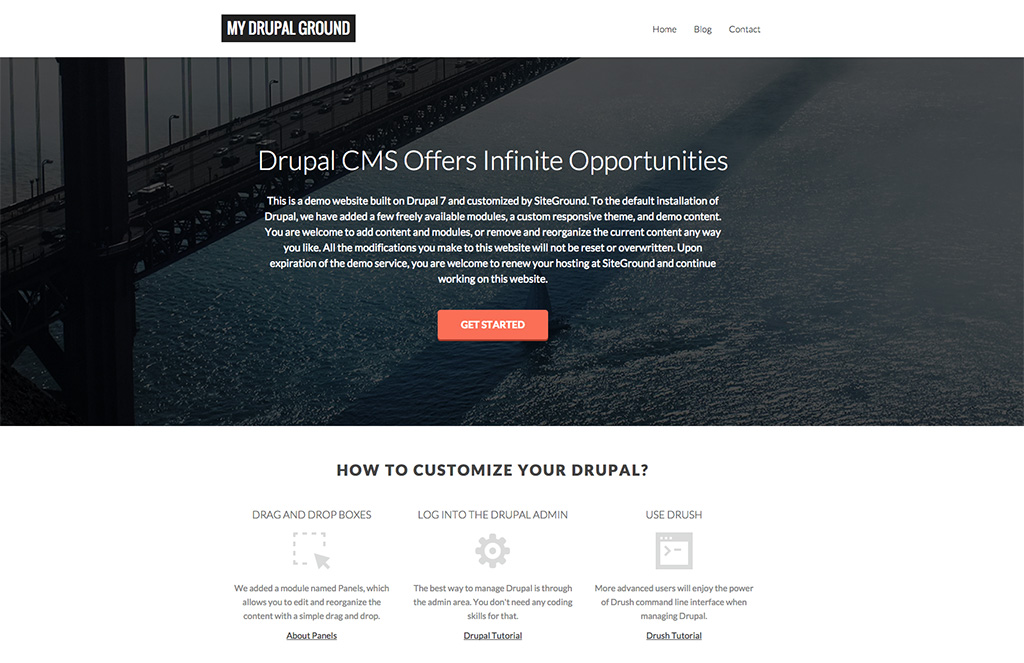
We’re happy to announce that SiteGround is now one of the few companies selected by the Drupal Association to provide a hosted Drupal Demo! We’ve created a special free Drupal demo, that allows you to check out the great features in the application in a real hosting environment. Read more to find out what this demo has to offer and what we’ve done to make it work nicely and smoothly for you.
Easy Start with Drupal
The Drupal Demo gives you fast and easy access to all the features of the Drupal CMS. Just fill in the short signup form, and you are ready to go. Once you press the big blue Start Demo button, you will get a fully-functional Drupal pre-installed on your account that you can modify, add your content, install modules and themes, and basically use the full power of the application.
Responsive Drupal Theme
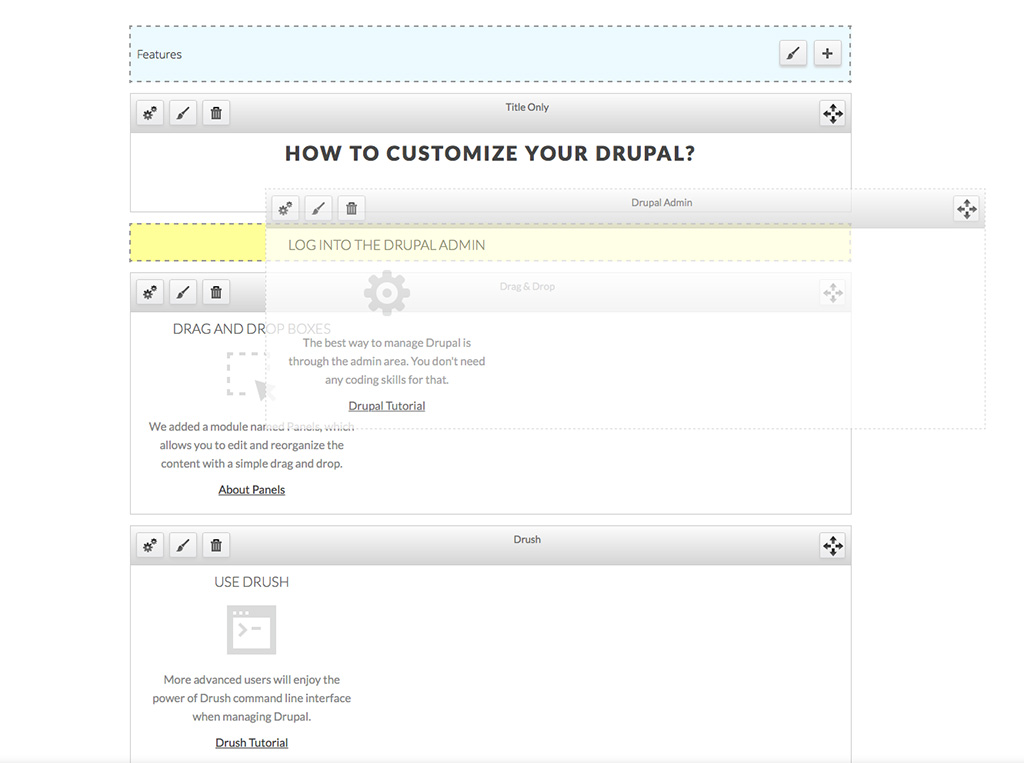
 The Drupal Demo installation comes with a fancy responsive theme, designed by SiteGround and free to use by all SiteGround clients, as well as a few modules on top of the default installation. The theme, created by our design team, works great with the Panels module for Drupal. It allows you to easily create and modify your layouts and reorganize content simply using its drag-and-drop functionality.
 Simply log in to your new Drupal demo, open the page you want to edit and click on the Customize this Page link that will appear at the bottom. Once you do that, you will be able to move the different elements of the page and show them in the best possible way for your needs!
Powerful Drupal Management Tools
You can easily manage your Drupal through its fully-featured admin panel, or use the hosting account extras such as FTP, SSH and Drush (the powerful and super useful command-line interface designed especially for Drupal and pre-installed on your SiteGround hosting account). With those tools in hand, you can easily add, remove and modify your content.
It’s Completely Free
The great thing about this demo is that it’s absolutely free for 7 days. No credit card is required for the sign-up process. If you want to keep your Drupal site after the demo period is over, you can easily keep all your work by renewing your hosting account from your User area.
[subscribe_cta]



 The latest WordPress update is live since yesterday. For those of you who have opted in to our AutoUpdater or have enabled the WordPress internal system for automatic updates it should be now ready to use! Check out the