PHP 8.2 Becomes the Default PHP Version on All SiteGround Servers

php elephant and a laptop

As of today, PHP 8.2 is the default PHP version on the SiteGround hosting servers. PHP 8.2 has been available on our servers for quite some time, right after its release, and since then anyone was able to use it for their site through our PHP management tool. We are now making it the default PHP since it is already considered fully compatible with all applications on our infrastructure and is the version actively supported by the official PHP developers. Our clients will start enjoying the improved performance and security, as well as the new functionalities included in PHP 8.2 out of the box.

PHP 8.4: Stay Updated! 🚀 Check out our latest blog post to explore the newest features and enhancements in PHP 8.4.

New sites are now created on PHP 8.2 

All newly created sites are automatically configured to use PHP 8.2. This ensures that your new projects will take advantage of this PHP version right from their start.

Existing sites WITH Managed PHP service will be gradually updated by us

We are beginning to update all sites using our Managed PHP service to PHP 8.2. We are committed to ensure that this process goes as smoothly as possible and we will provide all the necessary information and support during the transition. 

  • You will be notified via email when your site(s) are scheduled for upgrade, giving you enough time to check and test them thoroughly, ensuring they are compatible with PHP 8.2. 
  • As part of our Expert Care services you will also be able to request a PHP compatibility check by our experts. 
  • Your current PHP version will remain available after the update, so you will be able to revert to it with a click through our PHP management tool if you need more time to work on your site’s compatibility.

Existing sites WITHOUT Managed PHP service should also consider updating  

We strongly recommend clients who are not using our Managed PHP service to upgrade to PHP 8.2 manually. PHP versions lower than 8.2 are no longer supported by the official developers and come with a security risk, and/or have reached end of life, which is when we have to remove them from our servers. The oldest PHP version now available on our servers – PHP 7.3 – will be removed in 2025.

Why Upgrade to PHP 8.2?

PHP 8.2 offers a number benefits, that would positively affect your site: 

  • PHP 8.2 guarantees faster execution time and reduced resource usage. Compared to PHP 7.4, which was the last default version before 8.2, PHP 8.2 has significantly better performance based on all the benchmark tests we have seen.
  • It offers access to the latest PHP functionalities and improvements, which you may check out in our previous article on the topic written by the PHP Evangelist Cal Evans.
  • Some of the new functionalities, such as the Read-Only properties and Deprecation of Dynamic properties end up generating a more secure code out of the box, which ultimately means a more secure website.
  • It is fully compatible with other software hosted on our platform. All major applications such as WordPress, Joomla, Drupal, etc. have already added support for PHP 8.2. 
  • It is considered mature and is the main version actively supported by the PHP core developers, which guarantees it is kept well patched and secure.

Upgrading to MySQL 8 on All SiteGround Servers

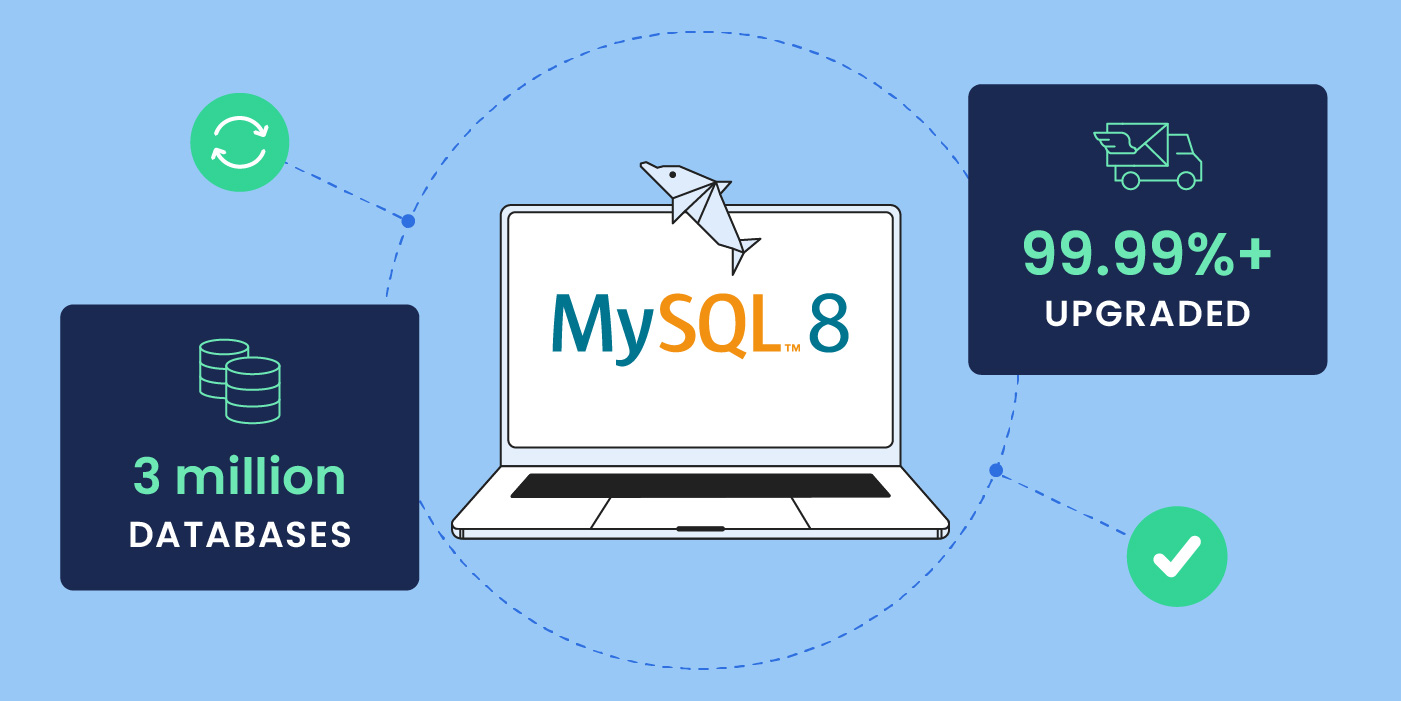
laptop with MySQL version 8 logo

A few weeks ago we initiated an upgrade to MySQL 8 across our servers. That came as a result of a long process of monitoring and testing the compatibility of this version with our clients’ websites, until we concluded that MySQL 8 is highly compatible with major applications hosted on our platform and safe to switch to.

MySQL is a fundamental piece of software in our stack, used by the great majority of our clients to power up their databases. Its optimal functioning has a great impact on the overall website performance and availability. That is why the SiteGround team dedicates a lot of resources to optimize and customize our MySQL, always aiming to squeeze out better and better performance. To achieve this goal over the years, we introduced various customizations such as our unique MySQL setup, and we carefully plan and test any new MySQL version upgrades, making sure the benefits outweigh the potential damages such an upgrade could bring. We are now confident that MySQL version 8 is largely compatible and our clients can safely take advantage of the enhanced database performance, scalability, and coding optimizations it brings along.

What is the plan for the MySQL update?

First, we would like to announce that all new websites created on our shared servers and all newly created cloud accounts now come with MySQL 8 by default.


Second, the migration process to MySQL 8 of existing shared sites is now in progress. Once our shared servers are updated, we will start updating the Cloud instances too. The process will continue in the next few months. According to our schedule, we plan to have migrated all our customers to MySQL 8 by the end of June this year.

To make the transition as easy and smooth for you as possible, we are sending you emails at least one week in advance to inform you on what dates exactly we are going to upgrade your website to MySQL 8. The upgrade procedure is performed late at night when the traffic to the server is minimal. A brief service interruption may occur while updating the software. No action is required on your side in relation to the migration.

What is new in MySQL 8?

MySQL 8 introduces a variety of new features and improvements of old functionalities all aiming to improve the overall performance and scalability as well as developer experience. Here are some of the most notable ones.

Better performance and scalability

MySQL 8 offers better performance and scalability. Benchmark tests show better results in terms of both performance and scalability for MySQL 8 compared to MySQL 5.7. The tests show that MySQL 8 is handling read/write operations much better and the number of processed transactions is much higher.

Furthermore, the tests show that MySQL 8 utilizes the hardware much better compared to 5.7.

Here are some of the improvements that make this possible:

  • Scaling Read/Write Workloads

MySQL 8 shows better performance on intensive read/write and more than 2 times better performance on high loads is observed compared to MySQL 5.7.

  • Better Performance upon High Contention Loads

Performance for high contention workloads has been significantly improved in MySQL 8. A high contention workload occurs when multiple transactions are waiting for a lock on the same row in a table, causing queues of waiting transactions.

In MySQL 8, such bursts are dealt with much better in terms of transactions per second and latency. That leads to better hardware utilization (efficiency), as the system needs less spare resources and can thus run with a higher average load.

  • Native partitioning/InnoDB Pool Enhancement

MySQL 8 supports native partitioning for the InnoDB engine. That allows you to split large tables into smaller partitions. This can improve query performance and reduce storage requirements, especially for large tables. The new MySQL version also introduces enhancements of the InnoDB pool. The pool is responsible for caching the data and reducing I/O operations.

Common table expressions (CTEs)

With the latest MySQL 8 version, you can now take advantage of common table expressions as well. A common table expression is a result set which exists only temporarily while executing a statement that can later be used in the same statement.

These CTEs allow for creating more complex queries by using simpler blocks, based on temporary tables. In other words, common table expressions allow the usage of named temporary result sets.

Default character change

The default character in MySQL 8 is changed to utf8mb4.

One of the most notable differences between utf8, utf8mb3, and utf8mb4 is the maximum number of bytes per character. While utf8 and utf8mb3 can only store characters in the BMP (Basic Multilingual Plane) of Unicode, utf8mb4 can store characters in the Supplementary Plane. utf8mb4 supports a wide range of characters, including emojis and other special characters.

Invisible indexes

Another new feature in MySQL 8 are the invisible indexes. Generally, indexes are used by the MySQL query optimizer to improve the speed with which data is retrieved, while invisible indexes are the ones that are hidden from the MySQL query optimizer and make it possible to test removing an index on query performance, without making a destructive change.

For example, if you are working with a very large table with a few indexes, and you want to optimize it further by removing certain indexes and adding new ones. Imagine that you know that you will need these indexes in the future. Removing them in the first place might be dangerous, because building them again later on takes lots of resources. To avoid this, you can now simply use invisible indexes – make some existing ones into invisible ones, test whatever you need with the new ones, and then bring them back, when needed, by making them visible again.

Why is now the right time to migrate?

As MySQL is such a fundamental technology, major updates happen rarely and take a long time to be universally adopted. MySQL 8 was first released in 2018, but it took several years for the majority of the websites and their underlying applications to become compatible with it. We were constantly monitoring the level of compatibility and have chosen the current update time, as we have seen that now the risk of negatively impacting a website with the upgrade has greatly diminished. Since the update started a few weeks ago, we have already seamlessly moved hundreds of thousands of sites to MySQL 8.

Introducing Google Workspace – The Ultimate Collaboration and Productivity Toolkit, Now at SiteGround

Introducing Google Workspace at SiteGround

In today’s digital world, the way we work has evolved significantly. Businesses and individuals alike need tools that enable them to collaborate efficiently, communicate effectively, and maximize productivity – regardless of location or device. That’s why we are thrilled to announce that SiteGround is now offering Google Workspace, the leading suite of collaboration and productivity tools trusted by millions of people and businesses worldwide.

What sets our Google Workspace offering apart is the seamless integration with our hosting services. As a SiteGround customer, you can now order and manage your Google Workspace plan directly from the same Client Area where you manage your hosting account. This means you have a single, centralized hub for all your digital services, making administration and management a breeze. And the best part – you’ll benefit from the same exceptional support you’ve come to expect from SiteGround, now extended to your Google Workspace.

Why Google Workspace?

Google Workspace brings together a powerful set of tools, including high-quota professional Gmail, Drive, Docs, Sheets, Slides, Meet, and more – all designed to help you work smarter and achieve more. Whether you’re a freelancer, small business owner, or part of a growing team, Google Workspace provides everything you need to streamline your workflow and take your productivity to new heights.

Professional Gmail with High Storage

First impressions matter, and having a professional email address that uses your own domain name can significantly boost your credibility and brand image. With Google Workspace, you get an ad-free Gmail account that offers ample storage space (up to 5TB per user), advanced spam protection, and a host of email management features. Say goodbye to generic email addresses and hello to a polished, professional online presence.

Supercharged Productivity

Google Workspace equips you with a suite of intuitive, cloud-based tools that make creating, storing, and managing documents and files effortless. With Google Docs, Sheets, and Slides, you can easily create and edit documents, spreadsheets, and presentations, while Google Drive provides secure cloud storage for all your important files. These tools are designed to work seamlessly together, allowing you to access, edit and manage your work from any device, anytime – even offline. 

By simplifying your workflow and enabling you to get more done in less time, Google Workspace helps you focus on what matters most – growing your business.

Seamless Collaboration

Effective communication and collaboration make all the difference when working in teams or doing business online. Google Workspace offers a range of powerful tools to help you stay connected and work together efficiently, no matter where you are. 

Google Meet allows you to host high-quality video conferences with team members, clients, or anyone else, while Google Chat provides instant messaging capabilities for quick, informal conversations. 

With Google Calendar, you can easily schedule meetings, manage your time, and stay on top of deadlines. These tools work together seamlessly, making collaboration feel effortless and natural.

Superb Support & Management by SiteGround

By getting your Google Workspace with SiteGround, you not only benefit from the convenience of unified billing but also gain access to our top-rated 24/7 support. With SiteGround’s commitment to exceptional customer service, you can rest assured that any questions or concerns will be addressed promptly and professionally. Plus, you can easily manage your Google Workspace subscription directly from your SiteGround Client Area for a seamless, all-in-one management.

20 Years SiteGround: 20 Lessons from Two Decades in Business

20 years SiteGround

In 2024, we celebrate a huge milestone – 20 years in the web hosting business. In our dynamic sector, such milestones are not only markers of time, they are indicators of hard work, adaptability, striving for excellence, and staying true to your values. Our journey was filled with all of that and a lot more!

For two decades, SiteGround has been at the forefront of the web hosting industry, helping millions of creative and ambitious individuals start their online presence. Our journey has been nothing short of inspiring, filled with challenges, growth, learning, and most importantly, the loyalty and support of our clients and partners.

A Look Back

The story of SiteGround began in 2004 with a dream: we wanted to create a hosting service that redefines the standards in this field. We weren’t happy with the level of service offered at the time, so we rolled up our sleeves to build the service we would like to use ourselves. In the beginning, our team was very small and everyone was doing everything, wearing multiple hats. At the end of the first intense year, we got a few hundred clients.

Today, SiteGround is a family of over 500 smart, enthusiastic, and hardworking people. Our hosting platform is home to more than 3 Million domains, and our data centers are spread over 6 continents. All these achievements are the result of our commitment to excellence, innovation, and customer satisfaction.

20 Valuable Lessons from 20 Years in Business

Through the past 20 years, we’ve witnessed many changes and developments – in technology, in our industry, in consumer behavior, and in the way people work. We’ve also learned invaluable lessons along the way.

We feel these extend beyond the web hosting field and apply to any online venture or business. From adapting to technological changes to creating strong client relationships, each experience has helped us grow. For our 20th anniversary, we want to share the lessons we learned, hoping to help you on your way to success.

And that’s not all – on our 20th-anniversary website, you will also find links to our special giveaway featuring exclusive 20th-anniversary merch. Join us in celebrating this milestone and stand a chance to win limited edition SiteGround swag.

A Big Thank You

As we celebrate our 20th-anniversary milestone, we do so with gratitude to our clients who have entrusted us with their websites and businesses, to our team members for their dedication and passion, and to our partners for their loyalty and cooperation. We begin our next chapter with even more enthusiasm for the opportunities ahead, and commitment to keep our top-notch hosting service. Here’s to the next 20 years of success together!

Email Marketing Service Updates: More value and flexibility to boost your email marketing success [January]

SiteGround Email Marketing January Updates

SiteGround Email Marketing tool keeps getting better and better! This month alone, we launched several exciting new features that make it even easier to collect leads, create emails and send campaigns, and get results!

Integration with Elementor Pro and Contact Form 7 plugins

Our main mission is to help you collect and turn website visitors into paying customers using email marketing. That is why we created a Lead generation plugin for WordPress that makes it easy to add subscription forms to your site. Plus, we are proactively building integrations with other popular WordPress lead generation plugins that will automatically add new leads to your SiteGround Email Marketing tool, and have more options to grow your list.

Our latest integrations serve the users of Elementor Pro forms and Contact Form 7. If you have any of these plugins installed on your website, you need to add and activate SiteGround’s Lead generation plugin, which will start doing its magic and automatically populate your leads from Elementor Pro or Contact Form 7 into the Email Marketing tool.

Use any domain to send emails with our tool

You can now send email campaigns through our Email Marketing tool using any domain, even for websites not hosted by us. This means you can add SiteGround Email Marketing to all your sites, regardless of where they are hosted. This new feature extends our services to a broader range of domains, offering you more flexibility and options to grow your marketing efforts.

The success of your emails equally depends on your copy and your images. While email copy writing is already really easy with our integrated AI writing assistant, getting fancy images for your emails has been a wild card. Many users would either shop stock photos or hire photographers to create custom looks for their campaigns. Pretty costly and time-consuming. That is why we are now excited to introduce our free AI-generated image gallery – with tons of images across topics and styles, it allows you to build engaging emails easily, quickly, and at no extra cost!

Save your custom email templates

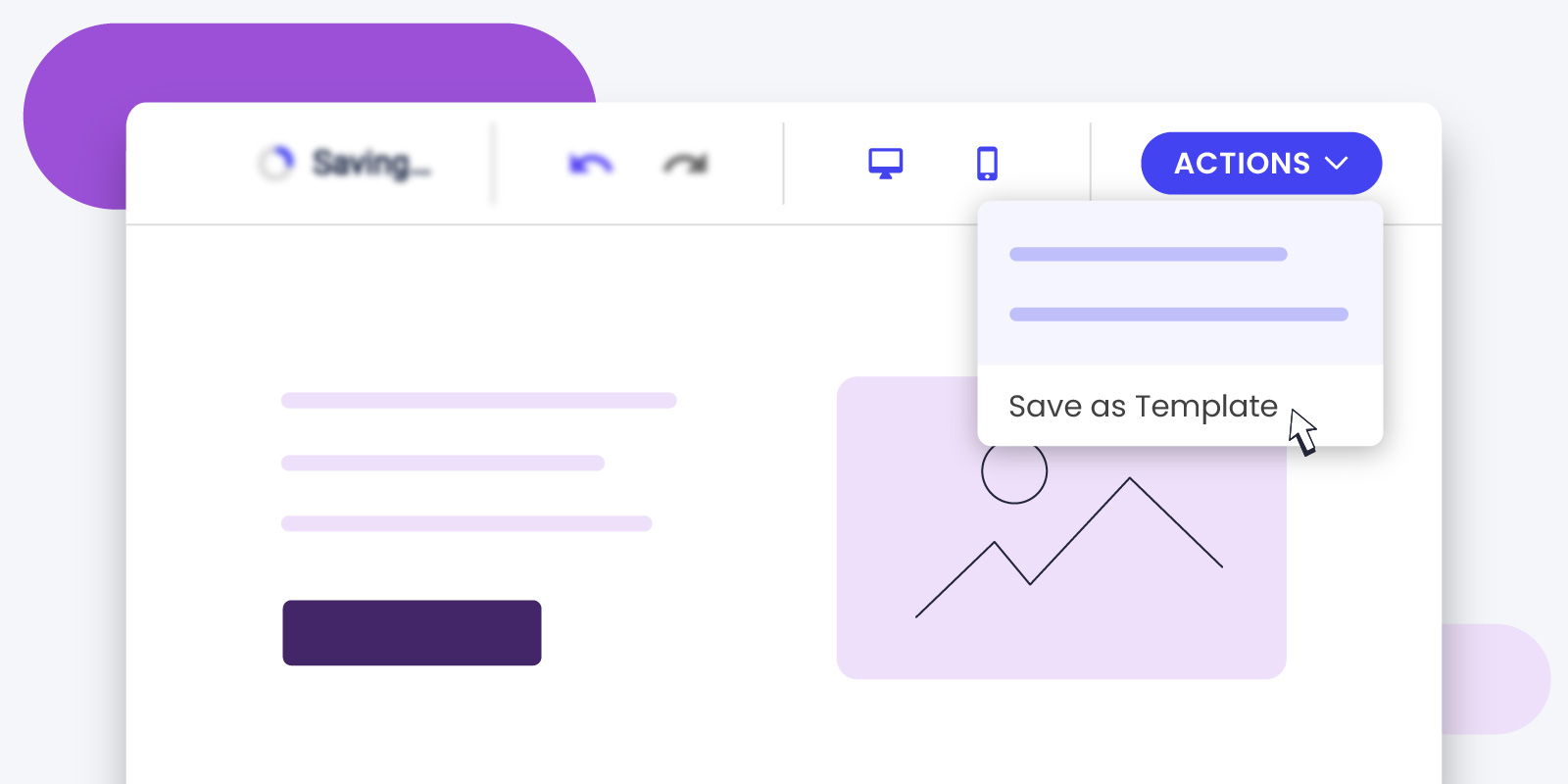
By popular demand, SiteGround Email Marketing users can now save custom templates. Imagine you create an email design you love. Now, you can save it and use it again whenever you want. This means you don’t have to start from scratch every time you send an email, and your emails will look consistently awesome!

Add bullet points and numbered lists 

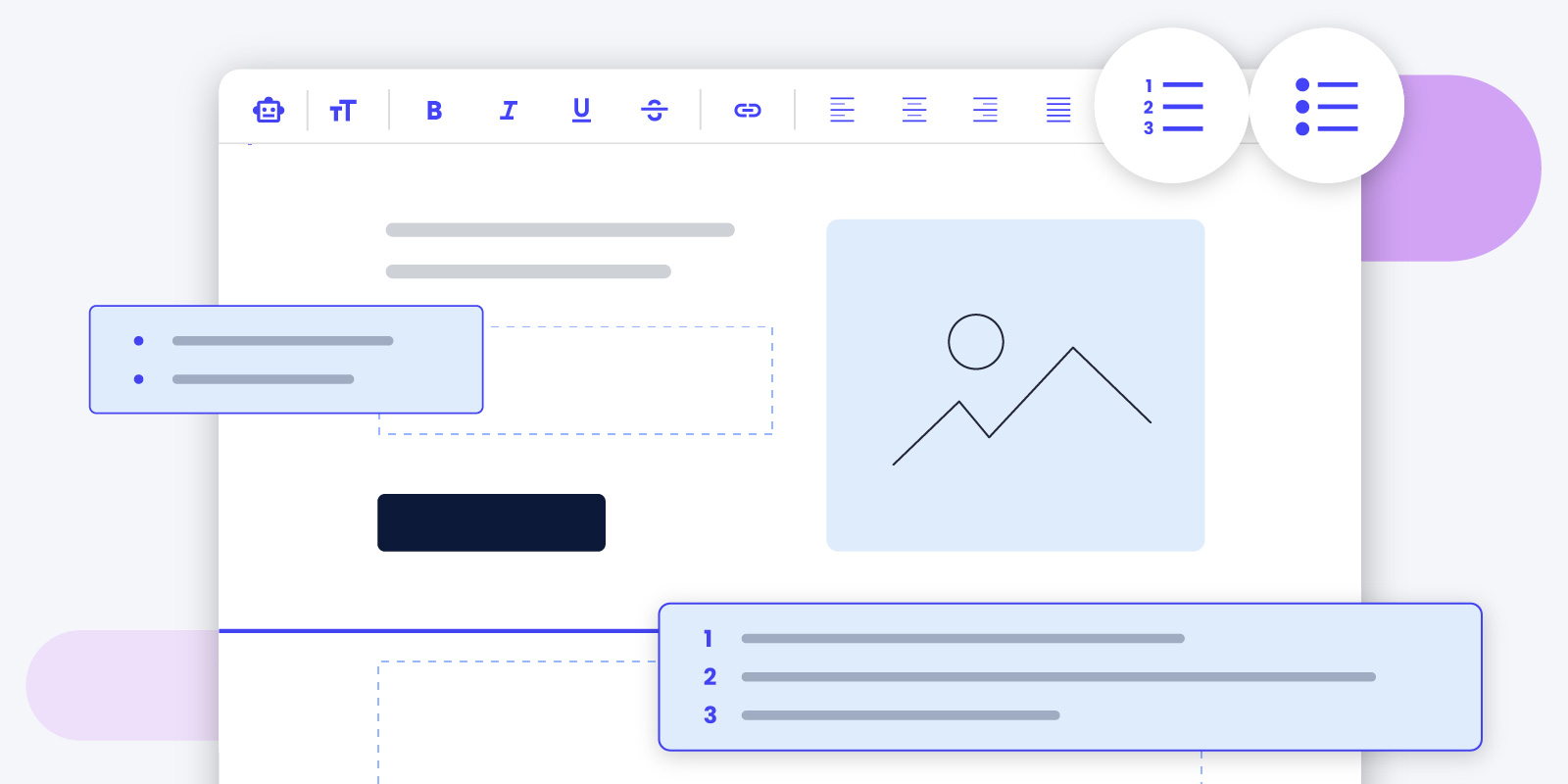
You can now use bullets and numbered lists to organize and structure your content in a more easily readable format. Bulleted and numbered lists break down information into manageable chunks, making your emails easier to skim and understand, which is very important considering the attention span we people have nowadays. And it also highlights key points, increasing the likelihood of your audience taking the desired action. This feature is designed to improve user experience and engagement, ultimately boosting your email’s success.

New Email Marketing Features: AI Email Writer, Scheduling Emails, and more

New Email Marketing Features: AI Email Writer, Scheduling Emails, and more

The shopping season is upon us, and screens worldwide are about to start glittering with attractive deals. But here’s the burning question: How does your business break through the clutter and make those sales? 

Well, email marketing is your powerful ally and here at SiteGround you have the perfect tool to capture its potential. Designed for ease, our tool ensures even beginners can create and deliver professional emails that drive results. Even more, right on time for Black Friday, we are launching  fresh-out-of-the oven features – from special, pre-made Black Friday and Cyber Monday email templates and an AI email writer to smart scheduling options and a sprinkle of playful emojis.

Black Friday & Cyber Monday Email Templates That Help You Sell

Black Friday and Cyber Monday are fast approaching! And with so many preparations to do in so little time, your email marketing could be up for a challenge. But don’t worry, we’ve got you! To make sure your email campaigns are a success, we’ve made a set of pre-designed templates, which empower you to launch impactful email campaigns with just a few clicks. Dive in, make a few finishing touches and send away with ease.

Black Friday & Cyber Monday Email Templates That Help You Sell

AI Email Assistant That Writes For You 🤖 

Have you ever sat down to write an email and found that the words just won’t come? We’ve been there, staring at the black screen, the clock ticking away. But here’s the good news. With our powerful AI email writing assistant, those frustrating moments are a thing of the past. Just share a bit about what you want to say, set the mood, and watch the AI email writer craft the perfect message for you. 

AI Email Assistant That Writes For You

Scheduling Emails To Reach Your Audience At The Perfect Time

In the world of email marketing, timing can be the difference between engagement and being overlooked. That’s why we’re thrilled to introduce our new scheduling feature. Now, you can plan your email campaigns in advance, having the freedom of sending them whenever you want and ensuring they reach your audience at the perfect time. Whether you’re targeting early birds or night owls, different time zones or else, this feature ensures your emails land in the inboxes at just the right time.

Scheduling Emails To Reach Your Audience At The Perf

Supporting Emojis, Supporting Your Freedom of Expression 😍

In the digital age, emojis are the new universal language. And guess what? SiteGround’s email tool is now fluent in it! We now support emojis, allowing you to add a bit more character and flair to your emails. Whether it’s a smiley face to brighten someone’s day or a thumbs up for a job well done, let your emails speak louder and more expressively. 

Supporting Emojis, Supporting Your Freedom of Expression

We can’t wait to see how these new features transform your email campaigns and business results! As always, our mission is to make your online journey as delightful as possible, and we’re here to support you every step of the way. 

Block Sophisticated HTTP Attacks with SiteGround CDN’s ‘Under Attack’ Mode

SiteGround CDN under attack mode security for websites

As a leading provider of web hosting services, at SiteGround we continually strive to offer the most advanced and reliable solutions to our customers, with a strong focus on website security. In our latest Website Horror Stories series for #cybersecuritymonth, we even gathered real stories of webmasters who suffered some kind of website attack or hack, which could have easily been avoided with our suite of website security services. Now we’re excited to announce a new feature addition to our security features – ‘Under Attack Mode’, part of SiteGround in-house CDN.

Our hosting services already encompass robust network attack protection. Our Distributed Denial of Service (DDoS) protection effectively blocks a significant percentage of malicious traffic, ensuring your websites remain accessible and secure. But despite the effectiveness of all our website protection systems and security features, some HTTP attacks are more sophisticated and can circumvent traditional solutions. To further fortify your website’s defenses against these advanced threats, we’ve developed the new ‘Under Attack Mode’ feature, now part of our SiteGround CDN service.

Understanding SiteGround’s ‘Under Attack Mode’

SiteGround CDN’s ‘Under Attack Mode’ adds an additional layer of protection against potentially malicious HTTP traffic. If your website is under an HTTP attack, it’s immediately overloaded with fake traffic requests, usually coming from malicious bots, which makes it inaccessible for real users. 

When turned on, our Under Attack feature challenges website visits with an automatic CAPTCHA, verifying that they are humans and not bots. It leverages JavaScript to perform automated mathematical calculations in the visitor’s browser. While these calculations are being processed, the end visitors see a loading message for a few seconds. Once the challenge is solved, indicating the visitor is most likely a real human, the system automatically redirects them to the website. This means your website will remain accessible to your real users even if it’s under attack – legitimate traffic will be allowed to proceed to your site, while we block the fake bot traffic.

How to Enable Under Attack Mode

Our ‘Under Attack Mode’ is available as part of our Premium CDN plan. If you’re looking for a way to further enhance the security of your website against sophisticated HTTP attacks, our paid plan now offers this advanced feature, together with a myriad of speed and security enhancements.

Once you’re using SiteGround CDN’s Premium plan, enabling the ‘Under Attack Mode’ is simple. It can be activated per domain name from the Site Tools management interface. Once enabled, the ‘Under Attack’ mode feature operates for a period of 24 hours, after which it is automatically disabled by the system.

Please note that while ‘Under Attack Mode’ is enabled, some third-party website analytics tools may not function correctly, as they may not be able to pass the challenge. This is why the feature is automatically disabled after 24 hours – to prevent any prolonged disruption to your website analytics.

SiteGround CDN’s ‘Under Attack Mode’ applies to all website visitors and all traffic towards the domain. This means all requests – from real users, bots, to API requests from third-party systems – are challenged, ensuring comprehensive protection.

Conclusion

Our latest SiteGround CDN security feature, the ‘Under Attack Mode’ is a testament to SiteGround’s commitment to providing superior security for our users. We understand the evolving nature of web threats and continually innovate to offer features that keep your website safe and accessible. Stay ahead of the curve with SiteGround CDN’s ‘Under Attack Mode’.

[subscribe_cta]

Revolutionizing Customer Support: Welcome to the Future with SiteGround’s AI Assistant

ai bot answering to clients' questions

In the relentless race to provide unparalleled client satisfaction, companies continually evolve. We, at SiteGround, have proven to be the front-runners when it comes to innovation and improvement. Yet again, we’re embarking on a groundbreaking venture that’s set to redefine your customer support experience – with our new integrated AI assistant in your HelpDesk.

The Game-Changer – Instant AI in your Help Desk!

Gone are the days when you would type in a query and be directed to countless articles to sort through until you find the most relevant one, leaving you even more overwhelmed. Say hello to our cutting-edge Instant AI HelpDesk! It is powered by ChatGPT but heavily trained by SiteGround’s AI engineers and backed by expert prompt engineering, to provide accurate answers and address our clients’ specific inquiries via a broad spectrum of frequently asked questions and manual grading of responses.

The Evolution of AI in SiteGround’s Support Journey

Our AI journey started years ago with an AI-powered search feature. A fantastic tool, it seamlessly directed you to relevant articles within our extensive Knowledge Base. But now, we’re elevating that experience with the integration of ChatGPT by OpenAI. Not only does our AI Assistant fetch all relevant articles, but it also comprehends and consolidates the information to give you a precise response, crafted just for you! Imagine a world where AI doesn’t just find the right answer, but understands and delivers it as if it’s directly responding to a question in conversation. That’s our new reality!

Staggering Accuracy, backed by Fine-tuning and Stellar Prompt Engineering

Our specialized AI team has been burning the midnight oil, ensuring that our AI Assistant is not just smart but ‘SiteGround Smart’. Using the power of both GPT-3.5 and GPT-4.0, fine tuning AI models and taking advantage of expert prompt engineering, ensures swift, accurate, and tailored responses for our customers. Here are the facts:

85% of the answers from our AI Assistant hit the bullseye! To be more accurate: a total of 96% of the replies generated by our AI Assistant are correct, but needed a bit more polishing to match the high standards, tone of voice and level of helpfulness that we’re after.

These staggering numbers in just a few months of work are a testament to the significance of fine-tuning models, constant prompt engineering improvements and the enthusiasm our team has invested into creating one more trendsetting tool for our clients’ convenience.

Engage, Explore, & Elevate Your Experience

Available exclusively for our valued SiteGround customers, you can reach our AI Assistant anytime via Client Area > Help Center > Instant AI Help. Each answer is a goldmine of information, often laced with links for a deeper dive. And guess what? We’re counting on you to make it even better! At the end of each response, we’ve provided a quick rating system. Your feedback is our treasure, guiding us to refine and perfect.

Join the AI Evolution

The beauty of AI lies in its potential to learn and evolve. As you engage with it, our AI Assistant sharpens, ensuring you always get the right solution, in an instant. Based on your direct feedback, we’re also expanding and improving our extensive Knowledge Base even more – we’ve added over 60 new articles and topics after the introduction of our AI Assistant.

Dive into this futuristic experience now and be part of our AI revolution. We’re waiting for your feedback! With SiteGround, the future isn’t tomorrow; it’s today!

[subscribe_cta]

Improved SiteGround Email Marketing Tool, Now With Lead Generation Plugin for WordPress

Improved SiteGround Email Marketing tool, now with lead generation plugin for WordPress

Crafting a successful online presence is an on-going process. From curating engaging content to showcasing your standout products or services, you’ve done it all. But despite all your efforts to engage users on your website, do you still find visitors leaving without taking any action? It’s time to transform those missed opportunities into meaningful connections.

At SiteGround, we totally get the ups and downs of building an online presence. So, here’s some good news: we’ve just improved our SiteGround Email Marketing tool with the new Lead Generation Plugin for WordPress. We crafted an easy way to encourage visitors to engage, subscribe to your email list, and become part of your brand’s journey. Even if you’re new to email marketing, we’re here to sprinkle a bit of magic on your journey.

Build your email list and generate high-quality leads with SiteGround

Lead generation is about connecting with real people who genuinely vibe with what you offer. Your website? That’s where you can find high-quality leads. And, with SiteGround’s new lead generation plugin and email marketing tool, you can attract them with sign-up forms, nurture your leads and clients, and ultimately, increase conversions.

Easy plugin setup and integration

If you’re new to building an email list, don’t worry! Just download and activate our new lead generation plugin for WordPress. Easily connect the plugin with your SiteGround email marketing account, so anyone who signs up will automatically land in your contacts as a “Subscriber”.

Create a form in minutes

Easily create your sign-up form and greet your new subscribers with a “successful subscription” message. Plus, you can assign Groups for each form you make for precise audience segmentation. This ensures that the right message always reaches the right person.

Add a form on your site with ease

SiteGround makes it easy to embed a form on your website, allowing you to connect with users and grow your mailing list. Once you create your form, we’ll provide a handy shortcode for you to place wherever you like on your website. Alternatively, you can seamlessly integrate the form using WordPress Blocks within your WordPress editor – just search for our plugin and pop it in.

Built to match your brand

Whether you use Gutenberg or Elementor for your website, our forms seamlessly adapt to your website’s style, ensuring a consistent brand look. Plus, you can tweak fonts and colors to suit your taste perfectly within your WordPress editor.

More ways to engage

Our plugin seamlessly integrates a sign-up checkbox into your WooCommerce checkout and standard WordPress forms. This gives visitors various and convenient ways to hop onto your mailing list.

Why embed a form on your website?

Putting a form on your website is a smart move. Here’s why: 

Build your email list

Collecting email addresses to build your mailing list is the starting point for any email marketing campaign. It allows you to nurture relationships, share updates, and promote special offers directly to those who have shown interest in your brand.

Engage your audience

Adding a form to your website creates an opportunity for visitors to connect with your brand. This establishes a direct line of communication and helps engage your audience, turning casual visitors into loyal customers.

Market your brand with easy email marketing

Build and grow your email list with our new lead generation plugin for WordPress and start sending the right message to the right audience with our intuitive SiteGround Email Marketing tool. Craft compelling campaigns to engage your audience and drive growth, creating a full brand experience.

Ready to boost your email marketing? If you’re a SiteGround client, simply log into your Client Area -> Marketplace -> Email marketing. Once you’ve added the service, you can easily find and download our lead generation plugin in the SiteGround Email Marketing Dashboard under Contacts -> Connect WP Site.

PHP 8.3 (Beta 3) Is Now Available for Testing on SiteGround Servers

PHP elephant and laptop monitors

We are excited to announce that PHP 8.3 (Beta 3) is now available for testing on all SiteGround servers. Yet, again thanks to our unique multiple-PHP server setup, we are able to provide the latest PHP versions safely to anyone who wants to test them, almost immediately upon their official beta release. This means we are once again among the first companies to offer PHP 8.3 (Beta 3) for testing on our hosting platform 🎉🎉🎉. 

Continue reading this blog post to discover more about the new features of the latest PHP version.

PHP 8.4: Stay Updated! 🚀 Check out our latest blog post to explore the newest features and enhancements in PHP 8.4.

New Features

Let’s delve into some of the new features that PHP 8.3 Beta 3 brings to the table. This version may not be highlighted by sweeping changes or major upgrades, but it introduces a few key features that could significantly enhance the PHP development experience.

gc_status() Returns Additional GC Information

Long-running daemons and cron jobs have always been a weak part in PHP in general. However, with PHP 8.3, the gc_status() function now returns additional garbage collection (GC) information. This is a significant improvement for developers who need to manage memory usage in long-running scripts. More information about this feature can be found here.

class_alias() Supports Aliasing Built-in PHP Classes

Another exciting feature in PHP 8.3 is the ability to alias built-in PHP classes using the class_alias() function. This allows PHP developers to hook up into built-in classes and overwrite classes or declarations in them. This feature opens up a world of possibilities for extending and customizing the behavior of built-in PHP classes.

json_validate() Function

Another exciting addition in PHP 8.3 is the json_validate() function. This function validates if a string contains valid JSON, providing a more efficient alternative to userland implementations that use json_decode(). The json_decode() function generates a ZVAL (object/array/etc.) while parsing the string, using memory and processing that could be saved. The json_validate() function uses the same JSON parser that exists in the PHP core and is used by json_decode(), ensuring that what is valid in json_validate() is also valid in json_decode().

Changelog  with all language and library changes in PHP 8.3 could be find at https://wiki.php.net/rfc#php_83 

How to test PHP 8.3 (Beta 3) on SiteGround Servers

Now, with a one-button click in your SiteTools -> Devs section you’re able to replace the current PHP version used by your website with PHP 8.3 (Beta 3). It is important to emphasize on the fact that this is PHP 8.3 in its Beta 3 version. This means it is available for testing purposes mostly and as always we strongly advise you not to use it at your production site before the stable release date (November 23, 2023). If you want to test it with an existing site, set up a new site for testing, clone your production site into it, and play with that – our WordPress Staging tool is perfect for that purpose. When you are done, you can just delete it.

As you explore your new testing environment, check your log files after every test. Make sure nothing fails and see if any new warnings or errors pop up.

Wrap Up

PHP 8.3 Beta 3 may not be marked by major upgrades, but it introduces a set of key features that could significantly enhance the PHP development experience – improvements to readonly classes, the new gc_status(), class_alias() and json_validate() functions, additions to the recently added Randomizer class, stack overflow detection, and more. That is not it for sure but there is enough time to “play” with the new PHP 8.3 (Beta 3) version and explore all sidekicks it might bring on before the official release. 

Last but not least – remember, at SiteGround, we are committed to providing our clients with the latest and greatest in PHP technology well ahead of the others. Stay tuned for more updates and happy coding with PHP 8.3 (Beta 3)!

[subscribe_cta]