Stay up to date with the latest SiteGround product updates, new features, and improvements designed to enhance your website’s performance, security, and hosting experience.
Since we launched SiteGround Website Builder last year, thousands of you have used it to build websites, open online stores, and grow your online presence. We’ve been building right alongside you, working to give you a more powerful design experience, stronger ecommerce capabilities, and the tools you need to do more with your site at every stage.
Today, we’re announcing a major new version of SiteGround Website Builder. It’s a significant step forward for the entire platform, and it comes with new dedicated plans designed around how you actually build and grow online.
More design freedom with new drag-and-drop builder
At the heart of the building experience is a grid-based drag-and-drop editor that gives you full creative control over your layout. Place any element (text, images, buttons, forms) exactly where you want on the page. Drag it, resize it, layer it. Smart alignment guides keep everything polished, but the design is entirely yours.
And the control goes well beyond layout. Choose independent colors for any component. Select different fonts for each heading type and paragraph. Crop images directly on the canvas. Fine-tune borders and corner rounding. You have full control to customize your site.
Start from a professionally designed template, bring in ready-made sections and blocks, or build from scratch. Use the AI assistant to generate copy, pull from the built-in image gallery, and let automatic mobile optimization handle the rest. Whether you spend twenty minutes or two hours customizing, the result is a site that looks like it was built specifically for your brand.
A complete ecommerce platform, built right in
A professional website is a great starting point. But if your goal is to sell online, you shouldn’t need a separate platform to make it happen.
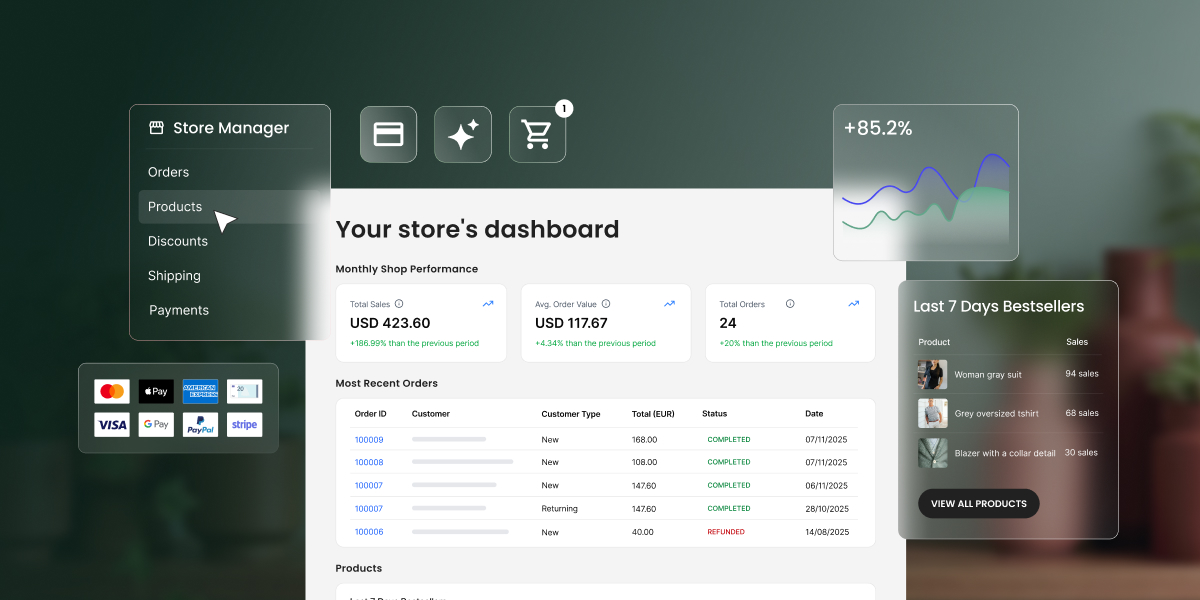
SiteGround Ecommerce lets you run a full online store from the same place you design your site. Go from zero to selling in hours, not weeks. No plugins, no third-party integrations, no separate systems to learn.
Start with a store template designed to showcase and sell your products effectively, then customize it to match your brand. From there, you have everything you need to get selling:
Setup your online store
Products. Sell physical goods, downloadable products, or services. Add product variations, upload images, and manage your catalog in bulk. The built-in AI assistant helps you generate product titles, descriptions, and categories, so you can populate your store faster.
Payments. Accept payments with multiple options right out of the box. Your checkout is optimized for conversion, following ecommerce best practices, and runs at your own domain.
Shipping and taxes. Set shipping rules in minutes with easily modifiable shipping zones. Tax calculation is built in and customizable.
Order management. Process orders, issue refunds, and manage deliveries from a single dashboard. Track inventory at a glance, including low stock alerts and best-selling products.
Customers. View customer information, monitor purchase behavior, and let buyers create accounts to track orders and come back easily.
Grow and convert better
Discounts and promotions. Create targeted offers with full control over discount types, duration, and availability. Launch immediately or schedule for a specific date. Add wishlists so shoppers can save products and return when they’re ready.
Product feeds and tracking. Connect your store to social platforms, Google Merchant Center, ChatGPT feeds, and Meta Commerce Manager for multi-channel selling. Track performance across channels with Google Tag Manager and Meta Pixel integrations.
SEO and analytics. Built-in SEO tools with automatic sitemaps, SEO-friendly URLs, and AI product categorization help your products get found. Real-time analytics for orders, sales, and traffic let you see what’s working and where to focus next.
Everything you need to launch, manage, and grow an online store without stitching tools together.
New plans designed for each phase of your growth
As the SiteGround Website Builder has grown from a simple site creator into a full platform for building, selling, and growing online, we’ve introduced dedicated plans to match. Each plan is tailored to a different stage of your journey.
All plans include premium SiteGround hosting, powerful AI tools, and 24/7 expert support. And you can try any plan free for 14 days with full access to every feature, no credit card required.
Your feedback shaped every part of this upgrade, from the grid editor to the ecommerce toolkit to the plans themselves. Now we want you to try it for yourself.
Start a free trial, start building, and tell us what you think.
Managing a WordPress site means endless clicks, repetitive tasks, and hours spent in the admin dashboard. But what if you could trade all of that for a simple chat with AI?
The SiteGround AI Agent for WordPress makes this (and so much more) possible.
What is the AI Agent for WordPress?
The SiteGround AI Agent for WordPress is an AI-powered assistant that connects directly to your WordPress installation and executes real changes on your site – not just suggestions or generated text, but actual site management. It transforms tasks that typically take hours of manual WordPress admin work into minutes of simple conversation, freeing you to focus on growth and productivity.
The AI Agent for WordPress is part of the recently launched SiteGround AI Studio service, where clients get access to chat with multiple AI models and 15+ AI agents, and is available for free to all SiteGround customers with 20,000 AI tokens monthly. The AI agent for WordPress connects directly to your WordPress sites and lets you manage content, plugins, WooCommerce, users, and more through natural language prompts, saving you precious time and reducing the learning curve and technical barriers to maintaining a successful website.
Why SiteGround’s AI Agent for WordPress is a game-changer?
The AI Agent for WordPress is a game-changer for bloggers, WooCommerce store owners, and agencies who want to spend less time on WordPress admin and more time growing their business. Unlike AI writing plugins that generate text for you to copy and paste, the AI Agent works directly on your live site – it creates, edits, publishes, updates, and deletes on your behalf.
Execute tasks in minutes, not hours – Tasks that used to eat up your afternoon now happen while you take your coffee.
Do bulk actions at scale – Update 200 images, translate 50 products, restructure an entire taxonomy. Even manage multiple WordPress sites simultaneously. One prompt can handle them all.
No WordPress expertise required – You won’t get instructions to follow or code to insert. The agent performs the actual task on your WordPress site based on what you ask, making it accessible to beginners and non-technical users alike.
Delegate entire AI Agent workflows for WordPress – Hand over not just the boring small stuff, but entire workflows, asking the AI assistant for WordPress to execute multiple consequential steps to a complete solution.
Reduce errors – The agent not only performs, but also protects you from irreversible mistakes, thanks to the “Power mode” feature available. The SiteGround AI Agent Power Mode safety guide explains the permissions, confirmation steps, and live-site precautions.
What can the AI Agent for WordPress do?
Among AI plugins and AI agents, SiteGround’s AI Agent is the most powerful AI tool for managing WordPress sites right now. Here’s an overview of its capabilities:
Complete content management
Content management is where most WordPress site owners feel the daily grind. SiteGround’s AI Agent for WordPress transforms this entire experience, letting you accomplish in minutes what used to consume hours of scattered admin work.
Create, edit and publish blog posts
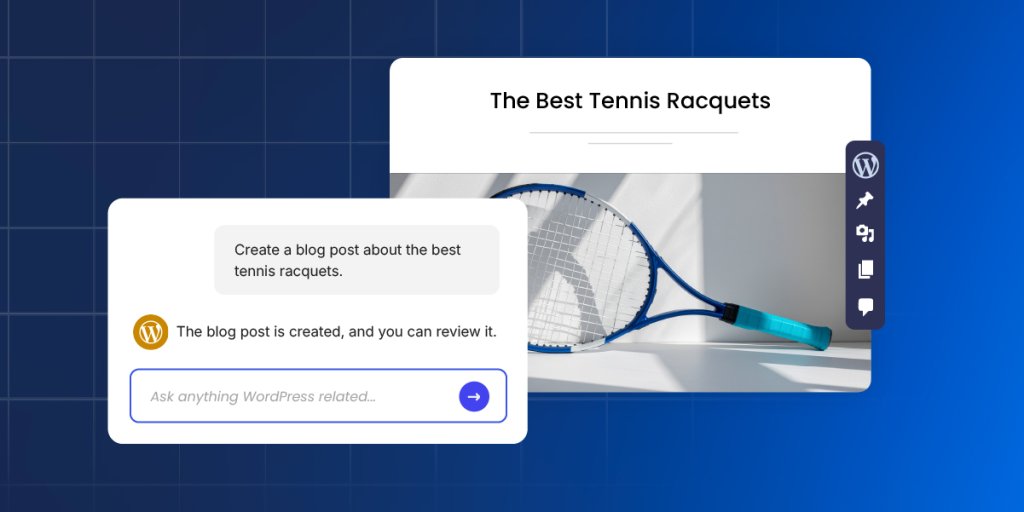
The AI Agent is able to create posts in WordPress, generate the necessary content, including text and images, assign them to the right categories and add tags, upload media files, and publish them when you’re ready. A single prompt can replace the entire manual workflow of drafting, formatting, categorizing, and scheduling, saving you significant time and effort on every piece of content you create. See these AI Agent for WordPress prompt examples for clear, review-friendly requests you can copy and adapt.
Updating old content is also a piece of cake. Ask the agent to make specific updates, and it makes only thetargeted changes while leaving everything else untouched. Your Gutenberg blocks stay perfectly formatted. Your shortcodes keep working.
Build site structure and pages
The agent creates and edits pages the same effortless way, whether it is a simple About page, a complex Services page with multiple sections, or an entire site architecture with parent-child page hierarchies.
What is more, you could give the agent a sitemap – just describe it or paste your planned page structure – and it creates all the new pages with proper hierarchies, builds your navigation menus (primary, secondary, footer), and assigns each page to the right menu. A full day of clicking through WordPress admin becomes a single conversation.
Organise content with categories and tags
You can have the AI agent create new categories and tags, update existing ones, rename them, change their slugs, or delete them entirely. It handles successfully complete taxonomy restructures – merging categories, creating new hierarchies, and reassigning posts to different tags.
Optimise for search engines
The agent generates metadata for new WordPress posts and pages and identifies missing such for your existing content – SEO titles, meta descriptions, keywords, alt text, and captions.
Point it at a media library with 200+ product images, and it adds the needed metadata for each one, maintaining consistent keyword usage throughout. That’s 800+ individual fields – a week and a half of mind-numbing work, finished in an afternoon.
Manage media
Upload images and files to your media library, then let the agent handle the metadata. Or point it at your existing library and have it update titles, alt text, captions, and descriptions across dozens or hundreds of files. The agent identifies unused media files bloating your library, deletes the clutter, and helps reorganize what’s left.
Moderate comments
The agent retrieves comments from any post, shows you what’s been submitted, and handles moderation. Approve pending comments, delete spam – all through conversation instead of endless clicking through the Comments section.
WooCommerce store management
WooCommerce store owners know how overwhelming store management can be. Small tasks multiply quickly, and before you know it, store administration consumes hours that should go toward marketing, customer relationships, or strategic planning. SiteGround’s AI Agent for WordPress removes this overhead entirely – you manage your store through the same conversational interface you use for everything else.
Create, organize, update, delete products
Tell the agent to create or update one or multiple products and specify the details in your own words.
Create one or multiple products from a prompt
Instantly build or reorganize your entire product category hierarchy from a single spreadsheet
Make bulk price updates across hundreds of SKUs
Request seasonal description changes for your entire inventory
Add new attributes to all items in a category
Update stock levels across multiple product lines
Delete products through a prompt with “Power mode” On
For example, you can say “Reduce all prices in the Summer Collection by 20%” – one prompt, and it ripples through your entire catalogue. Updates that would eat up a full day of copying, pasting, and double-checking happen in minutes.
Manage orders
The AI Agent helps you handle orders more quickly and efficiently, keeping your customers happier.
Ask AI to find specific orders and pull details instantly – customer information, items purchased, status, shipping address, and payment method.
Change order statuses from ‘processing’ to ‘shipped,’ or modify details like client address.
Reply to customer inquiries faster and better with relevant information retrieved and processed by AI.
Track store performance
Sales reports, trends, bestselling items, customer growth, coupon usage – get all the data you need delivered to you through a quick question to the AI agent.
Ask the agent about your sales and it not only retrieves the data – for this week, this month, last month, this year, or any custom date range you specify, but also analyzes it, reporting on changes you need to watch out for.
Want to know what’s selling best? The agent identifies your top-performing products, filtered by whatever time period matters to you.
Translate product catalogues
Expanding into new markets stops being a choice between expensive human translators and awkward machine output. Ask the AI agent for WordPress to translate your entire product catalogue in your target language and brand tone. It will do it with commercial awareness – copy that sounds like it was written by a native speaker and expert marketer in one. Technical specifications stay accurate. HTML formatting stays intact. Products with complex details get translated without the budget you’d normally need for professional localisation.
Technical website maintenance
Every WordPress site needs ongoing maintenance – plugin and theme updates, security audits, user management, and performance optimization. It’s the work that keeps your site secure and fast, but rarely feels like a good use of your time. The AI Agent acts as your expert technical assistant, taking the entire burden off your shoulders.
Update general WordPress settings
Site title, tagline, timezone, date format, permalink structure – the core settings buried in your WordPress admin are all accessible through a simple chat with the AI agent. Tell it to change your site’s tagline or adjust how dates display, and it makes the change.
Manage plugins
Keeping your plugins in order is one of the most critical and often tedious parts of WordPress maintenance that AI can handle for you. Between the constant update notifications, the fear that an update might break your site, and the security risk of old, forgotten plugins, it’s a job that never ends – and one that AI can help you with.
Find and install plugins: Tell the agent what kind of plugin you need and it will locate the best option, install it, and even activate it for you.
Plugin updates: You can ask it to update a single or multiple plugins at once to their latest versions. For total peace of mind, you can even tell it to back up your site before running the updates.
Deactivate and delete plugins: Instead of manually deleting old, deactivated plugins, you can simply tell the agent to identify them and do it for you.
Audit your plugins: Not sure what’s even running on your site? Ask the agent, “Give me a list of all installed plugins and their status.” You’ll get a clean audit, helping you spot outdated or unnecessary extensions that could be slowing you down.
Handle themes
Theme management with the AI agent works the same way as the plugins maintenance. Tell the agent the name of a theme or describe what you’re looking for, and it finds and installs it for you.
Ask for an audit, and this AI tool for WordPress lists every installed theme with version numbers and update status. Unused themes get identified and removed when you’re ready to clean house.
Manage and delete users
The AI agent for WordPress creates new user accounts with username, email, password, and role (Administrator, Editor, Author, Contributor, or Subscriber).
It helps you manage existing users by helping you reset passwords, change email addresses, update a display name, or modify roles. Ask for a list of everyone with access, and it shows all users with their roles and registration dates.
When someone leaves, ask the agent to remove their account.
Manage multiple WordPress sites simultaneously
The real game changer for agencies and freelancers: everything above works across multiple WordPress websites simultaneously. Just make sure all sites are connected to SiteGround AI Studio and have the AI agent for WordPress installed and activated. You can:
Install, update, or delete plugins and themes across your entire portfolio with one command.
Manage users at scale, like adding a new editor to all sites or auditing Admin access everywhere.
Perform bulk content changes, such as updating text or URLs across dozens of pages simultaneously.
Standardize WordPress settings, like the site title or timezone, across all your client installations instantly.
For agencies managing client sites, this transforms maintenance completely. Hours of repetitive logins become single instructions that execute everywhere they apply.
The Power Mode: your built-in protection
Power Mode is a built-in safety layer within the SiteGround AI Agent for WordPress designed to prevent accidental or irreversible changes to your website. Disabled by default, it must be enabled before the agent can execute high-impact actions like deleting data, modifying core configurations, or performing bulk updates. The actions that typically require you to enable Power mode are:
User management: Creating and updating user details.
Site settings: Modifying general WordPress settings such as the Site Title, Site URL, or Timezone.
Bulk operations: Performing mass changes, such as editing all post titles at once or mass-deleting drafts.
WooCommerce management: Creating or updating orders, canceling pending orders, deleting transactions, and managing products or coupons.
Core updates: Updating WordPress core files or language files.
By default, the Power Mode is disabled. This ensures that the agent cannot perform “risky” high-impact actions without your explicit confirmation. When you issue a command that requires high-level privileges (like deleting a plugin), the agent will display a warning message and ask you to enable “Power mode.”
How to connect SiteGround’s AI Agent for WordPress to your website?
At this time, the AI agent for WordPress and the related AI Studio service (which provides access to our AI tools) are available only to existing SiteGround customers. Regardless of whether their WordPress site is hosted with us or not, our customers can easily connect their installations and manage them with the AI agent. This includes WordPress sites hosted on other platforms.
One-click connect is available for WordPress sites hosted on SiteGround
To connect your sites, go directly to the AI Studio interface > Connectors page in your profile. You’ll see a list of all WordPress installations hosted on your SiteGround accounts, and you can connect them with a click. You could also add other instances that are not in the list.
You can disconnect any site at any time through the Connectors page in AI Studio, or from your WordPress Admin dashboard.
Need help connecting? Learn how to connect the SiteGround AI Agent for WordPress in our step-by-step guide. Once your site is connected, follow the complete AI Agent for WordPress tutorial to learn how to manage content, WooCommerce, plugins, SEO, and maintenance tasks.
Try SiteGround’s AI Agent for WordPress today
Ready to simplify your WordPress workflow and reclaim hours of your time? Start using SiteGround’s AI Agent for WordPress and see how much easier and faster site and store maintenance could be.
Today, we’re excited to announce that SiteGround has entered a new chapter of its journey: our evolution into an all-in-one platform for online success, empowering you to build, host, and grow your business. This is us fundamentally rethinking what our customers need to succeed online and delivering it in one unified ecosystem.
For the past 20 years SiteGround has been synonymous with world-class web hosting. Our commitment to offer high-quality services, harness innovative technologies, and provide exceptional support to our customers has earned us the trust of millions of businesses worldwide.
But what is more, these same values have driven us forward to innovate and push industry boundaries. For the past few years, we have worked on several new products that empower you to overcome the ever-evolving challenges of building your online presence and keep up with the fast-paced digital world. We’ve naturally gone much beyond what’s expected from a web hosting provider to become your business ally in the digital space.
Our redefined identity is now reflected on the redesigned SiteGround.com, which clearly signals our commitment to being an all-in-one platform dedicated to your online success.
SiteGround’s expanded product suite
Our outstanding hosting service remains the high-performing foundation you’ve come to love and trust. But you can now experience the expanded suite of SiteGround products designed to help you grow and succeed online.
Premium web hosting
Hosting is still the foundation of any online presence. SiteGround’s high-performing, secure and highly available web hosting remains your rock-solid base to grow online.
Easy Website Builder
Sitebuilding has been one of the main challenges for many clients – finding the right tool, learning how to operate it, figuring out the design elements, investing time in new plugins to add functionality, and more. Last year, we finally launched the easiest Website Builder that takes all these complexities off your plate.
It combines simplicity with sophistication, featuring built-in AI assistance that helps you create professional-grade websites effortlessly, without the steep learning curve. Whether you’re starting fresh or reimagining your online presence, building a beautiful site has never been easier.
Coderick AI: the powerful vibe coding tool
And just when we thought we can’t make it any easier for you to get your idea online, we joined the vibe coding revolution and saw its potential to empower businesses to build and grow in a new, simpler way. Our Coderick AI builder is now live.
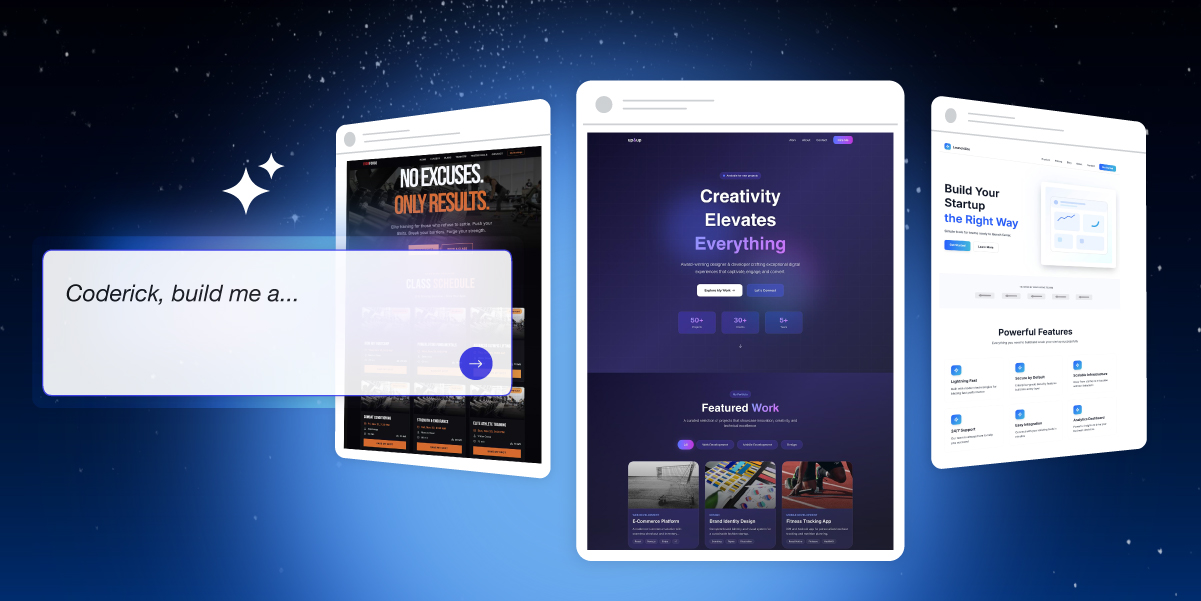
Coderick AI brings the power of AI-driven development to everyone, allowing you to build and launch sophisticated websites and applications just with your words and AI. Describe what you want to create, and watch this intelligent technology bring your vision to life.
SiteGround AI Studio
AI has quickly become a huge part of our world. But let’s be honest: while it opens up amazing new possibilities, it can be a bit overwhelming. There are so many AI models, so many tools claiming to do all sorts of tasks for you, that you literally get lost in information.
That’s why we introduced SiteGround AI Studio. It gives you access to multiple cutting-edge AI models all in one place and over 15 specialized agents designed to help you tackle real business tasks. From content creation to data analysis, from strategic planning to marketing-specific tasks, your AI-powered workspace is here to amplify your productivity.
SiteGround Ecommerce
When it comes to selling online, there are a whole new set of challenges you need to tackle. An online store is hard to build, overwhelming to manage, and quite demanding when it comes to compliance and maintenance. But not any more.
SiteGround Ecommerce embodies everything you need to overcome the hurdles: intuitive functionality, conveniently integrated, and packed with all the features needed to sell online on your terms. It’s already available for SiteGround clients in your SiteGround Client Area, and will soon be open to new customers.
Email Marketing made simple
When it comes to business growth, there is no channel more effective than email marketing. Yet, many of the email tools out there are heavy with complex functionality that you just don’t need, but have to pay for. That’s why we designed our Email Marketing tool – to let you connect with your audience through streamlined, lightweight email campaigns. It’s built on the same core belief as our hosting: that the best tools should be simple to use.
Beyond hosting: your growth partner
SiteGround’s transformation isn’t just about what we offer. It’s about what you can achieve.
The dynamic changes in the way we do business and the quick adoption of AI into our daily work have created amazing new possibilities for businesses, but also a new set of challenges and needs. And as your needs have evolved, so have we and our products.
Whether you’re launching your first website, scaling an established business, or exploring new digital opportunities, SiteGround is now equipped to support you at every turn. We are now more than your trusted hosting provider. We are your growth partner.
A fresh identity for a bold future
SiteGround’s evolution deserves a visual identity that captures our expanded vision of who we are and where we’re going. That is why we’re introducing our new design and website – a true reflection of the modern, integrated platform we’ve become. Every element has been crafted to make your experience more intuitive, more inspiring, and more aligned with the goals you’re pursuing.
The same foundation you trust
Even as we add these new services, some things will never change. The exceptional support, reliable infrastructure, and customer-first philosophy that built SiteGround’s reputation are still the bedrock upon which everything else is built.
Your success is our mission
This transformation isn’t just about what we offer. It’s about what you can achieve. Whether you’re launching your first website, scaling an established business, or exploring new digital opportunities, SiteGround is now equipped to support you every step of the way.
Welcome to the new SiteGround – your all-in-one platform for online success, a unified ecosystem where tools work in harmony to help you build, host, and grow.
Whether you’re a business owner who’s been putting off that internal tool because “it’s too technical and expensive” or an agency juggling client projects and wishing you could deliver twice as much without doubling your team, there’s never been a better time to build. The way we create apps and websites is fundamentally changing, and we want you to be part of it.
We’re thrilled to introduce Coderick AI – SiteGround’s brand-new AI-powered platform that lets you build fully functional web apps and websites simply by describing what you want. No coding skills required. No technical headaches. Just you, your ideas, and a simple chat interface.
What Is Coderick AI?
Coderick belongs to a new category of AI tools known as “vibe coding.” And if you haven’t heard the term yet, you will soon. Vibe coding is not just a buzzword. It’s a fundamental shift in how software gets built.
Instead of wrestling with programming languages, frameworks, and deployment configurations, you simply describe what you want – just with your words. Coderick AI interprets your intent, generates the user interface, creates the backend logic, and handles the technical complexity behind the scenes. You focus on what you want to build, Coderick figures out how.
For small business owners, this means finally being able to build that client portal you’ve been dreaming about – in an afternoon, at the cost of two coffees. For agencies and freelancers, it means delivering more projects in less time without expanding your team. For anyone with an idea, it means removing the biggest barrier between concept and reality: the technical know-how.
Build, Launch, and Host – All in One Place
The AI app-builder space has exploded recently, and we’ve been watching closely. We saw tools that were fast but fragile. Powerful but fragmented. Impressive demos that fell apart when it was time to actually go live. So we didn’t just build another option – we built something better.
Most AI builders create a new problem while solving an old one. They help you build the app but then you’re left scrambling to figure out hosting, deployment, and security. You end up paying separately for your builder, your database, your hosting, and your domain. Costs pile up. Complexity creeps in.
Coderick takes a different approach.
Everything Included
When you hit “Publish” in Coderick, your app or website goes live instantly on SiteGround’s rock-solid hosting infrastructure. No additional database setup needed. No domain configurations to manage. No wondering if your hosting can handle traffic spikes.
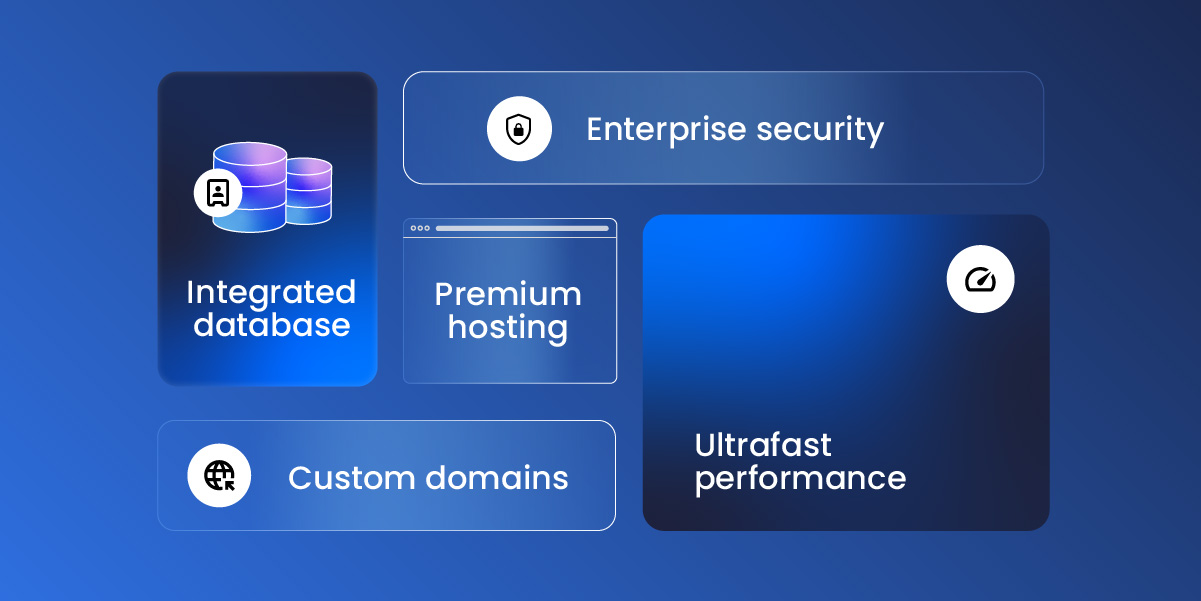
Every Coderick plan includes:
Premium hosting built directly into the platform
Automatic database setup and configuration
Ultrafast performance backed by SiteGround’s infrastructure
Custom domain support on all paid plans
This isn’t added-on hosting as an afterthought or a free trial you’ll be forced to pay for later. It’s hosting built into the DNA of the product – by a company that’s been perfecting web hosting for over two decades.
Secure by Default
When you’re building with AI, security isn’t optional; it’s essential. Coderick protects your work at every level: your conversations with the AI, your data, and your code are all processed securely and stay protected.
Every app or website you launch benefits from SiteGround’s enterprise-grade security infrastructure – the same systems that protect millions of websites worldwide. Build with confidence, knowing your projects and your users are safe.
Built for Real Work, Not Just Prototypes
Many AI builders are fantastic for creating demos and prototypes. But when it’s time to go live with real users and real traffic, cracks start to show.
Coderick AI is built for production from day one:
It comes with built-in version control so you can experiment freely and roll back anytime.
User authentication is ready out of the box, letting you build apps that serve real customers from day one.
Every project is responsive by default, looking sharp on any device.
And the backend? Auto-generated, so you never have to touch server-side logic unless you want to.
What Can You Build with Coderick AI?
The short answer: almost anything you can imagine.
Portfolio sites, startup landing pages, restaurant websites, event pages, booking platforms, client portals, invoice trackers, CRM systems, internal dashboards, inventory tools, project management apps, fitness logs, recipe managers, budget planners, movie trackers – these are just a few examples.
If you can describe it, Coderick can build it.
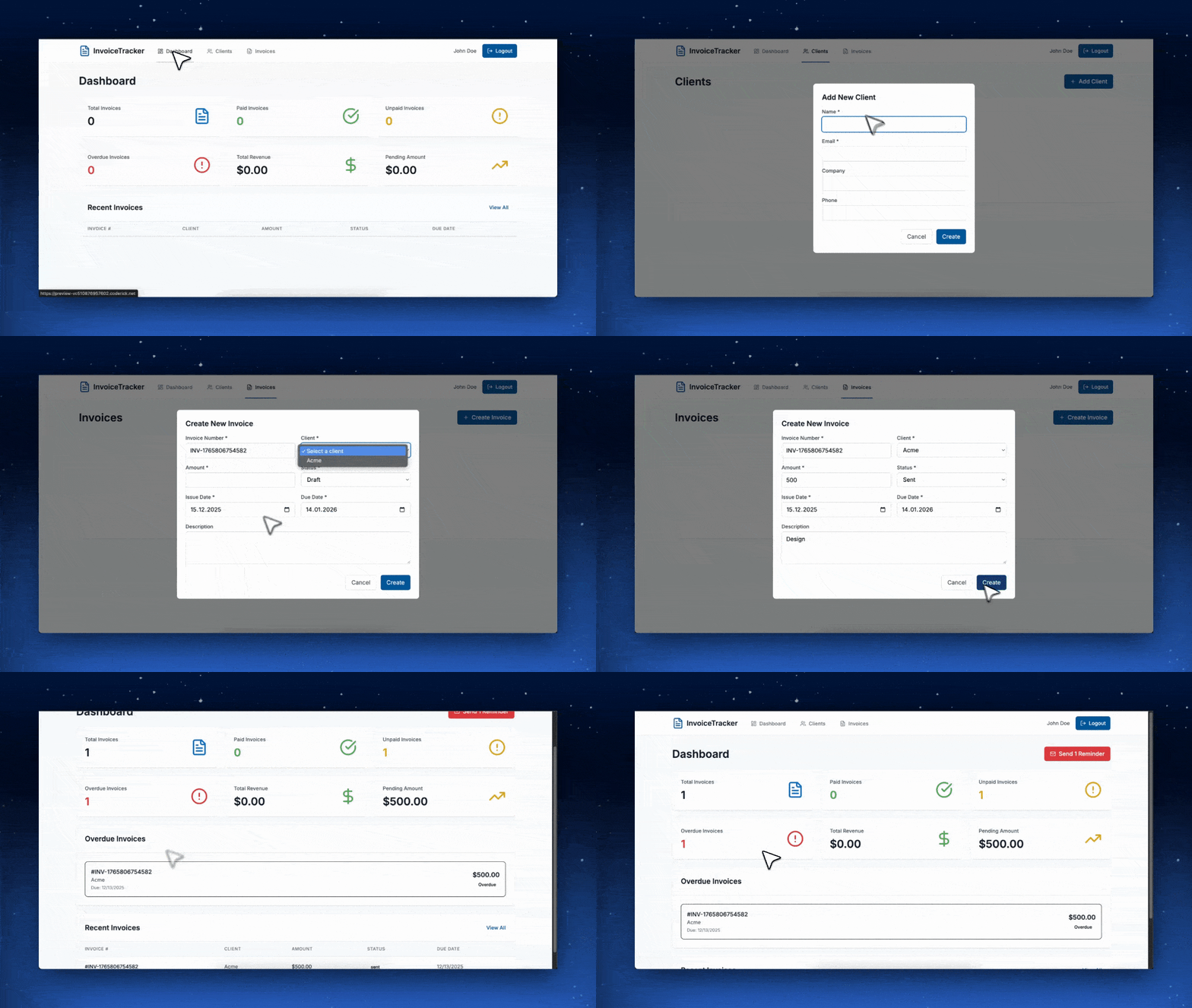
See It in Action
The prompt:
“Build a client invoice tracker with a dashboard that shows paid vs. unpaid invoices, lets me add new clients, and sends email reminders for overdue payments.”
The result:
A fully functional invoice management app, complete with database, authentication, and a clean dashboard, built in under five minutes.
We’ve included ready-made prompts and templates to help you get started quickly, but the real magic happens when you describe exactly what you need. Want a portfolio site with a modern, dark aesthetic? Ask for it. Need a task planner that integrates with your team’s workflow? Describe it. The AI adapts to your vision, not the other way around.
Built on Two Decades of Hosting Expertise
Here’s something no other vibe coding app can offer: Coderick AI is built by SiteGround.
That means every app and website you create is backed by the same infrastructure that powers millions of websites worldwide. The same security systems. The same support team. The same commitment to performance that’s earned us a 4.8-star rating from over 25,000 clients on Trustpilot.
When you build with Coderick, you’re not gambling on a startup’s servers. You’re deploying to a platform that’s been battle-tested for over 20 years.
Ready to Start Building?
The barrier between your ideas and a live, working application has never been lower. Whether you’re a business owner looking to automate operations, an agency seeking to deliver more value to clients, or someone with a side project waiting to come to life—now is your time to start.
With plans starting from just $10/mo and a no-credit-card free trial, Coderick is ready when you are.
For over twenty years, we’ve stayed ahead of every major shift on the web, so you don’t have to. We’ve built solutions that solved real website and business problems, and adopted the latest and smartest technologies to give you an edge. Now AI is reshaping how businesses work, and we’re approaching this new shift the same way – by building tools that solve real problems and give you a competitive advantage, not just chasing trends.
We are happy to introduce our latest service – SiteGround AI Studio – your in-built AI workspace to chat with leading AI models like ChatGPT, Claude, Gemini and more; create AI images with Nano Banana;use an AI agent for WordPress management and access 15 more specialized agents, trained to perform real business tasks.
What is AI Studio by SiteGround?
SiteGround AI Studio gives small business owners access to full-scale AI capabilities, intelligently enhanced to solve diverse challenges in one convenient AI workspace. It integrates several services in one platform and gives you access to:
The best AI models in one place
Access the leading AI models from one workspace without hopping platforms, or paying multiple subscriptions. You want to try ChatGPT, Claude, Nano Banana, or Gemini? We’ve got you! Go to SiteGround AI Studio and choose the model you want to chat with.
You can even compare how different models handle the same task. Does Claude Sonnet 4.5 or GPT 5.1 create better marketing copy? What about Gemini Pro versus Claude for technical documentation? Are the images generated with Nano Banana better suited for your needs? In AI Studio you can check for yourself – all in the same interface.
Multiple AI agents, trained to perform real business tasks
Access 15+ powerful agents, smartly trained by our AI engineers to help you maintain your WordPress, do marketing, create polished images, and more. Treat them as your new team members that help you scale work with high quality and efficiency.
AI Agent for WordPress: It handles WordPress maintenance, content creation, troubleshooting, WooCommerce product updates, plugin and theme updates (for a single or multiple sites at once!), user management, and more through simple chat prompts. When Power mode is enabled, it can manage core settings and critical actions as well.
Email Marketing Agent: It builds email campaigns from a single prompt, including subject line, body copy, and related images. You can export the ready HTML, or import it in a click into SiteGround Email Marketing, ready for send out.
Ads Experts for Google and Meta: The Meta Ads Expert and Google Ads Expert generate multiple ad variations around the same offer and follow the ad structure guidelines of each platform, giving you different hooks and messages to test without writing each one manually.
Social Managers for Facebook, LinkedIn, and Instagram: The Social Media Managers for Facebook, Instagram, and LinkedIn turn your main message into channel-ready posts and publish them straight to your connected social pages.
SEO Expert, Copywriter, Reputation Manager, Image Designer, Logo Designer, Signature Creator, Web Researcher, Translator – specialized agents that can support various business needs small business owners and individuals may have, with more agents coming soon!
Ready prompts that make AI usage easier and more efficient
SiteGround AI Studio also includes a library with smart prompts that can save you time, tokens, and brainwork, but most importantly – produce great results. Because we’ve all been there at some point – testing AI and wondering why everyone else is so hyped when we just can’t make it work. And many of us have figured it out the hard way – the key to using AI successfully is in the prompt. The more specific and elaborate your prompt is, the better the AI’s response will be. Use our ready prompts and get to the next level right away.
What can SiteGround AI Studio do for small and medium-sized businesses?
SiteGround AI Studio helps small and medium-sized businesses and individuals by streamlining workflows, amplifying productivity, and cutting time and costs.
Do your daily tasks better and faster using the simple AI Studio chat
Now you can use AI Studio’s multi-model AI chat to significantly improve your everyday work. AI enhances both the quality and efficiency of your work by combining speed with intelligent assistance that catches errors, suggests improvements, and provides expert-level insights instantly. It acts as a collaborative partner that helps refine your thinking – offering alternative perspectives, identifying gaps in logic, checking for inconsistencies, and drawing on vast knowledge to strengthen your output.
This means you can iterate faster through multiple drafts, test different approaches in seconds, and arrive at polished, well-considered results in a fraction of the time traditional methods require. The technology handles the heavy lifting of research, data analysis, and initial content generation while you focus on strategy, creativity, and final refinement – ultimately producing higher quality work in less time.
Here are some ideas to try out and see how you can up your game in no time:
Struggling with handling customer complaints? Give AI an email from a customer and ask it to write a response.
Writing a blog post that typically takes hours? Sketch a rough draft and ask AI to turn into an engaging content piece.
The first time writing a job ad? Tell AI what role (and company) you’re hiring for and it will get you a solid one.
Not having time to read a lengthy industry report? Just attach the report to the chat and get a meaningful summary of the most important takeaways in no time.
Need strategic advice? Ask AI to act as your co-founder and help you make a decision, or give you arguments against and in favor.
Manage your WordPress website more efficiently with SiteGround’s AI agent
WordPress maintenance tasks have a way of piling up, and the more sites you run, the longer the list gets. Product information needs adjusting, service pages need refreshing, plugins need updating, WooCommerce orders need attention, blog posts need to go out regularly to serve your content strategy, etc. Every maintenance task pulls you away from work that actually grows your business. With AI Studio and the AI agent forWordPress, you can connect multiple WordPress sites and manage them all from a single AI-powered workspace. It can take much of that ongoing work out of your hands.
Go ahead and ask the AI agent to do some of the following for a start to see how easy it gets:
Refresh an outdated services page with the latest information
Create a new blog post from a brief outline
Update multiple WooCommerce product descriptions for clarity and consistency
Apply 10% discount to all products in a category
Add Alt text to all images in your blog posts
Update plugins across several WordPress instances
Add new categories and tags and assign them to existing posts
Review last week’s comments and mark suspicious as spam
Run an SEO audit on your site and suggest improvements
Instead of clicking through menus and editing fields one by one, you give instructions and the AI agent turns them into real changes on your site. Updates that used to take days now get done in minutes.
Scale capacity and do more with AI agents
Growing your business calls for more marketing experts and tasks in the pipeline. Then effective marketing means regular campaigns, testing different messages, and staying consistent across channels. But even a “simple” campaign quickly turns into updating a landing page, writing at least one email, creating several social posts, and drafting multiple ad variations. You may know exactly what would work, but creating all those assets fast enough is where most small teams get stuck.
That’s where the AI Studio agents come in – many of them trained to do marketing like real experts and save you hiring, onboarding and then managing new people in the team.
Treat the Image Designer like your in-house web designer and ask it to create images for your social campaigns, banners, emails, blog posts, and website.
Give your new copywriter – the AI Copywriter Agent – a short brief and see how it turns it into a complete campaign copy with clear headlines, benefits, and CTAs.
Your email marketer – the Email Marketer Agent will take over your email campaigns from the subject line, body and visuals, to sending them directly into your SiteGround Email Marketing Service. All you’ll need to do is press SEND.
Let your Social Media Managers for Facebook, Instagram, and LinkedIn turn your main message into channel-ready posts and publish them straight to your connected profiles.
Work with the Meta Ads Expert and Google Ads Expert to create new ads and update existing ones without writing anything manually.
Beyond these examples, SiteGround AI Studio includes more agents that support different parts of your work. Together, they help you do more work, test more ideas, and scale without hiring. And as AI Studio grows, we’ll continue adding new agents to cover even more of your everyday business tasks.
How to start using AI Studio by SiteGround?
SiteGround AI Studio is already available for all existing customers, regardless of what service they’re currently using. It is conveniently linked on your Client Areadashboard.
The service will soon be available to new customers as well from our website.
Free AI Studio Essential plan for all SiteGround customers
SiteGround AI Studio comes in two plans – Essential and Plus. All SiteGround customers now get an exclusive, completely free AI Studio Essential plan. No setup, no extra subscription – it’s already available in your Client Area.
The AI Studio Essential Plan includes 20,000 monthly tokens and access to chat with multiple AI models and the AI Agent for WordPress.
The AI Studio Plus plan includes 100,000 tokens and access to chat with multiple AI models and the AI agent for WordPress, and unlocks access to the 15+ powerful AI agents and the prompt library. You can easily switch to the Plus plan from your Client Area.
AI Studio is also integrated with SiteGround Email Marketing, Website Builder and Ecommerce services. Clients who use AI to write content and generate images from the interfaces of these services will now be spending tokens of the AI Studio Essential when performing those tasks.
Try SiteGround AI Studio Today
Ready to try it out? Go to your SiteGround Client Area dashboard and look for the blue banner ”AI Studio” to start your AI journey.
AI technology has been developing for decades, but it was only within the past few years that we began to truly feel its impact – affecting our daily lives from handling basic chores to solving and automating whole business processes.
When AI technology exploded 2-3 years ago, the tech world witnessed an unprecedented surge in automated crawling activity. AI companies were racing to collect as much web content as possible to train their large language models (LLMs), often without website owners’ knowledge or consent. This led to the rapid evolution of AI models, forging more usage and breaking changes in search behavior by diminishing the importance of traditional search engines and SEO practices to that of new generative engine optimization (GEO).
Understanding AI technology’s complex effects on client websites, we proactively balance mitigating potential risks while helping our customers embrace new opportunities. Let’s explore the downsides and upsides of AI bots crawling your site before diving to our actions to help you navigate this rapidly changing environment.
The Pros and Cons Of AI Bot Crawling
In our experience, technology is rarely all good and all bad – and AI is no exception. While AI algorithms and bot behavior have matured significantly, several key issues require careful consideration.
Lack of Privacy and Intellectual Property Regulation
AI bots are systematically crawling and using original content – blog posts, product descriptions, creative writing, proprietary information – without explicit permission. This content is then used to train LLMs with no attribution to the original creators. Imagine discovering that your carefully crafted articles, unique business insights, or creative work had been incorporated into an AI system that could then generate similar content, potentially competing with your original work while providing you with no recognition or compensation.
While major AI providers have become less aggressive in their crawling behavior and are trying to develop more respectful crawling practices, the problem is still very much open to debate and regulation, and it will surely take a few more years of work until we manage to resolve it.
Lack Of Transparency And Control
Unlike established search engines that provided clear guidelines, robots.txt compliance, and webmaster tools, early AI crawlers operated with little transparency. Website owners had no way to understand what content was being collected, how it would be used, or how to opt out of this data collection. This lack of control over your own digital assets is fundamentally problematic, adding to the more complex ethical dilemma along with the point above.
Admittedly, things are moving in the right direction, with AI companies implementing proper user agent identification, which helps in distinguishing between training crawlers and user-session crawlers.
Spike In Server Resource Consumption
AI bots operate with an intensity that is unlike traditional search engine crawlers. Where Google’s bot might visit your site periodically and respectfully, AI training bots would often make hundreds or even thousands of requests in rapid succession. This aggressive crawling pattern can impact server performance, leading to slower loading times for real visitors, and increased resource usage and costs. For businesses relying on their websites for sales, customer service, or lead generation, any performance impact translates directly into lost revenue.
Generative Search Is The New Must
As the LLMs are getting better and smarter, the search behavior of the users is changing. We are less frequently using standard search engines to collect information, and more frequently asking AI to gather and analyze the information for us. Consequently, online businesses and websites now look for ways to be listed in AI overviews and chat responses. And in order to be there, the website must be crawled for a start.
SiteGround’s Policy On AI Bot Crawling
In the early years of AI bots development, we witnessed first-hand how almost all of their traffic was for training purposes. It was often so aggressive that we had to kill the requests in order to not let them overload our servers. To protect our customers’ websites from unauthorized content harvesting while maintaining optimal server performance for legitimate visitors, we had to block the majority of aggressive AI crawlers.
Fast-forward a few years, we now observe a different situation. The profile of the AI crawlers has changed and we see much less training, and a lot more chat-initiated visits, which indicate that AI is checking your site for the purpose of a conversation with a legitimate user, potentially interested in your service. That is why we’ve changed our approach to AI crawler management. Instead of blocking the majority of AI crawlers, we’re now making a distinction between different types of AI traffic.
✅ Allowed: AI Chat Session Crawlers
AI crawlers that are used when real users interact with AI platforms like ChatGPT, Claude, Gemini, or else are allowed by default. This means when someone asks these AI assistants to visit or analyze your website, they’ll be able to access it successfully.
❌ Blocked: AI Training Bots
We block AI crawlers that are specifically designed to scrape content for AI model training purposes, protecting your intellectual property and original content from unauthorized use. Blocking these crawlers means your content will be protected from AI models being trained on it, but people should be able to use platforms such as ChatGPT, etc – and AI will be able to crawl your site when providing an answer. The full technical details on which specific AI crawlers are allowed by default and which you can enable on request is available in our Knowledge Base.
What This Means for You
Here are the immediate benefits of this policy:
Your website is accessible when users ask AI platforms to visit or analyze it
You have increased discoverability through AI-powered searches and recommendations
Your visitors have a better experience when using AI tools to research your content
At the same time, we continue to ensure the following protection:
Your content remains protected from unauthorized training data collection
Your website’s performance is protected through continued blocking of aggressive crawlers
Ongoing monitoring and rate limiting of all bot traffic
Looking Ahead
The digital landscape will keep evolving, and so will we. At SiteGround, we believe in empowering you to embrace technological progress while maintaining the security and performance standards your business depends on. As the relationship between AI technology and web content continues to evolve, what remains constant is SiteGround’s commitment to helping you navigate this landscape with both protection and flexibility.
Your success in this AI-driven future starts with having a website and hosting partner who understands both the opportunities and the risks—and knows how to help you capitalize on one while avoiding the other.
Struggling with low open and engagement rates? It’s not your writing, it’s relevance. When emails don’t match what your audience cares about, they get ignored. Even experienced marketers face this challenge.
But when your emails are relevant, you can:
Boost open rates by 29% and click-throughs by 41% (Experian)
Convert up to 6× better (Experian)
Your subscribers aren’t all the same. So why send them the same email?
Meet Custom Fields: Your Key To Better Performing Emails
We added the option to create Custom Fields in your email marketing to help you send better, more targeted emails.
Think of Custom Fields as a way to learn more about your subscribers than just their name and email. Custom fields allow you to record and use extra information about your subscribers beyond the default fields like name and email. This enables you to create more targeted and relevant email campaigns, leading to higher engagement and conversions.
You can add Custom Fields in your signup forms using the SiteGround Lead Generation plugin. Or, manually update someone’s profile whenever you learn something new about them.
They work seamlessly with your existing forms and campaigns, so you can start personalizing right away.
A good first step? Pick just one thing you’d like to know like your subscriber’s location or content interest and add it to your forms and see how easy and useful it is. You can always add more fields later.
What Can You Do With Custom Fields?
You can start personalizing your emails in a few clicks.
Imagine you run a cooking blog and you’re sending out a newsletter. Instead of sending the same recipes to everyone, you can ask subscribers about their culinary preferences when they sign up. Just add a custom field to your form with the question: “What recipes do you want to receive?” Then offer options like Vegan, Quick meals, Gourmet cooking, etc.
Now when you write your newsletter, you can adapt your content to the different interests of the groups that follow you. Creating a vegan recipe? Send it only to subscribers who chose “Vegan.” Have a quick 15-minute meal idea? Send it just to the “Quick meals” group. Your latest fine dining dish? Share it with the subscribers who crave restaurant-level meals at home.
Or say you own a local training studio and you wish to keep subscribers informed about your schedule updates. Add a custom field to your signup form asking “What’s your workout preference?” with options like Yoga, Strength Training, or Cardio. Instead of one generic announcement about your new class schedule, you can send more engaging updates to each group: yoga fans hear about the new morning yoga sessions, weightlifters get news on strength-training workouts, and everyone gets something that feels relevant to their goals.
That’s what Custom Fields do: they give your emails context, so every message is written for the person reading it.
Start Using Custom Fields Today
Log into your Email Marketing Dashboard → Contacts → Custom Fields, create your first custom field (takes about 2 minutes), and start collecting the information that will make your emails more relevant. Need help getting started? See our full Custom Fields guide here.
Custom Fields let you treat your email subscribers with personalized content. When you know what your audience cares about, your emails become more relevant. More relevant emails get opened, clicked, and convert better. Try it with your next campaign and see how your email performance improves!
Your website is where your business starts. But turning it into a tool for growth means helping visitors take action and giving them a reason to stay connected.
The latest Website Builder release brings updates that help you do both. With new styling controls and a seamless integration with SiteGround Email Marketing, it’s easier to guide attention and build lasting relationships right from your site.
So, here’s what’s new.
New Text Styling Options To Make Key Messages Stand Out
Not every part of your website content carries the same weight. Some words highlight a feature, others call attention to a price or a key message. Now, you have the tools to make those key parts pop.
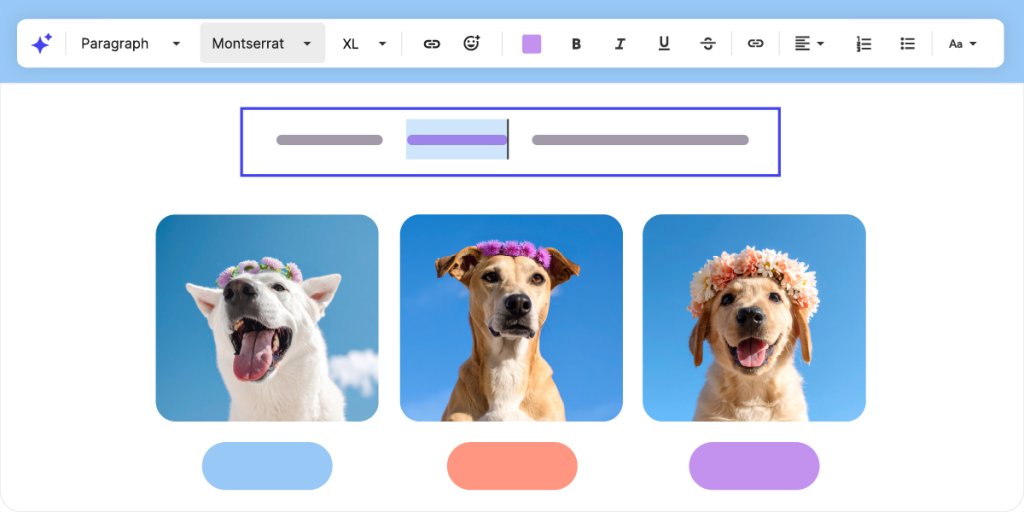
Click on any word or sentence and from the floating toolbar, change fonts for a single word, shift capitalization, or add color to key phrases, all while keeping your focus on the section you’re editing. This precise control helps you emphasize what matters most without disrupting your editing flow.
Because when the right words stand out, people understand faster and are more likely to take action.
New Button Controls to Drive More Clicks
Beyond styling your words, you need buttons that drive action. They’re one of your website’s most important elements since they turn visitors into customers and readers into subscribers.
Until now, your buttons followed your global site styles, sharing the same colors as your text. Now, you can style buttons independently, giving them their own colors and alignment right where you edit.
Just click on a button, open the contextual toolbar, and adjust its color and position without leaving your canvas.
This makes your most important actions stand out on the page helping visitors know exactly where to click and driving more results for your business.
Unified Color Picker To Keep Design Consistent
Now that you can style buttons, text, and sections individually, we’ve made the color picker work the same everywhere. Your global palette and recently used colors are always on hand, making it easy to highlight what matters to your business.
You get more creative freedom to draw attention where it counts without losing the consistency that makes your website feel professional.
SiteGround Email Marketing Integration That Helps You Turn Visitors Into Subscribers
Your website might still be a work in progress, but sooner or later, someone’s going to land on it. A curious visitor or a future customer. When that happens, will you be ready to keep the conversation going?
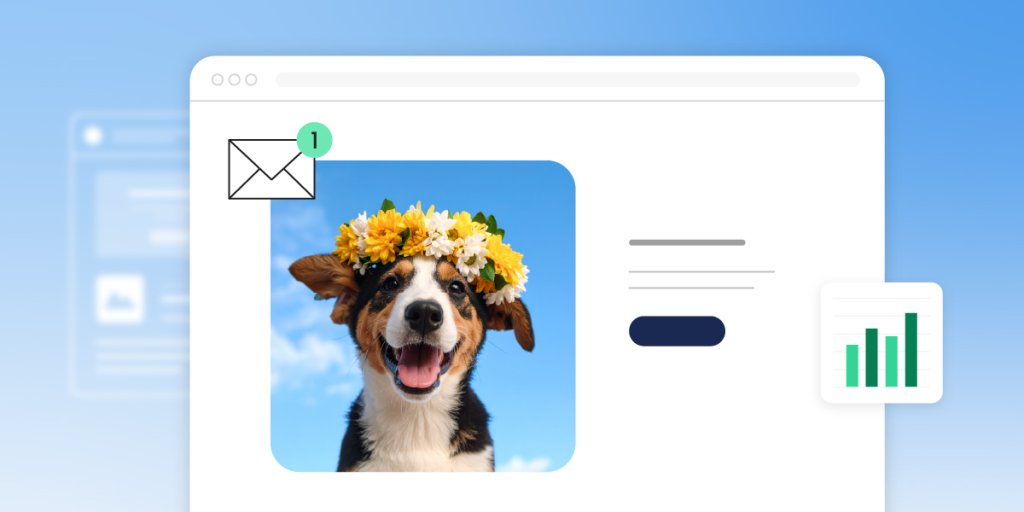
With our new SiteGround Email Marketing integration, you don’t need to figure it all out today. Just add a signup form to your site, and we’ll take care of the rest. We’ll collect subscribers, save them to your list, and help you send your first email with ready-made templates and built-in AI writing assistant.
It’s the easiest, most cost-effective way to start email marketing and grow your business directly from your website. The SiteGround Email Marketing is available as a paid plan and fully integrated into your SiteGround account, making setup seamless.
Simple Changes That Make A Big Difference
All of these updates follow the same idea: making your Website Builder more powerful without making it more complicated. Whether you’re customizing your first page or refining a bigger website, you’ll find it easier to build, edit, and connect with your audience.
Stay tuned for even more helpful improvements coming your way!
You either love or hate AI by now. Most of us are stoked by its capacity to resolve problems and cut our workload. Yet, we often hate it when we need actual assistance from an empathetic human being, but instead we are stuck with… a chat bot.
For us at SiteGround, adopting AI in our Customer service is an exciting and ongoing journey that started back in 2017 and evolves with the natural evolution of AI itself.
Our team loves AI and is convinced in its capacity to efficiently resolve complex challenges of all sorts. It already hugely contributes to improving our customers’ experience in many different ways and we are about to share with you how we have integrated it so far and some of the exciting new applications we’ve initiated. In case you, as a customer, have not yet experienced any of those, we would love you to give it a try and see for yourself.
At the same time, despite all our passion for AI, we believe that for more years to come the true value of any service business like ours will be defined by the expertise and experience of the humans behind it. That is why, as much as we invest in AI integrations, we also invest in growing the expertise and capacity of our Customer service team.
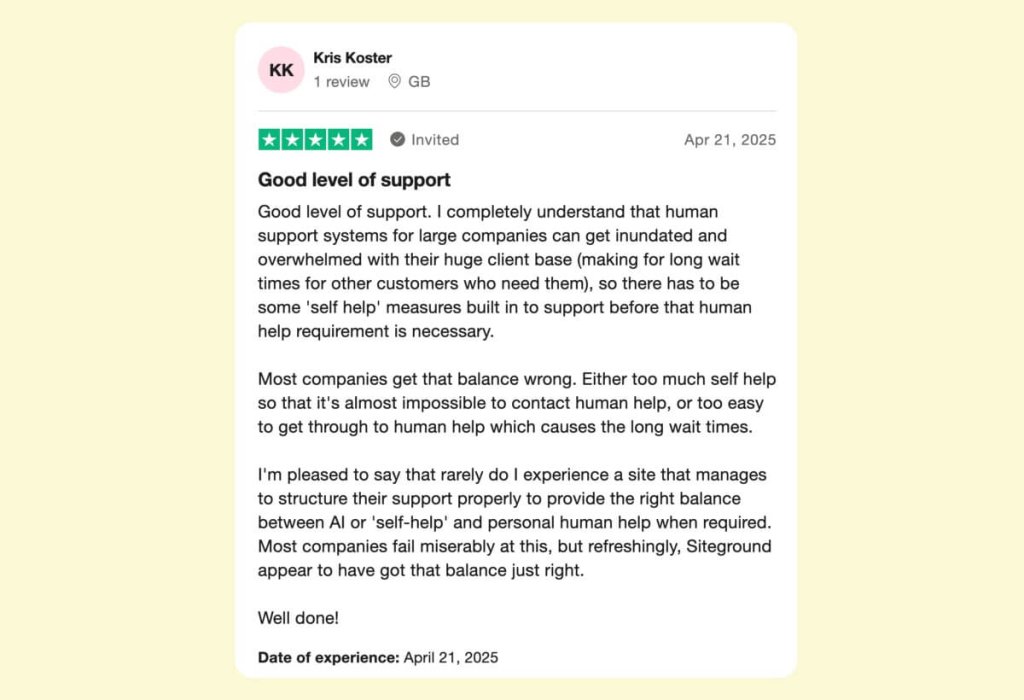
Our philosophy is that smart AI applications paired with human support is the key to maximizing customer care quality. By letting AI handle routine tasks and allowing human agents to focus on complex issues, we’ve elevated our service efficiency while maintaining the personal touch.
Pioneering AI at SiteGround
Our adventure with AI began back in 2017, when we introduced our groundbreaking AI-powered anti-bot system — the first of its kind in our industry! Today, this very system blocks a whopping 95% of malicious traffic before it even reaches our customers’ sites. Fast forward to 2019, when we integrated custom AI-powered real-time translation into our customer care systems, enabling us to serve clients in multiple languages and scale like never before. These early AI innovations worked their magic behind the scenes, dramatically boosting customer experience without direct interaction from clients.
With AI technology advancing at lightning speed, we took a bolder step into client-facing AI integration with the launch of our AI HelpDesk Assistant in 2023. It is designed to slash support response times for our most common inquiries, providing direct responses and how-to instructions from our extensive internal documentation, Knowledge Base and Tutorials. The results? Our instant AI Assistant nails the correct answer in 96% of responses, with 85% meeting our rather high customer service standards. Naturally, we couldn’t wait to build on that and take our AI applications to new heights!
Exciting Agentic AI Applications at SiteGround
In 2025, we added a brand new task-focused element to our AI assistant in our website control panel, Site Tools. On a daily basis, our clients perform a variety of website management tasks, some of which we’ve trained our AI assistant on. Now it analyzes our users’ intent in Site Tools and suggests performing certain actions on your behalf.
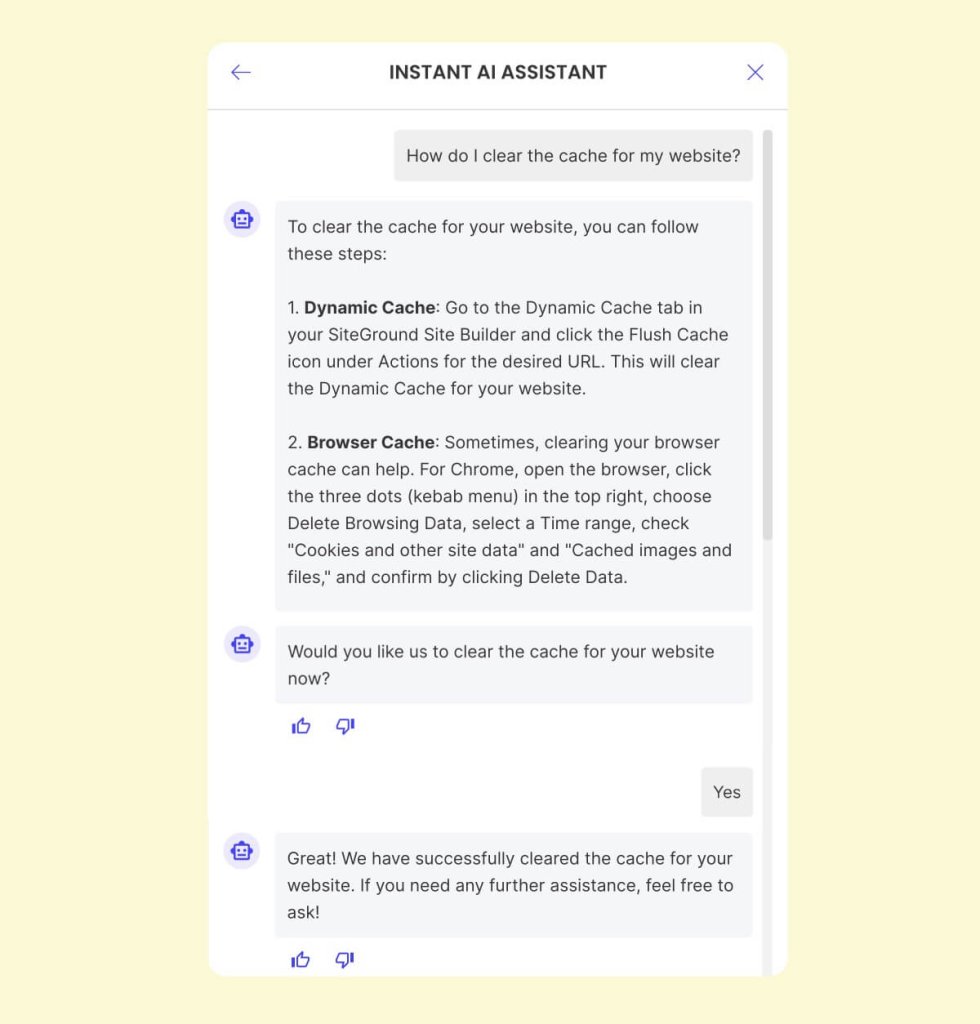
If, for example, you’re looking to clear the cache on your website, you can ask our AI assistant in Site Tools to help you do that. It will describe the steps you need to follow in detail, but will also conveniently suggest doing it for you. Just a simple confirmation on your part, and voilà! The task is completed in seconds, with a confirmation to boot!
At this stage, our AI task-oriented agent handles only carefully curated low-risk operations like website cache purge, country blocking, enabling CDN services, fixing WordPress permissions, checking SSL validity, and resetting DNS SPF records. Since these are all website-specific, it works only when engaged in SiteTools. But we’re already working on expanding its capabilities to tackle more tasks, including backup restores, and integrating AI agents into other areas like the SiteGround Customer Area, Email Marketing, and Website Builder interfaces.
Enhanced Efficiency
The biggest strength of our AI technology lies in its ability to tackle repetitive tasks and massive inquiries with speed and precision. Our AI-powered systems swiftly process and respond to customer queries, cutting response times even further and boosting our support availability. This efficiency frees up SiteGround’s human agents to tackle more complex issues, supercharging overall productivity.
Since its launch, our instant AI assistant has tackled over 1,500,000 questions and requests! By handling straightforward inquiries, it ensures that complex technical questions reach our support crew faster, resulting in quicker resolutions of higher-level inquiries as well.
In just the first month of operation, 15% of all chats with our assistant involved operations performed on behalf of customers. While this may seem modest, it’s a testament to our careful selection of risk-free processes, ensuring nothing goes awry.
Even Higher Availability
Having said all that SiteGround’s human support isn’t going anywhere! Available 24/7, our average resolution time is just 15 minutes. But for those small requests, our instant AI chat assistant spares even that! It’s available round-the-clock, unaffected by occasional load peaks on our support channels.
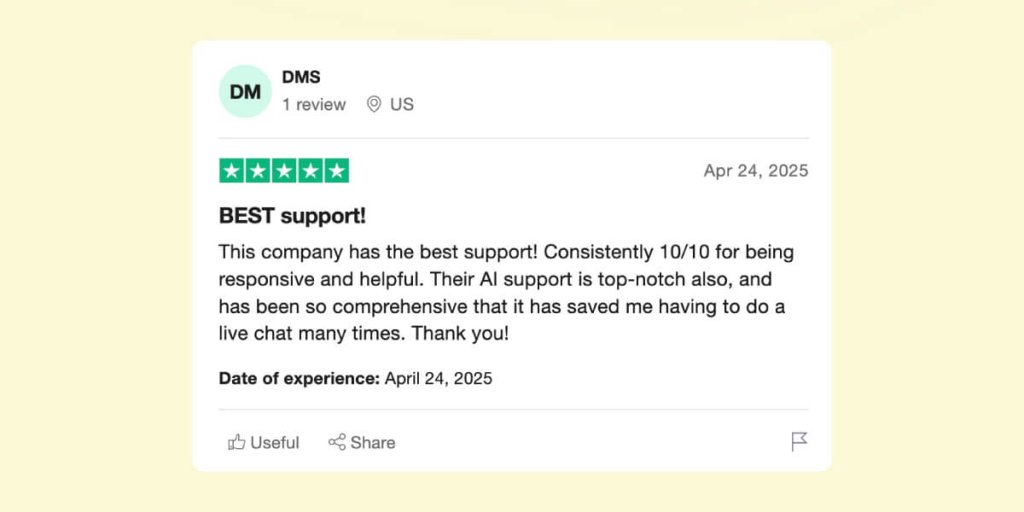
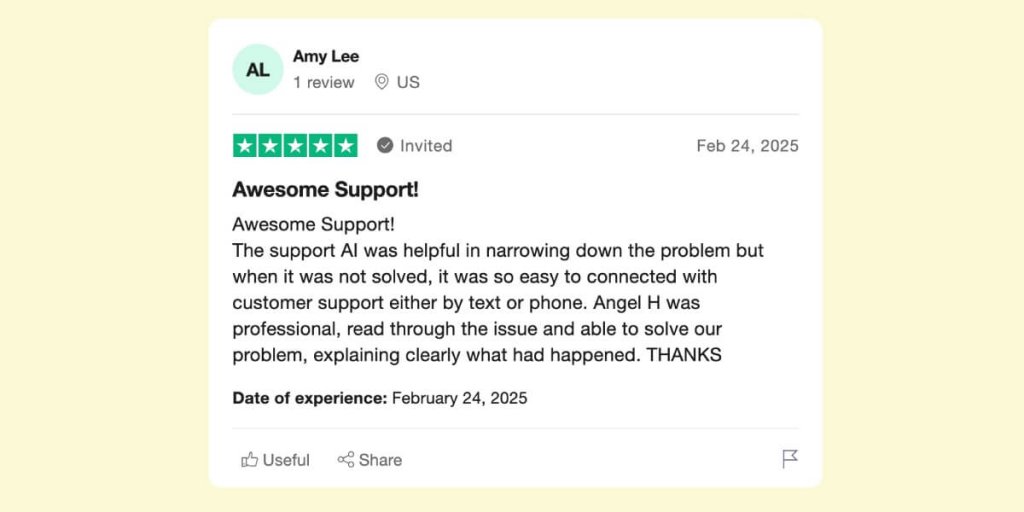
But beyond mere stats and numbers, our focus is on enhancing customer experiences. That’s why we have a built-in grading system for every AI assistant chat and closely monitor feedback from clients across all channels, both internally and via trusted third-party review systems like Trustpilot.
Trusted Privacy
We also understand that AI in customer service can raise data privacy concerns. This is especially true if you’re giving away sensitive information to AI models yourself. But SiteGround’s AI assistant, powered by GPT-4o by OpenAI and customized by our in-house AI engineering team, works under our strict data protection, encryption, and security policies. Your privacy remains intact, with no sensitive information disclosed to OpenAI. Even if you enter sensitive data in our AI chat engine, our system ensures it remains obfuscated, safeguarding your privacy.
Handling Complex Queries with Care
While our AI assistant shines in managing simple inquiries, we recognize its limitations with complex or unique customer issues for now. In these cases SiteGround’s human judgment and expertise is irreplaceable, highlighting the indispensable role of our human support. But even in some of these intricate cases, our AI assists by narrowing down problems and gathering data, streamlining the work for our operators.
Where SiteGround Humans are Irreplaceable
By automating routine tasks, SiteGround’s AI assistant optimizes operational times and allows us to allocate human resources more effectively. Given our high volumes of customer interactions, our human support remains irreplaceable. AI handles simple tasks effortlessly, but nothing beats human expertise, connection, and empathy.
In fact, while developing our AI technology, we’ve not only retained but expanded our nearly 200-person in-house support team. We’re actively onboarding new members and upskilling experienced ones, ensuring top-notch service.
Striking the Perfect Balance
We’re firm believers that integrating smart AI with human support is the key to maximizing customer care quality. By letting AI handle routine tasks and allowing human agents to focus on complex issues, we’ve elevated our service efficiency while maintaining a personal touch. Our staff is trained to work seamlessly alongside AI technologies, enhancing customer interactions, as our clients can attest.
To sum up, for 8 incredible years and counting, AI technology at SiteGround has been creating exceptional customer experiences—with a human touch always at the ready. If we had to answer THAT question, AI did take our job — only to the next level!
The AI era is here and already changing the way we live, work and do business – especially online. Businesses need infrastructure that can keep pace with the demands of advanced AI applications and adapt to the new ways that modern websites are built, optimized, and experienced. From real-time personalization to intelligent automation, these advancements demand hosting that’s faster, smarter, and built to scale.
At SiteGround, we are proud to offer a server infrastructure powered by Google Cloud Platform (GCP), designed to meet the needs of this transformative age. By combining Google’s innovative networking capabilities and global connectivity with SiteGround’s own in-house performance, security, and scalability enhancements, we’ve created a platform ready for the intelligent web — and whatever comes next.
Google Cloud Platform (GCP) spans over 202 points-of-presence (PoPs), 2+ million miles of fiber, and is backed by a 99.99% SLA. This reduces the distance and the number of network hops between your site and your users, so your websiteload times improve — especially for international audiences who might otherwise face slower connections.
Thanks to smarter routing and Google’s expanded private backbone, SiteGround-hosted websites deliver content faster to visitors all over the world. This is the same network that powers services like Google Search and YouTube, so SiteGround clients are tapping into technology used by billions any second.
In practice, sites can load up to 5× fasterafter combining Google Cloud’s power with SiteGround’s own optimizations.
Google Cloud’s recent advancements in networking emphasize their enhanced performance and security, crucial for modern AI applications that require real-time data processing and low-latency communication. With software-defined networking (SDN) and edge computing, our infrastructure ensures fast and efficient data handling.
For eCommerce businesses, bloggers, agencies, and anyone targeting a global market, this tremendously improves user experience, lowers bounce rates, and helps website conversion rates.
Security and Reliability
In the AI era, data security and reliability are paramount, as threats evolve and website users and restrictions become even more demanding. SiteGround’s infrastructure is built with a security-first mindset, incorporating multiple layers of protection to safeguard your data.
From the bare minimum, like a free SSL certificate, through numerous application-level security optimizations for WordPress, to the most sophisticated, dynamically-updated server web application firewall and proactive server-level security measures.
Combining Google Cloud Platform’s advanced encryption settings and threat detection, along with SiteGround’s modern DDOS protection and state-of-art AI anti-bot system, which blocks over 90% of malicious traffic before it even reaches your site, you have peace of mind knowing your website data is secure.
SiteGround vs. Regular Hosting: What’s the Difference?
Feature
SiteGround Hosting (Google Cloud-Powered)
Regular Hosting
Powered by Google Cloud
✅ Fully integrated for superior speed, uptime, and scalability
❌ Standard servers without Google Cloud integration
Global Infrastructure
✅ 202+ PoPs (Points of Presence), 2+ million miles of fiber
❌ Limited global presence, usually regional servers
Uptime Guarantee
✅ 99.99% uptime SLA
❌ Varies; often lower than 99.9% uptime
Speed Optimization
✅ Built-in CDN, advanced caching, and network optimizations
❌ Basic caching, no CDN, slower speeds
AI-Ready Hosting
✅ Optimized for AI-driven features and applications
❌ No specific AI optimizations
Security
✅ Advanced security with isolated traffic, real-time upgrades
❌ Limited support, often only available via ticket
Server Management
✅ Fully managed with automatic updates and optimizations
❌ Typically unmanaged or requires user intervention
Backup and Redundancy
✅ Automated daily backups, geo-distributed for extra redundancy
❌ Limited or no automated backups
The SiteGround Advantage: More Than Just Hosting
We don’t just rely on a great foundation — we build on it. SiteGround adds custom layers on top of Google’s infrastructure, fine-tuned for performance, security, and scalability — with zero extra complexity for you.
From smart search and content personalization to AI-generated designs, SEO, and support tools — websites are starting to rely on AI features that demand more from their hosting environments. Running these tools efficiently requires low latency, stable connectivity, and strong backend performance.
The latest innovations from Google, such as their Cloud WAN and software-defined networking, for example, represent the future of intelligent, responsive infrastructure. While currently these technologies serve complex enterprise use cases, they reflect the sophistication already at play beneath SiteGround’s infrastructure. Theyshowcase what’s possible with real-time, software-defined traffic management and signal that we’re investing in the kind of infrastructure where AI thrives.
Ready for the Future
As AI continues to transform industries and redefine possibilities, SiteGround is ready to support your online journey. Our Google Cloud-powered infrastructure provides the robust foundation needed to explore and implement AI technologies, ensuring your online presence is future-proof and ready to capitalize on the opportunities that AI brings.
SiteGround’s server infrastructure, powered by the innovations of Google Cloud Platform, is perfectly positioned to support the demands of the AI era. We are excited to help our clients harness the power of AI, driving innovation and success in their digital endeavors.
Ready to experience hosting that’s built for what’s next?