How We Won 12(!) Employer Awards in 2020

SiteGround Won 12 Employer Awards in 2020

To put it mildly, 2020 has been an unusual year. Life at SiteGround made no exception, and we had to make lots of hard decisions and changes in the way we work, live, and do business ever since the COVID-19 pandemic turned the world upside-down. In the midst of all that, we were surprised and humbled to receive 12 awards in total for our efforts to create an amazing workplace for our employees and contribute to causes that we believe in.

We won our first two awards for the year from the Employer of Choice Awards – the COVID-19 People’s Choice Award and Best Office and Working Environment, and later on another 10 awards from Career Show 2020, which is the highest number of trophies among all the 326 applications! Here is a bit of background on how we got here, and why it means so much to us, especially now.

Our Company Culture

Ever since the beginning of the SiteGround team in 2004, we set out to build a workplace where people feel they belong. One of our core values has always been to invest in our team’s wellbeing, comfort, and happiness. We kept building on that through the years, going out of our way to take care of our team members in every possible way: working conditions and office environment, health and wellbeing, work-life balance, company benefits and perks, and more.

In 2019, we invested in constructing a new HQ building in Sofia, which is among the most technological and green offices in Bulgaria. Covering an area of nearly 10,000 sq. meters, the new SiteGround HQ is built in accordance with all requirements of the Leadership in Energy and Environmental Design (LEED) certification – the most widely used system for assessing ecological construction in the world. In addition to our carefully crafted office spaces with focus on environmental design, we try to provide our team with all means to keep an essential work-life balance and sustainable life. Those include children’s playgrounds at the office, where colleagues can take their kids, electric cars, free charging stations, and bicycles, shorter working hours on Friday, extra paid days off for volunteering, and more.

In March this year, just before the lock-down, we had just opened our company restaurant with our own chef team, who would cook savoury breakfast and lunch for all our employees in our HQ every workday for free. In all our offices, you could see our teammates having breakfast or lunch together in our kitchens, playing sports in the play rooms, or arguing for their life over some board game. We were also just about to announce the fifth edition of the annual SiteGround Team Festival – an epic 3-day event with our own music stage and international guest bands, open-air festival grounds with lots of workshops and activities, which is the most anticipated event of the year for most SiteGrounders.

Keeping Our Company Spirit During the COVID-19 Pandemic

But then, the Covid-19 crisis started getting worse and worse very fast. We decided to close all our offices indefinitely almost overnight, because of the safety of our team and their close ones. This became a new challenge for us because even though our work happens mostly online, we have never been an online or remote company. We had to act as fast as this sweeping pandemic was developing, and learn to adapt to the new realities on the go.

We cancelled all business travel for our team, and started taking extra safety measures in all our offices since the beginning of February, when the COVID-19 situation started getting serious worldwide. In the beginning of March, we decided to switch to remote work entirely, for our employees and their families’ safety. We encouraged everyone from our team to create comfortable working conditions at home by providing them with all essentials from our offices such as additional work laptops, large monitors, ergonomic work chairs, even desks when needed.

Ensure Our Community Wellbeing

We had to find a way to adapt most of the benefits that we were offering to our team in our offices, to a remote environment. Instead of closing down our newly-opened company restaurant and laying off our entire chef team, we decided to keep it operational under strict safety measures. We launched the SiteGround Home Meals program and continued to provide daily fresh food deliveries to our teammates and their families in Sofia, Plovdiv, and Stara Zagora for free. If you’re a working parent and have to work from home, homeschool your kids, and think about the daily menu every day, this is just one extra thing that we take off your plate to make sure you can work from home more comfortably. 

In order to keep taking care of the wellbeing of our team members, even when we are apart, we launched the SiteGround Online Wellbeing program. It started with an all-team GetFit challenge, which included live streaming of workout routines with our office coach, and online yoga and pilates classes. We also launched online mental health workshops, including one-on-one online counseling with a psychologist, which are entirely covered by the company and strictly confidential. To make sure we keep adding useful online workshops to our wellbeing program, we started doing regular team surveys to ask what topics they were most interested in in these unusual times. Personal finance and online cooking classes were among the top choices, so we added these to the upcoming calendar as well.

Increase Team Communication

When working remotely, and especially in a situation like the COVID-19 crisis that nothing can prepare you for, it’s essential that we keep communicating, both on a one-on-one basis, and as a whole as a company. In addition to our Internal chat channels and online meetings, we started organising regular online games, quizzes, escape rooms, etc. to make sure our team members can still have multiple ways to interact with each other in and out of work, like we used to when we were still in our offices.

Our Founder and CEO started hosting all-team virtual meetings from their homes to discuss the latest company news, updates, and plans or just check in with everyone when we can’t see each other in person. To make sure the conversation was not one-way, we launched a Q&A form before the meetings, and encouraged team members to post questions, then vote for their favourite ones, and the most popular got answered during the SiteGround online Assembly meeting by our CEO and our Founder. Not surprisingly, the top two questions were “When are we coming back to the office?” followed by the paradoxical “Will we still be able to work from home when our offices reopen?”. I guess you can never please everyone.

Our HR team also took the initiative to set up Open Calendar days and encourage each and every one of our 600+ employees to book a call with them to provide feedback, make suggestions and proposals on what more we can do to make our remote work more pleasant and comfortable within the ever-changing situation.

Find New Ways to Make an Impact

In addition to taking care of our team members and their families, we wanted to find new ways to help others in need. SiteGround became one of the main donors of the major hospitals in the main cities of Bulgaria, like Sofia, Plovdiv and Stara Zagora. The total SiteGround donations to medical institutions exceed 545,000 BGN in financial support and medical equipment, including a 60,000 EUR donation to Madrid’s municipality, where we also have an office, to help their battle with COVID-19. We also wanted to engage our employees in our donation initiatives, so we launched an internal program for any team members who have friends, family members working for any medical institution in need anywhere in Bulgaria, we would donate up to 10 000 BGN based on their needs. With this employee-driven donations we managed to spread over 67 500 BGN to medical centres in smaller cities all over the countries.

For the past 9 months, we have added more than 180 new employees to various SiteGround teams, all trained entirely remotely. We can only imagine what it’s like to join a new company in these unusual circumstances and not have the chance to meet most of your team members in person. But hopefully, we live up to their expectations and even in the current situation we manage to show the SiteGround spirit, albeit online. A sweeping 70% of our team evaluated SiteGround’s company environment and our actions during the Covid-19 outbreak with the highest vote among all the 36 companies competing in the Employer of Choice Awards this year. For us, knowing how our team members truly feel and how they appreciate our efforts is the biggest award. It is also a never-ending process, so we hope we’re looking at what’s next together.

An (Un)Likely Career Story

A SiteGround Career Story That Will Motivate You to Find Your Path

At SiteGround, we often get questions about the career opportunities within the company. The truth is, that each path is different, and you make your own way. All we can do is provide support, help, and guidance along, but ultimately, it’s your own motivation and willingness to explore that takes you where you want to be. Sometimes even sooner that you would have expected. Like the (un)likely story of Stoyan, our latest addition to our WordPress Dev team, which started out with quite a different plot.

Stoyan joined SiteGround in the beginning of May, 2020 as a team member of our Customer Care Team – the largest department of SiteGround, supporting thousands of clients all over the world 24/7/365. He was one of our newest teammates who joined the team in this quite unusual year. Due to the COVID-19 pandemic, for the safety of our team and their families, our whole team switched to remote work since early March, so Stoyan was one of our first team members who were onboarded entirely remotely.

Things Don’t Happen To You – They Happen Because Of You

Knowing just a few of his colleagues and learning new ways to master his skills, a month after he started his initial training, Stoyan decided that there was no better way to get to know some new team members by asking for some help. Even though he had always been keen on coding and developing websites, his university major was in the field of finance, so programming was something he was doing in his free time. He had been working on a personal blog which he was developing with a friend. He was trying to migrate his website from Joomla to WordPress, and had been experiencing some issues with the scripts that he was trying to implement on his own. He posted a question in one of our office channels on Slack – our internal team tool for communication and collaboration.

A screenshot of Stoyan's question in Slack

Our teammates were quick to respond. Among them was Hristo Pandjarov, our Manager of WordPress Initiatives, who also got in touch in order to help Stoyan with his personal project. While discussing the migration of his blog, the scripts and the issues he had, Hristo saw potential in Stoyan’s questions and the way he was trying to execute the migration of his personal website. Coincidentally, at this time it had already been over a year since Hristo was looking for a new team member to add to his WordPress Dev Team. There were a couple of more WordPress-specific questions and details that followed, which convinced Hristo to ask Stoyan if he was willing to complete a job application and some trial development tasks for an opportunity to join SiteGround’s WordPress Dev Team.

Stay Curious and Ask Questions

By that time, Stoyan didn’t really know that he was communicating with the head of our WordPress Dev Team at all. He was quite new to the company and did not expect for an upper manager to jump in to help in response to a casual question about his personal site. But admittedly, Stoyan really wanted to join our Dev team from the moment he learned about SiteGround – he simply believed he needed to go through the entry-level steps first, and gain some good experience. He had applied for our Customer Care Team, knowing that would be the best strategy for him to join SiteGround.

So, naturally, he was both surprised and enthusiastic to get an unexpected dev job offer, after his first month at the company. He went through the application process for a WordPress Dev Position. Working hard and completing the Dev tasks was enough to show his general PHP expertise and deep WordPress knowledge. He was promoted as a General Developer at SiteGround at the end of June, 2020. The day he received the good news about his approval for a Dev position, he got home and started spreading the word to his closest friends and family members – even now, as he tells his story, you can still feel his excitement.

Currently, Stoyan is working as a developer on all of our WordPress plugins, including the SiteGround Optimizer and Мigrator. He also spends some of his working hours contributing to the WordPress core team on behalf of SiteGround. His piece of advice on how to get your dream job?

”Be motivated and do your best on a daily basis because at the end of the day it’s worth it!’

Know that everything you do during your workday, the way you do it, even the minor acts of kindness are recognized and appreciated by your main lead, mentor or manager. There are moments when we’re feeling down, such as when my scripts to migrate my blog weren’t working, but all of that led me where I’m now – a WordPress Developer at SiteGround.”

When asked about his current role, Stoyan shares:  “I love the dynamic which means that I have to think about each challenge I’m facing. I have to find a solution. If I manage to do that – things just happen the right way.” In the end, surely we asked Stoyan what led him to join SiteGround in the first place – “Because I don’t know if there’s any other Bulgarian company that takes care of its teammates in such a worthy way! And I’m happy I can tell it from my own experience now.”

If you’re driven by curiosity, purpose and willingness to make an impact and you’re looking for an awesome team that cares about each other and grows together, we have a place for you to unfold your talent. Check here to learn more about our open positions.

Becoming a Customer Care Employee at SiteGround

Employee Journey

It’s a known fact that the process of finding a new job can be particularly stressful. First, finding the right position and company that matches your own values and expectations. Second, going through all the interviews and the nervous-wrecking period of not knowing if it’s all going to work out. We’ve all been there. 

That’s why at SiteGround, we strive to make that experience as smooth as possible. From the first contact, the initial interview to the final round, we try to communicate with every candidate in an approachable and understanding way.

Our Interview Process

If you want a career in the IT sector, but you’re not a strictly technical person or a coder, our Customer Service team is a great place to start. However, you’ll need to bring your motivation and eagerness to learn.

The first thing we’re looking for is the candidate’s potential and language proficiency, not necessarily tech skills, because we know the IT sector, and web hosting in particular, is a pretty niche field. Once you submit your CV, you will be invited to fill out an application form, if we believe you have the potential to learn. The form helps us learn more about you as a person and your passions. After that, short-listed applicants will be invited for an interview with the HR team and our foreign-language supervisors. If you make the cut, the fun begins! 

Training bootcamp – first 2 weeks

Your SiteGround journey starts with a 2-week intensive initial training. We’ll cover everything you need to know about web hosting, our internal systems, communication with our clients, and our company. You’ll learn new things each day, take tests on them, and have homework. In short, back-to-school time! 

Hands-on practice – week 3-6

After the first 2 weeks of theory, it’s time to practice! You will be paired with a mentor, and start communicating with potential customers, one client at a time. By the end of your one-month hands-on training, you will be ready to continue on your own.

Your turn – week 7

After the first 6 weeks, you will continue your SiteGround journey more independently and be expected to start helping clients on your own. In case you have any questions or doubts, the supervisors and your experienced colleagues will be there.

Master Level – week 10-12

Around the 10-12th week, you will hit our Master level! You will start handling up to 3 chats at a time – the maximum number of clients that could be handled simultaneously. Hooray for you!

Upskill Training

Web hosting is a dynamic world. Expect that there will be something exciting and challenging to learn every day. We hold new training sessions regularly to help you be better at work.

Opportunities for Growth

Once you master our initial support channels, you’ll have plenty of opportunities for growth in other Customer Care teams. Just to name a few: Phone, Billing, Supervisors, Technical Support, or even entirely different company departments. Make your first step, and the rest will follow.

Check out our current open positions, and go for it: careers.siteground.com.

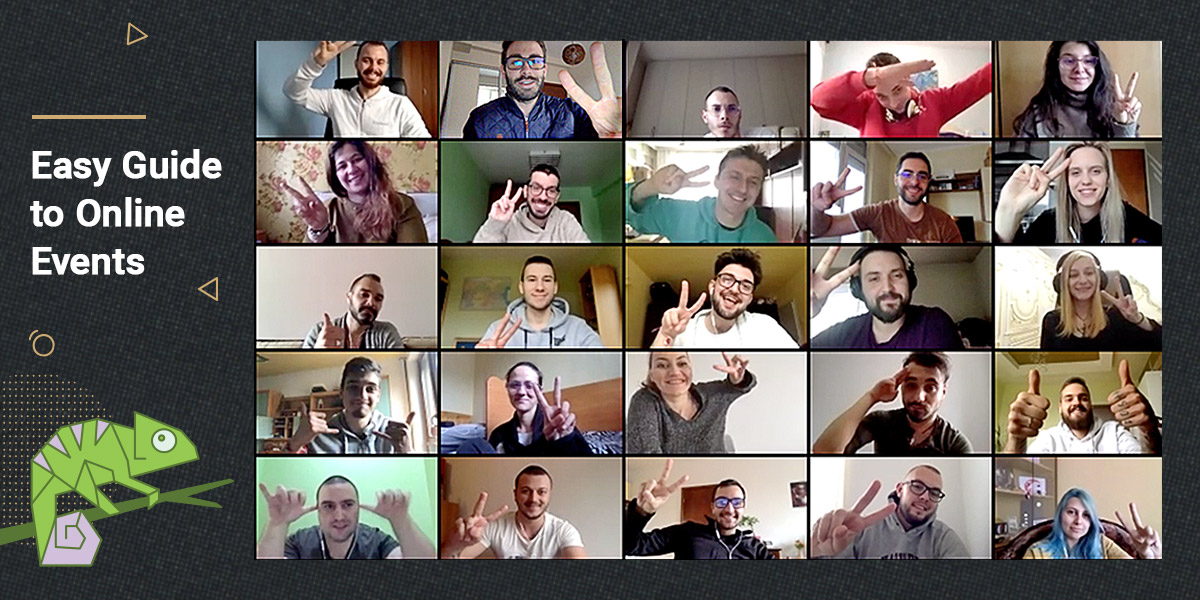
How to Organize Online Events – SiteGround’s Easy Guide

Easy guide to online events

The world is in a difficult place right now, and the online communities aren’t an exception. Everywhere you look, events are being canceled, and for people who network online, this can be really unsettling, as we’re all close and we miss our gatherings. Luckily, we get to stay connected online, and especially now, when everyone is staying safely at home, taking your event online is a smart and easy move. We’ve put a short guide that will help you to organize an online conference in 4 easy and actionable steps, so without further ado, let’s discover them together!

1. Why you need an online event and how to promote it

Мany people find the idea of organizing an online event a little unsettling, but it’s actually not difficult at all. Keep in mind that right now people all over the world need to stay put, and will likely be way more willing to attend a virtual event and pay more attention, considering they are cut out from many of their regular outdoor activities and social circle.

While this is an unfortunate moment for everyone, it’s a good opportunity to strengthen the relationship with your peers and add new people to your local community.

What you need to focus on is promoting your event as much as possible.

Let’s see a few practical tips on how you can capture the attention of your audience:

  • You probably have an account at meetup.com, so newsletter to previous participants is certainly in order. If this is a WordCamp, mailing your visitors from the past events is absolutely fine as well, as long as you follow the Code of Conduct.
  • Make sure to post your announcement in all relevant Facebook groups – people are spending a lot of time on Facebook and other social media right now! You can also join the international ones if your event is in English. Use captivating creatives for your posts in order to get the attention of people browsing: pictures from your past events, bright colors, human faces, or animated videos (a 4-8 second animation will do just fine).
  • Instagram isn’t that big of a channel for WordPress-oriented stuff, but it doesn’t hurt to post there too and on Twitter usually, you will find several folks interested in this kind of events. For these two channels don’t be afraid to dive deep into the hashtag game!
  • You can ask your past and present speakers to spread the word amongst their audience – they usually are happy to do so on their own platform and channels.
  • Sites dedicated to events would be a great channel, especially if your event is in English. If that’s not the case, you can always go for local event promoting sites.

Overall, regular rules of thumb apply; hosting an online event requires as much noise as possible (just be careful not to come off as obnoxiously spammy!).

2. Get the right platform 

Let’s start with your most obvious need: when you’re wondering how to host your virtual event, your first thought is probably related to the streaming. We’ve posted below two of the best options you can use, though you’re not limited to that, of course.

  • Google Meet popularity is skyrocketing ever since Google made them into a business tool, and it’s a really amazing option for company meetings and virtual events.

Because of the Covid-19 situation, Google announced that the premium features of Google meet – typically available only for Enterprise users of G Suite – will be free until July 1st. Some of the most useful options of the platform include:

  • An increased participants limit from 100 to 250 per call
  • An increased audience limit for Live streaming up to 100,000 watchers per domain
  • Option to record the virtual events (online meetups) and upload the recording Google Drive

If you’ve never used the online platform, it’s a great time to test it out. Not only does it allow a huge number of potential viewers, but it also has a couple of features you won’t find anywhere else.

One of them is the option of creating instant captions; while the mechanism isn’ perfect, it’s still an excellent accessibility option for live virtual conferences. Another is the high-resolution streaming and pinch-to-zoom on a mobile app – a great feature for mobile participants. 

Also, it doesn’t require installation – you can join by opening the respective link in a browser, which makes things way more straightforward for potential viewers. Of course, classic options such as phone dial-in, presentations, and reporting are also available.

Overall, it’s a powerful yet incredibly clean solution for online events. We strongly recommend giving it a try!

  • Zoom.us seems to be another favorite option when it comes to hosting virtual events due to its good balance between useful features and cost. The platform’s Pro plan includes up to 100 participants, and it doesn’t have a minimum of host subscriptions (which is actually the case with their next plan). They have a great range of features which makes it the perfect platform for smaller virtual conferences and meetups. 
How to organize a virtual event
  • Great control of the session; you can mute and unmute participant yourself (as a host), you can invite other people to speak, you can quickly moderate when necessary etc.,
  • Chat and polls available (especially useful in live online events for making the experience more interactive)
  • Notifications and reminders (also handy)
  • CVS import 

You will probably find their interface clean and very easy to learn, which is another great thing about them. Overall, its effortless use and decent pricing makes it an excellent choice for small gatherings.

Oh, and there is also a replay option, in case you’re looking to offer that to your audience. If this isn’t quite what you wanted, there are many other great platforms, such as Crowdcast.io,  GoToWebinar, Livestorm, WebinarJam, etc.,

3. Prepare your presenters 

Speaking in front of many people can be genuinely frightening for many speakers, especially for the first few times. Believe it or not, speaking on an online event can be even more unsettling, because there is no option for you to see your audience reaction to your talk – not in the same way, at least.

The best way to avoid awkward moments is just the same as with normal events; rehearse! 

An essential part of our virtual events guide is the preparation of the speakers. Suggest them to rehearse in front of a webcam and record themselves. First of all, they’ll get used to the idea of staring into a device, instead of people. Secondly, they can see where things go south and correct themselves. Typically, they may discover the following problems:

  • Not looking directly into the camera
  • Not speaking clearly and using a lot of filler words (uh, um, er, ah etc.,)
  • Lack of voice modulation

These are all normal obstacles that most people experience. Kindly helping your speakers with potential issues will allow them to do their job better, which in turn can upgrade the experience and make your event way more successful.

4. Test technical settings 

Test your technical equipment and environment as early as possible. Conduct tests with your speakers too, and if anything comes up (and it usually does), you will have plenty of time to fix it.

It’s best if you use a checklist of anything that can go wrong when it comes to hosting your online event. Here is one to start off with: 

  • Volume/microphone issues (e.g., mics not working) Make sure you check the “Adjust microphone level” option upon joining
  • Low-quality image (e.g., camera isn’t good enough) If your device doesn’t provide good-quality image, try to borrow one or rent a studio room – they’re paid by the hour
  • Poor streaming quality (e.g., internet connection isn’t fast enough, that’s a pretty important one) Disable all other running services or downloads on your machine, use cable internet or search for a location with faster internet 
  • Noise disturbance (e.g., the location isn’t very sound-proof) warn people around you and minimize noise by using a headset or borrowing/buying a noise-canceling microphone
  • Presentation issues (e.g., text on the slides are too small for some resolutions) simply check this beforehand and apply the necessary fixes
  • Screen Sharing (e.g., your screen might not share properly) see if there is a visible obstacle and if not, try to contact technical support

You also need to think about all the little things that can get in the way. 

For example, how are you going to deal with reminding people about their time limit, if you don’t have a timekeeper? Interrupting them would probably seem rude, so explore alternative paths. How will you handle Q&A? Do you have different MCs, and how will you handle handing over the host position?

Finally, remember to have fun! Events have always been an amazing experience, so the best thing to do is keep it that way, even if the experience is slightly different.

We’re all in this together, so our hearts go to everybody that’s currently in a bad situation due to this global crisis. All we can do is stay connected and keep our spirit up with small gestures like online gatherings and events, even if just to see how your audience is doing. Stay home, stay safe and finger crossed that this situation will be soon over!

How to Work From Home – SiteGround’s Easy Guide

SiteGround's Team Guide for Full Remote Working

Given the current worldwide situation, where most of us had to quickly adapt to fully working from home, we’re posting our company’s guide to full remote work, particularly in a quarantine environment. Sharing is caring! If you have your own working from home tips, go ahead and share them in the comments!

🏡 Communication and efficiency when working from home

  • Check in with your manager and team. The main difference between remote and in-person teams is communication. Check in on each other daily on Slack or your internal chat system of choice, even if just to see how it’s going. For brainstorming, strategic conversations, one-on-one meetings, or all-team meetings, video chats work best, so be prepared to use Zoom, Meet, or any other video call software as well. At SiteGround, for example, we started having weekly all-hands video chats, hosted by our co-founder and CEO, that are mostly just to check in with everyone, not strictly work-related.
  • Set up team collaboration slack channels. If you don’t already have a channel dedicated to your own team, set one up. Ongoing chatter and sharing will become more important when everyone is WFH (work from home). 
  • Spend more time clarifying objectives and direction. Communication is often less understood over slack. Double-check that you understand any task you get and its requirements correctly. Specifically align with your manager on what their expectations are, and don’t be afraid to ask questions at any point until you feel certain you understand what’s needed. 
  • Over-communicate status updates. A lot of visibility is lost when you’re not together. Make up for this by over-communicating updates, even when you think it might not be necessary. 
  • Build trust, rapport and reliability. If you can’t deliver something on time or have doubts/issues, communicate early and proactively. 
  • Your time and attention is everything. In a situation where writing communication will increase, it’s important to set work rules and hours in which to focus on your own tasks. When you’re working remotely, communicating this in a clear manner is crucial: set the corresponding status in Slack (or any internal comms system that you use) or disable notifications altogether. For some things, quiet time is better. For brainstorming, strategic conversations, tough conversations, one-on-one meetings, or all-team meetings, video chats work best.

🤘 Keep rocking! (online)

  • Culture doesn’t build in the same way as in the office. Мake an effort to engage with your teammates online, as you would have done in the office, be proactive about suggesting online team or home activities to do at the same time – anything that you think would lift your team spirit.
  • Tone doesn’t always translate in writing. Working remotely oftentimes means 95% of your communication will be written, so whenever possible use emojis to help convey your tone and intent ?. A good GIF gives you double points.
  • Consider daily calls with your teammates. Get together online as a team more than you normally would. Have lunch or an afternoon coffee with a colleague using Zoom, Slack calls, or Google Hangout.
  • Stay active: get a bike, dance in your living room, take up yoga, or regular walks around the city or in the park. Move your body as much as you can, and your mind will thank you for it.

🧘 Wellness – combating isolation

  • Try to follow a regular work schedule. Part of maintaining your productivity when you’re working from home means keeping the same mindset as if you were going to the office. So don’t overwork, or stay late, and change out of those pyjamas!
  • Take 5: be sure to take clear breaks away from your working area during the day. Have a look outside, do a quick exercise routine or even a little dance! Setting aside some time to get fresh air and a bit of exercise can go a long way in keeping you focused and healthy!
  • Avoid constantly checking the news and only seek information to take practical steps to protect yourself and your loved ones. Set specific times just once or twice a day to check the news, the constant stream of information about an outbreak can cause you to feel worried or overwhelmed, and this does not help anyone.
  • Quarantine is not synonymous with isolation – while we encourage you to avoid congested areas and limit exposure, taking a walk in the park on your own, or even a brief cup of coffee on the balcony is still OK, as long as you don’t touch anything, and keep your distance from other people. 
  • Create and take advantage of online chat channels where you can just joke or blow off steam. A #watercooler channel is a good example. You could start or join a channel for all the #bookworms on your team. Why not even start a book club, like we have at SiteGround? You could also start sharing your home-made food masterpieces (or fails) in a #foodies channel, like we do on the SiteGround team. These are all great ways to stay connected and to get to know your awesome teammates better!
  • Your social circle is still there for you – call your friends, family, and relatives every day. Now you have no “it’s too busy at the office” excuse!

❤️ Remember to appreciate each other

SiteGround’s 16th Birthday is on March 22nd this year. Although we can’t celebrate with our team in the office, like we were going to, we wanted to take the time to acknowledge how lucky we are to have each other! We have seen troubles together before, even though not as tough as this time, but we can still stick together, even when we are apart, help each other, be kind, and learn from this. Stay home, stay safe, and we’ll get through this.

Winning Two Stevie Awards for Customer Service and The Hard Work Behind It

We’re thrilled (and humbled) to announce that SiteGround won the People’s Choice vote and the Silver award in the jury vote for Customer Service Department of the Year in Computer Hardware & Services category in the 14th annual Stevie® Awards for Sales & Customer Service. “The Stevies” as they’re known, are one of the most prestigious international business awards, recognizing excellence in business-crucial disciplines.

They attract more than 12,000 nominations each year in different industries. With over 2600 evaluated nominations and over 101,000 votes cast in the People’s Choice awards, SiteGround ranked first in the Customer Service in Computer Services category, thanks mostly to the support of our loyal clients. Additionally, we were announced as a Silver winner in the awards’ jury prizes, selected by the average scores of more than 180 professionals worldwide. 

Winning such a massive vote does not come easy and it takes years of hard work, dedication, and consistency to get to where we are today. It involves training sessions, processes, monitoring, and lots of coordinated efforts by a lot of people whose dedication, expertise, and efficiency should never fall short. Here is a quick look of what happens behind the scenes of our Customer Service success.

Complex Recruitment Process

Our customer service team who are available 24/7 via Live Chat, Phone, and Helpdesk ticketing in English, Spanish, and Italian now counts 350 people and it keeps on growing. Over the past 3-4 years, we have been hiring new member groups roughly every 3 months. For every recruitment cycle, we get hundreds of resumes. It’s a huge pile that we have to sort through carefully because we don’t just let anyone in. We want smart, friendly, eager to learn, not afraid of hard work, and committed people to become part of our team.

Our HR department filters about 12-13% of those to meet in person and in the end, only 4% get hired. The best of the best. 

Long and Heavy Training

Most of the people who join our customer service team are not familiar with the web hosting industry. Even if they had some technical background, they still have tons of terminology to learn, adapt to our expectations and standards for customer service, and become quick to deliver. All that takes time, training, and experience. Our initial on-boarding training takes two weeks and covers the theory and the basics of the role. Then we continue with a 4-week mentoring program with a supervisor, processing one client inquiry at a time and discussing the case in detail until the agent fully understands how to best approach and handle it. 

Then, it’s time for more training. Within the first year on the SiteGround customer service team, our team members have to complete more than 10 different training sessions, seminars, and workshops. Since the tech industry is very dynamic, we make sure that even our experienced agents have the opportunity to constantly improve and build on their skills. In 2019 we completed over 600 up-skill training sessions across all our customer service divisions.

Timely feedback and management support

No matter how good and motivated people are, everyone needs attention and encouragement to know they are on the right track. That is why all our customer service team members receive regular evaluations and feedback sessions, happening on a monthly basis during their first year. In case an agent is performing below our standards and expectations, their supervisors dedicate time and create personalized support sessions to educate them and motivate them to get better at the job. 

Excellent customer service is not an easy task, but thanks to our team’s persistence and willingness to improve, we’ve been consistently increasing our speed of resolution within the past 4 years and getting to 90% of all client inquiries being resolved at first interaction. 

Client Ratings And Easy Escalation Path

Staying on top and maintaining a high level of service requires the introduction of checks and balances. We found that client ratings are an extremely good indicator of performance. That is why we ask clients to rate their interactions with our agents and we monitor the individual ratings of all team members. Poor client ratings are a red flag urging their direct supervisor to take action.

At the same time, we have an easy escalation path that in addition to being very convenient for clients, also acts as an alert when things go south. Clients can escalate their case to a supervisor and make sure that whatever issues they had with the case resolution, get noticed and eliminated in a timely manner.

Thanks to these two mechanisms and the willingness of the agents to learn and improve, in the past year we also helped over 1.1 million clients on live chat. Most of those were rated by the client parties afterward, and 98% of the rated were marked as “Extremely helpful.”

Optimizing Customer Service Channels

No matter how well-prepared а team is, there always comes a moment when you have to stop and think – are we doing the best we can? Dealing with the winter flu season, for example, when we encourage people to stay home and rest, it becomes twice as difficult to process all the incoming client inquiries. So we figured it’s not only about hiring more people to process more inquiries. Over the past few years SiteGround more than doubled its client base, which made optimizing our customer services a top priority. 

We enhanced our customer support experience by introducing automatic recommendations of the fastest and most relevant channel for each specific request. Our in-house AI-powered system reviews incoming inquiries and depending on the type of issue and on the current load on all our customer service channels, it recommends the one that will be most efficient (lowest wait time combined with the skill level to resolve the issue in question). 

We developed a custom Artificial Intelligence (AI) Chat Bot and AI search tool to assist clients right away reducing wait time. That’s not one of those funny moments when you chat with a machine like in the movies, it’s a real-time educated software that tries to match your inquiry to previous conversations and if the issue has been addressed in the past, it will suggest a solution right away, without sending you to an agent. Of course, if the suggested solution is not useful, you get in touch with a member of the team. That’s how we keep our average wait time on the phone lines at 2 minutes, and our HelpDesk tickets are resolved in 15 mins. on average, with the majority of issues resolved with our first response.

Tuning in to What Our Clients Say Year after Year

And last but not least, besides relying on the external evaluation of prestigious third-party institutions such as the Stevie Awards, we ask our clients every year how they rate our support and other parts of our service. That is how we know we are still on the right track. Over the last years, we have been receiving consistent 98% customer satisfaction scores in our annual client surveys, which makes all that hard work we do worthwhile. 

We also closely monitor our Net promoter score (NPS), based on how likely our clients are to recommend us. NPS is a complexly-calculated value between -100 and 100. Scores higher than 0 are typically considered to be good and scores above 50 are considered to be excellent. SiteGround’s NPS is 62. To put that in context, companies with the same NPS as SiteGround in different industries include Apple Cloud Storage, Sony, Trader Joe’s, Zoom communications, and more, so we’re in excellent company! 

For us, optimizing our customer experience is a never-ending process, and we are committed to going above and beyond, thanks to the extreme dedication of our team and the priceless support of our loyal clients.

[subscribe_cta]

Meet Our Top Customer Care Rep for August

Our Top Customer Care representative for August is Alex who achieved the excellent 98% Happy Clients rating. If you ever happen to meet Alex, you won’t ever assume that he’s a web hosting pro, a true basketball fan, and a comic geek at heart. He has a classy and sophisticated style, as if he works for the stock market-as he says. Learn more about Alex and his favorite customer care moments in the interview below.

Continue reading “Meet Our Top Customer Care Rep for August”

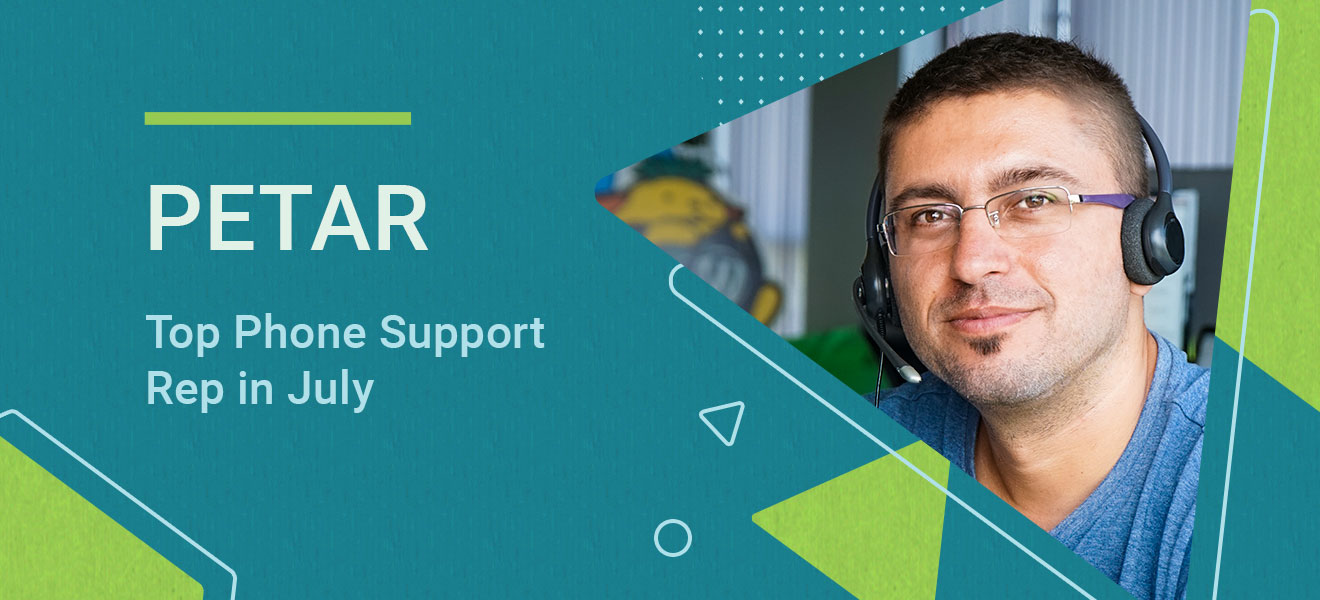
Meet Our Top Phone Support Rep for July

Peter SiteGround

We’re thrilled to introduce you to our top phone support representative for this month – Petar! He joined SiteGround almost ten years ago and is one of the most experienced members of our Phone Support team. Even though he had no idea what web hosting was when he first started, today Petar is a senior web hosting expert. He’s answered over 50,700 calls and helped thousands of clients! Learn more about him and some of his best tips below.

Continue reading “Meet Our Top Phone Support Rep for July”

Powering good, one website at a time

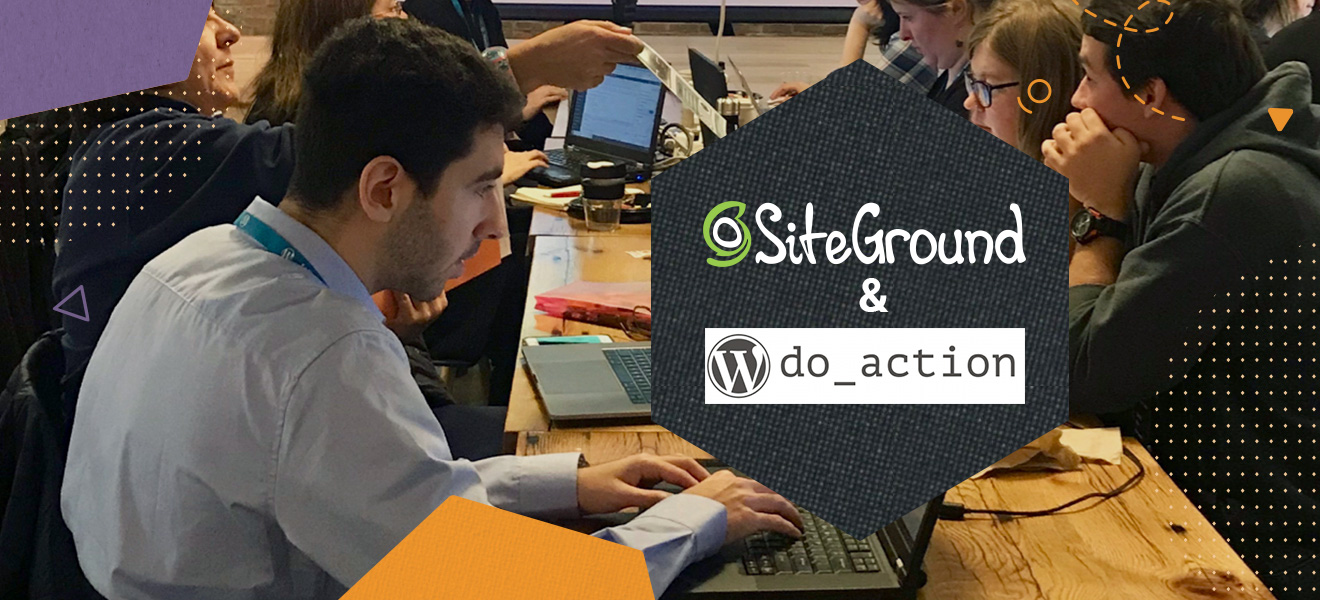
Our customers use SiteGround to host a wide variety of projects, but some of our favorites are non-profit websites that use the internet to make the world a better place. That’s why we’re proud to support events like do_actions, annual hackathons held in cities around the world where participants from the WordPress community come together to build websites for local organiзations. On May 25, it’s Caceres’ turn to hold their do_action and we’re pleased to attend and sponsor.

Continue reading “Powering good, one website at a time”

SiteGround Celebrates Its 15th Anniversary!

Last week we passed the 2-million-domains hosted on our servers mark. Coincidentally, this came as an early Birthday surprise for our 15th anniversary this year that falls on March 22nd. We could not have made it this far without all of you, who put your trust in us and choose our services every day. Let’s make it at least 15 more years!

To commemorate the occasion, we prepared a short infographic with some of the milestones throughout the past 15 years that made us proud. Enjoy and share it using the #15YearsSiteGround hashtag to help us celebrate the day.

Continue reading “SiteGround Celebrates Its 15th Anniversary!”