How to Make Your Website More Environmentally Friendly

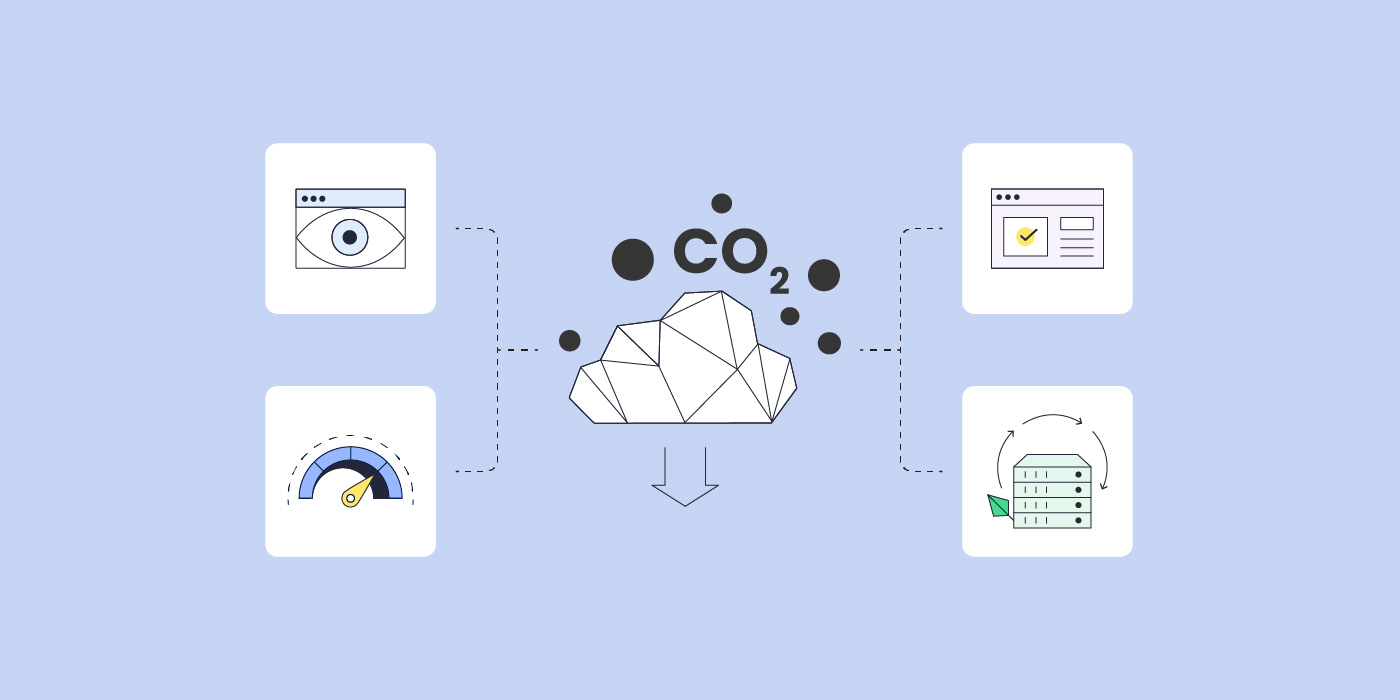
co2 emissions and speed server website icons

Reducing our carbon footprint is an enormous endeavor on a global scale – countries and individuals unite together to decrease carbon emissions. Given the fact how difficult it is to minimize carbon emissions, you might feel that your every day efforts are a drop in the ocean. On the contrary, every effort counts – each recycled plastic item, every website made greener, contributes to this worldwide struggle.

You read that one correctly – a website should be eco-friendly, too. One would think that since websites are digital assets, they don’t leave a carbon footprint. However, websites consume large amounts of energy to load for users and appear in search results.

Here’s how your website impacts the environment and how to reduce its carbon footprint.

What Impact Does a Website Have on the Environment

According to statistics, an average website produces 211 kg CO2 emissions annually. This is the equivalent of 1055 km of driving a car. And that is for just 1 website.

There are nearly 2 billion websites in the world, according to Statista. These make the Internet the sixth largest consumer of electricity on the planet. As a result, on a global scale, it produces around 2% of global CO2 emissions annually, equivalent to the aviation industry.

To calculate your website’s carbon footprint, you can use one of the carbon footprint calculators, available online for free.

4 Ways To Make Your Website Greener

Once you’ve calculated your website’s carbon footprint, there are steps that you can take to reduce this number even further. Have a look at the actions below and think if you can implement the ones you haven’t already taken.

Choose a Green Hosting Provider

Having a green hosting partner for your website is the first step to an eco-friendly website. If you’re still deciding on your hosting provider, or want to check whether yours offers green hosting services, you can simply visit their website and look for green practices and initiatives, such as using renewable energy sources (e.g. wind and solar power) to power their servers, recycling or reducing waste, and similar commitments to the environment.

Why is that so important? Here are some statistics that show how important is the role of your hosting provider in creating and maintaining an environmentally friendly website.

An average website produces 4.61 grams of CO2 for every page view. However, at SiteGround, we dedicate much time and effort to host greener websites. As a result, for websites hosted with us, each site visit amounts to approximately 1.7 grams of CO2 emissions – nearly three times more carbon-efficient than the industry average. Here’s a glimpse of some of the things we do to achieve that:

  • 100% energy match

Our data center infrastructure is powered by the Google Cloud platform which matches 100% of the electricity consumed by the servers with energy from renewable sources. This strategy ensures high redundancy, optimal site speed and sustainability.

  • Data centers close to end users

SiteGround uses more than 10 data centers around the globe for hosting our clients’ websites. The closer that server is to the majority of their website visitors, the faster their website loads for users, and the less energy it consumes.

  • Servers run on the latest tech stack

We constantly optimize our server software and develop powerful tools to maximize efficiency and minimize resource usage. Some of these tools are our in-house built CDN that caches site content on multiple servers on different continents, custom PHP setup that improves page load by up to 30%, SuperCacher that enables full-page caching to make websites up to 5x faster.
Optimize Your Website Performance

If you’ve already using a green hosting provider for your website, that’s a solid foundation for having an environmentally friendly website. The next thing you need to think about is your website loading speed.

A slow website consumes more energy to load. If your website is slow, it will require a lot of processing power from the server, for every visitor that comes and tries to load it. Thus, your site produces more carbon emissions.

Improving your site’s loading times will result in less energy consumption, it will undeniably improve the user experience of your website visitors, and at the end of the day, you’ll have a more eco-friendly website. Here are some practical tips on how to increase your website loading speed:

  • Optimize your use of images

To improve your website’s loading speed, you need to optimize the way you use images on your site. First and foremost, consider what images you use and reduce them by removing the unnecessary ones and/or concentrating them into single files. Second, prioritize and load critical images first – those above-the-fold should load first, while non-critical images could use lazy-loading only after critical images or when they are needed. Next, compress images in size as much as possible, without compromising on their quality. Last, but not least, leverage caching for static images, in order to minimize redundant user requests.

  • Leverage website caching

To speed up your website even further, leverage one of the most powerful technologies – caching. What’s more, it can be applied on different levels of your website – on server and on browser level. Server-side caching reduces the website’s loading times by keeping a copy of the web page on the server. SiteGround clients take advantage of three levels of server-side caching – Nginx Direct Delivery for static content, Dynamic caching for dynamic content, and Memcached (for object caching). Browser-caching, on the other hand, can also significantly reduce your site loading times – when a user visits a website for more than once, their browser will load the cached version of the page, stored on their device.

  • Use a CDN

To speed up your website even more, use a content delivery network (CDN). A CDN distributes copies of your website to users in different geographical locations by loading your website from servers that are located closer to the end user. SiteGround clients leverage our free in-house built CDN which provides their websites with blazingly-fast loading speed, requires no configuration on their side, and is easy-to-manage. But, surely, there are multiple paid CDN products and options out there.

  • Clean up your website from unnecessary weight

Decluttering your website should be just as common as spring cleaning your home. There are some pages, plugins, themes, redirects, files, content and more that slow down your website and increase its carbon footprint. Here are a few things to keep in mind when cleaning up your website:

First, get rid of unused plugins and themes, because of the straight-forward rule: “the less code, the faster your site”. Next, remove outdated content and files from your site. These also take space on your site and further slow it down. Last, but not least, reduce unnecessary redirects that affect website speed by adding extra steps to the page load process – keep your pages and content a click away. To clean up your site even further, explore more techniques in our blog post.

Improve SEO Visibility

Even if your website is hosted with a green host and is optimized for performance, there are still other steps that you can take to make it even more environmentally friendly.

When people search for your website on search engines, that requires a lot of energy. In terms of greenhouse gases, one Google search is equivalent to about 0.2 grams of CO2. To put that into perspective, an average car driven for 0.6 miles (1 km) produces as many greenhouse gases as a thousand Google searches.

That’s why if you optimize your website for search engines, the end users will spend less time searching for it, which in turn will result in less energy spent on server requests, and ultimately a more environmentally friendly website.

Let’s explore the top three SEO practices you can try in order to improve your website’s visibility:

  • Optimize your site structure and navigation

Your website structure is how you organize your pages and content into (sub)categories. Navigation, on the other hand, is how you guide your users to these pages and content. To optimize website structure and navigation, you need to have descriptive URLs with relevant keywords, logically structured and easy-to-follow navigation menu, and use internal links that lead to your own content and pages. All these will help you create a user-friendly site hierarchy, which in turn improves the way search engines crawl your site and its visibility in search engines results pages.

  • Target relevant keywords 

Keywords are what users put in search engines to find what they’re looking for, and at the same time keywords tell search engines what your website is all about. That’s why it’s important to use words wisely. Create clear and concise content that corresponds to what users search for and expect to see on your site. Research and use keywords that your audience looks for in order to match their search intent. Use synonyms and variations as well, in order to cover a wider range of their searches.

  • Audit your website regularly

Analyze the performance of your site regularly to make sure that your website is ranking well and is providing good user experience. For this purpose, you can use different tools, such as Google Analytics, or various SEO tools, that will help you monitor and identify areas for improvement. Common issues include duplicate content, broken links, or slow loading speed.

Strive for User-Friendly Design

Last, but not least, your website design should also be user-friendly in order to make your website more environmentally friendly. Why is design so important? When users land on your site and it provides them with an optimal user experience, this mitigates energy usage and thus, carbon footprint. Let’s explore some effective design strategies:

  • Minimalistic design

When it comes to website design – less is more. Make sure you provide your users with what they are looking for in a user-friendly manner. Avoid unnecessary assets and too many visuals that will distract the users from what they’re looking for. Include only visuals that will somehow benefit your users in their end goal on your site. Keep your design clean in order to reduce page size, your website’s rendering and thus, carbon emissions. 

  • Easy navigation

Ensure your website navigation and finding what users are looking for is easy and can be done in a few steps (clicks). Help your users way-find your content easily by structuring your navigation menus with their user experience in mind. Including internal links to your products and services will also allow users and search engines alike to identify key information easily. Intuitive navigation makes visitors spend less time and energy finding what they require, accomplish tasks with reduced steps and thereby lowers carbon emissions.

  • Mobile and desktop friendly

Another aspect of the user experience is to ensure your visitors can do all of the above just as easily and quickly as on any device they use. Whether they visit your website from a mobile or a desktop device, there shouldn’t be an issue for them to navigate or reach what they’re looking for. What’s more, mobile devices use less processing power than larger devices. Making your website fully responsive helps reduce energy consumption, improve performance and create a seamless user experience.

Wrap Up

Having an environmentally friendly website is just as important as your other sustainable daily practices, such as reducing plastic usage, using public transportation, recycling waste, and others.

However, creating and maintaining a green website takes time and effort. That’s why it’s important to have a reliable green hosting partner like SiteGround on your side, in order to not be alone in the journey to an eco-friendly website.

How Oasis Real Estate Boosted Email Performance by 30% with SiteGround Email Marketing

How Oasis Real Estate Boosted Email Performance by 30% with SiteGround Email Marketing

Meet Guillermo from Oasis Real Estate, a real estate agency based in California. Guillermo’s journey with email marketing began much like any other – searching for the right tool to connect with customers, promote events, and grow his contact list. For Oasis Real Estate, the search for an effective communication strategy led them to SiteGround’s Email Marketing Tool – a decision that not only streamlined their email marketing processes but also boosted their email performance by an impressive 30%.

The Challenge of Complex Email Marketing Platforms

Before discovering SiteGround, Oasis Real Estate, like many other small businesses, navigated through a labyrinth of email marketing platforms. Each promised results but often at the cost of complexity and hidden headaches. That’s when SiteGround’s email marketing tool came into play, a breath of fresh air in a market cluttered with over-complicated platforms. It promised ease of use without compromising on the powerful features necessary for running successful email marketing campaigns. What he appreciates most about our tool is the straightforward, no-extra features approach that can disrupt the workflow, stating, “SiteGround Email Marketing has been the best so far,” valuing our tool’s focus on what’s essential for his business.

Why Email Marketing? 

For Guillermo, email marketing is the lifeline for nurturing client loyalty and generating new leads. He and his team found that emails with promotions and events are particularly effective for growing their customer base. It’s their way of delivering value that keeps clients coming back for more. 

Key Features That Deliver Results 

Since adopting the SiteGround Email Marketing tool, Oasis Real Estate has enjoyed a suite of features that have made all the difference:

  • Templates: The option to save your emails as templates allowed for quick and easy campaign creation, saving precious time and resources.
  • At-a-Glance Analytics: The current analytics provide essential insights that inform better decision-making.
  • Effortless Scheduling: The ability to schedule campaigns in advance ensured that messages reached clients at the optimal time.

Easy Lead Generation 

Oasis Real Estate were able to easily grow their contact list with the help of SiteGround’s Lead Generation plugin. Guillermo expressed his satisfaction with the sign-up forms, stating that they are now present on all of their pages. This means that they no longer have to spend extra time synchronizing leads manually, as the plugin handles it automatically. This simple process has saved them valuable time and made lead generation a lot easier.

Real Results 

How real? A 30% increase in open and click-through rates, translating to better engagement and more successful campaigns – since switching to SiteGround Email Marketing. That’s the kind of improvement that turns email marketing from a chore into a winning strategy.

Guillermo found that the SiteGround Email Marketing tool’s streamlined approach saved time across the board. From creating campaigns to managing contacts, every aspect of email marketing became more efficient, freeing up the team to focus on other critical areas of their business.

So, if you’re looking for a hassle-free email marketing solution you might want to give SiteGround Email Marketing a chance – it’s free for the first 30 days! Who knows? You might just be the next success story! 

[Expert Chat] Getting Started with Email Marketing

experts on email marketing

Whether you have a small personal or portfolio site, an eCommerce store, or are just starting up a small business website, there is one thing that can effectively boost your online presence at every stage – email marketing.

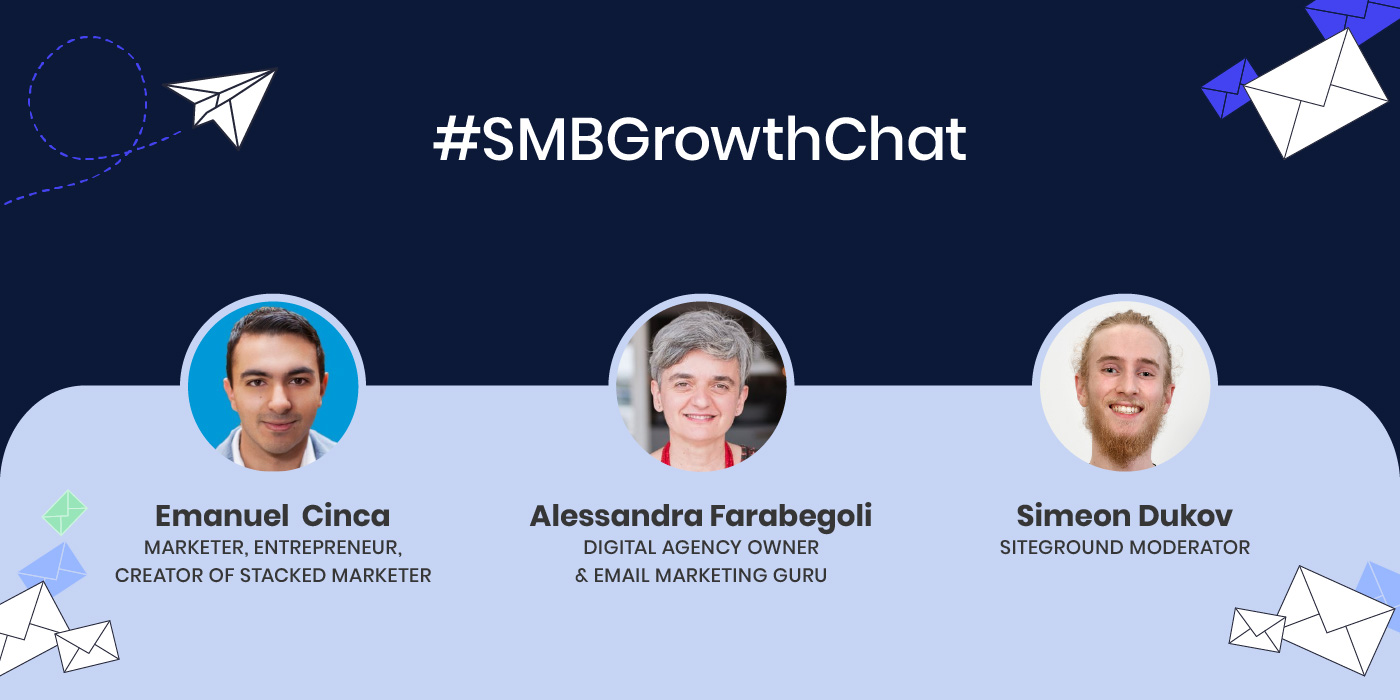
To help you get started and grow your email marketing efforts, right on time for the upcoming holiday season, we organized an #SMBGrowthChat on Twitter Spaces along with Alessandra Farabegoli (@alebegoli), Digital Agency Owner & Email Marketing Expert, and Emanuel Cinca (@emanuelcinca), Marketer, Entrepreneur, Creator of Stacked Marketer. If you missed the live event, we’ve got you covered. Here are their expert tips on how to build and grow your email list, choose the right email marketing solution, optimize your email campaigns, and other key elements for your emails’ success.

Is email marketing right for you

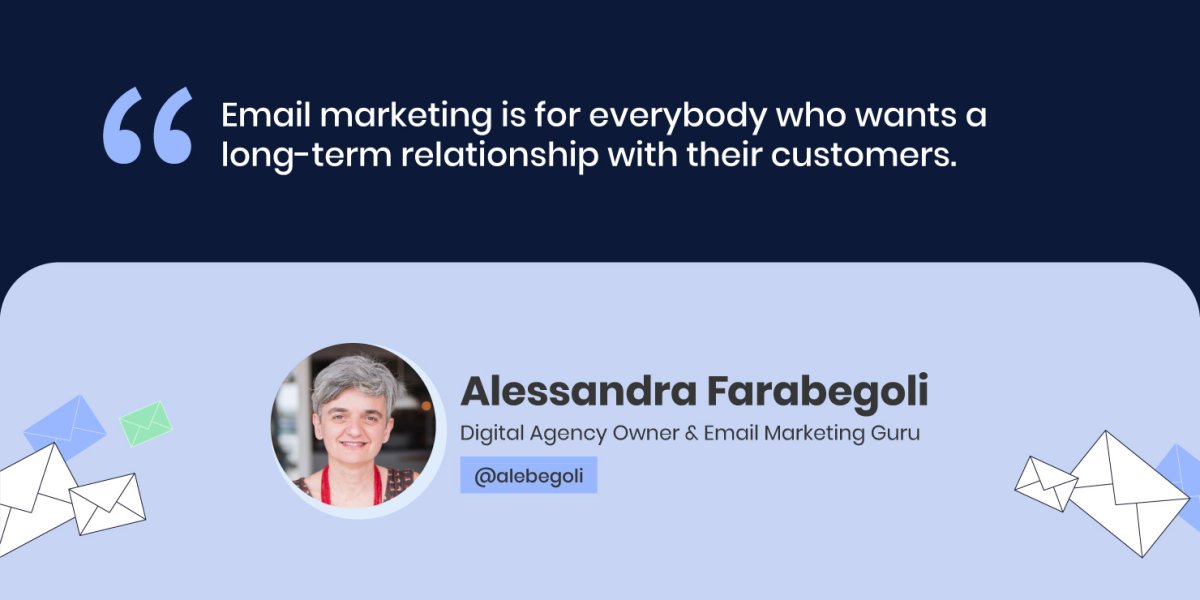
Contrary to popular belief, email marketing is not only for companies with huge budgets, “Email marketing is for everybody who wants a long-term relationship with their customers,” Alessandra Farabegoli, Digital Agency Owner & Email Marketing Expert, points out.

Email marketing is your direct communication channel with your audience that helps you grow, engage, nurture and eventually convert the people interested in your company – whether you’re a blogger, an artist, an NGO, a b2b company, or an event organizer.

“Depending on what resources you have and what strengths you already have within your marketing team, maybe email marketing is not the first thing that you think about doing, but in the long-term, it’s for everyone,” says Emanuel Cinca, Marketer, Entrepreneur, Creator of Stacked Marketer. 

How to get started with email marketing

Since email marketing is within your scope, you’re probably wondering where to start from. Here are the basics of email marketing to begin with and then build upon them:

How to grow your email list

Before sending any email marketing campaigns, you need to start gathering subscribers to reach out to. To effectively grow your email list, the main thing you need to do is know your ideal subscriber. 

“Know the people who want to join your list, because you have to know where to look for them, how to advertise your list (maybe on social networks), where the people you want to join your list are,” Alessandra Farabegoli advises.

Once you know your audience well, your next step is trying to understand what will trigger them – what kind of interesting and relevant content or reward to offer to these people who are thinking of joining your list. Build your promise around that and tell it effectively – explain what they’ll get, if they join your list.

It’s then crucial to deliver on your promise – “make sure that whatever you promise in any lead magnet or any reason you give people to sign up, the content you deliver, or the information, the products continue to be within that sphere,” Emanuel Cinca points out. For example, if you get people to subscribe to your list through a lead magnet on how to create social media campaigns, but then you deliver content around SEO, that might not be a good idea, adds Emanuel Cinca.

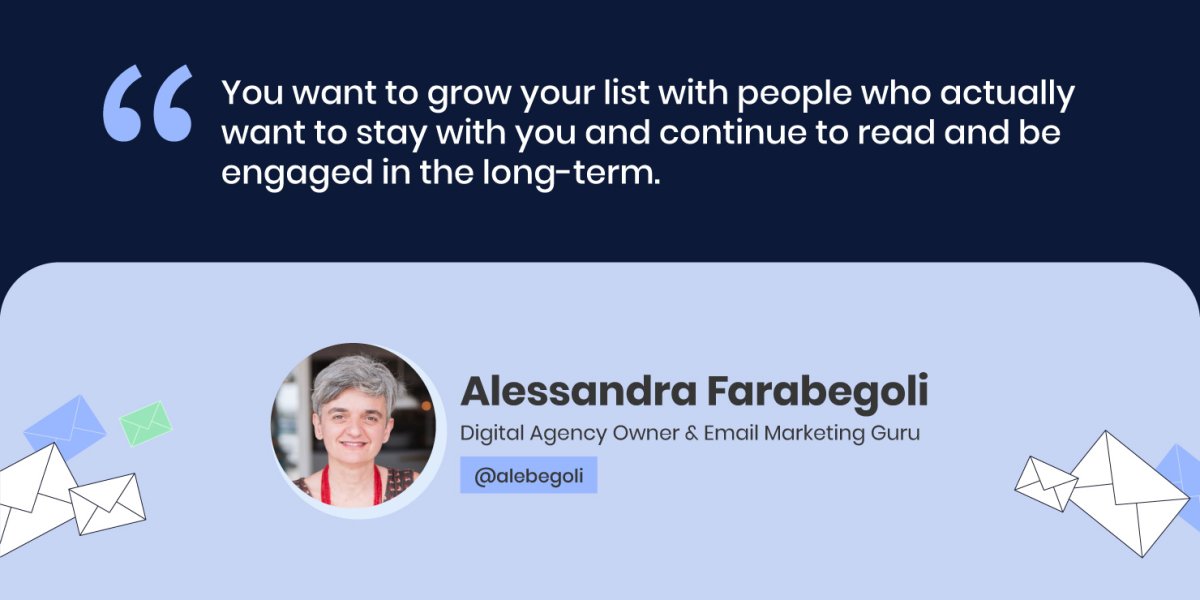
At the end of the day, it’s not the numbers, it’s the quality of your audience, as Alessandra Farabegoli notes. “You want to grow your list with people who actually want to stay with you and continue to read and be engaged in the long-term,” she adds.

If you’re wondering where to find these high-quality readers of your future email campaigns, Emanuel Cinca advises to look for other email lists for people who are already engaged with different newsletters, because in general, newsletter readers read other newsletters. Alessandra Farabegoli adds that guest posts and guest newsletters are also a great way to make you known by other newsletter readers.

If you’re a SiteGround client, using our Email Marketing tool, you can easily add a subscribers form on your website and start building your email list with our Lead Generation plugin for WordPress. It’s a great opportunity to create a lasting relationship with your site visitors, nurture them and turn them into loyal customers.

To collect email subscribers easily and efficiently, it’s crucial to choose the right email marketing solution.

Choose the right email marketing solution

Choosing an email marketing solution that best fits your goals will actually depend on your business needs. 

For example, if you’re doing an eCommerce project, you “need automation features that allow creating automated workflows, such as an abandoned cart, or complex welcome series that can segment people and differentiate messages,” Alessandra Farabegoli says. 

On the other hand, if you’re doing a newsletter, look at newsletter-focused features – you need to have highly-customizable templates that are easy-to-use, good team member permission to have different roles for different team members (to add and do reports, view and send newsletters), Emanuel Cinca advises. He adds that it’s also important to have an integration with WordPress or any other solution you use. Other crucial features include the view of the email editor, the ability to segment subscribers and send relevant messages to the right people, Alessandra Farabegoli points out.

At SiteGround, we understand that ease of use is key. That’s why our Email Marketing tool is user-friendly and integrated into the SiteGround Client Area, allowing seamless management of your website and email campaigns in the same place. You can choose from our highly-converting layouts, customize them to suit your brand and send your campaign in a matter of minutes.

Top strategies for sending email marketing campaigns

Now that you’ve built your email list with subscribers, you have to start communicating with them directly via email. Here are our experts’ top tips for sending successful email marketing campaigns:

Types of email campaigns you need to send

Our experts are of the opinion that the most important campaign is the welcome email or the welcome series emails, because when a subscriber enters your list, it’s the peak of interest moment. Alessandra Farabegoli advises you to build upon this interest still with the first emails that will make people think it was worth subscribing to your newsletter, as you’re sending them interesting content. 

According to Emanuel Cinca, another important type of email you should have is the re-engagement email to clean up your list. If someone disengages after a long period of time (period is based on the emails they’ve received, not on time), send them a re-engagement email. If they still don’t engage with you, he advises you to consider segmenting or unsubscribing them, so that they do not receive as many emails as everyone else. Otherwise, this might hurt your email reputation.

Alessandra Farabegoli points out that if you’re selling online, there are then some more types of emails you need to send, such as post-purchase emails, abandoned carts, winback flows, etc. which you can set up in order to nurture your customers, have them use your products better, and maybe cross-sell and upsell.

An important thing to keep in mind, though, is that you must have a plan, Alessandra adds. This goes to say that you need to create an email calendar with the topics you want to build on and their schedule. “Find a regular schedule to send emails, because consistency is key. Your newsletter must be an appointment. People should know – today, this newsletter is coming and I want to read it,” Alessandra notes.

How often should you reach out to your subscribers

Indeed, it’s important to have an “appointment” with your readers and send them emails regularly. Yet, how often should you reach out to them so that they don’t consider you spammy? 

Our experts agree that there’s no one size fits all. The timing will depend on your subscribers’ list, their reading habits, their expectations, what content you send and the purpose of your email. However, there are some general factors to consider when sending emails:

What defines the right moment to press “send”?

Nowadays, everybody checks their email every day – from when they get up until night, but what’s the right moment, when they’re ready to read your message, when they will be interested to read about the topic, or consider buying your product, Alessandra Farabegoli asks. The simple answer is that it depends on your message.

For example, if you’re sending a news email, you can send it in the morning, when most people are reading the news. If you’re sending a sales email and you want the reader to make a right-away purchase decision, mornings are not the best time to do so. For instance, sending an email about planning a trip would perform best outside working hours.

In Emanuel Cinca’s experience with a Monday to Friday newsletter that includes marketing news and the latest case studies, Monday to Thursday still gets the same engagement, because they’re providing readers with information related to the subscribers’ jobs, they are reading it as part of their work routine.

As Alessandra Farabegoli points out, you need to avoid busy times of the week, e.g. Monday mornings are generally not the best moment to send b2b campaigns, but there’s an exception to this rule – for example, welcome emails or post-purchase emails should be sent immediately.

Segment and personalize your email campaigns

Once you’ve identified when to hit the “send” button, you might also want to segment and personalize your email campaigns before sending them out, for better performance and results. Our experts give valuable advice on both the eCommerce and non-eCommerce side of things:

  • eCommerce projects

“If you work on an eCommerce project, the most obvious segmentation is between people who are already customers and people who are not,” Alessandra Farabegoli says. She explains that there are two main factors to keep in mind – engagement and source. 

Engagement is key for eCommerce projects and you need to clean your list regularly – avoid putting people that are less engaged, even though they are customers. You can still write them for sales, Black Friday, special offers, or new product launches, but you need to lower the frequency of sending emails, so that they don’t mark you as spam or unsubscribe from your list.

The source is also very important, according to Alessandra Farabegoli – “if you realize that people, who come from a lead acquisition campaign, don’t buy anything in the end, you may reconsider if this campaign is the right place to advertise,” she says.

  • Newsletter publishers

Emanuel Cinca gives insight on the non-eCommerce side – for newsletter publishers, you can have segmentation by frequency (when they want emails to be delivered) and activity (re-engagement of subscribers on a regular basis). You can also segment based on the source where people came from – not necessarily to personalize for them, but to know how things are working: ROI generating, readership status, sales numbers, etc., he explains. One more way of segmentation is interests, as Alessandra Farabegoli adds. “Ask people what they are interested in, or use the interest from where they clicked on,” she points out.

With the Email Marketing tool, SiteGround clients can target specific audience groups and add a personal touch with dynamic content variables, such as the first name of the recipient, etc. Our system also automatically suppresses hard bounce email addresses to keep email lists healthy and improve open rates and reputation.

Best practices for optimizing your email campaigns

After sending your email campaign, you’d need to make sure that your deliverability and open rates are as high as possible. Our experts have some valuable advice on how to achieve that, what other key metrics to track, and how to optimize your email campaigns for even better results.

Ensure higher email deliverability rates

According to Alessandra Farabegoli, the main factor is your sender reputation. “To ensure you reach the inbox, keep your promises and send relevant content. The main thing is how you keep the relationship with your subscribers, so that they continue to think your emails are worth opening, clicking and reading,” she explains.

Emanuel Cinca also points out some other important algorithms behind email deliverability. Generally, if you follow the rules of most service providers, you’ll usually not go into the spam folder, unless you’re truly spammy. However, your email can go to the Promotions tab, where less people will engage with it. Emanuel Cinca has a fix for this issue: “The best thing to do is get high engagement on your very early emails, e.g. try to get replies on your welcome email – offer a bonus lead magnet in exchange for replies,” he advises. If you get that high engagement early on, it’ll help your emails go to Updates or the Primary inbox, which means that people get a notification when you send them an email. What’s more, the inbox will be the default one for the new subscribers to begin with, unless they start to become disengaged,” Emanuel Cinca explains.

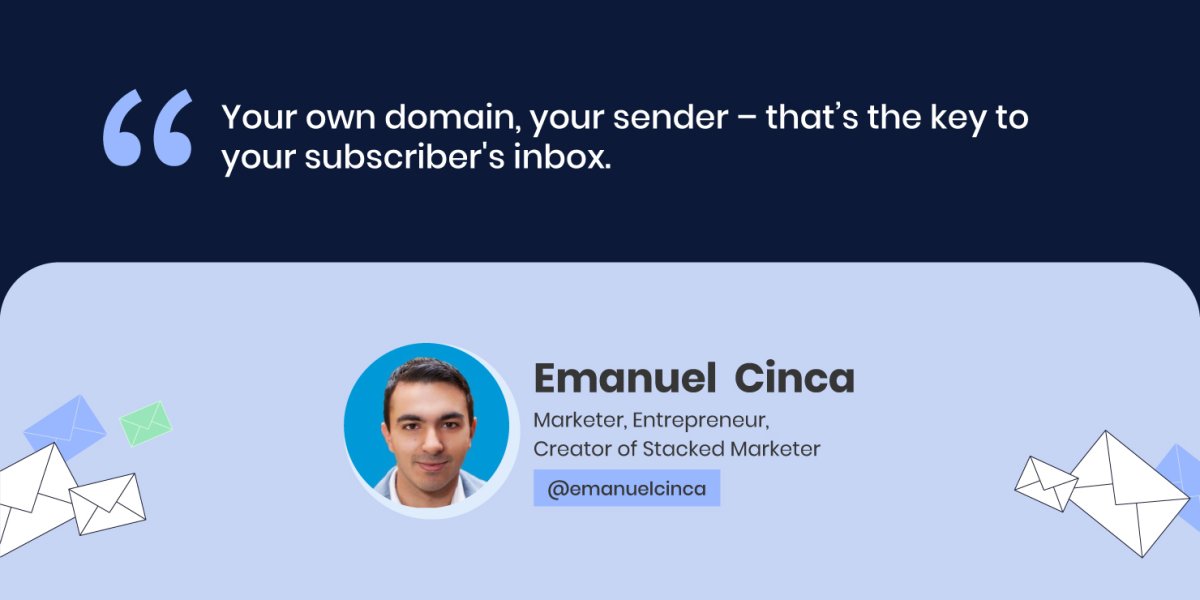
Another factor that matters significantly is the sender itself. “Your own domain, your sender – that’s the key to your subscribers’ inbox,” Emanuel Cinca points out. However, he adds that some email service providers don’t let you completely set up all authentication, SPF, etc. through them, and then you cannot add your custom domain which is essentially the key to the inbox.

Again, it comes to your choice of email marketing tool. At SiteGround, we take care of the technical side of your campaign sending to make sure your emails hit your audience’s inbox. We have one-time domain authentication that boosts the odds of sending your emails right in your audience’s inbox. The more emails that get delivered, the better your reputation gets.

Make sure your users open your emails

Now that your email has landed in your subscribers’ inbox, what would make them open and read that email? According to Alessandra Farabegoli, here are the top 3 factors that would make people open an email:

  • Sender’s reputation

“The sender is the first thing we’re checking when browsing through new emails – if this person or company is regularly writing interesting content, then I can give them my attention,” Alessandra Farabegoli says. If not so, people tend to skip, archive or even delete, without reading.

  • Subject line

Next, you need to write engaging subject lines, because the subject line is the first thing they’ll read. Emanuel Cinca’s experience shows that all their newsletters regularly have very short subject lines, literally 1 to 3 words,  which are slight teasers of what is inside.

  • Preheader text

The preheader text is right next to the subject line and it’s important as it helps readers see what they will find inside. According to Alessandra Farabegoli, the preheader can even be left blank, because in this way your email will stand out, with a bit of space around it.

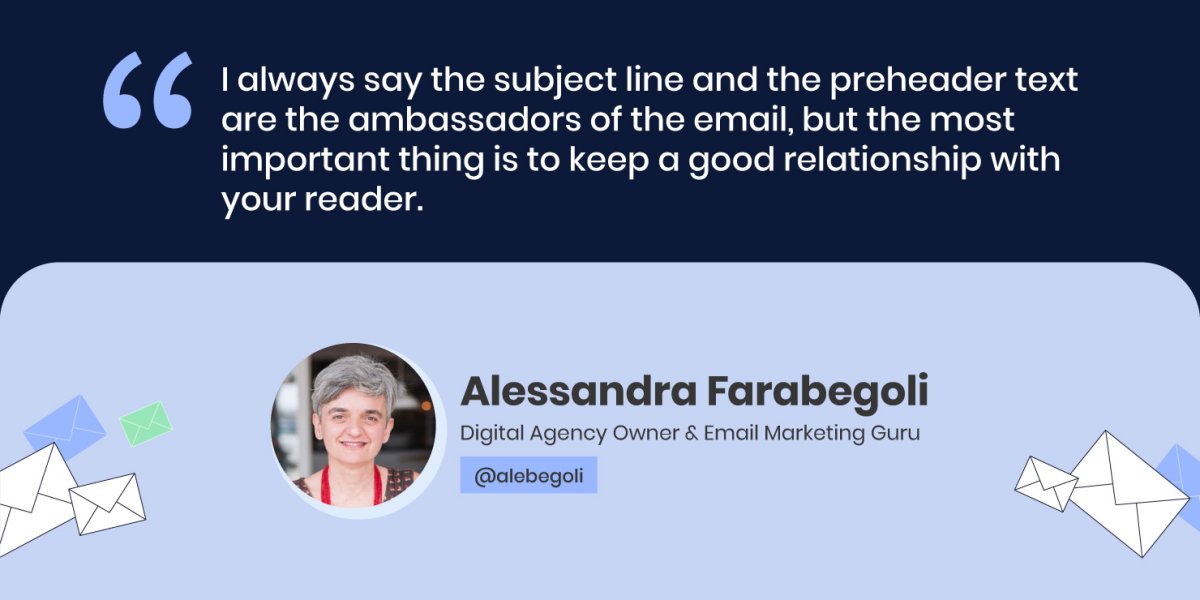
“I always say the subject line and the preheader text are the ambassadors of the email, but the most important thing is to keep a good relationship with your reader,” Alessandra Farabegoli concludes.

Track key metrics to measure your email campaign success

The key metrics that you need to track are those that are important for your business, such as sales or conversions – a download of a document, an actual purchase and others. Then, you need to check “what builds these sales – is it clicks from the website, is it opens, how many subscribers you have,” Emanuel Cinca explains.

However, Emanuel Cinca warns that nowadays “you should be careful about considering open rate as a very important metric – it’s relevant, but you need to have context behind it, because Apple mail privacy protection, for example, opens 100% of your emails over time”.

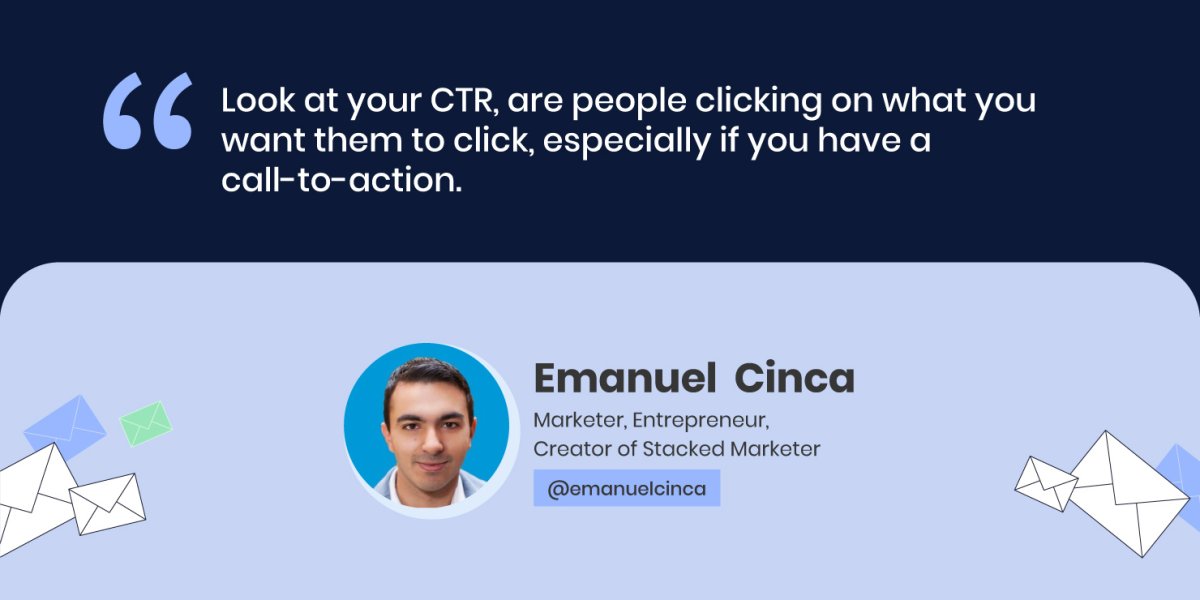
Both our experts agree that nowadays click-to-open rate (CTR) is really important, because it shows if you’ve built the right call-to-action (CTA) – if people who opened your email, decided to take it a step further, Alessandra Farabegoli explains. “Look at your CTR, are people clicking on what you want them to click, especially if you have a call to action,” Emanuel Cinca concludes.

With our Email Marketing tool, you have access to built-in analytics to gain insight into metrics, such as open rate, click rate, bounce rate and interactions, to measure the success of your campaigns.

Perform A/B tests to optimize campaigns and improve results

In case you’re not happy with the performance of your email campaigns, there’s a way to improve the results by performing tests of different email elements.

The first thing to consider, before performing any tests, is your list’s length. Alessandra Farabegoli points out that you need numbers to get relevant and statistically significant results. “You need at least maybe 20K subscribers to get a decent result from an A/B test on subject line, or sender, or timing, for example. If you want to test some content element, such as the CTA, you need at least 10 times that number,” she explains.

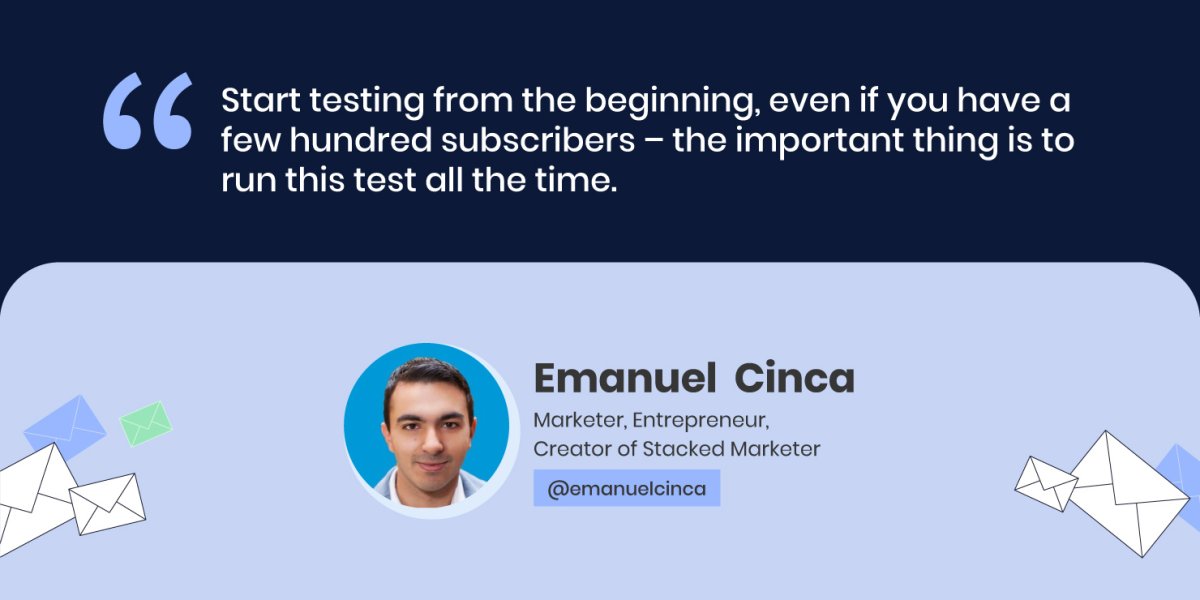
Emanuel Cinca agrees that if you send a newsletter one time and you have 1000 subscribers, A/B testing the subject line for them for that one time, won’t yield any results. Yet, he has a workaround, if you don’t have the volume now – you can A/B test your welcome sequence and subject line, if you have such automations or sequences. Start testing from the beginning, even if you have a few hundred subscribers – the important thing is to run this test all the time. Then, after 6 months, you might reach a statistically significant result.

To improve the content you send, you need to receive feedback from your actual readers, Emanuel Cinca advises. One thing you can test is your content structure, he adds – somewhat longer articles, bullet points, etc., split up your content as much as you can. Emanuel Cinca gives a bonus tip, in case you cannot A/B test directly and get the data– to run a survey to your audience.

Our experts agree that email marketing is a powerful tool that everyone can leverage, not only big business owners. Follow their professional tips in this article to make the most of your email marketing campaigns.

Check our YouTube recording to hear the whole Twitter chat conversation and follow us on Twitter for more news and discussions on useful topics.

[subscribe_cta]

Migrate to Google Analytics 4

the new features of google analytics 4

This July 1, 2023, Google permanently retires the application that has accompanied us in our web analytics for the last ten years: Universal Analytics. In doing so, it concludes a migration process that began three years ago, with the introduction of Google Analytics 4 in 2020. Although at that time it was not yet called that.

The change has caused an earthquake in the digital ecosystem since both versions are not compatible with each other, and switching from one to another involves a process, misnamed migration, which can sometimes be complex.

Indeed, Google Analytics 4 does not allow the import of historical data stored in Universal Analytics, which can be strategically important for those who need to perform comparative analysis with previous periods. For example, the case with an ecommerce that needs to contrast the results of this year’s Black Friday campaign with those of previous years.

To avoid this problem, the Google team insisted over the last two years that we install the new GA4 in parallel to UA, thus overlapping both measurements. As was predictable, many people did not carry out the integration until the last moment. Some have not even done it after the blackout.

In the following lines, we will try to find a solution to this situation.

What changes does GA4 entail?

GA4 represents a radical change in the way data from your digital assets is acquired and processed. There are several very important differences compared to previous versions.

Web + app

Google Analytics 4 allows tracking and analysis of both websites and mobile applications. This means you can gain insights and metrics on the performance of your website as well as the usage of your mobile app, all in one place. This is especially useful in a world where many businesses have a presence on both the web and mobile platforms.

All is about events

One of the main features of GA4 is that it is based on an event-centric model. In previous versions of Google Analytics, the focus was primarily on page views. However, in GA4, all data is collected and organized into events. An event can be any action that users take on your website or app, such as clicking a button, playing a video, or submitting a form. This allows for a higher level of flexibility and customization in data analysis.

Machine learning

GA4 leverages the power of machine learning to provide more detailed and valuable insights. It uses machine learning algorithms to perform advanced data analysis and uncover hidden patterns and trends. This helps identify opportunities and challenges for your business such as high-value audience segments, revenue predictions, and specific user behaviors. The artificial intelligence and machine learning in GA4 also allow for the creation of custom models to predict future user behavior.

Cross-platform and cross-device tracking

GA4 has an enhanced ability to effectively distinguish users who browse your site from different devices or browsers. It can now tell if the same user accessed your website from their mobile browser in the morning, through the office computer in the afternoon, and on your business app from their tablet at night. User accounting is thus more accurate, and we can fully trace the customer journey.

Data-driven attribution

GA4 offers more accurate and comprehensive data-based attribution compared to previous versions. With data-based attribution, you can better understand how different marketing channels and user actions contribute to your business goals. You can see which traffic sources and marketing tactics generate more conversions and make informed decisions about resource allocation. The attribution of responsibility for each marketing action is much more precise and fair as it is distributed based on how effective it has been with each type of user, statistically speaking.

Should I install GA4?

The answer to this question is always “it depends.” If you’ve used Universal Analytics on your website, it seems reasonable to make the switch and collect data in GA4. However, this has its technical and legal implications.

As you may already know, the General Data Protection Regulation, or GDPR, requires user permission to perform analytical processing of their data. This reason alone justifies the use of a cookie banner for any website whose potential target is not only the European Union, but also other countries like the United Kingdom, Japan, Argentina, Uruguay, Switzerland, Canada, some states in the U.S., and increasingly more countries around the world.

On the other hand, it’s very likely that for many of the people reading this article, server analytics will be sufficient, thus avoiding this small legal quandary.

Statistics on SiteGround

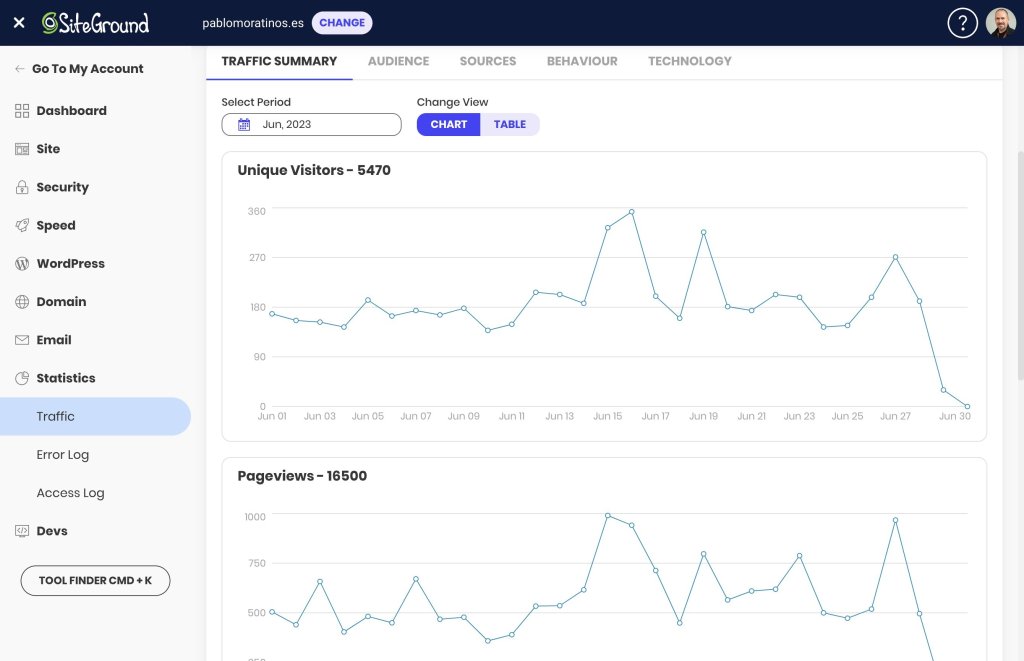
At SiteGround, we have an entire section in the Site Tools dedicated exclusively to statistics, where you’ll find very interesting information about your website.
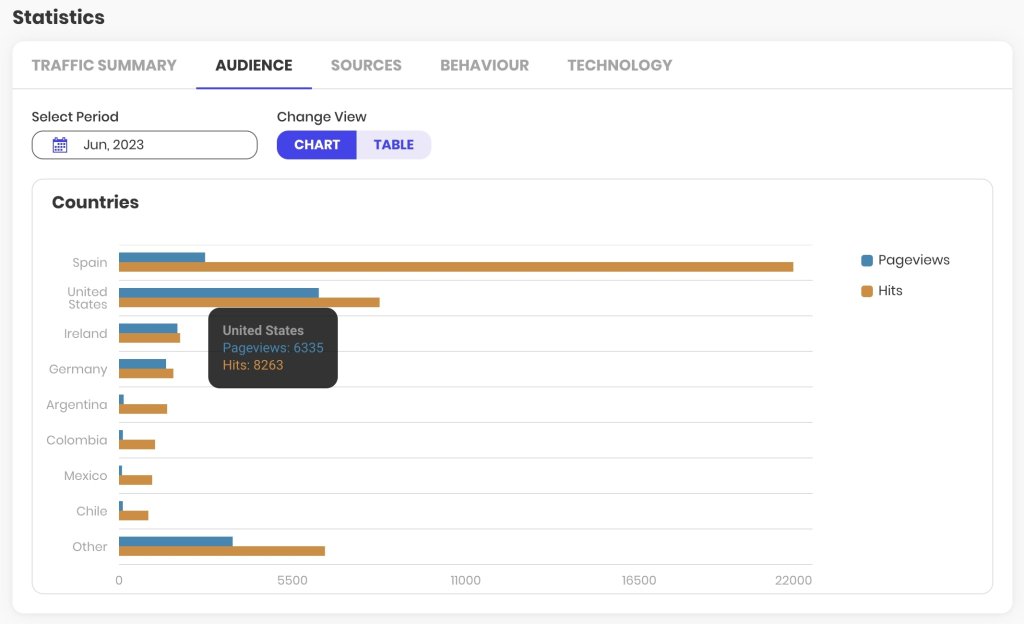
In it, you can access useful information such as the volume of traffic your website receives, the countries of origin, the source of visits (search engines, social networks, other sites), your most viewed content or pages, and the technology used by your visitors (browser and operating system).

The collected information can be viewed both in line chart format to measure temporal evolution, as well as in bar charts or tables to consult absolute values.

The analysis periods are monthly, and the information is updated with a frequency much higher than that of Google Analytics, which can take up to 24 hours to consolidate its data.

The main aspect you should consider with these reports is that they are based on what is known as server logs, a type of data that does not discriminate between bots and human users. Therefore, the data volumes may not accurately represent the number of readers or customers of your online asset. In any case, the evolutionary information of the traffic, month by month, is very useful to understand the growth of your website and the content with the highest demand.

Alternatives to GA4

If the information from SiteGround’s statistics is not enough and you want to continue avoiding managing legal aspects related to user privacy, it is recommended that you install another general analytics solution like Matomo, or specific ones for WordPress like Fathom, Koko Analytics, or Simple Analytics, for example.

But if you want to conduct a thorough analysis of your site’s traffic and performance, understand how users interact with your content, identify the most effective traffic acquisition channels, or discover those elements with the greatest potential for improvement on your website, GA4 is the most comprehensive tool and the current industry standard. Moreover, there is already quite comprehensive official documentation, tons of guides on user blogs, and thousands of videos showing many of its advanced features.

How to install GA4

There are several ways to install GA4. All of them work similarly to how it was done with Universal Analytics. If you were already using this tool, the easiest way is to change the tracking code or the identifier from one to the other.

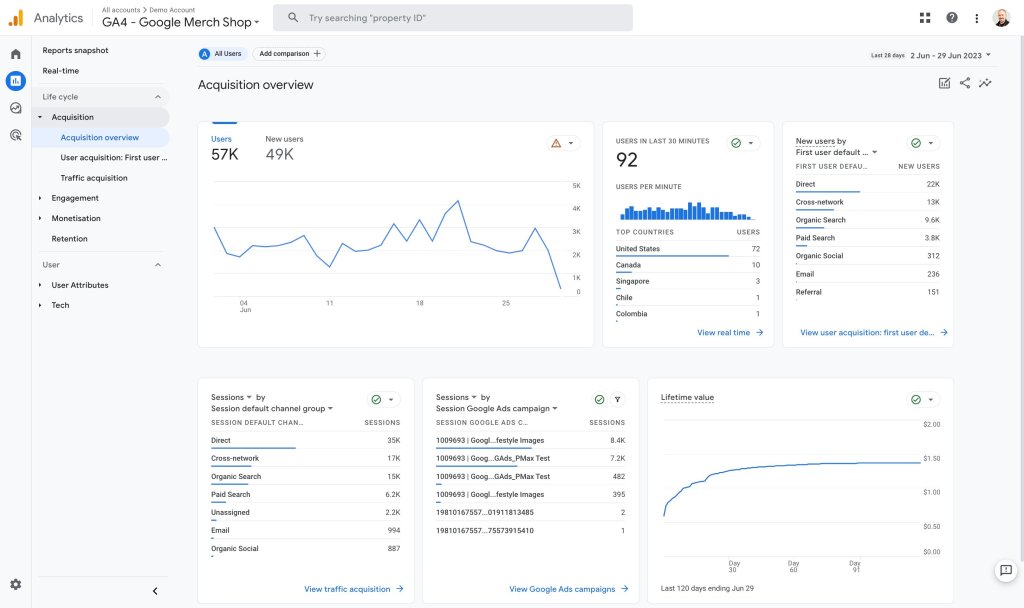
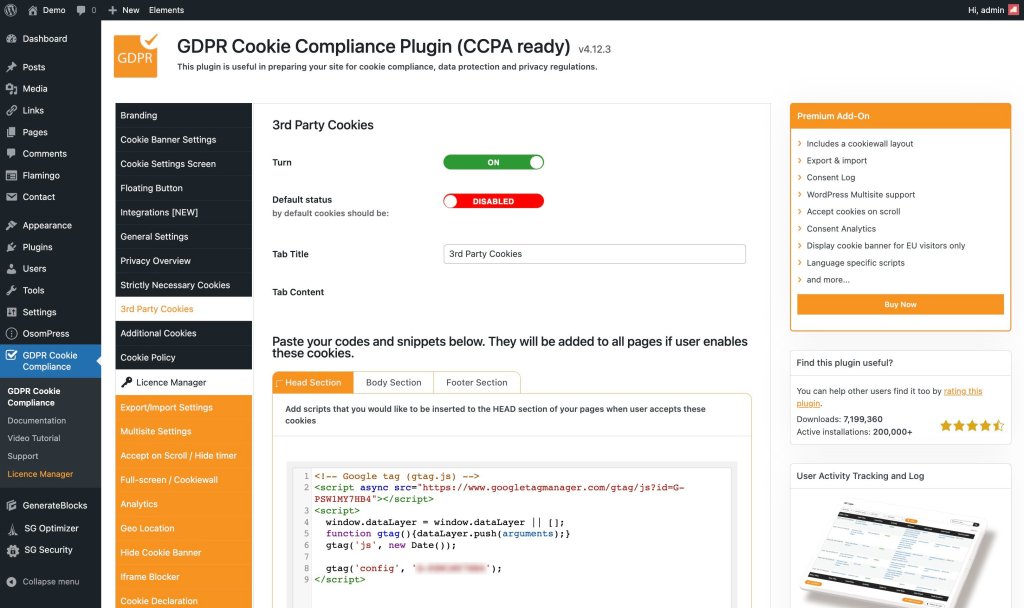
You will find the Measurement ID in Admin > Data Streams > Web Stream Details, and you will recognize it because it is a ‘G’ followed by a dash and a series of characters, for example, G-PSW1MY7HB4. This ID from the example is the web stream identifier of the Google Merchandise Store, a property that Google shares for demonstration purposes and that you can consult whenever you already have a Google user.

In this same space, a little further down, in the Google Tag section, you will find the View Tag Instructions section, where Google offers some recommendations on how to install the tracking code on your website, either through the Measurement ID that you obtained in the previous step, or through the complete script for a manual installation.

The most comprehensive formula for all those WordPress users who care about respecting the privacy of their visitors is to add the GA4 tracking script to their website through a cookie plugin. For example, GDPR Cookie Compliance has a section in its settings for third-party cookies where you can add it.

As soon as you complete and save the configuration (follow the official plugin documentation to make sure you don’t miss anything), your GA4 property will be tracking all those visits that accept the cookie policy of your website.
The future of GA4

Over the next few years, Google Analytics 4 will be present on millions of websites. Not only on those where its tracking code is installed, but also in hundreds of thousands of tutorials, manuals, tips, and courses.

You can be sure that Google Analytics will continue to be the standard and that its tool will continue to grow day by day. The current version still needs to be polished in many aspects, but changes and updates that increase its potential are published every week.

The closure of Universal Analytics should mean a reorientation to GA4 of the many resources it consumed, so it seems logical to think that the steps it will take in the coming times will be larger and more firm.

For those of us who have been working with it daily for many months, it is already a very useful resource that is difficult to tame but gives us a much broader and deeper view of our digital assets. We know that the learning curve is steep and that it is difficult to overcome resistance to change, but we are sure that if you give a little love to your Google Analytics 4, you will be getting sparks out of it in a few hours.

Have you tried it yet? What did you think? Have you encountered any problems? We would love to hear about your experience in the comments.

[subscribe_cta]

Discover Your Entrepreneurial Persona with Our Personality Quiz

discover your entrepreneurial persona

May marks National Small Business Week in the USA for the past 60 years now. It recognizes the importance of SMBs to the U.S. economy. This year at SiteGround we went beyond that first week, and dedicated the whole month of May to helping small businesses start, grow and succeed online with informative content and useful resources:

  • Email course that helps you start your business online with actionable challenges to master your business skill set in one month;
  • Free guide: Journey of an online buyer that helps you learn how to build and optimize your website to increase conversions, based on the modern online buyer’s journey;
  • Tips from top business experts that help you navigate through everything you need to manage yourself – from the must-have elements on your website to the fundamental marketing channels, and many more.

To wrap up the SMB month, we prepared a fun business personality quiz to help you discover your entrepreneurial spirit and find out who is your perfect business match.

This content is only visible when the visitor has consented to marketing cookies.

Answer a few witty questions on how you approach your work and business tasks in order to:

  • Find out your entrepreneurial alter ego

Which one of the 16 business personalities are you – a Visionary Entrepreneur that approaches work with thoughtfulness and imagination, a Devoted Perfectionist that is committed to hard work, or someone else? Take our quiz to get a full description of your business personality straight to your inbox.

  • Unlock and download your custom digital badge

Once you complete the quiz, you’ll also receive your custom digital avatar, free to download and share with your friends and fellow business partners. It will correspond to your work approach and be a nice addition to your social media profiles.

  • Discover your entrepreneurial “soulmate”

As a bonus, you’ll learn what are the three business personalities that you work best with. Share your results with friends to find out who is your perfect business match among your friends and fellow entrepreneurs.

[subscribe_cta]

Start, Grow & Succeed Online with Tips from Top Business Experts

smb growth twitter chat

As a small business owner, you need to manage almost everything yourself – your brand, your store, your website, etc. To help navigate through all that, we’ve got you covered with professional advice from top experts that will help you start, grow, and succeed online.

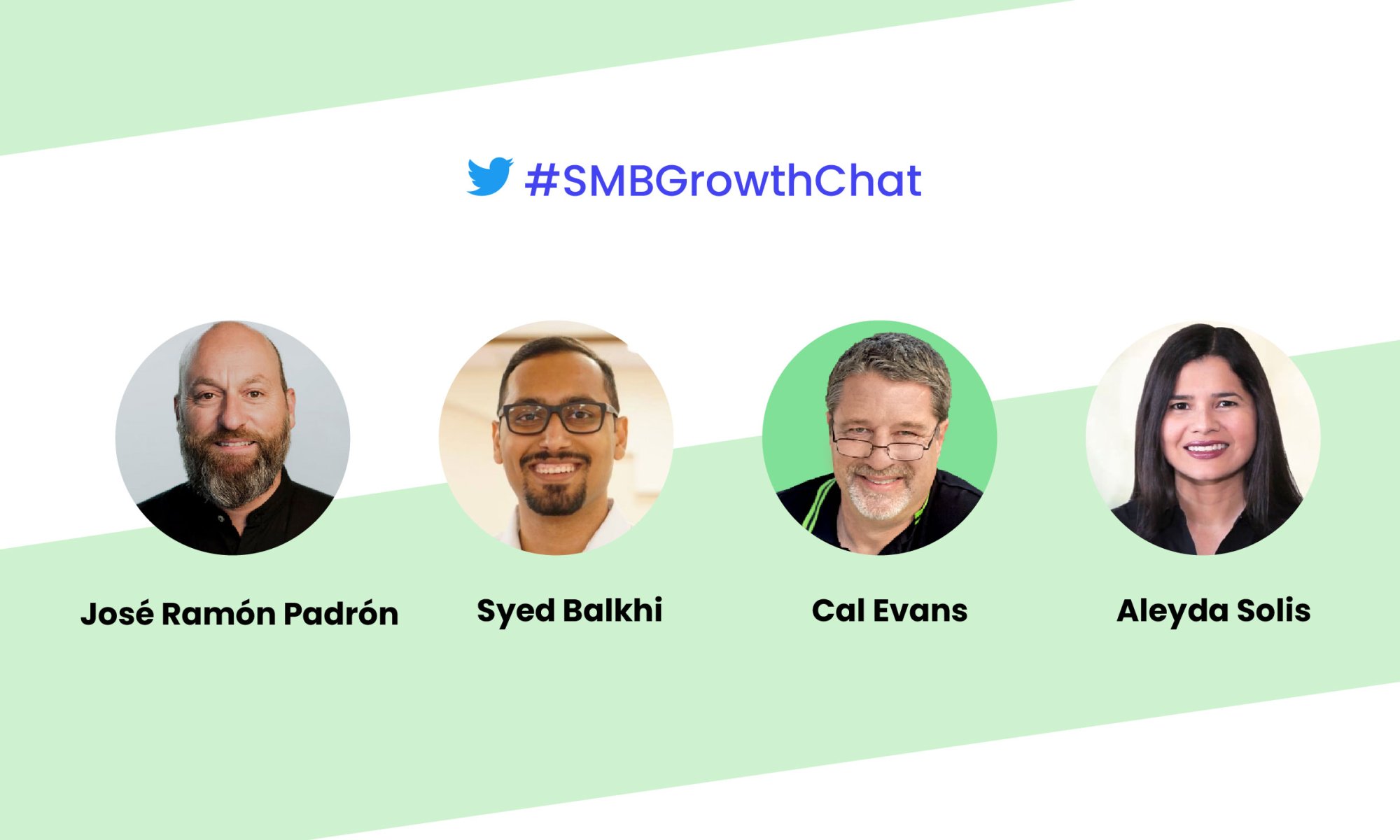
We organized an #SMBGrowthChat on Twitter Spaces along with Syed Balkhi (@syedbalkhi), Entrepreneur, Investor & CEO, Cal Evans (@CalEvans), eCommerce expert & Internet entrepreneur, Aleyda Solis (@aleyda), International SEO Consultant & Entrepreneur, and José Ramón Padrón (@monchomad), SiteGround Spain Country Manager. Here’s a summary of their discussion with some expert tips on how to succeed online.

Essential steps when starting an online business

The very first essential step to starting an online business is knowing your target market. “In my mind, the most important thing for a business is knowing who your customers are and how you can get that customer,” notes Syed Balkhi, Entrepreneur, Investor & CEO.

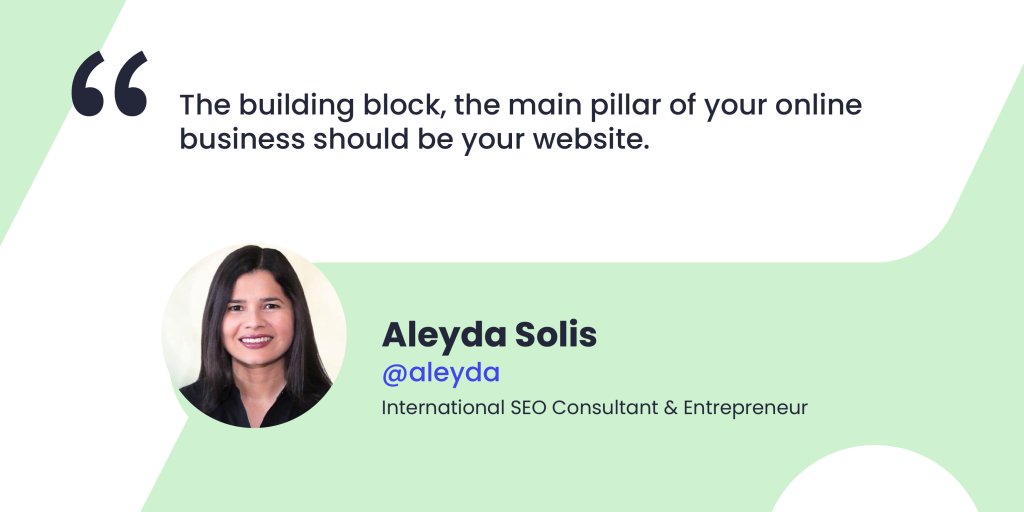
As a next step, you need to come up with a domain name and website idea. Aleyda Solis, International SEO Consultant & Entrepreneur, points out that “the building block, the main pillar of your online business should be your website”.

Create your small business website

Now that you are at the stage of building your website, you need to choose carefully which website building app to use for your small business site. It will all depend on the functionalities you need in order to provide your services or products, as well as on your own capabilities. 

For example, if you have technical capacity, you’d probably be able to develop your website from scratch. However, that would take you much time and effort. For this purpose, as a programmer, Cal Evans recommends using WordPress: “The reason I say that is because I’m a programmer, but I can spin up WordPress and put a theme in there and put together 5-6 plugins and usually get exactly what I’d have done, without having to program”. Syed Balkhi also recommends WordPress and points out that 43% of the web uses it, including SMBs, developers, entrepreneurs, and others.

Must-have elements on your website

After you’ve built your website, let’s explore what are some of the must-have elements to include on it.

No matter what type of website you have, you need to communicate what you do. Aleyda Solis points out that “you should have at least a landing page, explaining what you’re offering, what’s the value of it, its price (range), and a contact form, so people can get in touch with you.” She adds that if you have many products, categories, or brands, then you need proper navigation that allows users to go through your web structure and reach your different offerings. Of course, if your website is very complex, you need to add a search feature as well.

Syed Balkhi builds upon this idea and notes that you need to have a way to stay in touch with your users, to enhance their user experience and help them get to the goal of conversion (subscribing, buying, etc.). In his opinion, it’s good to “add an email newsletter, or a push notification platform, because you need a way to connect to your visitors after they leave (the majority of people leave your website and they never come back – it’s like 70% or for some websites it’s even 97%), or even SMS notification.”

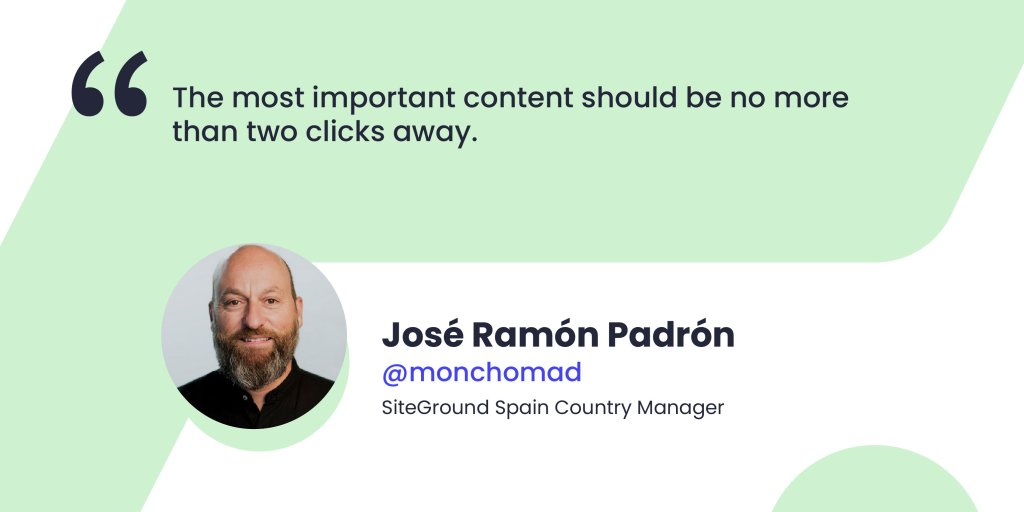
A general rule to follow when adding these elements is that “the most important content should be no more than two clicks away,” José Ramón Padrón says. Think about the user experience and the importance of CTAs – make it clear and simple for your users to get the information they need with minimum clicks.

Scale your online business

“You can not improve what you can not measure,” points out Syed Balkhi. To scale your business, you need to know your visitors – how they are finding and using your website, because this helps you focus on the content and products that matter the most, he adds.

For this purpose, Aleyda Solis recommends using marketing analysis tools “to better assess which are the keywords that are already bringing traffic to your website from an organic search point and from paid search perspective as well.” Some of the most popular marketing analysis tools you can use are Google Analytics, MonsterInsights, SEMRush, etc.

As a next step for scaling your business, Aleyda Solis recommends using marketing automation tools: “such tools will allow you to easily follow up with your customers, if at some point they leave a landing page, before converting […], to collect and develop your audience with forms that you can easily create, similar to email marketing.” If you’ve chosen WordPress, there are many plugins that can provide this automation, as well as plenty of integrations with some of the top marketing automation platforms.

“When you already have a product and you know what’s working, now you have to do a lot of testing and optimization, so you can use a landing page builder that lets you do dynamic personalization – you can try different offers, different PPC ads,” adds Syed Balkhi.

When your business is growing, it’s also important to use a hosting provider that offers a variety of products in order to avoid further migrations. As José Ramón Padrón points out, “you need a hosting provider with many data centers, CDN points all over the world, specific tools for improving website security”.

Sometimes, when the business grows, the team also grows with it. For this reason, there is a need for automation of internal processes – how the information flows inside the company – tools like Jira, Slack, etc. are important, José Ramón Padrón adds.

Fundamental marketing channels

The number one channel to reach your customers is through search engines (the biggest ones being Google and YouTube), thus SEO would be your most important starting point. Aleyda Solis advises you to have an SEO specialist, when building your website in order for SEO practices to be taken into consideration right from the start, so that later on, when you’re ready to launch your full SEO strategy, it would be easy for you to do so.

“Keyword research within the SEO process is super valuable not only for SEO, but also to understand when you still don’t have internal data, how your audience is looking for your products or services, and how to position yourself versus your competitors,” Aleyda adds.

Your mailing list is the next important marketing channel – “it doesn’t need to be a full email marketing strategy at the beginning, but starting to collect email contacts right away is something I’d recommend,” notes Aleyda Solis. This will allow you to build an audience and engage with it later on in a more personal way.

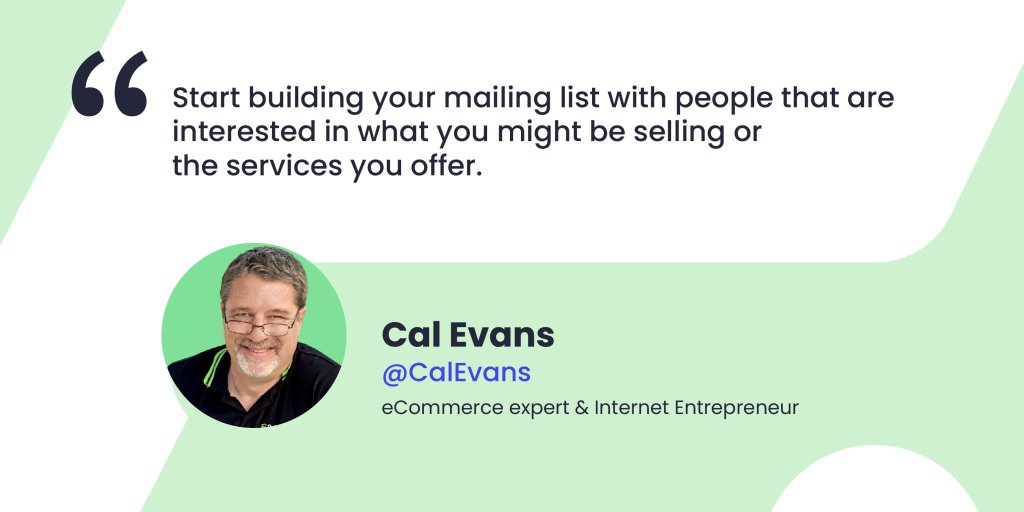
After that, you can start building your mailing list with people that are interested in what you might be selling or the services you offer, as noted by Cal Evans, eCommerce expert & Internet entrepreneur. He adds that once you know you’ve got a product market fit and a website, then you can register your Twitter, Instagram and other accounts, and start building your mailing list.

Syed Balkhi gives you a bonus tip for you to engage and connect with the audience you’ve built by now: “Push notifications work equally as good, if not better than email marketing, and that would be a less known tip that not many SMBs take advantage of”.

Growing your mailing list

Now that you have a mailing list with subscribers, you need to figure out a way to further grow this list. We’ve got you covered with actionable tips from our experts:

  • Create compelling content

It’s easier to create compelling content than you think. “Look around for the questions that people ask you, and you can put together something like a pdf and build a landing page with it with OptinMonster,” explains Cal Evans.

  • Run social media campaigns

Cal Evans also shares that to boost his subscription rates, he runs social media campaigns about once a month and it works for him. “You have to be careful – you can end up spending a lot of money and getting absolutely nothing, but you’ve got to figure out where your target market/audience is – are they on Twitter, Facebook, etc.,” adds Cal Evans.

  • Implement exit intent

Exit intent is that thing you see when you start taking the mouse towards exiting the website – like a pop-up, for example. “Some people might think it’s really annoying, but the reality is that that user was going to leave. By showing them a good and targeted offer, it converts 2% of the users into subscribers,” Syed Balkhi points out.

  • Add content upgrades

It’s also important to analyze where your traffic is going to and then add content upgrades to these pages, such as your most popular blog post, for instance. “In this blog post, create a lead magnet – an eBook, a chat list, a worksheet, etc. – a freebie that’s specific to that blog post. For example, you have 12 tips to get more traffic, and then 5 bonus tips that you’d only be able to get, if you subscribe,” Syed Balkhi explains.

Do this by adding a CTA at the top, middle/bottom of your page (or both places). When the user clicks that link, a pop-up comes up and they should enter their name and email to access that content upgrade, Syed Balkhi advises.

  • Do on-site retargeting

You can always spend money on Google or Facebook retargeting ads, but there’s also a way to do on-site retargeting. If a user came to your website, then they left, and later on came back, there are ways to target that customer, using a plugin like OptinMonster, as Syed Balkhi points out. A simple message like “Welcome back! Consider joining our list, so you can get updates?” could do the trick.

  • Run on-site follow-up campaigns

When somebody visits a specific page on your website, you can prepare a follow-up, especially for them. “Maybe they’re already a subscriber to your email list, and when they come back to a specific page, you can give them an exclusive discount or a coupon. Also, if you’re just starting out, you can use giveaways,” advises Syed Balkhi.

These are all great ways to boost conversions and get more subscribers. A general advice that applies to all of these tips is to be very natural with them and avoid an intrusive approach. They “can be embedded/integrated within the workflow that you have for your user journey, in a way that’s actually attractive and appealing to the user,” Aleyda Solis summarizes.

Final thoughts

In 2020, we saw a lot of new businesses starting online, and then disappearing in 2021 or 2022. To avoid having such a short business lifetime, follow our experts’ tips and make sure you define your target market, prepare a competition analysis, build a marketing strategy, and create a website with customer experience around the product or service you want to sell. 

Check our YouTube recording to hear the whole Twitter chat conversation and follow us on Twitter for more news and discussions on useful topics.

[subscribe_cta]

Kickstart Your Business with SiteGround’s New Email Course

Start Your Business Online Email Course

The new year is here, and what better way to start it off right than turning a business idea into reality? You can do just that with SiteGround’s new email course – Start Your Business Online in 2023. This comprehensive course will teach you everything you need to know to get your business up and running – from ideation to execution. 

What does the course cover? 

This email course provides a step-by-step blueprint for successfully launching a business. Over a month, you’ll receive eight in-depth emails that will teach you how to:

  • Validate your idea and define your target audience
  • Develop your brand identity
  • Craft your SEO strategy
  • Build, customize, and optimize your website
  • Launch your project and start growing

The email course comes with a bundle of downloadable assets and additional resources to help you throughout the learning process. By the end of the course, you’ll be ready to launch your dream project. 

Who is this course for?  

This course is perfect for entrepreneurs of all experience levels looking to start their own business. Whether you’re starting from scratch or need guidance on where to go next with your existing project, this course will provide invaluable insights tailored to help power up your inner entrepreneur. 

Win free hosting!  

We believe in the power of new ideas to drive business success. That’s why, as a special bonus, five people who sign up for the course in January will receive one year of free hosting from SiteGround. 

So don’t wait any longer – start your business in 2023 with SiteGround’s email course and make your dreams a reality. Your future success is just a few clicks away!

>> SIGN UP NOW

[subscribe_cta]

Don’t Fall for Email Scams This Black Friday

phishing emails during Black Friday

The infrastructure that runs the Internet’s email hasn’t changed a whole lot in the past 30 years. Yes, we’ve layered a few things on top of it like Sender Policy Framework (SPF) and DomainKeys Identified Mail (DKIM) but at its heart, the protocol remains the same. That’s the problem. Email was designed in a simpler time. A time when the Internet was a trusted resource and nobody gave a second thought to the fact that it’s easy to say fudge the headers on an email so that it looks like your boss is getting an email from the President of the United States commending you for all your excellent work. I’m not saying that has happened or that I was a part of it…but hypothetically, it is possible.

So, if email can’t be trusted, what can we do? Well first, these days email is a lot more trustworthy. It is much easier to detect emails sent from someone, but say they are from the President, thanks to things like Sender Policy Framework (SPF) and DomainKeys Identified Mail (DKIM).

Even with these new technologies though, email scams are still rampant. As we charge headlong into the holiday season, let’s stop for a moment and look at a few things you can do to make sure you don’t fall for the latest scam. (Which is not sending emails to unsuspecting bosses…)

Email Scams You Need to Be Aware Of

Let’s take a look at a few of the many ways that bad people try to do bad things to you via email. This first group of scams all fall into the category of Phishing scams. A Phishing scam is basically an email designed to fool you into thinking it is from someone it is not and convince you to click on a link embedded in the email.

The Fake ‘’Account verification’’ Requests

These can seem to come from your bank, Netflix, Twitter, or one of those sites that you don’t admit to having an account on. It doesn’t matter where they are coming from, they all have the same basic message. 

“Your account has been locked for a REASON. To unlock your account before we delete it totally, click on this link.

Here’s a hint, no trusted system out there sends these emails out randomly. If you get one and you are not currently interacting with this organization, then it is almost assuredly a phishing scam.

When in doubt, pull out the paperwork you have for this organization, find a phone number and call them. Ask if there is a problem with your account. When they say no, thank them, wish them a great day, hang up, mark the email as spam, and move on with your life.

The unexpected ‘’Billing error’’ notifications

Did you know that it is possible for bad people to figure things out about you without you telling them? It is relatively simple to find out where a website is hosted. When bad people find out information like this, they like to use it for their gain and your loss. Such is the “Billing Error” notice.  

For instance, if you are a SiteGround customer and you get an email from SiteGround notifying you that there has been a billing error and you now owe $XXXXX more, stop. Don’t click any links in the email. Instead, go to the SiteGround support page and start a chat session with one of their great support people. They can tell you if there’s an issue with your account or not. 

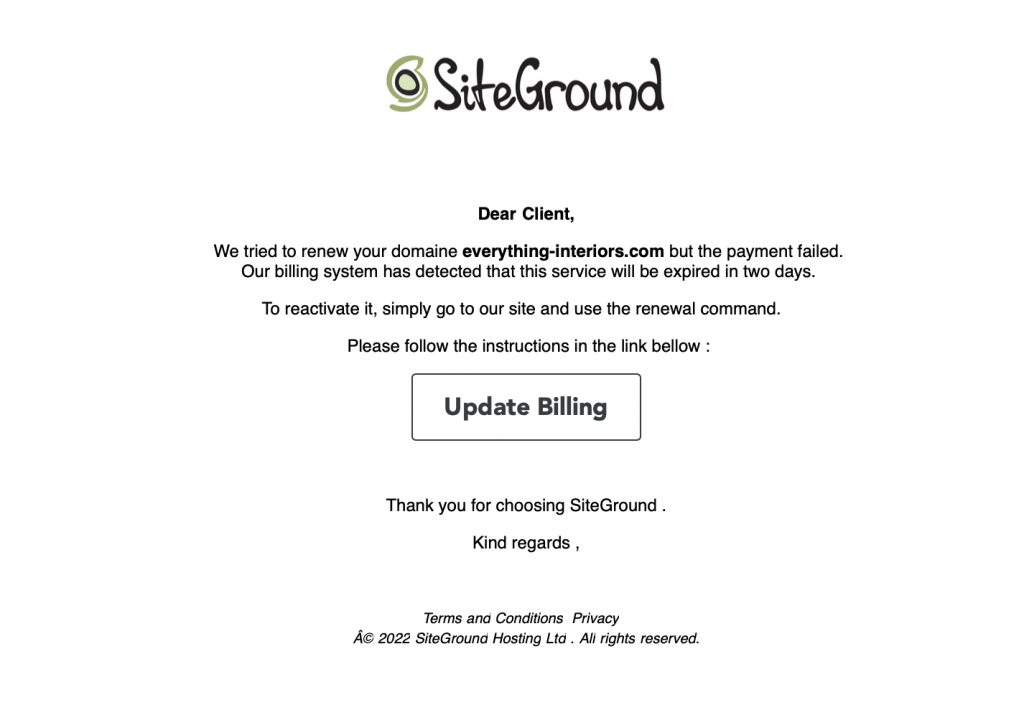
Here’s an example of a phishing email that requests from a SiteGround customer to update their billing details in order to be able to renew their domain:

Scam email example

Notice that this fake email does not contain the name of the recipient, and SiteGround original emails should include the name you’ve used for registering your account. 

Next, notice that this email has grammar and spelling mistakes. These are red flags for a scam email along with the poor formatting. 

Finally, the signature is not the one used by the SiteGround team. 

When you confirm that there is not actually a billing error, thank the nice support person, wish them a wonderful day, disconnect, mark the email as spam, and move on with your life.

The ‘’Order confirmation’’ requests

An oldie but a goodie – and one that pops up a lot these days because ecommerce has exploded – is the “Order Confirmation” email. These are most effective when they are from companies that you’ve never dealt with. They usually involve large sums of money as well. The idea here is to alarm you so much that you will obviously click the link to “Unconfirm” the order. 

If the email looks like it is from a company you don’t do business with, ignore it. Mark it as spam, and move on with your life.

If it looks like it is from a company you do or have done business with, contact them directly outside of the email. Talk with the sales or accounting department and see if someone has placed an order on your behalf… When you find that the answer is no…well, you know the drill by now.

The ‘’Click and collect’’ scam

Thanks to the recent pandemic, “Click and Collect” has become a common way to shop. You buy something online from a nearby retailer. You drive to their store and let them know you are there, they bring the item out to your car. Sometimes, they even put it in your trunk so you don’t have to even meet them face to face.

Nowhere in the Click and Collect workflow is there an email that says “Click here if you didn’t order this.” Treat these the same as Order Confirmation requests. If you don’t deal with the company, it’s a scam. If you deal with the company but haven’t placed an order, it’s a scam. If you are in doubt, contact the company directly, not by replying to the questionable email.

Sometimes, scammers are really REALLY good. They send you an email that looks exactly right.

Real Life Phishing Emails (Well, Screenshots)

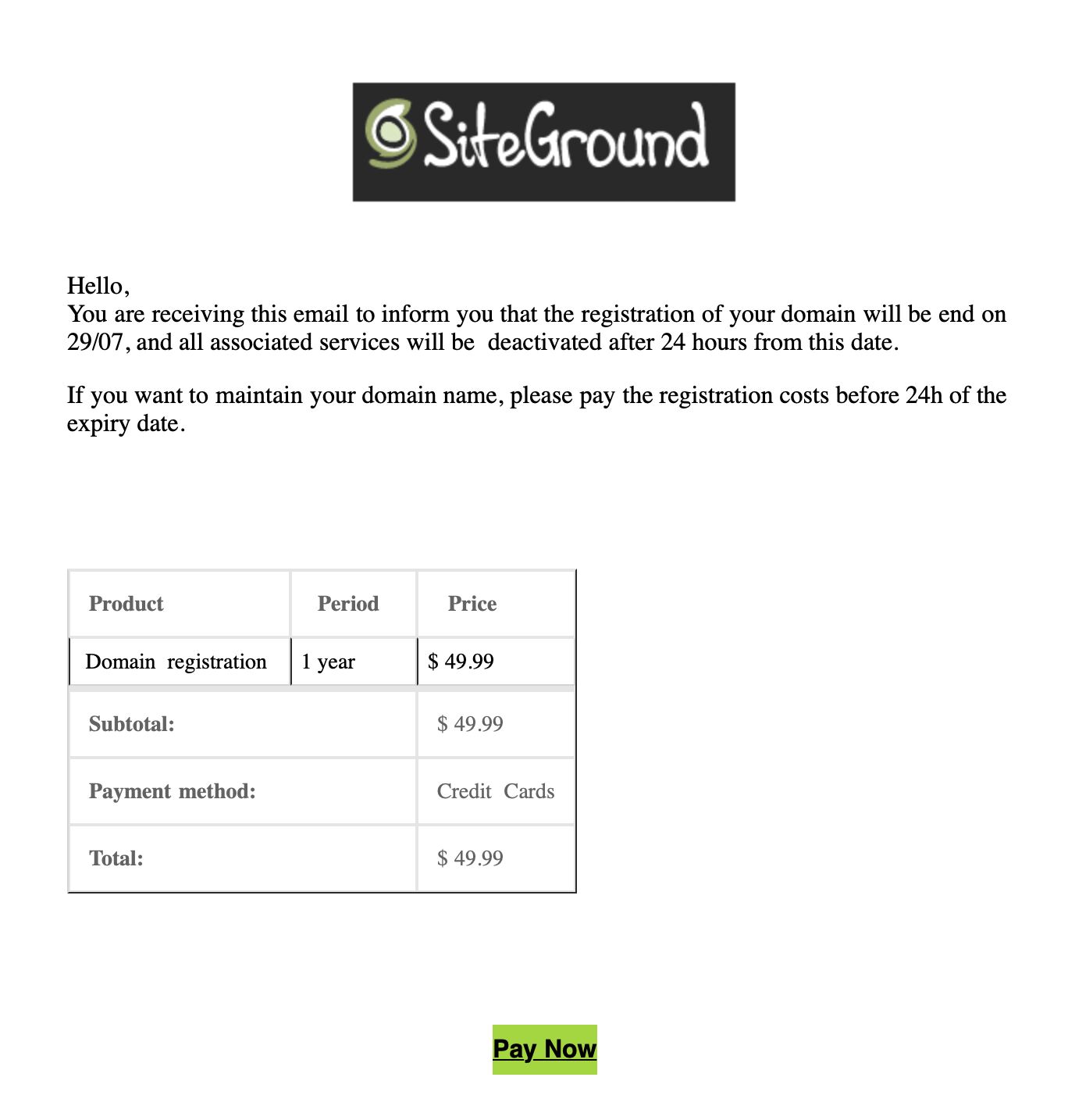
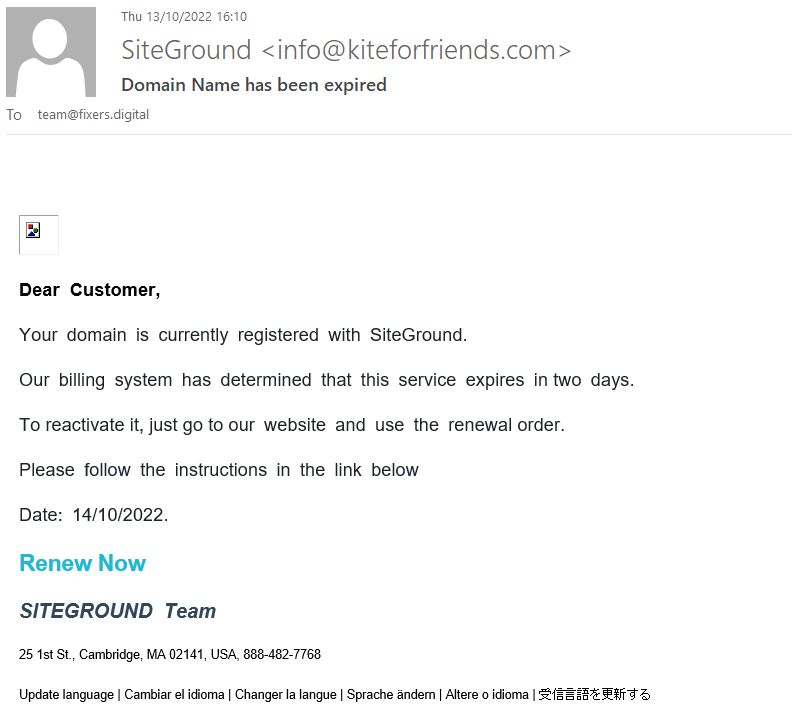
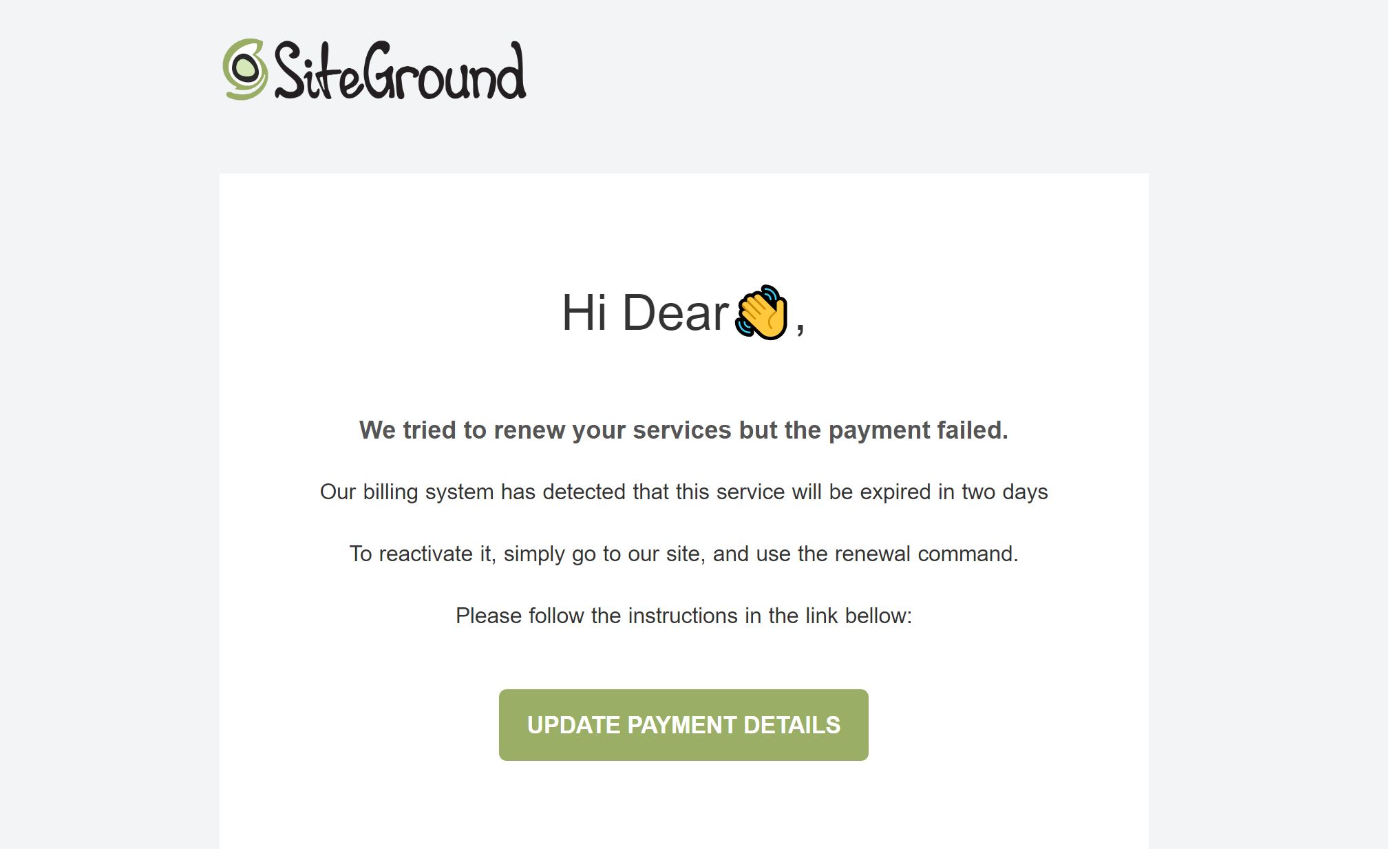
What do good phishing emails look like? Here are a few examples of actual phishing scam emails sent to SiteGround customers.

Apart from all the red flags already covered above, the ‘from’ email address of these emails is not a valid SiteGround email. What is more, a proper SiteGround email would never mention the payment method used by you to pay for the service in question.

If you’re a SiteGround customer who comes to report such emails, SiteGround would ask you to send the whole email as an attachment, as they use it to train their own systems to block such emails (in case your email is hosted with SiteGround), so that they do not reach your inbox. In case your email is not hosted with SiteGround, you can mark it as spam in your email provider.

To learn more about how to stay safe from phishing email attacks, check out the blog post on this topic.

How Do You Stay Safe from Email Scams During the Holidays?

So how would you tell if this was a scam email? Well the easy answer is to “practice safe email”. Here are a few of the things I do before I click a link on an email, any email.

  1. Check the ‘from’ address.
    We’ve already done this but so very many phishing emails come from implausible email addresses. Most scammers don’t bother to try and hide it because so few people pay attention. A recent phishing attempt sent to me purported to come from NetFlix. However, the email address was XXX@yahoo.jp. Yes, Yahoo has a Japan domain but they don’t send email for NetFlix from it! Not even to Japanese customers.

    A good rule of thumb is if you were not expecting an email from someone, even a family member or friend, treat it as suspicious until you know it was actually from them. If you don’t recognize the person it came from, then automatically assume it is malicious until you can prove otherwise. 
  2. Check all links before clicking.
    Most email clients these days will let you hover over a link that says “Click Here” (or wherever) and see what the actual URL is. Read it VERY CAREFULLY. Pay attention to the domain name. https://goog.le is not the same as https://google.com. Read it carefully. If it looks suspicious, do not click it.

    Some email programs will show you the link in a popup when you click it and ask for verification before it actually opens a browser to that link. If your email program will do this, by all means turn this feature on. Yes, it adds an extra step before you can see that precious baby picture your friend sent you, but it allows you to make sure that you are actually going to see a baby picture and not install malware on your computer.
  3. Do not automatically download attachments
    Your email program should be set to not automatically download attachments. This means that if you download something from an email, you will have to do it on purpose. If the email doesn’t seem right or fails any of the checks we’ve discussed here, don’t download anything. Even things like Microsoft Word documents which seem innocuous (click here to see the invoice for the service you didn’t order) can do malicious things if you open them. If you weren’t expecting someone to send you an email attachment, don’t open it!
  4. Read The Headers
    Ok, this is for the hardcore email nerds out there but those of us who have been doing this a while can discover a lot by reading the headers that come with every email. These days email programs hide the headers from you but they are there if you want to read them. 
  5. Listen to your gut
    My wife, The lovely and talented Kathy, got an email from our worship pastor one day with the subject line “I love you”. She was good friends with this man and while the subject line confused her, it also piqued her interest. She opened it only to find that there was a malicious script attached to the email. It deleted about ½ of the images we had stored on our home server before I could stop it. Thankfully, I had a backup so there was no loss, other than the hours it took to clean up the mess. Had she simply called him, opened a new email and written him at the address she had in her contacts list, or contacted him in any of a half-dozen other ways, she could have found out that it was not from him but was a scam. Instead of trusting her gut, she opened the email.

Other Black Friday Scams To Be Aware Of

Email is by far the easiest way for bad actors to get unsuspecting people to do bad things. However, there are a couple of other ways.

If you get an email with a link to goog.le, it’s easy enough to spot. However, if you are doing your shopping at https://reallyLongDomainName.com and you misspell it or “fat finger” it (typo), then you might end up at a site that looks exactly like the one you were aiming for.

Bad actors look for common misspellings for profitable domains. They buy them up and put copycat sites up. These are sites that look just like the one you were looking for. They probably even have products and a shopping cart. However, make no mistake, they are scams. When you put in your personal information and credit card number, you are not going to get those purple widgets you ordered that your sister will just love. You won’t get anything but a nasty surprise when your credit card statement arrives.

This is really easy to thwart, if you pay attention.

First, after you arrive at a site, look at the address bar. Is there a little lock next to the domain name?

The little lock means that the domain you are using has a secure certificate and that it is valid. If you don’t have a little lock, or if there is a line through it, that means that either the certificate does not exist, or that it is invalid for that domain. Both of those are really big red flags that you don’t want to do any business on this site or put in any of your personal information.

A SSL certificate isn’t always enough to prove that you are on the right website. Scammers can register sitegroound.com, for example, and install a certificate on it. The certificate just provides encryption in most cases. It’s always a good idea to also double check the URL address, especially when you make payments, create accounts, fill out forms, etc.
Sites impersonating landing or login pages

The final type of website scam we’ll talk about are fake login pages. These might be part of a very good looking fake, or you might arrive at a site only to find that before you can get to the good stuff, you have to enter your login credentials. If this is an ecommerce vendor you normally do business with, or an institution you bank with, stop. Don’t do anything else. Sites like that don’t just put up a login page without letting everyone know well in advance. These are nothing more than “password collectors”. 

If you do enter your credentials into the site, they won’t work…because they are fake. But humans are stubborn. You will assume that you mis-typed something…especially if you are using a long and very secure password. So you’ll try again.

If you are like most of us, when it doesn’t work the second time, you will assume that you’ve used the wrong password and you’ll try another password, and another, and maybe even a 4th one before starting to think that something may be wrong.

Every set of credentials you entered have gone into a database and bad people will start using them to try and sign in to any site they think you may have an account on. Since you were giving them real login credentials, you’ve given away the keys to the kingdom.

Be watchful, be alert, be suspicious bordering on paranoid. Make sure before you put any information into a website, you are absolutely sure you are at the right website. Looks can be deceiving.

How to Practice Safe Internetting This Holiday Season

  1. Always be suspicious of unknown or unexpected emails.
    If you don’t know the person, or even if you do know them but aren’t expecting to hear from them, be suspicious. Yes, your long lost aunt may be contacting you via email with a hotmail.com email address to tell you that she’s leaving you her entire fortune when she dies and she needs you to sign the will, but chances are really good that it might NOT be her. Verify before you take any action.
  2. Don’t click a link in an email until you are absolutely sure you know where it is going and what is going to happen.
  3. Don’t provide your personal information to any site unless you are positive and you know that it is the site you think it is. If you don’t think you are on the right site, close the browser immediately.
  4. Whenever possible, use a Virtual Private Network (VPN) from a reputable provider.
    I won’t name my Internet provider but I will say that I do not trust them. They have been known to make it easy for bad people to watch the traffic going across their network and pull out information as they see it. These days almost all websites use encryption to make sure that’s not easily done, but it is still possible for people with enough time, money, and determination. So whenever possible, I use a VPN to encrypt my traffic even further.

    VPN software isn’t expensive these days, as a matter of fact, if you are a “computer person” you can download, configure, and run your own. I don’t recommend that as it’s easy to get it wrong, but I’ll admit to having done that in the past. These days, I use a commercial VPN that comes with my virus protection. Now, my neighbor can’t see any of my traffic because I’ve got an encrypted tunnel between my network and a server in Miami, FL, USA. (I can choose from about 50)
  5. Don’t use the same password on any 2 websites
    Look, I know how hard this is. It’s difficult to come up with one secure password that you can remember, let alone the 20-30 you need to make sure every site is different. I suggest using a password manager from a reputable software company. There are a few of them out there. The one I use works on Windows, Mac, iOS, iPadOS, and Android. So, no matter where I am at, my passwords are with me. All my passwords on all major sites are long, random, and unique. If you know one of them, you can’t get into anything but that one service I use it for.

Wrap-up

Stay safe out there this holiday season. Have fun, enjoy the company of family, and if you get an email from me saying that Bill Gates is giving 1 Bitcoin to each person that forwards this email…well, you get the idea.

[subscribe_cta]

Journey of an Online Buyer 2022 (Free Guide)

Journey of an Online Buyer Guide

This blog post outlines SiteGround’s Journey of an Online Buyer infographic. Download the full guide to learn about the shifts in customer behavior and how to prepare your website for them. 

With consumers changing the way they shop, have you changed the way you sell? Buyers today are more informed, involved, and connected than ever before. And in today’s digital landscape, the buyer’s journey has taken on new shapes and forms. It is no longer a linear process but a complicated web of touchpoints and interactions. To keep ahead of the competition as a small business and website owner, it’s critical to grasp this new buyer’s journey online.

What is the buyer’s journey?

The buyer’s journey is the process consumers go through, from initial awareness to final purchase. It illustrates how each step leads to the next to ensure you are aware of the actions that cause potential clients to either make a purchase, or back out of it. By understanding the buyer’s journey, you can better anticipate the needs of your customers and provide them with a seamless experience from start to finish.

The three stages of the buyer’s journey

It’s up to you to observe how potential buyers react to your selling approach and determine precisely where to focus your marketing and sales efforts. The buyer’s journey is mapped out in three stages. Each stage allows for distinct interactions between you and your users. 

Awareness stage

During the awareness stage, the buyer becomes aware of a problem or challenge they face. They will then begin to search for solutions to that problem. Your job during this stage is to make sure you are visible to the buyer and that they are aware of your product as a solution to their problem.

Consideration stage

The consideration stage is when the buyer narrows their options and compares different solutions. Usually, this happens on your website. During this phase, it is your responsibility to give the customer the best user experience possible, which entails having a fast and secure website. Also, give them more information about your product and how it compares to competing products.

Decision stage

The decision stage is when the buyer finally chooses a solution. Your job during this stage is to make the purchase process as easy as possible and address any final buyer concerns.

Your website’s role in the buyer’s journey

While the buyer’s journey may start elsewhere, such as with a Google search, a large part of it will happen on your website. This is why it’s essential to have a website optimized for SEO that provides a great user experience, including ultrafast website speed, security, and reliability. If you can do this, you’ll be able to guide the buyer through the journey and ultimately convert them into a customer.
The 2022 online buyer’s journey highlights

Online shopping has evolved beyond simply being more convenient

Online shopping has come a long way since its inception. What started out as a convenient way to search for items has evolved into a major part of the retail landscape. Consumers around the world were once skeptical about online shopping, but that has changed dramatically over time – especially after the pandemic. Statista reports that in 2021, retail ecommerce sales were 5.2 trillion US dollars globally. They estimate this number will grow 56% in the next years, amounting to 8.1 trillion by 2026.

Seasonal shopping now starts much earlier 

In the past, people would wait until the last minute to do their holiday shopping. However, people now do their seasonal shopping much earlier. They have many more options to choose from online, and want to take their time to find the perfect purchase. This is due to several factors, one of which is the growth of online shopping. With the shopping season starting earlier and earlier each year, small business owners need to be prepared to accommodate early shoppers.

As advertising costs soar, brands prioritize building customer lifetime value

Building customer lifetime value is more important than ever. As advertising costs rise, brands are increasingly focused on creating long-term relationships with their customers. And that’s okay because we’re also seeing a shift in the way consumers choose from whom to buy. They’re much more likely now to purchase from companies with strong brands that identify with their consumers. It’s important to remember that sustainable growth comes from focusing on your customers. So you need to build a brand that customers can trust and foster a sense of community. 

Download the full guide below to explore the changes in customer behavior and learn how to get your website visitors a step closer to the “buy” button on every step of their online journey.

>> DOWNLOAD THE FULL GUIDE 

[subscribe_cta]

How to avoid bad bot traffic during Black Friday

bots attacking a browser and finally cracking it

Last week, we helped you get your website ready for the Black Friday traffic spikes. Now that you’re all set to handle the upcoming traffic, do you know how much of it is real and how much – non-human? According to Statista, in 2022 more than 40% of Internet traffic is from bots, and a significant portion of that is bad bot traffic. This kind of bot traffic hurts your online business and can lead to both financial and conversion losses. Let’s dig deeper into what bot traffic is, why most of it is so harmful, and how to avoid it during the busiest time of the year.

What is bot traffic and why it should be cut down to a minimum

Bot traffic is any non-human traffic that comes to a website or app. Some of it is good, when it originates from SEO crawlers (such as Google crawl bot), commercial, site-monitoring, or feed bots. Needless to say, all of these cause no harm to your site. On the other hand, bad bots come with malicious intent. These can leave spam comments, irrelevant backlinks, weird advertisements, collect private information, reuse your content, perform DDoS attacks, and other malicious activities.

How bad bot traffic affects your website

Bad bot traffic may have different consequences on your website and business, causing multiple damages:

  • Website security and availability damage

Bad bot traffic hurts your website security and availability. For instance, these massive amounts of traffic to your site are a way for hackers to cause a DDoS attack. During such an attack, the traffic is so massive that the server where your site is hosted cannot handle it. This can make your website slow, unreliable or even unavailable for your users. 

Bad bots are also the main force of a brute-force attack – a way to guess your password/login details by trying numerous combinations of letters, numbers and symbols. If such an attack is successful, malicious hackers gain access to your account and/or private information.

  • Website speed issues

Even if it doesn’t cause massive hacker attacks, bad bots activity can make your website much slower or even unavailable for your real visitors, affecting their overall user experience. To have your visitors stay longer on your site and turn them into clients, you’d want them to have an excellent user experience. A huge part of that is your website loading speed being as fast as possible.

  • Analytics metrics and SEO rankings chaos

Bad bot traffic can also hurt your analytics metrics and SEO rankings. For example, too much bad bot traffic can bring your site down and cause 503 errors (“site is temporarily unavailable”). This directly negatively impacts your SEO rankings. What is more, bad bots can affect your analytics metrics, causing abnormally high pageviews and bounce rates, sudden drop/increase in session durations, and fake conversions. All these factors may confuse you as a site owner and you may not be able to make sense of your analytics data.

How we decrease bad bot traffic at SiteGround

At SiteGround we take multiple measures at different levels to reduce bad bot activity by default for the websites hosted on our servers, so you can have peace of mind.

Improved and advanced AI anti-bot system

Our AI anti-bot system has successfully been blocking millions of brute-force attempts per day. Recently, we improved it even further, resulting in 95% less bad traffic. Its core features are still there – analyzing and recognizing traffic patterns to eventually stop brute-force attempts. With each new brute-force attempt, the system’s knowledge expands and it gets better at preventing future attacks. As of recently, we’ve upgraded the system with a traffic validation feature that stops even more malicious non-human bots by minimizing the number of brute-force attacks. Currently, the system blocks a huge percentage of bad bots traffic towards our servers, allowing more capacity for your websites for legitimate traffic.

Combined with our enterprise-grade security system, these server-level security optimizations block the majority of all bad bot traffic and ensure website protection on a global scale. Let the numbers speak for themselves – 99,99% of bad traffic is blocked before it even reaches your website.

Smart, server-level WAF

Hacker attacks usually increase during the Black Friday season. A single outdated WordPress plugin, theme, or vulnerability can easily be used for massive damages during this busiest time of the year. That’s where our smart Web Application Firewall comes to the rescue. Our security experts closely monitor security bulletins and server activity 24/7, and in case of reported exploits, immediately add custom WAF rules (patches) into our server firewall to protect your site from current hacks and breaches due to outdated plugins, and other vulnerabilities. Our proactive security approach allows us to react much faster, often before the original plugin, theme or app developers have had the chance to release an official update. The most recent example of this was just last month, with two previous major ones not so far behind – a plugin vulnerability patched on day 0, and a Linux Kernel vulnerability patched within hours of detection.

DDoS protection

To address potential DDoS attacks from bad bots, we have a system of hardware and software mechanisms to protect your sites:

  • A hardware firewall that filters flooding traffic;
  • A local software firewall with more complex functions and traffic monitoring;
  • А limit to the number of connections a remote host can establish;
  • A check for a high number of failed login attempts from hosts and filtering them, if any.

24/7 server monitoring system

Again, in addition to all monitoring and prevention systems and checks in place, our expert system administrators team are monitoring our servers 24/7 for any system issues and in case of any, can react quickly to save the day.

How to identify that you have bad bot traffic coming to your site

Now, you probably wonder what are some signs and symptoms of bad bot traffic that will help you identify whether your site is in danger. Here are some of the red flags and ways to prevent them:

  • Check your site traffic stats

You also need to check your traffic statistics, especially the IP addresses and the sources of traffic. For example, regular and high number of visits from the same IP address or increase in traffic from other regions or countries, from which you didn’t have (much) traffic before, could be an indication of bad bot traffic. As a SiteGround customer, you can easily check your traffic statistics in Site Tools > Statistics > Traffic.

  • Keep an eye for unusual users’ behavior

Remember to monitor your users’ behavior regularly. In case there are increased spam comments under your posts, strange user registrations, and/or increased blocked login attempts, these are all red flags that you might be getting bad bot traffic to your site. WordPress users, who have the free SiteGround Security plugin installed, can monitor their site and login page for unauthorized visits and brute-force attempts from their Activity Log menu. What is more, they can easily block suspicious IPs and visitors.

  • Make regular speed tests

You probably already do that, but if you don’t, it’s a good idea to start making regular website speed tests. For this purpose, you can use a number of different tools to measure your site speed, such as Google PageSpeed Insights, Pingdom, GTMetrix, and others that generate results in all the major speed metrics. 

In case you have the free SiteGround Optimizer plugin installed on your WordPress website, you can run a speed test within the plugin in its Speed test functionality. The check uses Google PageSpeed, provides information on the level of optimization in over 20 different areas, and gives you optimization suggestions.

If you identify that your site is experiencing page loading speed issues, dig deeper into the problem to find out the causes. These might not necessarily be bad bot traffic issues, but that’s one of the main potential reasons behind the slow speed results.

How to filter bad bot traffic yourself on SiteGround

Some of the traffic that reaches your websites may seem legitimate, even if it’s not. Thankfully, there are a number of ways and free services we offer to let you filter good from bad website traffic all by yourself:

Both options allow you to easily block suspicious or malicious traffic to your website. If you want to block a specific IP address from accessing your site, because, for example, you see it’s using too much bandwidth, you simply go to Site Tools > Security > Block Traffic, choose the domain for which you want to block access, then add the IP address (or a whole range in IP/IP Range), and finally click ‘Block’.

Similarly, if you notice that you get suspicious abnormal activity from a country you don’t usually operate in or have clients from, you can easily block traffic from it in a few clicks. You need to go to Site Tools > Security > Block Traffic > Block Country. There, you choose the domain for which you want to block access, pick the desired country to block in the Country dropdown, and finally click ‘Block’.

These two options will help you not only block bad bot traffic coming to your site, but they can also significantly improve your site performance by reducing the unwanted traffic and giving your site more capacity to handle real human traffic.

Improving your site capacity to handle more requests

In case you’ve identified that your site still gets some bad bot traffic which cannot be easily filtered or removed, you can decrease its negative impact by improving your website speed and performance, which will allow more capacity to handle any type of traffic altogether. Here’s how to do that:

We’ve developed a powerful caching system to help you cache as much content on your website as possible. Cached content is served much faster to visitors and thus improves your site capacity to handle traffic. Our system is comprised of three caching options that are all available in your Site Tools > Speed > Caching: NGINX Direct Delivery for caching static content, such as images and CSS files; Dynamic Caching for dynamic content to be stored in the server RAM, and Memcached for storing data and objects in memory (best for database-driven websites).

  • Use our other optimization services

We do a lot to improve website performance and you can make use of our premium solutions. Here are three of the main ones that can speed up your website and make room for more visitors’ requests. 

Our in-house developed SiteGround CDN requires no configuration, it’s easy-to-manage with just a few clicks, and above all, makes your site load blazingly-fast for visitors around the world. Its Basic version comes completely free of charge and provides your site with all the essential features to handle international traffic from various international locations.

Another in-house developed speed tool is the free SiteGround Optimizer plugin for WordPress websites. It provides you with many different optimization options (media, frontend, environment) that can all be enabled in a few clicks.

Last, but not least, our unique ultrafast PHP setup makes your pages load up to 30% faster and allows the server to process your website’s visits quicker.

Wrap-up

While most people are busy selling and buying goods and services during the Black Friday period, bad bots are also more active than ever, “visiting” websites and causing all kinds of potential issues. If not addressed on time and in the proper manner, they can ruin a big chunk of your holiday conversions during that time of the year, when you worked hard to get the highest number of sales.

[subscribe_cta]