At SiteGround we’re constantly working to add even more value to our services and respond to our customers’ growing business needs. Now, we’ve made it easier than ever to sell digital products online by partnering with Easy Digital Downloads – the leading WordPress-based eCommerce platform for selling digital products. You can now take advantage of a powerful managed eCommerce hosting platform for EDD to launch a ready-to-go eCommerce WordPress website in minutes and grow your online business even further!
Selling Digital Products Online Is a Growing Trend
Digital products are booming nowadays because of their numerous benefits. They provide high profits, as their production costs are low. Unlike physical items, there’s no limit to the inventory and no delivery costs. Digital buyers get what they need easily and immediately – in just a few clicks. Let’s take eBooks as an example. They are the top-trending digital item, and their industry is projected to reach $13.62 billion revenue in 2022. Other digital products in high demand include audio books, podcasts, videos, music, photography, software, web designs, and many more.
All You Need to Easily Start, Manage, and Grow an Online Store
If you want to join this growing trend and start selling digital products on WordPress, we’ve got you covered. Our new Managed EDD eCommerce hosting solution dramatically simplifies the process for setting up a WordPress eCommerce site by combining the premium hosting services of SiteGround and the eCommerce functionality of Easy Digital Downloads. You get WordPress pre-installed with the Vendd theme – a full-featured marketplace theme for EDD that gives you many options and features, together with the EDD plugin – the complete eCommerce solution for selling digital products on WordPress. On top of that, we add our powerful WordPress speed and security boosters – our top-rated SiteGround Optimizer and SiteGround Security plugins.
All you need to do to get all that is visit our Managed EDD Hosting page and choose the best hosting plan option for your online business. With no technical skills required, you’ll have your eCommerce site ready and fully equipped with premium features in a few clicks:
Sell online any digital products, such as eBooks, photos, videos, PDFs, plugins, software licenses, and more.
Have payment flexibility and accept credit card payments using Stripe, Apple Pay, Google Pay, and PayPal. Besides, you get flexibility on recurring payments and additional payment gateways.
Manage customers easily by keeping a record for each customer and tracking customer lifetime values. What is more, the managed hosting platform includes a built-in Customer Area so you can easily access the purchased digital goods and keep track of purchases.
Create and manage promotional campaigns by choosing the type of discount, specifying the products, setting an automated time period (start and end dates), and more.
Get full data reporting with the built-in reporting feature for stats viewing and custom reports creation. You can filter, track and export data about specific products, earnings, downloads, sales and more.
Enjoy tried-and-true website speed and security solutions – our top-rated SiteGround Optimizer and SiteGround Security guarantee the best performance and security for your eCommerce website.
Enhance your store functionality with tons of extensions, such as a simple plugin installation or marketing integrations to improve your store and your visitors’ user experience and respond to your needs and budget growth.
Get top-rated, 24/7 live support for your eCommerce site.
Why Easy Digital Downloads (EDD)?
We’re already offering plenty of ecommerce features, like a free SSL, free CDN, business email, premium support, and more, but we were looking to simplify the online store management experience even further. We only partner with services that complement our own with the highest standard of quality and best in their class, and we’re committed to long-term partnerships with trusted providers we’ve been working with and using throughout the years.
Easy Digital Downloads is the most popular and useful WordPress-based eCommerce platform for selling digital products for WordPress online and is already used by more than 50,000 website owners. It was recently acquired by Awesome Motive, the leading software and media company helping shape the web for billions worldwide. Collectively, their software powers over 20 million websites and includes many of the well-known website tools such as OptinMonster, WPForms, MonsterInsights, All in One SEO, etc., and now also Easy Digital Downloads.
Syed Balkhi, CEO of Easy Digital Downloads, who’s also contributed to our expert round-up How to start your online business on a budget, commented, “EDD’s partnership with SiteGround offers small businesses around the world an easy way to start their eCommerce website and have peace of mind when it comes to on-site payments, security, and performance. Because EDD is open-source, it also helps small business owners retain full control and freedom over their online business vs. getting locked into a proprietary SaaS eCommerce platform”.
To start selling digital products easily on WordPress, go to Managed EDD Hosting, purchase the hosting plan that best suits your business needs, and get your eCommerce website ready-to-go in no time.
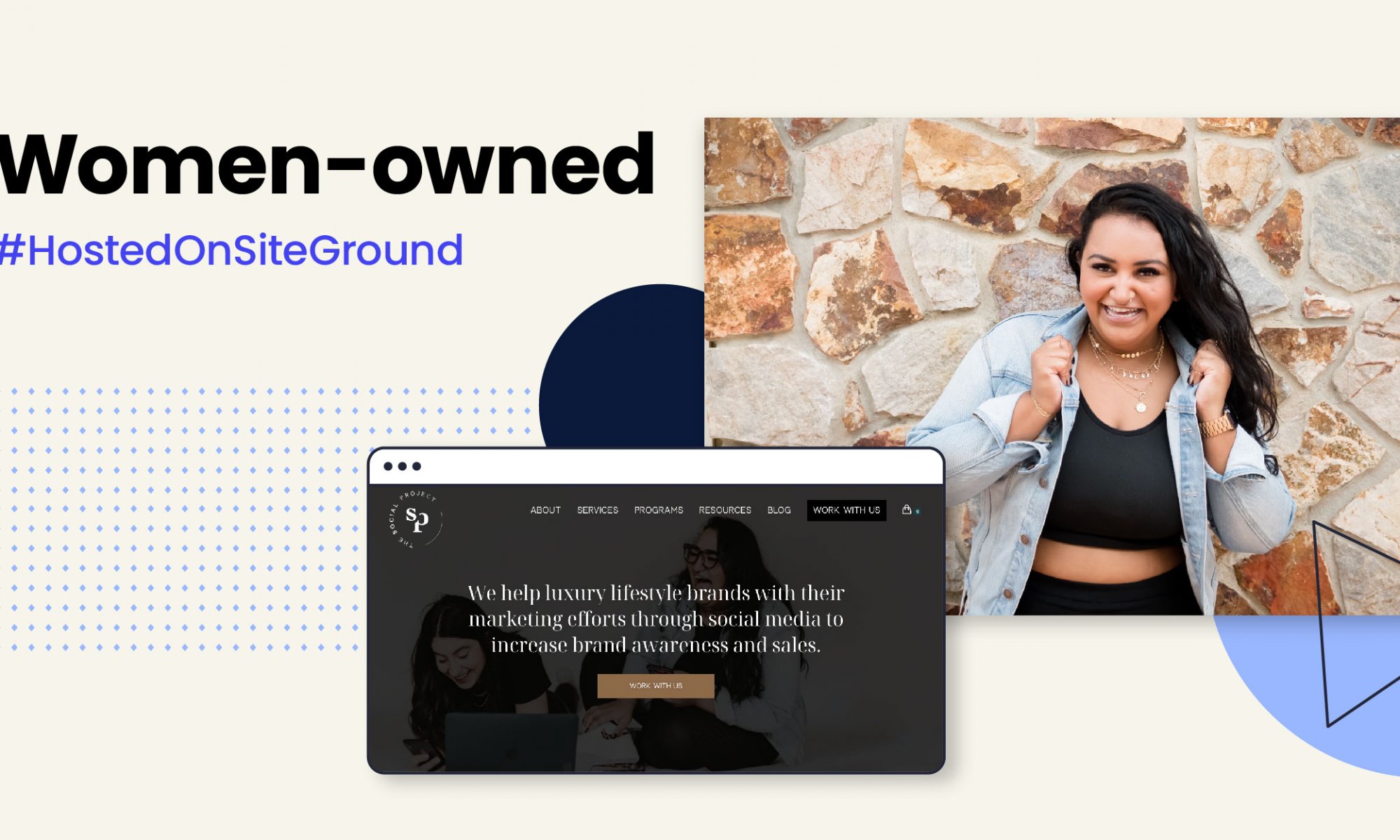
We dedicated the month of March to inspiring women entrepreneurs who turned their ideas and passions into full-time businesses. Our Women-owned series features amazing women from various industries, including hand-made pottery, web development and design, and tour photography. And all those powerful females trusted SiteGround to host, build, and grow their websites.
We’re excited to share the story of another one of our customers. Alisha Kumar, founder of thesocialproject.ca – an all-in-one creative agency. As part of our mission to inspire people worldwide through the power of the web, we wanted to share her story so that you can learn from her experience. Let’s dive in.
The Start of The Social Project
From a business aspect, Alisha found a gap in how businesses use social media to achieve their marketing goals. So she took that opportunity and founded her creative agency specializing in helping brands with their marketing efforts through social media to increase brand awareness and sales.
However, The Social Project was inspired by one leading personal question: “How do I break the barriers of being in rooms where nobody else looks like me.” Being in the marketing industry for over 12 years now, Alisha struggled to find a way to stand out in the industry as a woman, and more notably, as a woman of color. She aspires to change the marketing industry “because it doesn’t look like me at all.”
Your Website is Your Storefront
When people are browsing, you want to be that one website that they stop at. Looking back on her brand identity back in 2017 – being all rose gold with a heart in the logo – Alisha didn’t find it authentic; instead, she felt she was trying to fit in with the current scene. She had to rethink her branding “because I can’t show up for a business that isn’t representative of me.” As a result, she returned to the drawing board and refined her brand into an edgier look that fully embodies her.
Initially, Alisha was hosting her website with another company. However, after the rebrand, her web designer suggested using SiteGround, and after the switch, “I honestly haven’t had a problem at all.”
Tips for Social Media Engagement
Being a social media expert, Alisha remarks that “social media isn’t about you, it’s about your audience.” Listening to your audience, learning what they want to see, and knowing what they want to learn is essential for success. There is a lot of social listening to do.
Social listening refers to monitoring your brand’s social media channels, explicitly tracking mentions of your brand, customer feedback, industry trends, and more. With social listening, you can produce the kind of content that followers want, develop new ideas based on trends, have a better customer experience by interacting with customers directly, and consistently adjust your strategy to best fit their needs.
On Being a Good Leader
Alisha believes that good leaders should be good listeners. They should listen to what their team has to say and contribute to their ideas. Working with a team means you will use the strengths of each member, making the whole better than the individual.
As for being a good leader to your business, Alisha says, “remember why you started.” It’s so easy to get lost in the little things, and businesses should go back to why they started in the first place. Focus on your company’s original mission and what you hope to achieve with it.
Create Your Agency Website
If you have been thinking of starting your own agency, you have to have concrete ideas of what type of services you would provide. Ideas, while important, are not enough. Start a business plan for your new agency, which includes picking a niche, defining a target audience, creating a value proposition, and considering how you’ll earn money. Then you need to go online! Most of all, give your ideas a chance and as Alisha says, “no risk, no story.”
Your branding is influenced by your personality, which in turn influences the tone of your copy, your color scheme, and your fonts. With SiteGround, you can have that complete freedom, coupled with amazing tools to build, host, manage, and launch your successful business website that reflects who you are. Our high-performance platform will make your site load up to 500% faster thanks to our proprietary technologies crafted for top speed and security. We also crafted our own account management software that provides an outstanding user experience, along with superior efficiency when managing one or multiple websites. With the right partner you can take that leap without thinking “what if” down the road.
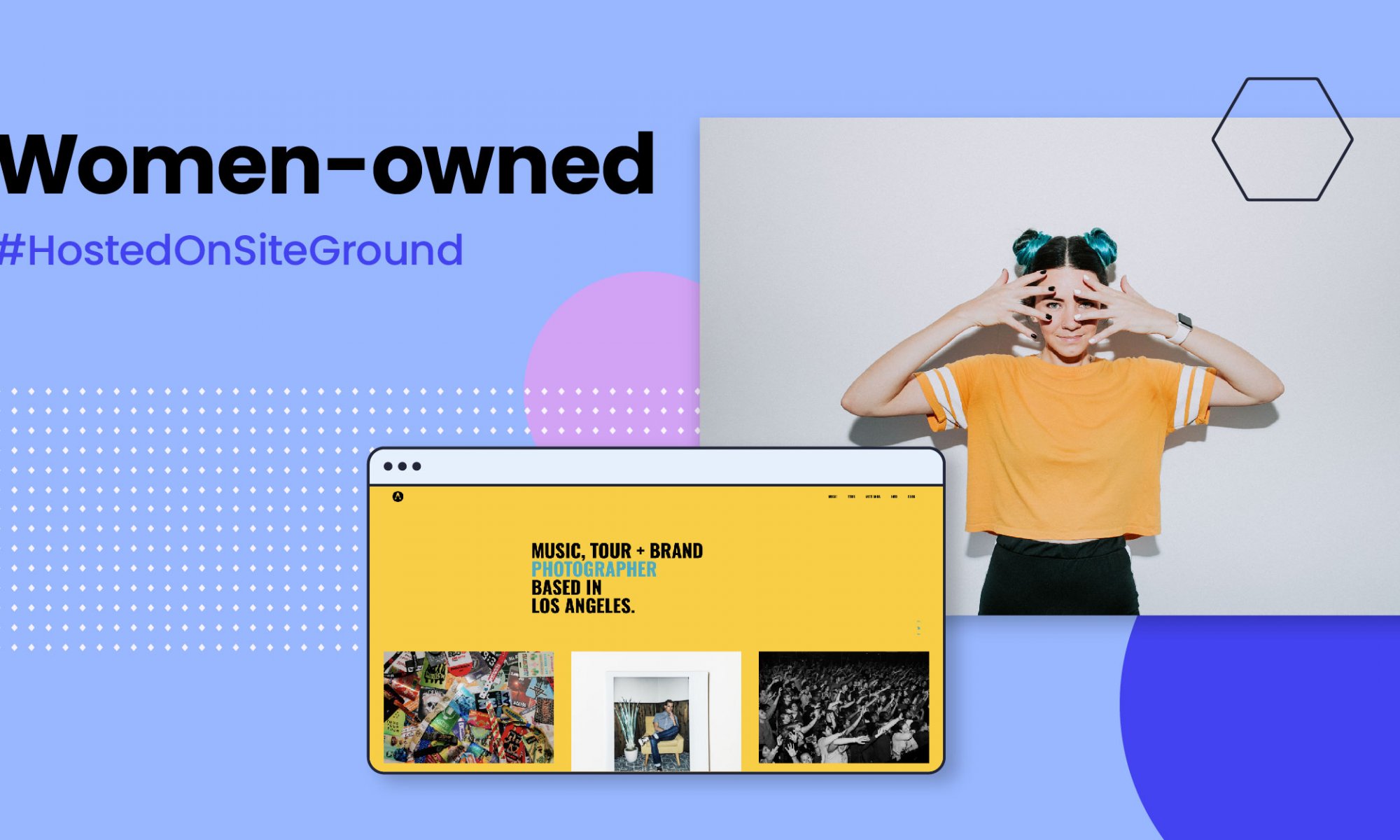
In our Women-Owned series, we partnered with four female entrepreneurs who host, build, and grow their websites on SiteGround platform.
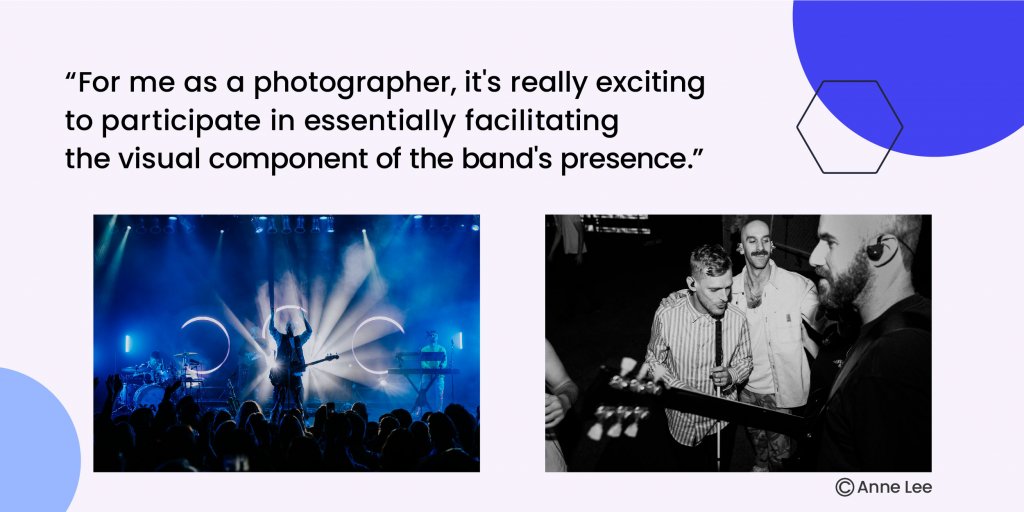
This is the story of Anna Lee, a music, tour and brand photographer living in Los Angeles and the webmaster behind annaleemedia.com. If you’re a photographer, aspiring to be one, or interested in how to build your online portfolio – dive into Anna’s story and find valuable tips that might be just the thing you need to read.
Entering the Tour Photography World
Anna Lee was that one child who constantly carried a camera, documenting the surrounding world. Following a very natural path, her love for music and photography fueled her journey as a tour photographer.
Tour photography connects the audience with the artist’s experience and documents moments that otherwise can’t be seen behind the scene. Anna describes the feeling of being on tour with musicians as “incredibly special, a little bit surreal and totally comfortable at the same time.”
Reflecting on her 10-year journey as a tour photographer, Anna attributes her success to curiosity and bravery. As a photographer, you must constantly challenge your creativity. You must also work up the courage to reach out to your customers without the fear of being rejected. Once you liberate yourself from that fear, the horizon of opportunities becomes far broader. Stir in a bit of patience, and you’ll be on the way to steady growth in what you’re doing.
Building An Online Portfolio
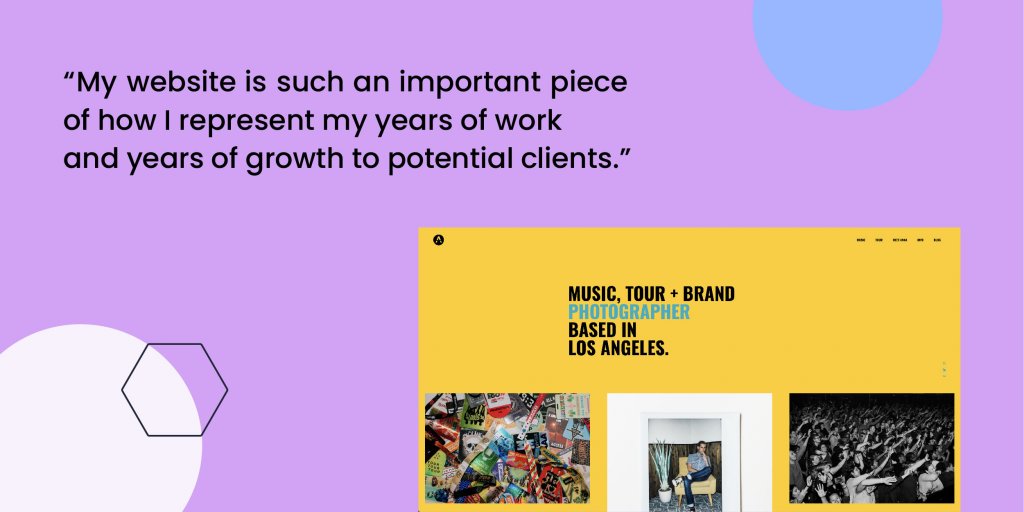
It’s easy today for people to rely on social media as a place for their portfolios. However, social media gives you limited control over what’s getting viewed and how your content is presented. Contrary to that, a website gives you the freedom to express your unique style as a photographer and curate your work. Expanding on this, Anna explains that “a photographer’s website is such an important home base for all of your work because you actually own your website.”
Before SiteGround, Anna hosted her website with another provider. Even though she wasn’t satisfied with them, she felt intimidated to transfer her websites with another host, feeling it would be messy and complicated.
Unlike her fears, Anna found migrating her website to SiteGround to be “pleasantly super easy.” She was also excited by the speed SiteGround offers. Anna was being very precious about her website. She wanted something really unique and different from what other photographers were doing. And the decision to switch to SiteGround completely transformed her previous experience and made it possible for her to realize exactly what she wanted.
Being an Early Adopter of Full-time Tour Photography
Being one of the early women adopters to enter tour photography as a full-time job, Anna occasionally faced certain setbacks. Initially, she encountered the uncertainty of musicians about bringing a woman into the tour, “some viewed it as a challenge rather than an asset to have a woman on their team.”
However, she eventually found the artists and the clients who were not afraid of embracing women into their camp. She worked with people who wanted her there and were excited about having her on their team, “Those ended up being the best working relationships that I had and that I still continue to work with to this day.”
Anna believes that we are reaching a point where photographers, visual artists, and content creators are viewed, approached, and treated with the value that they merit. Specifically, women photographers are finally being attributed the value they deserve for what they provide.
Word of Advice For Young Photographers
One of Anna’s mantras is “don’t be afraid to ask for what you want.” That’s something that she wishes she had realized right from the very beginning.
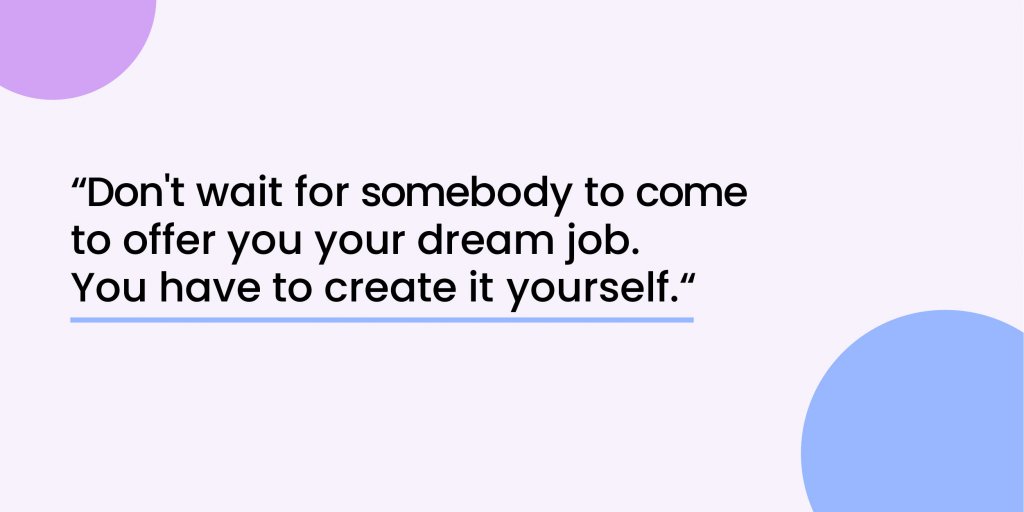
When she decided to pursue tour photography, what helped her breakthrough was realizing that she had to create her own job. Naturally, like many others, she didn’t know how to approach clients. She had to pitch herself to other people and overcome the fear of feeling like she was being intrusive. However, she chose a different approach – she pitched her clients by presenting the opportunity and the value she could add to what they’re doing.
Anna’s second piece of advice is to do what you want consistently and with as much authenticity. If you’re creating for what you think other people want or what you think is popular, you will get burned out. But if you create what you want to do, the right people will find you, and they will compensate you for doing the thing you love to do. That will keep you excited as you continue into a specific career.
Build Your Own Portfolio Website
No matter how skilled you are, SiteGround enables you to start easy, build fast, and manage your website effortlessly. For those who are just starting out, we have a helpful tool – the WordPress Starter. You can go through our pixel-perfect customizable templates, some with incredible photography options. But to have a successful portfolio that generates leads, you’ll also need a contact form, SEO optimization tool, performance analytics, and a calendar. With SiteGround, you can add these with a click of a button. Suppose you prefer to have a designer build your portfolio site. In that case, SiteGround makes it easy for you to give collaborators access, keeping the ownership and privacy of your website to you. With the right hosting provider, you can overcome technological limitations and build a powerful online presence. After all, your website is the go-to place for your potential clients.
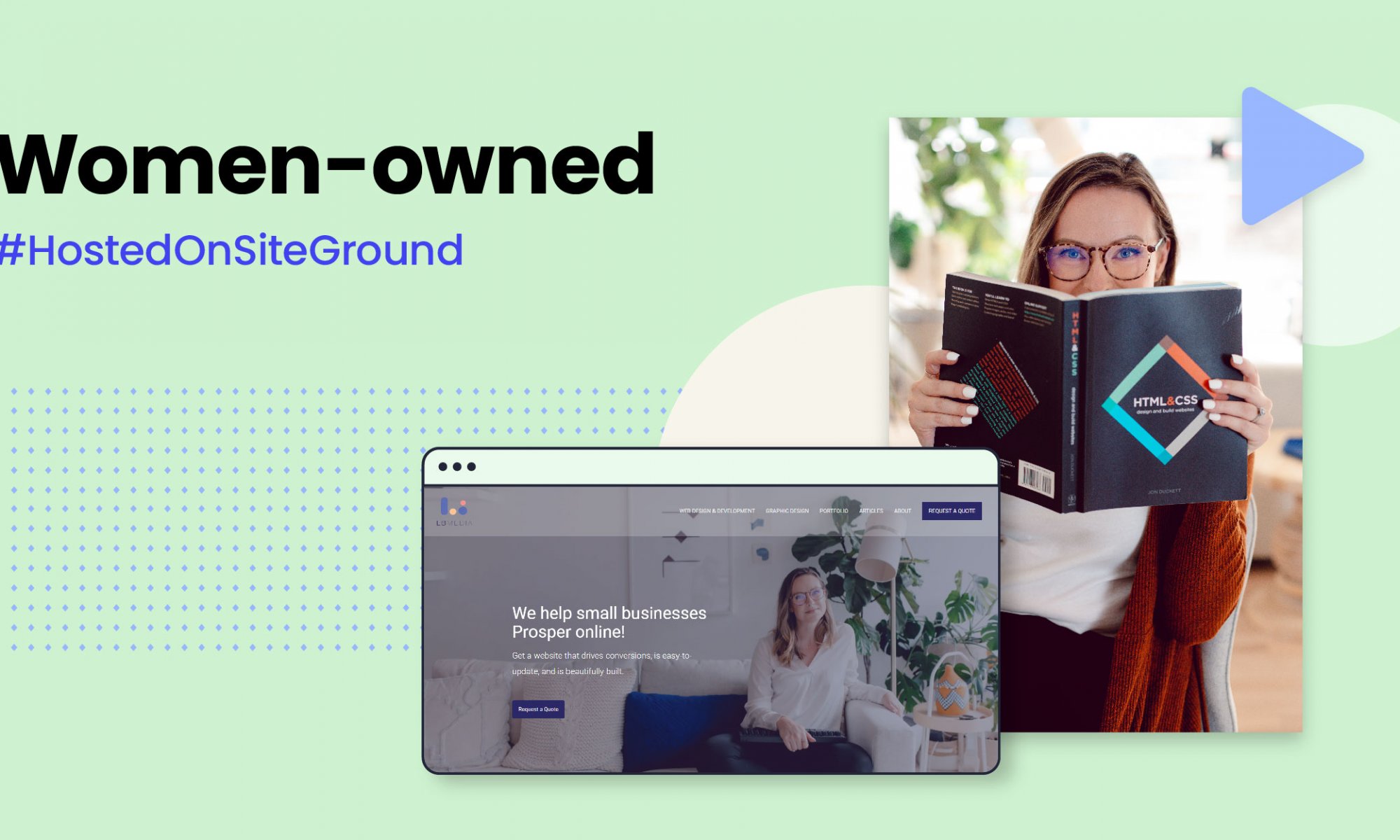
Now, we introduce you to Laurel Brown – the self-taught web designer and developer behind laurelbrownmedia.com. Laurel started her web design and development agency dedicated to helping small businesses prosper online. Laurel has helpful advice for others who want to take the same journey as a designer and developer.
One Failure Can Lead To a New Opportunity
We need to rewind a bit to get to the heart of how Laurel got into web design and development. She had another business before starting Laurel Brown Media. Even though she didn’t have any experience in website building, she opted to create her own website for it. Beginning as a hobby, she gradually expanded into designing websites for her friends who owned small businesses. After her first business came to nothing, Laurel saw her newfound interest in web design and development as an opportunity to start over.
Speaking about her mindset of trying again with another business, she explained, “this other business failed massively. Nothing can be worse than that. So let’s try it again. That’s why I decided to go for it.” She discovered the intersection of value and passion in web design, which laid the foundation for starting her small agency.
Selling Services Online
While e-commerce grows in popularity, service providers, such as web agencies, are confronted with the issue of selling intangible “products” like their time and knowledge. So how is one supposed to start selling their services online?
As with every business, you must first define your niche. Consider where your service fits in the market and how you may differentiate yourself from the competitors. Are you going to specialize in one service or offer various services? Who is your target audience? Take into account every detail from gender, age, income level to career, education and spending patterns.
Laurel, for example, focuses on web design and development for small businesses. She also provides graphic design and copywriting services to complement her business. Interestingly enough, Laurel’s earliest clients were predominantly female. It seemed like her clients were relating to her because she was just like them – a female who runs her own business.
Once you’ve identified your niche and target audience, you need to drive traffic to your website. Your freelance or agency website serves as your online professional representation. Expert website designer Laurel shares that a website builds credibility. Having a website shows people that you are a real business with valuable services or products to offer. When people research their desired products, your website will likely be one of the first things they look into. And to this she points out, “It’s just so important to have a website because if you don’t, someone else does.”
More and more of a company’s sales happen on their website. Regardless of the industry, most customers will first visit a company’s website before making a purchase, even if the business does not have an online store, mainly for credibility and product/services research. Consequently, having a strong website presence can substantially impact the success of your business and help you generate more income.
Setting Up Your Clients to Success
When designing a website, it is critical to consider the client’s interests. Laurel advises designers to put their preferences aside and listen to their clients to get a pretty good idea of who they are and what they are trying to share with the world.
As a website designer, Lauren admits to feeling like she’s empowering business owners to take control of their online presence, including managing their websites, so that they can evolve on their own.
When it comes to multi-site development and management, freelance developers and agencies need to consider a partnership with a trusted hosting provider that meets their needs. Laurel trusts SiteGround with many of her web projects. She points out that SiteGround performance optimization tools really win her over during our conversation.“There’s a lot of amazing site tools that I feel like other hosting companies don’t have.”
Furthermore, SiteGround allows freelancers and agencies to access and manage all their sites from one dashboard. With our service, web creators can add collaborators to a site such as designers, developers, content creators, each with their own and limited access. If you build sites for clients but want to continue maintaining the site after handing it off, you can choose to stay on as a collaborator when the main site management has been transferred to your client.
To maintain professionalism, you need to do things right from the start till the end. Incorporating a smooth handover process will bring many benefits to you and your clients. Delivering a finished site is a nice experience, and transferring ownership is simple with SiteGround’s Transfer Ownership tool.
Seeking Change in the Web Development Industry
As a small business owner in the web development industry, it’s hard to be noticed when everyone is fighting for that attention. Laurel believes that having more collaboration would be a remedy to this. She knows firsthand how it feels to start on your own, working by oneself and not having any support system or community.
Eventually, over time, she found a stronger support system. As soon as she started to work with other creative, supportive people like web developers, SEO experts, graphic designers, she really felt a sense of relief. It was like she could learn much easier and work so much better, since she was around people who shared her work.
Owning a Successful Business
When it comes to creating websites, the pure joy from her work comes from knowing a website can have such a huge impact on the business. If someone gets a client because of their website or sells a product because of their website, it makes her feel part of their success.
To be successful, Laurel believes that you need to be dedicated, motivated, and passionate about what you’re doing. Your idea needs to ignite you. She wakes up every day and she’s excited about her work. She also reminds us that people should take care of their mental health, balance rest, and be business owners.
We all know that tons of great women want to build their own creative agencies. What is your advice for these aspiring entrepreneurs? Tell us about it in the comments below, and keep an eye out for more women-owned business stories!
This March, we’re turning International Women’s day into a whole month and shining a light on incredible women creators who built their own small businesses from scratch. We highlight some of the amazing women who host and grow their online presence with SiteGround in our “Women-Owned” series.
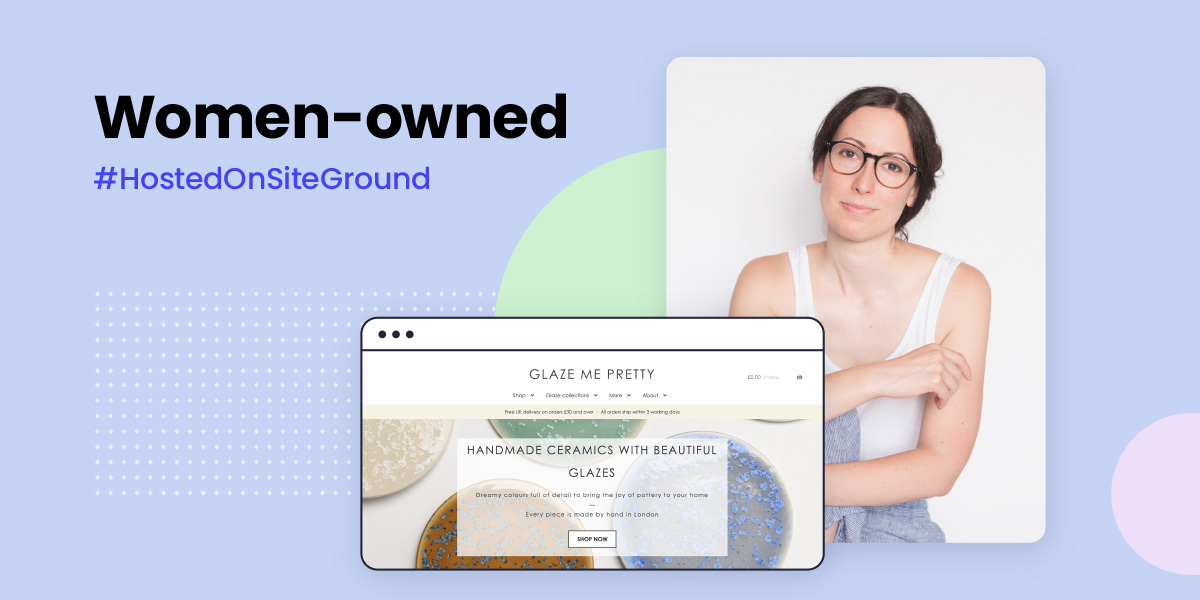
We’re starting off with Raquel Acosta – the self-taught ceramic artist behind glazemepretty.com. Raquеl has mastered the craft of creating unique pottery pieces with glazes that tell the story of how minerals are formed. We followed her journey into pottery, including how she got started, what it’s like being an independent artist, and what advice she has for other creators looking to turn their passion into their business. Hint – your own website is the easiest way to start!
Finding a Creative Outlet Offline & Online
Originally studying Computer Science before eventually moving onto data analysis, Raquel’s initially chosen path led her down an uninspired road. Needing creativity, she experimented with different art forms until fate introduced her to clay. Starting out with evening pottery classes it became abundantly clear just how much potential there was.
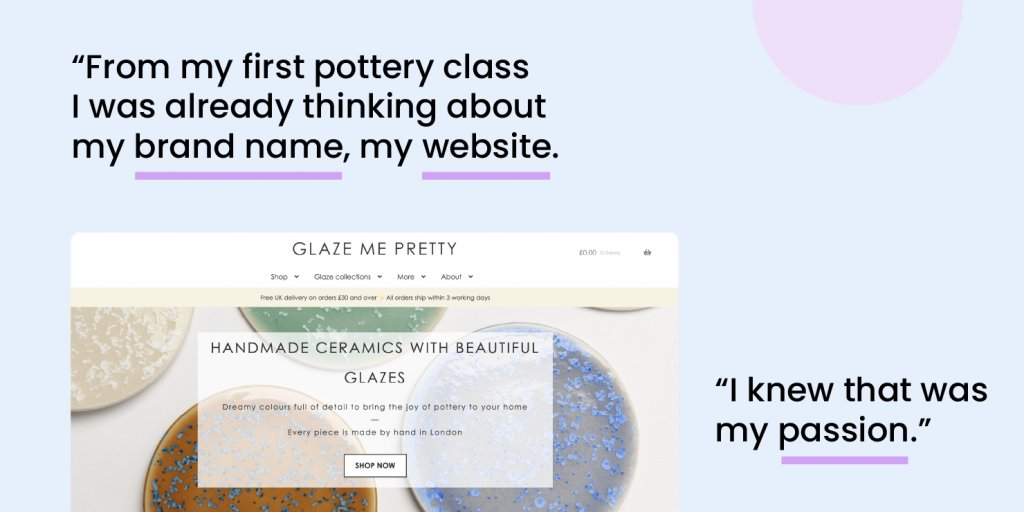
Her initial intention was to have a side project to work on in her spare time, but what started out as a small hobby quickly grew into so much more. From the very first pottery class, Raquel envisioned herself having her own small business doing ceramics.
Turning Your Passion Into an Online Business
Starting your own website may seem daunting, especially if you don’t know where to begin, but it can open many opportunities to business owners. Your own online portfolio or e-commerce website enables you to reach a larger audience, make your creations easily accessible, and turn your passion into a self-sustaining business.
But before investing in your online store, you need to invest some time in planning a few essential elements, so you can set your online business up for success. From choosing a website builder and a hosting provider to design and functionalities, it can all help you smooth out the process of creating your first e-commerce site.
Of course, building and optimizing your website requires dedication. Raquel is a living example of that. She launched her online shop in 2018, but it wasn’t until 2020 that her online presence really took off. All thanks to her consistency to learn and be better in her craft and in showcasing it on her website and social media.
Translating Your Brand Identity Into Your Website
Brand identity is that aspect of a business that radiates your brand’s personality and values. It enables people to recognize you and even better – relate to your business. From your name, color palette, and visuals to tone of voice and copy, these are all aspects you need to think about, create and distribute uniformly on all online and offline channels.
Creating an effective branding strategy starts with answering important questions such as what do we want our potential customers to know about us, who is our target market, what do we stand for, what makes us different.
Evan though building her brand identity was a challenge at first, Raquel drew inspiration from her craft. Her brand name and color palette are inspired by the glazes that she develops herself. As for her web design, she followed the “less is more” approach, adding clean and simple backgrounds, just letting the pots be the stars of the show.
Raquel points out her biggest challenge when running a maker business – growing your organic audience when you’re competing with big companies. Not everyone starts with a huge upfront investment, but as long as you are willing to put in the work and your heart is in what you’re doing, you can start and grow your small business on a budget.
A key role in growing your online presences is exploring different smart techniques. One tactic is integrating a newsletter into your website. This is an excellent way to engage your audience with what you do. Raquel uses her monthly newsletter to offer exclusive sales, samples, and clearance items that can’t be found anywhere else. Putting that exclusivity touch can surely increase your audience’s interest.
Raquel also emphasizes the importance of building a dialogue with your audience rather than just one-way communication, that really helps to build engagement. For example, except for her daily social media posts, Raquel asks her audience for their feedback about the pieces she crafts – do they want to see a new item, which is their favorite glazing pattern, and simply involve the people in her work. Still, optimizing the selling and marketing aspects of any online business is an ongoing process and there is always room for growth.
Besides the online presence, another challenging aspect of running an e-commerce business is managing the online and offline inventory. Trying to predict product demand can be hard, but batching production together helps Raquel stay organized to manage her small business efficiently. On the other hand, e-commerce platforms like WooCommerce have internal stock management systems that offer all the configurations you need to manage your inventory.
Finding Purpose in What You Do
Glazemepretty.com is what Raquel looks forward to every day. Before, weekends were all she cared about. But now, her priorities have shifted from living for Fridays to looking forward to Mondays when all that matters is waking up knowing exactly what she’ll do today – craft one-of-a-kind ceramics that she can then share with the world through her own online brand.
Seeing how happy her clients are after purchasing something from her makes her recognize the importance of what she does and what Glaze Me Pretty represents. It’s amazing how far an idea can go from a self-taught passion to your own online business – if you put in the time and hard work to see it through – just like anything else in life. SiteGround is proud to be the hosting partner of choice to such incredible female creators and entrepreneurs like Raquel – the world is your oyster when you put your mind to it.
We know that there are lots of incredible women entrepreneurs out there, thinking of launching a project of their own, or building it right now. What’s your advice to people who want to make their idea online? Share it in the comments below, and stay tuned for more women-owned business stories coming soon!
I’ve been involved in the open-source software movement since there was an open-source software movement. Over time I’ve seen the perception of it change. In the beginning, there were a lot of people writing software and contributing because they could. It made them feel good to give to others.
Users of open-source software recognized this gift they were being given and respected it and the talents of those doing the giving. Many users contributed back to their favorite projects by way of code, documentation, advocacy, and sometimes even money.
Over time, things have changed. These days I see more people using open-source software because they think it’s free. They think that because they didn’t have to pay a programmer for their efforts they are getting away free. Sometimes, this is true, sometimes you can install a piece of software and just start generating value from it. WordPress used to be like this.
These days, however, software, even open-source software, is complex. Yes, WordPress used to have the “5-minute install,” and yes, you may actually still be able to install WordPress in 5 minutes. However, if your goal is to do anything more than write your own blog, you are going to need to add a few hours, or days, to that number.
These days software is complicated. WordPress themes used to be pretty simple. Now, they are complex beats with settings pages and many configuration options. Options that, if you aren’t familiar with the theme, can be difficult to navigate.
This is the hidden cost of free. These days, this is the high cost of free.
Many plugins are “free” these days, but they require you to subscribe to their underlying backend service. Technically they are free, but it is still going to cost you. Other plugins offer you a free version but lock the best features until you pay. Again, technically free, but if you want them to do the cool stuff, you are going to have to pay.
Don’t get me wrong, I am not advocating that all software should be free. As someone who earns their living writing code, I strongly advocate paying developers. It’s just that as a non-technical site owner, you have to understand the cost of “free.”
Be prepared to hire someone to help you. In most cases, you will need:
A project manager. We used to call these “implementers,” but these days, I think that term has fallen out of favor. This is a technical person but may not be a programmer. They understand WordPress, plugins, and they know how to make them work together to get things done. They also know when a developer is needed and usually know a couple they can call on for help.
A designer. You will most definitely need someone who can make your site look good. Bonus points if they are also a User Experience (UX) expert so they can make your site easy to understand and use.
A copywriter. (You thought I was going to say developer, didn’t you?) Yes, you are going to need a copywriter — someone who is a wordsmith. You want them to look at every word on your site and make sure that what you are saying is clear and easy for your user to understand.
Optionally you may need a developer. If you do, your project manager will know this and should know who to hire. Don’t go around them and hire your niece and put her on the team. Let the experts do the job you hired them to do.
Once you’ve got your site up, it’s still not free. Make sure you are hosting it with a reputable host who understands WordPress. It may come as a surprise to some of you, but I have sites that are not hosted at SiteGround. Some of my WordPress installs are hosted on a virtual server that I manage myself. I understand what needs to be done, and I understand the risks of managing my own server.
The projects I host myself are fringe projects with special requirements that many hosts won’t provide out of the box. While in a technical sense, yes, each additional site I spin up on my virtual server is “free,” it’s also one more thing that I have to worry about. My time is not free so hosting sites on that server turns out to be very expensive.
For all my sites that do not have very special requirements, I use SiteGround. After 25+ years of managing web servers and 15+ years of managing WordPress, I know what I need in a web hosting partner, and SiteGround ticks every box.
Free and Open Source (FOSS) software is awesome. It literally powers the world we live in. But a lot of times, free only applies to the price you pay for the code itself. When you are preparing to launch your next site, factor in more than just the cost of the code. If your site is going to add value to your enterprise, prepare a budget that will let you do it right. Don’t forget the high cost of free.
Your online reputation is one of your most precious possessions. Because of this, you need to do everything in your power to protect it. The problem is that the more powerful your reputation becomes online, the more that people with bad intentions want to take control of it and use it for their own purposes. Nowhere is this easier online than email.
Email started as a trust system. I trust the email server I used to send my email. It trusts any number of servers to help deliver the email along the way. The recipient of my email trusts their email server.
In the beginning, email didn’t necessarily go from you to your server, to your recipient’s server, to your recipient. The internet was still fragile, so email was designed to hand mail to any server and trust that that server would either deliver it, hold it until it could deliver it, or hand it off to another server for delivery. Trust, however, has a price, and once bad people figured out that email was based on trust, they started making us pay that price.
Because bad people figured out they could send emails that look like they are coming from anyone on the Internet, people much smarter than me knew they had to do something to secure our email system. If someone could send you an email that said it was from your mom, and that email contained a link to show you cute puppies, you trusted that it was from your mom, so you clicked the link; thus Phishing was born.
These days, email is a lot more secure. The smart good people have figured out ways to build technologies like Sender Policy Framework (SPF) and DomainKeys Identified Mail (DKIM). These systems help protect emails by protecting who can send emails for a given domain. If you have SFP and DKIM setup, most email servers will recognize them and use them to make sure that the email it just received that SAID it was from you, actually IS from you.
The biggest problem with SPF and DKIM is that they are not easy to setup. To configure them, you need to understand DNS and how to create specific types of records. This has hampered the widespread adoption of these concepts in the past.
Thankfully, these days, there are good hosts like SiteGround.com out there that set them up for you automatically. When you set up a domain on a good host, one of the things they do is not only set up your mail system but also set up SFP and DKIM to protect others from fraudulently sending emails that look like they come from you.
If your host does not automatically set up DKIM and SPF for you then all is not lost. There are many good tutorials available and with some time, you can set them up yourself. There are even online checkers you can use to make sure you have done it correctly.
Or, if you’ve got better things to do with your time than figure out DNS, you can host with a host like SiteGround.com. Your call.
In my last SEO article, we explored my favorite tools sources for building up a robust keyword universe and got some excellent keyword research tips. In today’s article, I’ll walk through evaluating these keywords for usage within your website or blog, or, in other words, we’ll learn how to do keyword analysis.
We’ll also review how to easily locate Google search volumes, we’ll learn what search intent is and why it matters, and then I’ll provide some additional insights into narrowing this list for the best keyword opportunities to win in search and convert these searches into revenue.
Creating a Solid Keyword Strategy by Pulling Search Volumes for Your Keyword List
The last time we were together I gave readers all my favorite tools for finding keyword ideas and options, then I had tasked readers with the process of researching keyword phrases.
Now that you have your list of keyword ideas, it is time to pull data on the phrases so you can decide which keywords would be best to use on your website or blog.
We can’t target everything, so we need to pick and choose wisely. I like to use data for this phase of the planning process. Data helps guide me down the right path and it helps me stay away from futile pursuits of unrealistic keyword options.
For this task, I love using KW Finder for the purpose of keyword analysis. Actually, it’s the only SEO tool I’ll use for pulling data on keyword volumes, trends, and trends.
Using KW Finder for Keyword Analysis and Selection
Locate the Import option in the top navigation bar.
Once there you can drag your file over from your hard drive, copy and paste keywords straight into the tool, or use the Choose a file button to import a file.
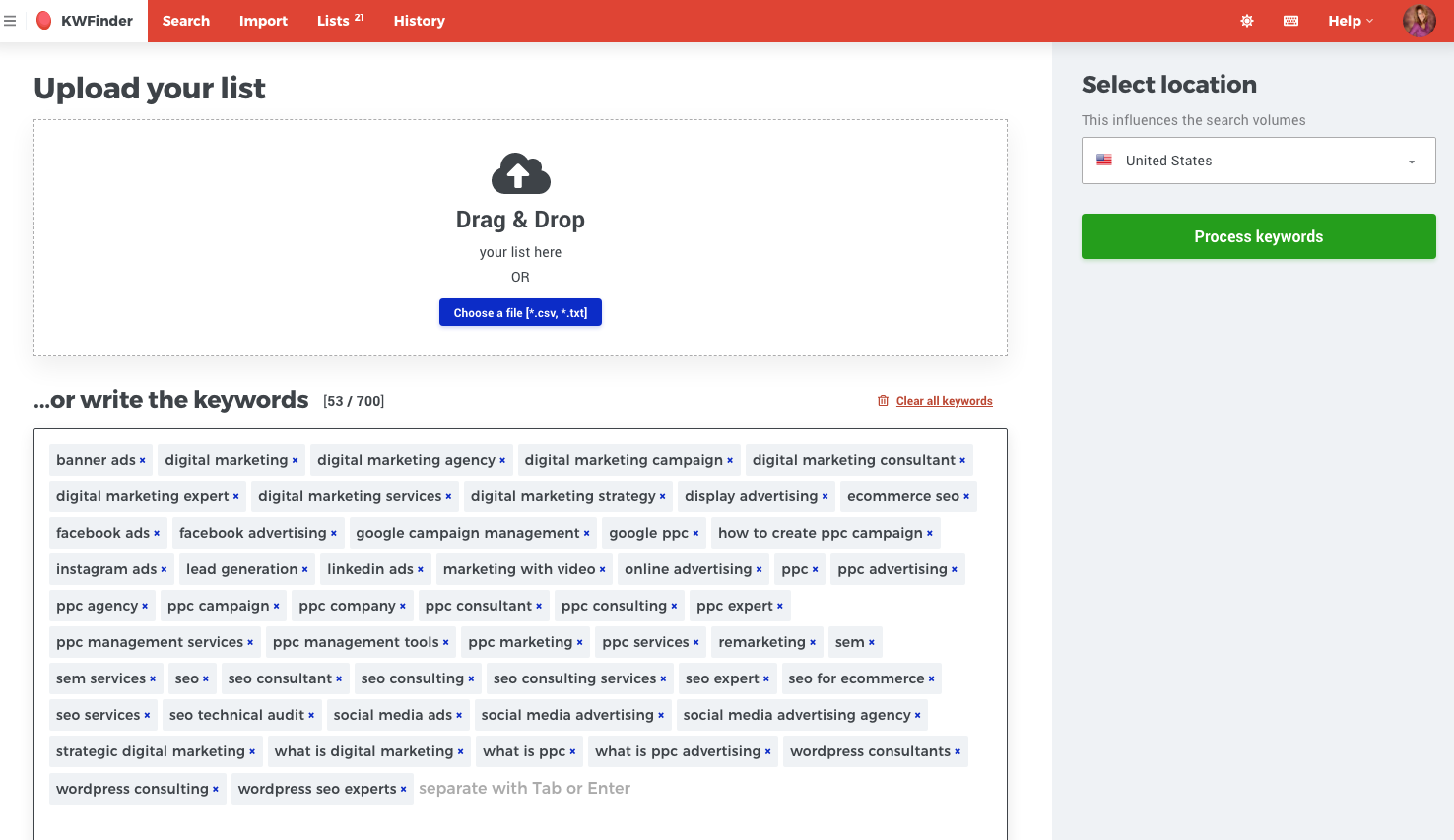
In this example, I used copy and paste, when set my location to the United States.
Next, I simply click on the green Process Keywords button.
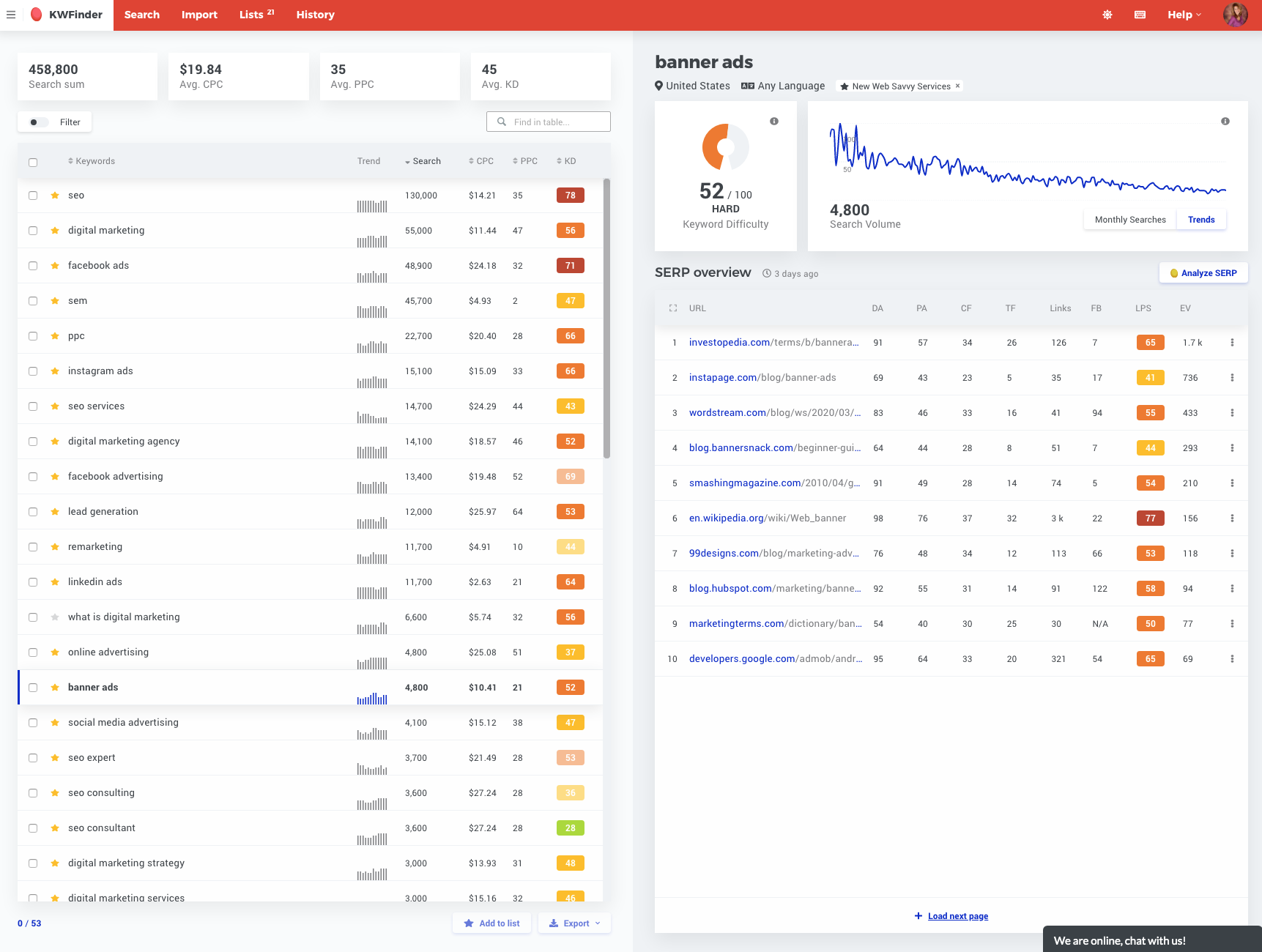
Once the import occurs, I’ll see a fresh screen that shows all my keywords with search data specific to the United States.
I can sort the columns by their headers to start viewing my keywords ranked by criteria like monthly search volumes, PPC ad costs, or keyword competition.
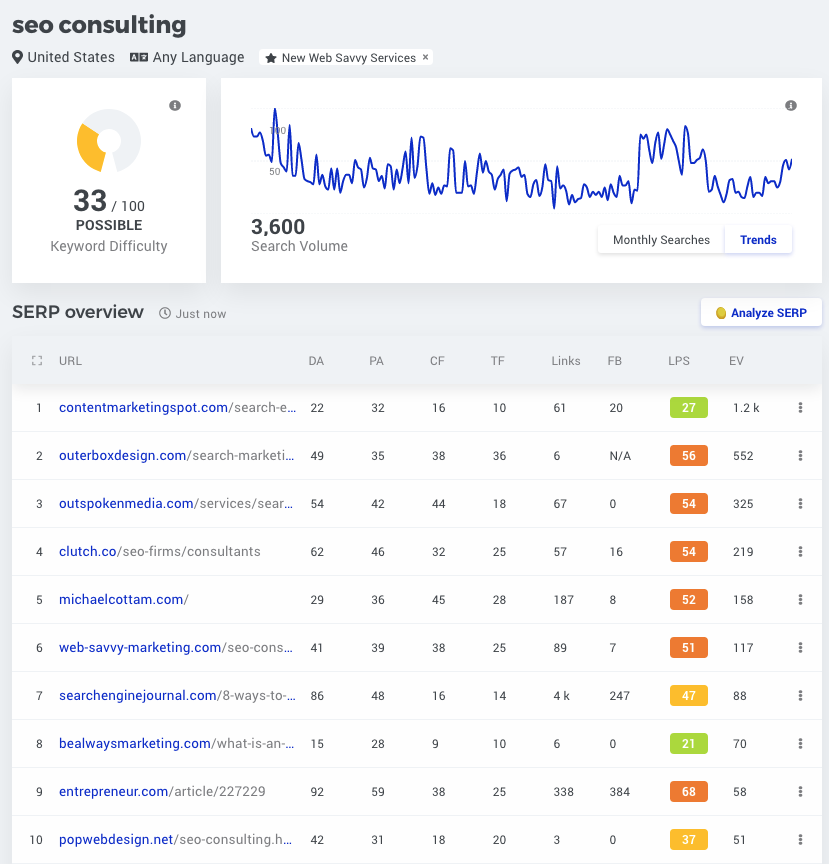
I can also click on any keyword row to see ranking data and trends on the right side of the page. This will help you see if a keyword is moving up or down with popularity and if you’d have easy or hard competitors. In the below example, SEO consulting has been trending down. My agency page (Web Savvy) is in position six on Google and it has some stiff competition from websites like Clutch.co and OutspokenMedia.com. Both have solid domain authority and backlinks.
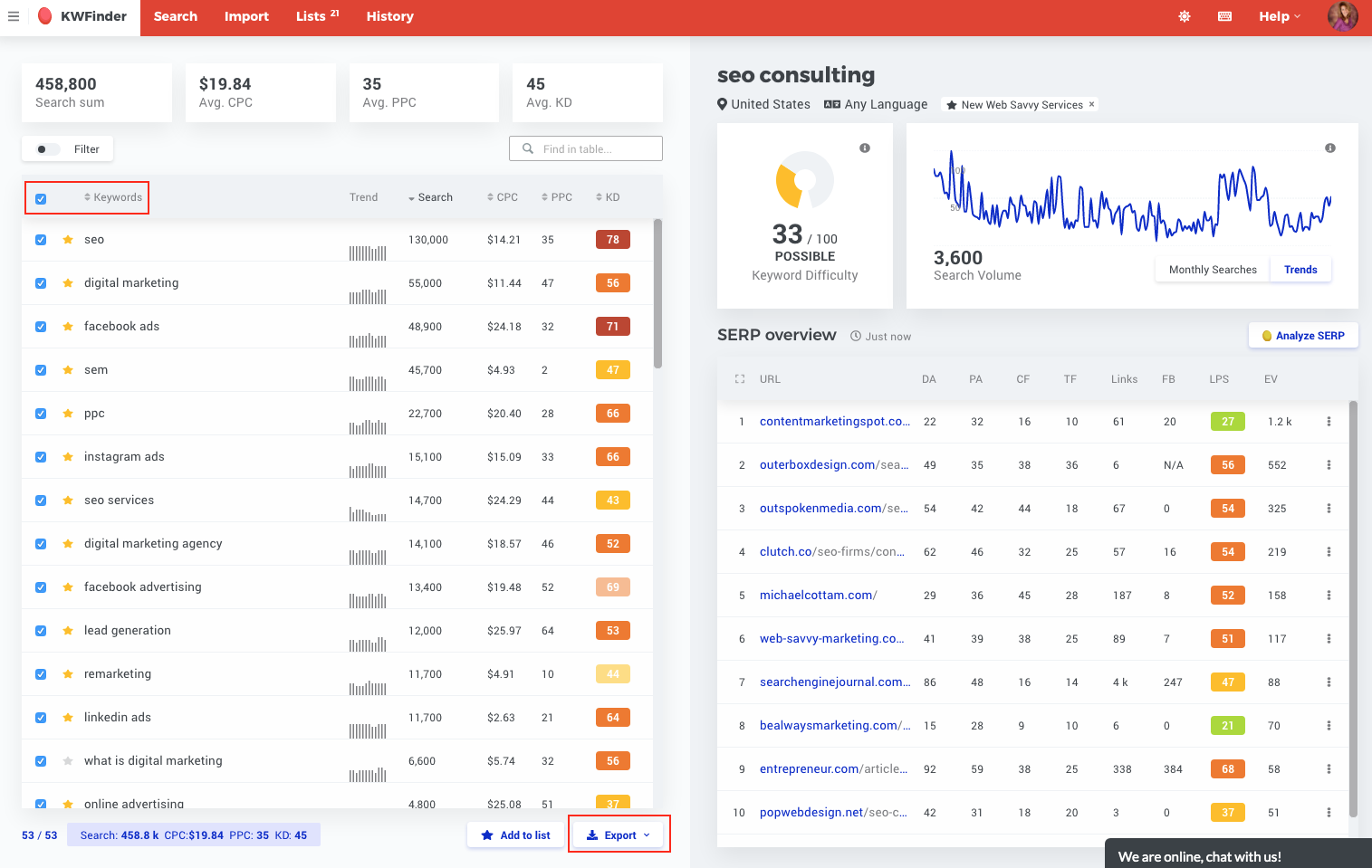
I can view this data online and easily export my SEO keyword analysis to Excel. To do so, I simply click the check all box and then Export. I’ve highlighted both in red below.
The next step is to review the data offline. This export will look like the following once I eliminate the columns I do not want.
This data will help me evaluate keyword phrases to decide if they are something I would like to focus on as I move forward with keyword mapping and creating an editorial plan.
Understanding Search Intent is Key when it Comes to Keyword Analysis
Before we start finalizing keywords, we need to take a step back and think about search intent. This will keep us from going down a path of inaccurate phrases that don’t align with our target market and offering.
Search intent sounds scary, but you don’t have to let it be intimidated. The concept isn’t that hard to understand if you try and think like Google.
Search intent simply refers to a human’s intentions when performing a search. For example, when a user searches in Google for “hot dog” did he mean a dog that is hot from the sun or did he really want results that pertained to the food hot dog?
Understanding what the user expected to receive for a given search phrase is search intent. You might be surprised to know Google is pretty darn good at figuring this out these days.
The Different Types of Search Intent
There are four main types of search intent and they are:
Navigational – Navigational searches are performed with the intent of surfing directly to a specific website. These are direct searches for a brand, company, website, or a person.
Informational – This is the largest category and typically represents people looking for quick answers like recipes, sports scores, local weather, the cure to their current ailment or illness.
Commercial – Investigational searches (leading up to purchaseс) that help a buyer find information. These could be consumer or business-related.
Transactional – These searches are largely for purchases or completing a task such as signing up for a service.
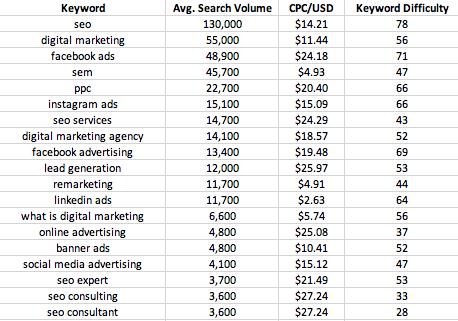
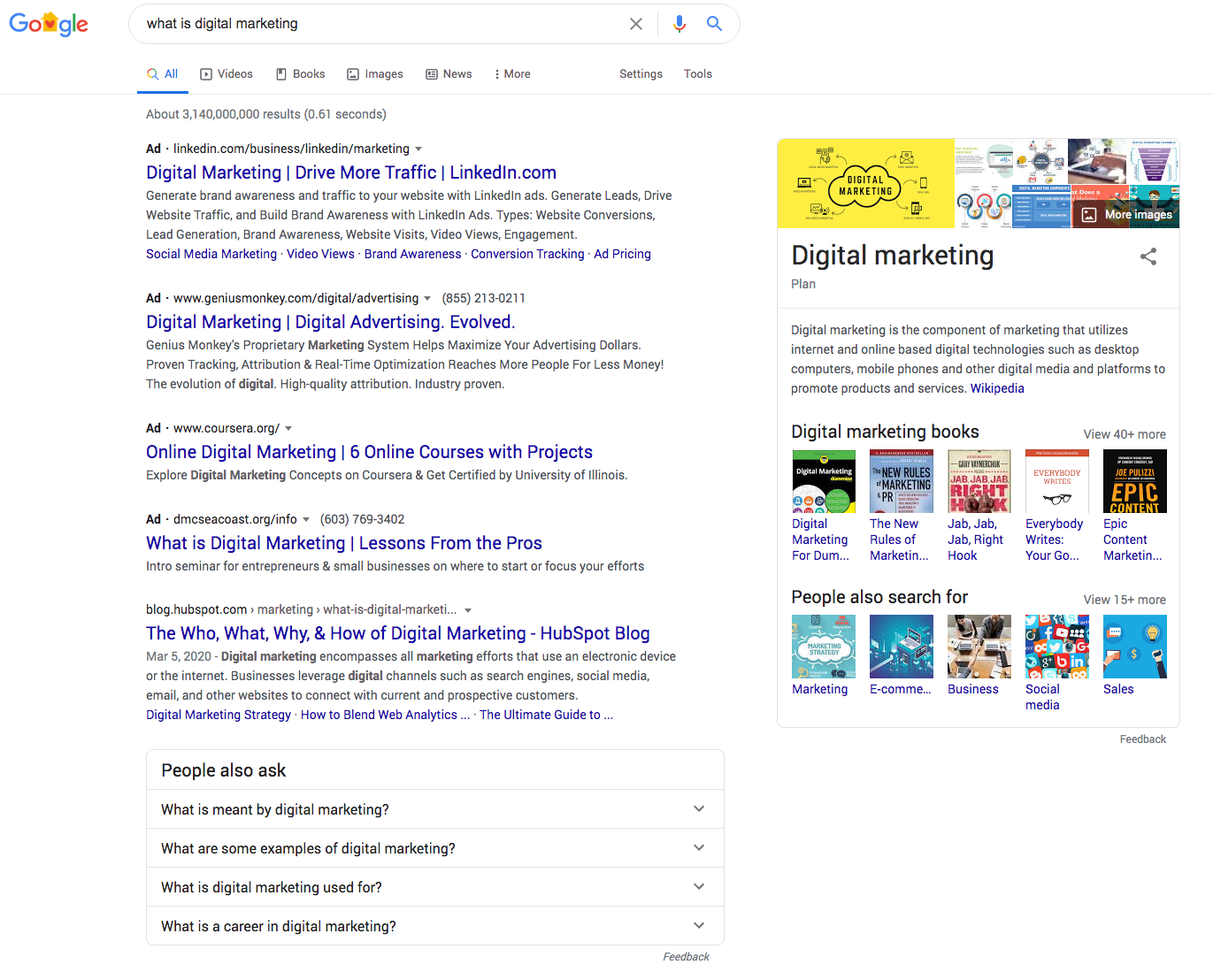
In my above list of keywords, the phrase “what is digital marketing” is an informational search. The user is searching for information and not yet ready to purchase. In this search term results we’ll see a mix of Google’s Knowledge Graph data that includes a Knowledge Panel, People Also Ask, Videos, Top Stories, Business Industries, and Creative Hobbies.
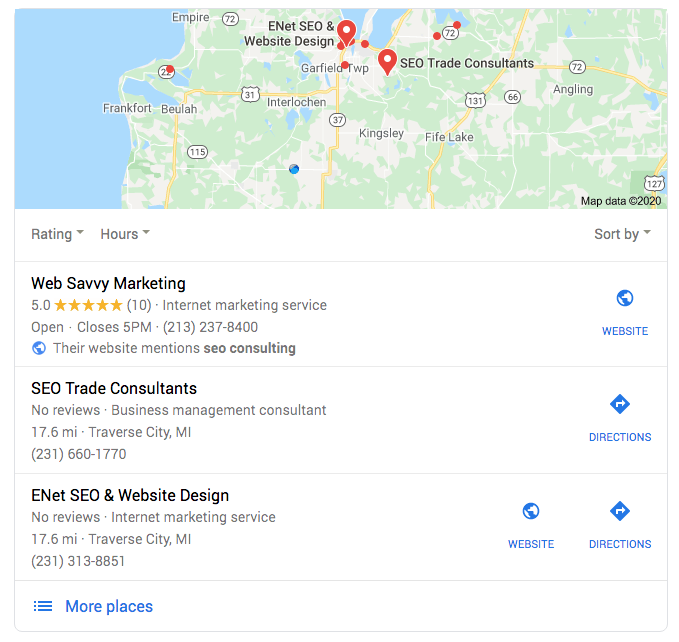
The search term “SEO consultant” would be more commercial or transactional, because it indicates that the searchers are now looking for someone to help do digital marketing for them. Google knows this phrase is for a person to do SEO, so it places the local map results at the top of the search engine results screen.
Takeaway: A key takeaway here is the search intent matters to both national and local searches. Google My Business uses search intent to determine what phrases to associate to map-based results.
Does Search Intent Really Matter to Website Owners?
Many years ago, we used to be able to manipulate search results because search intent was not as important as it is in today’s search environment. By “manipulate” I mean I could reach for phrases that are outside my core focus area.
In today’s world of SEO, it is much more difficult to stretch for keywords and phrases that don’t directly relate to your content. The reason for this is Google is smart and Google understands what the user wants and will make sure the results match up closely to this want.
Don’t stray from search intent or you will find yourself frustrated and sitting on page 20 of the search engines results page!
[subscribe_cta]
Narrowing Your Keyword List Based on Relevance
You will not rank on every keyword phrase you want, so you have to pick your battles. I like to start with a large list as I brainstorm ideas, then I reduce those down to a manageable level.
As you go through your keyword list to make your selection, you always have to stay focused on your target market and what they need. This is why we started our articles series spending so much time on website personas and your target markets’ pain points!
Review each phrase in your list and think through what phrases would appeal most to your audience. And then think through how these phrases align to what you offer. If a phrase doesn’t match up to your target market and your offering you need to eliminate it.
A Few Tips to Keep You Sane and Successful
1. Know That with Keyword Zero Isn’t Really Zero
The search volumes you see will present blank values at times and this blank indicates a zero search volume. That said, zero isn’t really zero and I have actual Google data to support this theory.
As part of my seed list development process, I will pull phrases from Google Analytics and Google Search Console. These phrases were used by a real human to reach my website or that of my client. Thus, I know there is a search volume for these phrases.
When I plug these phrases into KW Finder, I receive zero search activity. How can that be since KW Finder pulls its data from Google’s API? After all, there is search volume and Google Search Console told me so.
It is a mystery and the only answer I can come up with is that Google doesn’t consider the phrase pay per click-worthy, so it fails to show volume.
This is frustrating to me and it will be frustrating to you. So just remember zero may mean zero or it could just be that Google won’t provide data.
2. Review PPC Bids
Let me state that I am not suggesting PPC and the payment for ads. I’m an SEO girl through and through. That won’t change anytime soon.
That said, I do like to look at PPD bid amounts because I think this data point can be an indication of high converting search terms. We want high converting search terms, so always review PPC amounts to see if you’d like to grab organic search for those terms.
3. Prioritize Your Keywords
Now that we have our list of keywords and search volumes, we can begin reviewing these in detail. I like to do this using a scoring methodology.
I give a simple rank of 1-High, 2-Medium, 3-Low, and 4-None to phrases as I review them. The numbers will allow us to quickly sort the spreadsheet by ranking.
As you rank your keyword phrases you are ranking them in order based on how closely they align to your target market, their pain points, and what you do to solve those pain points. I’m repeating myself here and this is because you need to stay mindful of this idea as it is the core of successful keyword research and selection.
In my above examples, I pulled searches for PPC and SEO terms. I only really do SEO and Google knows this, because it knows who I am and what I do. It would be a waste of my time to target PPC terms since I won’t sell anything PPC related. I’m better off staying close to what I do and targeting those phrases. Thus I would eliminate any PPC related phrases as they will be a waste of my time and effort.
Vet Your Keyword Phrases in Search
Before you fully sign off on your targeted keyword list, I want you to review them in Google’s search results. This is an easy task, but an important one!
Here are the steps:
Grab your list of targeted keywords.
Open up a fresh browser window with no history or signed in accounts to Google. I typically use Chrome for all my normal activity and use an alternate browser like Firefox for searches because I have it set to store zero history.
Take your first focused keyword phrase and search for it on Google. Then take a moment to review the results.
Ask yourself some questions:
Do the search results align to my target market?
Do the search results align to what I offer?
Do the search results include national, local, or a mix of results?
How good is the content presented? Is it old and dated or short and incomplete?
Can you create better content?
Finally, remove anything that scares you or just doesn’t seem like a fit.
Finalize Your Keyword List
Now that you’ve gone through keyword prioritization and vetting your terms in search, you should have a solid list of phrases to use in keyword mapping.
Before we move onto that, I want to answer one question I am always asked: How many keywords do I need to finalize?
There is no firm answer because it varies greatly by the type of website or blog, industry, geographic focus, etc.
Just select an amount that feels like it will help provide you with a solid plan for moving forward with SEO. If you have enough keywords to bring in the traffic you want, then you should be good to go. At least for now. I tend to do keyword research every six months and once you start, you’ll probably want to too.
Coming Up Next!
We’ve come a long way together in these first three articles and we’ll continue our SEO journey next with keyword mapping and content planning.
Once we wrap up our keyword mapping you’ll have a solid plan and strategy for SEO efforts!
Does your online business have Terms and Conditions (“T&Cs”) document? If you haven’t established one for your store yet, it’s good to dedicate some time and specify your T&C because they are crucial for protecting you from potential liabilities and misunderstandings. In the case of e-commerce, that’s a vital step that you shouldn’t miss as you handle sensitive client information.
While they cannot be used to avoid complying with applicable law (e.g., GDPR), they protect you for almost everything else and can be used to set favorable conditions for your business.
Who needs Terms & Conditions?
Almost everyone from Bloggers to E-commerce, SaaS, and Enterprise businesses – as they are both practical and preventative. They often contain legally mandatory information which makes them not just practical, but necessary in some cases which brings us to e-commerce.
What’s the legally required information that applies in regards to e-commerce?
Under most countries’ consumer laws, in addition to the default required privacy disclosures, you’ll need to inform customers of the following:
Returns/Refund details;
Warranty/ Guarantee information (where applicable);
Safety information, including info on proper use (where applicable);
Terms of delivery of product/ service;
Identifying information such as a legal address and business name;
Industry-related legal disclosures;
Rights of consumers (such as withdrawal rights), where applicable;
Seller contact details (e.g., email address).
Note: In some cases, e.g., in the EU, where return and withdrawal specifics are not stated, the user is granted extended rights. So, for example, where the legal withdrawal/return time frame is 14 days, if you do not state this in your terms and conditions, the user is granted 14 days under the law. Likewise, if you do not specify who bears the return shipping cost, the cost falls to you by default.
How Terms & Conditions protect you?
Aside from helping you to comply with the law, terms also help you with handling user-related issues when they arise and – even more importantly – aid in preventing problems in the first place. They do this by setting a legally binding agreement between you and your users, on the subject of your rules for accessing/using your service.
In regards to protecting your business in a preventative way, be sure to include things like:
How can I create legally valid Terms and Conditions to suit my specific business?
Iubenda’s Terms and Conditions Generator lets you easily generate and manage Terms and Conditions that are professional, customizable from over 100 clauses, available in 8 languages, drafted by an international legal team, and up to date with the main international legislations.
The solution is optimized for everything from e-commerce, and apps, to complex scenarios like marketplace and Affiliate scenarios. Read more about it here. We also have a 20% discount available for SiteGround users!
Watch the Webinar
To help you go through that process, we organized and held a webinar on the topic with our friends from Iubenda. Abbie Clement, Head of Content at Iubenda and Andrea Giannangelo, CEO of Iubenda, talked about how T&Cs protect your e-store, what you need to include in your T&C, and how their service can help you with that. You can watch the recording of the webinar below:
Special Discount
To make it even easier for you to start, we have set up a special discount for Iubenda’s services that you can quickly get from this link or by going to SiteGround’s Marketplace. You can find the coupon in your Client Area > Marketplace > Partner Perks.
Webinar Questions Recap
When you go to a website, and they ask you to “agree” to the Terms and Conditions, do they keep any proof that you agreed to it as proof?
Yes, this is often done. It is always a good idea to keep proof of any consent that users might give. There are several ways to keep track of this: one option is to do it manually, or you can use something like Iubenda’s Consent Solution, which records and stores proof of consent for each of your users. The solution comes with a dashboard from which you can review and manage these consents. For more information on this, please visit this page.
What should be included for a service business, such as а therapist, life coach, etc.? No products or shipping involved?
The T&Cs for this kind of service should, at the minimum, contain identifying information for the company, a description of the service, risk allocation, disclaimer and liability relation information is also important for this type of business. Also, if there exist any mandatory industry-related disclosures – it’s a good idea to also add them in your
Terms & Conditions. Do note, though, that product-based businesses and service-based businesses have different warranty and withdrawal requirements, so we invite you to read further here.
What are key items that need to be implemented through terms of use or privacy policies to be GDPR compliant?
GDPR compliance is covered by the Privacy Policy of a given website and not by the Terms & Conditions. At this link, you can find all the basic elements that need to be included (alternatively, this information is included and explained in the webinar recap video above).
How do we know what to include in T&C and how to word it? Can we add whatever we want? Go through a lawyer?
Some of Iubenda’s clients chose to work together with their lawyer when determining which clauses to add to their documents – and this is always a good idea. With that said, the Terms & Conditions Generator includes a guided set-up to id you in determining what’s needed for your site or app. Furthermore, Iubenda’s customer support staff are available via live chat or email to help you.
What are the available languages?
All of Iubenda’s solutions are available in 8 languages: English, Italian, German, French, Dutch, Russian, Spanish, and Brazilian Portuguese.
I have terms and conditions on my e-commerce site in the UK. I buy from a supplier that offers Dropship as well as wholesale. They have no terms and conditions on refunds of postage. With distance selling, I have to refund the original postage cost, if any, and the cost of goods if the customer returns the product as they don’t like it. But the supplier only returned my product cost, not the postage. Are the rules different for Dropship suppliers?
Dropshipping is a bit tricky because often, the customer cannot return the product directly to your supplier. One way to address this issue can be to state an alternative return address in your documents. Another solution can be to add in your T&Cs that the buyer pays for the shipping cost in cases where they return simply because they do not like the product.
Overall, when it comes to dropshipping, especially with overseas-based suppliers, it’s best to understand or set all terms before working with the supplier to avoid complications. Where you can’t do this, setting favorable terms and conditions document can help – provided that they do not conflict with applicable law.
How does a potential buyer who visits an e-commerce store agree to the terms and conditions stated on the site? If the visitor does not agree, can he/she still purchase from the site?
One way to implement an “agreeing” action can be to add a checkbox and statement linking to your terms and conditions at various points throughout your site (e.g., on a sign-up form). How you chose to set this up is entirely up to you – however, it is best practice to additionally link your terms and conditions from the footer of all pages of your site so that it’s always easily accessible to users.
Regarding purchases, in most cases, websites will not allow users to purchase without first agreeing to the terms and conditions. The terms can be linked at the point of payment so that the user can read and agree (by checking a checkbox, for example) before signing up or purchasing.
If the company is registered in one country but offers online services to another, to which law should we comply to?
A good general rule of thumb is to comply with the laws of the country in which you base your operations, as well as those of the country your site targets. You can read more on this topic here.
Does your Consent Solution integrate with WordPress?
Yes, it does. Here’s a guide on how to install Iubenda’s WordPress plugin.
When we work with kids and parents, what should be considered?
Regarding kids, there are enhanced requirements. The following resources will shed some light on this topic:
How can I apply the SiteGround/Iubenda discount code to the business bundle?
You need to click the link we have provided, and you are automatically redirected to Iubenda’s website. Hover over “Products and Services” and click on “Pricing” from the drop-down menu, there you need to choose “Bundles” and pick the Business Plan. The full price for 1 year is $99, and with the discount applied a bit less than $80 per year ($7 per month). The license for this also includes access to the Pro version of the Privacy and Cookie Policy Generator.
Is there a developer package, or would my clients need to purchase their own license for their individual site?
Yes, you can set up an account and purchase a multi-license subscription and resell to your clients yourself, otherwise, you can join Iubenda’s affiliate program and earn 30% on each purchase while giving a 10% discount to your clients.
On your site, you talk about a “license” is that per website? So 1 website = 1 license?
Yes, one license is needed for every website or app in 1 language. So if you have 1 website available in 2 languages, then you need to buy 2 licenses to create all the documents you need. (Note: Multi-license plans are available which offer huge discounts where more than 4 licenses are needed).
Do you give your clients a choice if they want to add terms and conditions to their site?
There are multiple integration options that include a simple embedding that allows adding a widget to the footer of your website, having a direct link that you can add anywhere on your site or app. Alternatively, you can also directly embed your document into the body of your web pages or via API. For further details, see this post.
Do you have a T&C generator for tour companies?
Iubenda’s solution works for any business – we cover everything from the most common scenarios to the most complex cases. You can read more about it here.
Instagram has become one of the indispensable tools for marketers worldwide. Everything from hiring influencers to hawk their wares, to posting stories about how things get made or how they got where they are, if it can be expressed as a photo, Instagram is it’s home. Recent articles in marketing journals have flat out stated that Instagram is the social network.
But Instagram, like all other social media networks, is ephemeral. Content has a very short shelf life on social media and given the time that it takes to craft great Instagram photos, that’s a shame.
There is no need for you to lose your juice once a photo has been buried in the feed, give it new life by posting it on your WordPress site. Archive all of your Instagram photos on your site and link back to them giving them life both on and off of Instagram.
This doesn’t even require a plugin. All you need are three things.
If you are reading this, my guess is you already have the first two. You may not however have heard of ITTT. ITTT has been connecting web services for a long time. You can connect a WordPress site to:
Twitter
Instagram
Pinterest
Reddit
Telegraph
Youtube
Slack
…and more
All with the click of a few buttons on a website.
While Instagram is an Instagram → WordPress integration, there are several of the integrations that take WordPress content and share it out to other services. For instance, you can notify Twitter and a Slack channel that you have new content on your site automatically.
Since most ITTT integrations are written by users, there are usually multiple integrations for any given combination that you want, each with a unique feature set that you can tap. One of the WordPress → Twitter integrations will post the title of your latest post, a link to it, and a link to your bio page on WordPress each time you post.
One caveat, for integrations that post to WordPress, it will ask you for a user name and password. ITTT stores these credentials in their database. While they have never had a reported data breach, if they do, you will need to make sure that you change the password on that account immediately. It is highly recommended that you not use one of your administrator accounts for this, the Editor level should be sufficient. In case you’re interested to learn more about user access in your WordPress, we strongly recommend that you read the article on the Principle of the Least Privilege in WordPress.
Don’t lose your valuable content to the merciless timeline, archive, and even republish your beautiful pictures elsewhere using WordPress and If This Then That.