Build a Complete Online Store with SiteGround Ecommerce (Live Demo + Your Questions Answered)

How to start selling online in hours - live demo with the SiteGround Ecommerce team

In our recent live webinar our Product Innovation Director Hristo Pandjarov and Product Marketing Manager Pavel Valkanov built an online store with SiteGround Ecommerce, showcasing how easy it is to go from an idea to a live online store. 

It was exciting to see how many of you joined us to follow along and start building your own stores.

The webinar covered the main steps of setting up a store, showed the power of our new drag-and-drop editor and answered many of your questions. If you missed it or want to rewatch, the full recording is now available below:

Below are the key takeaways and some of the questions we didn’t manage to get to during the session.

Key takeaways

Building a complete online store in hours is really possible

It sounds like a marketing claim, but the webinar backed it up. The demo walked through the entire process from product setup to a completed test order in under an hour. 

That was on a tight timeline, of course, and your store will need more thought and attention. But the point stands: what used to take weeks of configuration and troubleshooting is now genuinely doable in a few hours or days, even if you’re starting from scratch. 

You can design, build, and sell with a single solution

Payments, shipping, taxes, SEO, discount codes, marketing tools, and a full drag-and-drop site editor are all built into one platform. There’s no plugin stack to maintain, no compatibility issues after updates, and no need to patch together separate tools for separate jobs. If you’ve ever managed a store across multiple platforms and plugins, you already know why that matters.

You don’t need technical skills to build and launch an online store

The webinar showed pages being edited visually: moving elements, changing fonts and colors, creating new sections from templates. Аll of this without writing a single line of code. And helpful tools such as the alignment grid and contrast indicator help you design like a professional.

There’s even built-in AI for generating text and images, so you’re not starting from a blank page. The whole point is that you can set up your store, make it look the way you want, and update it yourself whenever you need to.

SiteGround Ecommerce – your questions answered

What is the difference between SiteGround Ecommerce and WooCommerce?

SiteGround Ecommerce is a fully integrated platform where website building, store management, checkout, hosting, and marketing tools are all built into one product. WooCommerce, by contrast, is a plugin that adds ecommerce on top of WordPress, with capabilities that depend on stacking additional plugins for payments, shipping, tax, design, and more. That flexibility suits businesses with complex, custom requirements, but it comes at the cost of ongoing technical maintenance, additional themes and plugins cost, and management overhead. SiteGround Ecommerce is designed to be the more practical choice for small business owners who want to get selling quickly without becoming part-time website administrators.

Can I migrate my existing store to SiteGround Ecommerce?

We are very excited about providing an option to migrate existing online stores to SiteGround Ecommerce. The team is actively working on such an option for WooCommerce stores and will share more about the release of it soon. In the meantime you can try the new Website Builder and Ecommerce and see how easy it is to build pages and add products. We bet that recreating your existing website might be easier than you think. Plus, starting fresh means that you will have a chance to streamline your content and get rid of old pages or product drafts. If you are still interested in migrating from another platform, please share this feedback with us via the feedback form inside of the SiteGround Ecommerce store manager.

What payment methods are supported?

SiteGround Ecommerce supports multiple payment methods such as: 

  • Stripe, and through it debit and credit card payments, Apple Pay, Google Pay, several pay later options such as Afterpay and Klarna and another 120+ payment options 
  • PayPal, and through it PayPal wallet, PayPal pay later, card payments,  and Venmo 
  • Pay on Delivery, or when the item is picked up from your physical location
  • Bank (wire) transfers via SEPA, SWIFT, BACS, CHAPS, etc.

You can offer multiple payment methods simultaneously, for example, PayPal for wallet payments and Stripe for card payments at the same time. Mollie and Worldpay are not currently supported, however we are looking to expand payment options and your feedback will be key in our decision on how to prioritise them.

What kind of products can I sell?

The platform supports three main product types depending on their delivery method but in reality there is no limit of what you can sell. You can set up physical products, non-deliverable ones, such as services, courses, memberships, and downloadable, such as files and ebooks. You can easily create product variations based on pre-built or custom attributes such as size, weight, colour, gender and age. There is also no limit on the number of products you can list regardless of the plan you choose.

How does tax configuration work?

The SiteGround Ecommerce has a built-in tax calculator with preset standard rates. Through the Basic Tax Setup, you register only for the countries and states where you are legally required to collect tax, which means you can effectively leave tax off for markets where you have no obligation. You can also set up tax overrides at the state, county, city, or ZIP level for the USA. For EU stores, domestic or OSS registration is supported. The Advanced Tax Setup via Stripe Tax handles more complex international scenarios and supports product-level tax codes. Note that it remains the store owner’s legal responsibility to ensure compliance, we recommend consulting a local tax professional.

What shipping options are available?

You can easily set up and manage shipping with SiteGround Ecommerce. We support creating shipping zones by country or state, and set flat-rate shipping, free shipping above a minimum order amount, or local pickup. We will soon launch our native integration with Shippo to easily add advanced shipping options to your site. You will be able to get discounted rates from top carriers,  optimise margins by applying dynamic shipping pricing, and save time by creating and printing shipping labels in seconds. Customers using the integration will have access to many major carriers such as USPS, UPS, FedEx, DHL, Canada Post, Correos, Deutsche Post, DPD DE, and Evri.

How much does SiteGround Ecommerce cost?

SiteGround Ecommerce is free to try for 14 days with no credit card required. After the trial, there are three plans that have been designed to meet your needs regardless of where in your ecommerce journey you are: 

  • Sell: designed for people that are just starting their online journey; 
  • Grow: for those with some experience selling and looking for a platform that will help them take the next step;
  • Scale: for experienced sellers looking for professional tools that will take them to the next level. 

All plans can be billed either monthly or annually. There is also a Build plan which gives access to the Website Builder only, without ecommerce features. For the most up to date pricing of each plan and all features included visit the product page.

How can I promote my online store?

The platform provides many powerful marketing features out of the box to help you set up and promote your store. You can generate AI descriptions and images to bring life to your products and speed up product creation. Built-in SEO tools help with making your products and pages discoverable by search engines and AI chat bots: automatic sitemaps, SEO-friendly URLs, and meta fields. Google Tag Manager integration also comes out of the box and enables adding tracking and advertising pixels such as Google Analytics, Google Ads, and Facebook Pixel. 

You can make your products more discoverable and set up shopping ads using our automatically generated product feeds for Google Merchant Center, Meta Commerce Manager as well as OpenAI product feed for agentic commerce. Discount codes and promotions (including scheduled campaigns) also come out of the box to boost your conversion rates and average order value. Abandoned cart recovery emails are also available on higher plans. Finally, you can keep an eye on your sales and understand how your store is performing using the easy-to-use analytics,  covering orders and revenue, product performance, inventory, and traffic, with trend comparisons across periods.

Can I add an ecommerce store to my existing hosting plan?

SiteGround Ecommerce is a separate service and ecommerce stores cannot be added to existing hosting plans. The ecommerce plans include their own hosting infrastructure, so you are not paying for hosting twice, instead you get a fully integrated platform where website building, store management, checkout, hosting, and marketing tools are all built into one product. The 14-day free trial is available to both new users and existing SiteGround customers to help you evaluate the platform before you commit to it.

Do you offer support for SiteGround Ecommerce?

Yes! All plans include 24/7 support via chat and tickets, plus a built-in AI assistant that offers contextual help right inside the store manager. Our support team works hard to be fast and friendly, and we’re proud that customers consistently rate their experience highly. And don’t just take our word for it, our reviews and 98% customer satisfaction speak for themselves.

What’s coming next for SiteGround Ecommerce

The platform is evolving fast, and the roadmap is packed.

Advanced shipping options are coming to the platform very soon, thanks to the integration with Shippo, which will allow you to easily pick from a wide range of shipping providers and print labels for your orders.

Beyond that, we are working on an exciting new blogging/news functionality that will help you quickly and easily publish regular content and updates to your website. This has been one of the most frequent requests by users and we are working on making it available very soon. In addition we will soon provide you with the option to create product add-ons, such as custom text for engraving, descriptive attributes and thumbnail variations – all of these will come built in, no plugins or add-ons required.

SiteGround Ecommerce already makes it very easy to create and grow your online store. What’s coming next will make it even harder to find a reason not to start.

Have an idea about an online business or want to see how easy it will be to create a new store? Why not give it a try today? SiteGround Ecommerce comes with a free 14-day trial, no credit card required.

Visual Edit and AI image generation are now live in Coderick AI

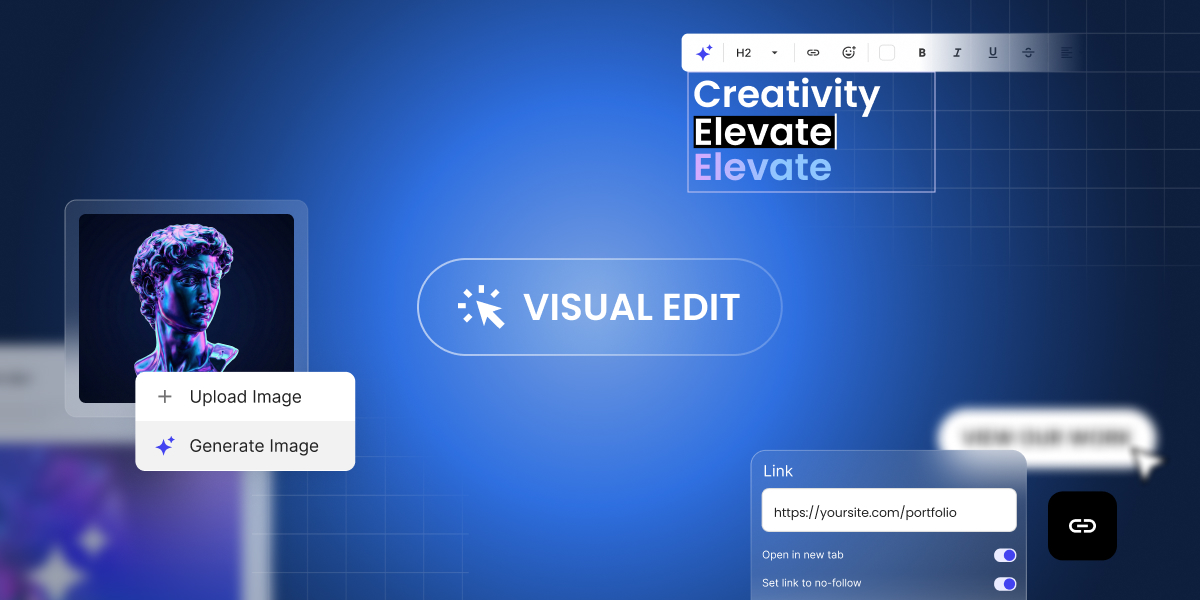
Coderick AI Visual Edit preview showing click-to-edit text, link settings, and image options to upload or generate an AI image.

If you’ve been building with Coderick AI, you know the drill: describe what you want, and Coderick AI builds it for you. It’s fast, it’s intuitive, and it works. But once your project starts taking shape, not every change needs a full prompt. Sometimes you just want to fix a typo, swap out an image, or adjust a button color – and you want to do it now, not through another round of back-and-forth with the AI.

That’s exactly why we built Visual Edit in Coderick AI.

Click, change, done – that’s Visual Edit

Visual Edit mode button in Coderick AI for editing directly in the project preview.

Visual Edit is a new way to make changes to your Coderick AI projects – directly in the preview, with a click. Instead of going to chat and writing a new prompt every time you want to tweak something small, you can now click on any text, button, image, link, or section and change it on the spot.

Update a headline. Fix a typo. Change a button label. Swap a link. Adjust a color. All of it happens right where you see it, with no prompt needed – and zero credits used.

It’s the kind of editing that feels obvious once you have it – and frustrating to live without once you’ve tried it.  

Generate images with AI, right where you need them

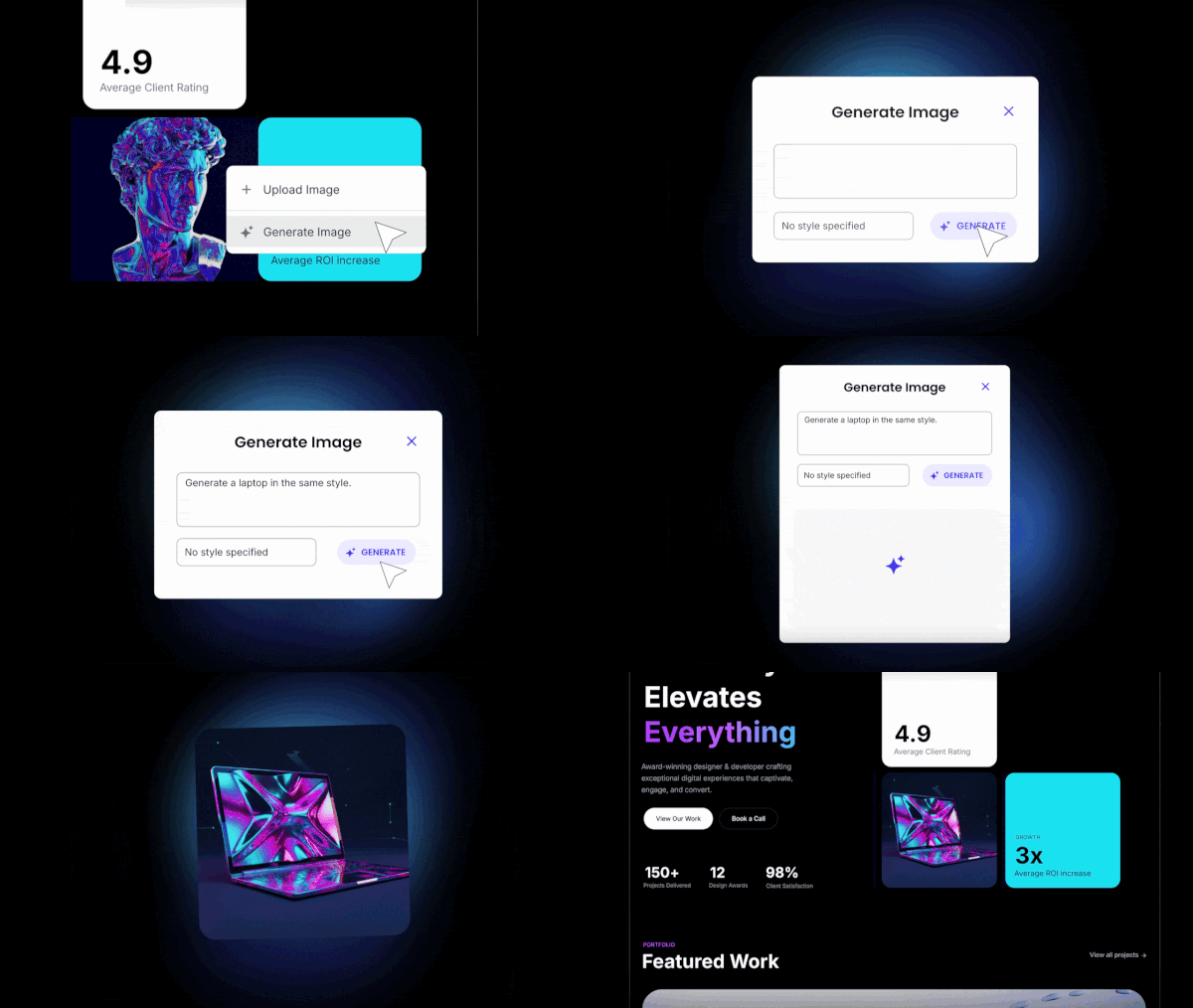
Coderick AI image menu in Visual Edit with options to upload an image or generate an AI image and swap it in place.

Building a project usually means you’ll need images – and until now, that meant leaving Coderick AI, finding or creating an image somewhere else, and uploading it back. With AI image generation in Coderick AI, you can now click on any image in your project, generate a new one with AI, and swap it in on the spot. Review it in context and move on – no extra tools, no context-switching, no manual uploads.

And if you already have the right image for the spot, upload and replace it directly. This action doesn’t need AI and costs you zero credits.

Transform sections or update elements at scale with focused AI edits

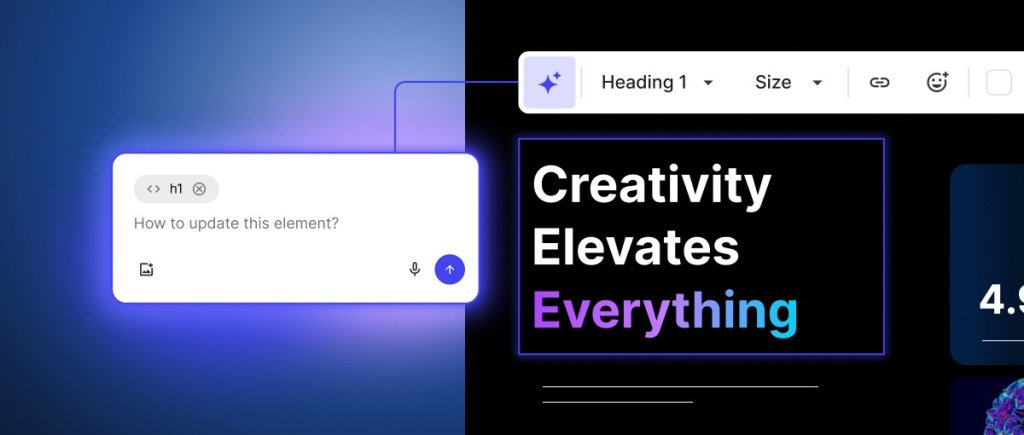
Edit with AI in Visual Edit: selecting a section and prompting Coderick AI to rework only the chosen element in the preview.

Some changes go beyond a quick text swap but don’t need a full project prompt either. Maybe your pricing section needs a completely different layout. Or the navigation bar of your site needs a different design direction. These aren’t small tweaks, but they’re not “build me a new page” territory either.

That’s what focused AI edits in the Visual Edit are for. From Visual Edit, select a section or an element, and click Edit with AI. The Coderick AI chat locks onto your selected element – describe what you want changed, and the AI reworks just that part. The rest of your project stays exactly as it is.

The difference from the main Coderick AI chat is simple: the chat is for full-project work like adding new pages or making structural changes. Focused AI edits are for when you already know what needs to change and you just need the AI to do it, precisely, in that one spot or section. Shorter prompts, no unintended side effects, better results.

Save credits for the work that matters

Not every edit needs AI, and now, not every edit costs credits. Quick edits through Visual Edit use zero credits. Your balance stays untouched for the work that actually needs AI – generating new sections, reworking layouts, or creating images. And when you do use Edit with AI, it targets only the section you select, so you get more precise results with fewer credits per edit.

Here’s how credits work:

What you’re doingHowCredits

Edit text, buttons, links, colors
Visual Edit (direct click)Zero
Swap or upload your own imagesVisual Edit (direct click)Zero
Generate an image with AIAI image generationUses credits
Rework a specific sectionEdit with AIUses credits (section-level, not full project)
Build something new from scratchChat prompt
Uses credits

How to use Visual Edit?

Getting started takes seconds:

  1. Open any project in Coderick AI.
  2. Click the Visual Edit button to switch from the chat-based builder to the visual editor (preview editing).
  3. Click on any element in your project preview – text, buttons, images, links – and edit it directly.
  4. To generate an image, click on an existing image and use the AI image generation option.
  5. For bigger changes, select a section and choose Edit with AI to rework it with a targeted prompt.

When you’re done, click Save to keep your changes, or Exit to discard them.

Ready to try it?

Coderick AI was built to get your vibe coding from idea to live project as fast as possible. But speed isn’t just about the first build – it’s about everything that comes after. The tweaks, the refinements, the “can you just change that one thing” moments that add up.

Visual Edit makes those moments faster and cheaper. Quick edits cost zero credits. Bigger changes are more targeted. And AI image generation means one less reason to leave your project or your workflow.

Visual Edit and AI image generation are now available in all Coderick AI projects. Open a project, switch to Visual Edit, and see how it feels to click, change, and keep building.

START BUILDING WITH CODERICK AI →

Meet the new SiteGround website builder: from an essential site builder to a complete platform to build, sell, and grow online

The New SiteGround Website Builder – build, sell, and grow online

Since we launched SiteGround Website Builder last year, thousands of you have used it to build websites, open online stores, and grow your online presence. We’ve been building right alongside you, working to give you a more powerful design experience, stronger ecommerce capabilities, and the tools you need to do more with your site at every stage.

Today, we’re announcing a major new version of SiteGround Website Builder. It’s a significant step forward for the entire platform, and it comes with new dedicated plans designed around how you actually build and grow online.

More design freedom with new drag-and-drop builder

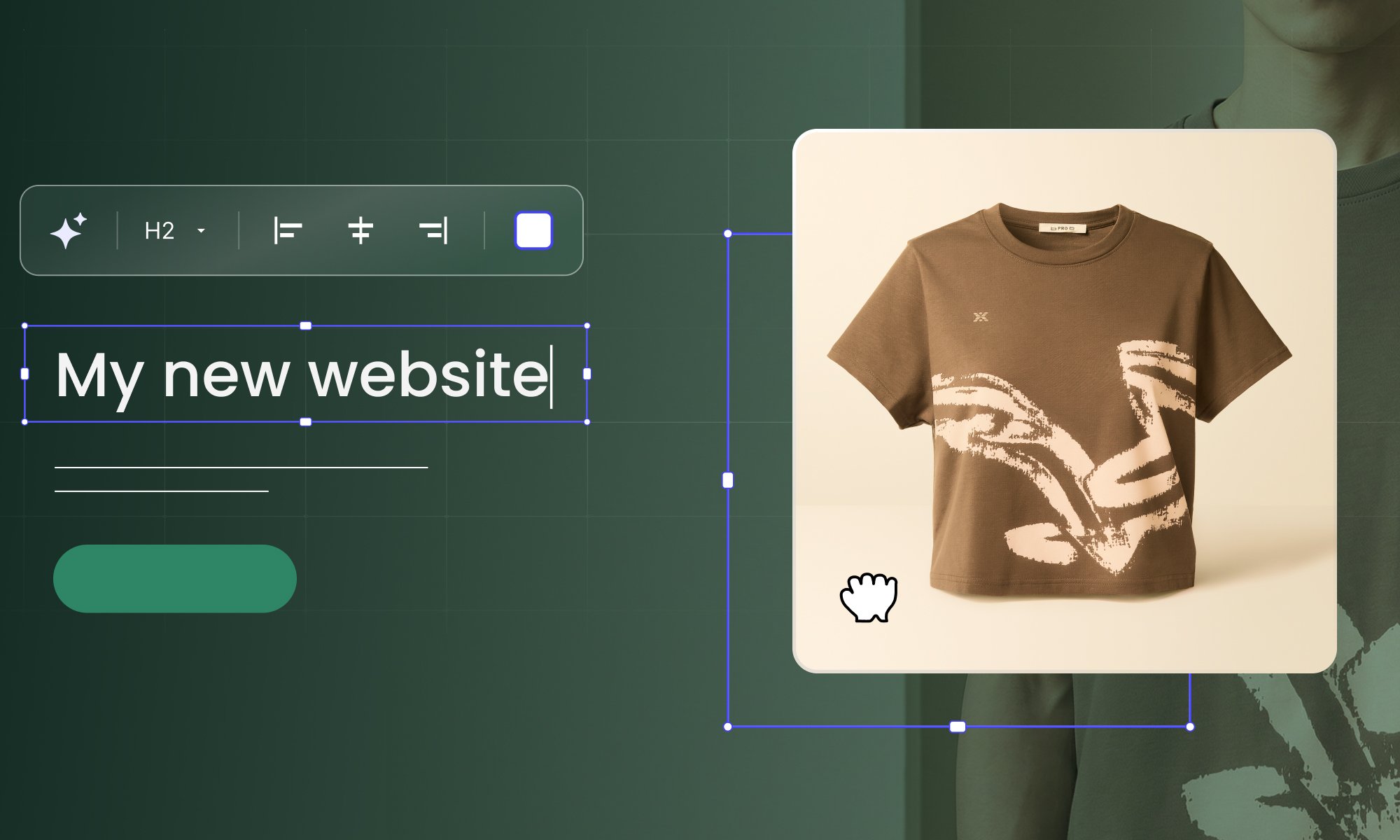
Gif showing SiteGround Website Builder drag-and-drop grid editor in action

At the heart of the building experience is a grid-based drag-and-drop editor that gives you full creative control over your layout. Place any element (text, images, buttons, forms) exactly where you want on the page. Drag it, resize it, layer it. Smart alignment guides keep everything polished, but the design is entirely yours.

And the control goes well beyond layout. Choose independent colors for any component. Select different fonts for each heading type and paragraph. Crop images directly on the canvas. Fine-tune borders and corner rounding. You have full control to customize your site.

Start from a professionally designed template, bring in ready-made sections and blocks, or build from scratch. Use the AI assistant to generate copy, pull from the built-in image gallery, and let automatic mobile optimization handle the rest. Whether you spend twenty minutes or two hours customizing, the result is a site that looks like it was built specifically for your brand.

A complete ecommerce platform, built right in

A professional website is a great starting point. But if your goal is to sell online, you shouldn’t need a separate platform to make it happen.

SiteGround Ecommerce lets you run a full online store from the same place you design your site. Go from zero to selling in hours, not weeks. No plugins, no third-party integrations, no separate systems to learn.

Start with a store template designed to showcase and sell your products effectively, then customize it to match your brand. From there, you have everything you need to get selling:

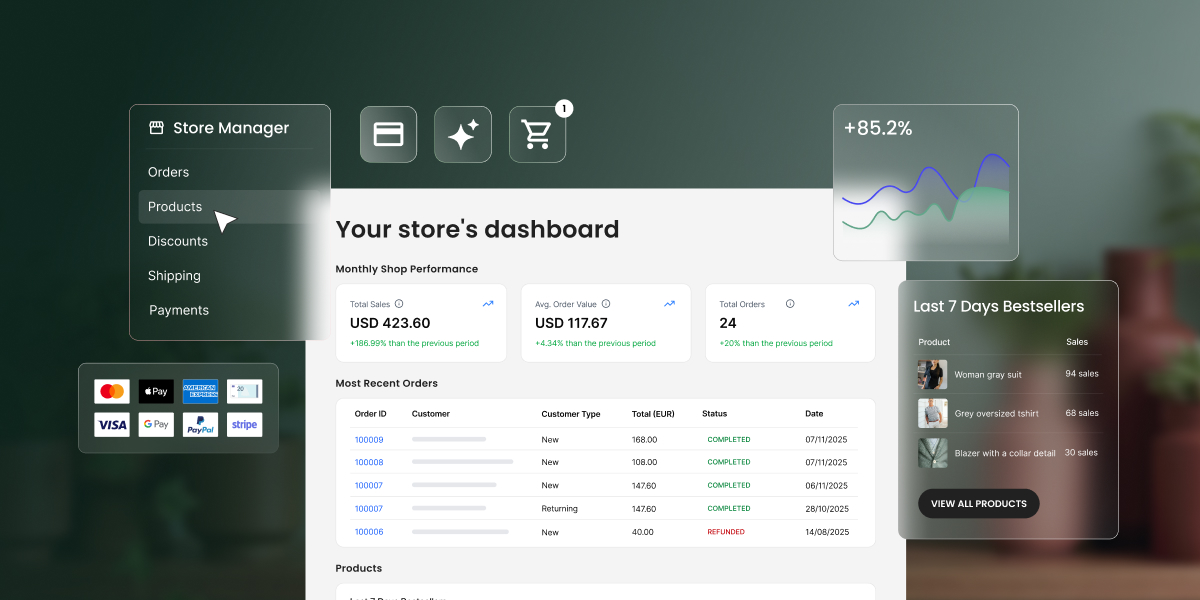
SiteGround Website Builder ecommerce tools – manage products, orders, and customers in one place

Setup your online store

  • Products. Sell physical goods, downloadable products, or services. Add product variations, upload images, and manage your catalog in bulk. The built-in AI assistant helps you generate product titles, descriptions, and categories, so you can populate your store faster.
  • Payments. Accept payments with multiple options right out of the box. Your checkout is optimized for conversion, following ecommerce best practices, and runs at your own domain.
  • Shipping and taxes. Set shipping rules in minutes with easily modifiable shipping zones. Tax calculation is built in and customizable.
  • Order management. Process orders, issue refunds, and manage deliveries from a single dashboard. Track inventory at a glance, including low stock alerts and best-selling products.
  • Customers. View customer information, monitor purchase behavior, and let buyers create accounts to track orders and come back easily.
SiteGround Website Builder marketing tools – SEO, analytics, discounts, and multi-channel product feeds

Grow and convert better 

  • Discounts and promotions. Create targeted offers with full control over discount types, duration, and availability. Launch immediately or schedule for a specific date. Add wishlists so shoppers can save products and return when they’re ready.
  • Product feeds and tracking. Connect your store to social platforms, Google Merchant Center, ChatGPT feeds, and Meta Commerce Manager for multi-channel selling. Track performance across channels with Google Tag Manager and Meta Pixel integrations.
  • SEO and analytics. Built-in SEO tools with automatic sitemaps, SEO-friendly URLs, and AI product categorization help your products get found. Real-time analytics for orders, sales, and traffic let you see what’s working and where to focus next.

Everything you need to launch, manage, and grow an online store without stitching tools together.

New plans designed for each phase of your growth

As the SiteGround Website Builder has grown from a simple site creator into a full platform for building, selling, and growing online, we’ve introduced dedicated plans to match. Each plan is tailored to a different stage of your journey.

All plans include premium SiteGround hosting, powerful AI tools, and 24/7 expert support. And you can try any plan free for 14 days with full access to every feature, no credit card required.

Try the new Website Builder

Your feedback shaped every part of this upgrade, from the grid editor to the ecommerce toolkit to the plans themselves. Now we want you to try it for yourself.

Start a free trial, start building, and tell us what you think.

Build anything with Coderick AI by SiteGround (Webinar Video and Q&A)

In our recent live webinar, our Growth Marketing Director Monika Dimitrova and our Product Director Daniel Kanchev put Coderick AI to the test: taking three projects from a blank screen to fully functioning applications, in real-time.

They built a staff scheduling app, a full website with a booking system for a local vet clinic, and a brand new website using an existing one as a visual reference. Three projects, three very different use cases, all created through plain language conversation with Coderick AI.

Along the way, they shared tips on prompting effectively, showed how to iterate on designs, and answered dozens of questions live. If you missed it or want to rewatch, the full recording is now available on our YouTube channel:

Below are the key takeaways and the most common questions from the session, answered.

Key takeaways

The three builds showed very different use cases – and the same workflow

The webinar covered three projects back to back, and each one stretched Coderick AI in a different direction. The staff scheduling app was a pure internal tool – backend logic, user roles, shift management. The vet clinic was a full public-facing website with appointment booking baked in. And the third project started from an existing website used as a visual reference, showing how you can take a design you like and rebuild it as something new.

What stood out is that the workflow was the same every time: describe what you want, review what Coderick AI builds, then refine through follow-up prompts. Whether it’s a website or a web app, the process doesn’t change.

The three projects took about 40 minutes in total – but none of them were finished products. They were strong starting points. The more you iterate, the further you can take it. “Easy and in minutes” is real – it’s just the beginning, not the whole story.

How you prompt makes a difference

The better and more specific your description, the closer the first result is to what you actually need – and the fewer iterations it takes to get there.

During the vet clinic build, the prompt didn’t just say “make a vet website.” It described the pages needed, the booking flow, the kind of information to show. That level of detail meant the first version was already close to usable. Compare that to a vague prompt – you’ll get something, but you’ll spend more time (and credits) refining it.

Think of it like briefing a developer. You don’t need to know how to code, but you do need to know what you want. And if you’re not sure, just describe your goal and let Coderick AI suggest an approach – it’s a conversation, not a one-shot command.

Design isn’t locked – it’s iterative

The first result gives you something real to work with – from there, you shape it. “Make the header darker”, “switch to a two-column layout”, “use the color palette from this screenshot.” Each prompt adjusts the design without starting over. You can even describe a mood or a feeling to Coderick AI and see where it goes. During the session, a single prompt for the vet clinic produced a full warm, Japanese-aesthetic redesign complete with paw prints.

This works with visual references, too – not just words, as the third project showcased. You can share a screenshot of a design you like, and Coderick AI uses it as a starting direction. From there, you shape it into something your own.

You end up with a working project on a real URL – hosting, database, security included

Unlike most AI builders where you generate something and then figure out where to host it, Coderick AI projects go live on SiteGround’s infrastructure automatically. Database, hosting, SSL, deployment – all handled. Hit publish, and it’s live.

Coderick AI – your questions answered

Can a non-technical person really build a full app or website with Coderick AI?

Absolutely – that’s the entire point. Coderick AI was built specifically for people who don’t code. You describe what you want in everyday language, and the AI generates a complete, working project for you – structure, design, database, backend logic, and all.

If you happen to have a developer on your team (even a basic one), that’s a bonus. They can guide the prompts with a bit more technical clarity, which often means better results faster. But it’s not required. Thousands of non-technical users are already building real websites and web apps with Coderick AI – from portfolio sites and booking systems to CRM dashboards and invoice trackers.

Can Coderick AI rebuild or refresh my existing website?

Coderick AI can’t directly edit or update your current website – but it can do something arguably better. You can use it to rebuild your site from the ground up. Describe what you want, attach screenshots of your current design as a reference for the direction you’d like to take, and Coderick AI will generate a fresh, modern version.

For smaller updates like rewording text or restructuring your menu on an existing site, SiteGround’s AI Studio is a better fit – and it’s included free with your hosting plan. The two tools complement each other nicely: AI Studio for quick content updates, Coderick AI for when you’re ready for a complete transformation.

Can I customize the design of the apps built with Coderick AI?

Yes – and this is where Coderick AI really stands out compared to template-based builders. There are no preset themes limiting your design. Every project is built from scratch based on your description, which means you have complete creative freedom.

Want to change colors, layouts, fonts, spacing, or navigation? Just tell Coderick AI what you’d like. You can say things like “make the header simpler,” “switch to a dark color scheme,” “add more white space between sections,” or “make the call-to-action button larger and green.” You can also attach screenshots of designs you admire as visual references.

Every element is customizable through conversation – from the overall look and feel down to individual buttons and form fields. No CSS knowledge required. Just describe your vision, and Coderick AI brings it to life.

How is Coderick AI different from building with WordPress?

With WordPress, you’re assembling pieces – picking a theme, installing plugins, configuring settings, and often hiring a developer when things get complicated. With Coderick AI, you skip all of that. You describe what you want in plain language, and the AI builds a fully working website or web app for you – complete with frontend, backend, database, and hosting, all included from the start.

There’s no theme to configure, no plugins to maintain, and no dashboard to learn. You just chat with Coderick AI, and it handles the technical side. Think of it as going from idea to live project in minutes instead of weeks. And because everything runs on SiteGround’s infrastructure, your site is fast, secure, and production-ready the moment you hit Publish.

Can Coderick AI work alongside my existing WordPress site?

Coderick AI is a standalone platform – it doesn’t plug into WordPress or run as part of it. It’s a completely different approach to building for the web.

That said, there are practical ways to connect the two. You can build a tool, calculator, booking page, or any web app with Coderick AI and link to it from your WordPress site. Each Coderick AI project lives on its own domain, so it works beautifully as a companion to your existing setup – especially for functionality that would normally require complex plugins or custom development in WordPress.

How do credits work?

Credits are how Coderick AI measures AI usage. Every action – from generating a new project to making small tweaks – uses a certain number of credits. Simpler prompts use fewer credits, while more complex or detailed requests naturally use more.

Your credit balance resets monthly with your plan, and you can always see how many credits you’ve used and how many remain directly in the interface. The free trial comes with 50,000 credits so you can test and experiment before committing. Paid plans start from just $10/month and include premium SiteGround hosting – so there’s no separate hosting bill to worry about.

Pro tip: Building in small, focused steps isn’t just better for results – it’s also more efficient with credits.

How many credits does a typical project actually use?

It depends on scope, but here’s a useful frame. A simple landing page or single-purpose app uses far fewer credits than a multi-page site with a database, user login, and booking system.

Paid plans start at 100,000 credits per month on Essential, 200,000 on Plus, and 400,000 on Pro – so there’s room to build, iterate, and maintain without constantly watching the counter. 

Pro tip: The best way to stretch your credits is a specific, well-thought-out first prompt – the closer your brief, the less back-and-forth it takes. If you’re a SiteGround customer, a great way to plan ahead is to use AI Studio to shape and refine your idea before bringing it into Coderick AI.

How does Coderick AI compare to other AI builders like Bolt, Lovable, or Replit?

There are many AI app builders out there, and at first glance they might seem similar – you describe what you want, then AI generates it. The meaningful difference is in what happens after the build.

Most vibe coding tools are builders only and once your project is generated, you still need to figure out hosting, deployment, database, and security. Some platforms bundle these extras, but they typically come from third-party providers and cost on top of the base plan.

Coderick AI is an all-in-one platform. The building, hosting, database, SSL, and deployment are handled together from the start on SiteGround’s infrastructure – no separate bills, no configuration, no second project. You hit Publish, and it’s live. And with 20 years of hosting expertise behind it, your project runs on the same foundation that powers some of the web’s most demanding sites.

Can I build an e-commerce store with Coderick AI?

Yes – and it’s one of the most popular use cases. Coderick AI can build product catalogs, order forms, landing pages, and even membership areas with user login. You describe your products, how you want them displayed, and what the ordering flow should look like, and Coderick AI generates a clean, working storefront for you.

It’s a great fit for businesses that want an online presence without the complexity of WooCommerce or a full e-commerce platform. If your model relies on cash on delivery, bank transfers, or simple order capture, Coderick AI handles it right out of the box – no plugin setup, no overhead.

What about payments like Stripe and PayPal?

Payment gateway integrations aren’t available yet – but stay tuned. This is one of the most requested features and something we’re actively working on. For now, Coderick AI is perfect for order forms, product catalogs, and checkout flows where payment happens outside the platform (think bank transfers, invoicing, or cash on delivery). You get a fully functional storefront with a working backend that captures every order – you just handle the payment step separately for the time being.

How do I fix errors without technical knowledge?

You don’t need to understand a single line of code. If something isn’t working the way you expected, just tell Coderick AI what’s wrong – in plain language. Describe the issue, and it will debug and fix it for you.

That said, the more specific you are, the better the result, and adding a screenshot gives Coderick AI much more to work with.

And here’s the safety net: Coderick AI has built-in version control. If a fix doesn’t work or something goes sideways, you can roll back to a previous working version with one click and try a different approach. The best practice is to build in small, incremental steps – that way, issues are easy to spot and quick to resolve. Think of it as working with a developer who’s always available and never judges you for not knowing code.

How do I maintain my Coderick AI project after it’s built? 

The same way you built it – by talking to Coderick AI. Want to update a product listing, add a new page, or change the wording on your homepage? Just describe what you want, and Coderick AI applies it. 

There’s no separate admin panel to learn, no theme editor to navigate. Your ongoing conversation with Coderick AI is how you manage the site.

Can I see or edit the code that Coderick AI generates?

Coderick AI is designed so that everything happens through conversation: you describe what you want, and the AI builds it. The generated code runs under the hood, and the current interface doesn’t expose it for direct editing in the way a traditional code editor would. For most users, that’s the whole point: no code to write, read, or maintain.

For those of you who want to go deeper, a built-in code editor is in the roadmap – so if code-level control matters to your workflow, keep a look out for news and product updates.

What integrations are currently available?

Right now, Coderick AI handles everything that’s built in: databases, user authentication, email functionality for authentication, and all the backend logic your project needs. Third-party API integrations – like connecting to Stripe, Google Workspace, or external services – aren’t supported yet.

But here’s the exciting part: this is actively being worked on, and there are some big announcements coming soon. In the meantime, there are creative workarounds. 

Who owns what I build with Coderick AI?

You retain ownership of your project ideas, content, data, and everything you create – the website functionality, text, images you upload, and the overall output. It’s your work.

Coderick AI is designed as a fully managed platform, which means your projects are hosted and run on SiteGround’s infrastructure. There’s no option to download the raw source code or export projects to another hosting provider. This is by design – it’s what keeps everything fast, secure, and hassle-free. You focus on building and growing your project; the platform takes care of the rest.

What are the realistic limits of what Coderick AI can build?

Coderick AI is remarkably capable – but it’s good to know where it shines brightest. Here’s a quick breakdown:

What it does well: Business websites, landing pages, portfolios, product catalogs, dashboards, CRM systems, booking pages, membership areas with login, order management tools, task trackers, invoice generators, and internal business apps. You can also ask for animations, parallax scrolling effects, and custom design elements.

What’s coming in the future: Payment gateway integrations, connections to external APIs and third-party services, and expanded e-commerce features.

What it doesn’t do: Coderick AI builds web-based projects that run in a browser. It can’t create standalone desktop applications for Windows or Linux. It also doesn’t currently support agentic workflows or direct connections to external platforms like AWS.

The sweet spot? Any web-based tool, site, or app that you can describe clearly – Coderick AI can likely build it for you.

Can Coderick AI build apps with a database – and can I manage the data myself?

Yes, and Coderick AI creates the database automatically when your project needs to store and retrieve data (user accounts, bookings, product listings, form submissions, inventory records), Coderick AI creates a database for it. No configuration required — it’s there when you need it.

Once the database exists, you can manage it directly through the built-in database dashboard in the Coderick AI interface. From there, you can add records, edit existing entries, or create new data collections. So a real estate agent can add new property listings directly. A restaurant owner can update their menu items. A studio manager can remove past events.

One thing worth highlighting: your database is stored on SiteGround’s own infrastructure – meaning it’s part of your hosting environment, covered by the same data protection and security standards your site already runs on.

Pro tip: You can also ask Coderick AI to build you a custom admin panel – with personalised views, user roles, and exactly the controls your workflow needs.

How do I get the best results when describing what I want?

The quality of your output depends on the quality of your input – and the good news is, you don’t need to be technical to write great prompts. Here are the key principles:

Be specific. Instead of “build me a website,” try “Build a yoga studio website with a class schedule, an about page, instructor bios, and a contact form that collects name, email, and message.”

Build incrementally. Start with the core structure, review it, then add features one at a time. This keeps things clean and makes issues easy to spot.

Use screenshots as references. If you see a design you like, attach a screenshot and pair it with a description. For example: “I want a layout similar to this, with a horizontal navigation bar and a three-column feature section below the hero image.”

Describe problems clearly. If something isn’t right, tell Coderick AI exactly what’s happening and what you expected instead. The more precise your feedback, the faster the fix.

Think of it as collaborating with a talented developer – the clearer your brief, the closer the result is to your vision on the first try.

Can Coderick AI build websites in languages other than English?

Yes. Because Coderick AI generates content based on your prompts, you can build in any language. All you need to do is write in the language you want the site to use, or specify it explicitly.

The same applies to regional variations: if you want UK English rather than American English, or want to make sure dates, currencies, and formatting follow local conventions, just include that in your instructions. Coderick AI will follow your lead.

How do I publish my project live?

It’s as simple as hitting the Publish button inside Coderick AI. Once you do, your project goes live – no extra setup, no third-party hosting to configure, no deployment steps to figure out.

You can either use the system URL that’s automatically generated for your project or connect your own custom domain for a more professional look. Either way, your site is accessible and ready to share the moment you publish.

And here’s the best part: every Coderick AI plan comes with premium SiteGround hosting built in. That means your site is fast, secure, and backed by SiteGround’s infrastructure from day one – security and performance optimization all included. There’s no separate hosting bill and nothing to manage on the technical side. You build it, you publish it, and it’s live.

What’s coming next for Coderick AI

Coderick AI is evolving fast, and the roadmap is packed.

Third-party integrations are with high priority on our roadmap, including connecting to external services like payment providers. It’s a frequently requested feature and one we’re committed to building out.

Beyond that, we’re working on in-preview editing so you can make changes directly in the visual preview, text-to-speech capabilities, and deeper AI enhancements that will make the building experience even more intuitive. In addition, you can expect soon to have professional emails that you can use with your Coderick AI project’s custom domain.

Coderick AI is already a powerful vibe coding tool for building websites and web apps without writing code. What’s coming next will make it even harder to find a reason not to start.

Everything you saw in the webinar – the live builds, the tips, the speed – you can try it right now. Coderick AI comes with a free 14-day trial, no credit card required. Describe your first project, and see what happens.

What would you like to see in Coderick AI next? Drop a comment below – we read every one, and your ideas can shape the roadmap.


From world-class hosting to your growth partner: SiteGround is now your all-in-one platform for online success

From World-Class Hosting Provider to Your Growth Partner: SiteGround Is Now Your All-in-One Platform for Online Success

Today, we’re excited to announce that SiteGround has entered a new chapter of its journey: our evolution into an all-in-one platform for online success, empowering you to build, host, and grow your business. This is us fundamentally rethinking what our customers need to succeed online and delivering it in one unified ecosystem.

For the past 20 years SiteGround has been synonymous with world-class web hosting. Our commitment to offer high-quality services, harness innovative technologies, and provide exceptional support to our customers has earned us the trust of millions of businesses worldwide. 

But what is more, these same values have driven us forward to innovate and push industry boundaries. For the past few years, we have worked on several new products that empower you to overcome the ever-evolving challenges of building your online presence and keep up with the fast-paced digital world. We’ve naturally gone much beyond what’s expected from a web hosting provider to become your business ally in the digital space. 

Our redefined identity is now reflected on the redesigned SiteGround.com, which clearly signals our commitment to being an all-in-one platform dedicated to your online success.

SiteGround’s expanded product suite

Our outstanding hosting service remains the high-performing foundation you’ve come to love and trust. But you can now experience the expanded suite of SiteGround products designed to help you grow and succeed online.

Premium web hosting

Hosting is still the foundation of any online presence. SiteGround’s high-performing, secure and highly available web hosting remains your rock-solid base to grow online.

Easy Website Builder


Sitebuilding has been one of the main challenges for many clients – finding the right tool, learning how to operate it, figuring out the design elements, investing time in new plugins to add functionality, and more. Last year, we finally launched the easiest Website Builder that takes all these complexities off your plate. 

It combines simplicity with sophistication, featuring built-in AI assistance that helps you create professional-grade websites effortlessly, without the steep learning curve. Whether you’re starting fresh or reimagining your online presence, building a beautiful site has never been easier.

Coderick AI: the powerful vibe coding tool

And just when we thought we can’t make it any easier for you to get your idea online, we joined the vibe coding revolution and saw its potential to empower businesses to build and grow in a new, simpler way. Our Coderick AI builder is now live.

Coderick AI brings the power of AI-driven development to everyone, allowing you to build and launch sophisticated websites and applications just with your words and AI. Describe what you want to create, and watch this intelligent technology bring your vision to life.

SiteGround AI Studio

AI has quickly become a huge part of our world. But let’s be honest: while it opens up amazing new possibilities, it can be a bit overwhelming. There are so many AI models, so many tools claiming to do all sorts of tasks for you, that you literally get lost in information. 

That’s why we introduced SiteGround AI Studio. It gives you access to multiple cutting-edge AI models all in one place and over 15 specialized agents designed to help you tackle real business tasks. From content creation to data analysis, from strategic planning to marketing-specific tasks, your AI-powered workspace is here to amplify your productivity.

SiteGround Ecommerce

When it comes to selling online, there are a whole new set of challenges you need to tackle. An online store is hard to build, overwhelming to manage, and quite demanding when it comes to compliance and maintenance. But not any more. 

SiteGround Ecommerce embodies everything you need to overcome the hurdles: intuitive functionality, conveniently integrated, and packed with all the features needed to sell online on your terms. It’s already available for SiteGround clients in your SiteGround Client Area, and will soon be open to new customers.

Email Marketing made simple

When it comes to business growth, there is no channel more effective than email marketing. Yet, many of the email tools out there are heavy with complex functionality that you just don’t need, but have to pay for. That’s why we designed our Email Marketing tool – to let you connect with your audience through streamlined, lightweight email campaigns. It’s built on the same core belief as our hosting: that the best tools should be simple to use.

Beyond hosting: your growth partner

SiteGround’s transformation isn’t just about what we offer. It’s about what you can achieve. 

The dynamic changes in the way we do business and the quick adoption of AI into our daily work have created amazing new possibilities for businesses, but also a new set of challenges and needs. And as your needs have evolved, so have we and our products.

Whether you’re launching your first website, scaling an established business, or exploring new digital opportunities, SiteGround is now equipped to support you at every turn. We are now more than your trusted hosting provider. We are your growth partner.

A fresh identity for a bold future

SiteGround’s evolution deserves a visual identity that captures our expanded vision of who we are and where we’re going. That is why we’re introducing our new design and website – a true reflection of the modern, integrated platform we’ve become. Every element has been crafted to make your experience more intuitive, more inspiring, and more aligned with the goals you’re pursuing.

The same foundation you trust

Even as we add these new services, some things will never change. The exceptional support, reliable infrastructure, and customer-first philosophy that built SiteGround’s reputation are still the bedrock upon which everything else is built.

Your success is our mission

This transformation isn’t just about what we offer. It’s about what you can achieve. Whether you’re launching your first website, scaling an established business, or exploring new digital opportunities, SiteGround is now equipped to support you every step of the way.

Welcome to the new SiteGround – your all-in-one platform for online success, a unified ecosystem where tools work in harmony to help you build, host, and grow.

Let’s build something extraordinary together.

Nikolay Todorov
CEO of SiteGround

Introducing Coderick AI: Build Apps and Websites Without Writing a Single Line of Code

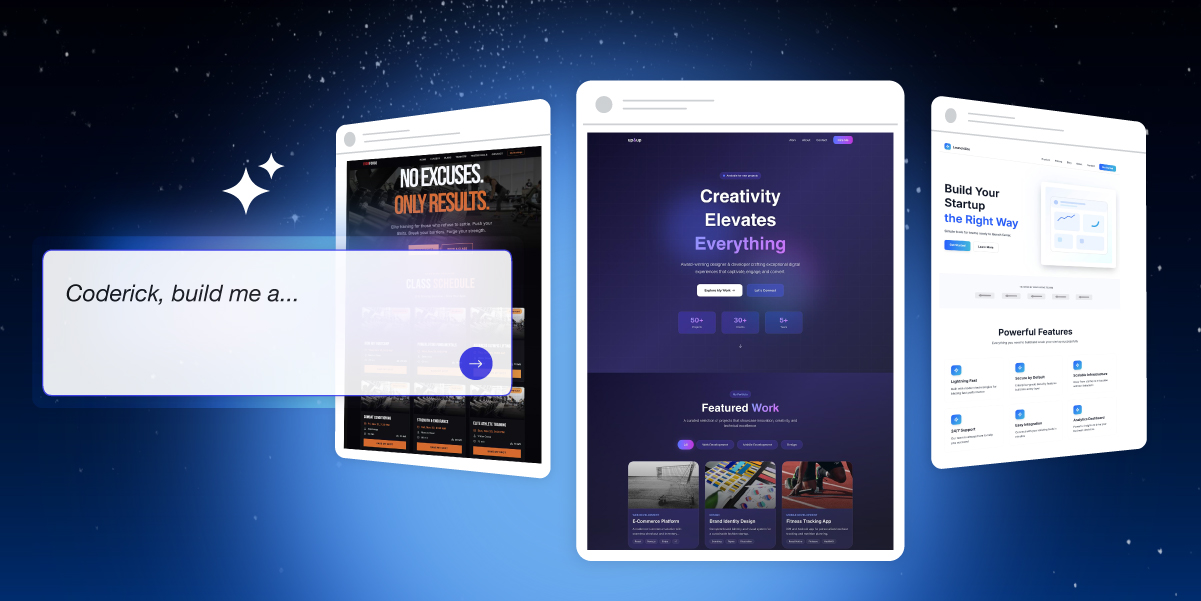
Coderick AI, SiteGround's AI-powered platform, which creates websites and apps

Whether you’re a business owner who’s been putting off that internal tool because “it’s too technical and expensive” or an agency juggling client projects and wishing you could deliver twice as much without doubling your team, there’s never been a better time to build. The way we create apps and websites is fundamentally changing, and we want you to be part of it.

We’re thrilled to introduce Coderick AI – SiteGround’s brand-new AI-powered platform that lets you build fully functional web apps and websites simply by describing what you want. No coding skills required. No technical headaches. Just you, your ideas, and a simple chat interface.

What Is Coderick AI?

Coderick belongs to a new category of AI tools known as “vibe coding.” And if you haven’t heard the term yet, you will soon. Vibe coding is not just a buzzword. It’s a fundamental shift in how software gets built.

Instead of wrestling with programming languages, frameworks, and deployment configurations, you simply describe what you want – just with your words. Coderick AI interprets your intent, generates the user interface, creates the backend logic, and handles the technical complexity behind the scenes. You focus on what you want to build, Coderick figures out how.

For small business owners, this means finally being able to build that client portal you’ve been dreaming about – in an afternoon, at the cost of two coffees. For agencies and freelancers, it means delivering more projects in less time without expanding your team. For anyone with an idea, it means removing the biggest barrier between concept and reality: the technical know-how.

Build, Launch, and Host – All in One Place

Abstract of bringing an idea to life with Coderick AI

The AI app-builder space has exploded recently, and we’ve been watching closely. We saw tools that were fast but fragile. Powerful but fragmented. Impressive demos that fell apart when it was time to actually go live. So we didn’t just build another option – we built something better.

Most AI builders create a new problem while solving an old one. They help you build the app but then you’re left scrambling to figure out hosting, deployment, and security. You end up paying separately for your builder, your database, your hosting, and your domain. Costs pile up. Complexity creeps in.

Coderick takes a different approach.

Everything Included

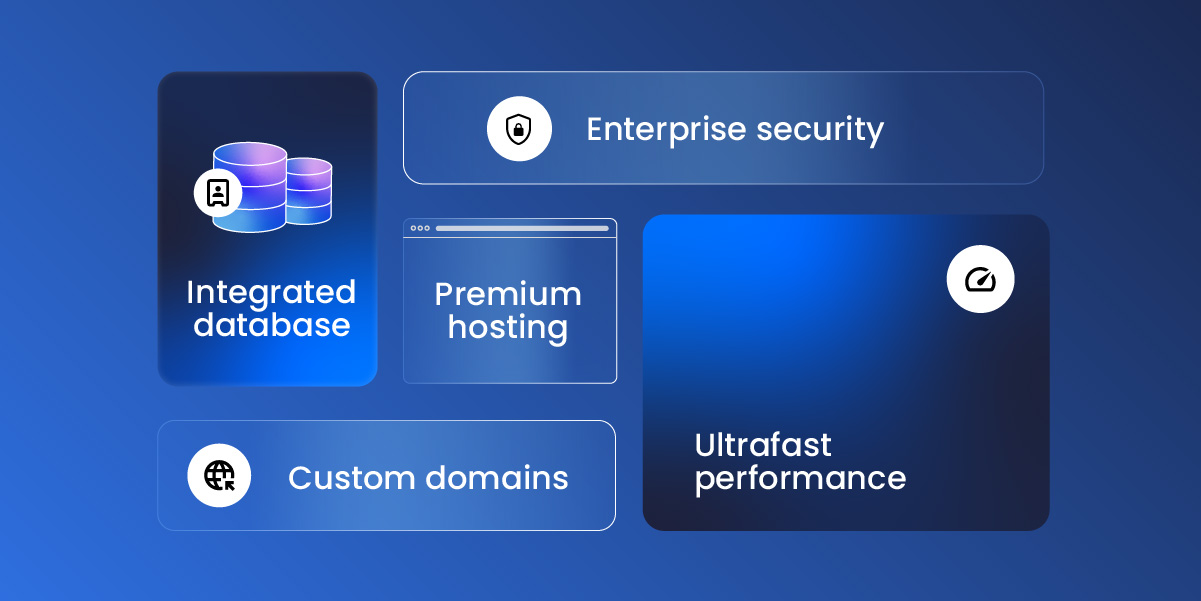
SiteGround offerings including enterprise security, premium hosting, ultrafast performance, custom domains, and an integrated database

When you hit “Publish” in Coderick, your app or website goes live instantly on SiteGround’s rock-solid hosting infrastructure. No additional database setup needed. No domain configurations to manage. No wondering if your hosting can handle traffic spikes.

Every Coderick plan includes:

  • Premium hosting built directly into the platform
  • Automatic database setup and configuration
  • Ultrafast performance backed by SiteGround’s infrastructure
  • Custom domain support on all paid plans

This isn’t added-on hosting as an afterthought or a free trial you’ll be forced to pay for later. It’s hosting built into the DNA of the product – by a company that’s been perfecting web hosting for over two decades.

Secure by Default

When you’re building with AI, security isn’t optional; it’s essential. Coderick protects your work at every level: your conversations with the AI, your data, and your code are all processed securely and stay protected.

Every app or website you launch benefits from SiteGround’s enterprise-grade security infrastructure – the same systems that protect millions of websites worldwide. Build with confidence, knowing your projects and your users are safe.

Built for Real Work, Not Just Prototypes

Many AI builders are fantastic for creating demos and prototypes. But when it’s time to go live with real users and real traffic, cracks start to show.

Coderick AI is built for production from day one:

It comes with built-in version control so you can experiment freely and roll back anytime. 

User authentication is ready out of the box, letting you build apps that serve real customers from day one. 

Every project is responsive by default, looking sharp on any device. 

And the backend? Auto-generated, so you never have to touch server-side logic unless you want to.

What Can You Build with Coderick AI?

The short answer: almost anything you can imagine.

Portfolio sites, startup landing pages, restaurant websites, event pages, booking platforms, client portals, invoice trackers, CRM systems, internal dashboards, inventory tools, project management apps, fitness logs, recipe managers, budget planners, movie trackers – these are just a few examples. 

If you can describe it, Coderick can build it.

See It in Action

The prompt:

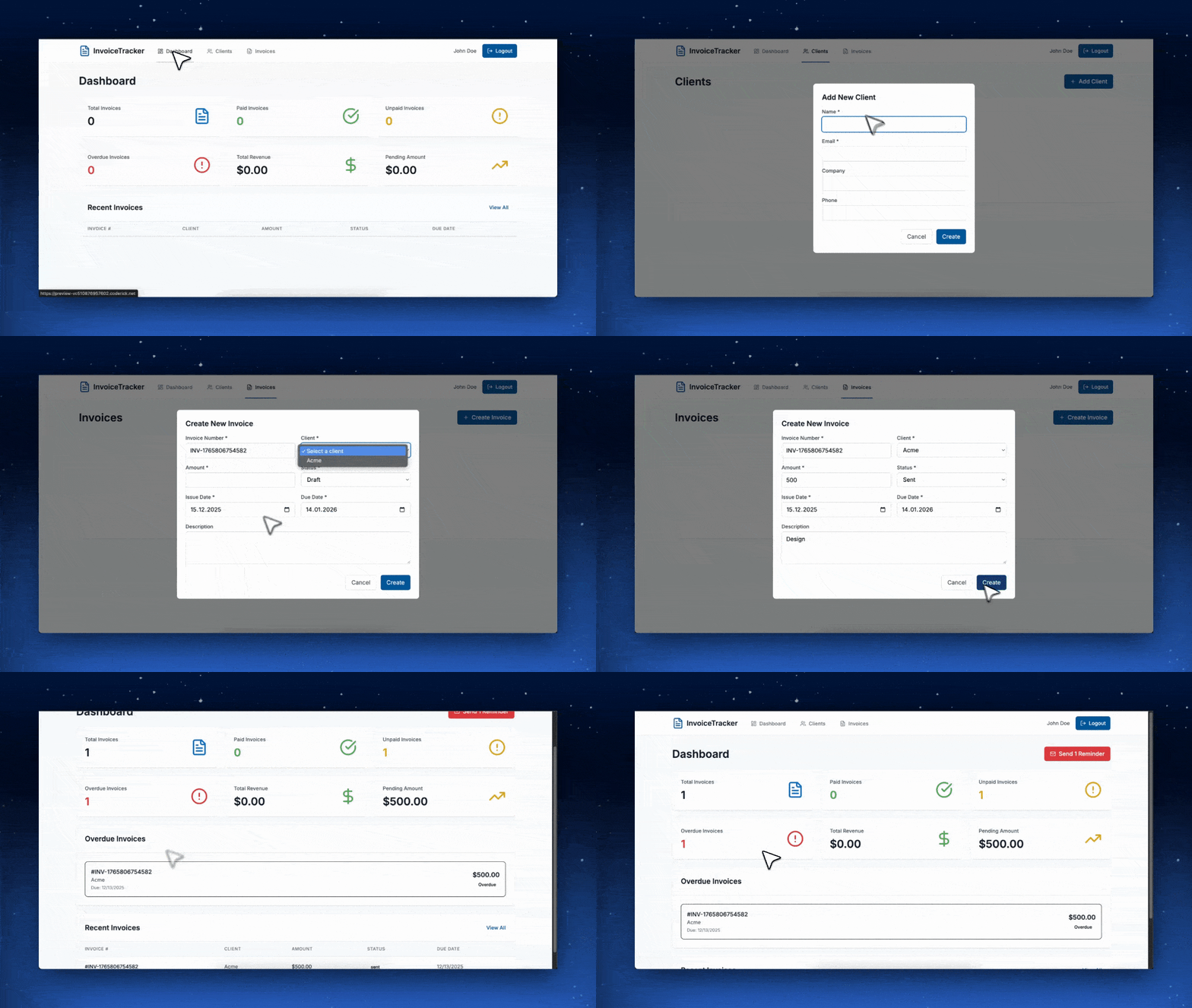
“Build a client invoice tracker with a dashboard that shows paid vs. unpaid invoices, lets me add new clients, and sends email reminders for overdue payments.”

The result:

Coderick AI, SiteGround's AI-powered platform in action creating an app

A fully functional invoice management app, complete with database, authentication, and a clean dashboard, built in under five minutes.

We’ve included ready-made prompts and templates to help you get started quickly, but the real magic happens when you describe exactly what you need. Want a portfolio site with a modern, dark aesthetic? Ask for it. Need a task planner that integrates with your team’s workflow? Describe it. The AI adapts to your vision, not the other way around.

Built on Two Decades of Hosting Expertise

Here’s something no other vibe coding app can offer: Coderick AI is built by SiteGround.

That means every app and website you create is backed by the same infrastructure that powers millions of websites worldwide. The same security systems. The same support team. The same commitment to performance that’s earned us a 4.8-star rating from over 25,000 clients on Trustpilot.

When you build with Coderick, you’re not gambling on a startup’s servers. You’re deploying to a platform that’s been battle-tested for over 20 years.

Ready to Start Building?

The barrier between your ideas and a live, working application has never been lower. Whether you’re a business owner looking to automate operations, an agency seeking to deliver more value to clients, or someone with a side project waiting to come to life—now is your time to start.

With plans starting from just $10/mo and a no-credit-card free trial, Coderick is ready when you are.

No code. No complexity. Just your ideas, brought to life.