A Decade of Unmatched Reliability

In the competitive digital world where website downtime means lost revenue and damaged reputations, Roxana Degiovanni has been on a mission to find a reliable hosting provider she trusts to host her clients’ websites – when she found the perfect fit in SiteGround.

A passionate brand and web designer who’s been transforming ideas into successful businesses for over 20 years, Roxana’s journey is one of creativity, resilience, and finding the right partners to support her vision. She started her career in the bustling world of web agencies, where she learned the ins and outs of design and client management. But her entrepreneurial spirit soon nudged her to branch out and start her own business.

Today, she works closely with freelancers and small business owners, helping them build strong online presences with stunning, high-performing websites.

The Technical Roadblocks

For creative professionals like Roxana, technical hosting issues can become major obstacles to delivering quality work. Her previous experiences with hosting providers often meant dealing with frustrating delays and impersonal support systems.

“I don’t have deep technical expertise, so having a reliable support team is crucial.”

Finding SiteGround 

About ten years ago, Roxana attended a WordCamp event where she discovered SiteGround. Intrigued by our offerings, she decided to give us a try. Since then, SiteGround has been her go-to hosting provider. 

“With SiteGround, you never feel like you’re on your own. The customer support is what truly sets them apart. They respond quickly, they’re friendly, and they go the extra mile.”

Her commitment to quality extends beyond just website aesthetics:

“I care deeply not just about the aesthetics of my clients’ sites, but also about performance and security. That’s why I always recommend and personally use SiteGround for all my clients.”

A Decade of Unmatched Reliability

Throughout her ten-year journey with SiteGround, Roxana has built a reputation for reliability that translates directly to client satisfaction and business growth.

“The reliability of SiteGround’s service allows me to do my job without stress. In all these years, I’ve never had a single client complain about their hosting – this gives me peace of mind because I know my clients’ websites are in good hands.”

When asked about what stands out most about her experience, Roxana highlights the perfect performance record for her clients’ websites:

“I’ve never had a site go down, never dealt with a hacked website, and never experienced performance issues.”

This exceptional reliability has become so valuable to her workflow that it has actually shaped her business model. Roxana now charges an additional fee for clients who insist on using alternative hosting providers.

“Hosting elsewhere often means more work for me due to slower performance and technical complications.”

How the Right Tools Transformed Roxana’s Workflow

Like any professional, Roxana relies on the right tools to deliver excellent results efficiently. She leverages several key SiteGround features that have become essential to her workflow. One of these is our 1-click WordPress installation, which sets up websites in minutes without the need to handle technical complexities.

 “The 1-click WordPress installation is a huge time-saver for me.” 

Website security remains a top priority for both Roxana and her clients: 

“I also recommend Site Scanner to all my clients—it adds an extra layer of security and helps me stay on top of potential threats.”

Beyond Hosting: Knowledge That Empowers

While immediate technical assistance is valuable, Roxana also appreciates the educational resources in our Knowledge Base that help both her and her clients understand web technologies better.

“I often use SiteGround’s articles to explain things to my clients. Instead of writing long explanations, I can just send them a link.” 

The intuitive nature of the platform has additional benefits for client relations.

 “The fact that they rarely ask me, ‘Where do I find this?’ or ‘How do I do that?’ means the platform is well-designed and straightforward.” 

A Blueprint for Growth

Drawing from her extensive experience, Roxana offers valuable advice to those starting their journey in brand and web design:

“Start small, but have a clear vision for your project. Choosing a premium hosting provider like SiteGround is a critical first step because it gives you a strong foundation and reliable support as you grow.”

She particularly values the human support that accompanies technical infrastructure:

“The best part is that you’re never left on your own—you always have a team ready to help you along the way.”

Roxana’s story exemplifies the power of building a business on reliable partnerships. Ready to focus on your creative journey without hosting headaches? Join Roxana and thousands of business owners at SiteGround today.

A Designer’s Journey From Pencils to Pixels

A testimonial image featuring a quote on the left side and a website preview with Jonathan Sophie's photo on the right. The quote reads: 'The features I use are great and incredibly easy—even a monkey could do it! With SiteGround, you sleep like a baby with a pacifier! Best service so far.' Below the quote is 'artslaves.com, Multidisciplinary Designer.'

For some, the journey to success is sparked by a single moment of inspiration. For Jonathan Sophie, it all began with a pencil in hand and his mother’s unwavering trust. By day, he works as a Front-end developer, and by night, just like Batman, he dedicates himself to side projects. As he grew, SiteGround became a trusty hosting provider that brought his vision to life online, which his portfolio website now happily calls home.

The Beginning

Originally from Mauritius, Jonathan’s journey began with traditional art fundamentals – watercolor, pencils, light, and shadow. His entrepreneurial spirit emerged early. While still in high school, he launched his first business – designing and selling hand-drawn custom T-shirts with his cousin. This initial taste of business set the stage for a career that took him from Mauritius to Romania, Switzerland, Italy, and finally, the UK.

Along the way, he’s started his personal brand, ARTSLAVES – his portfolio and online shop for prints. 

The Hosting Challenge 

Moving between countries while managing client projects exposed the limitations of Jonathan’s previous hosting provider. When relocating to the UK, he needed a more reliable, no issues hosting solution that he would trust. After extensive research and comparisons, SiteGround stood out.

Finding a Solid Ground 

The path wasn’t always smooth, particularly when it came to hosting his creative projects online. But discovering SiteGround transformed Jonathan’s digital experience entirely.

Never had issues with my website, and the platform updates are always interesting.” 

SiteGround’s seamless updates consistently impress him, making website management feel effortless rather than burdensome. What truly sets SiteGround apart is its remarkably intuitive interface.

The features I use are great and incredibly easy—even a monkey could do it! With them, you sleep like a baby with a pacifier! Best service so far.

A Decade-Long Journey

During his ten-year journey with SiteGround, Jonathan encountered technical challenges, but SiteGround’s support consistently came to the rescue.

“I had issues twice, which were my mistakes. The support agents were quick and got everything sorted ASAP.”

What impressed him most was their efficiency and problem-solving ability – they responded quickly and resolved everything immediately. One particularly memorable instance occurred during his international relocation, when he needed assistance with a complex domain transfer. 

The Human Element in Web Design 

For Jonathan, what sets this designer apart is their understanding of how people interact with and experience design.

“As a designer, I need to understand people, their pain, and their emotions to transmit the right emotions back”

This insight came from years of experience and learning that “not everyone processes information at the same speed” – a realization that has shaped his approach to both design and client relationships.

Legacy of Lessons: Empowering Tomorrow’s Innovators

Jonathan’s advice to aspiring creatives is grounded in reality. It’s this genuine passion for his craft that has sustained him through nearly two decades in the industry.

It takes time to build something. Nothing happens quickly. When no one is watching or applauding, that’s when you need to do the work. Don’t do it for the money—do it because you feel it, love it. It’s an endless game, but to me, it’s worthwhile. If you’re after quick gratification to boost your ego, this isn’t it. It takes patience and hard work.

From that first pencil drawing at age eight to his current position as a respected multidisciplinary designer, his story exemplifies the power of pursuing one’s passion with persistence and adaptability. Ready to focus on your creative journey without hosting headaches? Join Jonathan and thousands of designers at SiteGround today.

How SiteGround Became the Perfect Fit for UK’s Leading Denim Stylist’s Blog Growth 

Samantha Remer wearing denim sits on a couch, smiling. Beside her, a graphic shows a quote: "SiteGround has made my blog faster so I get more visitors, which helps my blog grow." Below the quote, it reads "ilovejeans.com Denim Stylist & Influencer." An illustration of a website browser displays the homepage of ilovejeans.com, featuring the text "Find My Best Jeans" and images of denim clothing.

Samantha Remer, a denim stylist and the founder of ilovejeans.com, has been helping women find their perfect pair of jeans since 2006. Initially created as a resource for “normal women” amidst a celebrity fashion-dominated industry, her blog has evolved into a comprehensive guide with a dedicated following.

With a rich background in fashion buying and styling that dates back to when “fashion styling was not a thing”, Sam’s career blossomed from volunteering at prestigious magazines like Marie Claire and Vogue, and working as a freelance stylist for celebrities featured in Hello magazine’s cover shoots, to becoming a recognized denim expert, blogger, and fashion influencer.r. 

Addressing the Gap in Denim Fashion

Samantha started her blog in response to the celebrity fashion trends of the time, when LA-imported denim styles were often impractical for average women. Over its 19-year history, ilovejeans.com has continuously evolved and what began as a specialized space has transformed into a powerful blog offering comprehensive denim expertise. 

“I created it for normal women basically. It was a time when celebrity had just been a massive thing… the shapes of the jeans and the designs were really hard for normal women to wear.”

Today, Samantha offers virtual consultations and in-person shopping experiences in London, empowering women, especially those over 40, to find jeans that fit well and boost confidence.

Technical Hurdles for Creative Professionals

Before finding SiteGround, Sam had cycled through approximately three different hosting providers. Her initial experiences were less than ideal for her needs. A common frustration she encountered was the technical barrier between hosting providers and website owners like herself.

There was a time when it was really difficult for someone like me – a blogger and website owner without technical knowledge to speak to anyone in hosting. You had to have some sort of understanding.

As a hands-on website owner who manages her site herself but isn’t deeply technical, Sam was looking for a hosting provider that offered friendly, accessible support to assist her whenever a problem occurs, along with intuitive tools for ease of use.

Finding the Perfect Fit with SiteGround

In 2020, Sam made the switch to SiteGround on the recommendation of a developer she was working with.

“The guy that I’m working with now was the one who introduced me to SiteGround. He said, ‘You really should. These guys are really good and you can speak to them.‘”

The promise of accessible customer support was a major factor in her decision. As someone who manages her own website but occasionally needs assistance with technical aspects, finding a hosting provider that could communicate clearly with non-technical users was crucial.

The Go-To Solution for Non-Technical Creators

After nearly five years with SiteGround, Sam has found multiple reasons to be satisfied with her choice:

Accessible Support

SiteGround support team’s accessibility and responsiveness stand out as a key benefit for Sam. Unlike previous experiences where technical knowledge was a barrier to getting help, the team effectively simplifies complex issues, making them easy to understand and resolve.

“With you guys, it’s a lot easier. If I have a problem I go straight to you guys and your support people, your help is just a lot easier and they really put you at ease.”

She loves how quickly support is available – usually within just 5-10 minutes – and how the representatives break down technical concepts into simple, understandable terms.

Crisis Management

Sam shared a particularly positive experience when she accidentally deleted her entire blog (we don’t judge, it happens).

“Last month I deleted my whole blog by accident. I pressed the wrong button, and I was freaking out… So I messaged and said, ‘You just have to help me. I’ve deleted everything.’ And it was amazing. They talked me back through it and I got everything back.”

Better Website Performance

Sam has noticed the positive impact of her website’s increased speed after switching to SiteGround, resulting in more traffic and potential customers.

“SiteGround has made my blog faster so I get more visitors, and that helps my blog grow.”

The improved speed has been particularly beneficial as her audience includes a significant number of visitors from the United States. SiteGround CDN helps her site load quickly for international visitors.

“I use SiteGround CDN because I didn’t want it to take ages to get on the website and because I have a bigger audience in America than I do in the UK.”

User-Friendly Tools

Sam appreciates how intuitive SiteGround’s control panel, Site Tools, is, enabling her to manage her website confidently, even without a technical background. The Speed Optimizer plugin has become one of her favorite features, making image compression and performance tuning straightforward tasks.

Achieving Style-Driven Results

Over nearly two decades, Sam has evolved her business from a simple jeans portal to a comprehensive style resource. Her blog has become the foundation of her brand, serving as both a platform for sharing her denim expertise and a powerful lead-generation tool that connects her with clients worldwide.


The quiz she created serves as an effective lead magnet, helping her build a subscriber base of over 6,000 fashion enthusiasts. This substantial email list has become one of her most valuable business assets, allowing her to nurture relationships with potential clients and guide them toward her personalized shopping services.

As an influencer and blogger, Sam deeply understands the critical role that reliable hosting plays for content creators.

“As an influencer, you want to make sure that you’ve got good hosting if you’re running around doing loads of stuff to do with your blog.”

For those looking to start their own online venture, Sam offers straightforward advice: 

“Just do it. There are so many different ways to get yourself out there these days… Just do it and let it grow naturally and make sure you’re with a good hosting company that you can speak to.”

Join Samantha and thousands of successful creators by switching to SiteGround today and transform your online presence with hosting that actually understands what you need to thrive.

Cutting Hosting Costs by 75% for a Million-Visitor Fitness Site

When Marc Perry left his prestigious hedge fund career in 2008 to launch BuiltLean, a fitness transformation business, he embarked on a journey that would eventually reach over a million monthly visitors. And when managing a growing fitness empire, every second of website downtime means lost opportunities to transform lives.

In his story, Marc Perry shares about the challenges with web hosting companies, and how discovering SiteGround in 2017 transformed his online presence for good.

From Finance to Fitness

In 2008, Marc Perry made what many would consider a bold and risky move: he left his prestigious hedge fund career to pursue his passion for fitness. A Yale graduate working in New York’s competitive financial sector, Marc’s decision to transition into the fitness industry raised eyebrows among his professional peers, who were primarily focused on traditional career paths in law and finance.

“It felt like financial suicide, but I knew in my heart that I wanted to do something entrepreneurial and share my passion for fitness with others.”

Building an Online Empire 

Working one-on-one with clients allowed Marc to develop and refine his approach to fitness transformation. Wanting to reach more people than he could train personally, he launched BuiltLean.com, a website dedicated to helping busy professional men get lean and fit for life. 

Within months, the site was attracting 10,000-20,000 visitors monthly. Now, while social media has gained significance, your website remains your home base where you can control the message and drive traffic strategically.”

The Hosting Challenge

As BuiltLean grew, so did its technical challenges. At its peak, the site had over a million visitors per month, supported by hundreds of thousands of email subscribers. This growth brought significant website hosting challenges. 

“When your website goes down, it’s like a fire everywhere, and when you have hundreds of thousands of email subscribers and send an email with a link to your website, having 10-20,000 people hit the website simultaneously can break it.”

An All-in-one Solution with SiteGround 

After years of struggling with various hosting solutions at high cost, he was still dealing with frustrating downtimes. Then, after extensive research and consulting with friends, Marc discovered SiteGround in 2017. The transition proved transformative for his business. 

“Not only did we spend 75% less on our monthly bill, but our website speed increased and it was just better all around”

He emphasizes the importance of email marketing in building sustainable business relationships. This strategy has helped BuiltLean maintain direct connections with their community, independent of social media algorithm changes.

Building an email list, even today, is incredibly valuable and important for any online business

Looking to the Future

Looking ahead, Marc remains focused on his original mission: helping busy professionals achieve sustainable fitness results. 

“It’s more of a mission-driven business than one focused on specific numerical targets. We want to continue to deepen how we work with clients and help them get the best results possible.”

For aspiring entrepreneurs, Marc’s advice is simple but profound:

 “Be true to yourself and focus on helping others. Connect your passion to helping other people achieve what they want. Keep doing that, and eventually, things will progress and come together.”

His journey from Wall Street to wellness entrepreneur exemplifies how following one’s passion, combined with perseverance and a commitment to helping others, can lead to sustainable business success. With a robust hosting provider supporting its global reach, BuiltLean continues to evolve while staying true to its core mission of transforming lives through fitness.

From Code to Crust – How a Former Software Engineer Built His Dream Bakery

Martin Naish leaning on a counter with freshly baked sourdough bread. Behind him, a tray with unbaked cinnamon rolls in metal tins is visible. The image is framed within a web browser illustration. To the right, there is a testimonial from 'solarisbakehouse.com' stating that SiteGround is reliable, fast, and provides great security and daily backups. A small graphic of a rising chart is overlayed on the image, symbolizing growth.

After 22 years of working as a software engineer and a previous career as a geologist, Martin Naish embarked on an unexpected journey in 2021. Instead of settling into a traditional retirement, he decided to transform his three-decade-long passion for breadmaking into a thriving bakery business, Solaris Bakehouse.

From Family Tradition to Profession

Martin’s breadmaking story began as a family activity. The turning point came in 2017 when Mаrtin found an advert in the local paper for a baker who was giving bread classes. Before opening his bakery, he attended numerous bread workshops to perfect his craft. His motivation wasn’t just personal satisfaction. 

“I wanted to make bread that you might find on the continent, where it’s actually made by local people and people who actually have some pride in what they make.”

Building a Dream from the Ground Up

The physical transformation of Martin’s bakery space tells its own story of determination. He demolished an old double garage and turned it into his dream physical space thanks to a builder friend. The launch of the bakery in March 2024 was met with unprecedented enthusiasm. The marketing strategy was beautifully simple. Martin’s daughter who is an artist designed the logo and the marketing materials. They put the information around the nearest streets and the response was immediate and overwhelming. 

“The next day I had lots of people knocking on my door saying when is the bakery going to open? It was quite amazing. It was like an avalanche. And it’s been busy ever since.”

Innovation in Traditional Baking

Using his unique tech-savvy mindset, the secret of Martin’s bakery lies in its innovative bake-and-demand model, which calls for a robust online presence. On Solaris Bakehouse‘s website, Martin puts up a selection of different breads each week and local people decide what they want and pay for it online. This upfront payment system helps him know exactly how much pre-ferment and dough to make, resulting in very little wastage.

Although Martin had worked as a software engineer for over 20 years, he hadn’t been involved with web design or website building at all. Realizing the learning curve for WordPress would delay his business launch, he made the strategic decision to hire a web development agency.

Choosing the Right Hosting Foundation

When it came to choosing a hosting provider for his new website, Martin researched different options and compared hosting providers. After reviewing multiple comparison sites, SiteGround stood out with its high ratings. The choice proved to be the right one for his business, as the service has provided consistent reliability since day one.

“SiteGround is very reliable, it’s very fast and the security looks good to me. I get performance reports every month and daily backups which is essential in case something goes wrong. So all those things combined I think that that’s given me a very good service.”

As someone who spent over two decades in the technology industry, Martin knows the critical importance of cybersecurity. That’s why he relies on SiteGround’s Site Scanner to protect his online presence, letting him focus on perfecting his sourdough while his website stays protected against any digital threats.

“The Site Scanner captures a lot of malicious input. I get SiteGround’s monthly security reports and they show me how many malicious attacks had been stopped. Why someone would want to attack a small bakery, I don’t know, but I’m glad that thanks to SiteGround they didn’t get to crash my site or steal customer information.”

A Different Kind of Success Story

Martin’s approach to business success is refreshingly honest.

 “It’s a retirement project, even though I work at it three, four days a week. I don’t rely on it for income. I’m happy if my business pays for itself, covers expenses, and a little bit more.”

His advice for others considering a similar journey is practical and thoughtful:

 “If you’re going to start from scratch, I think you need to do a lot of research. Look for websites that are offering a similar service to what you want to do and try and glean ideas from them. See what facilities they offer and consider whether that’s something you want to add to your website.”

Martin’s bakery success has exceeded expectations and he nearly completes sellouts most weeks. While he keeps his operation intentionally small-scale, he’s expanded into offering breadmaking workshops, sharing his passion with others who want to learn the craft.

What started as a retirement hobby has blossomed into something truly special: a successful small business that brings joy to his neighborhood, one loaf at a time. Martin’s journey from software engineer to baker shows that with passion, planning, and the right hosting partner, you can turn your dream into reality at any stage of life.

Ready to bake up your own success story? 

Gemini AI: Now Included in All Google Workspace Plans Offered by SiteGround

Last year, we proudly announced our partnership with Google Workspace, bringing the ultimate collaboration and productivity toolkit to SiteGround customers. Today, we’re excited to share the next chapter in this journey: Gemini AI is now part of all Google Workspace plans offered by SiteGround, unlocking a new level of productivity, creativity, and efficiency for your business.

This major enhancement brings cutting-edge AI features to businesses of all sizes, making productivity, collaboration and communication easier than ever. Now, with Gemini AI woven into the very fabric of Workspace apps like Gmail, Docs, Sheets, Meet, and more, the way you work is about to transform dramatically.

What Is Gemini AI?

Gemini AI is Google’s next-generation artificial intelligence toolkit, designed to boost your productivity effortlessly. Whether you’re drafting emails, summarizing documents, analyzing data, or generating creative content and media, Gemini AI acts as your always-on productivity partner – built right into the tools you use every day.

AI Assistance Across All Your Favorite Apps

Empower Your Daily Workflow with Smart Automations 

At its core, Gemini AI transforms how you handle everyday tasks across Google Workspace. In Gmail, you’ll experience smarter email management that goes beyond basic automation.

Draft professional responses in seconds, get instant summaries of lengthy email threads, and quickly surface important information from your inbox. For busy professionals, this means less time managing emails and more time focusing on what matters.

Supercharge Creativity and Analysis with Built-in AI Assistant

The real power of Gemini AI lies in how it enhances your creative and analytical work.

  • In Google Docs, writer’s block becomes a thing of the past as the built-in AI Assistant helps you generate fresh content and media, develop ideas, and summarize complex documents with ease. 
  • When working with data in Google Sheets, Gemini AI becomes your personal data analyst – creating tables, generating formulas, and uncovering insights from large datasets without requiring advanced technical expertise.
  • And across all your work in Google Drive, Gemini AI’s intelligent search and quick document summaries ensure you can find exactly what you need, exactly when you need it – making collaboration seamless and efficient.

Elevate Collaboration with Easy Summarization

Gemini AI transforms how teams work together. 

  • During Google Meet sessions, it acts as your virtual assistant, capturing detailed notes and key points so you can focus entirely on the conversation. 
  • In Google Chat you can use Gemini to draft quick responses, set up meeting notes, or even create to-do lists.
  • When preparing presentations in Google Slides, it helps you create compelling content and suggests optimized layouts that capture your audience’s attention.

Security and Privacy First

Google has implemented robust security measures to protect the data you share with Gemini AI. All AI interactions are protected by Google Workspace’s enterprise-grade security, ensuring that your data remains confidential. This is specifically important for HIPPA-compliant businesses. Learn more about Gemini’s privacy measures here.

This integration marks a major leap forward in making AI accessible to businesses of all sizes. Whether you’re drafting emails, crunching numbers, or leading team meetings, Gemini AI is designed to help you achieve more with less effort. These capabilities could vary based on the user’s plan.

Ready To Experience The Future Of Productivity?

Start leveraging the power of Gemini AI today. Whether you’re running a small business, leading a growing team, or managing complex projects, Google Workspace with Gemini AI is designed to help you work smarter, not harder.

Get Started with Google Workspace for Free

Unlocking Business Opportunities by Hosting 40+ Client Websites with SiteGround 

David Chastain on a green background. Beside him, a quote reads: 'Many websites I rebuild are hosted with companies that are difficult to work with, so whenever I can get a client onto my hosting through SiteGround it just makes everything easier.' Below the quote, it reads '10000things.com Web developer.'

The right web hosting choice can bind your business and success as thick as thieves, especially for web developers building websites for clients. For David Chastain, the brains behind 10,000 Things, SiteGround has been a game-changer, allowing him to effortlessly support small businesses online while bootstrapping his own.

The Beginning

David Chastain launched 10,000 Things in 2010, initially focusing on building websites for small corporations which for many years were his primary clients. This was his “bread and butter” until the COVID-19 pandemic. With the lockdowns, these clients started to dry up, and it was no longer profitable, so David pivoted towards smaller businesses and personal projects who were looking for new ways of making money and migrating online like artists, musicians, architects, etc.

“I enjoy working with smaller businesses; they’re more fun and, oddly enough, pay more promptly than corporations. That was when I began using SiteGround more frequently to offer hosting to my existing clients, while also exploring its potential further.”

Discovering SiteGround: David’s Trustworthy Ally in Web Development 

David first tried SiteGround around 2018, and it turned out to be a game-changer for his business. He found that by offering his clients hosting through SiteGround, he could easily add in WordPress updates and maintenance, making life simpler for everyone while also building a steady income. SiteGround’s reliability was a breath of fresh air compared to the headaches he faced with other hosting companies, where he often spent too much time sorting out issues.

“A lot of the websites that I get for rebuilding are hosted with terrible companies, it’s just harder to work with them, and I spend a lot of time on customer support, trying to resolve things that I should be able to do easily myself. So whenever I can get a client onto my hosting through SiteGround, it just makes everything easier and it helps me build my revenue streams.

The Art of Simple WordPress Management

Initially hesitant about managed WordPress hosting, David found SiteGround’s platform to be super user-friendly and efficient. The one-click WordPress install and superior control panel made managing websites a breeze, especially when dealing with multiple clients. 

“I use SiteGround’s Site Tools to do manual backups and updates for all my clients. It’s easy and saves me time.”

Unlike other managed WordPress hosting services he found restrictive, SiteGround offers the flexibility he needs, with one-click website optimizations, caching, and CDN capabilities that ensure fast-loading sites. He appreciates SiteGround’s ease of use, finding SiteGround’s Site Tools control panel superior to the mass-market cPanel, allowing him to complete more tasks more efficiently. 

“I get my work done more quickly! For example, when in the process of updating to PHP 8.2 I could go and test every site – that’s quicker with Site Tools than it would have been with cPanel.

Speed Optimization with SiteGround

David has always been on the lookout for the best tools to enhance website performance, experimenting with various speed optimization plugins over the years. Yet, it was SiteGround’s Speed Optimizer that truly impressed him with its effectiveness and simplicity.

“I’ve tried a lot of speed optimization plugins from the WordPress repository. But I’ve had the best luck with the Speed Optimizer plugin – it’s free, but has a lot of features from paid plugins, and a lot of advanced features like image optimization and next-generation image formats that you should pay for with other plugins!

What sets SiteGround’s Speed Optimizer apart for David is its versatility. He finds it so reliable that he even uses it on sites hosted elsewhere, consistently achieving excellent results with minimal effort.

“I even use SiteGround’s Speed Optimizer on sites hosted elsewhere. It’s easy to set up and it works effectively.”

Advice for Aspiring Web Developers

David Chastain’s journey is a treasure trove of insights for those stepping into the world of web development. His key piece of advice? Start by leveraging your strengths – if your background is in marketing, build from there; if it’s in development and programming, let that be your foundation. 

“Decide who you can connect with and who your clients might be. But above all focus on customer service – listening to your clients and fixing problems is what brings return clients. All of my business is referrals and repeat customers.” 

As for the future, David sees it as a time of big changes, where despite some uncertainties, there’s a lot of hope and excitement. People and small businesses are coming up with new ways to work and connect, using the technology that’s available to us. 

People and small businesses are thinking of new ways to make a living, new ways to work, new ways to interact and technology is giving us the tools to do that. 

David Chastain’s journey shows how SiteGround helps web developers and small businesses succeed online. With our reliable and easy-to-use tools, David continues to innovate and expand his portfolio.

Ready to enhance your online presence too?

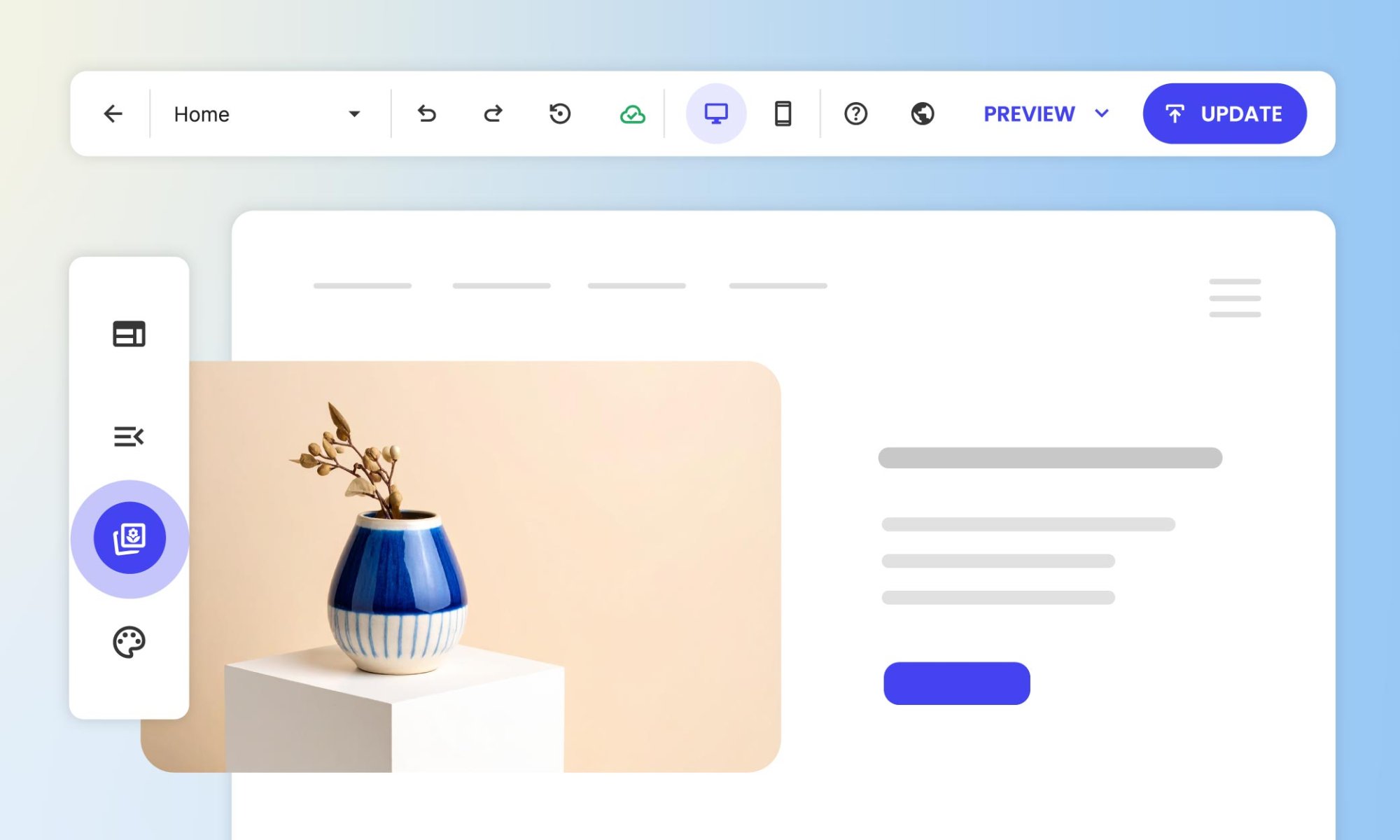
Introducing SiteGround Website Builder: A Simpler, Faster Way to Build Websites

Introducing SiteGround Site Builder

For two decades, we’ve been privileged to be part of your online journey, providing fast, secure, best-in-class hosting for millions of websites built with your own code or using popular CMS like WordPress, Joomla, Drupal and more. Through countless conversations with clients like you, we’ve learned about your challenges, celebrated your success, and understood your aspirations to create and manage your online presence.

Today, we’re excited to introduce something special – our very own SiteGround Website Builder, now included in all of our hosting plans. For us, this isn’t just a new project launch. It’s our response to all of those conversations we’ve had over the years, and our commitment to make your online presence an absolute success.

Why Launch A Website Builder

Every day, we witness the passion you bring to your businesses and projects. But we’ve also seen how technical complexities can stand in the way of your vision. We’ve heard from small business owners spending precious weekends configuring third-party themes for their CMS website, freelancers juggling multiple tools for different clients, and entrepreneurs delaying their dreams because website creation seemed too daunting.

Your stories inspired us to create something different. Something that would maintain the professional quality you deserve while removing the technical barriers that slow you down.

The Problems We’re Solving Together

We believe in products that solve real problems of real people, so we’ve focused on addressing the key challenges you’ve shared with us:

Complexity

Remember the last time you stared at a file manager or content management dashboard wondering where to start? Or spent hours trying to make a theme look like its demo? We believe creating a website should be intuitive and enjoyable. With our Website Builder, you’ll find familiar tools that work exactly as you’d expect – if you can use a doc file, you can build a beautiful website.

Time

We know you can’t afford to spend weeks learning new tools or fighting with technology. What used to be a multi-day project can now be accomplished in a single afternoon. Choose a template, customize it with your content, and launch your site – all before your coffee gets cold. Because your time is better spent growing your business, not building a website.

Technical Barriers

“But I’m not technical enough” – we’ve heard this too many times from talented entrepreneurs whose websites don’t reflect their expertise. SiteGround Website Builder handles all the complex details behind the scenes: mobile responsiveness, built-in SEO, performance optimization, and security considerations. You focus on your message and design, while we ensure everything works flawlessly behind the scenes.

Cost

Building a professional website traditionally means choosing between two costly options: hire a web developer to build and manage your site, or invest countless hours learning complex tools yourself. This should not be the case. Our Website Builder is available for free in every hosting plan, giving you the power to create professional websites without the professional price tag. If you have an unused site slot in any of your hosting packages, you can try it out right away.

Built For You, Growing For Everyone

The first version of the SiteGround Website Builder is built for our core users – business owners who want to create a simple, yet professional website without complexity. We have tons of features and functionalities in the pipeline to add to this experience and also cater to the needs of agencies, freelancers and professionals creating and managing websites for others. Every new item in our roadmap serves one goal – to help you create and manage a polished web presence that reflects your professionalism, while focusing on what matters most – running your business and serving your clients.

Everything You Need To Succeed

Our Website Builder comes packed with the essential tools that you’ve been asking for. Start with our professionally designed templates and customize them using our ultra-easy builder with premade sections. Access a free image gallery for stunning visuals, get help from our integrated AI content writer, and optimize your site with built-in SEO and analytics tools. Make it truly yours with extensive fonts and colors customization options – all without touching a line of code.

Just The Beginning

Today marks an exciting new chapter in our journey together. While we’re proud of what we’ve built, we know that this is just the beginning. We believe that the best products are built through collaboration with the people who use them every day. That’s why we’re starting with a simple, yet solid foundation, while keeping the flexibility to grow and evolve based on your feedback. Every new feature we add will be driven by your real experience and suggestions to make the SiteGround Website Builder even better for you.

Try It Yourself

Ready to create your website? The SiteGround Website Builder is available for free in any of our hosting plans. If you’re already our client, simply log in to your Client Area > Websites and start building your new website. New to our services? Choose any of our hosting plans and get access to the SiteGround Website Builder along with our award-winning hosting platform. Risk-free, with 30-day money back guarantee.

Let’s create something amazing together! 🚀

Top-class hosting for both hard-coded and WordPress sites

Holly Boothroyd, standing in a room with a purple-lit computer setup. The screen displays a website, "HerHelloWorld." A quote on the left reads, "I'm a developer, so I have high standards for who is going to host my website and SiteGround was perfect for me." The text below the quote is "herhelloworld.com, Tech mentor."

Initially starting on Instagram in 2018, our long-term client Holly Boothroyd quickly recognized the need for a dedicated website to house her content, connect with her community and share her journey: 

“I really wanted to have a single home on the Internet, something that I owned that couldn’t just be taken away from me or isn’t going to slowly die over time as new platforms come up.”

As a software engineer by day, Holly Boothroyd felt a strong desire to pay it forward – a heartfelt thank you to her mentors and the women who paved the way before her. She wanted to share the invaluable lessons they taught her and what she had learned along her journey. This passion led her to launch HerHelloWorld, a platform dedicated to supporting marginalized individuals entering the tech industry. Her mission is to guide newcomers who may not have industry connections or know where to begin.

Discovering SiteGround: A One-Stop Solution

As Holly’s vision expanded, so did her requirements for a reliable hosting partner. She needed a platform that could seamlessly support both her hard-coded personal site and her WordPress business site. 

“I wanted a single hosting platform that was top-class for both a hard-coded and a WordPress website.”

Holly came across SiteGround after doing a lot of research. She read reviews, checked out Reddit for honest opinions, and compared the specs of different hosting platforms. In the end, she went with the GrowBig plan because it fit her growing needs and could easily handle both of her sites.

I’m a developer, so I have high standards for who is going to host my website. SiteGround was perfect for me because I got my two websites all in one place. It made it very easy for me to manage, and my experiences over the last couple of years have been incredibly positive.”

Exceptional Website Speed

One of the first standout features for Holly was the significant improvement in website speed. Despite her previous efforts to optimize her old hosting solution, it never met her performance expectations.

“one of the other big things that I noticed when swapping to SiteGround is that my website became much faster. And that was something I really had struggled with and spent quite a lot of time trying to optimize and despite all of my best efforts it never really hit the kind of performance metrics that I wanted. When I swapped to SiteGround, suddenly, all those problems went away.”

Fast loading times are essential for maintaining user interest and engagement, directly impacting Holly’s ability to connect with her audience effectively.

“I can see in my stats that thousands of people view my website. It also relates to my own personal reputation as a developer.”

Robust Website Security – from Basics to Excellence

As Holly’s platform grew, so did her security concerns. SiteGround’s robust security features, including a free SSL certificate, addressed these concerns head-on.

“My last hosting platform required me to pay for the SSL certificate, which I regret. The fact that it came for free with SiteGround was incredibly helpful.”

Beyond SSL, SiteGround’s proactive security measures ensured that Holly’s websites remained safe from threats, such as DDoS attacks. 

“At one point my website was being targeted for a DDOS attack and the SiteGround team jumped on it immediately and kept my website up.”

Holly appreciates that everything just works seamlessly now. This reliability reflects SiteGround’s commitment to providing a secure and hassle-free hosting environment.

Support That Speaks Your Language

SiteGround’s customer service was a real game-changer for Holly. Even with her software engineering background, she appreciated how the team could break down technical issues into simple, easy-to-understand terms. This meant that even those without a tech background could keep their websites running smoothly and confidently.

“I know a fair amount about technology being a software engineer, but I know that they put it in terms that anybody who was not a software engineer or did not come from a technical background would be able to learn and be able to basically get their website, keep it running as mine was and so I think that was something that I was very impressed with”

All The Tools for a Successful Personal Brand Online in One Place

Holly’s journey underscores the importance of having a personal website, especially for those entering the tech industry. To her, It’s more than just a digital portfolio – it’s a platform to showcase skills, build a community, and connect with like-minded professionals.

“Having your own website is essential, especially as a developer. SiteGround is perfect for building up that personal brand demonstrating your unique value.”

Holly is also looking to simplify her digital toolkit by switching to the SiteGround Email Marketing Tool. She loves the idea of having everything in one place, which makes managing her online presence so much easier. 

Her advice to those starting their online journey is to focus on their unique selling proposition (USP) and embrace the learning process.

“Don’t wait for perfection. Start with your biggest USP, build momentum, and learn as you go.”

Holly’s journey with SiteGround is a perfect example of how technology can blend effortlessly with personal dreams. As she inspires and guides the next wave of tech leaders, SiteGround stands by her side as a reliable hosting provider.

“I got my two websites all in one place. I made it very easy for me to manage and my experiences over the last couple of years have been incredibly positive. So I’m really pleased that my websites are going to continue to be hosted on SiteGround moving forward.

For those ready to kick off their online presence, Holly’s story is simply a guide in selecting the right hosting provider. With SiteGround, you can build a strong digital foundation and bring your vision to life with confidence.

7 Website Security Vulnerabilities + Simple Fixes

Website-Security-Vulnerabilities

The internet can often feel like the Wild West—a vast frontier filled with opportunities but also teeming with hidden dangers. Cyber threats are everywhere, and while website security vulnerabilities might not sound as thrilling as a high-stakes showdown, it’s absolutely vital. 

Imagine leaving your front door wide open—hackers are like unwelcome visitors who can sneak in to steal sensitive data, damage your reputation, or drain your wallet. Sounds rather unpleasant, doesn’t it? This guide addresses the most common website security vulnerabilities, breaking it all down in plain English, with explanations that are easy to understand and actions you can take to keep your site safe.

What are Website Security Vulnerabilities?

Website security vulnerabilities are weaknesses or flaws in a website’s code, architecture, or implementation that can be exploited by attackers. These web vulnerabilities may allow unauthorized access by hackers to sensitive information, to manipulate data, or even to attain total control over a website. They can arise from various sources, including poor coding practices, outdated software, and human error. These include website vulnerabilities as well as web application security vulnerabilities, which specifically target the functionality of web applications and their underlying code.

Not only can dealing with these kinds of issues create loads of extra work for you and your business, but the fallout can be much more widespread: loss of sales or, worse, loss of consumer confidence. So that’s why it’s so very important to understand how to prevent, identify and fix website vulnerabilities.

Most Common Website Security Vulnerabilities

While there’s an unfortunately long list of ways your website could be vulnerable to hackers and other bad actors, most web security vulnerabilities boil down to just a common handful. So today we’re tackling the top seven most-likely issues, and, thankfully, explaining them—and how to address them—in terms that we can all understand and act on. 

First, we’ll tackle the most common website vulnerabilities in order to understand what they are and how they impact your site. Then, we’ll discuss the solutions separately, as many fixes address multiple vulnerabilities at once, making them more efficient and impactful.

1. SQL Injection

So let’s say your website has a form—as it probably does!—such as a login box or a search bar. With SQL injection, hackers trick the form into giving them access to your website’s database, where all the important information is stored. This can happen if the website doesn’t double-check what users type into these fields. Hackers might steal customer information, change data, or even erase everything.

2. Cross-Site Scripting (XSS)

Cross-site scripting (XSS) is like someone slipping a harmful note into your website that your visitors accidentally read. These harmful notes (scripts, or malicious codes, as they are called) are a threat to site security, as they can steal personal information, mess up how your site looks, or send users to dangerous websites. The worst part? Your visitors might think it’s your fault, even though the hacker is behind it.

cross-site-scripting-xss-diagram

3. Broken Access Controls

This happens when your website doesn’t do a good job of keeping certain areas or actions off-limits to unauthorized users. For example, picture someone sneaking into a staff-only area of a store—that’s what broken access controls are like online. Hackers might use this lack of login security to view private information or make changes they shouldn’t be allowed to.

4. Insecure Direct Object References (IDOR)

Would you leave a key under the doormat where anyone could easily and predictably find it? With IDOR you’re doing just that if you give website users direct links to sensitive information (such as “www.example.com/profile1”). That’s because a hacker could guess or change those links (like to “www.example.com/profile2”) to see someone else’s sensitive information. As such, IDOR happens when websites don’t check who’s allowed to see what, and pay close attention to user roles and access and other security measures.

Insecure-direct-object-references-IDOR-diagram

5. Security Misconfiguration

Security misconfiguration occurs when websites are launched with default settings, outdated software, or unnecessary features enabled, leaving the door wide open for hackers. Common examples include using default passwords, failing to apply security patches, or enabling services that aren’t needed. These oversights give attackers more opportunities to exploit vulnerabilities, gain unauthorized access, or steal sensitive information

6. Cross-Site Request Forgery (CSRF)

CSRF is when hackers trick you into doing something you didn’t mean to do. For example, you’re already signed into your bank account, then you receive a bogus email with a link or button that’s disguised as something harmless. You innocently click on it, and it ends up transferring money from your account to the hacker, or perhaps it performs some other malicious action on the website where you’re logged in. You’ve essentially just been fooled into signing a virtual blank check.

cross-site-request-forgery-diagram

7. Unvalidated Redirects and Forwards

This issue occurs when a website sends users to another page without checking if the destination is safe. Hackers can use this to redirect your visitors to harmful sites, like phishing pages or ones that install viruses. Think of it as though someone handed you directions to a fake address where bad things happen.

With all of these web vulnerabilities, it might seem a bit intimidating to even think about how to mitigate them. But there’s great news: we’re going to break it down into simple solutions that can quickly and easily improve your website security outlook.

Simple Fixes to Address Website Security Vulnerabilities

Now that you understand the most common website security vulnerabilities, let’s discuss some of the straightforward ways you can address them, as well as other website security tips. The bonus is that these web vulnerability solutions are easy to understand and act on, even if you don’t have a technical background. 

1. Choose a Good Hosting Provider

The first and most important step you can make in this process is choosing a solid hosting provider—it’s essentially the online home for your website, and it plays a vital role in protecting your site from the website security vulnerabilities we’ve discussed above. Not only that, but a good hosting provider will offer maximum uptime and optimized website speed, ensuring that your website performance is reliable and top notch.

How to do it:

Look for a hosting provider that provides a free SSL certificate and daily backups, as well as other important security measures, such as daily malware scans, and a server-level WAF (not sure what we’re talking about here? Don’t worry, we’ll cover it all in a minute!). Do your research, and check reviews to make sure the provider you choose has a good reputation, along with superb customer service.

SiteGround-reliable-web-hosting-provider

2. Perform Regular Maintenance and Updates

Keeping your website’s software, plugins, and tools up to date is a no-brainer on your list for stronger web security. Developers frequently release updates to fix vulnerabilities and improve performance. By staying on top of these updates, you can protect your site from previously mentioned web vulnerabilities, such as SQL injection, cross-site scripting (XSS), and insecure direct object references.

How to do it:

  1. Create a schedule to check your CMS (such as WordPress), plugins, themes, and tools weekly, or enable automatic updates if your platform supports them. This is where those free daily backups are essential, though, because before you make any updates, always back up your website to prevent data loss or compatibility issues. 
  2. For added safety, test updates in a staging environment to ensure everything works smoothly before applying them to your live site. 
  3. To make web management easier and less stressful, consider using a managed hosting service that handles updates, (free!) backups, and maintenance for you, helping keep your site secure without all the extra effort on your part. 
Managed-WordPress-Hosting

3. Implement Input Validation

Input validation verifies that any data users enter into forms or search bars is checked and cleaned to fit the expected format, thus blocking harmful code. This security measure helps prevent hackers from injecting malicious commands, protecting your website from SQL injection and cross-site scripting (XSS) attacks that could compromise data or functionality.

How to do it:

  1. Use easy-to-install tools or plugins that automatically clean up and check the information users enter on your site. 
  2. Focus on areas like forms, search bars, and comment sections. 
  3. For extra protection, set up these checks both on the user’s side (their browser) and on your website’s server, so you catch anything suspicious before it can cause harm.

4. Strengthen Access Control

Access control means deciding who can do what on your website. This includes using strong passwords, setting up roles like “admin” or “user,” and limiting what each role can access or change. These steps help keep hackers out of sensitive areas and protect your website from common vulnerabilities like unauthorized access or data leaks.

How to do it:

  1. Assign user roles carefully, making sure each person only has the permissions they need. 
  2. Also be sure to implement strong, unique passwords for all accounts and enable two-factor authentication (2FA) for an extra layer of security. 
  3. It’s also helpful to install a plugin that keeps an activity log of your website, tracking events like login attempts, user activity, and bot visits, so you can quickly spot and address suspicious behavior.
security-optimizer-plugin

5. Use Monitoring Tools and Scanners

Monitoring tools and scanners act as security guards for your website by watching for unusual activity or hidden threats. They can alert you to suspicious or malicious behavior, such as injected code, compromised files, or web vulnerabilities that could be exploited by attackers. This helps you catch problems early before they cause serious harm.

How to do it:

Look for a malware scanner tool that offers automated file scans and malware cleanups. A good tool will offer detailed reports and recommendations for resolving issues, making it easier to maintain a secure website. This can also help prevent future attacks by identifying weak points in your website’s security configuration.

6. Secure Your Connections

A secure connection encrypts data sent between your website and its users, often using HTTPS (look for the padlock symbol in the browser). The distinction between HTTPS versus HTTP is an important one: it signals this secure connection—and thus trust and confidence—to your website users. It also keeps hackers from intercepting sensitive information, adding extra protection against data theft.

How to do it:

Make sure your site uses HTTPS by installing an SSL certificate. Certain hosting providers, including SiteGround, will provide you with a free SSL certificate that can easily be implemented on your website, making HTTPS implementation as easy as the flip of a switch.

7. Improve Redirection Security

A redirect is when a user is automatically taken from one URL to another. So redirection security involves checking these links or forwards from your website to make sure they lead to safe destinations. This stops hackers from tricking your site into redirecting visitors to malicious websites.

How to do it: 

Limit the use of redirections and always verify that any destination URLs are trustworthy before implementing them. Regularly review your redirects to ensure they haven’t been altered or exploited, and consider using tools to monitor and secure your redirection paths.

8. Employ a Web Application Firewall (WAF)

A Web Application Firewall (WAF) is specifically designed to protect your website from security vulnerabilities, such as SQL injection, XSS, and CSRF, by safeguarding features like user forms, search fields, and API endpoints. It works by stopping harmful requests before they can cause damage, ensuring your site remains secure.

How to do it: 

Many hosting providers offer built-in WAF options, as it’s an essential security feature. While there are numerous WAF options available, including WordPress plugins and third-party services, having a server-level WAF is imperative. This type of WAF operates with large-scale data and provides real-time protection, ensuring a higher level of security.

At SiteGround, our security team keeps a close eye on security bulletins to identify potential exploits and web vulnerabilities. In doing so, they promptly develop custom security rules and integrate them into an advanced, in-house managed WAF. This robust protection is automatically applied to all websites hosted on our platform.

Get started with SiteGround Hosting today>>

9. Leverage a CDN

A CDN, or Content Delivery Network—as it’s called—helps protect your website by spreading traffic across multiple servers around the world. It not only improves your site’s speed but also provides an essential layer of protection against web server vulnerabilities. By distributing traffic and blocking harmful bots, a CDN prevents malicious traffic from overwhelming your server, keeps data safe with encryption, and stops potential attacks before they reach your site.

How to do it: 

Quite simply, select a hosting provider that leverages a CDN. SiteGround’s CDN, for example, helps safeguard your website by mitigating web server vulnerabilities, blocking harmful traffic, and encrypting data. Additionally, with the Always Online feature, even if your server goes down, the CDN enables a cached version of your site that remains accessible and secure.

10. Install a Reliable Security Plugin

There are many plugins out there to help address the web security vulnerabilities mentioned above. And if you’re using WordPress, the SiteGround Optimizer Plugin is particularly ideal, as it allows you to prevent many of the aforementioned web vulnerabilities but with just one plugin – easily and for free.

The SiteGround Security Optimizer Plugin provides a combination of enhanced login security, firewall settings, and activity tracking, with an all-in-one solution that fortifies your site. It safeguards key system directories, enables protection against XSS, prevents unauthorized access, hardens login security, and continuously monitors for any unusual activity. In the event of a breach, the comprehensive activity logs allow you to swiftly identify what occurred and take the necessary steps to resolve it. It’s basically a one-stop shop for securing your WordPress site.

Final Word on Website Security Vulnerabilities

In the end, website security doesn’t have to be a daunting task. By applying simple fixes to these common website security vulnerabilities, you not only protect your site but also build trust with your visitors. Take action today to lock down your site and keep those Wild Western cyber bandits at bay—after all, a little effort now can save you a lot of headaches down the road. 

Meanwhile, you can make addressing website security extra worry-free by taking advantage of SiteGround Hosting. We put our all into security measures that go above and beyond so that you can rest easy. Plus, we offer unparalleled speed and service.