

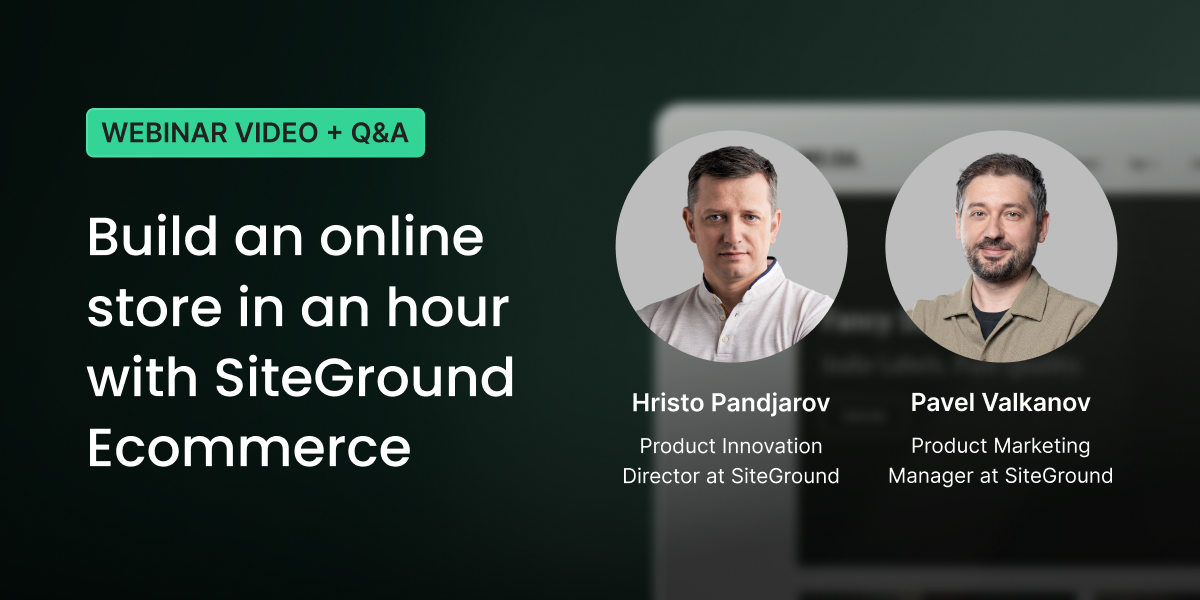
In our recent live webinar our Product Innovation Director Hristo Pandjarov and Product Marketing Manager Pavel Valkanov built an online store with SiteGround Ecommerce, showcasing how easy it is to go from an idea to a live online store.
It was exciting to see how many of you joined us to follow along and start building your own stores.
The webinar covered the main steps of setting up a store, showed the power of our new drag-and-drop editor and answered many of your questions. If you missed it or want to rewatch, the full recording is now available below:
Below are the key takeaways and some of the questions we didn’t manage to get to during the session.
Key takeaways
Building a complete online store in hours is really possible
It sounds like a marketing claim, but the webinar backed it up. The demo walked through the entire process from product setup to a completed test order in under an hour.
That was on a tight timeline, of course, and your store will need more thought and attention. But the point stands: what used to take weeks of configuration and troubleshooting is now genuinely doable in a few hours or days, even if you’re starting from scratch.
You can design, build, and sell with a single solution
Payments, shipping, taxes, SEO, discount codes, marketing tools, and a full drag-and-drop site editor are all built into one platform. There’s no plugin stack to maintain, no compatibility issues after updates, and no need to patch together separate tools for separate jobs. If you’ve ever managed a store across multiple platforms and plugins, you already know why that matters.
You don’t need technical skills to build and launch an online store
The webinar showed pages being edited visually: moving elements, changing fonts and colors, creating new sections from templates. Аll of this without writing a single line of code. And helpful tools such as the alignment grid and contrast indicator help you design like a professional.
There’s even built-in AI for generating text and images, so you’re not starting from a blank page. The whole point is that you can set up your store, make it look the way you want, and update it yourself whenever you need to.
SiteGround Ecommerce – your questions answered
What is the difference between SiteGround Ecommerce and WooCommerce?
SiteGround Ecommerce is a fully integrated platform where website building, store management, checkout, hosting, and marketing tools are all built into one product. WooCommerce, by contrast, is a plugin that adds ecommerce on top of WordPress, with capabilities that depend on stacking additional plugins for payments, shipping, tax, design, and more. That flexibility suits businesses with complex, custom requirements, but it comes at the cost of ongoing technical maintenance, additional themes and plugins cost, and management overhead. SiteGround Ecommerce is designed to be the more practical choice for small business owners who want to get selling quickly without becoming part-time website administrators.
Can I migrate my existing store to SiteGround Ecommerce?
We are very excited about providing an option to migrate existing online stores to SiteGround Ecommerce. The team is actively working on such an option for WooCommerce stores and will share more about the release of it soon. In the meantime you can try the new Website Builder and Ecommerce and see how easy it is to build pages and add products. We bet that recreating your existing website might be easier than you think. Plus, starting fresh means that you will have a chance to streamline your content and get rid of old pages or product drafts. If you are still interested in migrating from another platform, please share this feedback with us via the feedback form inside of the SiteGround Ecommerce store manager.
What payment methods are supported?
SiteGround Ecommerce supports multiple payment methods such as:
- Stripe, and through it debit and credit card payments, Apple Pay, Google Pay, several pay later options such as Afterpay and Klarna and another 120+ payment options
- PayPal, and through it PayPal wallet, PayPal pay later, card payments, and Venmo
- Pay on Delivery, or when the item is picked up from your physical location
- Bank (wire) transfers via SEPA, SWIFT, BACS, CHAPS, etc.
You can offer multiple payment methods simultaneously, for example, PayPal for wallet payments and Stripe for card payments at the same time. Mollie and Worldpay are not currently supported, however we are looking to expand payment options and your feedback will be key in our decision on how to prioritise them.
What kind of products can I sell?
The platform supports three main product types depending on their delivery method but in reality there is no limit of what you can sell. You can set up physical products, non-deliverable ones, such as services, courses, memberships, and downloadable, such as files and ebooks. You can easily create product variations based on pre-built or custom attributes such as size, weight, colour, gender and age. There is also no limit on the number of products you can list regardless of the plan you choose.
How does tax configuration work?
The SiteGround Ecommerce has a built-in tax calculator with preset standard rates. Through the Basic Tax Setup, you register only for the countries and states where you are legally required to collect tax, which means you can effectively leave tax off for markets where you have no obligation. You can also set up tax overrides at the state, county, city, or ZIP level for the USA. For EU stores, domestic or OSS registration is supported. The Advanced Tax Setup via Stripe Tax handles more complex international scenarios and supports product-level tax codes. Note that it remains the store owner’s legal responsibility to ensure compliance, we recommend consulting a local tax professional.
What shipping options are available?
You can easily set up and manage shipping with SiteGround Ecommerce. We support creating shipping zones by country or state, and set flat-rate shipping, free shipping above a minimum order amount, or local pickup. We will soon launch our native integration with Shippo to easily add advanced shipping options to your site. You will be able to get discounted rates from top carriers, optimise margins by applying dynamic shipping pricing, and save time by creating and printing shipping labels in seconds. Customers using the integration will have access to many major carriers such as USPS, UPS, FedEx, DHL, Canada Post, Correos, Deutsche Post, DPD DE, and Evri.
How much does SiteGround Ecommerce cost?
SiteGround Ecommerce is free to try for 14 days with no credit card required. After the trial, there are three plans that have been designed to meet your needs regardless of where in your ecommerce journey you are:
- Sell: designed for people that are just starting their online journey;
- Grow: for those with some experience selling and looking for a platform that will help them take the next step;
- Scale: for experienced sellers looking for professional tools that will take them to the next level.
All plans can be billed either monthly or annually. There is also a Build plan which gives access to the Website Builder only, without ecommerce features. For the most up to date pricing of each plan and all features included visit the product page.
How can I promote my online store?
The platform provides many powerful marketing features out of the box to help you set up and promote your store. You can generate AI descriptions and images to bring life to your products and speed up product creation. Built-in SEO tools help with making your products and pages discoverable by search engines and AI chat bots: automatic sitemaps, SEO-friendly URLs, and meta fields. Google Tag Manager integration also comes out of the box and enables adding tracking and advertising pixels such as Google Analytics, Google Ads, and Facebook Pixel.
You can make your products more discoverable and set up shopping ads using our automatically generated product feeds for Google Merchant Center, Meta Commerce Manager as well as OpenAI product feed for agentic commerce. Discount codes and promotions (including scheduled campaigns) also come out of the box to boost your conversion rates and average order value. Abandoned cart recovery emails are also available on higher plans. Finally, you can keep an eye on your sales and understand how your store is performing using the easy-to-use analytics, covering orders and revenue, product performance, inventory, and traffic, with trend comparisons across periods.
Can I add an ecommerce store to my existing hosting plan?
SiteGround Ecommerce is a separate service and ecommerce stores cannot be added to existing hosting plans. The ecommerce plans include their own hosting infrastructure, so you are not paying for hosting twice, instead you get a fully integrated platform where website building, store management, checkout, hosting, and marketing tools are all built into one product. The 14-day free trial is available to both new users and existing SiteGround customers to help you evaluate the platform before you commit to it.
Do you offer support for SiteGround Ecommerce?
Yes! All plans include 24/7 support via chat and tickets, plus a built-in AI assistant that offers contextual help right inside the store manager. Our support team works hard to be fast and friendly, and we’re proud that customers consistently rate their experience highly. And don’t just take our word for it, our reviews and 98% customer satisfaction speak for themselves.
What’s coming next for SiteGround Ecommerce
The platform is evolving fast, and the roadmap is packed.
Advanced shipping options are coming to the platform very soon, thanks to the integration with Shippo, which will allow you to easily pick from a wide range of shipping providers and print labels for your orders.
Beyond that, we are working on an exciting new blogging/news functionality that will help you quickly and easily publish regular content and updates to your website. This has been one of the most frequent requests by users and we are working on making it available very soon. In addition we will soon provide you with the option to create product add-ons, such as custom text for engraving, descriptive attributes and thumbnail variations – all of these will come built in, no plugins or add-ons required.
SiteGround Ecommerce already makes it very easy to create and grow your online store. What’s coming next will make it even harder to find a reason not to start.
Have an idea about an online business or want to see how easy it will be to create a new store? Why not give it a try today? SiteGround Ecommerce comes with a free 14-day trial, no credit card required.
Are there referral, affiliate links or codes available for Go Geek hosting plan owners? Or is this service another DIY solution competitor to website designers and or hosting resellers?
Hi! Thanks for your question.
Yes, as a GoGeek plan owner you can participate in our programs:
Referral Program — Share your unique referral link (found in your Client Area under Referrals) and earn free hosting for every successful referral.
Affiliate Program — You can also join our affiliate program to earn cash commissions (up to $100 per sale) by promoting SiteGround with your affiliate links and banners.
You can sign up for the Affiliate program directly from your Client Area (Referrals → Become Affiliate).
Regarding your second question:
SiteGround’s GoGeek plan includes built-in Reseller features (white-label hosting, the ability to create and manage client accounts, etc.), so it works great if you want to resell hosting yourself.