If you’re on a GrowBig, GoGeek or Cloud, you can now host Node.js apps in your existing plan. Connect a GitHub repository or upload your code, and we build, deploy and run it for you. Your apps are managed from the same Client Area as your sites, and they can use what your plan already includes: managed databases, free SSL, and email once the app is on your own domain.
What is Node.js?
Node.js is an open-source runtime that lets JavaScript run on a server, not just in the browser. That means one language can power both what people see on screen and the logic behind it: handling requests, reading and writing to a database, sending emails and connecting to other services.
It’s one of the most widely used technologies for building on the web. Popular frameworks like Next.js, Nuxt and Astro run on it, and many of the apps created with AI coding assistants and app builders are built on it too.
What types of Node.js projects can you host?
Anything that runs on Node.js. That includes apps built with Next.js, Express.js, NestJS, Nuxt, Remix, Astro, Fastify and Koa, as well as React, Vue.js, Angular, Svelte and Vite.
Many of the projects clients are already bringing over were built with AI. If you’ve been working in Claude Code, Cursor, Codex, Copilot or Windsurf, just connect the GitHub repository your assistant works in. Every fix it pushes redeploys automatically, and your vibe-coded prototype can go live on your own domain with a database behind it. Sites made in Lovable, Bolt, v0 or Replit work the same way: export them to GitHub or download a ZIP, then publish on a domain you own, with email on that domain included.
Others were built by hand. That might be the API behind your mobile app or your WordPress frontend, a webhook handler or integration that keeps your product running, or a full application on the frameworks you chose. They run on a standard Node.js runtime with a MySQL or PostgreSQL database, environment variables and a log for every build, and nothing proprietary sits between your code and the server.
Deploy your Node.js app from GitHub or upload it as a ZIP
The quickest route is GitHub. Connect a repository, pick a branch, and we handle the build and deployment. After that, every push to that branch triggers a new deployment, so your live app always matches your latest code. You can pause auto-deploy, switch repositories or disconnect whenever you like.
Prefer not to use GitHub? Upload a ZIP of your source code and we’ll take it from there. You can link a repository later if you want automatic updates.
Every new project starts on a free temporary domain, so you can test it straight away. When it’s ready for real traffic, point a domain you own to it from the Client Area.
What comes with every project
Because your app runs on your hosting plan, it gets the same essentials as your websites. You can create MySQL and PostgreSQL databases right from Site Tools, and once the project is on your own domain, you can set up email accounts like hello@yourapp.com at no extra cost. Free SSL with HTTPS enforcement, protected URLs and traffic blocking are included with every project.
You also decide how your app is built. We preselect the settings that suit it, and you can change any of them: framework preset, Node version, package manager, build command, output directory and environment variables. Every deployment is logged with its author, branch, commit and full build output, so if a build fails, you can see why in a click.
Get started
In your account, each app is a Node.js Project. GrowBig includes 5, GoGeek 10, and Cloud as many as you need. A Node.js Project isn’t an add-on: it appears in your Client Area next to your websites and gets its own Site Tools, adapted for Node.js. Apart from the project count, it works like any other website on your plan when it comes to resources and features.
To add one, go to Client Area > Websites > Node.js Projects, add a project and choose GitHub or manual upload. Once it’s live on the temporary domain, you manage the domain, label and server details from the Client Area, and deployments, databases, security, email and statistics from Site Tools.
GrowBig includes 5 projects, GoGeek 10, and Cloud as many as you need. There’s nothing extra to buy, and you can upgrade your plan any time if you need more projects.
Do I need a GitHub account?
No. Connecting GitHub gives you automatic deployments on every push, but you can also upload your source code as a ZIP and we’ll build and deploy it for you.
What happens when I push new code?
If your project is connected to a repository, we detect the push to the linked branch, then rebuild and redeploy automatically. You can pause auto-deploy at any time.
Can I use my own domain?
Yes. Every project starts on a free temporary domain, and you can point a domain you own to it from the Client Area whenever you’re ready.
Are databases included?
Yes. You can create and manage MySQL and PostgreSQL databases for your project directly from Site Tools.
Does email work with Node.js Projects?
Yes, once the project is on a registered domain. Email accounts aren’t available on the temporary domain.
Can I host websites and Node.js apps on the same plan?
Yes. Node.js Projects run next to your WordPress sites and email on the same plan, and you manage them all from the same Client Area.
Managing a WordPress site means endless clicks, repetitive tasks, and hours spent in the admin dashboard. But what if you could trade all of that for a simple chat with AI?
The SiteGround AI Agent for WordPress makes this (and so much more) possible.
What is the AI Agent for WordPress?
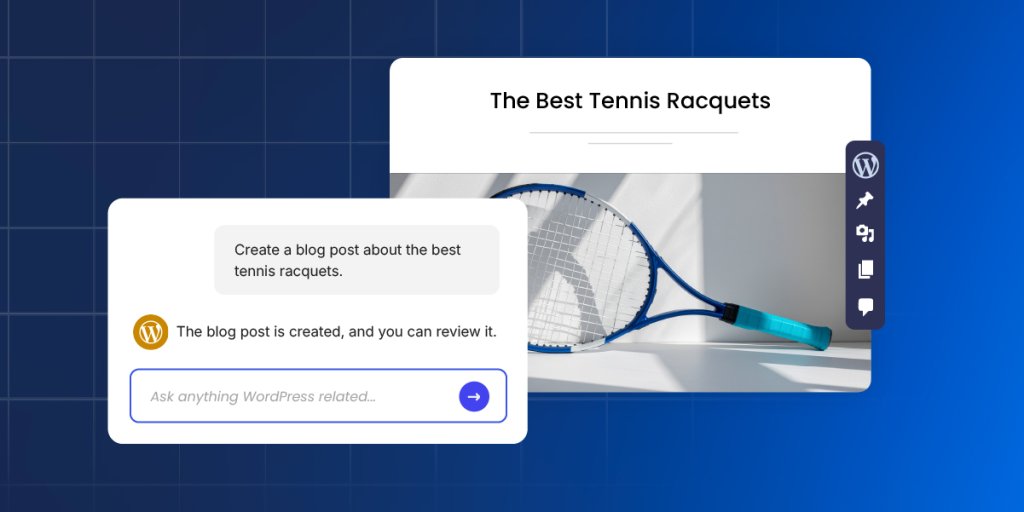
The SiteGround AI Agent for WordPress is an AI-powered assistant that connects directly to your WordPress installation and executes real changes on your site – not just suggestions or generated text, but actual site management. It transforms tasks that typically take hours of manual WordPress admin work into minutes of simple conversation, freeing you to focus on growth and productivity.
The AI Agent for WordPress is part of the recently launched SiteGround AI Studio service, where clients get access to chat with multiple AI models and 15+ AI agents, and is available for free to all SiteGround customers with 20,000 AI tokens monthly. The AI agent for WordPress connects directly to your WordPress sites and lets you manage content, plugins, WooCommerce, users, and more through natural language prompts, saving you precious time and reducing the learning curve and technical barriers to maintaining a successful website.
Why SiteGround’s AI Agent for WordPress is a game-changer?
The AI Agent for WordPress is a game-changer for bloggers, WooCommerce store owners, and agencies who want to spend less time on WordPress admin and more time growing their business. Unlike AI writing plugins that generate text for you to copy and paste, the AI Agent works directly on your live site – it creates, edits, publishes, updates, and deletes on your behalf.
Execute tasks in minutes, not hours – Tasks that used to eat up your afternoon now happen while you take your coffee.
Do bulk actions at scale – Update 200 images, translate 50 products, restructure an entire taxonomy. Even manage multiple WordPress sites simultaneously. One prompt can handle them all.
No WordPress expertise required – You won’t get instructions to follow or code to insert. The agent performs the actual task on your WordPress site based on what you ask, making it accessible to beginners and non-technical users alike.
Delegate entire AI Agent workflows for WordPress – Hand over not just the boring small stuff, but entire workflows, asking the AI assistant for WordPress to execute multiple consequential steps to a complete solution.
Reduce errors – The agent not only performs, but also protects you from irreversible mistakes, thanks to the “Power mode” feature available. The SiteGround AI Agent Power Mode safety guide explains the permissions, confirmation steps, and live-site precautions.
What can the AI Agent for WordPress do?
Among AI plugins and AI agents, SiteGround’s AI Agent is the most powerful AI tool for managing WordPress sites right now. Here’s an overview of its capabilities:
Complete content management
Content management is where most WordPress site owners feel the daily grind. SiteGround’s AI Agent for WordPress transforms this entire experience, letting you accomplish in minutes what used to consume hours of scattered admin work.
Create, edit and publish blog posts
The AI Agent is able to create posts in WordPress, generate the necessary content, including text and images, assign them to the right categories and add tags, upload media files, and publish them when you’re ready. A single prompt can replace the entire manual workflow of drafting, formatting, categorizing, and scheduling, saving you significant time and effort on every piece of content you create. See these AI Agent for WordPress prompt examples for clear, review-friendly requests you can copy and adapt.
Updating old content is also a piece of cake. Ask the agent to make specific updates, and it makes only thetargeted changes while leaving everything else untouched. Your Gutenberg blocks stay perfectly formatted. Your shortcodes keep working.
Build site structure and pages
The agent creates and edits pages the same effortless way, whether it is a simple About page, a complex Services page with multiple sections, or an entire site architecture with parent-child page hierarchies.
What is more, you could give the agent a sitemap – just describe it or paste your planned page structure – and it creates all the new pages with proper hierarchies, builds your navigation menus (primary, secondary, footer), and assigns each page to the right menu. A full day of clicking through WordPress admin becomes a single conversation.
Organise content with categories and tags
You can have the AI agent create new categories and tags, update existing ones, rename them, change their slugs, or delete them entirely. It handles successfully complete taxonomy restructures – merging categories, creating new hierarchies, and reassigning posts to different tags.
Optimise for search engines
The agent generates metadata for new WordPress posts and pages and identifies missing such for your existing content – SEO titles, meta descriptions, keywords, alt text, and captions.
Point it at a media library with 200+ product images, and it adds the needed metadata for each one, maintaining consistent keyword usage throughout. That’s 800+ individual fields – a week and a half of mind-numbing work, finished in an afternoon.
Manage media
Upload images and files to your media library, then let the agent handle the metadata. Or point it at your existing library and have it update titles, alt text, captions, and descriptions across dozens or hundreds of files. The agent identifies unused media files bloating your library, deletes the clutter, and helps reorganize what’s left.
Moderate comments
The agent retrieves comments from any post, shows you what’s been submitted, and handles moderation. Approve pending comments, delete spam – all through conversation instead of endless clicking through the Comments section.
WooCommerce store management
WooCommerce store owners know how overwhelming store management can be. Small tasks multiply quickly, and before you know it, store administration consumes hours that should go toward marketing, customer relationships, or strategic planning. SiteGround’s AI Agent for WordPress removes this overhead entirely – you manage your store through the same conversational interface you use for everything else.
Create, organize, update, delete products
Tell the agent to create or update one or multiple products and specify the details in your own words.
Create one or multiple products from a prompt
Instantly build or reorganize your entire product category hierarchy from a single spreadsheet
Make bulk price updates across hundreds of SKUs
Request seasonal description changes for your entire inventory
Add new attributes to all items in a category
Update stock levels across multiple product lines
Delete products through a prompt with “Power mode” On
For example, you can say “Reduce all prices in the Summer Collection by 20%” – one prompt, and it ripples through your entire catalogue. Updates that would eat up a full day of copying, pasting, and double-checking happen in minutes.
Manage orders
The AI Agent helps you handle orders more quickly and efficiently, keeping your customers happier.
Ask AI to find specific orders and pull details instantly – customer information, items purchased, status, shipping address, and payment method.
Change order statuses from ‘processing’ to ‘shipped,’ or modify details like client address.
Reply to customer inquiries faster and better with relevant information retrieved and processed by AI.
Track store performance
Sales reports, trends, bestselling items, customer growth, coupon usage – get all the data you need delivered to you through a quick question to the AI agent.
Ask the agent about your sales and it not only retrieves the data – for this week, this month, last month, this year, or any custom date range you specify, but also analyzes it, reporting on changes you need to watch out for.
Want to know what’s selling best? The agent identifies your top-performing products, filtered by whatever time period matters to you.
Translate product catalogues
Expanding into new markets stops being a choice between expensive human translators and awkward machine output. Ask the AI agent for WordPress to translate your entire product catalogue in your target language and brand tone. It will do it with commercial awareness – copy that sounds like it was written by a native speaker and expert marketer in one. Technical specifications stay accurate. HTML formatting stays intact. Products with complex details get translated without the budget you’d normally need for professional localisation.
Technical website maintenance
Every WordPress site needs ongoing maintenance – plugin and theme updates, security audits, user management, and performance optimization. It’s the work that keeps your site secure and fast, but rarely feels like a good use of your time. The AI Agent acts as your expert technical assistant, taking the entire burden off your shoulders.
Update general WordPress settings
Site title, tagline, timezone, date format, permalink structure – the core settings buried in your WordPress admin are all accessible through a simple chat with the AI agent. Tell it to change your site’s tagline or adjust how dates display, and it makes the change.
Manage plugins
Keeping your plugins in order is one of the most critical and often tedious parts of WordPress maintenance that AI can handle for you. Between the constant update notifications, the fear that an update might break your site, and the security risk of old, forgotten plugins, it’s a job that never ends – and one that AI can help you with.
Find and install plugins: Tell the agent what kind of plugin you need and it will locate the best option, install it, and even activate it for you.
Plugin updates: You can ask it to update a single or multiple plugins at once to their latest versions. For total peace of mind, you can even tell it to back up your site before running the updates.
Deactivate and delete plugins: Instead of manually deleting old, deactivated plugins, you can simply tell the agent to identify them and do it for you.
Audit your plugins: Not sure what’s even running on your site? Ask the agent, “Give me a list of all installed plugins and their status.” You’ll get a clean audit, helping you spot outdated or unnecessary extensions that could be slowing you down.
Handle themes
Theme management with the AI agent works the same way as the plugins maintenance. Tell the agent the name of a theme or describe what you’re looking for, and it finds and installs it for you.
Ask for an audit, and this AI tool for WordPress lists every installed theme with version numbers and update status. Unused themes get identified and removed when you’re ready to clean house.
Manage and delete users
The AI agent for WordPress creates new user accounts with username, email, password, and role (Administrator, Editor, Author, Contributor, or Subscriber).
It helps you manage existing users by helping you reset passwords, change email addresses, update a display name, or modify roles. Ask for a list of everyone with access, and it shows all users with their roles and registration dates.
When someone leaves, ask the agent to remove their account.
Manage multiple WordPress sites simultaneously
The real game changer for agencies and freelancers: everything above works across multiple WordPress websites simultaneously. Just make sure all sites are connected to SiteGround AI Studio and have the AI agent for WordPress installed and activated. You can:
Install, update, or delete plugins and themes across your entire portfolio with one command.
Manage users at scale, like adding a new editor to all sites or auditing Admin access everywhere.
Perform bulk content changes, such as updating text or URLs across dozens of pages simultaneously.
Standardize WordPress settings, like the site title or timezone, across all your client installations instantly.
For agencies managing client sites, this transforms maintenance completely. Hours of repetitive logins become single instructions that execute everywhere they apply.
The Power Mode: your built-in protection
Power Mode is a built-in safety layer within the SiteGround AI Agent for WordPress designed to prevent accidental or irreversible changes to your website. Disabled by default, it must be enabled before the agent can execute high-impact actions like deleting data, modifying core configurations, or performing bulk updates. The actions that typically require you to enable Power mode are:
User management: Creating and updating user details.
Site settings: Modifying general WordPress settings such as the Site Title, Site URL, or Timezone.
Bulk operations: Performing mass changes, such as editing all post titles at once or mass-deleting drafts.
WooCommerce management: Creating or updating orders, canceling pending orders, deleting transactions, and managing products or coupons.
Core updates: Updating WordPress core files or language files.
By default, the Power Mode is disabled. This ensures that the agent cannot perform “risky” high-impact actions without your explicit confirmation. When you issue a command that requires high-level privileges (like deleting a plugin), the agent will display a warning message and ask you to enable “Power mode.”
How to connect SiteGround’s AI Agent for WordPress to your website?
At this time, the AI agent for WordPress and the related AI Studio service (which provides access to our AI tools) are available only to existing SiteGround customers. Regardless of whether their WordPress site is hosted with us or not, our customers can easily connect their installations and manage them with the AI agent. This includes WordPress sites hosted on other platforms.
One-click connect is available for WordPress sites hosted on SiteGround
To connect your sites, go directly to the AI Studio interface > Connectors page in your profile. You’ll see a list of all WordPress installations hosted on your SiteGround accounts, and you can connect them with a click. You could also add other instances that are not in the list.
You can disconnect any site at any time through the Connectors page in AI Studio, or from your WordPress Admin dashboard.
Need help connecting? Learn how to connect the SiteGround AI Agent for WordPress in our step-by-step guide. Once your site is connected, follow the complete AI Agent for WordPress tutorial to learn how to manage content, WooCommerce, plugins, SEO, and maintenance tasks.
Try SiteGround’s AI Agent for WordPress today
Ready to simplify your WordPress workflow and reclaim hours of your time? Start using SiteGround’s AI Agent for WordPress and see how much easier and faster site and store maintenance could be.
In our January 2026 webinar, Product Director Daniel Kanchev and Product Marketing Manager Simona Petrova demonstrated how leading AI models and specialized agents in SiteGround AI Studio solve real business challenges. Through live demos, they showed how the all-in-one workspace can handle day-to-day business tasks, from content creation to streamlining WordPress and WooCommerce management.
For anyone who couldn’t join the live webinar, or for those who would like a second look at the demos, the full webinar recording is now available to watch on YouTube.
Key takeaways
We covered a lot during the session, so we’ve distilled it down to the most important takeaways for you below.
1. Use the right AI model for every task
Different AI models excel at different tasks, so a core feature of the AI Studio is providing access to multiple leading models from a single workspace. During the webinar, we showcased this “right tool for the right job” approach, explaining how some models are better for summaries while others excel at creative work. We demonstrated this with specific examples, using ChatGPT to instantly summarize a long article into a 30-day action plan, and then switching to Nano Banana Pro to create a unique, high-quality image for a blog post.
With AI Studio, you can explore which model works best for your specific needs without managing separate subscriptions. This full suite of AI models is available for free to all SiteGround customers as part of AI Studio Essential.
2. Streamline WordPress management with the WordPress AI Agent
Included free in the Essential plan, the WordPress AI Agent helps you manage and maintain your WordPress sites through simple chat commands. During the webinar, we showed how you can perform bulk actions like updating multiple WooCommerce products at once – all with a single prompt. You can even manage multiple WordPress instances at once – like rolling out a plugin update across some or all of your WordPress installations, or creating a new user in every site you manage – just by telling the WordPress agent what you need to do. The agent works both in the AI Studio interface and directly inside your WordPress dashboard.
3. Get marketing campaigns done in minutes with AI agents
The Plus plan unlocks 15+ specialized AI agents built with input from real-world business and marketing professionals who know what works. During the webinar, we demonstrated a few of them in action. We showed that unlike general-purpose AI that often requires several rounds of back-and-forth, these agents deliver strategic, ready-to-use output from the start.
For example, the Social Media AI Agents for Facebook, Instagram, and LinkedIn turn your main message into channel-ready posts and publish them directly to your connected pages. They can also analyze engagement and suggest improvements based on best practices. Meanwhile, the Email Marketing AI Agentbuilds a complete campaign from a single prompt, including subject line, body copy, and images. You can import the output directly to your SiteGround Email Marketing or download the HTML to use in third-party applications.
Answering your questions
We also got a great deal of interesting questions, so we summarized the most popular ones.
Is AI Studio included in my hosting plan, or is it an additional cost?
SiteGround AI Studio offers two plans: Essential and Plus. Every SiteGround customer gets free access to the Essential plan, which includes 20,000 monthly tokens, multiple leading AI models, and the AI Agent for WordPress. The Plus plan is available for an additional cost and provides 100,000 monthly tokens, 15+ specialized business agents for tasks like marketing, content creation, and more, plus a library of ready-to-use prompts to help you get started faster.
What are tokens and how do they work?
Tokens are the units that measure AI usage in SiteGround AI Studio – think of them as the “currency” for every AI interaction. Every task you perform, whether it’s generating text, creating images, running web research, or using AI Agents, consumes tokens based on both your input (your prompt and any uploaded files) and the AI’s output (the generated response). More complex tasks like image generation, file analysis, or multi-step Agent operations use more tokens than simple text requests.
The AI Studio essential plan (free for every SiteGround customer) includes a monthly token allowance of 20,000 tokens, and you can track your usage anytime in AI Studio or your Client Area. Your allowance resets automatically each month.
What is the difference between AI agents and generic chat?
The key difference is expertise. Generic chat is great for brainstorming and quick answers, but it relies entirely on your prompts to guide the conversation. AI Studio agents, on the other hand, have specialized knowledge built into their core instructions. Secondly, our AI agents can execute tasks directly through platform integrations – they don’t just give you text, they can publish a blog post to your website or update products in your e-commerce store.
Does the WordPress AI Agent work with page builders like Divi and Elementor, or only the native WordPress editor?
The vast majority of the WordPress AI Agent’s features work perfectly regardless of which page builder you use. The only limitation is block-level content editing and creation within the builder itself, since each page builder (Divi, Elementor, etc.) uses a unique content structure that requires dedicated integration.
Everything else works seamlessly on any WordPress site:
Complete content management for posts, pages, categories, tags, media library, and comments.
Full WooCommerce integration for products, orders, inventory, pricing, and sales reports – everything you need to run your online store.
User management to create accounts, update roles, and set permissions.
Plugin and theme management to install, update, activate, deactivate, or remove
Site configuration to adjust settings and optimize performance.
We’ve seen significant interest in native page builder support for visual editing, and we’re listening closely. We’ll prioritize which builders to integrate next based on user requests, so we encourage you to share your feedback directly through the AI Studio interface.
Can the WordPress Agent create or update products by uploading a spreadsheet with product information?
Yes, the SiteGround AI Studio WordPress AI Agent supports bulk WooCommerce product management through spreadsheet uploads. You can upload a spreadsheet containing your product data – such as descriptions, prices, and inventory – and the WordPress AI Agent can then use that data to either create new products or update existing ones in your WooCommerce store, depending on your instructions.
Can I use the WordPress AI Agent across multiple websites and share access with my team?
Yes, you absolutely can manage multiple websites with the WordPress AI Agent. We designed it to be a core part of the experience for all our customers, which is why its multi-site management capabilities are included in the free Essential plan. There is no limitation on the number of WordPress sites you can connect, allowing you to streamline tasks across all of your web properties from a single, centralized workspace.
Regarding sharing access with your team, there’s a specific way to collaborate using the WordPress AI Agent right now. If a team member has access to your WordPress dashboard, they can use the agent’s features directly from within WordPress, and any tokens they consume will be drawn from the main account owner’s token pool.
Can SiteGroundAI Studio create and schedule social media posts automatically?
The SiteGround AI Studio social media agents for Facebook, Instagram, and LinkedIn excel at creating and posting channel-ready posts directly from your prompts. While you can create and publish posts straight to your social pages from the interface right now, scheduled posting – the ability to schedule posts for automatic publishing at future dates – is currently in development. A comprehensive scheduling system that applies to all types of tasks – not just social media – is a high priority on our roadmap and will be a core part of a future update to the SiteGround AI Studio.
Can specialized AI Ads Agents create ad copy and visual assets?
Yes, the SiteGround AI Ads Experts for Meta and Google are designed to create both ad copy and visual assets for your campaigns. You simply provide the agent with details about your product, target audience, and campaign goals, and it generates multiple ad variations around your core offer. Each variation is built to follow the specific structure guidelines of its platform, giving you different hooks and messages to test without having to write each one manually.
What email marketing services can I connect to AI Studio?
The SiteGround AI Studio Email Marketer offers a seamless, one-click integration with our own SiteGround Email Marketing service, allowing you to import your finished ready-to-send-email instantly. While we do not currently offer direct API connections to third-party services, we designed the agent’s output for universal compatibility. You can generate an email and export its full HTML, which you can then easily upload into any external email marketing platform you use.
Will search engines penalize AI-generated content?
No – Google and other search engines have been clear that they don’t penalize content when AI tools were used in the creation process. What matters is quality, not origin. Google’s guidelines focus on rewarding helpful, original content that demonstrates expertise and provides genuine value to readers, regardless of how it was produced.
The SEO risk isn’t AI itself; it’s publishing thin, generic, or mass-produced content that doesn’t serve your audience. To keep your rankings strong, focus on adding your unique perspective, expertise, and real-world examples to AI-generated drafts. Use AI as a starting point, then refine with your own insights and ensure everything is accurate and genuinely useful.
SiteGround AI Studio is designed specifically for creating search-optimized content. Our SEO Expert Agent helps with your keyword research, competitive analysis, and content briefs based on search intent, while the Copywriter Agent creates drafts you can shape to match your brand voice. The result is content that’s efficient to produce and built to perform.
Can AI Studio handle on-page SEO, and does it work alongside plugins like Rank Math or AIOSEO?
Yes, SiteGround AI Studio handles on-page SEO strategy and works seamlessly with SEO plugins like Rank Math, AIOSEO, and Yoast SEO. These tools complement each other rather than conflict – they serve different purposes in your SEO workflow.
Your SEO plugin (Rank Math, AIOSEO, Yoast, etc.) handles the technical implementation: meta tags, schema markup, XML sitemaps, canonical URLs, and on-page analysis. AI Studio’s SEO Expert Agent works upstream as your strategist, helping you with keyword research, competitor analysis, content briefs, and optimization recommendations. You then use insights from the SEO Expert to create content with the Copywriter Agent, and finally publish it to your site using the WordPress AI Agent – where your SEO plugin takes over to handle the technical details.
AI Studio is also developing AI visibility optimization to help content rank across AI platforms (ChatGPT, Claude) and traditional search engines – addressing both SEO and emerging AEO (AI Engine Optimization).
What makes a good AI prompt?
Good prompts are specific prompts. The more details you provide – goal, audience, tone, and any specific requirements – the better your results. To make this easier, our AI Studio Plus plan includes a Prompt Library with ready-to-use prompts for common business tasks like blog posts, product descriptions, and social media content. You can also save your best-performing prompts to reuse them anytime, ensuring consistent, high-quality results without starting from scratch.
What is the difference between Coderick AI and Siteground AI Studio?
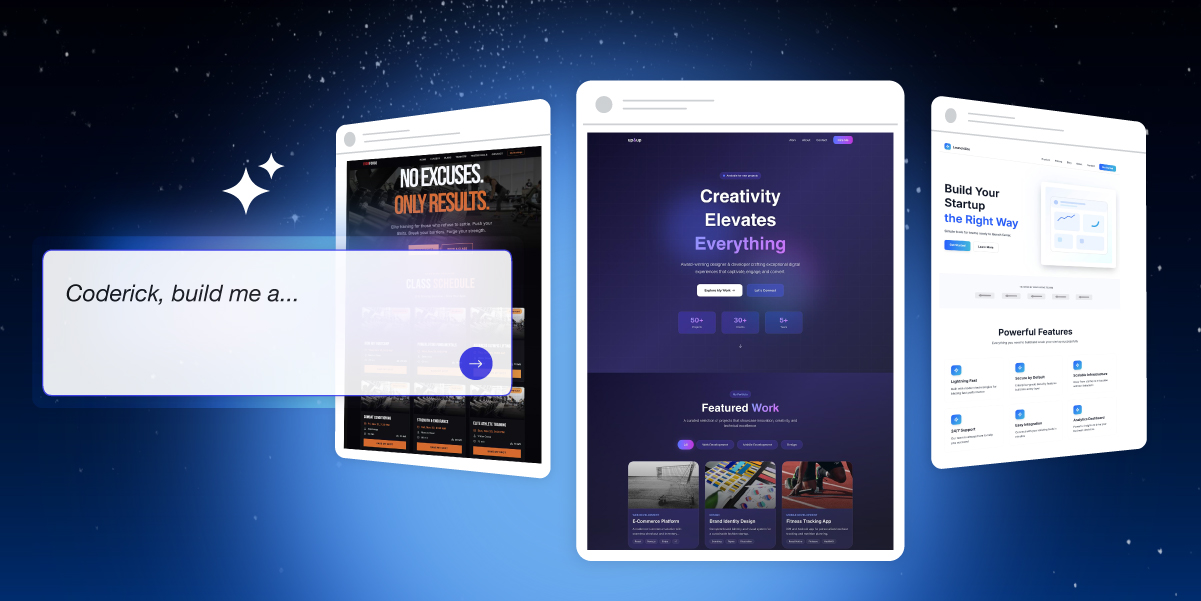
The simplest way to think about the difference is that SiteGround AI Studio is designed to help you manage and grow your existing business, while Coderick AI is designed to build new websites and applications from scratch.
SiteGround AI Studio is your day-to-day AI workspace for ongoing business tasks. You use its specialized agents for things like maintaining your WordPress site, creating social media content, running email marketing campaigns, and generating ad copy. It’s a tool for enhancing your productivity and managing your existing business operations. Coderick AI, on the other hand, is a development platform used to create new, fully functional websites and applications without any coding. You simply describe your idea – for example, “build a client invoice tracker with a dashboard” – and Coderick AI generates the entire application, complete with hosting and a database.
Tell us what you need
We’re just getting started with what SiteGround AI Studio can do, and we’re excited for what’s next. Your feedback is what will guide our development, so please don’t hesitate to share your thoughts with us as you work with it. We want to hear your success stories and learn what tools and improvements you need to help you scale your business.
Whether you’re a business owner who’s been putting off that internal tool because “it’s too technical and expensive” or an agency juggling client projects and wishing you could deliver twice as much without doubling your team, there’s never been a better time to build. The way we create apps and websites is fundamentally changing, and we want you to be part of it.
We’re thrilled to introduce Coderick AI – SiteGround’s brand-new AI-powered platform that lets you build fully functional web apps and websites simply by describing what you want. No coding skills required. No technical headaches. Just you, your ideas, and a simple chat interface.
What Is Coderick AI?
Coderick belongs to a new category of AI tools known as “vibe coding.” And if you haven’t heard the term yet, you will soon. Vibe coding is not just a buzzword. It’s a fundamental shift in how software gets built.
Instead of wrestling with programming languages, frameworks, and deployment configurations, you simply describe what you want – just with your words. Coderick AI interprets your intent, generates the user interface, creates the backend logic, and handles the technical complexity behind the scenes. You focus on what you want to build, Coderick figures out how.
For small business owners, this means finally being able to build that client portal you’ve been dreaming about – in an afternoon, at the cost of two coffees. For agencies and freelancers, it means delivering more projects in less time without expanding your team. For anyone with an idea, it means removing the biggest barrier between concept and reality: the technical know-how.
Build, Launch, and Host – All in One Place
The AI app-builder space has exploded recently, and we’ve been watching closely. We saw tools that were fast but fragile. Powerful but fragmented. Impressive demos that fell apart when it was time to actually go live. So we didn’t just build another option – we built something better.
Most AI builders create a new problem while solving an old one. They help you build the app but then you’re left scrambling to figure out hosting, deployment, and security. You end up paying separately for your builder, your database, your hosting, and your domain. Costs pile up. Complexity creeps in.
Coderick takes a different approach.
Everything Included
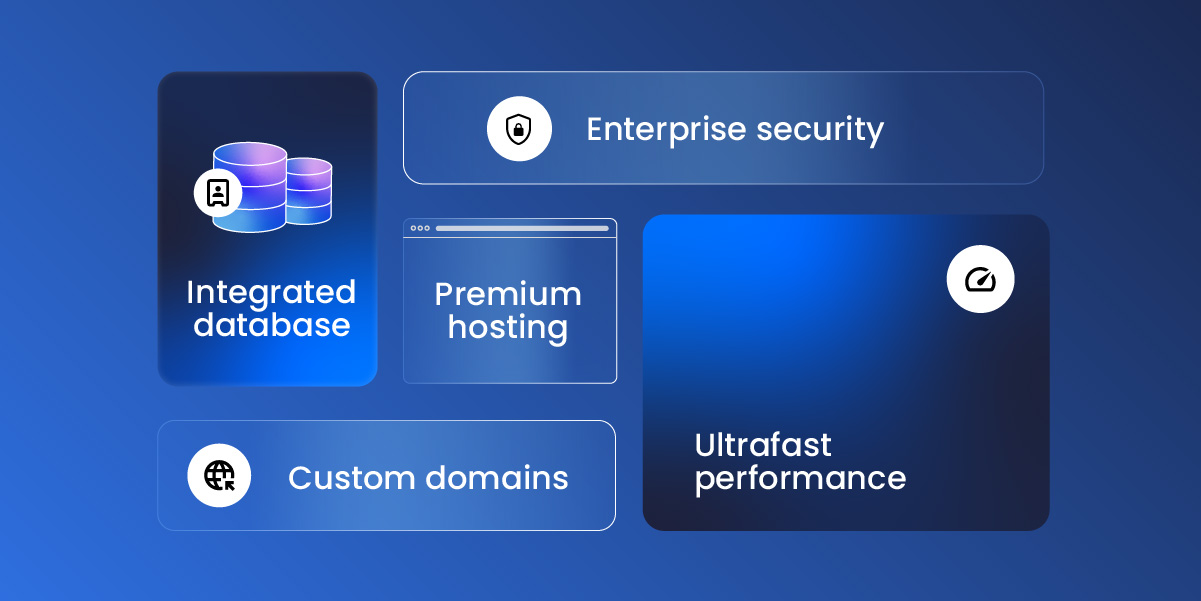
When you hit “Publish” in Coderick, your app or website goes live instantly on SiteGround’s rock-solid hosting infrastructure. No additional database setup needed. No domain configurations to manage. No wondering if your hosting can handle traffic spikes.
Every Coderick plan includes:
Premium hosting built directly into the platform
Automatic database setup and configuration
Ultrafast performance backed by SiteGround’s infrastructure
Custom domain support on all paid plans
This isn’t added-on hosting as an afterthought or a free trial you’ll be forced to pay for later. It’s hosting built into the DNA of the product – by a company that’s been perfecting web hosting for over two decades.
Secure by Default
When you’re building with AI, security isn’t optional; it’s essential. Coderick protects your work at every level: your conversations with the AI, your data, and your code are all processed securely and stay protected.
Every app or website you launch benefits from SiteGround’s enterprise-grade security infrastructure – the same systems that protect millions of websites worldwide. Build with confidence, knowing your projects and your users are safe.
Built for Real Work, Not Just Prototypes
Many AI builders are fantastic for creating demos and prototypes. But when it’s time to go live with real users and real traffic, cracks start to show.
Coderick AI is built for production from day one:
It comes with built-in version control so you can experiment freely and roll back anytime.
User authentication is ready out of the box, letting you build apps that serve real customers from day one.
Every project is responsive by default, looking sharp on any device.
And the backend? Auto-generated, so you never have to touch server-side logic unless you want to.
What Can You Build with Coderick AI?
The short answer: almost anything you can imagine.
Portfolio sites, startup landing pages, restaurant websites, event pages, booking platforms, client portals, invoice trackers, CRM systems, internal dashboards, inventory tools, project management apps, fitness logs, recipe managers, budget planners, movie trackers – these are just a few examples.
If you can describe it, Coderick can build it.
See It in Action
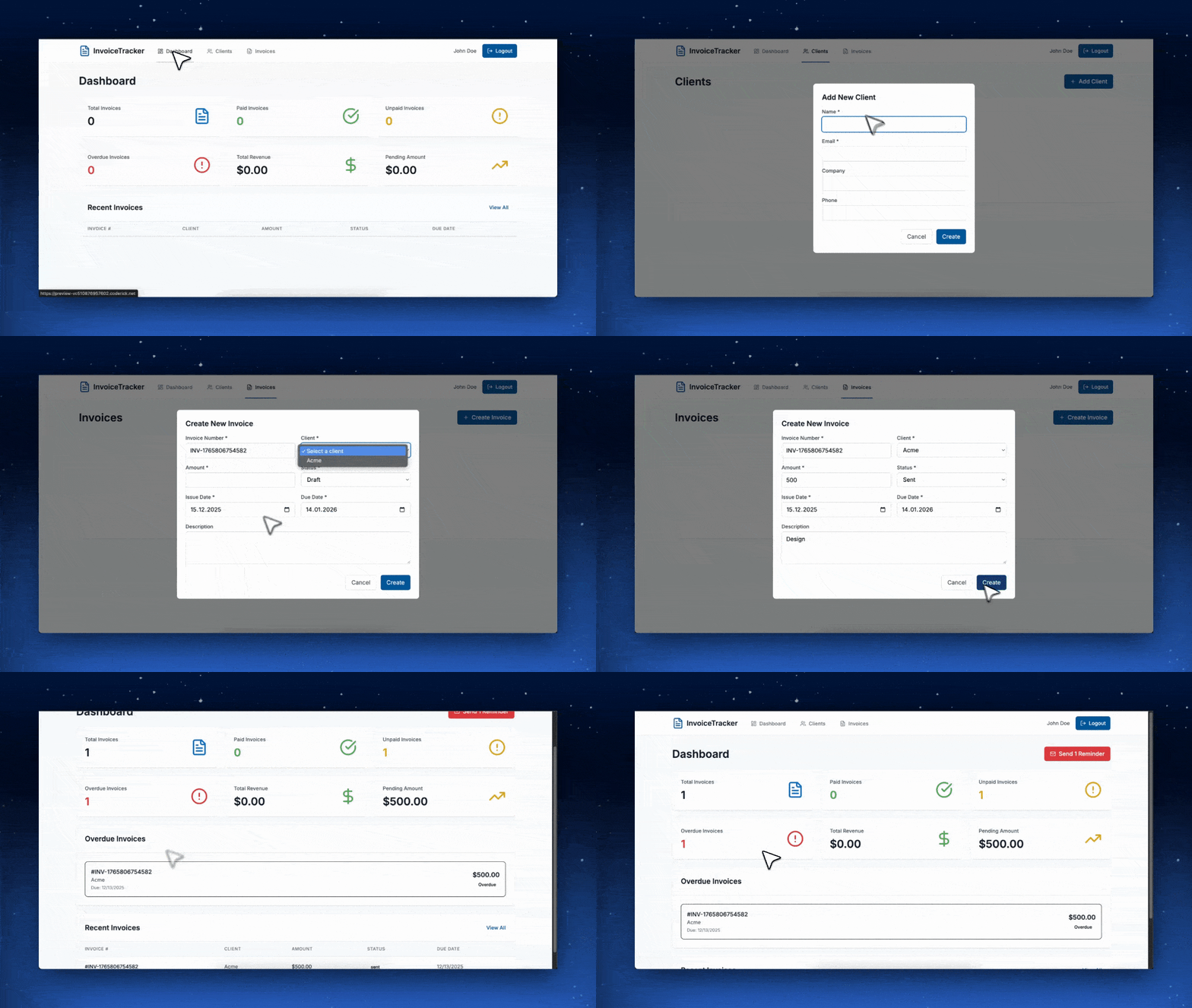
The prompt:
“Build a client invoice tracker with a dashboard that shows paid vs. unpaid invoices, lets me add new clients, and sends email reminders for overdue payments.”
The result:
A fully functional invoice management app, complete with database, authentication, and a clean dashboard, built in under five minutes.
We’ve included ready-made prompts and templates to help you get started quickly, but the real magic happens when you describe exactly what you need. Want a portfolio site with a modern, dark aesthetic? Ask for it. Need a task planner that integrates with your team’s workflow? Describe it. The AI adapts to your vision, not the other way around.
Built on Two Decades of Hosting Expertise
Here’s something no other vibe coding app can offer: Coderick AI is built by SiteGround.
That means every app and website you create is backed by the same infrastructure that powers millions of websites worldwide. The same security systems. The same support team. The same commitment to performance that’s earned us a 4.8-star rating from over 25,000 clients on Trustpilot.
When you build with Coderick, you’re not gambling on a startup’s servers. You’re deploying to a platform that’s been battle-tested for over 20 years.
Ready to Start Building?
The barrier between your ideas and a live, working application has never been lower. Whether you’re a business owner looking to automate operations, an agency seeking to deliver more value to clients, or someone with a side project waiting to come to life—now is your time to start.
With plans starting from just $10/mo and a no-credit-card free trial, Coderick is ready when you are.
For over twenty years, we’ve stayed ahead of every major shift on the web, so you don’t have to. We’ve built solutions that solved real website and business problems, and adopted the latest and smartest technologies to give you an edge. Now AI is reshaping how businesses work, and we’re approaching this new shift the same way – by building tools that solve real problems and give you a competitive advantage, not just chasing trends.
We are happy to introduce our latest service – SiteGround AI Studio – your in-built AI workspace to chat with leading AI models like ChatGPT, Claude, Gemini and more; create AI images with Nano Banana;use an AI agent for WordPress management and access 15 more specialized agents, trained to perform real business tasks.
What is AI Studio by SiteGround?
SiteGround AI Studio gives small business owners access to full-scale AI capabilities, intelligently enhanced to solve diverse challenges in one convenient AI workspace. It integrates several services in one platform and gives you access to:
The best AI models in one place
Access the leading AI models from one workspace without hopping platforms, or paying multiple subscriptions. You want to try ChatGPT, Claude, Nano Banana, or Gemini? We’ve got you! Go to SiteGround AI Studio and choose the model you want to chat with.
You can even compare how different models handle the same task. Does Claude Sonnet 4.5 or GPT 5.1 create better marketing copy? What about Gemini Pro versus Claude for technical documentation? Are the images generated with Nano Banana better suited for your needs? In AI Studio you can check for yourself – all in the same interface.
Multiple AI agents, trained to perform real business tasks
Access 15+ powerful agents, smartly trained by our AI engineers to help you maintain your WordPress, do marketing, create polished images, and more. Treat them as your new team members that help you scale work with high quality and efficiency.
AI Agent for WordPress: It handles WordPress maintenance, content creation, troubleshooting, WooCommerce product updates, plugin and theme updates (for a single or multiple sites at once!), user management, and more through simple chat prompts. When Power mode is enabled, it can manage core settings and critical actions as well.
Email Marketing Agent: It builds email campaigns from a single prompt, including subject line, body copy, and related images. You can export the ready HTML, or import it in a click into SiteGround Email Marketing, ready for send out.
Ads Experts for Google and Meta: The Meta Ads Expert and Google Ads Expert generate multiple ad variations around the same offer and follow the ad structure guidelines of each platform, giving you different hooks and messages to test without writing each one manually.
Social Managers for Facebook, LinkedIn, and Instagram: The Social Media Managers for Facebook, Instagram, and LinkedIn turn your main message into channel-ready posts and publish them straight to your connected social pages.
SEO Expert, Copywriter, Reputation Manager, Image Designer, Logo Designer, Signature Creator, Web Researcher, Translator – specialized agents that can support various business needs small business owners and individuals may have, with more agents coming soon!
Ready prompts that make AI usage easier and more efficient
SiteGround AI Studio also includes a library with smart prompts that can save you time, tokens, and brainwork, but most importantly – produce great results. Because we’ve all been there at some point – testing AI and wondering why everyone else is so hyped when we just can’t make it work. And many of us have figured it out the hard way – the key to using AI successfully is in the prompt. The more specific and elaborate your prompt is, the better the AI’s response will be. Use our ready prompts and get to the next level right away.
What can SiteGround AI Studio do for small and medium-sized businesses?
SiteGround AI Studio helps small and medium-sized businesses and individuals by streamlining workflows, amplifying productivity, and cutting time and costs.
Do your daily tasks better and faster using the simple AI Studio chat
Now you can use AI Studio’s multi-model AI chat to significantly improve your everyday work. AI enhances both the quality and efficiency of your work by combining speed with intelligent assistance that catches errors, suggests improvements, and provides expert-level insights instantly. It acts as a collaborative partner that helps refine your thinking – offering alternative perspectives, identifying gaps in logic, checking for inconsistencies, and drawing on vast knowledge to strengthen your output.
This means you can iterate faster through multiple drafts, test different approaches in seconds, and arrive at polished, well-considered results in a fraction of the time traditional methods require. The technology handles the heavy lifting of research, data analysis, and initial content generation while you focus on strategy, creativity, and final refinement – ultimately producing higher quality work in less time.
Here are some ideas to try out and see how you can up your game in no time:
Struggling with handling customer complaints? Give AI an email from a customer and ask it to write a response.
Writing a blog post that typically takes hours? Sketch a rough draft and ask AI to turn into an engaging content piece.
The first time writing a job ad? Tell AI what role (and company) you’re hiring for and it will get you a solid one.
Not having time to read a lengthy industry report? Just attach the report to the chat and get a meaningful summary of the most important takeaways in no time.
Need strategic advice? Ask AI to act as your co-founder and help you make a decision, or give you arguments against and in favor.
Manage your WordPress website more efficiently with SiteGround’s AI agent
WordPress maintenance tasks have a way of piling up, and the more sites you run, the longer the list gets. Product information needs adjusting, service pages need refreshing, plugins need updating, WooCommerce orders need attention, blog posts need to go out regularly to serve your content strategy, etc. Every maintenance task pulls you away from work that actually grows your business. With AI Studio and the AI agent forWordPress, you can connect multiple WordPress sites and manage them all from a single AI-powered workspace. It can take much of that ongoing work out of your hands.
Go ahead and ask the AI agent to do some of the following for a start to see how easy it gets:
Refresh an outdated services page with the latest information
Create a new blog post from a brief outline
Update multiple WooCommerce product descriptions for clarity and consistency
Apply 10% discount to all products in a category
Add Alt text to all images in your blog posts
Update plugins across several WordPress instances
Add new categories and tags and assign them to existing posts
Review last week’s comments and mark suspicious as spam
Run an SEO audit on your site and suggest improvements
Instead of clicking through menus and editing fields one by one, you give instructions and the AI agent turns them into real changes on your site. Updates that used to take days now get done in minutes.
Scale capacity and do more with AI agents
Growing your business calls for more marketing experts and tasks in the pipeline. Then effective marketing means regular campaigns, testing different messages, and staying consistent across channels. But even a “simple” campaign quickly turns into updating a landing page, writing at least one email, creating several social posts, and drafting multiple ad variations. You may know exactly what would work, but creating all those assets fast enough is where most small teams get stuck.
That’s where the AI Studio agents come in – many of them trained to do marketing like real experts and save you hiring, onboarding and then managing new people in the team.
Treat the Image Designer like your in-house web designer and ask it to create images for your social campaigns, banners, emails, blog posts, and website.
Give your new copywriter – the AI Copywriter Agent – a short brief and see how it turns it into a complete campaign copy with clear headlines, benefits, and CTAs.
Your email marketer – the Email Marketer Agent will take over your email campaigns from the subject line, body and visuals, to sending them directly into your SiteGround Email Marketing Service. All you’ll need to do is press SEND.
Let your Social Media Managers for Facebook, Instagram, and LinkedIn turn your main message into channel-ready posts and publish them straight to your connected profiles.
Work with the Meta Ads Expert and Google Ads Expert to create new ads and update existing ones without writing anything manually.
Beyond these examples, SiteGround AI Studio includes more agents that support different parts of your work. Together, they help you do more work, test more ideas, and scale without hiring. And as AI Studio grows, we’ll continue adding new agents to cover even more of your everyday business tasks.
How to start using AI Studio by SiteGround?
SiteGround AI Studio is already available for all existing customers, regardless of what service they’re currently using. It is conveniently linked on your Client Areadashboard.
The service will soon be available to new customers as well from our website.
Free AI Studio Essential plan for all SiteGround customers
SiteGround AI Studio comes in two plans – Essential and Plus. All SiteGround customers now get an exclusive, completely free AI Studio Essential plan. No setup, no extra subscription – it’s already available in your Client Area.
The AI Studio Essential Plan includes 20,000 monthly tokens and access to chat with multiple AI models and the AI Agent for WordPress.
The AI Studio Plus plan includes 100,000 tokens and access to chat with multiple AI models and the AI agent for WordPress, and unlocks access to the 15+ powerful AI agents and the prompt library. You can easily switch to the Plus plan from your Client Area.
AI Studio is also integrated with SiteGround Email Marketing, Website Builder and Ecommerce services. Clients who use AI to write content and generate images from the interfaces of these services will now be spending tokens of the AI Studio Essential when performing those tasks.
Try SiteGround AI Studio Today
Ready to try it out? Go to your SiteGround Client Area dashboard and look for the blue banner ”AI Studio” to start your AI journey.
AI technology has been developing for decades, but it was only within the past few years that we began to truly feel its impact – affecting our daily lives from handling basic chores to solving and automating whole business processes.
When AI technology exploded 2-3 years ago, the tech world witnessed an unprecedented surge in automated crawling activity. AI companies were racing to collect as much web content as possible to train their large language models (LLMs), often without website owners’ knowledge or consent. This led to the rapid evolution of AI models, forging more usage and breaking changes in search behavior by diminishing the importance of traditional search engines and SEO practices to that of new generative engine optimization (GEO).
Understanding AI technology’s complex effects on client websites, we proactively balance mitigating potential risks while helping our customers embrace new opportunities. Let’s explore the downsides and upsides of AI bots crawling your site before diving to our actions to help you navigate this rapidly changing environment.
The Pros and Cons Of AI Bot Crawling
In our experience, technology is rarely all good and all bad – and AI is no exception. While AI algorithms and bot behavior have matured significantly, several key issues require careful consideration.
Lack of Privacy and Intellectual Property Regulation
AI bots are systematically crawling and using original content – blog posts, product descriptions, creative writing, proprietary information – without explicit permission. This content is then used to train LLMs with no attribution to the original creators. Imagine discovering that your carefully crafted articles, unique business insights, or creative work had been incorporated into an AI system that could then generate similar content, potentially competing with your original work while providing you with no recognition or compensation.
While major AI providers have become less aggressive in their crawling behavior and are trying to develop more respectful crawling practices, the problem is still very much open to debate and regulation, and it will surely take a few more years of work until we manage to resolve it.
Lack Of Transparency And Control
Unlike established search engines that provided clear guidelines, robots.txt compliance, and webmaster tools, early AI crawlers operated with little transparency. Website owners had no way to understand what content was being collected, how it would be used, or how to opt out of this data collection. This lack of control over your own digital assets is fundamentally problematic, adding to the more complex ethical dilemma along with the point above.
Admittedly, things are moving in the right direction, with AI companies implementing proper user agent identification, which helps in distinguishing between training crawlers and user-session crawlers.
Spike In Server Resource Consumption
AI bots operate with an intensity that is unlike traditional search engine crawlers. Where Google’s bot might visit your site periodically and respectfully, AI training bots would often make hundreds or even thousands of requests in rapid succession. This aggressive crawling pattern can impact server performance, leading to slower loading times for real visitors, and increased resource usage and costs. For businesses relying on their websites for sales, customer service, or lead generation, any performance impact translates directly into lost revenue.
Generative Search Is The New Must
As the LLMs are getting better and smarter, the search behavior of the users is changing. We are less frequently using standard search engines to collect information, and more frequently asking AI to gather and analyze the information for us. Consequently, online businesses and websites now look for ways to be listed in AI overviews and chat responses. And in order to be there, the website must be crawled for a start.
SiteGround’s Policy On AI Bot Crawling
In the early years of AI bots development, we witnessed first-hand how almost all of their traffic was for training purposes. It was often so aggressive that we had to kill the requests in order to not let them overload our servers. To protect our customers’ websites from unauthorized content harvesting while maintaining optimal server performance for legitimate visitors, we had to block the majority of aggressive AI crawlers.
Fast-forward a few years, we now observe a different situation. The profile of the AI crawlers has changed and we see much less training, and a lot more chat-initiated visits, which indicate that AI is checking your site for the purpose of a conversation with a legitimate user, potentially interested in your service. That is why we’ve changed our approach to AI crawler management. Instead of blocking the majority of AI crawlers, we’re now making a distinction between different types of AI traffic.
✅ Allowed: AI Chat Session Crawlers
AI crawlers that are used when real users interact with AI platforms like ChatGPT, Claude, Gemini, or else are allowed by default. This means when someone asks these AI assistants to visit or analyze your website, they’ll be able to access it successfully.
❌ Blocked: AI Training Bots
We block AI crawlers that are specifically designed to scrape content for AI model training purposes, protecting your intellectual property and original content from unauthorized use. Blocking these crawlers means your content will be protected from AI models being trained on it, but people should be able to use platforms such as ChatGPT, etc – and AI will be able to crawl your site when providing an answer. The full technical details on which specific AI crawlers are allowed by default and which you can enable on request is available in our Knowledge Base.
What This Means for You
Here are the immediate benefits of this policy:
Your website is accessible when users ask AI platforms to visit or analyze it
You have increased discoverability through AI-powered searches and recommendations
Your visitors have a better experience when using AI tools to research your content
At the same time, we continue to ensure the following protection:
Your content remains protected from unauthorized training data collection
Your website’s performance is protected through continued blocking of aggressive crawlers
Ongoing monitoring and rate limiting of all bot traffic
Looking Ahead
The digital landscape will keep evolving, and so will we. At SiteGround, we believe in empowering you to embrace technological progress while maintaining the security and performance standards your business depends on. As the relationship between AI technology and web content continues to evolve, what remains constant is SiteGround’s commitment to helping you navigate this landscape with both protection and flexibility.
Your success in this AI-driven future starts with having a website and hosting partner who understands both the opportunities and the risks—and knows how to help you capitalize on one while avoiding the other.
Back in May, we shared the news that PHP 8.2 is becoming the default version for all new sites hosted on our servers. Now, as of this month, we’re thrilled to announce that PHP 8.2 is fully rolled out across our entire infrastructure for existing sites as well. This significant upgrade provides SiteGround clients with enhanced security improvements and superior performance, ensuring you get the best out of PHP 8.2 right from the start.
Implementing this change on such a large scale was a complex and extensive process, but we carefully planned and executed it. Our unique approach was guided by our commitment to providing clients with seamless, high-quality service and ensuring each of their websites is faster, safer, and better equipped for the future. Here’s more about the journey behind this upgrade.
PHP 8.4: Stay Updated! 🚀 Check out our latest blog post to explore the newest features and enhancements in PHP 8.4.
Smooth Transition and Optimized PHP Experience for Faster and Safer Hosting
The scale of this project was immense, involving hundreds of hours of planning, testing, and implementation by our DevOps team. All this to ensure a smooth, free-of-charge transition to PHP 8.2 for customers who have switched on their Managed PHP service. Here’s a snapshot of the results:
✅ Our team spent 88 days on preparation and gradual upgrades across shared and cloud servers.
📊 Millions of websites with managed PHP underwent comprehensive compatibility checks.
🎉 A massive 92.92% of sites passed the PHP 8.2 check with no issues and were classified as low-risk and directly upgraded to PHP 8.2.
⏰ Only about 7% of sites were identified as high-risk and were granted additional time to use PHP 7.4 to ensure stability and client peace of mind.
Why the PHP 8.2 Upgrade is Complex – and Necessary
PHP 8.2 brings powerful improvements to our customers’ websites in terms of speed, security, and efficiency. It is designed to handle PHP requests faster, which improves performance across all types of websites. PHP 8.2 is considered a mature release and is the primary version actively supported by PHP core developers, ensuring it remains well-patched.
It includes new functionalities such as read-only properties and deprecation of dynamic properties, allowing developers to produce safer code and leading to a more secure website overall. Plus, it is completely compatible with other software hosted on our platform, and all major apps, like WordPress and Joomla, already support PHP 8.2.
With all this in mind, this was the right time for SiteGround to make PHP 8.2 the default and ensure our clients get the best from their hosting environment. However, moving to a major PHP version like this one is challenging because it affects almost every application and domain hosted on our servers.
Moreover, some website elements, like old plugins or custom code, may have compatibility issues when moving to a new PHP version. This is why the transition to PHP 8.2 was both important and complex. While new websites on our servers have been using PHP 8.2 by default since May 2024, updating all sites using our Managed PHP service required a meticulous approach.
Initial Testing, Compatibility Checks, and Risk Management
In July, we began a phased upgrade process for clients using our Managed PHP service. We started with the first shared server test and performed detailed checks with sites to verify if they would load correctly with PHP 8.2. These tests were performed in isolation, ensuring that live client sites were unaffected during the assessment process.
This test allowed us to understand whether the sites were ready for PHP 8.2. Our comprehensive compatibility checks helped us categorize websites into low-risk and high-risk groups to better manage the rollout and reduce potential risks for clients.
Low-risk: websites that our tests detect as properly loading on PHP 8.2
High-risk: websites that we have detected as having some compatibility issues
To all sites that loaded without a problem, we sent a notification a week before the actual upgrade, ensuring complete transparency and zero surprises for our clients. For sites that did not pass the compatibility check, we kept them on PHP 7.4. This allowed clients to update their site’s code for compatibility while remaining fully functional.
We also contacted such clients with a recommendation to switch back to managed PHP after they resolve the compatibility issues so that we could continue updating their sites automatically and save them time and effort.
Gradual Upgrade of Clients’ Sites with Managed PHP
To ensure stability and minimize risks, our PHP 8.2 upgrade process was gradual and carefully controlled. After the initial server test, we performed a phased upgrade, starting with a five-server batch, then scaling up to 50, 250, and finally 500 shared servers per week. This gradual approach ensured that we could quickly catch and resolve any issues that arose.
By mid-September, the PHP 8.2 upgrade was complete for all our shared hosting servers. At the end of August, we started the upgrade process to our cloud servers which was on track and successfully completed by the end of October.
For Those Still On PHP 7.4, We Strongly Recommend Moving to PHP 8.2 For clients who manage their own PHP version and are still using PHP 7.4, we encourage you to upgrade to PHP 8.2 soon, as this version is more secure, faster, and fully supported. Versions below 8.2 are no longer supported by the core PHP developers and will become more and more vulnerable as time passes. Note that PHP 7.3 will be removed from SiteGround servers in 2025, as it reaches the end of its lifecycle. For your convenience, we provide a PHP compatibility check,performed by our technical experts as part of the Expert Care service.
We’re happy to have achieved the huge upgrade to PHP 8.2 successfully, maintaining our commitment to a secure and up-to-date hosting environment. As always, our team is here to help with any questions and guidance you may need to ensure you get the most out of PHP and beyond!
At SiteGround, we proudly embrace our reputation as “security freaks” – we continually enhance our infrastructure, systems, and tools to protect our customers’ websites and information. Since launching our Site Scanner service, we’ve been inspired by your stories of how it has shielded your websites from potential security disasters. Now, we’re excited to take your protection to the next level with Site Scanner’s latest updates.
New in Site Scanner Basic: Automated Weekly File Scan
Our current Site Scanner Basic plan features an automated Daily URL Scan that checks your website’s URLs every day for any publicly detectable malware. However, when it came to File Scans, up until now you had to initiate that type of scan manually yourself.
We’ve rectified that with the addition of an automated Weekly File Scan, making our Site Scanner Basic plan even more convenient. Now your website’s files will be automatically scanned for malware every 7 days, ensuring regular and thorough protection without any extra effort on your part. Site Scanner Basic users can now enjoy enhanced security and peace of mind with our new weekly file scans!
New in Site Scanner Premium: Unlimited 1-Click Malware Cleanups
Our Site Scanner tool has been a favorite among our clients, but there was one feature you’ve been eagerly anticipating – Malware Cleaning. Until now, Site Scanner provided valuable timely information about potential malware threats found on your account. Now, we’re excited to offer not just insights and timely alerts, but also an easy resolution with our new 1-click Malware Cleanup feature, exclusively available for Site Scanner Premium users.
Here’s an overview of the two methods for using the malware cleanup feature:
Scenario 1: Malware is detected after a scan
Imagine malware is detected on your website. With Site Scanner on, you’ll receive an immediate notification via email. Your next step is to go to your Site Scanner interface in Site Tools. Here, you’ll see more information about the detected threat and have the option to remove the malicious code identified during the scan. Our Malware Cleanup feature now allows you to swiftly remove the malware from your site and eliminates the need for third-party solutions, saving you both time and money. You can initiate the cleanup with 1 click. The possible results will be:
Successful Cleanup: The malware is effectively removed, and a subsequent scan verifies that your site is clean.
Unsuccessful Cleanup: If the cleanup tool encounters issues, an automatic support ticket is created for further investigation by our support team experts.
In the CLEANUPS tab of your Site Scanner interface, you can access your history of all cleanups, with successful ones accompanied by a detailed report of the files that were cleaned.
And voila! Your site is malware-free again.
Scenario 2: Quarantine files
If you have your Site Scanner quarantine setting enabled and there is a malicious attempt to upload potentially harmful files to your site, these will be detected and not automatically published in your public website folder, but safely quarantined in a folder isolated from your website.
Now you have the option to use our automatic cleanup process for these files too. When initiated, our Malware Cleanup feature will automatically delete the content it considers malicious from the quarantine files and will safely move the cleaned files to the public folder.
For more detailed guidance on using the Site Scanner tool and how it protects your website, please refer to our Site Scanner Knowledge Base tutorial.
Activate or Upgrade Site Scanner for Unmatched Peace of Mind
With Site Scanner’s new automated Weekly File Scans in the Basic Plan and 1-click Malware Cleanup in the Premium Plan, along with many other site protection features, you can enjoy seamless defense against malware threats.
PHP 8.4 is now out of beta. The official release was announced on November 21th, 2024 and is fully available on SiteGround! Read our latest comprehensive article to learn more about the new features and how you can use it.
We are glad to announce that PHP 8.4 (Beta 3) is now available for testing on all SiteGround servers – way ahead of its scheduled official release date on November 21, 2024. Once again, we are among the first companies to provide PHP 8.4 (Beta 3) for testing on our hosting platform. Thanks to our unique PHP server setup, we are able to offer the latest PHP versions for our clients to test safely on their websites hosted with us.
Discover more about the new features that the latest PHP version brings to the table in the next section.
What’s new in PHP 8.4 (Beta 3)
This latest version introduces some very important new features that will improve the PHP development experience even further. Let’s dive into some of the biggest changes that PHP 8.4 (Beta 3) offers:
Property hooks
One of the new features in PHP 8.4 (Beta 3) includes the ability to define property hooks which will eliminate the need for a lot of boilerplate code. This is one of the biggest changes in PHP history. Property hooks will help remove a lot of getters and setters by allowing each property to define its own get and set hooks. What’s more, an exciting addition is that in PHP 8.4 (Beta 3) property hooks can be defined in interfaces.
We can take this pretty standard class for example:
<?php
declare(strict_types=1);

class Website
{
   private $domain;

   public function __construct(string $domain) {
       $this->domain = $domain;
   }

   public function getDomain(): string {
       return $this->domain;
   }

   public function setDomain(string $domain): void {
       if (strlen($domain) === 0) {
           throw new ValueError("Domain must be non-empty");
       }
       $this->domain = $domain;
   }
}
As of PHP8.4 (Beta 3) we can use Property Hooks to achieve the same result with the following syntax:
<?php
declare(strict_types=1);

class Website
{
   public string $domain {
       set {
           if (strlen($value) === 0) {
               throw new ValueError("Domain must be non-empty");
           }
           $this->domain = $value;
       }

       get => $this->domain;
   }

   public function __construct(string $domain) {
       $this->domain = $domain;
   }
}
newwithout additional parentheses
Another new feature that will save lots of boilerplate code is that you don’t have to wrap newly created objects within parentheses anymore in order to be able to chain methods on them.
What’s more, it works not only for methods – you can also chain properties, static methods, constants – basically whatever you want. Bottom line is that the new feature will simplify the syntax and make the code more concise and readable.
Example:
The “class member access on instantiation” feature was introduced in PHP 5.4.0. Since then constants, properties and methods can be accessed on a newly created instance without an intermediate variable, but only if the new expression is wrapped in parentheses:
class Website
{
   ...

   public function getDomain(): string {
       return $this->domain;
   }
}

// Valid syntax
$myDomain = (new Website('siteground.com'))->getDomain();

// Invalid syntax until PHP8.4
$myDomain = new Website('siteground.com')->getDomain();
New Array functions
Another notable change in PHP is the introduction of several new Array functions. PHP 8.4 introduced several new array functions with callback function:
array_find()
A function that returns the value of the first array element that matched the condition. If none of the elements matched the condition, the function will return `null`.
array_find_key()
Returns the key of the first element for which the callback was true. If none of the elements matched the condition, the function returns `null`.
array_all()
Checks if the callback returns true for all of the array elements
array_any()
Checks the callback returns true for any of the elements of an array.
These new functions make it easier to search and manipulate arrays based on custom conditions which in terms will lead to cleaner and easier to read code.
How to test PHP 8.4 (Beta 3) on SiteGround servers
As a SiteGround client, you can easily test PHP 8.4 (Beta 3) on your website. Simply log in to your Site Tools > Devs > PHP Manager section and you’ll be able to replace the current PHP version used by your site with PHP 8.4 (Beta 3) with a single click.
Please keep in mind that PHP 8.4 (Beta 3) is mostly available for testing purposes and as usual, we strongly advise you not to use it at your production site before its scheduled official release date (November 21, 2024).
If you need to test PHP 8.4 (Beta 3) with your existing site, we recommend that you create a new site for testing and clone your production site into it to test different things. For this purpose, you can use our WordPress Staging tool. While testing, make sure that nothing fails and check your log files to see if any warnings or errors appear. Once you are done testing, you can simply delete that site.
Wrap-up
At SiteGround, we are constantly working to introduce the newest PHP technology ahead of the others. That’s why we are excited to provide our clients with the latest PHP version which brings to the table some big improvements that could significantly enhance the PHP development experience. Take your time to test the new version before the official release date and stay tuned for more updates from the PHP community.
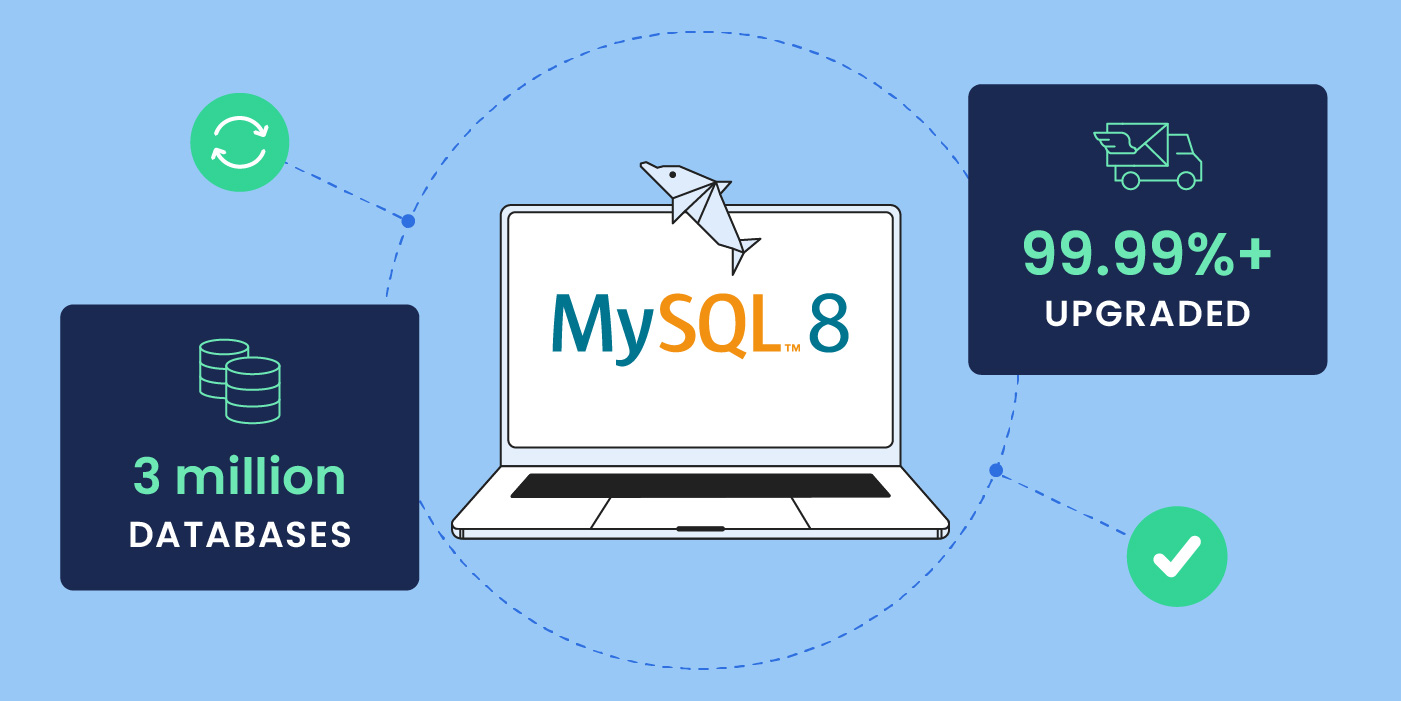
We are happy to announce that we’ve successfully upgraded our servers to MySQL 8, and that roughly 3 million databases are now using it at full steam. More importantly, this massive transition required zero effort on the behalf of webmasters and site owners! Our unique approach to this task allowed us to provide customers with all the benefits of the newest MySQL version, and at the same time mitigate the high risk of updating such a vital underlying website technology.
While many web hosts would change their MySQL version and let customers deal with the consequences, that just doesn’t align with our values. We took it upon ourselves to bring the benefits of MySQL 8 to all our clients, and prepared extensively in order to make the adoption painless and risk-free for them. That meant testing and evaluating seemingly countless application configurations (Joomla, Drupal, WordPress and other CMSs, and all their extensions and themes that come in different setups) to foresee the tons of possible post-upgrade problems – and then eliminate them proactively and swiftly without any work or hassle for the clients.
Let’s dive into how we made that happen.
The Challenge: MySQL8 upgrade is risky and creates heavy workload for the website owners and webmasters
Upgrading a website’s MySQL is always risky: these big version updates bring with them truly innovative features, but it also means that existing applications and web setups may not be compatible. Because of that, it usually takes years until they get largely adopted. For example, the first version of MySQL 8 premiered in 2018 and a year after its release it only had a 17% global adoption rate.
The decision about if and when to switch to a newer MySQL version requires the webmaster to weigh potential problems that might occur against the benefits it brings, and invest time and money in fixing post-upgrade problems. This creates a huge burden for website owners and webmasters.
That’s where web hosting companies might be of huge help – or not – depending on how they manage their servers and the level of service they provide to their customers. Among our competitors there are two popular approaches to such large-scale upgrades: either enable the new MySQL version on only the new servers you launch, and if current clients want the new version they need to relocate to the new servers; or put both the old and new MySQL’s on one server, which would increase the resource usage of the server and might ultimately deteriorate the performance of the sites hosted on it.
Neither of these options is ideal though. In both cases, the burden of risk still falls on the website owner or webmaster, as they would need to do the work to make their sites compatible with the new MySQL. The likely outcome is that many would just not upgrade, thus missing out on performance, security and other benefits. What’s worse, many clients would continue using an older version of MySQL for so long that it would become vulnerable and unsupported by the official developers. This would put their websites at serious risk. Not a great plan.
SiteGround’s unique approach: millions of databases automatically updated to MySQL8 without hassle for the clients
At SiteGround our philosophy is to ensure that all our customers can benefit from the latest technologies, and with the least possible hassle: no work, no risk, no extra investment, just take it out of the box and use it. When we offer a new software like MySQL 8 that comes with multiple benefits, we make sure all clients can safely and easily enjoy it.
This is why our approach to this upgrade was different. We didn’t leave it to our clients to figure out how to upgrade to MySQL8; we did it for them and took on all the work to eliminate incompatibilities and resolve post-upgrade problems. That upgrade process included evaluating the level of risk, researching all possible incompatibilities and upgrade errors, automatically fixing problems, and manually verifying the results. As a result, millions of sites are now using MySQL 8 without any extra headaches.
Extensive research and multiple dry runs to reduce upgrade fail rate
We began by extensively researching the incompatibilities of MySQL 5.7 (the previously used version of MySQL). The goal was to discover which issues could act as potential blockers to updating a database to MySQL 8.
Next, we copied and isolated hundreds of servers and started dry-run upgrades. The objective was to identify problematic software and setups that break after the transition, find solutions for them in advance, and document all results carefully. We used all that data to minimize the upgrade fail rate and to automate the aftermath problem resolution.
Automated and quick fixes of broken sites
Building on the extensive research and testing, our engineers developed a smart system that essentially served as a skilled mechanic for your website. It would run a compatibility check with MySQL 8 based on your specific application configuration and database structure. If it detected incompatibilities, it would patch them on the spot.
As a result, after the upgrade this automatic system helped us to immediately remove errors and broken queries for thousands of websites, and it spared us tons of manual work, in addition to resolution wait time for the clients.
Manual fix of 7518 websites by our experts (free of charge for the clients)
The automated checks did a tremendous job, but we went even further. After a server was upgraded, our technicians would open pretty much all websites hosted on it to make sure they were fully functional. Of those, they identified 7518 websites with issues, which they then fixed manually after the migration in due time.
804 sites provided with a time extension (at our expense)
All our automated and manual checks left us with an impressively low number of sites that remained incompatible with the new MySQL version — below 0.001% of all. For these clients we provided a custom server setup where they would be able to use MySQL 5.7 for two additional months allowing them enough time to address significant query incompatibilities and to get ready for the new version. We believe each of our users should be given the option to receive the best service, so at this time we’ve absorbed the cost of maintaining the old version on additional servers.
Efficient server upgrade schedule paid off in fast problem resolution
One of the internal challenges during the process was to schedule the servers for upgrade so that we would have had enough people to not only address potential issues, but also complete the upgrade successfully in the shortest possible time frame. Based on our statistics from the dry runs, we could predict how many websites would have had issues per server, and therefore knew how many servers to schedule and how many technicians to staff so that we could address problems quickly. At some point, our process was so efficient that it allowed us to successfully upgrade as many as 180,000 websites in 24 hours!
Timely and honest communication with customers
Those of you who’ve been customers for a while surely already know how much we value transparent and clear communication when it comes to events that impact your websites. This upgrade to MySQL8 was no exception. We notified each client at least seven days prior to the transition, informing them of the day and hours we would upgrade their websites (always non-business hours for their respective region).
The Summary
Our top priority in this upgrade process was that all sites would be fully functional as usual after the upgrade – no problems, just benefits from the newer MySQL. The outcome? We had a 99.99%+ success rate of the migration process!
With solid planning, preparation and precise execution, we successfully upgraded roughly 3 million databases and made them fully compatible with MySQL 8 without any work for our clients.
It took us only 63 migration days to achieve this for all websites hosted on our platform, totally free of charge, all while making sure that every single client website had been thoroughly taken care of. Well, let’s not forget the month or two we invested in preparation work,including research, dry runs, and automations.
A special team of 34 people worked for a total of 1228 hours on the actual upgrade, completing the process with utmost efficiency and professionalism – it took them an average of seven minutes per server to switch and resolve issues.
It was an enormous task on a staggering scale, especially considering the high bar we set for ourselves. But in the end all the hard work on our part paid off in absolutely no work for our clients. And that in itself, for us, is the end goal that justifies all the effort.